Media Info Viewer
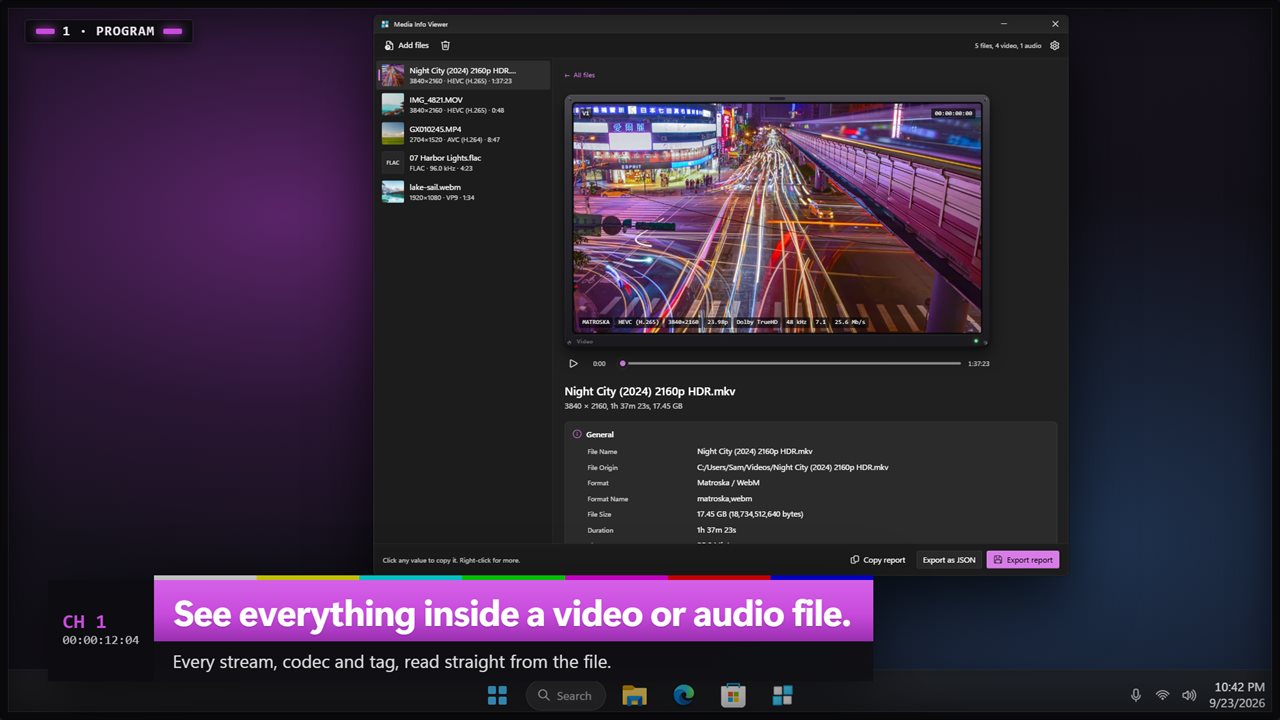
See everything inside a video or audio file. Media Info Viewer lists every stream in plain words: resolution, frame rate, codecs, color and HDR, channels, sampling rate, bitrate, chapters and tags. Click any value to copy it, measure loudness with one click, and save the full report as text or JSON. Everything is read on your PC.
See everything inside a video or audio file.
See it in action
About Media Info Viewer
Why won't this video play on the TV? Is it really 4K? Is that HDR? Media Info Viewer opens a video or audio file and shows you everything inside it.
Every stream, in plain words
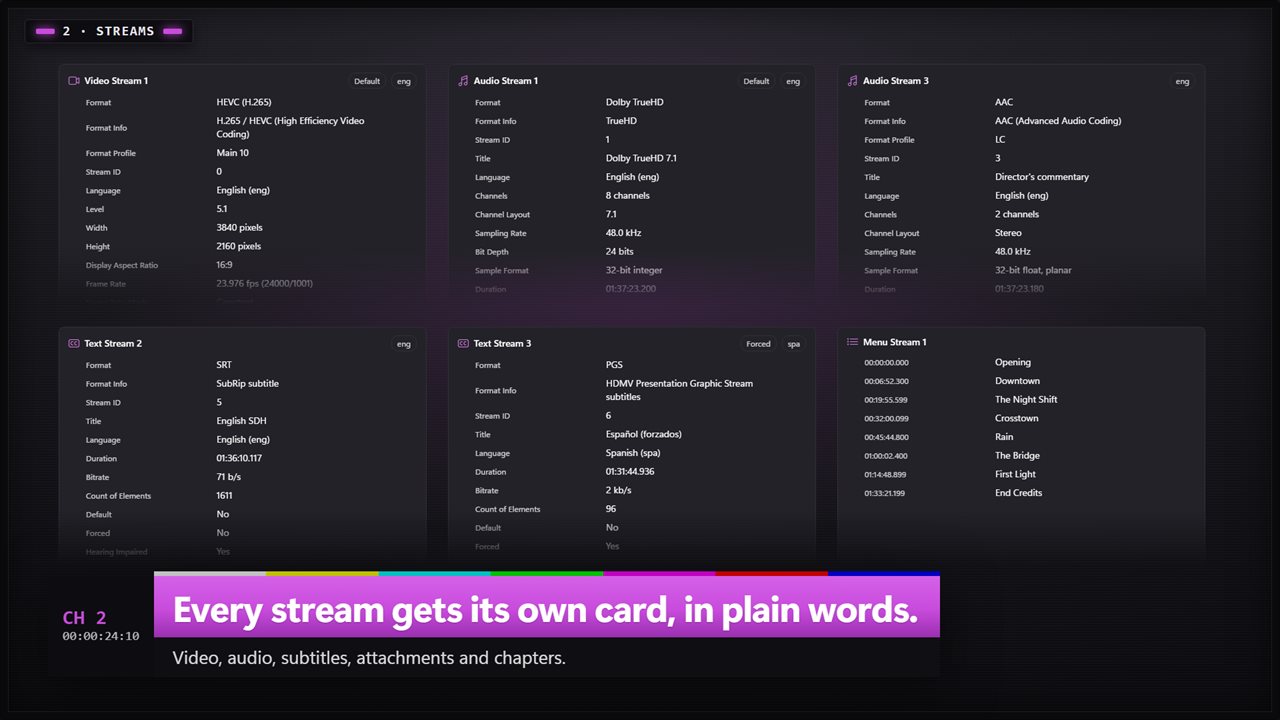
Drop in a file and each part of it gets its own card. General covers the container, size, length, overall bitrate and how many streams it holds. Then one card for each video, audio and subtitle stream, plus attachments and chapters. Codecs have their everyday names, like AVC (H.264), HEVC (H.265), AAC or Dolby TrueHD.
Video, down to the last field
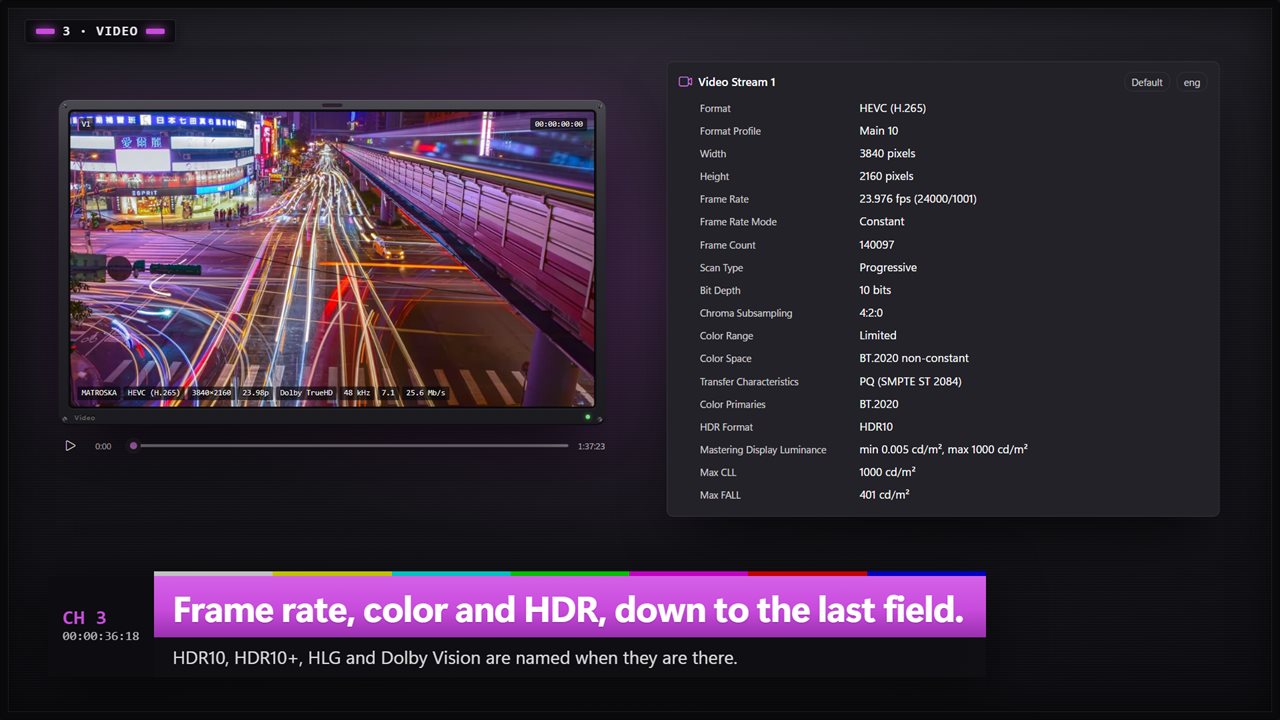
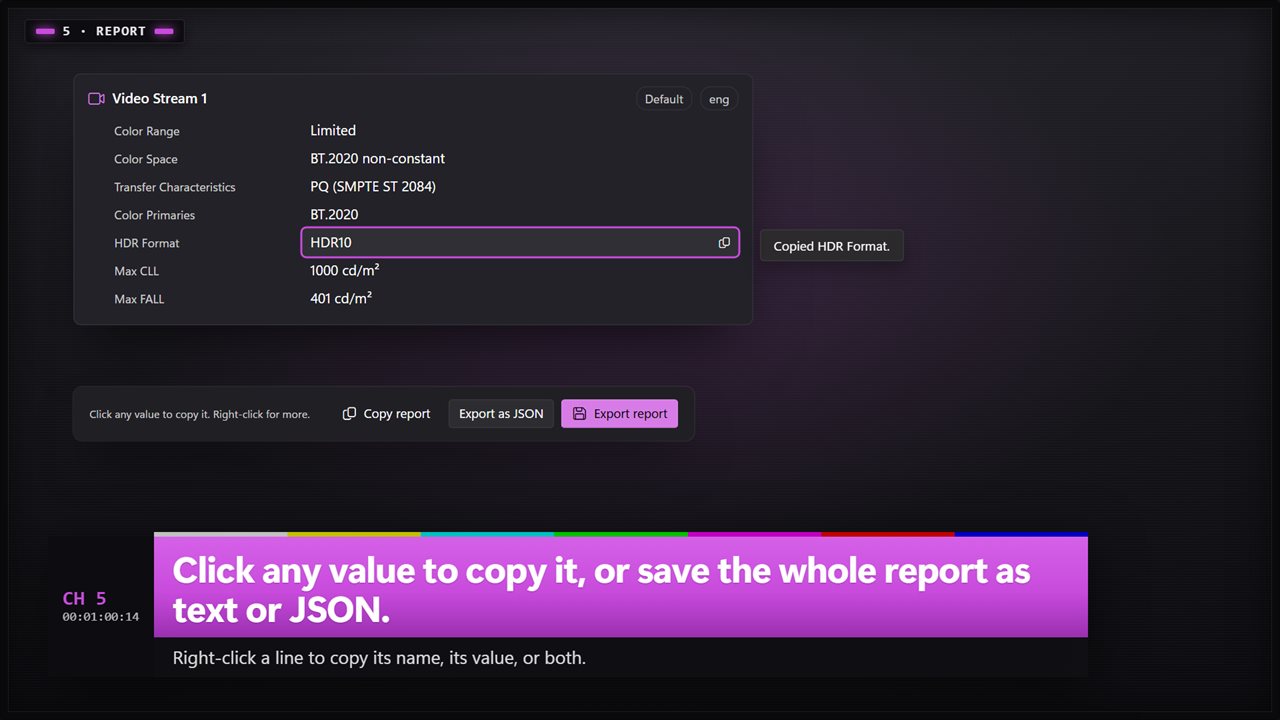
Resolution, aspect ratio, rotation, frame rate and whether it is constant or variable, frame count and scan type. Bit depth, pixel format and chroma subsampling. Color range, color space, transfer and primaries. HDR10, HDR10+, HLG and Dolby Vision are named when they are there, with mastering display luminance, Max CLL and Max FALL.
Audio, and how loud it is
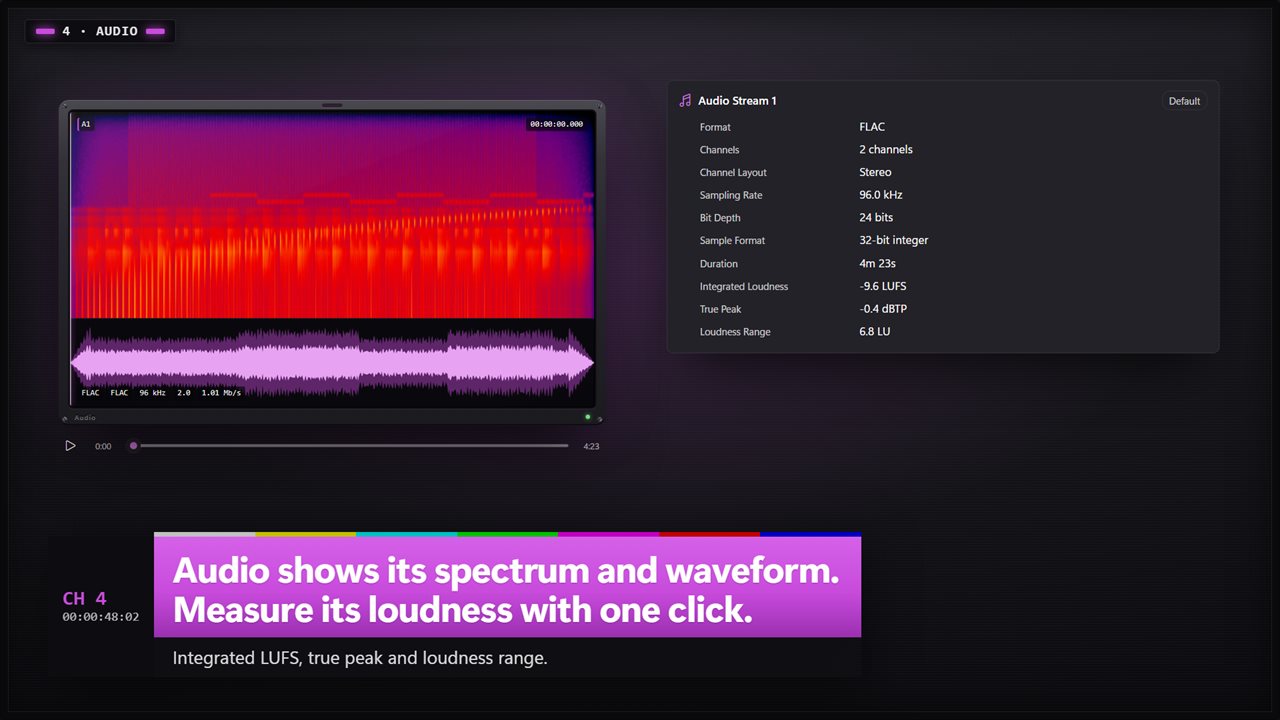
Channels and layout, sampling rate, bit depth, sample format, bitrate and length. Click Measure to read the loudness of a track the way broadcasters do: integrated loudness in LUFS, true peak and loudness range.
The details files keep
The tags a file carries are all listed: the date it was recorded, the phone that recorded it, the app that wrote it, artist, album and more. Chapters are listed with their start times, and each track shows its language and whether it is the default or forced.
See it and hear it
A monitor at the top of the window shows a frame from the video. Click it to play, and drag the slider to scrub. Audio files show their spectrum and waveform instead, and play with a click.
Copy what you need
Click any value to copy it. Right-click a line to copy its name, its value, or both. Copy the whole report in one go, or save it as a text file or as JSON.
Many files at once
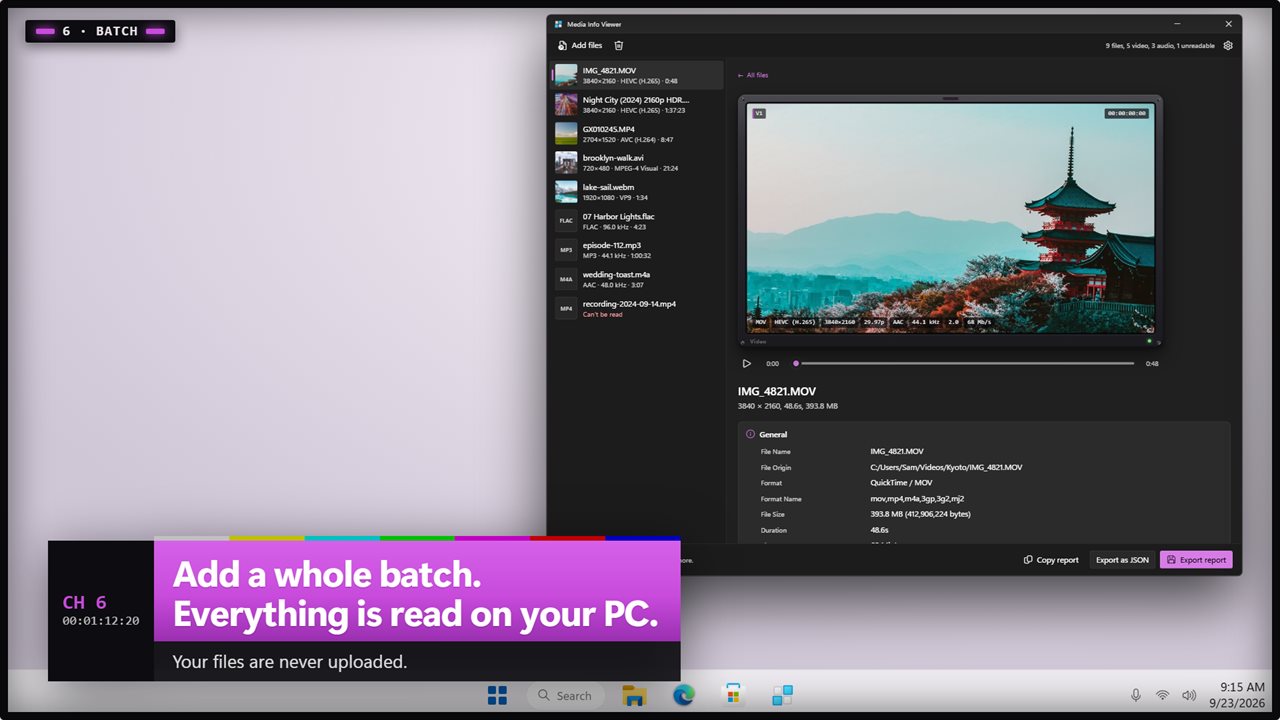
Add a whole batch and the list shows each file's resolution, codec and length before you open it. A file that can't be read is marked, and the app tells you why, like a recording that was stopped before it was finished.
Media Info Viewer opens MP4, MOV, MKV, WebM, AVI, WMV, FLV, MPG, TS, M2TS, 3GP, VOB, OGV, MP3, WAV, FLAC, M4A, AAC, OGG, Opus, WMA, AIFF, AMR, AC-3, MKA and more. Everything is read on your PC, and your files are never uploaded.
Features
- See what is inside a video or audio file: its format, streams, codecs, size, length and bitrate
- Opens MP4, MOV, MKV, WebM, AVI, WMV, FLV, MPG, TS, M2TS, 3GP, VOB, MP3, WAV, FLAC, M4A, AAC, OGG, Opus, WMA, AIFF, AC-3 and more
- Every stream gets its own card: video, audio, subtitles, attachments and chapters
- Video details: resolution, aspect ratio, frame rate, constant or variable, frame count, scan type and rotation
- Color details: bit depth, chroma subsampling, color range, color space, transfer and primaries
- Spots HDR10, HDR10+, HLG and Dolby Vision, with mastering display, Max CLL and Max FALL
- Audio details: channels and layout, sampling rate, bit depth, sample format and bitrate
- Measure loudness with one click: integrated LUFS, true peak and loudness range
- Shows the tags a file carries, like the phone that recorded it, the date, the app that wrote it, artist and album
- Lists chapters with their start times, and each track's language and default or forced flags
- Click any value to copy it. Right-click to copy the name, the value, or both
- Copy the whole report, or save it as a text file or as JSON
- A monitor at the top shows a frame of the video. Click it to play, and drag to scrub
- Audio files show their spectrum and waveform, and play when you click
- Add several files at once, and read each one's resolution, codec and length straight from the list
- If a file can't be read, it tells you why, like a recording that was never finished
- Everything is read on your PC. Your files are never uploaded
- Dark and light themes, or follow Windows
Details
- Works on
- Windows 10 (1809 or later) and Windows 11
- Download
- About 74.5 MB
- Version
- 2.0.3, updated October 2026
- First released
- March 2023
- Price
- $1.99 once. No subscription.
- Category
- Multimedia design
What's new in 2.0.3
- New: every stream gets its own card, with codecs in plain words
- New: color and HDR details, including HDR10, HDR10+, HLG and Dolby Vision
- New: measure loudness in LUFS, true peak and loudness range
- New: play the file and scrub through it, with a spectrum and waveform for audio
- New: click any value to copy it, and save the report as text or JSON
- New: add many files at once
- New: dark and light themes
Questions
Anything else? Ask us
Which versions of Windows does it run on?
Windows 10 (version 1809 or later) and Windows 11.
Is it a subscription?
No. Media Info Viewer is a one-time purchase of $1.99, and updates are included.
How do I get it?
EvlarSoft apps are moving to direct downloads from this site. Ask to be notified and we will email you as soon as Media Info Viewer is ready to download.