Bookmark Manager
Every bookmark from Chrome, Edge, Firefox, Brave, Vivaldi and Opera in one window, across all your profiles. Find the dead links, clean up the duplicates, and copy your bookmarks to another browser.
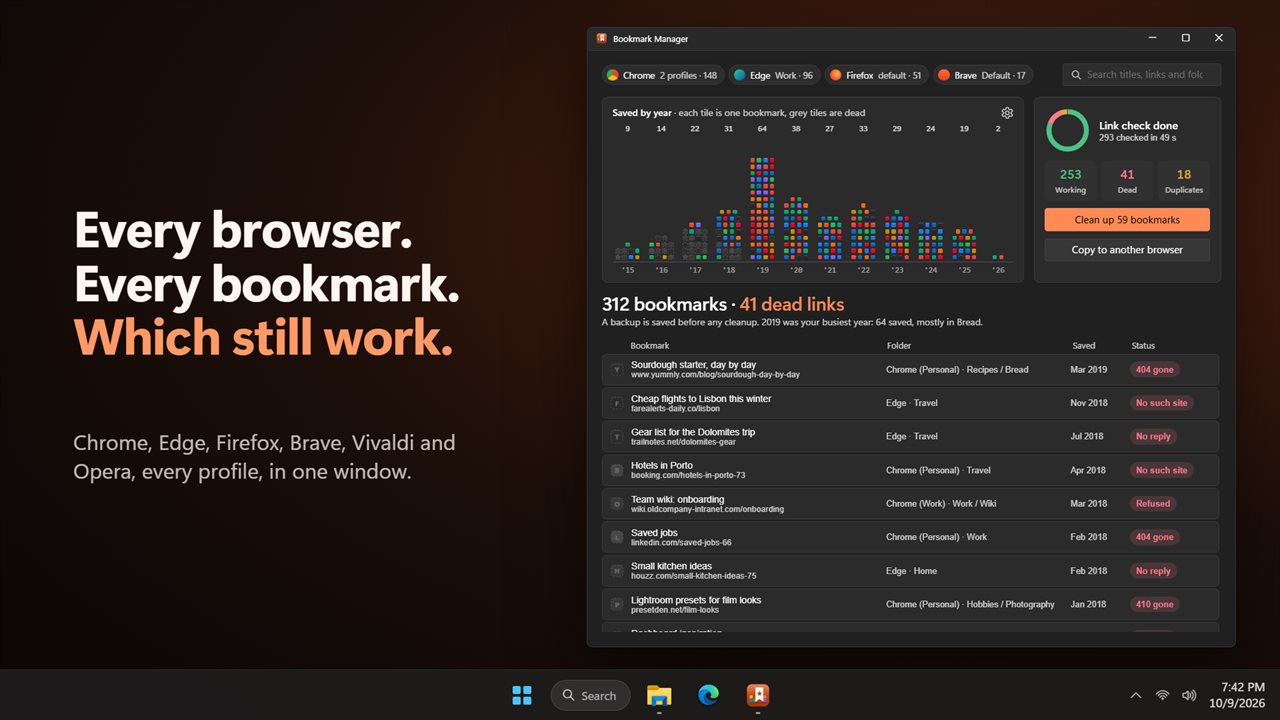
Every browser's bookmarks in one window, with the dead links found.
See it in action
About Bookmark Manager
Years of bookmarks, spread across browsers and profiles. Bookmark Manager puts them all in one window and shows you which ones still work.
Every browser, every profile
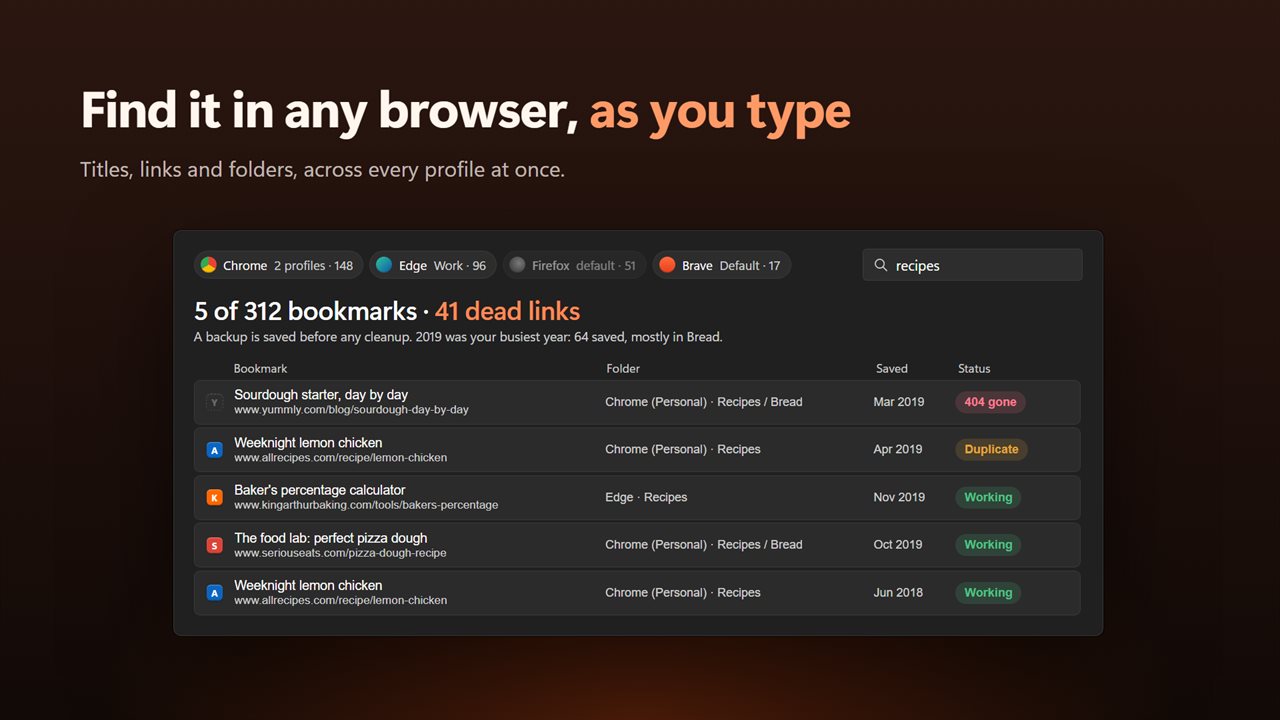
Chrome, Edge, Firefox, Brave, Vivaldi and Opera are read together, and every profile in each, not just the default. Each bookmark shows its folder, its browser and the real date you saved it. Turn a browser on or off with one click, and search titles, links and folders as you type.
A shelf of your years
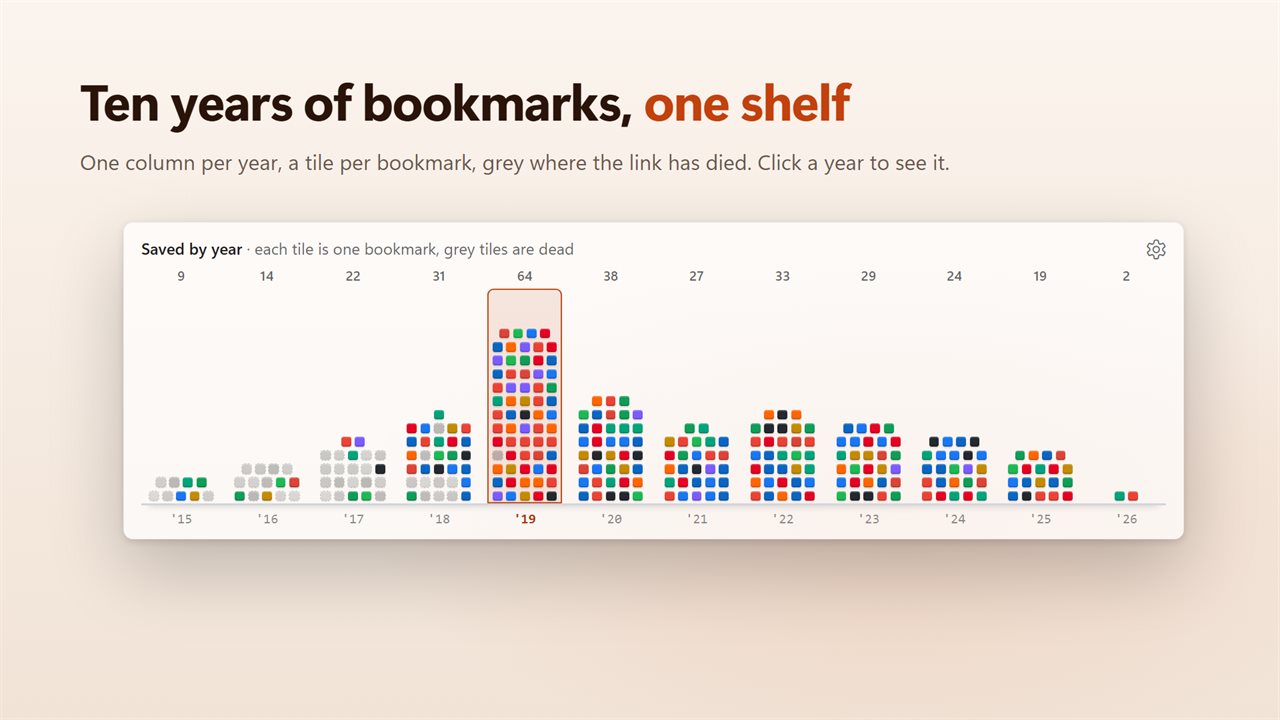
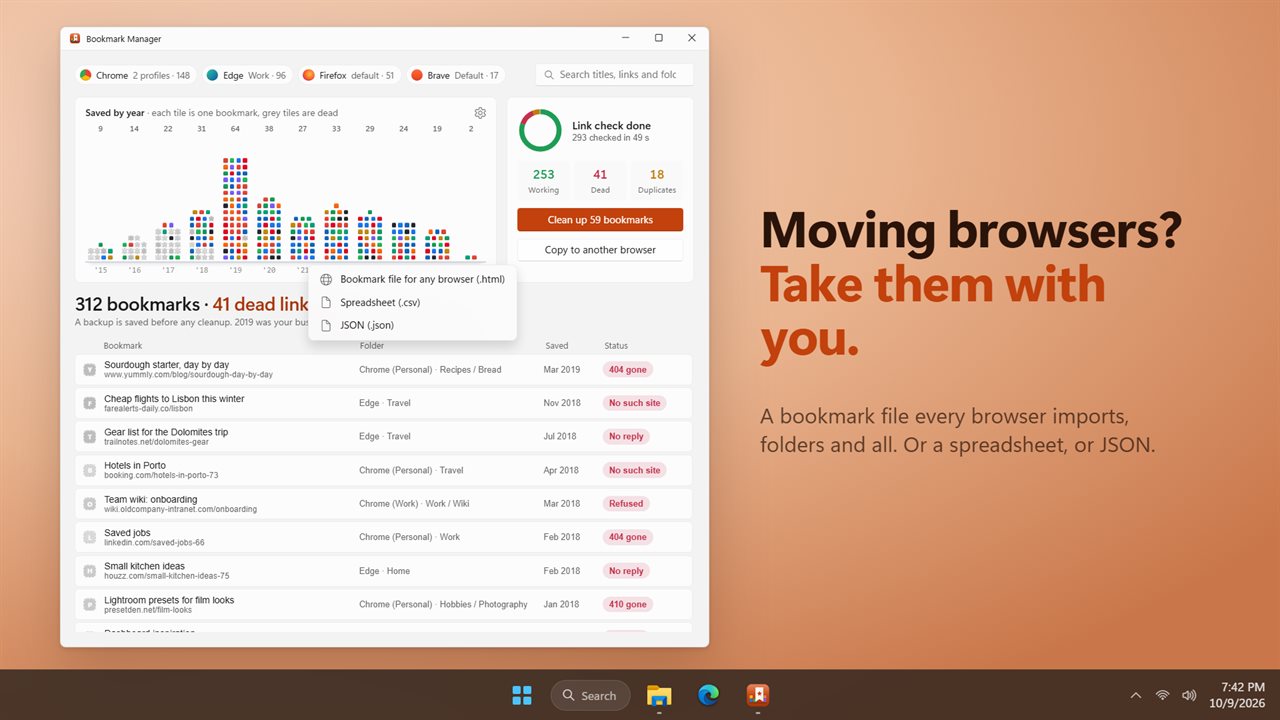
Your bookmarks are laid out as a shelf, one column per year, each one a tile with the site's own icon. You can see at a glance when you saved the most, and the dead ones turn grey. Click a year to see only what you saved then.
Find the dead links
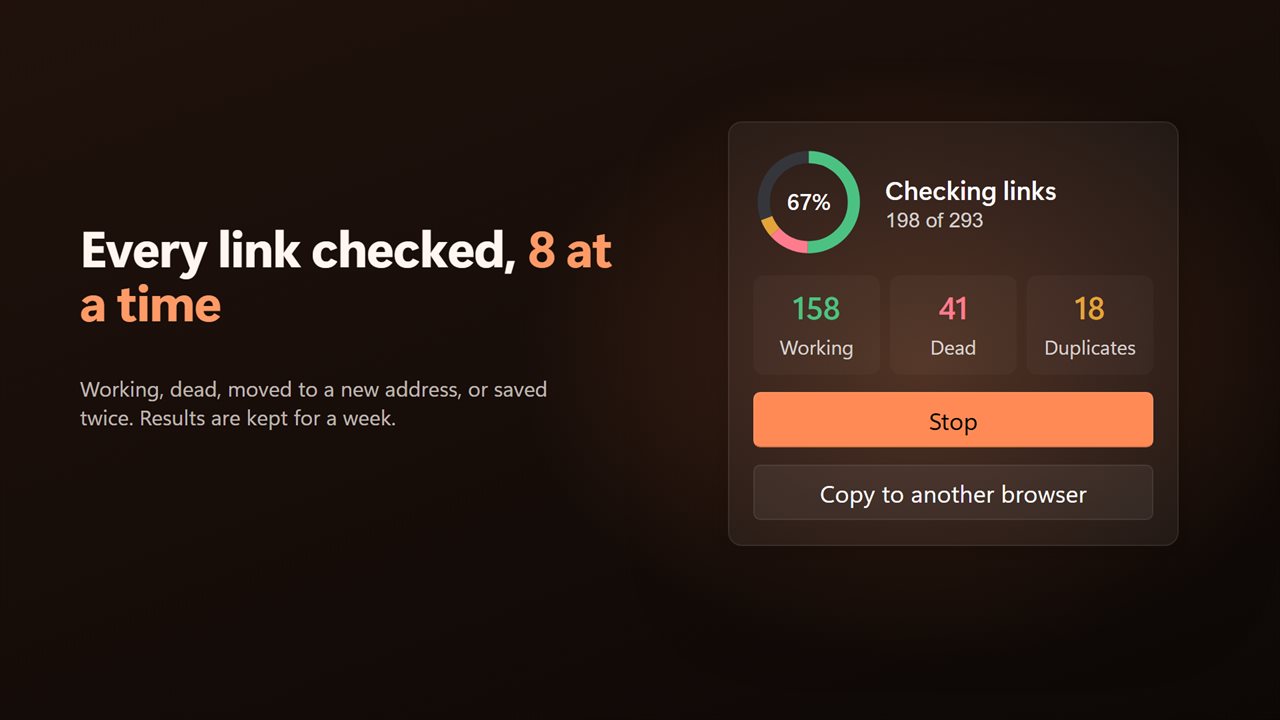
One click checks every link, 8 at a time. Each bookmark is marked as working, dead, moved to a new address, or saved twice. Results are kept for 7 days, so opening the app again is instant.
Clean up safely
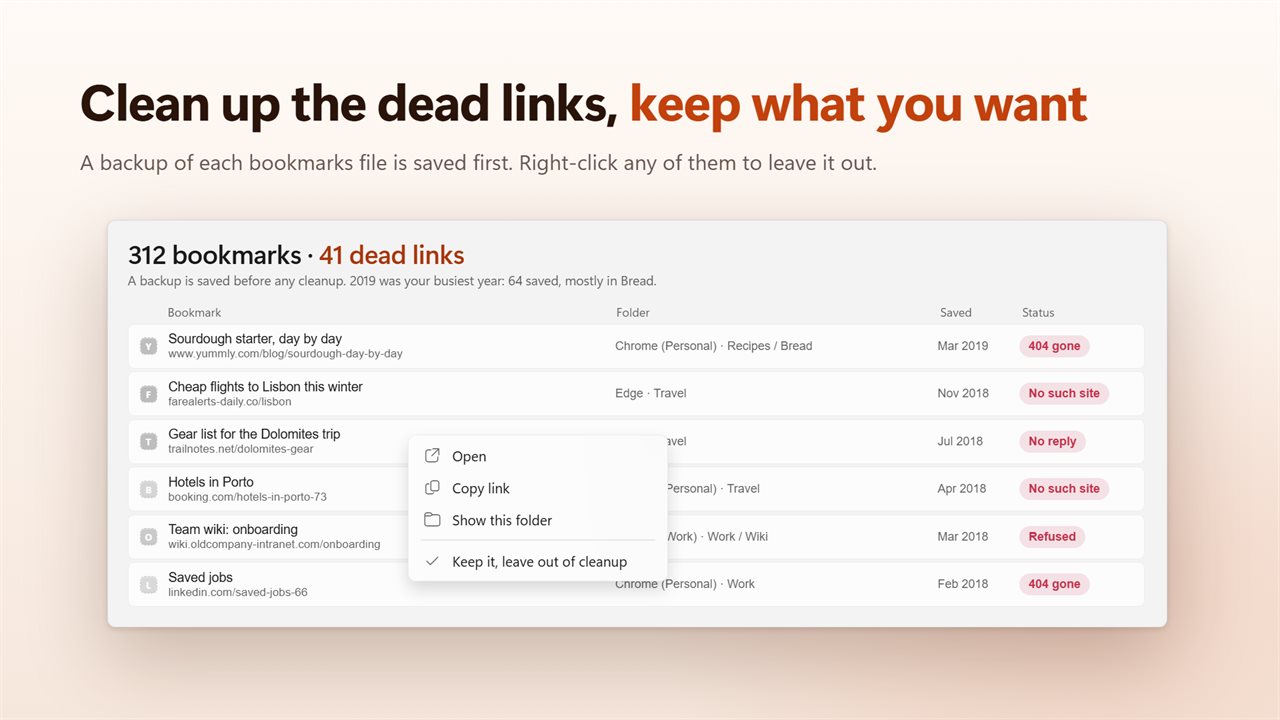
Remove dead links and duplicates in one step. A backup of each bookmarks file is saved before anything changes, and the browser has to be closed first, so nothing is overwritten. Right-click a dead link or duplicate to keep it out of the cleanup. Firefox bookmarks are read but never changed.
Copy to another browser
Save your bookmarks as a bookmark file that every browser can import, folders and all. Or save them as a spreadsheet (CSV) or as JSON.
Features
- See the bookmarks of Chrome, Edge, Firefox, Brave, Vivaldi and Opera together in one window
- Every profile of every browser is read, not just the default one
- Each bookmark shows its folder, the browser it lives in and the real date you saved it
- Your bookmarks laid out as a shelf, one column per year, with each site's own icon
- Click a year to see only what you saved that year
- Search titles, links and folders as you type
- Turn each browser on or off with one click
- Check every link, 8 at a time, and see which work, which are dead and which have moved
- Finds the same page saved twice in one browser profile
- Clean up dead links and duplicates in one step, with a backup of each bookmarks file saved first
- Keep a dead link or duplicate out of the cleanup with a right-click
- Copy your bookmarks to another browser with a bookmark file every browser can import
- Save them as a spreadsheet (CSV) or as JSON too
- Firefox bookmarks are read but never changed
- Link check results are kept for 7 days, so a second look is instant
- Light and dark themes, or match Windows
Details
- Works on
- Windows 10 (1809 or later) and Windows 11
- Download
- About 3.3 MB
- Version
- 2.0.2, updated October 2026
- First released
- April 2023
- Price
- $1.99 once. No subscription.
- Category
- Utilities & tools
What's new in 2.0.2
- New: Firefox, Brave, Vivaldi and Opera, alongside Chrome and Edge
- New: every profile of every browser, not just the default
- New: a shelf of your bookmarks by year, with each site's icon
- New: check every link and find the dead ones and the duplicates
- New: clean them up in one step, with a backup saved first
- New: copy your bookmarks to another browser, or save them as CSV or JSON
- Fixed: the dates bookmarks were saved are now correct
- Fixed: search no longer depends on upper or lower case
- Fixed: export includes your mobile bookmarks
Questions
Anything else? Ask us
Which versions of Windows does it run on?
Windows 10 (version 1809 or later) and Windows 11.
Is it a subscription?
No. Bookmark Manager is a one-time purchase of $1.99, and updates are included.
How do I get it?
EvlarSoft apps are moving to direct downloads from this site. Ask to be notified and we will email you as soon as Bookmark Manager is ready to download.