PageToPDF
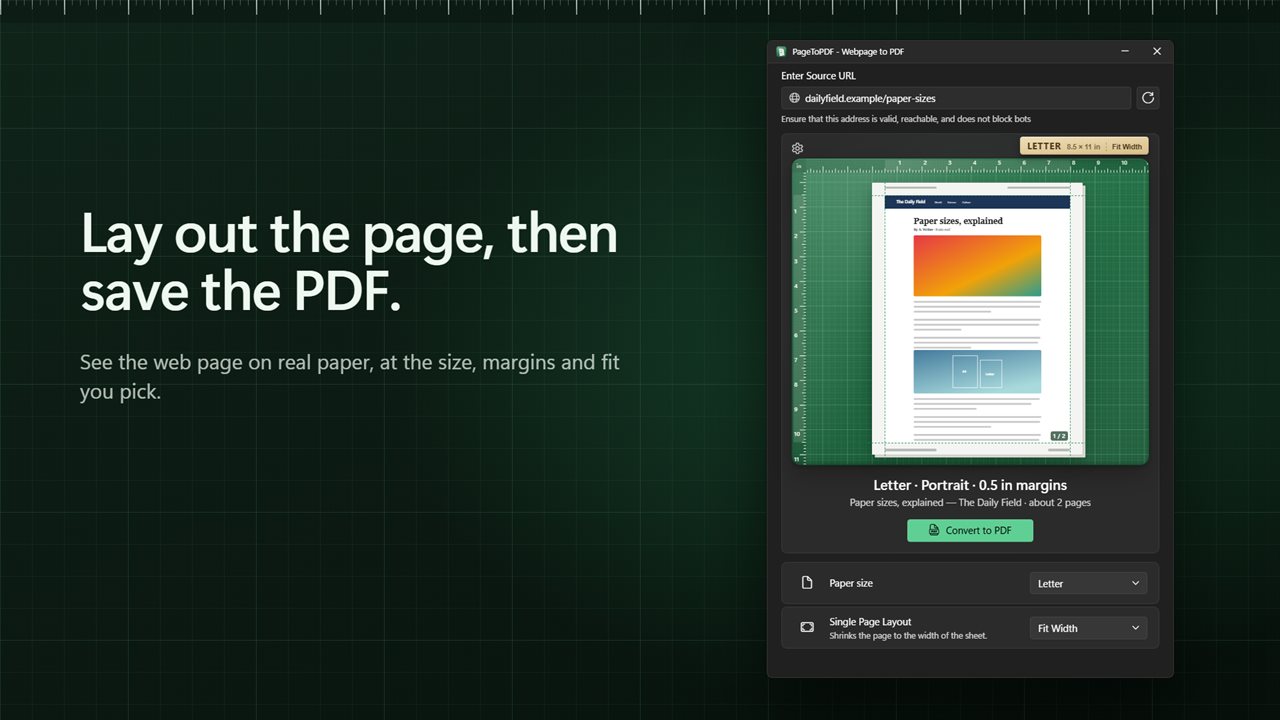
Turn a web page into a PDF laid out exactly how you want it. See it on the sheet first: pick Letter, A4 or four other paper sizes, turn it landscape, drag the margins into place, fit it to the width, or put the whole page on one long sheet.
Lay out a web page on real paper before you save the PDF.
See it in action
About PageToPDF
PageToPDF turns one web page into a PDF that looks the way you meant it to. Before you save, the page sits on a sheet of paper on a cutting mat, with rulers along the edges, so you can see the paper, the margins and where the page lands.
The right paper
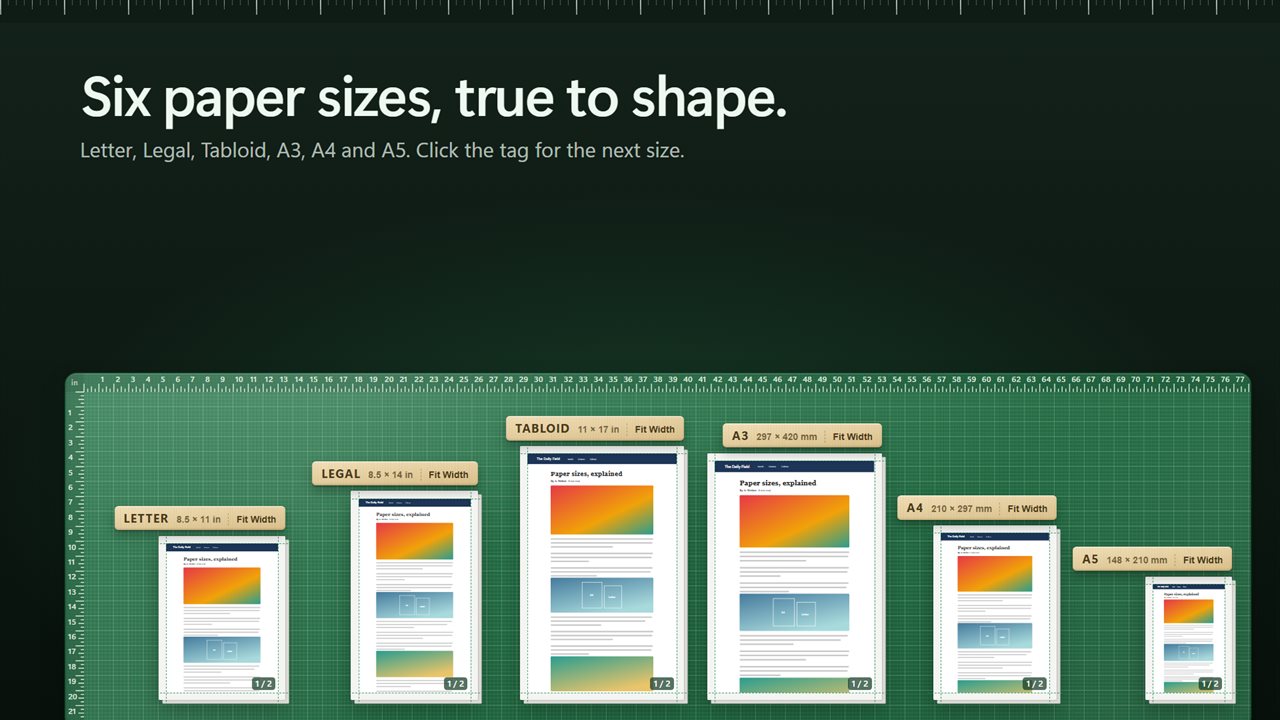
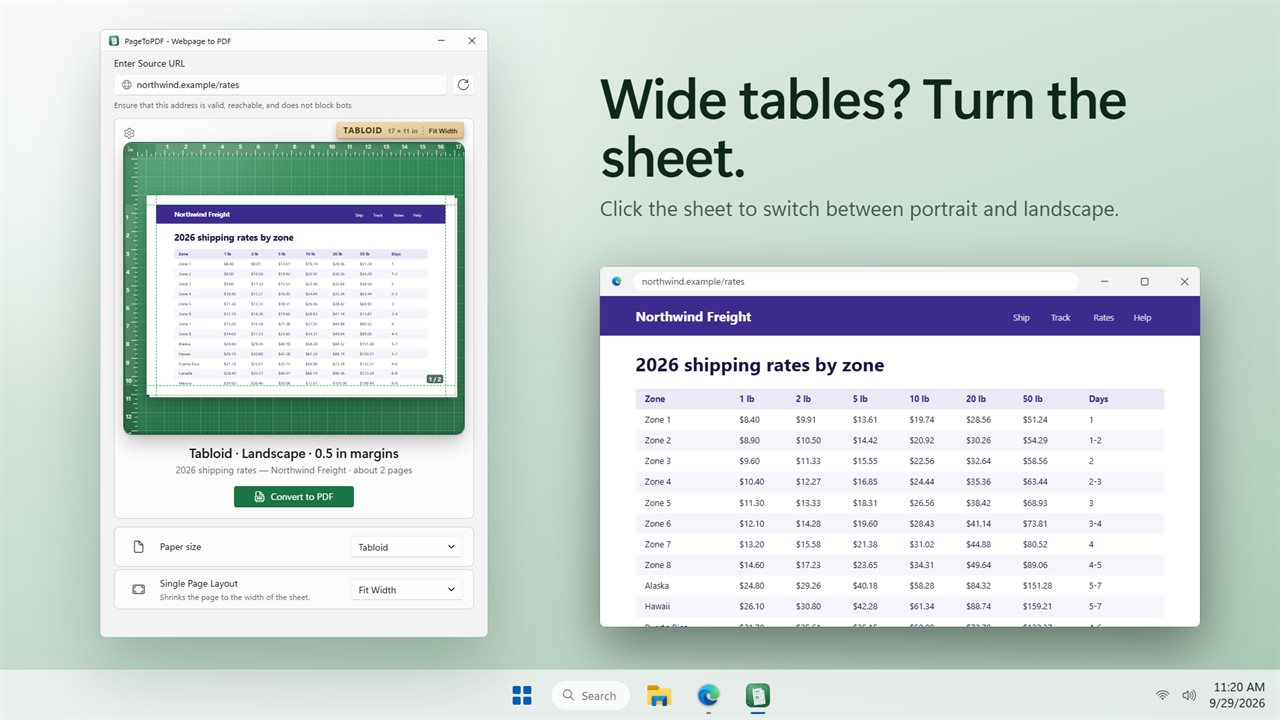
Choose Letter, Legal, Tabloid, A3, A4 or A5. Each one is drawn true to its shape. Click the sheet to turn it landscape for a wide table, and click it again to turn it back.
Margins you can see
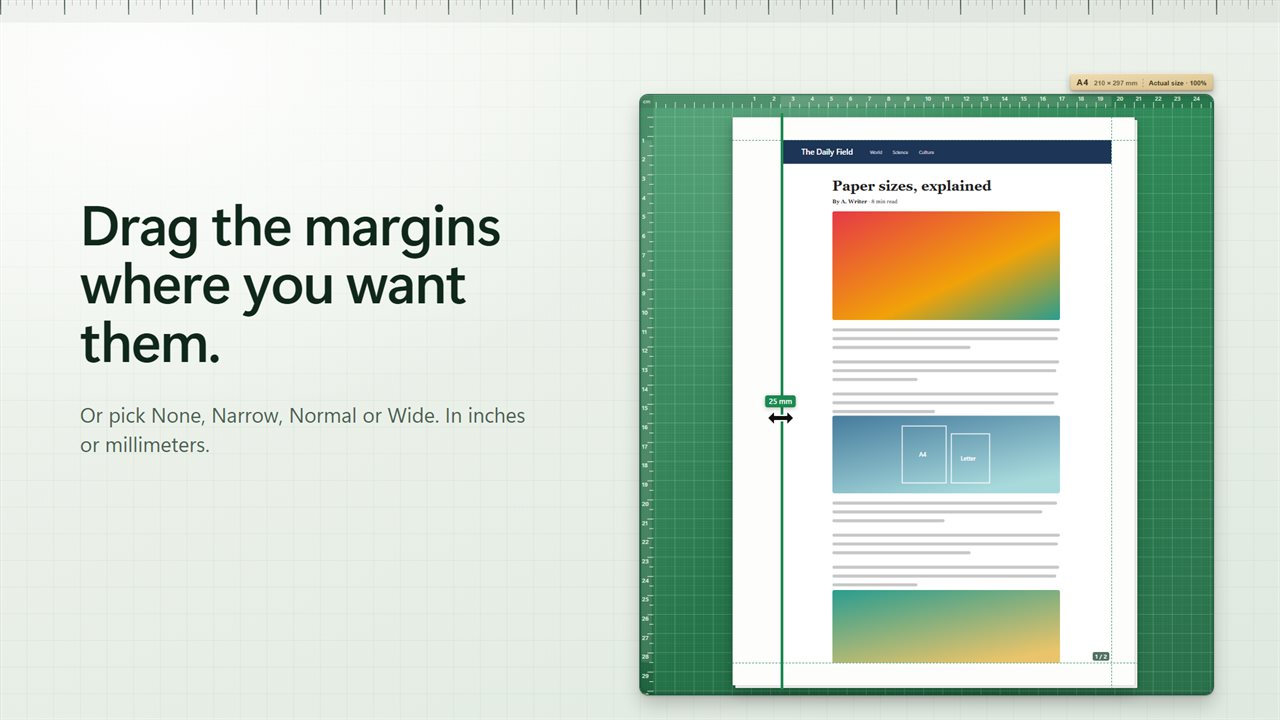
Drag the dashed guides on the sheet to set each margin, and read the size as you drag. Or pick None, Narrow, Normal or Wide. Work in inches or millimeters.
Fit it your way
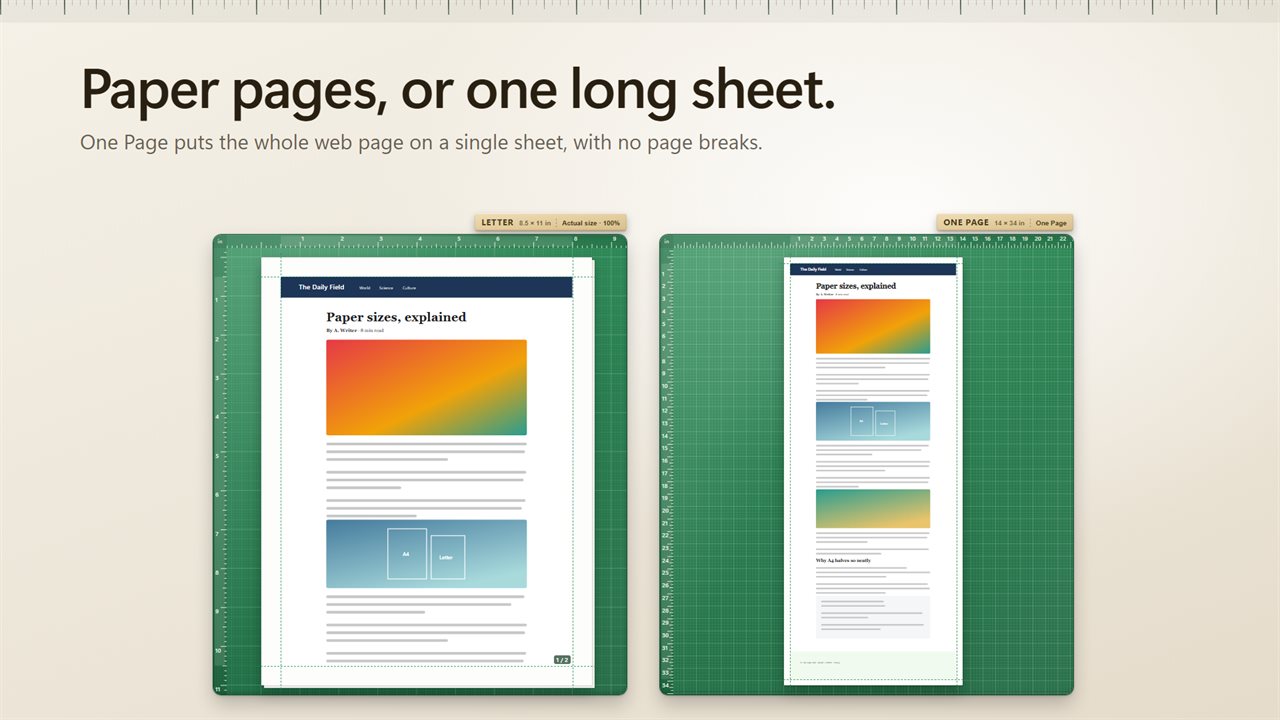
Keep the page at its actual size, set the scale anywhere from 25% to 200%, or use Fit Width to shrink it to the width of the sheet. PageToPDF shows about how many pages the PDF will run to. Or choose One Page, and the whole web page goes on a single long sheet, with no page breaks.
Finishing touches
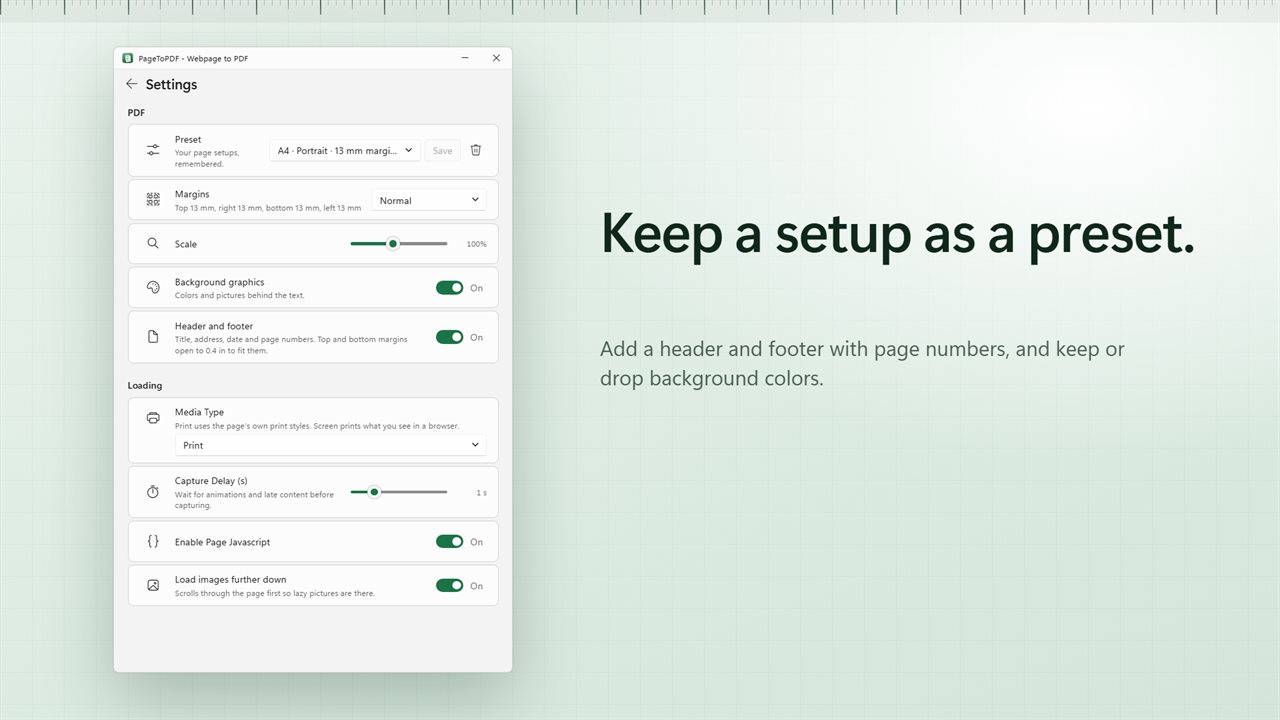
Add a header and footer with the page title, address, date and page numbers. Keep background colors and pictures, or leave them out to save ink. Use the page's own print styles, or print it the way it looks on screen.
Pages that load late
Wait up to 5 seconds for animations and late content. PageToPDF scrolls through the page first, so pictures further down are there too. Turn page JavaScript off, or set your own user agent.
Your setups, remembered
Save up to 12 page setups as presets, and bring one back with a click.
Saved where you want
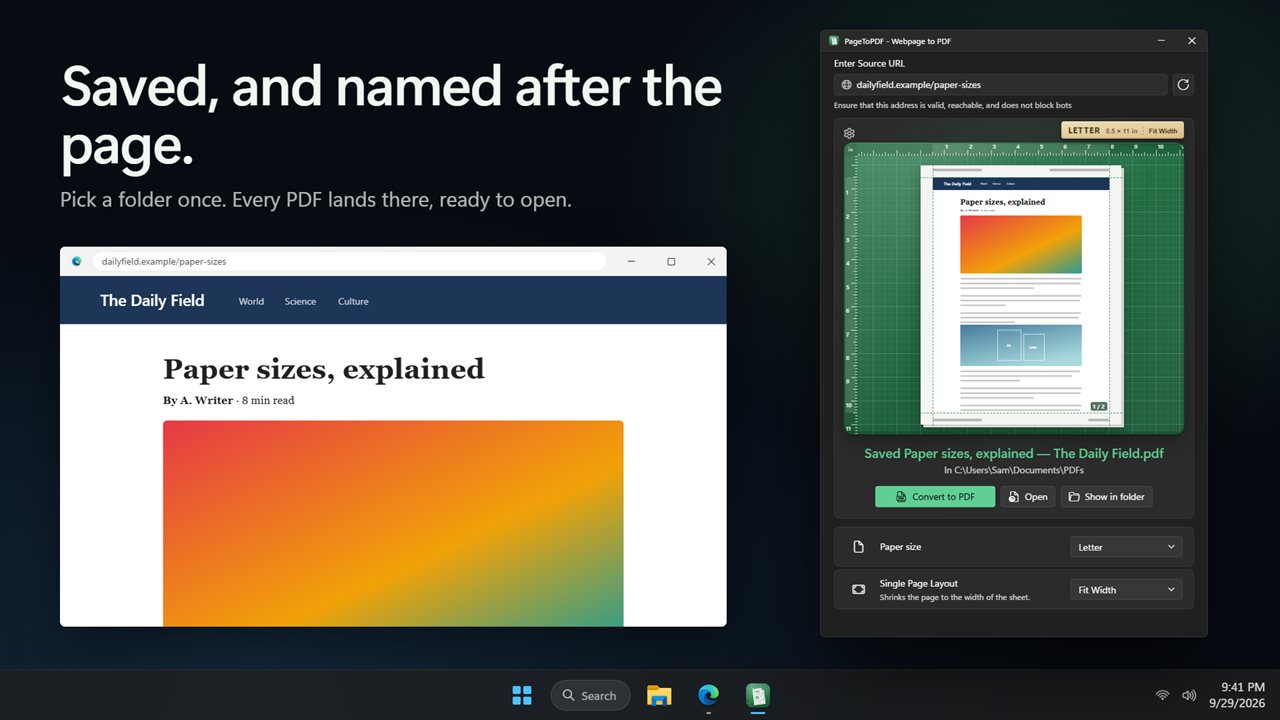
Pick a folder once. Every PDF lands there, named after the page, and never replaces a file already there. Open it or show it in its folder with one click, or have it open by itself when it is done. Changed your mind? Stop a conversion at any time.
Type just the address, like example.com. Dark and light themes, or match Windows.
Features
- Turn one web page into a PDF, laid out on the paper you choose
- See the page on the sheet before you save: the paper, the margins and where the page lands
- Six paper sizes: Letter, Legal, Tabloid, A3, A4 and A5
- Click the sheet to turn it between portrait and landscape
- Drag the dashed guides to set each margin, or pick None, Narrow, Normal or Wide
- Margins, rulers and paper sizes in inches or millimeters
- Fit Width shrinks the page to the width of the sheet, or set the scale from 25% to 200%
- One Page puts the whole web page on a single long sheet, with no page breaks
- Shows about how many pages the PDF will run to before you make it
- A header and footer with the page title, address, date and page numbers
- Keep background colors and pictures, or leave them out
- Use the page's own print styles, or print it the way it looks on screen
- Waits up to 5 seconds for late content, and scrolls the page first so pictures further down are there
- Turn page JavaScript off, or set your own user agent
- Save up to 12 page setups as presets
- Type just the address, like example.com
- Pick a folder once. Every PDF is named after the page, and never replaces a file already there
- Open the PDF or show it in its folder with one click, or have it open by itself
- Stop a conversion at any time
- Dark and light themes, or match Windows
Details
- Works on
- Windows 10 (1809 or later) and Windows 11
- Download
- About 3.3 MB
- Version
- 2.0.3, updated October 2026
- First released
- August 2023
- Price
- $1.99 once. No subscription.
- Category
- Utilities & tools
What's new in 2.0.3
- New: see the page on the sheet before you save it
- New: Letter, Legal, Tabloid, A3, A4 and A5. Click the sheet to turn it landscape
- New: drag the margins into place, in inches or millimeters
- New: Fit Width, a scale from 25% to 200%, and One Page for one long sheet
- New: header and footer with page numbers, and background graphics on or off
- New: waits for late content and loads pictures further down the page
- New: save your page setups as presets
- New: PDFs save straight to your folder, named after the page
- Fixed: Cancel now stops a conversion, and addresses like example.com work
- Your "Open PDF when complete" choice carries over
Questions
Anything else? Ask us
Which versions of Windows does it run on?
Windows 10 (version 1809 or later) and Windows 11.
Is it a subscription?
No. PageToPDF is a one-time purchase of $1.99, and updates are included.
How do I get it?
EvlarSoft apps are moving to direct downloads from this site. Ask to be notified and we will email you as soon as PageToPDF is ready to download.
More from EvlarSoft
 SiteGrabberType an address, pick a folder, and SiteGrabber saves the site into it: the pages it reaches, with their pictures, styles, scripts and fonts.
 Secret ScreenshotSecret Screenshot quietly takes a screenshot of your screen every few seconds and reads the words in each one.
 WebPage Screenshot GrabberCapture a whole web page, top to bottom, in one long screenshot.