WebPage Screenshot Grabber
Capture a whole web page, top to bottom, in one long screenshot. Paste an address and you get the full page, measured in pixels and screens, saved as PNG, JPG or one long PDF. Cookie banners and chat bubbles are hidden first.
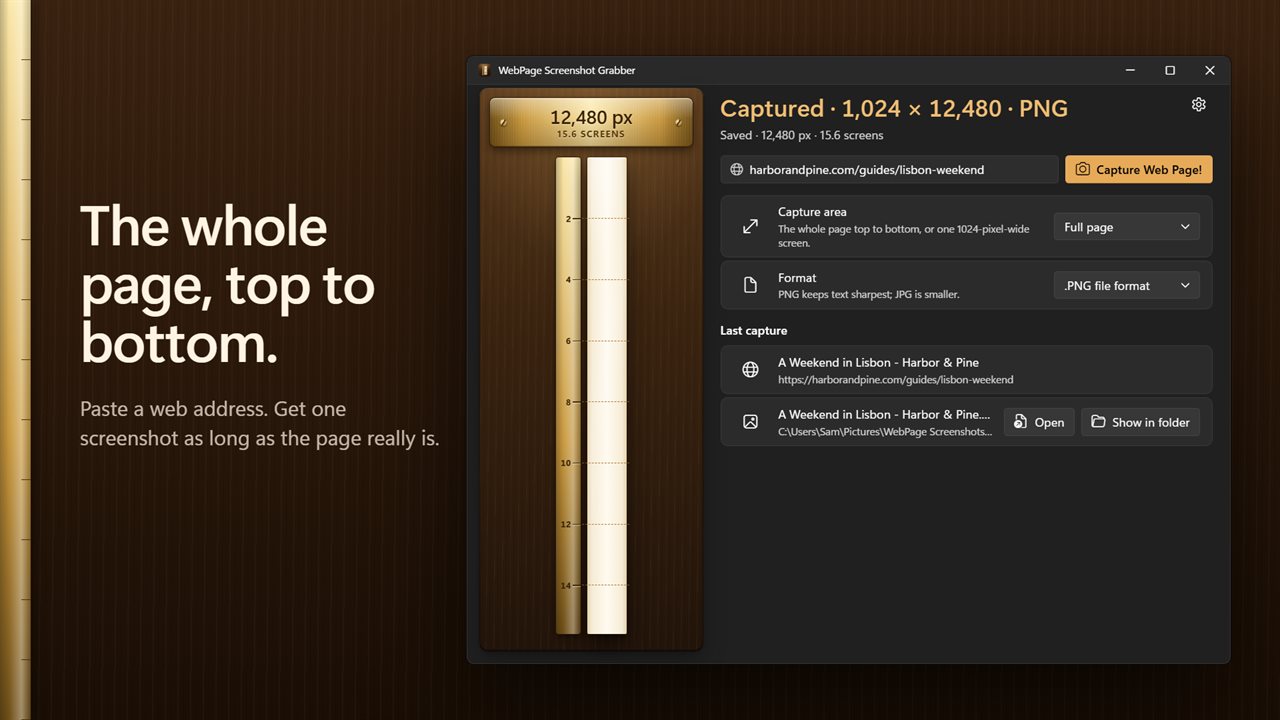
One long screenshot of the whole page, top to bottom.
See it in action
About WebPage Screenshot Grabber
A screenshot shows what fits on your screen. WebPage Screenshot Grabber captures the whole page, top to bottom, in one long picture.
Paste an address, get the whole page
Paste a web address, or just type example.com, and press Capture Web Page! The full page is saved as one screenshot, as long as the page really is.
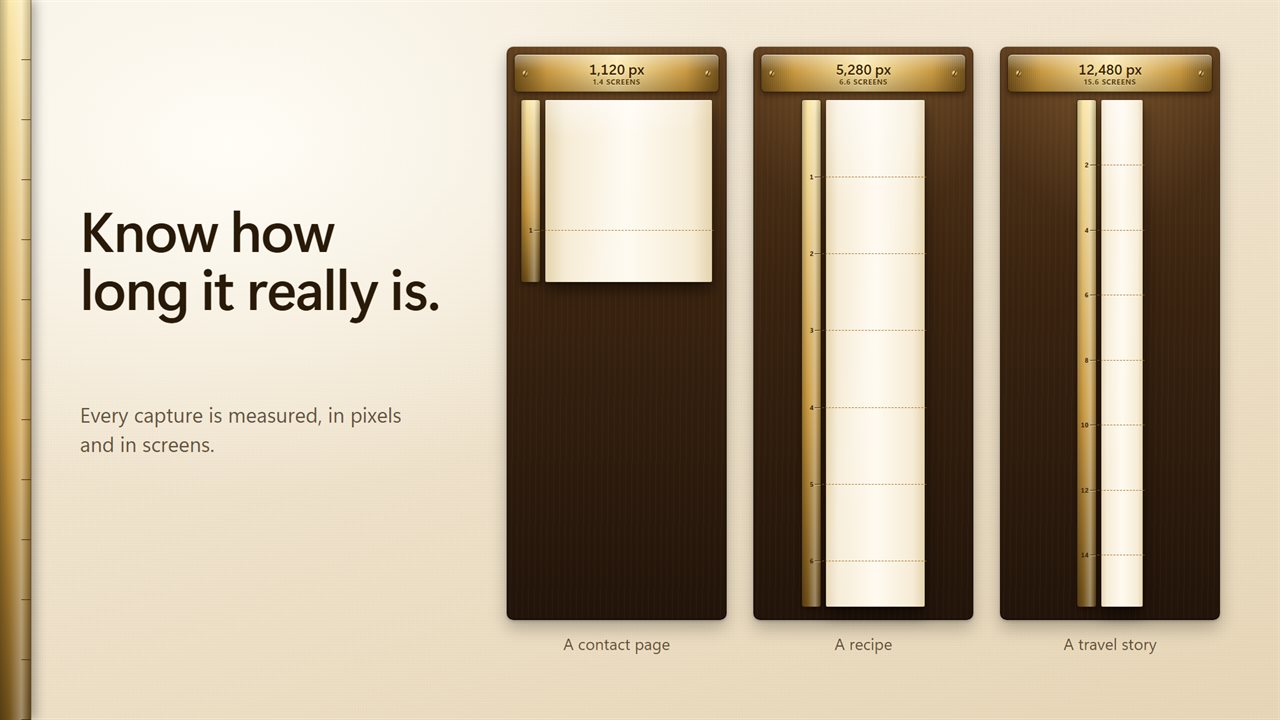
Know how long it is
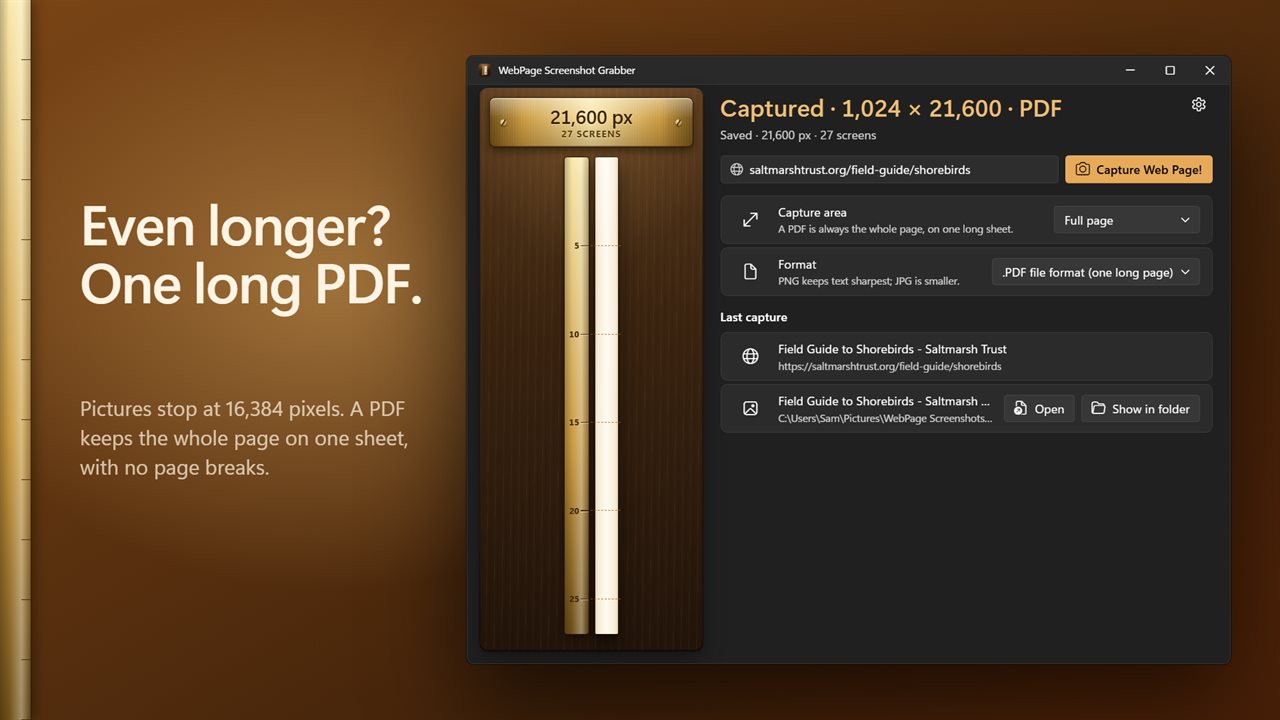
Every capture is measured. A brass plate shows its length in pixels and in screens, like 12,480 px, 15.6 screens, and the page appears beside it as one tall strip at its true proportions, with a mark for every screen. Click the strip to open the screenshot.
PNG, JPG or one long PDF
PNG keeps text sharpest, and JPG is smaller. Pictures stop at 16,384 pixels long, and the app tells you when a page runs past that. For those, choose PDF: the whole page goes on one long sheet, with no page breaks. You can also capture just the visible area, one screen of the page.
Nothing left blank, nothing in the way
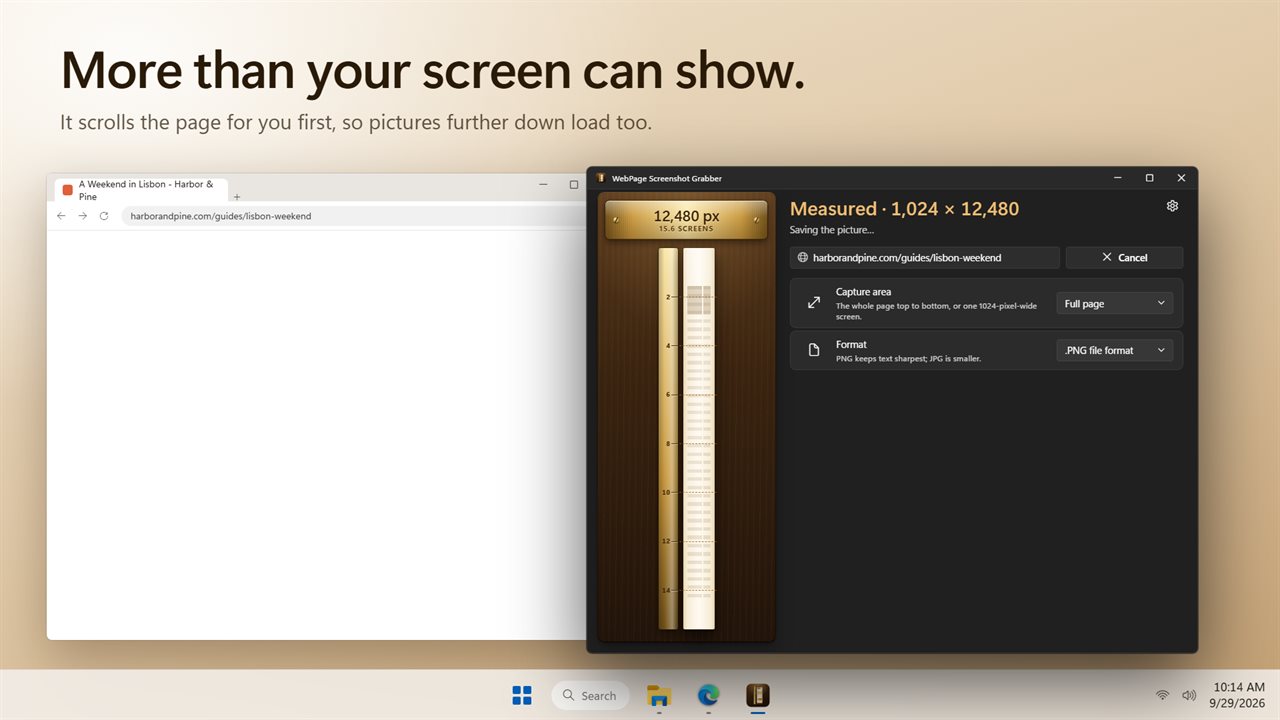
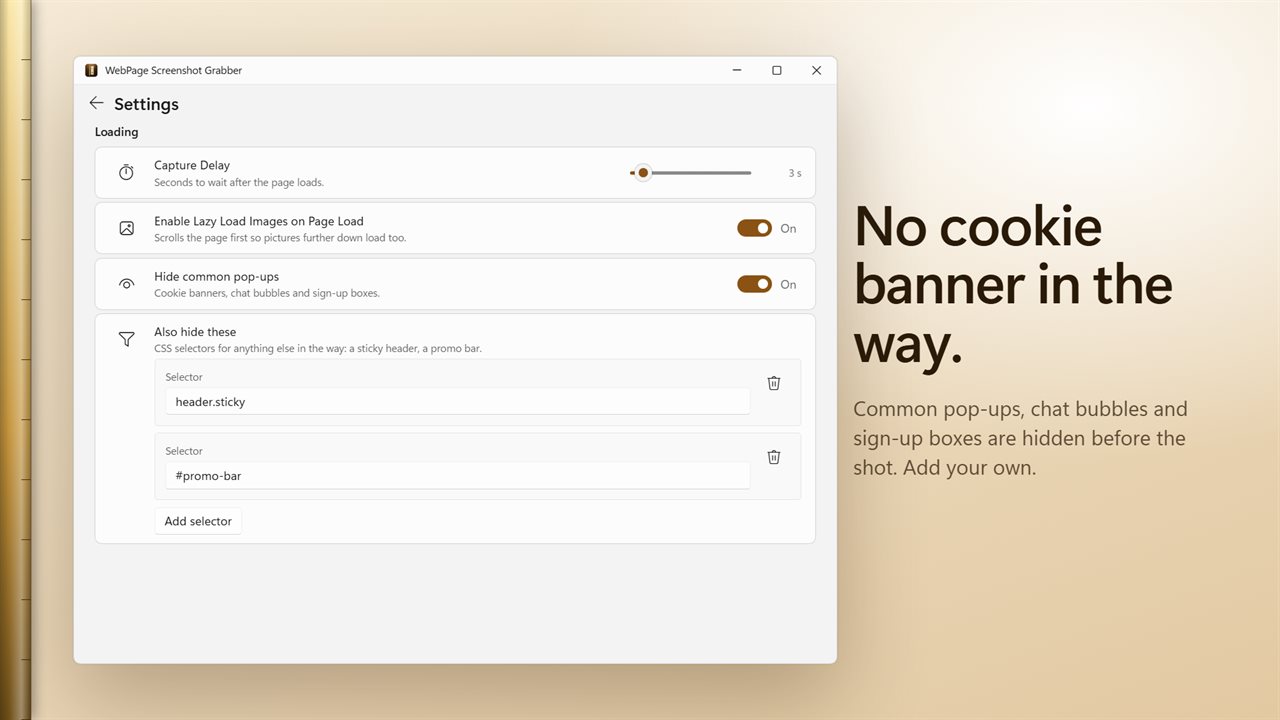
The page is scrolled first, so pictures further down load before the shot. Common cookie banners, chat bubbles and sign-up boxes are hidden, and you can hide anything else in the way, such as a sticky header, by adding its CSS selector.
Fine-tune when you need to
Wait up to 60 seconds after the page loads, set the page width from 180 to 3000 pixels, capture the page as it looks on screen or as it prints, turn JavaScript off, or set your own user agent.
Saved and named for you
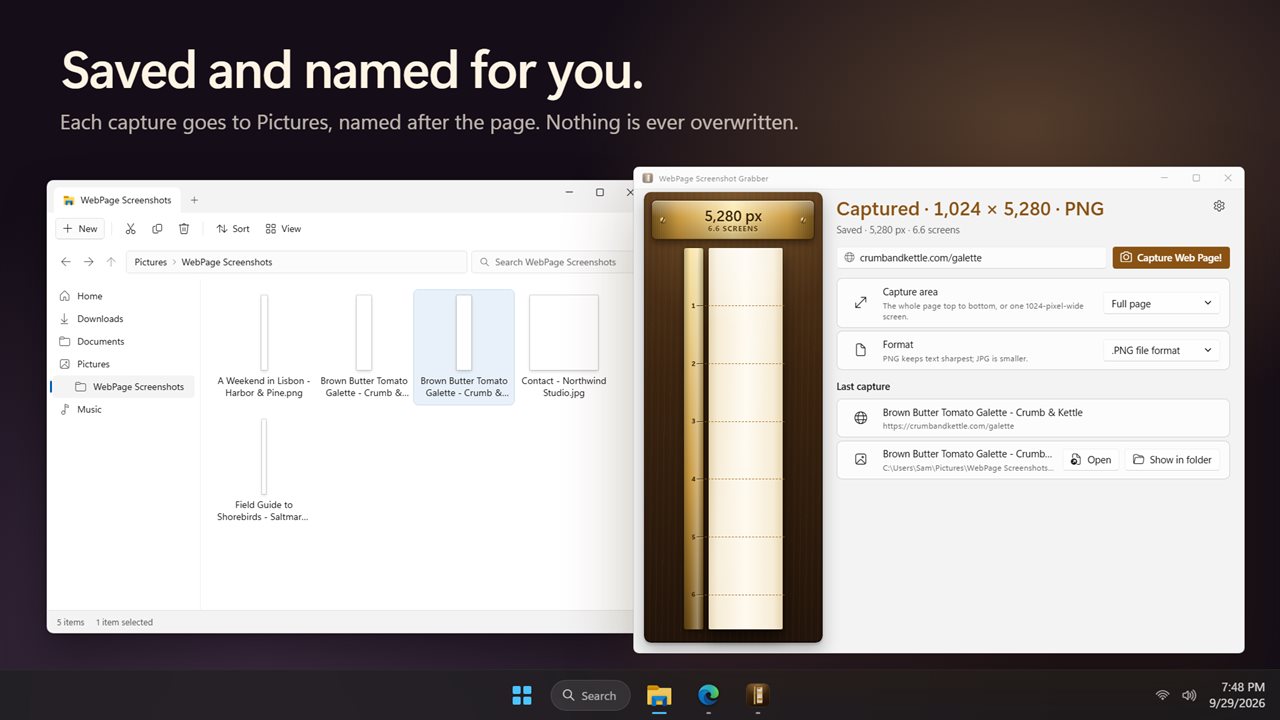
Screenshots go to Pictures, in a WebPage Screenshots folder, or anywhere you choose. Each one is named after the page, and an earlier capture is never overwritten. Open it or show it in its folder with one click, or have the folder open when a capture is done.
Upgrading?
Your settings from the earlier version carry over.
Light and dark themes, or match Windows.
Features
- Capture a whole web page, top to bottom, in one long screenshot
- Paste a web address, or just type example.com, and press Capture
- Every capture is measured: its length in pixels, and how many screens that is
- The page appears as one tall strip at its true proportions, with a mark for every screen
- Save as PNG, JPG, or PDF on one long sheet with no page breaks
- Pictures stop at 16,384 pixels long. A PDF keeps the whole page, however long
- Or capture just the visible area: one screen of the page
- Scrolls the page first, so pictures further down load before the shot
- Hides common cookie banners, chat bubbles and sign-up boxes before the shot
- Hide anything else in the way, such as a sticky header, by adding its CSS selector
- Wait up to 60 seconds after the page loads, for pages that are slow to settle
- Set the page width from 180 to 3000 pixels, 1024 unless you pick another
- Capture the page as it looks on screen or as it prints, with or without JavaScript
- Saved to Pictures, named after the page. An earlier capture is never overwritten
- Open the screenshot or show it in its folder with one click, or open the folder when it is done
- Stop a capture at any time
- Your settings from the earlier version carry over
- Light and dark themes, or match Windows
Details
- Works on
- Windows 10 (1809 or later) and Windows 11
- Download
- About 3.1 MB
- Version
- 2.0.3, updated October 2026
- First released
- December 2022
- Price
- $1.99 once. No subscription.
- Category
- Utilities & tools
What's new in 2.0.3
- New: see how long a page really is, in pixels and screens, beside a strip of the whole capture
- New: save a very long page as one PDF sheet with no page breaks
- New: common cookie banners, chat bubbles and sign-up boxes are hidden before the shot, and you can add your own
- New: type just example.com and it works
- New: captures are saved and named for you, and never overwrite an earlier one
- New: stop a capture at any time
- New: light and dark themes
- JPG files are now real JPGs
- Your settings carry over
Questions
Anything else? Ask us
Which versions of Windows does it run on?
Windows 10 (version 1809 or later) and Windows 11.
Is it a subscription?
No. WebPage Screenshot Grabber is a one-time purchase of $1.99, and updates are included.
How do I get it?
EvlarSoft apps are moving to direct downloads from this site. Ask to be notified and we will email you as soon as WebPage Screenshot Grabber is ready to download.
More from EvlarSoft
 WebPage to PDFThe fastest way to save web pages as PDFs.
 Secret ScreenshotSecret Screenshot quietly takes a screenshot of your screen every few seconds and reads the words in each one.
 Favicon Downloader & GeneratorType a website and see every icon it has, drawn in a browser tab, on a phone home screen and at every size.