WebPage to PDF
The fastest way to save web pages as PDFs. Paste one link or a whole list, press once, and every page is saved as its own PDF, named after its title. Finished PDFs stack up in a tray with their first page showing, one click from opening.
Paste the links. Every page is saved as its own PDF.
See it in action
About WebPage to PDF
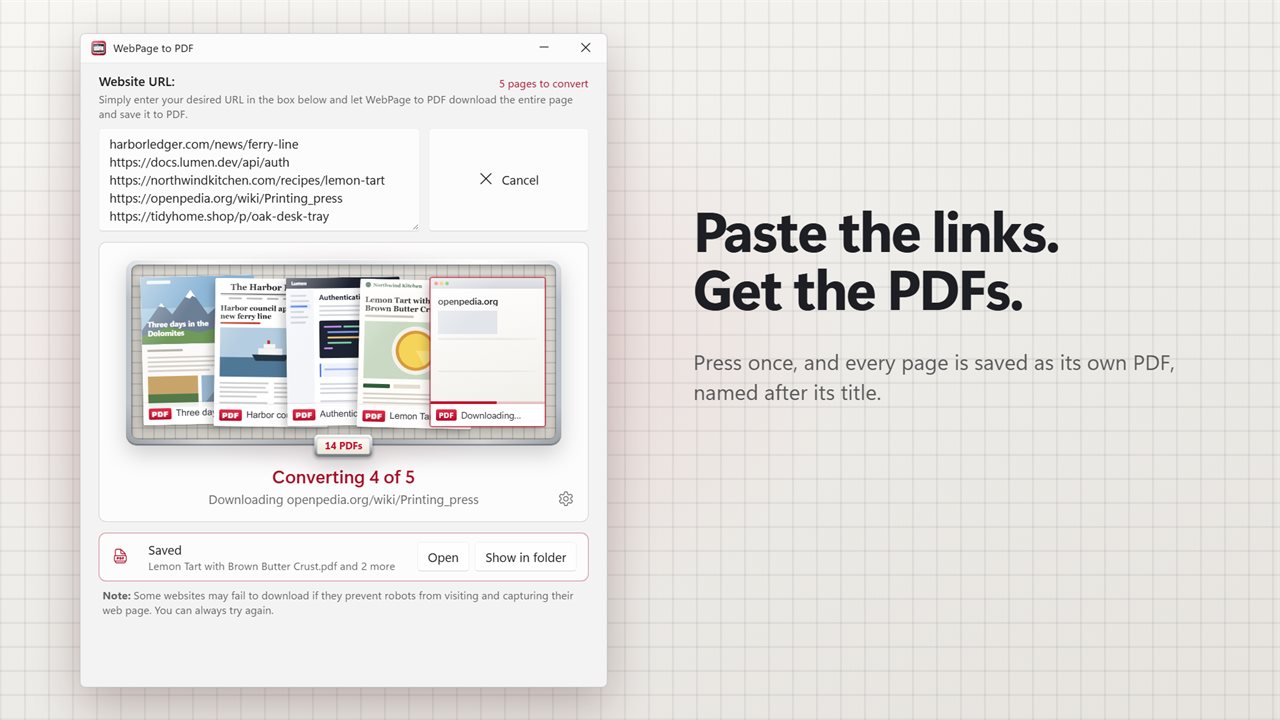
Paste the links. Get the PDFs. WebPage to PDF saves web pages as PDF files with one press of a button, one page or a whole list of them.
Paste one link or a hundred
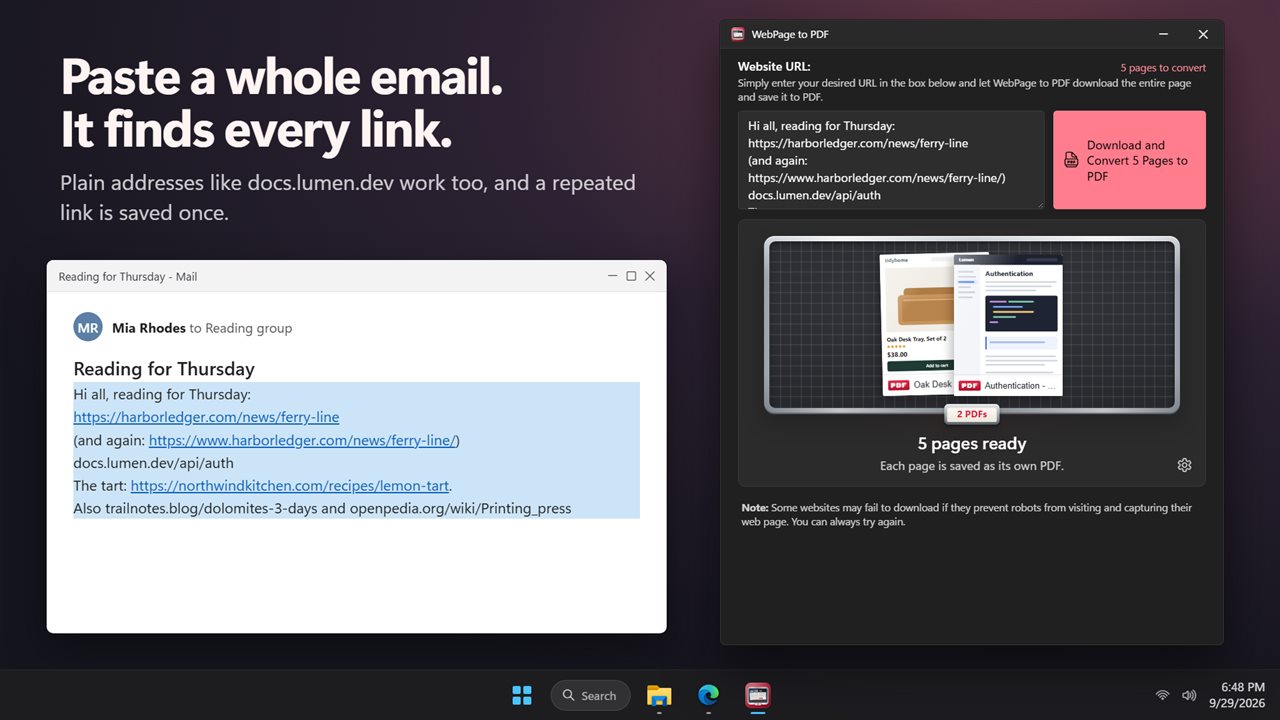
Paste a web address into the box and press Download and Convert to PDF, or just press Enter. Paste more than one and the button counts them for you: Download and Convert 12 Pages to PDF. Each page becomes its own PDF.
Paste a whole email
You don't have to tidy the links first. Paste an email, a chat message or a list of notes, and every link in it is found. Plain addresses like example.com work too, and a link that appears twice is only saved once.
No file names, no save dialogs
Every PDF is named after the page's title and saved to your Downloads folder, or to a folder you pick once. Nothing to type, nothing to click through.
A tray of finished pdfs
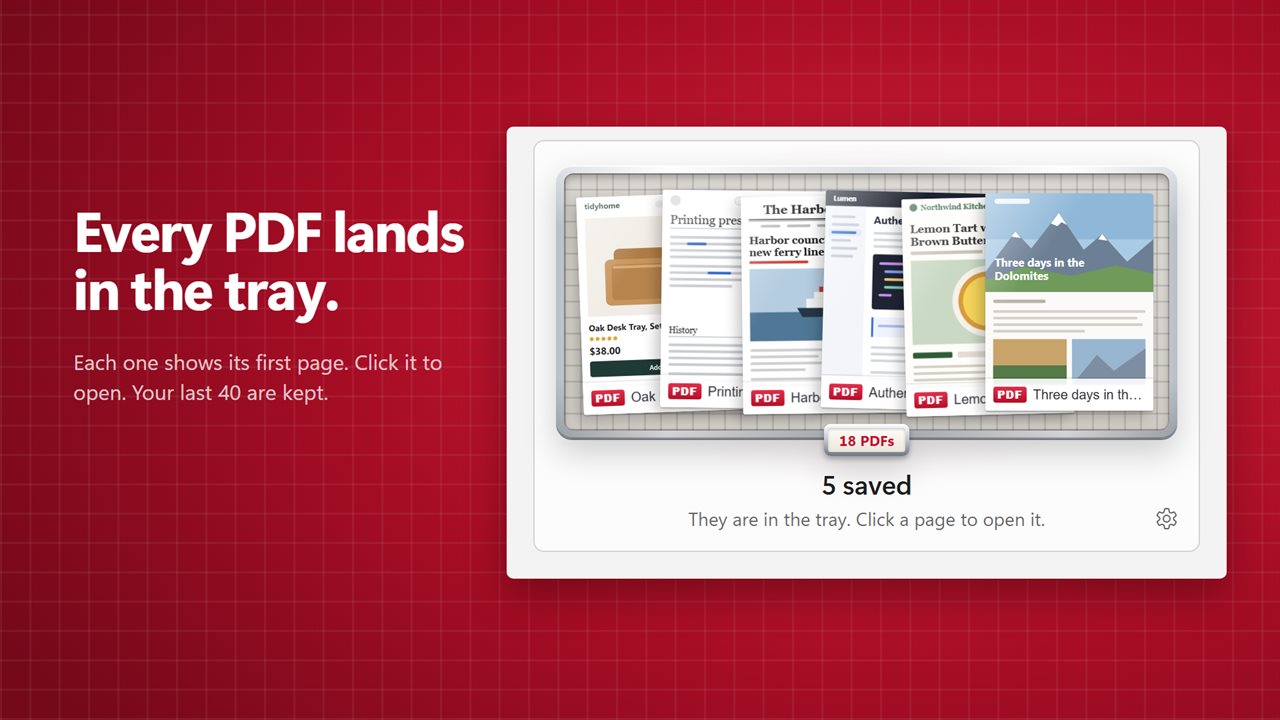
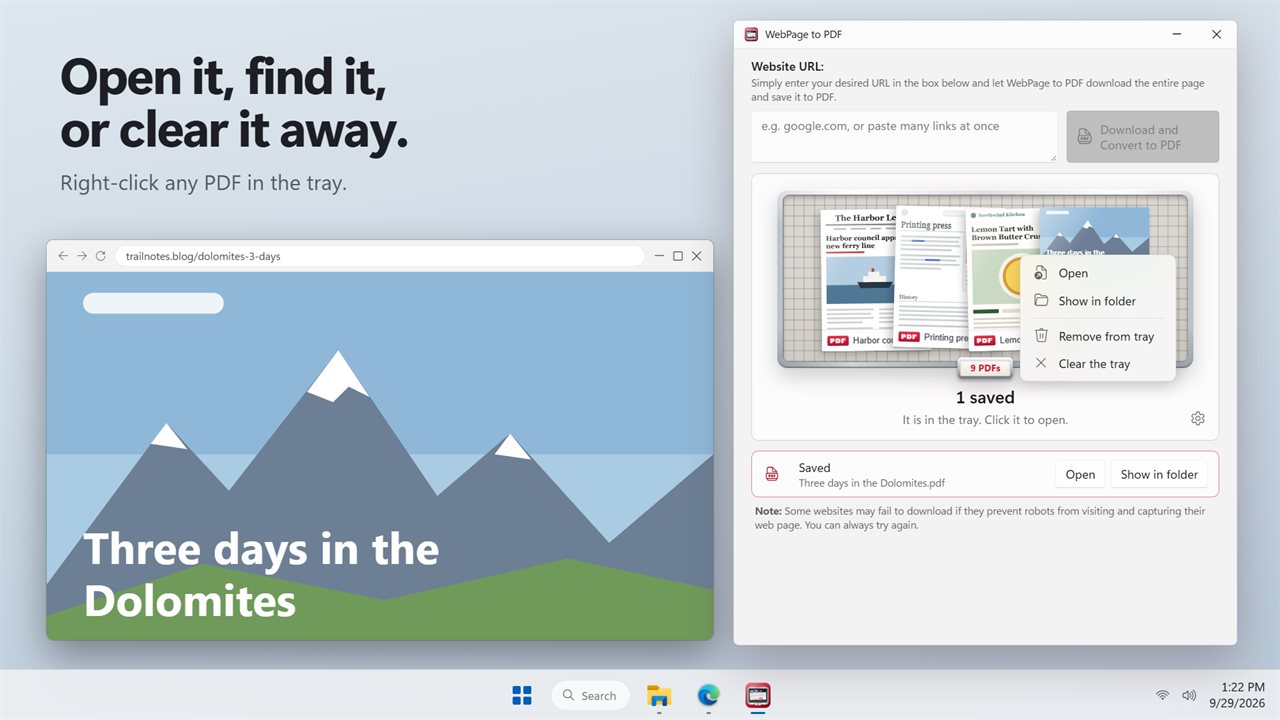
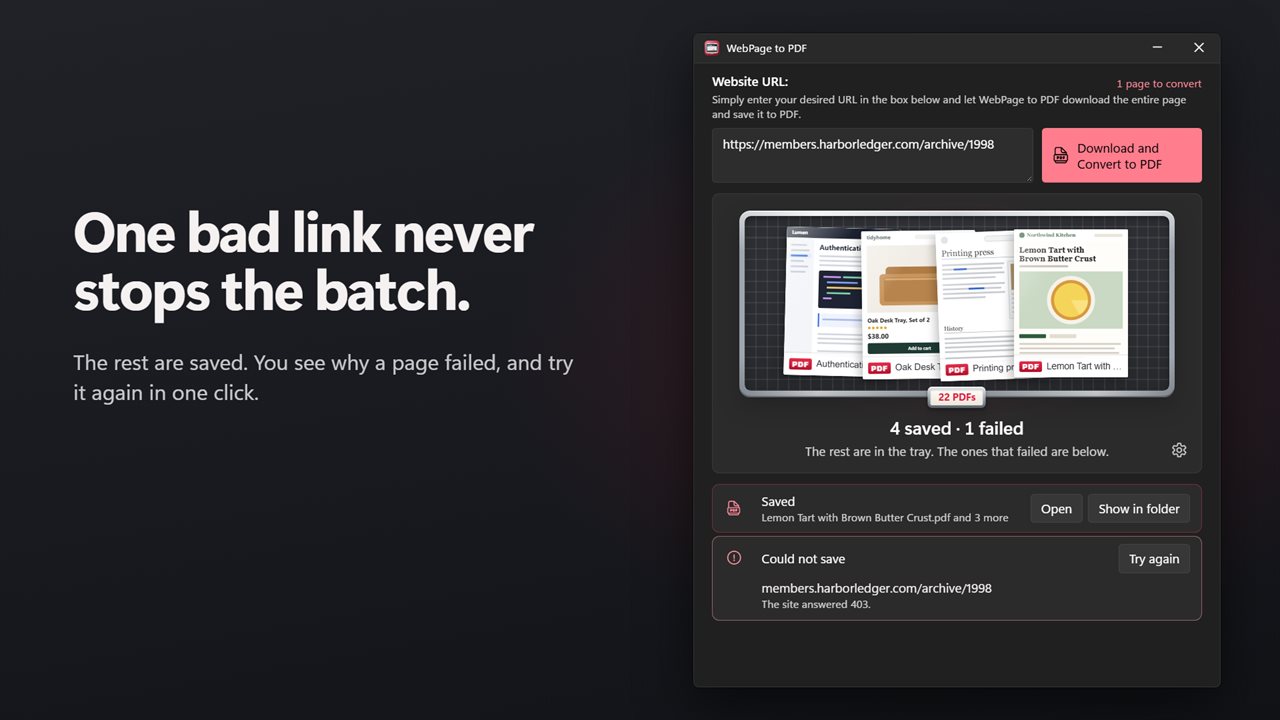
Each finished PDF drops into a tray, showing its first page. Click one to open it. Right-click to show it in its folder, remove it, or clear the tray. The tray keeps your last 40 PDFs, so they are still there tomorrow.
One bad link never stops the batch
While a batch runs you see which page is downloading and how many are left. Cancel at any time, and what was already saved stays saved. If a site refuses or takes too long, the rest carry on, and the ones that failed are listed with the reason. Try them again with one click.
The page as you see it
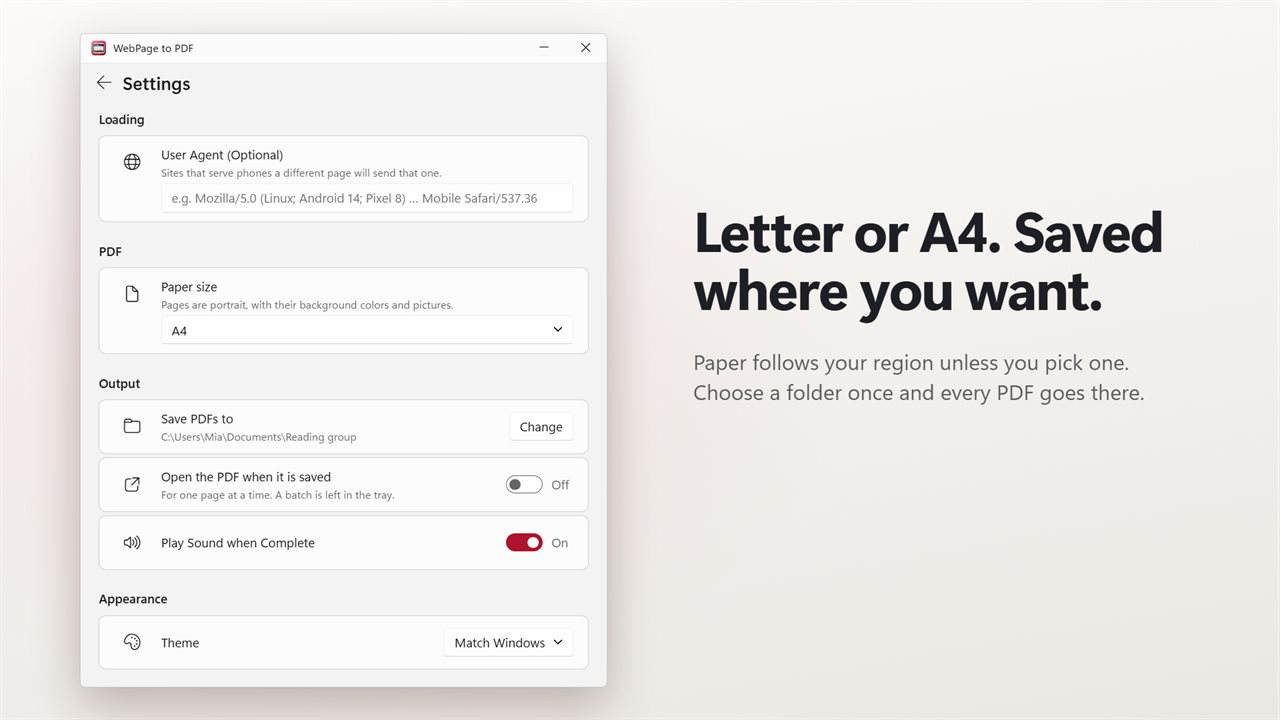
Pages keep their background colors and pictures, and pictures that only appear as you scroll are loaded before the PDF is made. Paper is Letter or A4, picked for your region, or set it yourself.
For the sites that need it
Some sites send phones a different page. Set a user agent and those sites send you that one instead.
Nothing else to install
WebPage to PDF uses the Microsoft Edge already on your PC. Some websites refuse visits from tools like this one, and those pages will not save.
Upgrading?
Your user agent and sound settings carry over. Light and dark themes, or match Windows.
Features
- Paste one web address or many, press once, and every page is saved as its own PDF
- Paste a whole email or a list: every link in it is found, and repeats are skipped
- Plain addresses like example.com work too, with no https:// to type
- Each PDF is named after the page's title, so there is nothing to name or save by hand
- Saved to your Downloads folder, or to a folder you pick once
- Finished PDFs stack up in a tray, each showing its first page
- Click a PDF in the tray to open it. Right-click to show it in its folder or remove it
- The tray keeps your last 40 PDFs, ready the next time you open the app
- See which page is downloading and how many are left
- Cancel at any time. Everything already saved stays saved
- A page that fails never stops the rest, and you see why it failed
- Try the failed pages again with one click
- Pages keep their background colors and pictures, including pictures further down the page
- Letter or A4 paper, picked for your region, or chosen by you
- An optional user agent, for sites that send phones a different page
- Open the PDF as soon as it is saved, or play a sound when a batch is done
- Uses the Microsoft Edge already on your PC. Nothing else to install
- Your user agent and sound settings carry over from the earlier version
- Light and dark themes, or match Windows
Details
- Works on
- Windows 10 (1809 or later) and Windows 11
- Download
- About 3.2 MB
- Version
- 2.0.3, updated October 2026
- First released
- December 2022
- Price
- $1.99 once. No subscription.
- Category
- Productivity
What's new in 2.0.3
- New: paste many links at once, and each page is saved as its own PDF
- New: paste a whole email or list, and every link in it is found
- New: addresses like example.com work without https://
- New: PDFs are named after the page's title and saved to a folder you pick once
- New: a tray of your finished PDFs, each showing its first page. Click to open
- New: failed pages are listed with the reason, and can be tried again in one click
- New: Cancel really stops, and what was saved stays saved
- New: Letter or A4 paper, picked for your region
- New: dark theme
- Your user agent and sound settings carry over
Questions
Anything else? Ask us
Which versions of Windows does it run on?
Windows 10 (version 1809 or later) and Windows 11.
Is it a subscription?
No. WebPage to PDF is a one-time purchase of $1.99, and updates are included.
How do I get it?
EvlarSoft apps are moving to direct downloads from this site. Ask to be notified and we will email you as soon as WebPage to PDF is ready to download.
More from EvlarSoft
 SiteGrabberType an address, pick a folder, and SiteGrabber saves the site into it: the pages it reaches, with their pictures, styles, scripts and fonts.
 Secret ScreenshotSecret Screenshot quietly takes a screenshot of your screen every few seconds and reads the words in each one.
 WebPage Screenshot GrabberCapture a whole web page, top to bottom, in one long screenshot.