Step Guide Recorder
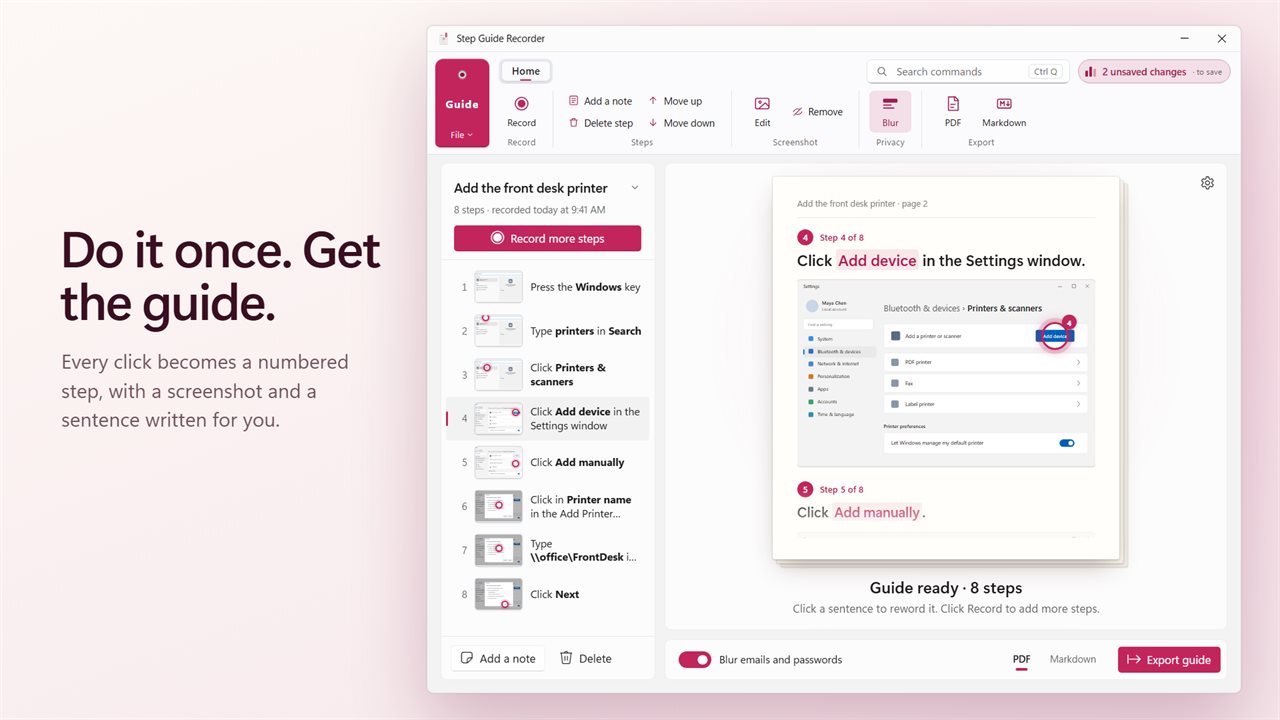
Do a task once and get a step-by-step guide. Step Guide Recorder turns every click, the text you type and the keys you press into numbered steps, each with a screenshot and a sentence written for you. Reword it, blur what is private, and export it as a PDF or Markdown.
Step Guide Recorder in 34 seconds
See it in action
About Step Guide Recorder
Explaining how to do something on a PC takes longer than doing it. Step Guide Recorder writes the guide while you do the task.
Do it once
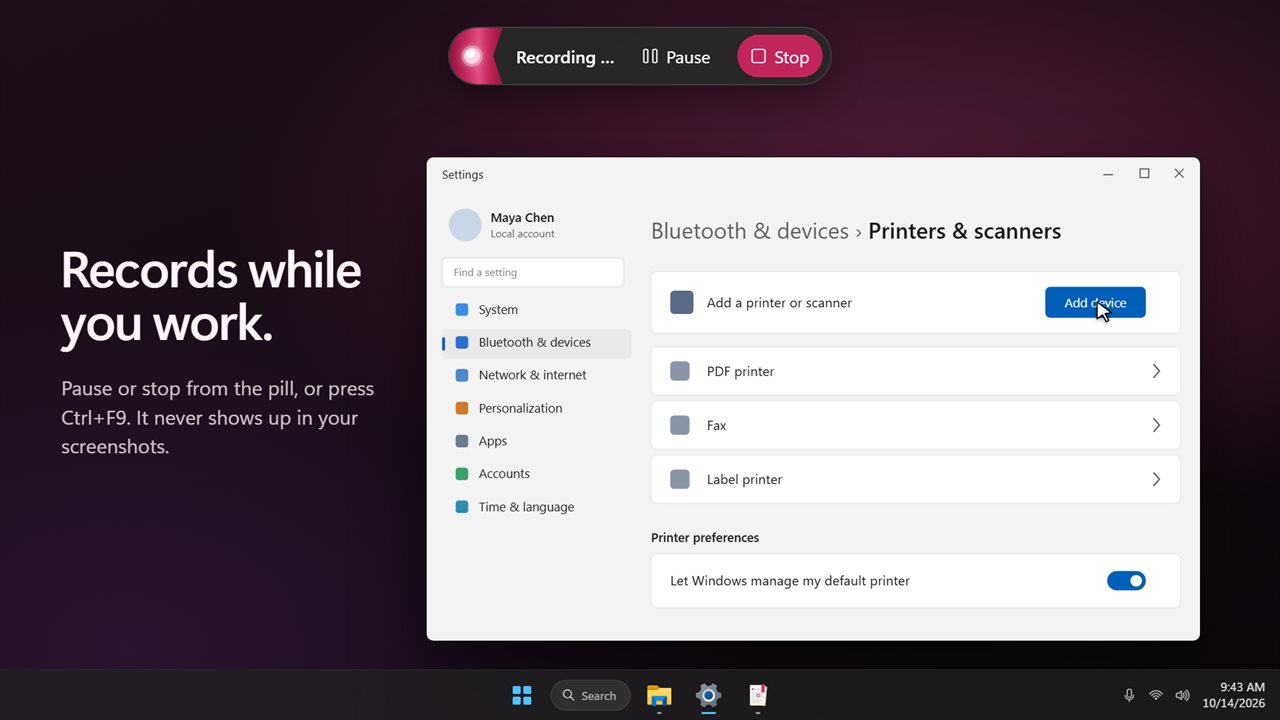
Click Record, or press Ctrl+F9 from any app, and do the task as usual. Every click, the text you type, the Windows key and keyboard shortcuts become numbered steps. A small pill at the top of the screen counts the steps and has Pause and Stop. It never shows up in the screenshots.
The steps are written for you
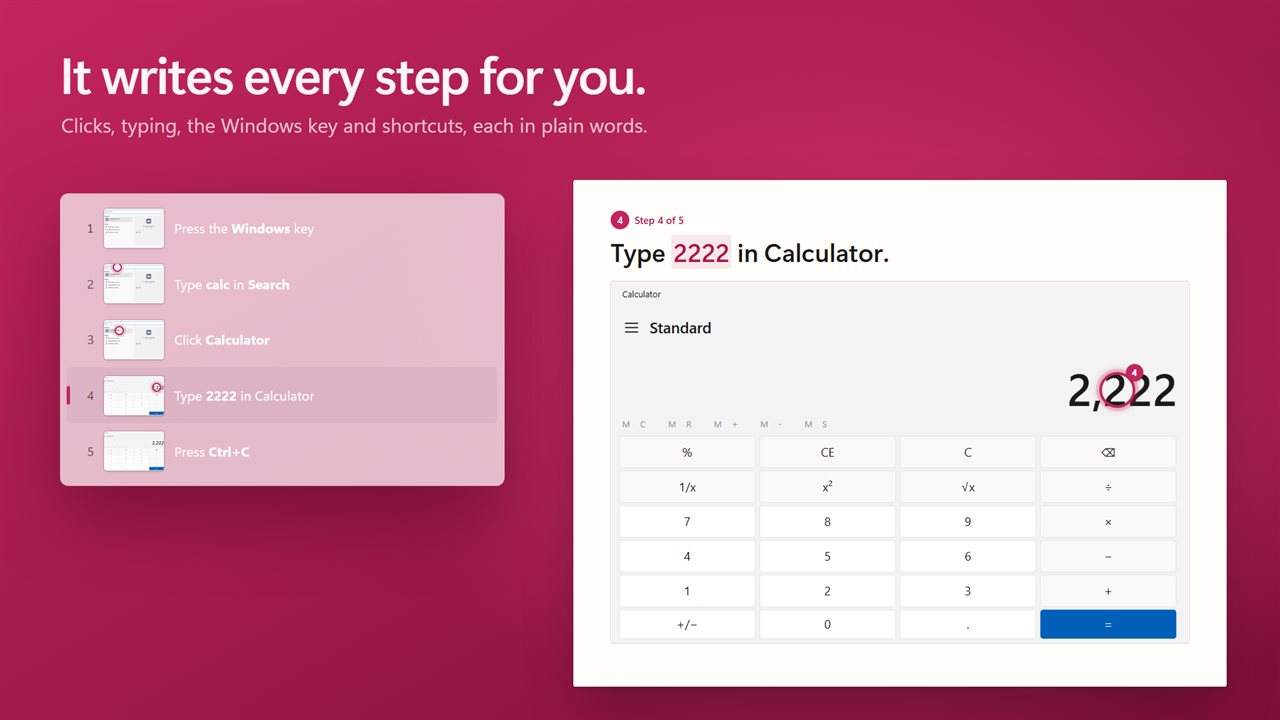
Each step gets a sentence in plain words: "Press the Windows key", "Click Calculator", "Type 2222 in Calculator", "Open the File tab". Each one gets a screenshot of the window you clicked, or of the area around the click, with a pink marker on the spot.
Make it yours
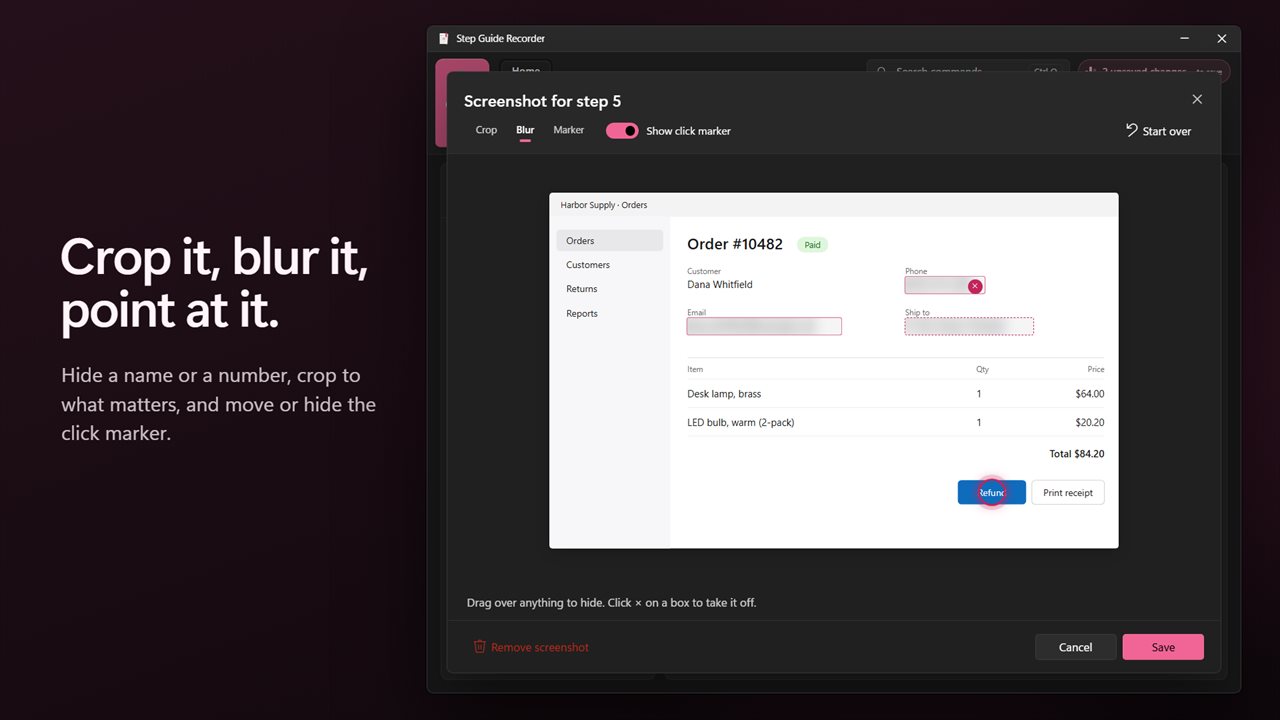
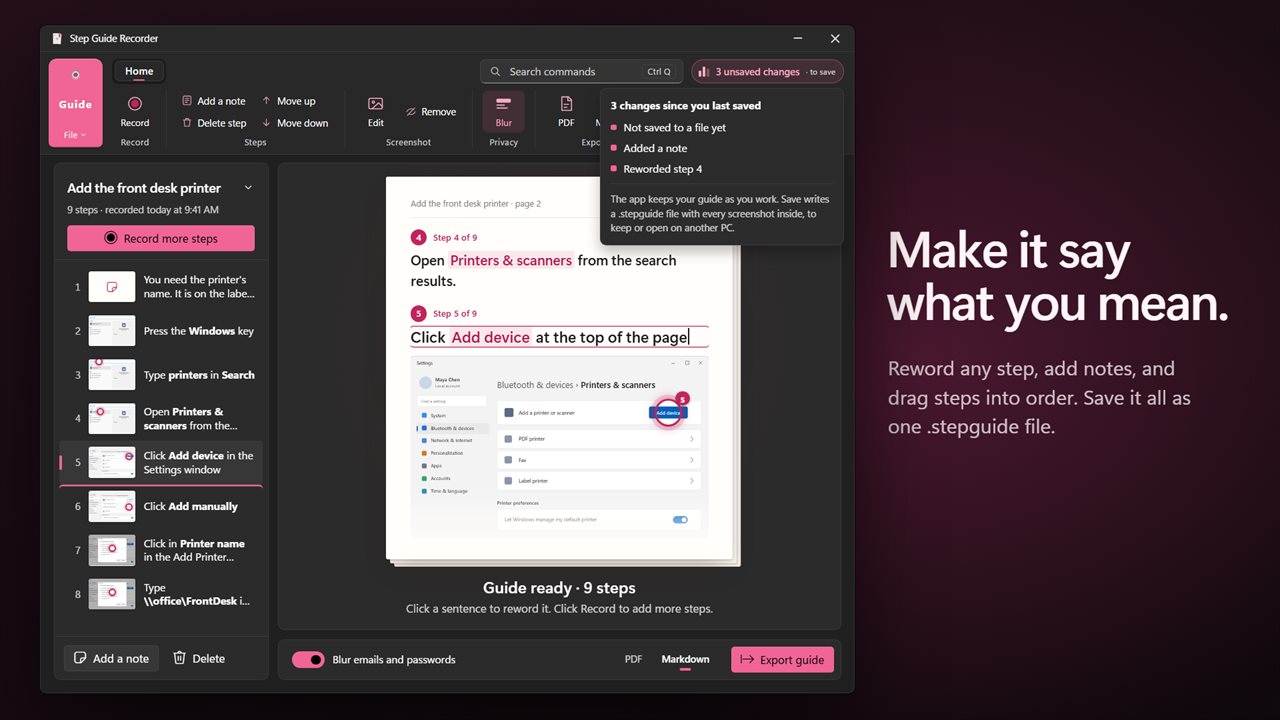
Click any sentence to reword it. Add notes between steps, drag steps into a new order, and delete the ones you don't need. Open a screenshot to crop it, blur anything on it, or move or hide the click marker.
Private by default
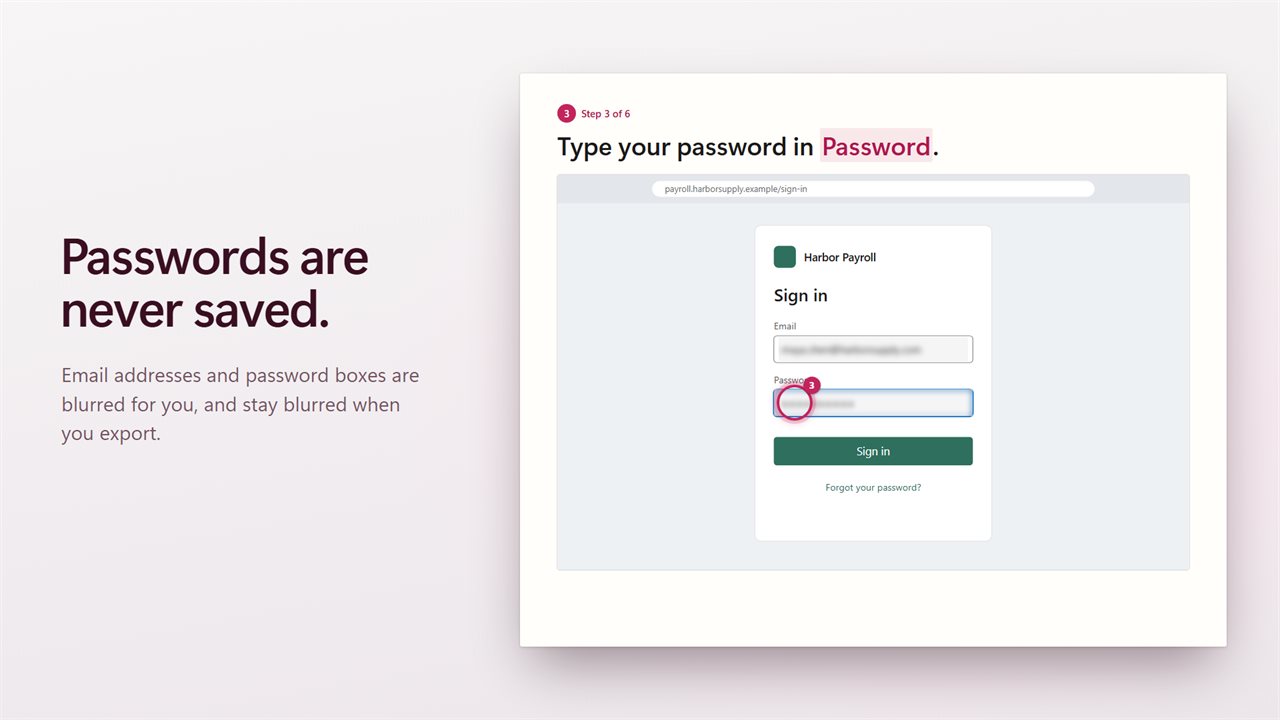
Passwords you type are never saved. Email addresses and password boxes are blurred in the screenshots, and the blur is kept when you export.
Share it
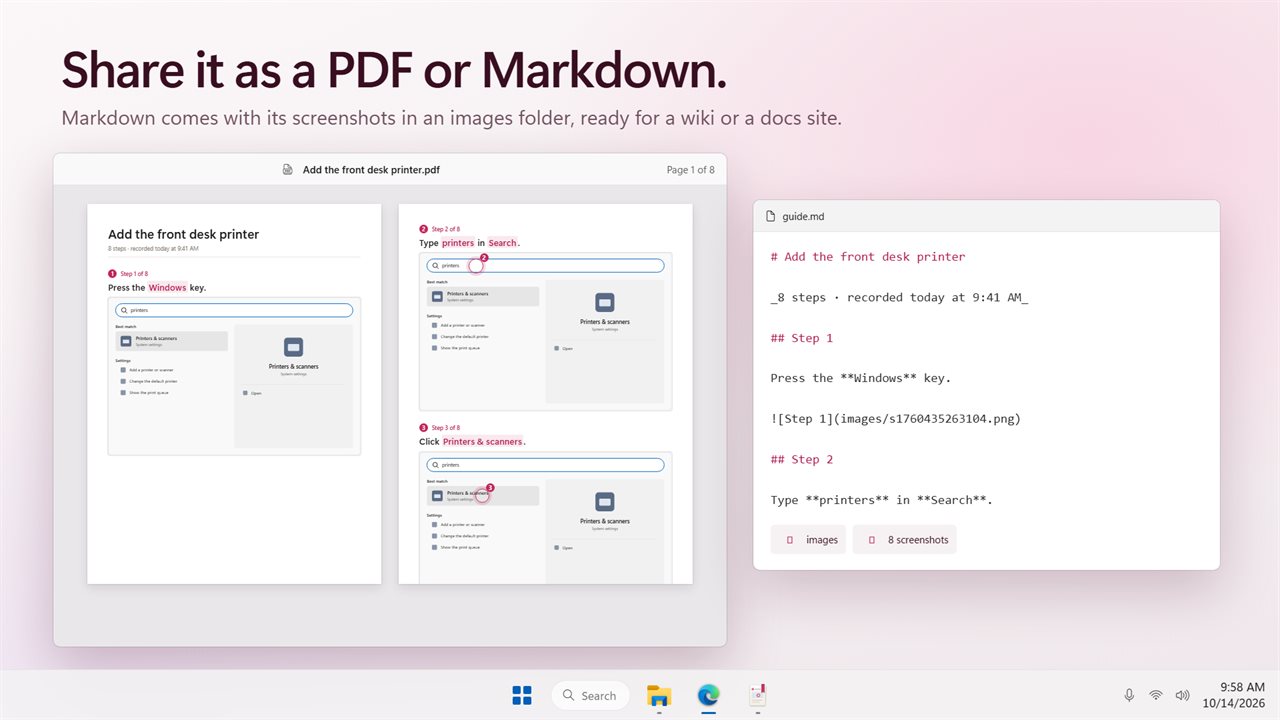
Export the guide as a PDF to print or send, or as Markdown with its images in a folder, ready for a wiki or a docs site. Save the guide itself as one .stepguide file with every screenshot inside, to keep or open on another PC.
For anyone who explains things
How-to documents and work instructions, help desk answers, lessons for a class, or the steps for a family member who keeps asking. If you used the old steps recorder in Windows, this is the guide it never wrote.
A ribbon like the Office apps, light and dark themes, and no internet needed.
Features
- Click Record or press Ctrl+F9, do the task once, and get a numbered step-by-step guide
- Every click, the text you type, the Windows key and keyboard shortcuts become steps
- Each step is written for you in plain words, like "Type 2222 in Calculator" or "Open the File tab"
- Each step gets a screenshot of the window you clicked, or of the area around the click
- A pink marker shows exactly where you clicked in every screenshot
- A small pill shows the step count while you record, with Pause and Stop. It never appears in your screenshots
- Passwords you type are never saved
- Email addresses and password boxes are blurred for you
- Click any sentence to reword it
- Add notes between steps
- Drag steps into a new order, or move them up and down
- Delete steps you don't need
- Edit a screenshot: crop it, blur anything on it, move or hide the click marker
- Remove a screenshot from a step
- Export the guide as a PDF
- Export as Markdown, with every image in a folder beside it
- Save a guide as one .stepguide file with every screenshot inside, and open it on another PC
- Choose your own shortcut for starting and stopping, and whether typing is recorded
- A ribbon like the Office apps, with a search box for every command
- Works without an internet connection. Light and dark themes, or match Windows
Details
- Works on
- Windows 10 (1809 or later) and Windows 11
- Download
- About 3.0 MB
- Version
- 1.0.2, updated October 2026
- First released
- October 2026
- Price
- $4.99 once. No subscription.
- Category
- Productivity
Questions
Anything else? Ask us
Which versions of Windows does it run on?
Windows 10 (version 1809 or later) and Windows 11.
Is it a subscription?
No. Step Guide Recorder is a one-time purchase of $4.99, and updates are included.
How do I get it?
EvlarSoft apps are moving to direct downloads from this site. Ask to be notified and we will email you as soon as Step Guide Recorder is ready to download.