PrintScreen
Press Print Screen, box anything on screen, and it is copied. Mark it up, blur what is private, and copy the text in it, even a whole table that pastes into Excel. Everything happens on your PC.
Snip it, and the text comes with it.
See it in action
About PrintScreen
PrintScreen is a fast snipping tool that also reads the text in what you snip.
Press print screen
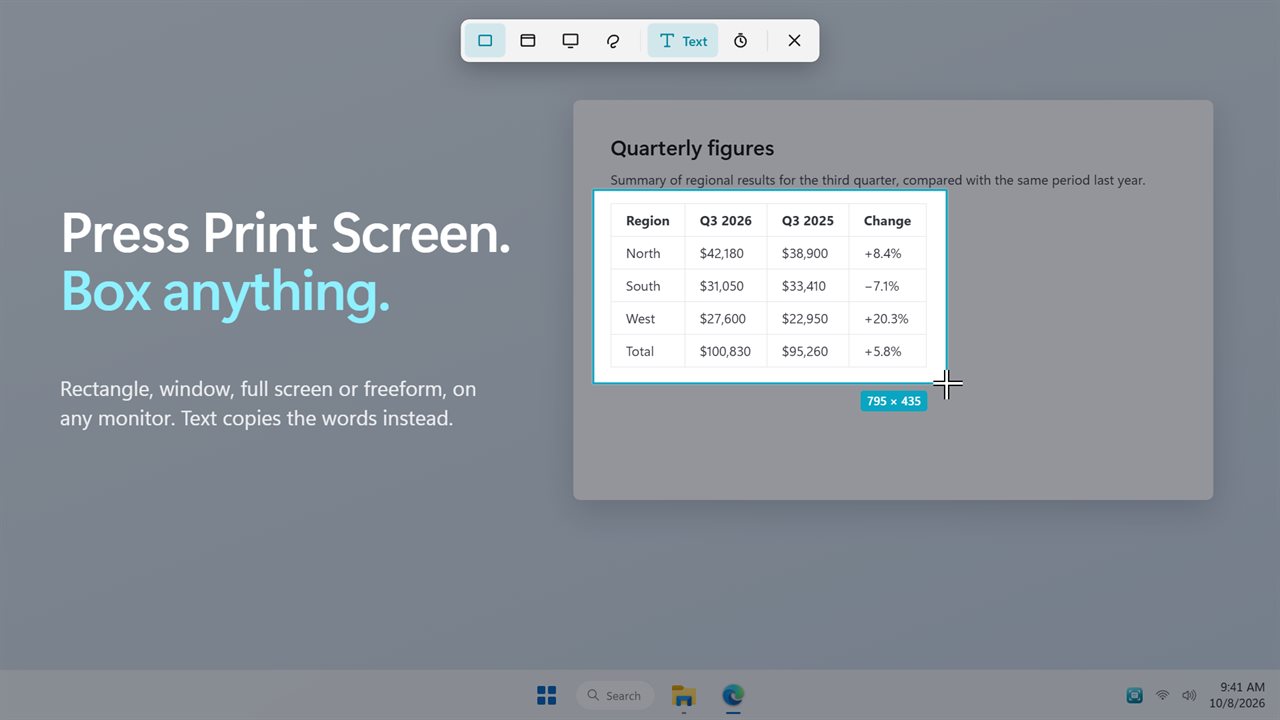
The screen freezes on every monitor, with a small bar at the top. Drag a rectangle, pick a window, take a full screen or draw a freeform shape. Just click to grab the window under the pointer. The size shows as you drag, Esc cancels, and a 3, 5 or 10 second delay lets you open a menu first. Your snip is on the clipboard the moment you let go.
Copy the words, not the picture
Turn on Text, or press Ctrl+Print Screen, and the box copies the words inside it. Error messages, a paragraph in a video, a menu you want to quote: paste them as text.
Text in every snip
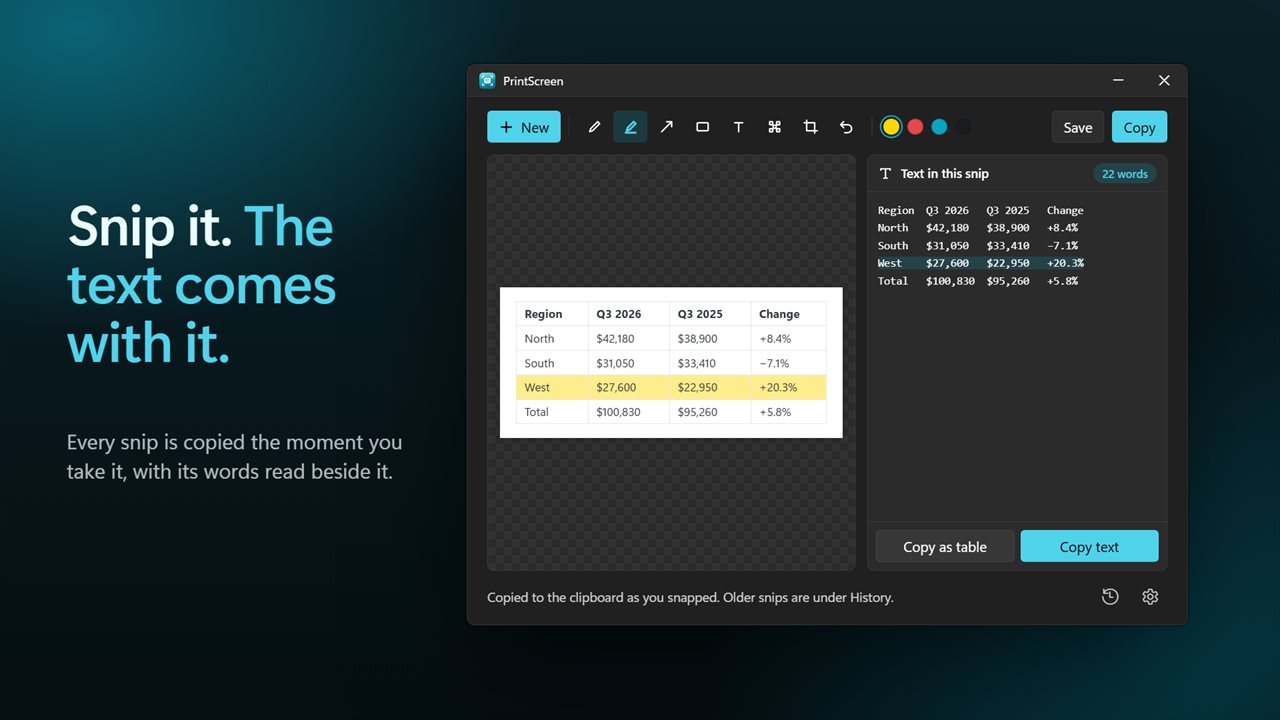
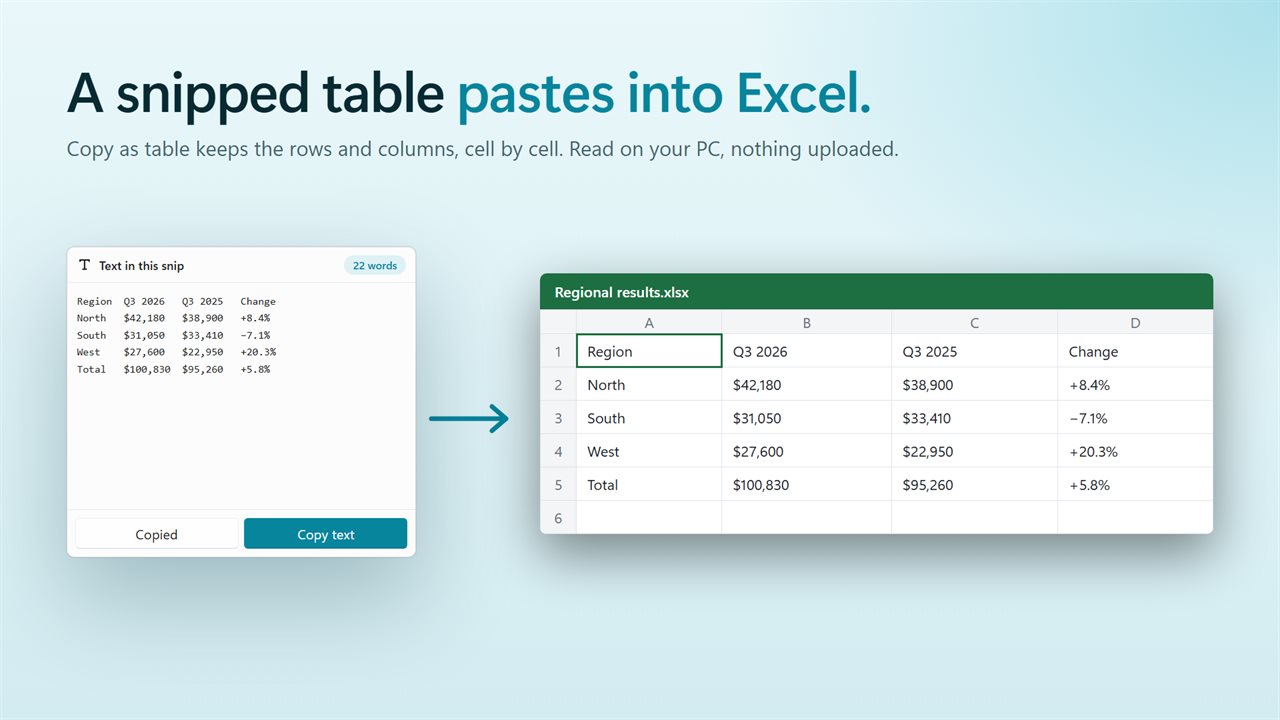
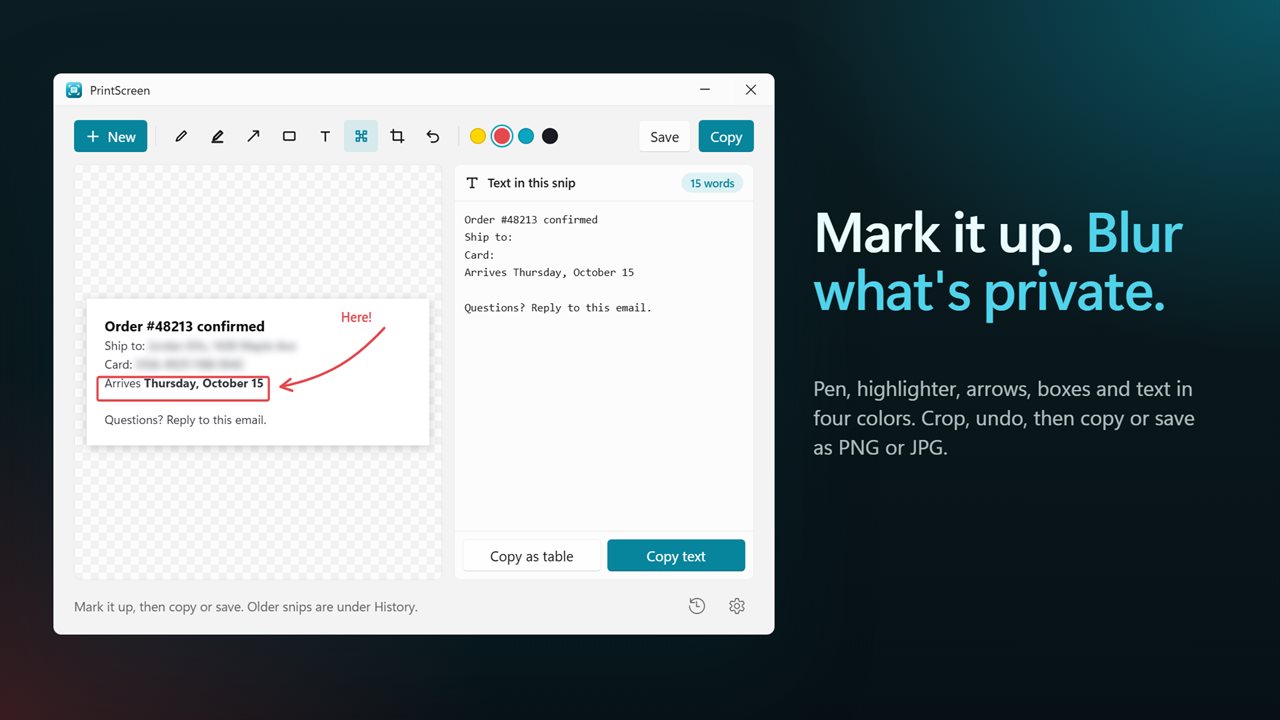
Every snip opens in a small editor with its text beside it, lined up the way it was on screen. Copy the text, or Copy as table, which keeps rows and columns so a snipped table pastes into Excel or Sheets cell by cell. The text is read on your PC. Nothing is uploaded and no internet is needed.
Mark it up
Pen, highlighter, arrow, box and text in four colors. Blur out names and numbers, crop to what matters, and undo any step. Then copy it, or save it as PNG or JPG.
The classic way still works
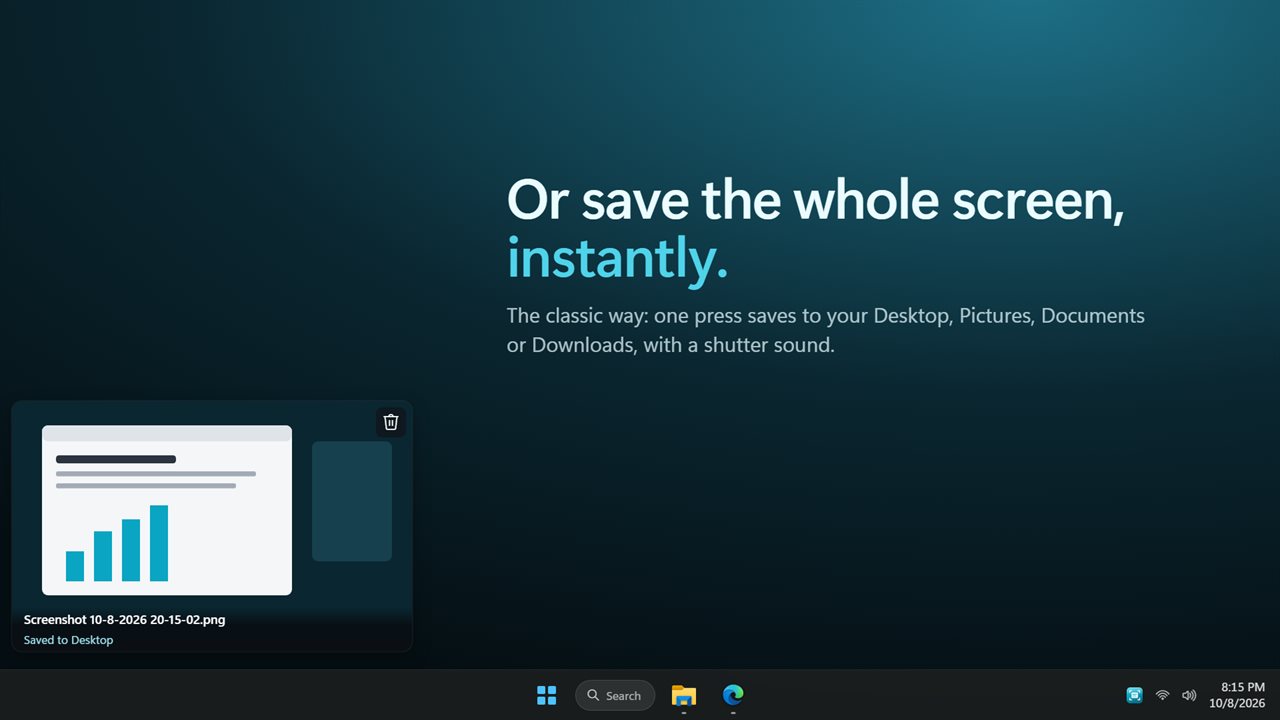
If you liked PrintScreen as it was, set Print Screen to save the whole screen instantly. The screenshot lands on your Desktop, or in Pictures, Documents or Downloads, with a shutter sound and a preview in the corner that opens it with a click or deletes it. If you used PrintScreen before, it keeps working that way, with your folder and sound settings.
Always ready
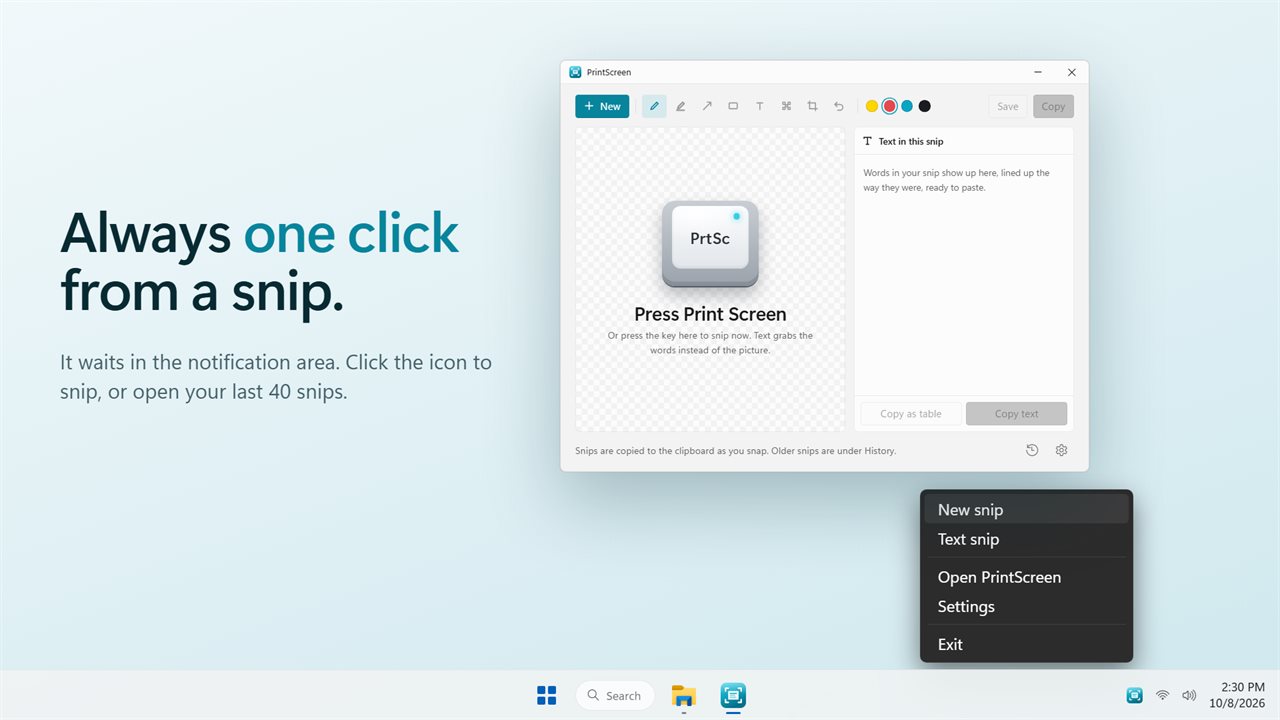
PrintScreen waits in the notification area. Click its icon to snip, or open it to see your last 40 snips under History. Pick another shortcut if your keyboard has no Print Screen key, save every snip to a folder automatically, and start it with Windows.
Features
- Press Print Screen and the whole screen freezes, on every monitor, ready to snip
- Snip a rectangle, a window, a full screen or a freeform shape
- Click instead of dragging to snip the window under the pointer
- Text mode copies the words in the box instead of the picture
- Ctrl+Print Screen starts a Text snip straight away
- Wait 3, 5 or 10 seconds before the screen freezes, to catch an open menu
- The selection shows its exact size in pixels as you drag
- Every snip is copied to the clipboard the moment you take it
- Mark it up with a pen, a highlighter, arrows, boxes and text, in four colors
- Blur out anything private, crop, and undo any step
- Copy your marked-up snip, or save it as PNG or JPG
- The text in every snip appears beside it, lined up the way it was on screen
- Copy as table turns a snipped table into rows and columns that paste straight into Excel
- Text is read on your PC. Nothing is uploaded and no internet is needed
- History keeps your last 40 snips to open again
- Prefer the classic way? Set Print Screen to save the whole screen instantly to your Desktop, Pictures, Documents or Downloads, with a shutter sound and a preview in the corner
- Optionally save every snip to a folder of your choice
- Use another shortcut if your keyboard has no Print Screen key
- Waits in the notification area: click the icon to snip. Starts with Windows if you like
- Light and dark themes, or match Windows
Details
- Works on
- Windows 10 (1809 or later) and Windows 11
- Download
- About 3.4 MB
- Version
- 2.0.2, updated October 2026
- First released
- July 2022
- Price
- $2.09 once. No subscription.
- Category
- Utilities & tools
What's new in 2.0.2
- New: press Print Screen to snip a rectangle, a window, a full screen or a freeform shape, on any monitor
- New: Text mode copies the words on screen, and every snip shows its text beside it
- New: Copy as table pastes a snipped table into Excel
- New: pen, highlighter, arrows, boxes, text, blur, crop and undo
- New: History of your last 40 snips
- Print Screen can still save the whole screen instantly, and your folder and sound settings carry over
Questions
Anything else? Ask us
Which versions of Windows does it run on?
Windows 10 (version 1809 or later) and Windows 11.
Is it a subscription?
No. PrintScreen is a one-time purchase of $2.09, and updates are included.
How do I get it?
EvlarSoft apps are moving to direct downloads from this site. Ask to be notified and we will email you as soon as PrintScreen is ready to download.