WebToImage
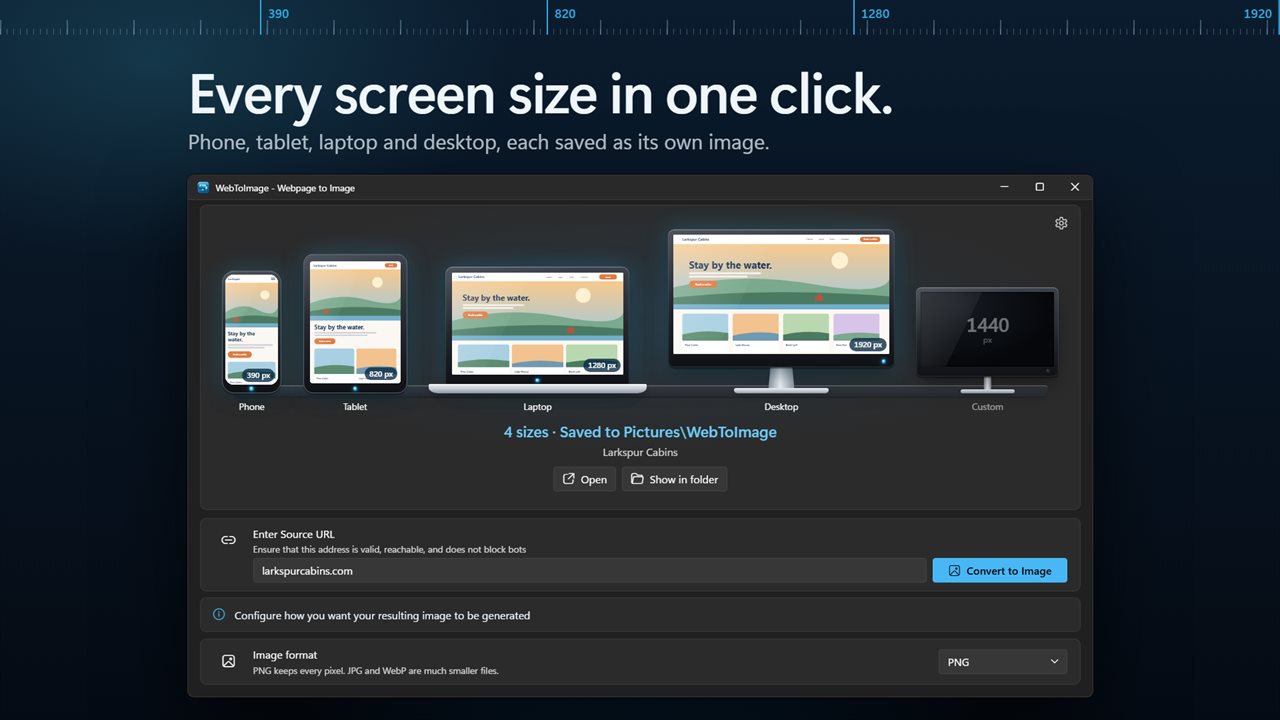
Capture any webpage at phone, tablet, laptop and desktop widths in one click. The page loads fresh at every width, so you get the real mobile and desktop layouts, each saved as its own PNG, JPG or WebP and named from the page title.
Capture a webpage at phone, tablet, laptop and desktop widths in one click.
See it in action
About WebToImage
How does your page look on a phone? On a tablet? On a big monitor? WebToImage captures it at every size at once, so you can see, share and compare them side by side.
Four screens in one click
Type an address and press Convert to Image. WebToImage captures the page at phone (390 px), tablet (820 px), laptop (1280 px) and desktop (1920 px) widths, one after another, and saves each as its own image. Need another size? Turn on Custom and set any width from 100 to 5000 px.
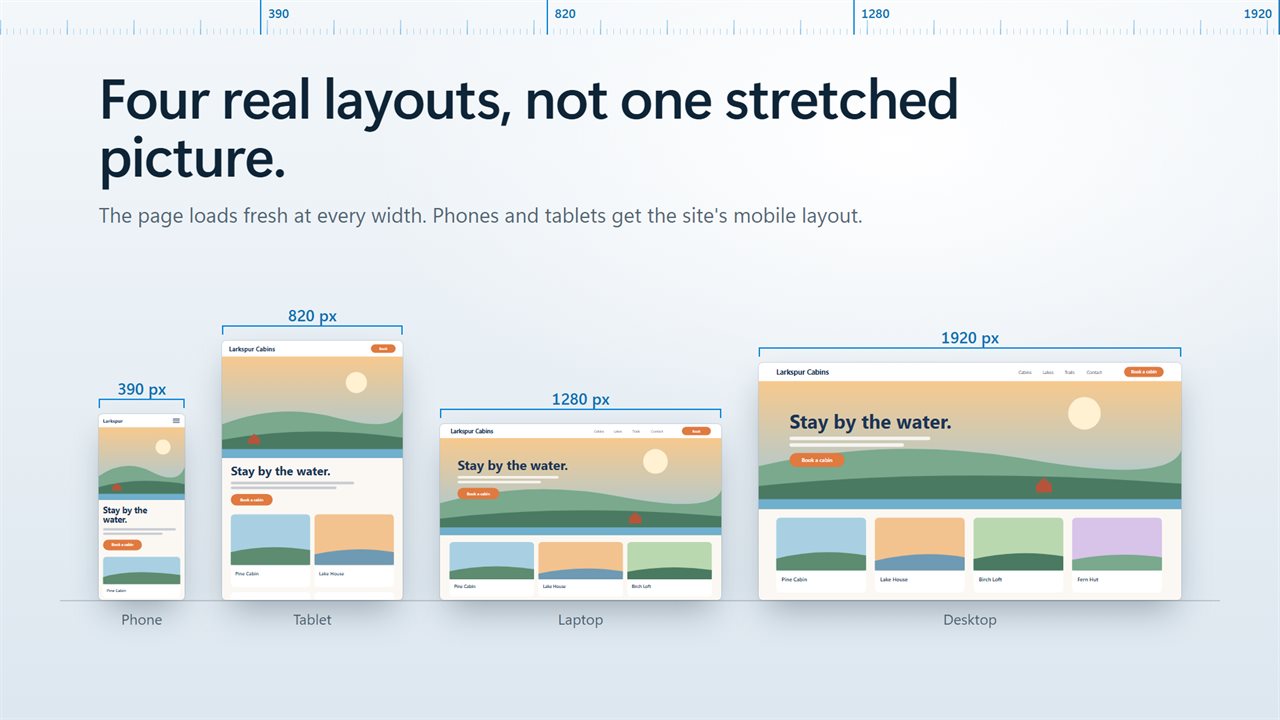
Real layouts, not a stretched picture
The page loads fresh at every width, so each image shows exactly the layout a visitor on that screen gets: the menu button on a phone, two columns on a tablet, the full site on a monitor. Phone and tablet sizes ask the site for its mobile layout, the way a real phone or tablet does.
Click the screens you want
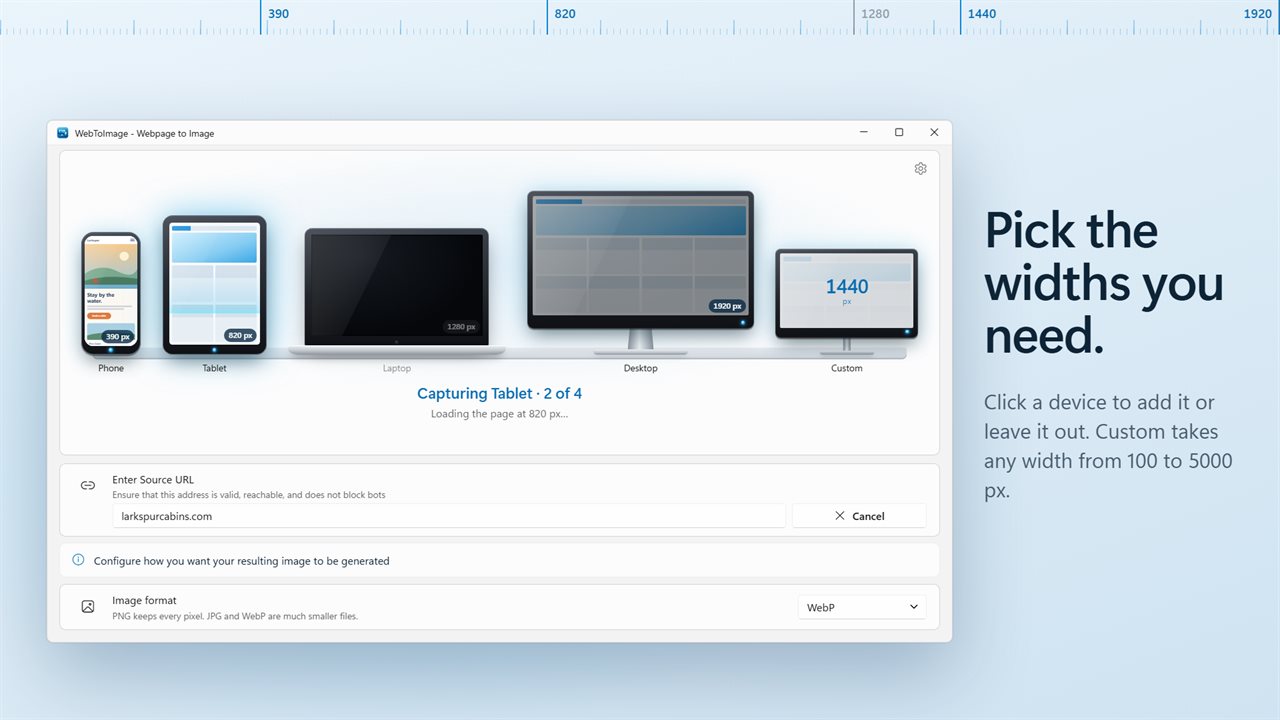
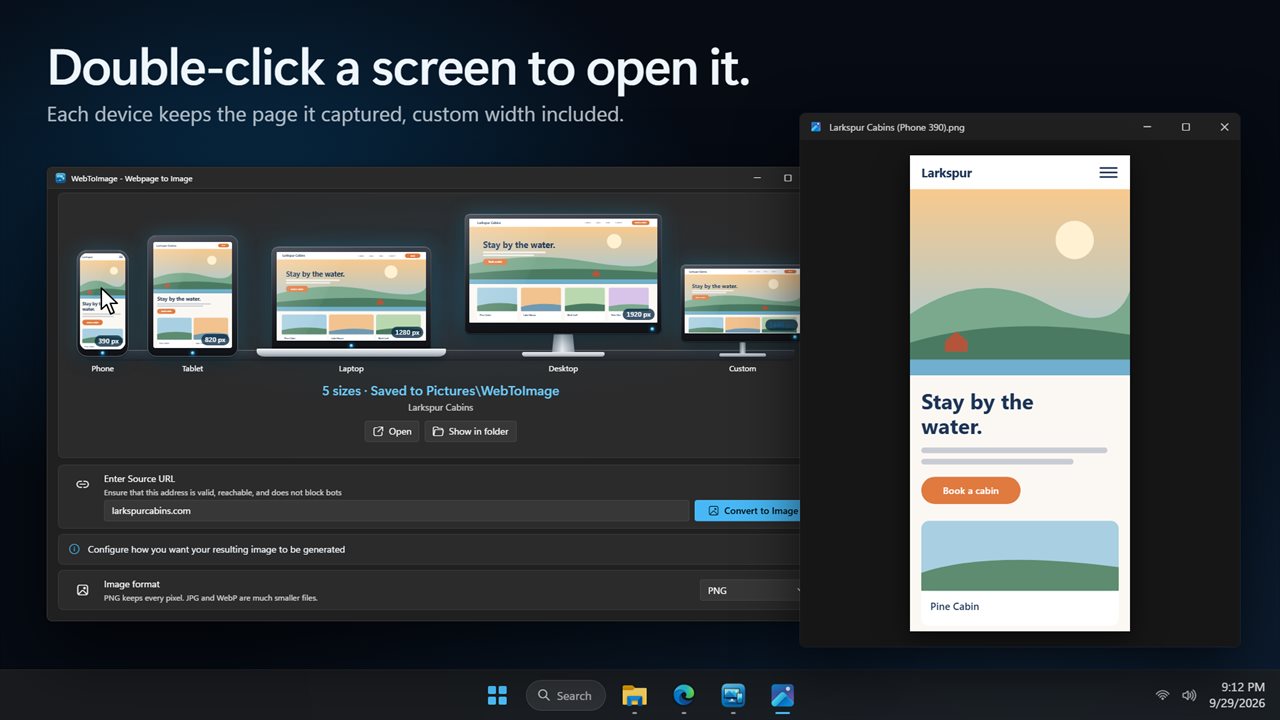
The devices stand in a row across the window. Click one to include its width or leave it out. As each capture finishes, its device shows the page it took, and a double-click opens the image.
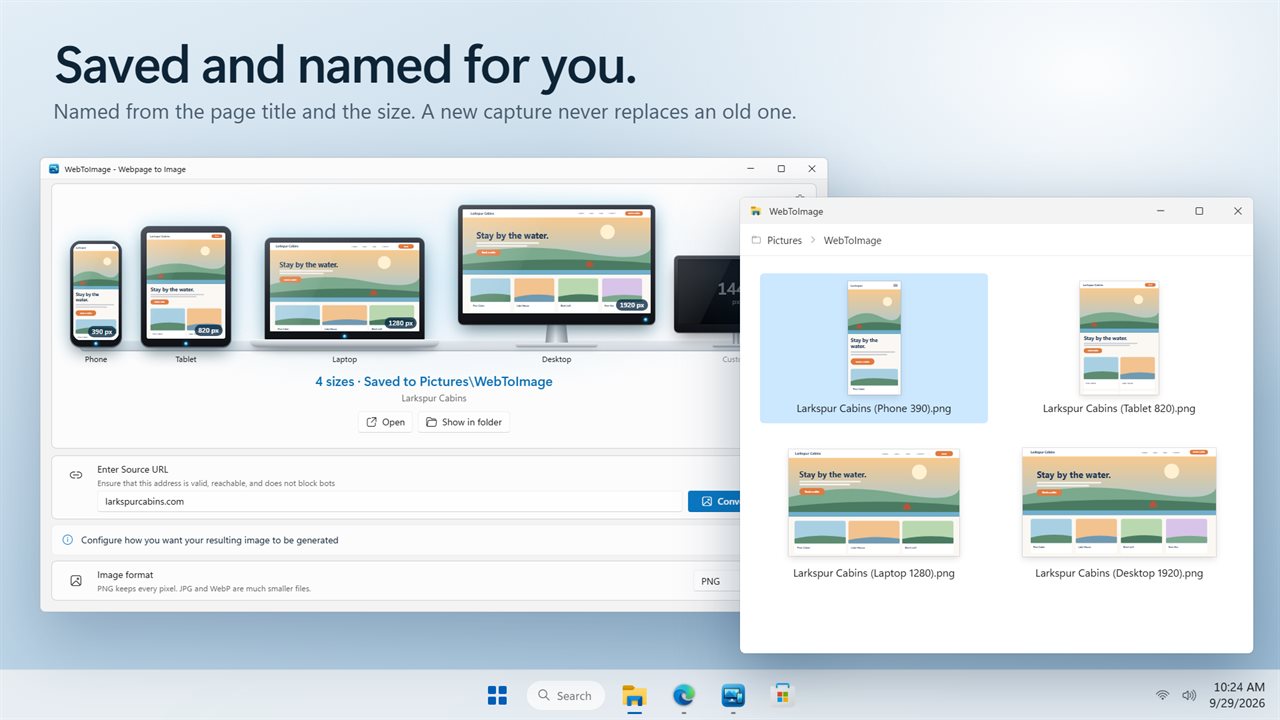
Saved and named for you
Images go to Pictures\WebToImage, or any folder you pick, named from the page title and the size, like Recipes (Phone 390).png. Capture the same page again and the new images sit beside the old ones instead of replacing them. When it is done, open the image or show it in its folder, or have it open by itself.
The picture you want
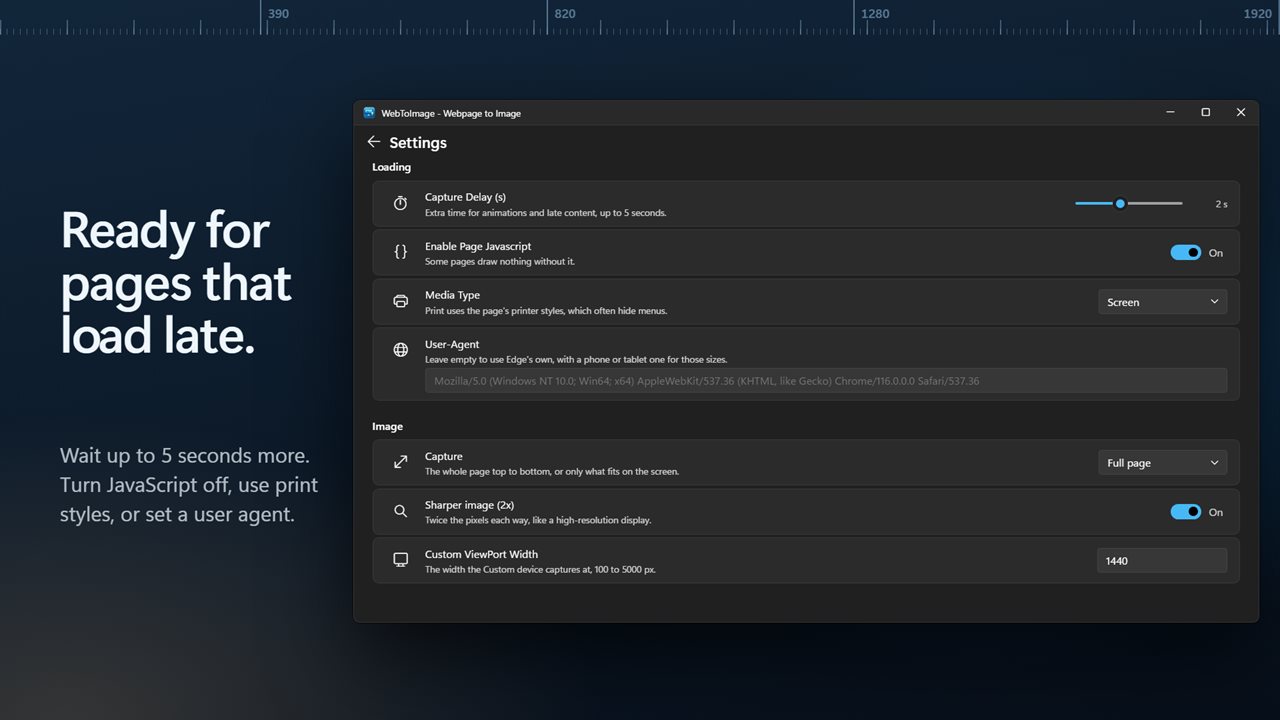
Save as PNG, JPG or WebP. Capture the whole page top to bottom, or only what fits on the screen. Turn on Sharper image for twice the pixels, like a high-resolution display.
For pages that take their time
Pictures that load as you scroll are loaded before the capture. Wait up to 5 seconds more for animations and late content. Turn page JavaScript off, use the page's print styles, or set your own user agent.
Simple to use
Type a bare address like example.com and it just works. Stop a capture at any time, and the images already saved are kept. Pages are captured on your PC by Microsoft Edge, which comes with Windows.
Light and dark themes, or match Windows.
Features
- Capture a webpage at phone, tablet, laptop and desktop widths in one go
- Phone 390 px, tablet 820 px, laptop 1280 px and desktop 1920 px, plus a custom width from 100 to 5000 px
- The page loads fresh at every width, so each image shows the layout a visitor on that screen really gets
- Phone and tablet sizes ask the site for its mobile layout, the way a real phone or tablet does
- Click a device to include its width or leave it out
- Each device shows the page it captured. Double-click it to open the image
- Save as PNG, JPG or WebP
- The whole page top to bottom, or only what fits on the screen
- Sharper images at twice the pixels, like a high-resolution display
- Type a bare address like example.com and it just works
- Pictures that load as you scroll are loaded before the capture
- Wait up to 5 seconds for animations and late content
- Turn page JavaScript off, use the page's print styles, or set your own user agent
- Images are named from the page title and the size, like Recipes (Phone 390).png, and never overwrite an earlier one
- Saved to Pictures\WebToImage, or any folder you pick
- Open the image or show it in its folder when it is done, or have it open by itself
- Stop a capture at any time. Images already saved are kept
- Pages are captured on your PC by Microsoft Edge, which comes with Windows
- Light and dark themes, or match Windows
Details
- Works on
- Windows 10 (1809 or later) and Windows 11
- Download
- About 3.0 MB
- Version
- 2.0.3, updated October 2026
- First released
- August 2023
- Price
- $1.99 once. No subscription.
- Category
- Utilities & tools
What's new in 2.0.3
- New: capture phone, tablet, laptop and desktop widths in one go, plus a custom width
- New: phone and tablet sizes get the site's mobile layout
- New: each device shows the page it captured. Double-click it to open the image
- New: save as PNG, JPG or WebP, the whole page or the visible area, and sharper 2x images
- New: images are named from the page title and never overwrite an earlier one
- Bare addresses like example.com now work
- Cancel now stops the capture straight away
- Your capture delay is now remembered
- The window fits smaller screens
- Your Open Image when complete setting carries over
Questions
Anything else? Ask us
Which versions of Windows does it run on?
Windows 10 (version 1809 or later) and Windows 11.
Is it a subscription?
No. WebToImage is a one-time purchase of $1.99, and updates are included.
How do I get it?
EvlarSoft apps are moving to direct downloads from this site. Ask to be notified and we will email you as soon as WebToImage is ready to download.