C and C++ Compiler
Write C or C++, press F5, and it compiles and runs. Clang ships inside, so there is nothing to install — and old Turbo C programs with conio.h run too.
Write C or C++ and press F5. Clang ships inside the app, so there is nothing to install first.
See it in action
About C and C++ Compiler
Most people learning C or C++ do not need a development environment the size of a small operating system. They need somewhere to type a program, a key that compiles and runs it, and an honest account of what went wrong.
This is that. It opens a file, colors it properly, compiles it with a keypress and shows you what the program printed — in one window, with nothing to set up.
Nothing to install
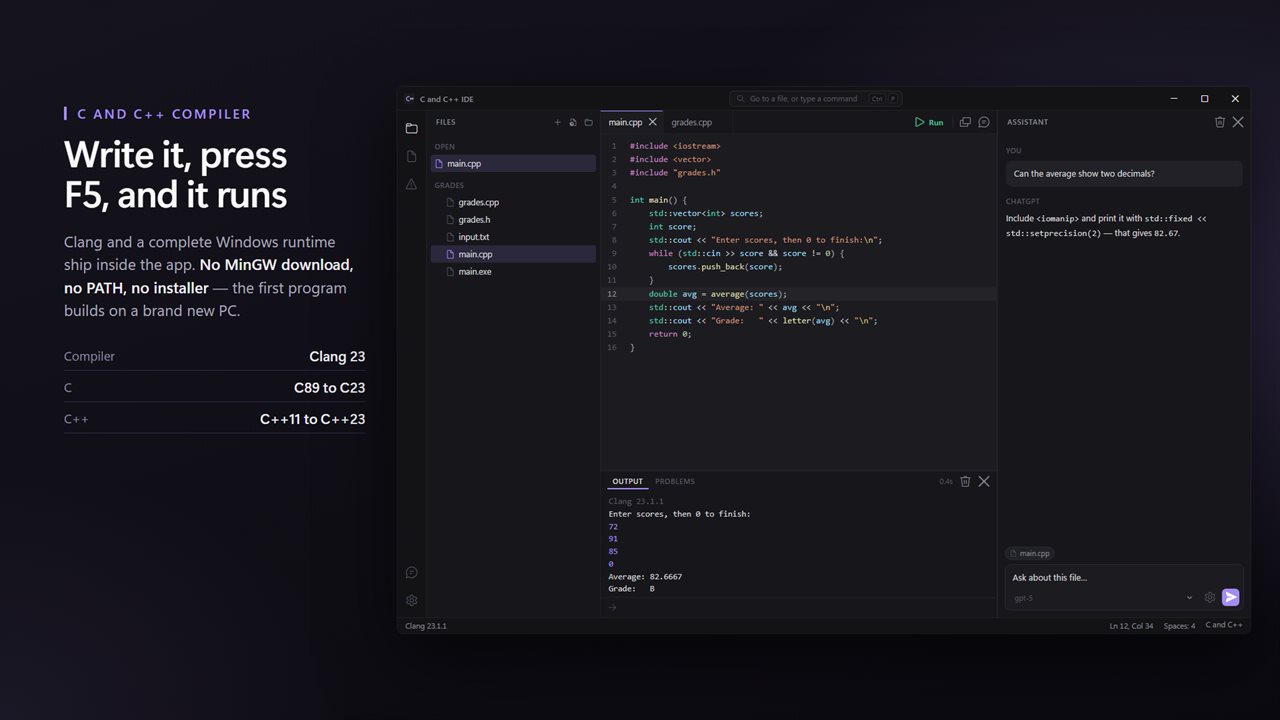
Clang 23 and a complete Windows runtime ship inside the app. On a PC that has never seen a compiler, your first program builds immediately: no MinGW download, no PATH, no installer, no version to choose. Every program is built standalone, so the .exe it leaves beside your source runs on any other PC too.
Write it
Syntax color, folding, bracket matching and completion that knows the C and C++ keywords, the standard functions and the headers you are most likely to reach for. A tab per file, each with its own undo. Shift+Alt+F tidies the whole file with clang-format.
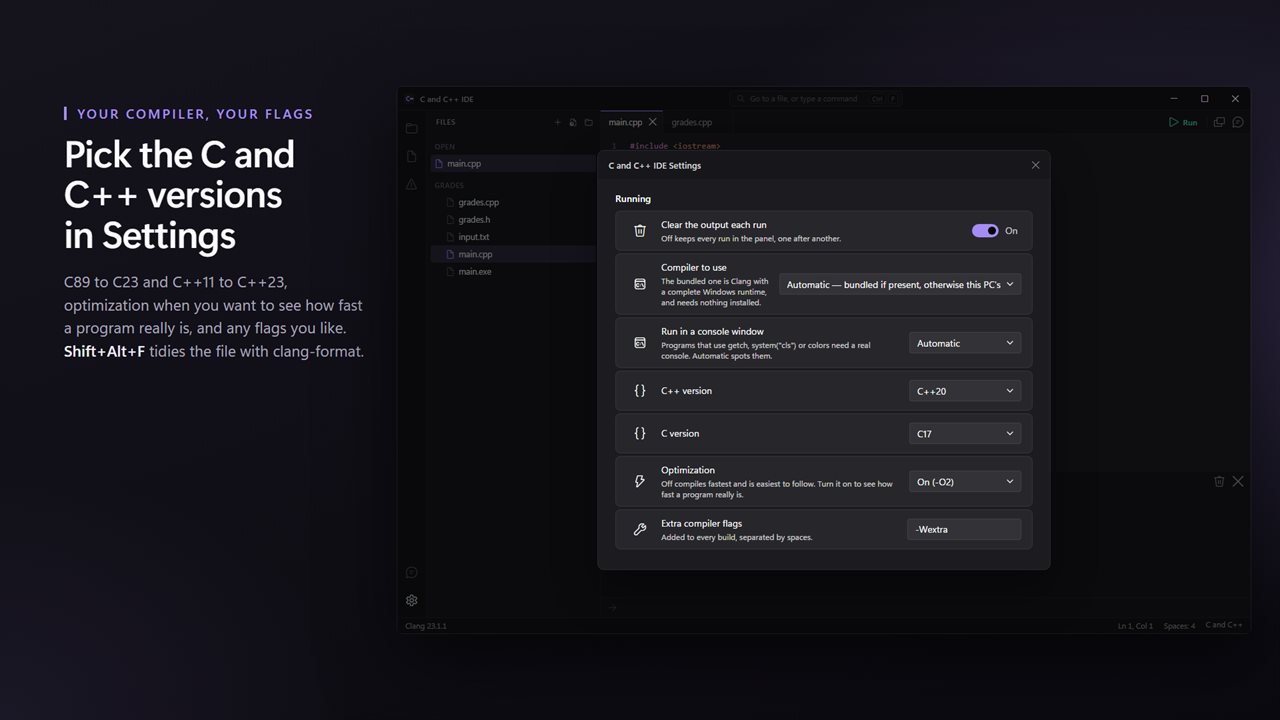
.c files compile as C17 and .cpp files as C++20. Settings goes back to C89 or forward to C23 and C++23, adds optimization, or takes any compiler flags you like.
Run it
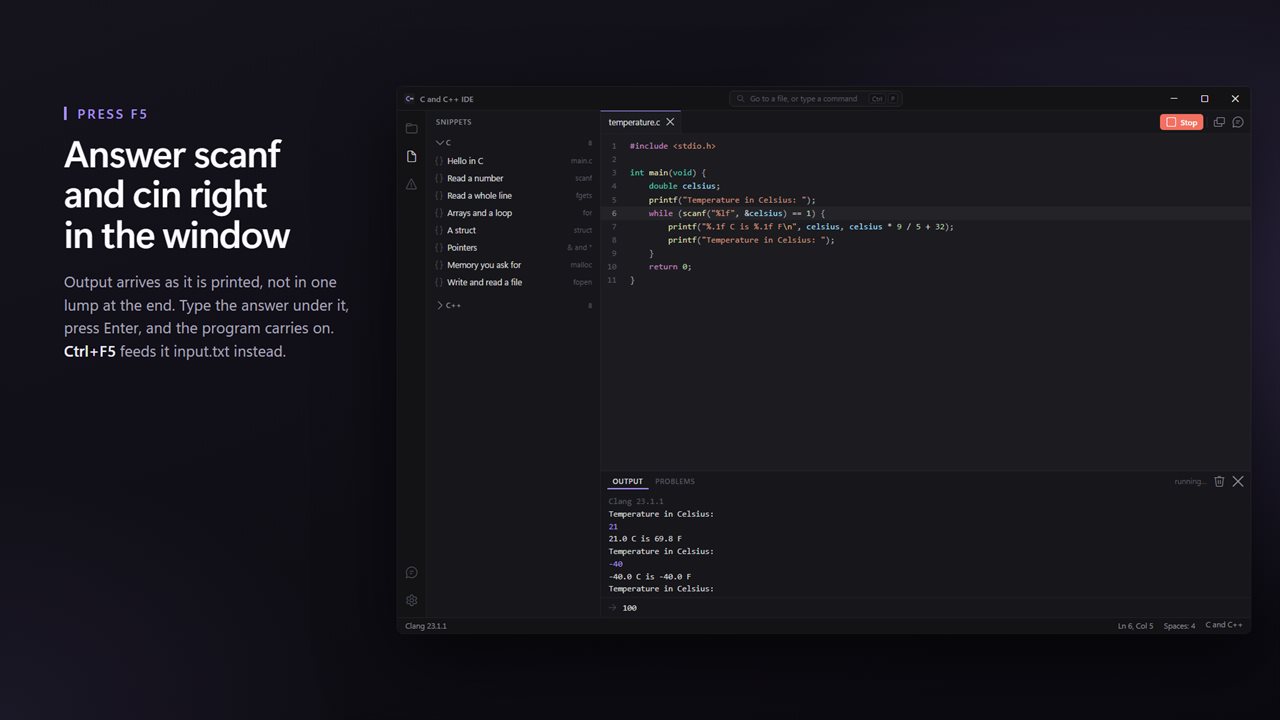
F5 compiles and runs. Output arrives in the panel as it is printed, and when your program asks for input with scanf or cin you answer it right there. Ctrl+F5 feeds it input.txt from the same folder instead, the way contest problems are practiced.
Open a folder and the files beside yours are compiled in with it, so a main.cpp that calls into utils.cpp just works. Files with a main of their own are left out, so a folder of separate exercises still builds one at a time.
Old code runs too
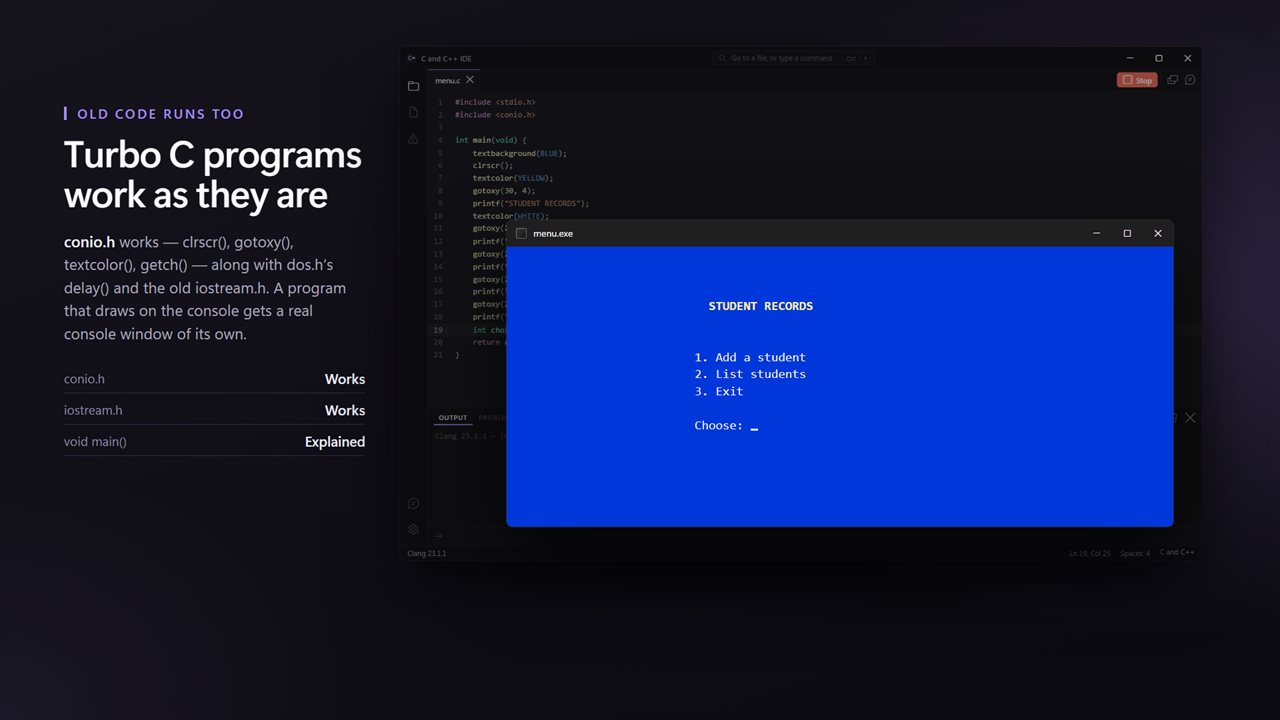
A great deal of C and C++ is still taught from Turbo C. Here conio.h works — clrscr(), gotoxy(), textcolor(), textbackground(), getch() and kbhit() — along with dos.h's delay() and the old iostream.h. Programs that draw on the console get a real console window of their own, found automatically, which stays open at the end so you can read the last line.
When it breaks
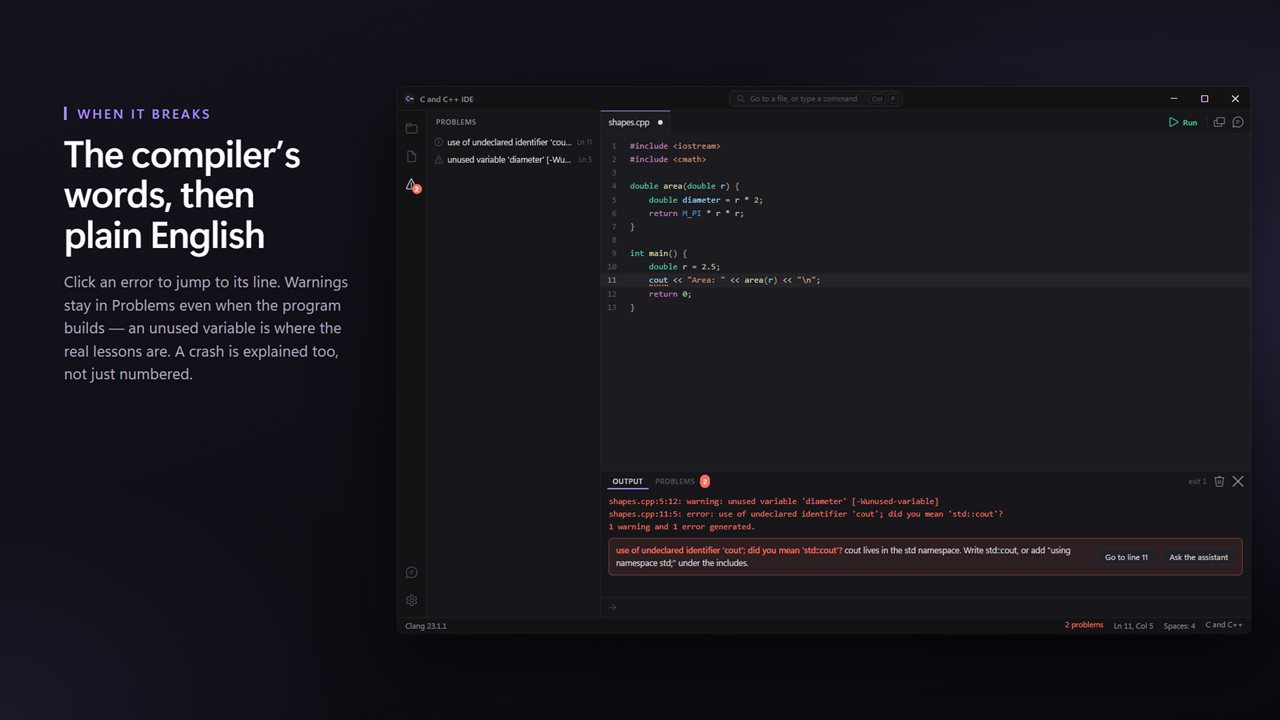
A compiler error becomes a line you can click, with the same error in a sentence underneath: why cout is undeclared, what a missing semicolon looks like from the compiler's side, why main has to return int. Warnings show up even when the program builds, because an unused variable or a mismatched printf is where the real lessons are.
If the program crashes, you are told how: an access violation from a bad pointer, a stack overflow from endless recursion, a division by zero — not just a negative number.
Ask about it
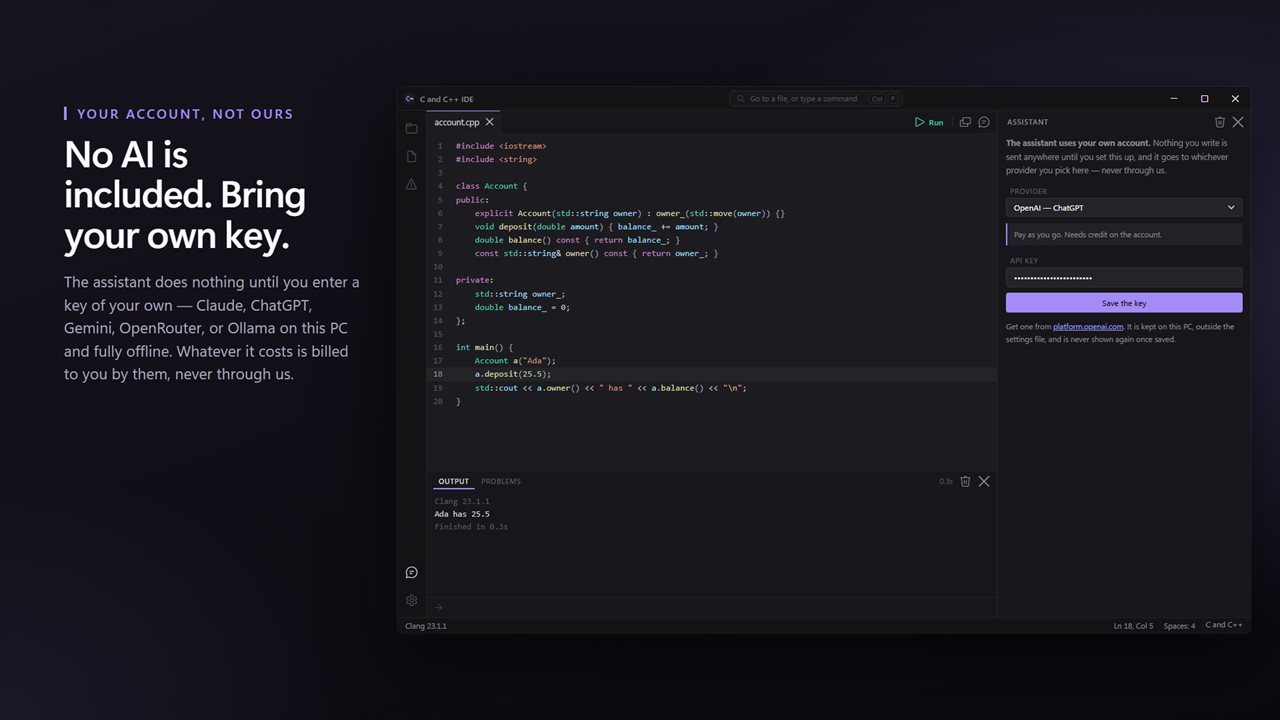
The assistant panel can see the file you are on. Select some lines and it sees those too; build something that fails and the errors go with your question.
No AI service is included with this app, and none is being sold to you here. The assistant is inert until you enter an API key of your own, and the price of this app buys the editor and the compiler — not the model behind that key. Whatever you spend asking questions is billed to you by the provider you chose, on your own account, and never passes through us.
Bring a key from Claude, ChatGPT, Gemini or OpenRouter, or point it at Ollama or LM Studio on this PC and it works offline. The key is kept on this PC, outside the settings file.
16 things to Start from
Sixteen snippets, eight in C and eight in C++: reading input safely, pointers, malloc and free, files, strings, vectors, sorting, maps, classes, timing and random numbers. Each opens in its own tab as a complete program you can run before you change a line.
What it does not do
It is an editor and a compiler, not a full development environment. There is no debugger and no breakpoints. It cannot compile with Microsoft's own compiler, and Turbo C's graphics.h has no equivalent here.
No account. No sign-in. No ads. The app makes no network call of its own; the only thing that ever leaves your PC is a question you type into the assistant, going to the provider whose key you entered, or feedback you choose to send.
Built for Windows 11, and at home on Windows 10.
Features
- Clang 23 and a complete Windows runtime ship inside, so the first program compiles with nothing to install
- Press F5 to compile and run. Output streams into the panel as it prints, and you answer scanf and cin right there
- C17 for .c files and C++20 for .cpp, with C89 to C23 and C++11 to C++23 one setting away
- Old coursework runs as it is: conio.h, clrscr(), gotoxy(), textcolor(), getch() and iostream.h all work
- Programs that draw on the console get a real console window of their own, found automatically
- Compiler errors become a line you can click and a sentence in plain English
- Warnings show up in Problems even when the program builds, which is where the real lessons are
- A crash is explained, not just numbered: access violation, stack overflow, divide by zero
- Open a folder and the files beside yours compile in with it, so a program in several files just works
- Ctrl+F5 feeds input.txt to your program, the way contest problems are practiced
- Shift+Alt+F formats the whole file with clang-format
- Every program is built standalone, so the .exe beside your source runs on any PC
- 16 ready-made snippets in C and C++ that each open in a tab and run as they are
- No AI service is included or sold here — the assistant is inert until you enter your own API key
- Bring your own key: Claude, ChatGPT, Gemini or OpenRouter — or run Ollama on this PC and stay offline
- An assistant that can see the file you are on, the lines you selected and the build that just failed
- Your key is kept on this PC, outside the settings file, and is never shown again once saved
- Recent files on the start screen, a file tree for the project, and Ctrl+P for any file or command
- No account, no sign-in, no ads, and no network call the app makes for itself beyond feedback you choose to send
Details
- Works on
- Windows 10 (1809 or later) and Windows 11
- Download
- About 94.5 MB
- Version
- 1.0.2, updated October 2026
- First released
- September 2026
- Price
- $1.99 once. No subscription.
- Category
- Developer tools
What's new in 1.0.2
- Clang 23 and a complete Windows runtime ship inside
- F5 compiles and runs; output streams as it prints
- scanf and cin answered in the window
- Turbo C's conio.h, dos.h and iostream.h work, in a console window when a program needs one
- Compiler errors and warnings explained in plain English, with a clickable line
- Crashes explained, not just numbered
- Multi-file programs build from the open folder
- Ctrl+F5 runs with input.txt; Shift+Alt+F formats the file
- C89 to C23 and C++11 to C++23, optimization and extra flags in Settings
- An assistant on your own key: Claude, ChatGPT, Gemini, OpenRouter, or Ollama offline
- 16 runnable snippets in C and C++
- Light and dark, following Windows
Questions
Anything else? Ask us
Which versions of Windows does it run on?
Windows 10 (version 1809 or later) and Windows 11.
Is it a subscription?
No. C and C++ Compiler is a one-time purchase of $1.99, and updates are included.
How do I get it?
EvlarSoft apps are moving to direct downloads from this site. Ask to be notified and we will email you as soon as C and C++ Compiler is ready to download.
More from EvlarSoft
 GUID and UUID GeneratorMake GUIDs and UUIDs one at a time or a million at once.
 HTML and CSS EditorWrite a web page in HTML and CSS, press F5, and it opens in your browser.
 HTTP ServerTurn a folder on this PC into a web address anything on your network can open.
 Java CompilerWrite Java, press F5, and it runs.