HTML and CSS Editor
Write a web page in HTML and CSS, press F5, and it opens in your browser. A real code editor with nothing to set up.
HTML and CSS Editor in 37 seconds
See it in action
About HTML and CSS Editor
Most people making their first web page do not need a build tool, a framework or an account on somebody's website. They need somewhere to type HTML, and a key that shows them what it looks like.
This is that. It opens a page, colors it properly, and opens it in your browser with a keypress — with nothing to set up.
Write it
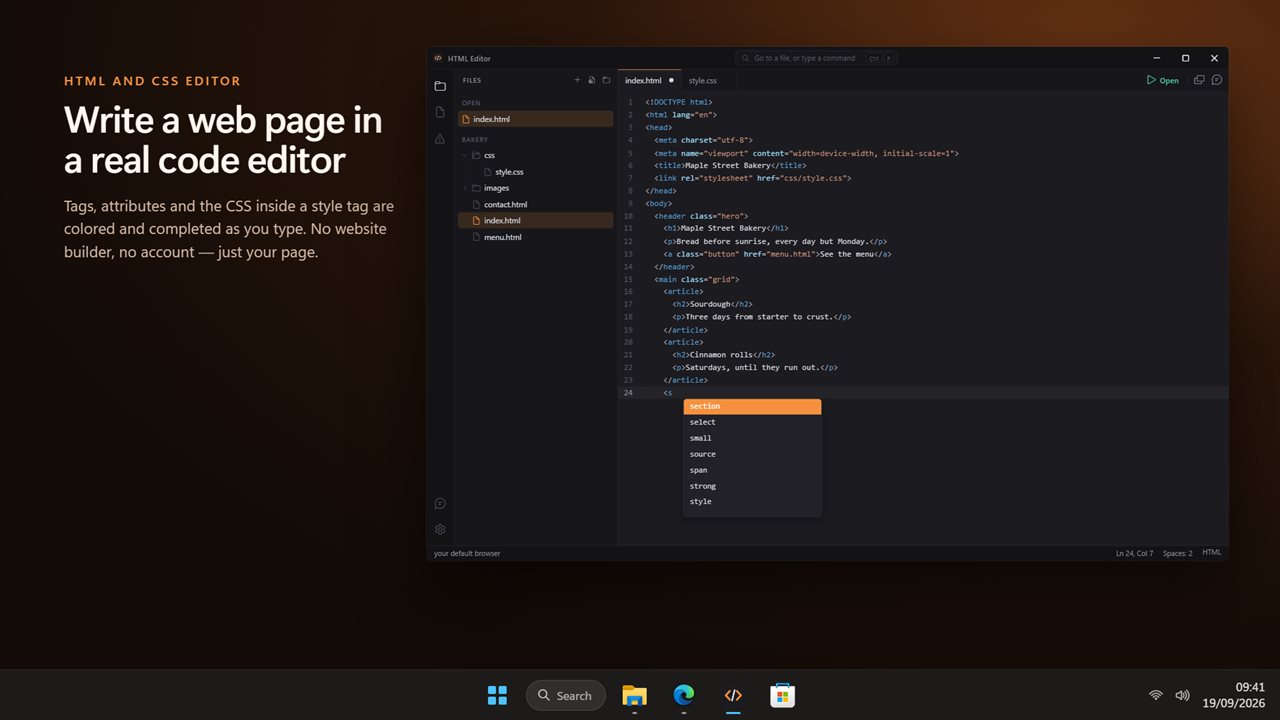
Syntax color, folding, bracket and tag matching, and completion for HTML tags and attributes. The CSS inside a style tag and the JavaScript inside a script tag are colored and completed as well, so a whole page in one file reads cleanly. A tab per file, each with its own undo.
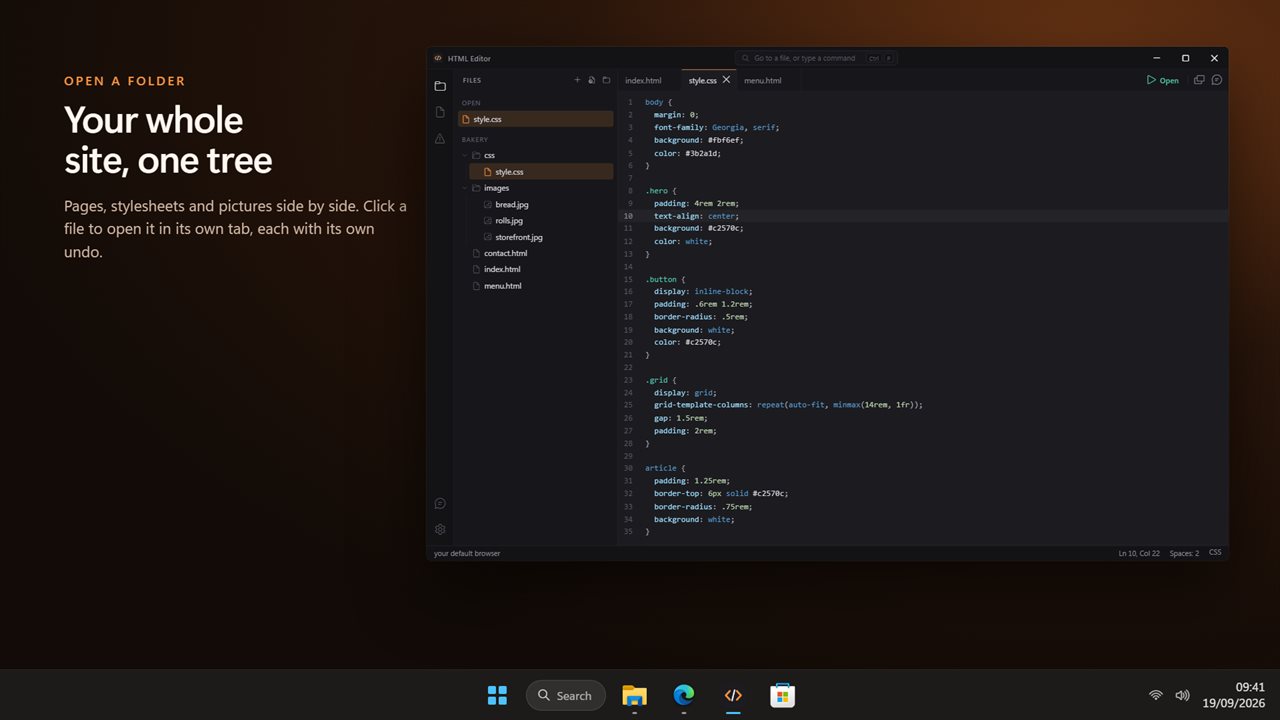
Open a folder and the tree shows your whole site: the pages, the stylesheet, the pictures beside them.
See it
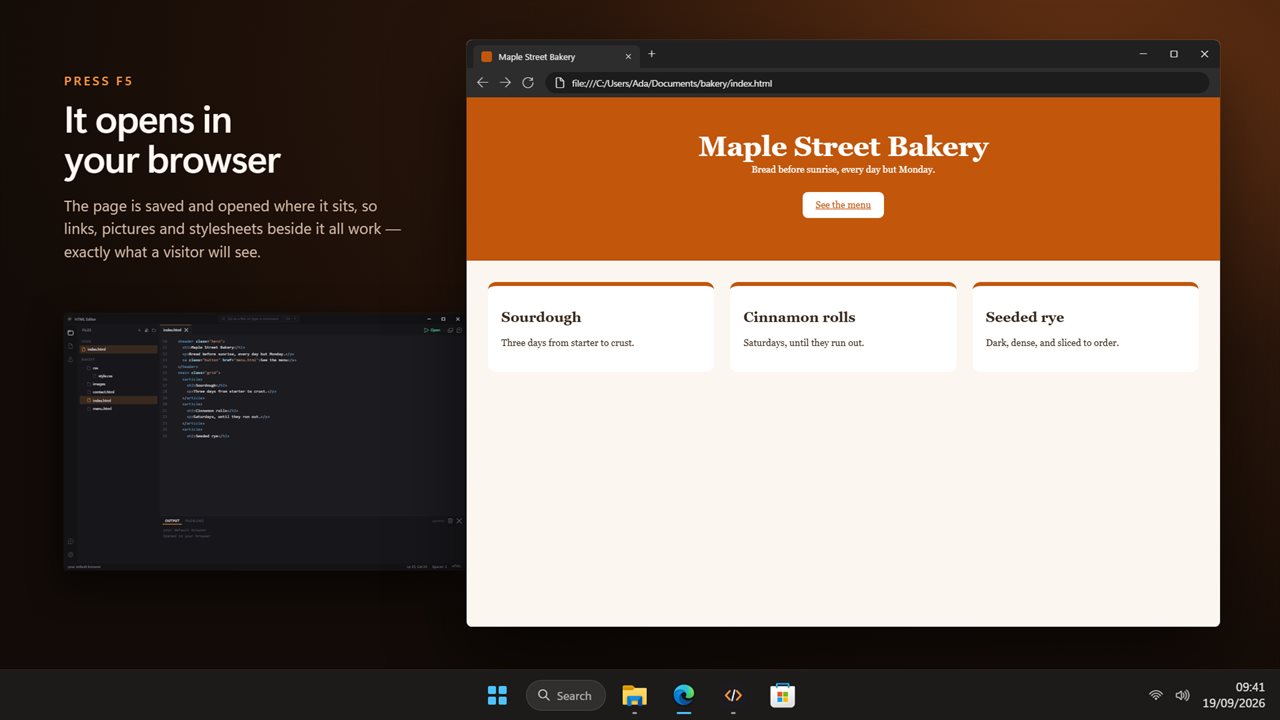
F5 saves the page and opens it in your default browser, so what you see is exactly what a visitor will see. Links, pictures and stylesheets next to the file work, because the page opens from where it sits.
15 things to Start from
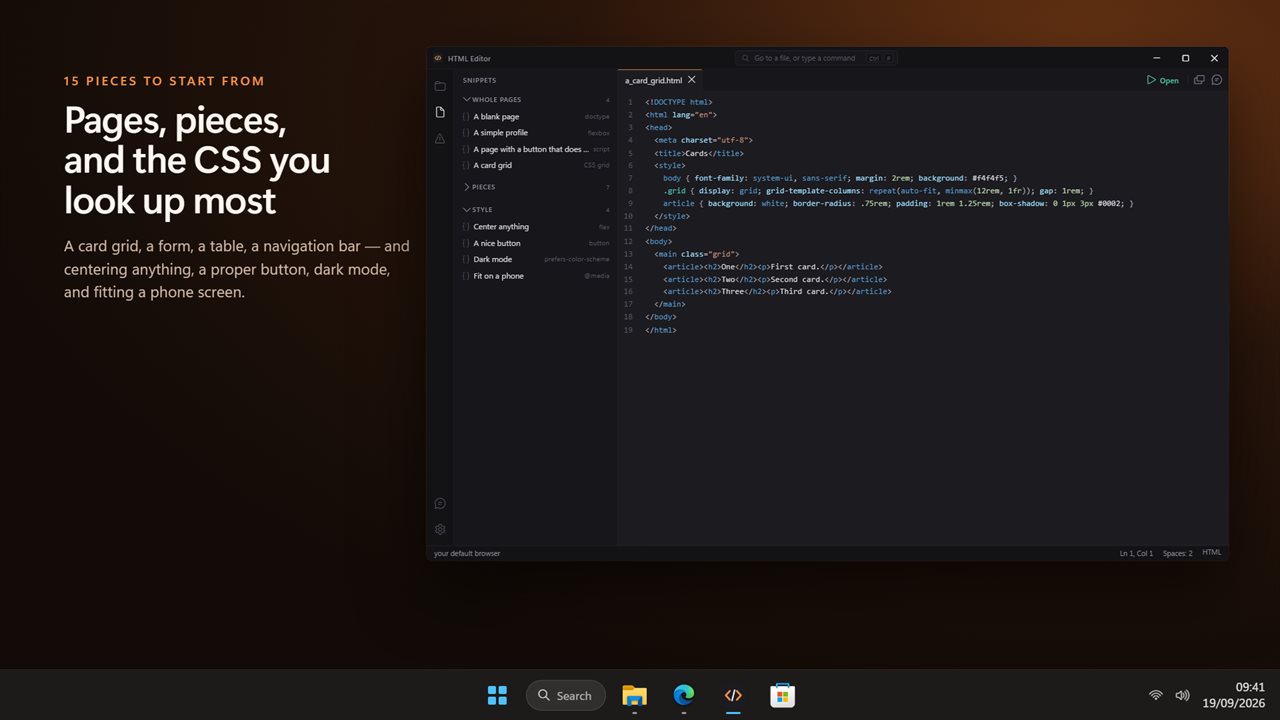
Fifteen pieces in three sections. Whole pages: a blank page, a profile, a counter button and a card grid. Pieces: links, images, lists, tables, forms, a navigation bar and an embedded video. Style: centering anything, a proper button, dark mode, and fitting a phone screen.
Ask about it
The assistant panel can see the page you are on, and the lines you selected.
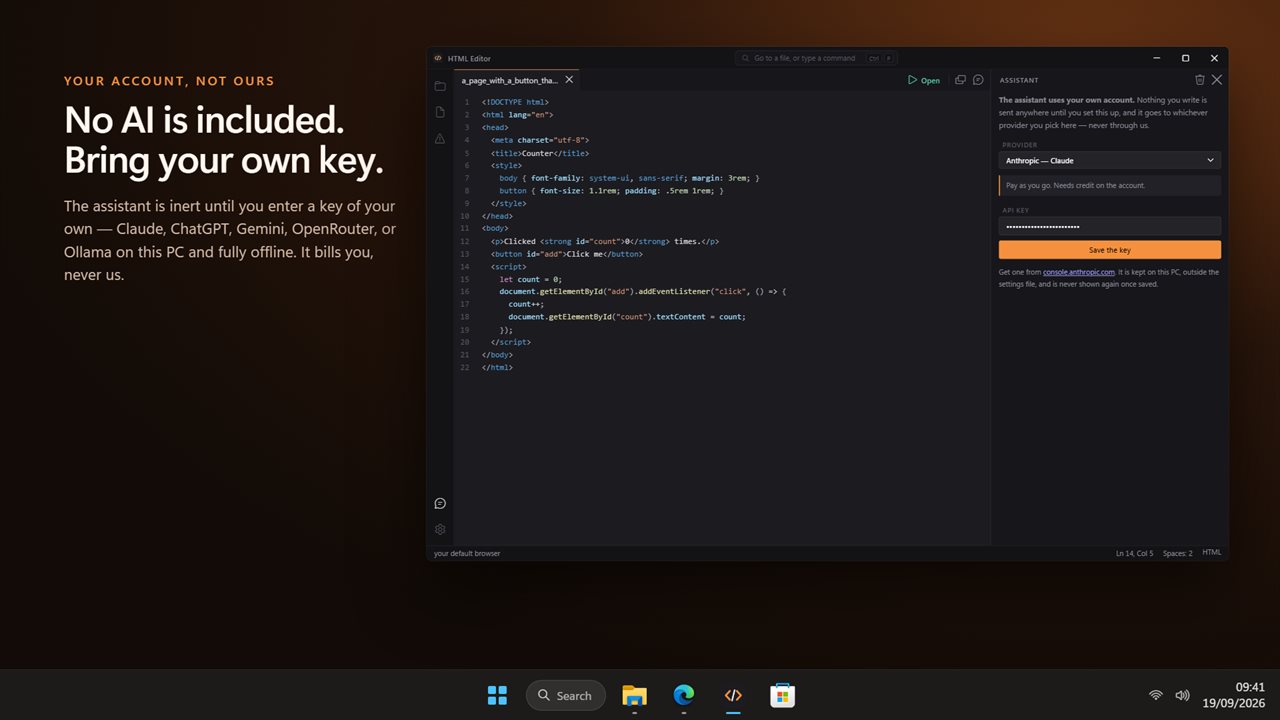
No AI service is included with this app, and none is being sold to you here. The assistant is inert until you enter an API key of your own, and the price of this app buys the editor — not the model behind that key. Whatever you spend asking questions is billed to you by the provider you chose, on your own account, and never passes through us.
Bring a key from Claude, ChatGPT, Gemini or OpenRouter, or point it at Ollama or LM Studio on this PC and it works offline. The key is kept on this PC, outside the settings file.
What it does not do
It is an editor, not a website builder: there is no drag and drop, no hosting and no publishing. The preview is your own browser rather than a panel inside the app.
No account. No sign-in. No ads. The app makes no network call of its own; the only thing that ever leaves your PC is a question you type into the assistant, going to the provider whose key you entered, or feedback you choose to send.
Built for Windows 11, and at home on Windows 10.
Features
- Write HTML and CSS with syntax color, completion for tags and properties, and a tab per file
- Press F5 to save the page and open it in your browser
- The CSS in a style tag and the JavaScript in a script tag are colored and completed too
- 15 ready-made pieces: whole pages, links, images, tables, forms and the CSS you look up most
- Every piece opens as a page you can see in the browser before you change a line
- Open a folder and the file tree shows your whole site, pictures and stylesheets included
- No AI service is included or sold here — the assistant is inert until you enter your own API key
- Bring your own key: Claude, ChatGPT, Gemini or OpenRouter — or run Ollama on this PC and stay offline
- An assistant that can see the page you are on and the lines you selected
- Your key is kept on this PC, outside the settings file, and is never shown again once saved
- Recent files on the start screen, and Ctrl+P for any file or command
- No account, no sign-in, no ads, and no network call the app makes for itself beyond feedback you choose to send
Details
- Works on
- Windows 10 (1809 or later) and Windows 11
- Download
- About 3.3 MB
- Version
- 1.0.2, updated October 2026
- First released
- September 2026
- Price
- $2.99 once. No subscription.
- Category
- Developer tools
What's new in 1.0.2
- A real editor for HTML and CSS, with the CSS and JavaScript inside a page colored too
- F5 saves and opens the page in your browser
- 15 ready-made pieces in three sections
- A file tree for the whole site
- An assistant on your own key: Claude, ChatGPT, Gemini, OpenRouter, or Ollama offline
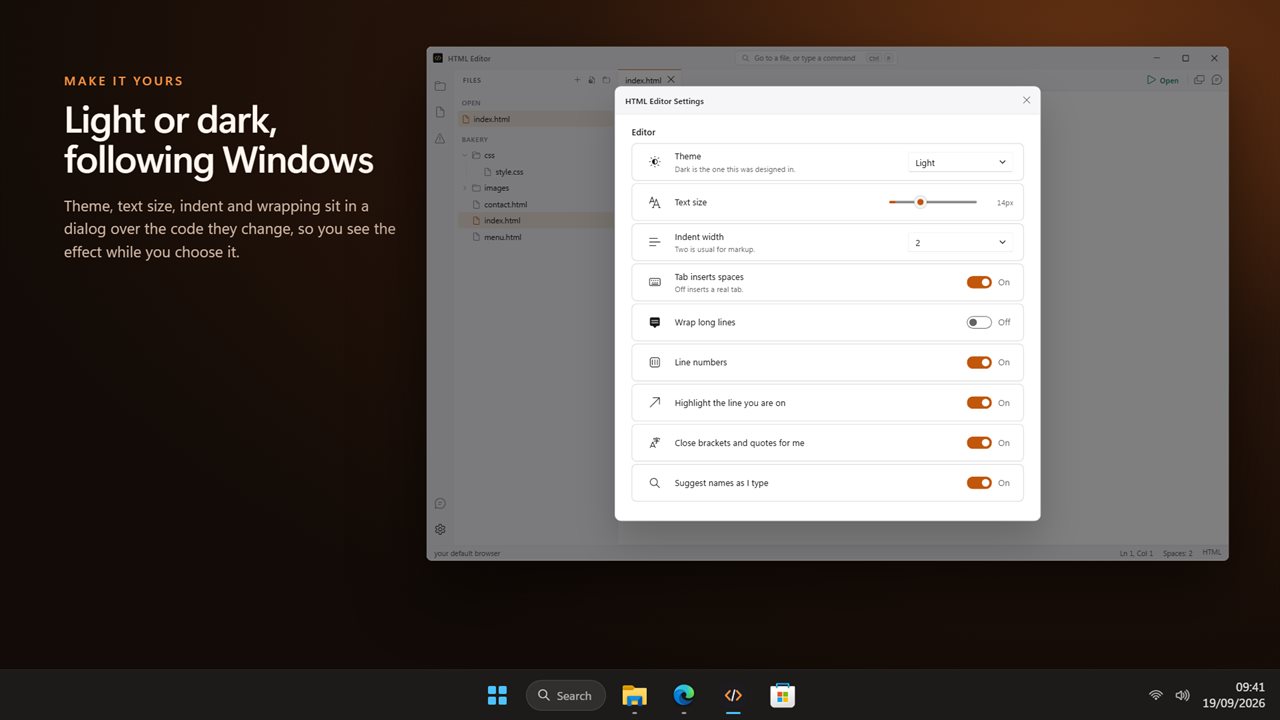
- Light and dark, following Windows
Questions
Anything else? Ask us
Which versions of Windows does it run on?
Windows 10 (version 1809 or later) and Windows 11.
Is it a subscription?
No. HTML and CSS Editor is a one-time purchase of $2.99, and updates are included.
How do I get it?
EvlarSoft apps are moving to direct downloads from this site. Ask to be notified and we will email you as soon as HTML and CSS Editor is ready to download.
More from EvlarSoft
 HTTP ServerTurn a folder on this PC into a web address anything on your network can open.
 Java CompilerWrite Java, press F5, and it runs.
 JavaScript RunnerWrite JavaScript, press F5, and it runs on the Node.js inside the app.
 JSON to NDJSONTurn a JSON array into NDJSON, one record a line, and turn NDJSON back into JSON.