JSON to NDJSON
Turn a JSON array into NDJSON, one record a line, and turn NDJSON back into JSON. Paste it, open it or drop it in, see the records and the count, and save. Big files stream from disk, and a mistake is shown with its line and column. Everything stays on your PC.
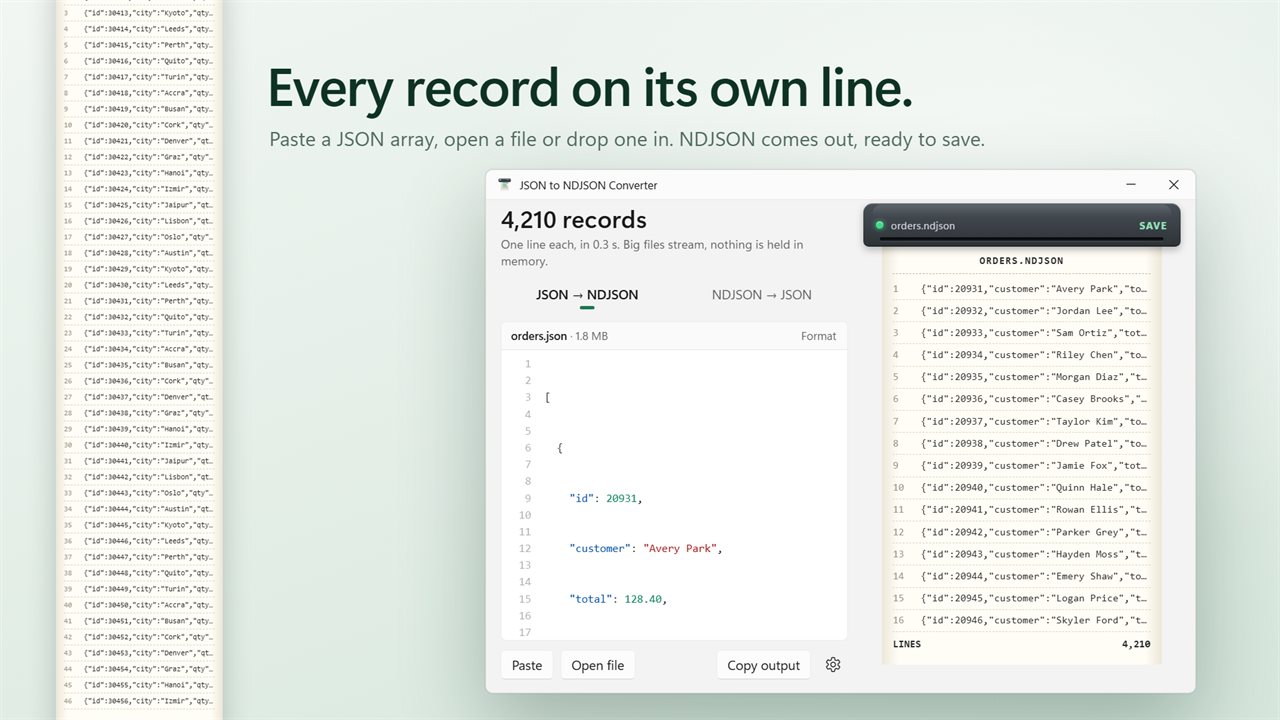
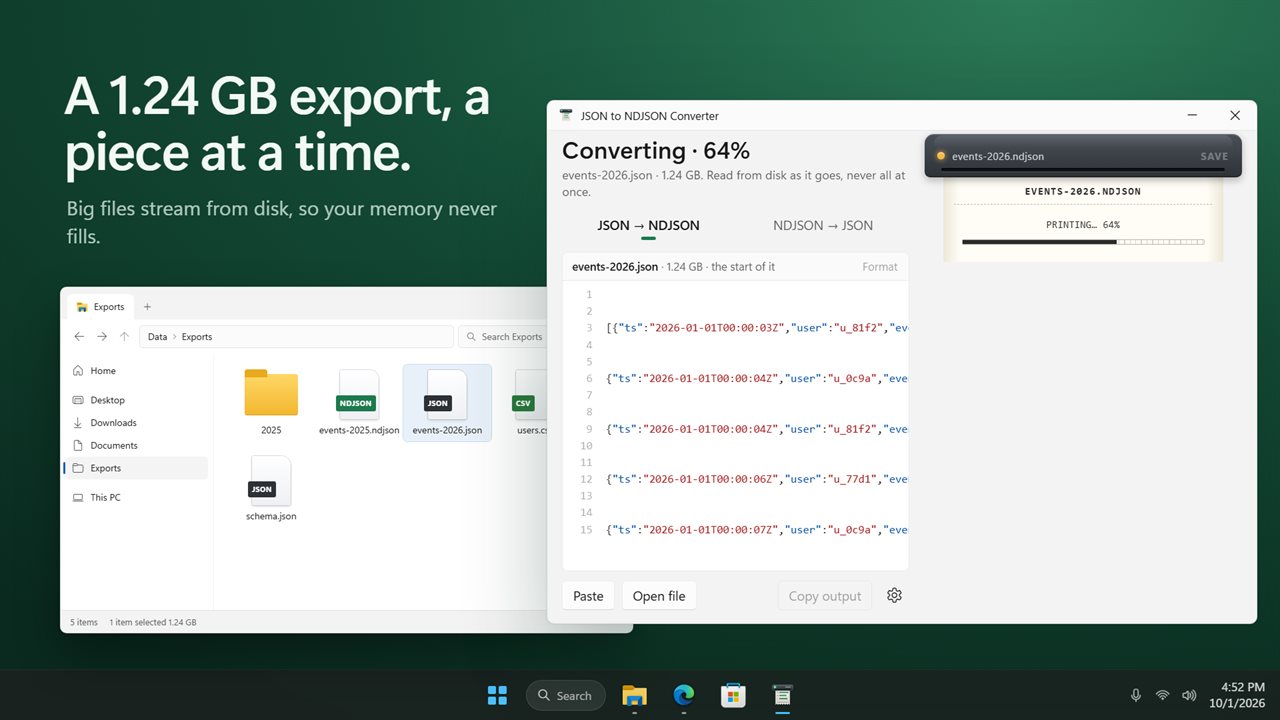
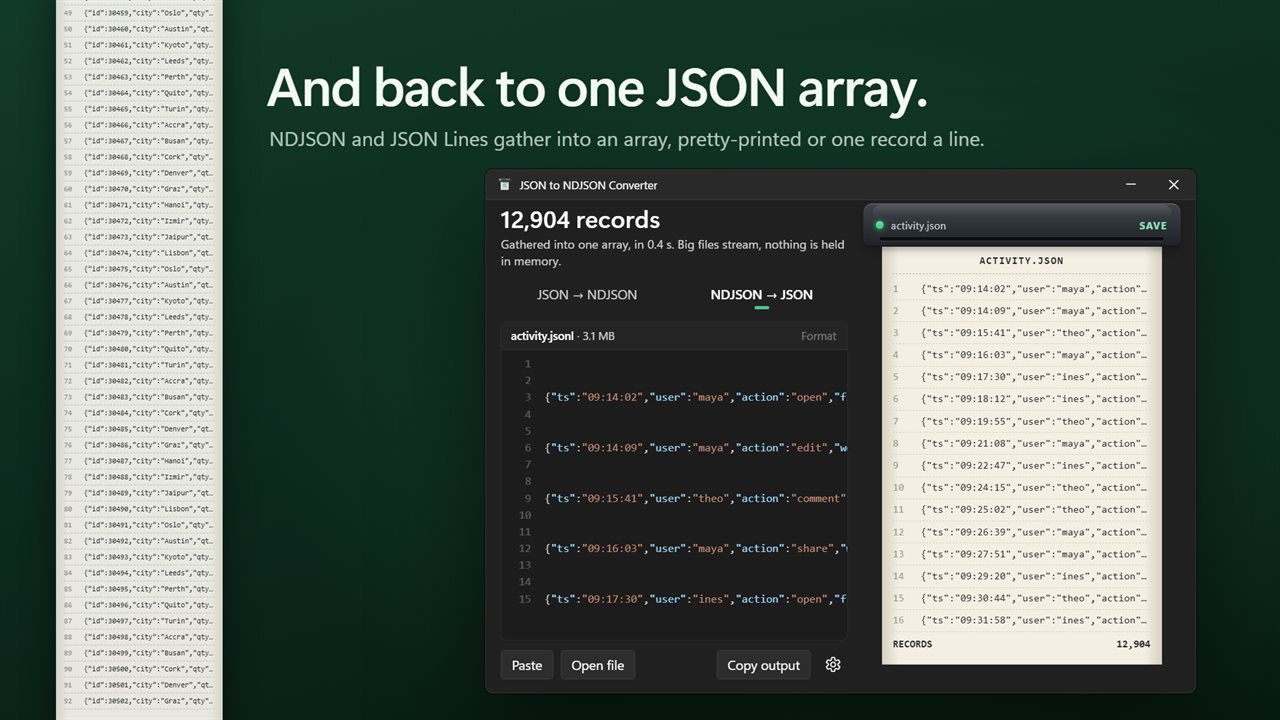
A JSON array in, one record a line out.
See it in action
About JSON to NDJSON
Quick JSON to NDJSON Converter turns a JSON array into newline-delimited JSON, one record a line, the way log tools, databases and data pipelines want it. And it turns NDJSON back into one JSON array.
Paste, open or drop
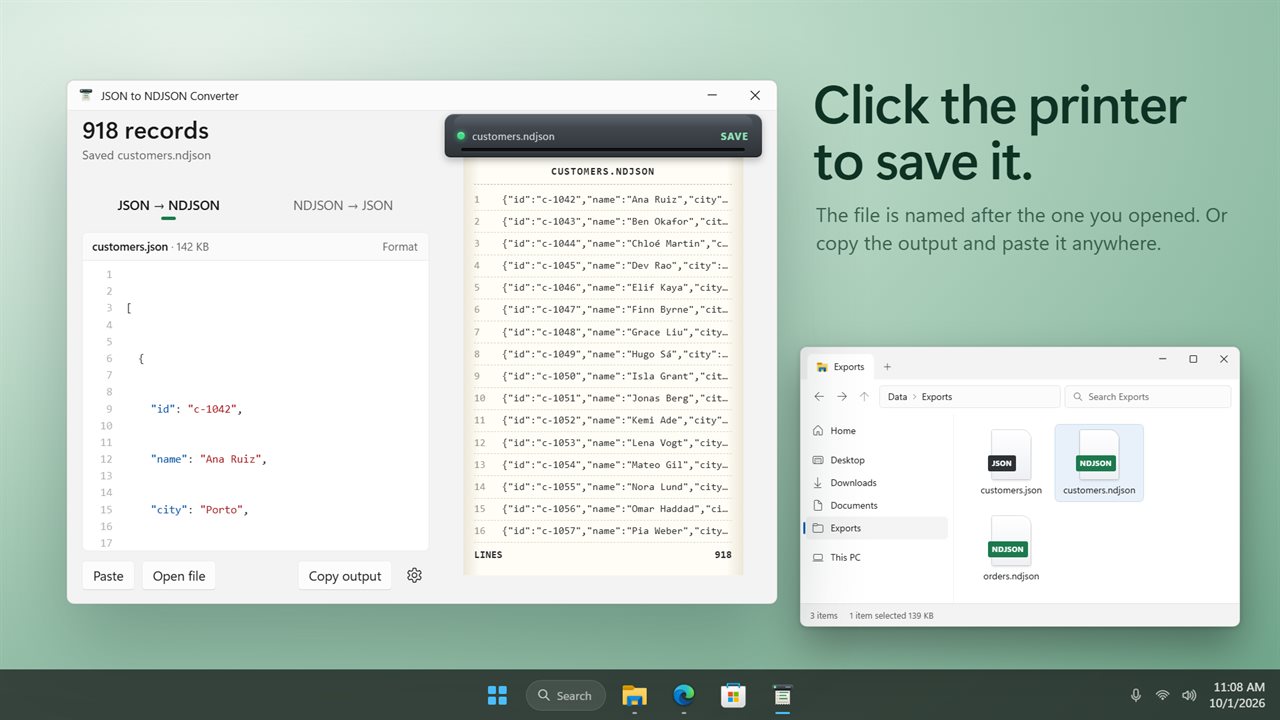
Paste JSON, open a file, or drop one on the window. It converts straight away. The records come out of the printer on the right, numbered, with the total underneath, so you can see what you are getting before you save. Click the printer to save the file, named after the one you opened. Or copy the output and paste it anywhere.
Both ways
Switch between JSON to NDJSON and NDJSON to JSON with one click. A .ndjson, .jsonl or .ldjson file opens the right way round on its own, and so does NDJSON you paste. Going back to JSON, each record can be pretty-printed with 2 spaces, 4 spaces or tabs, or kept to one line.
Big files
Files stream from disk, a piece at a time, so an export of several gigabytes converts without filling your memory. A progress readout shows how far it has got.
Exact
Values are copied as they are. Numbers keep every digit, so 128.40 stays 128.40 and long IDs are not rounded. Text keeps its escapes.
Shows where it breaks
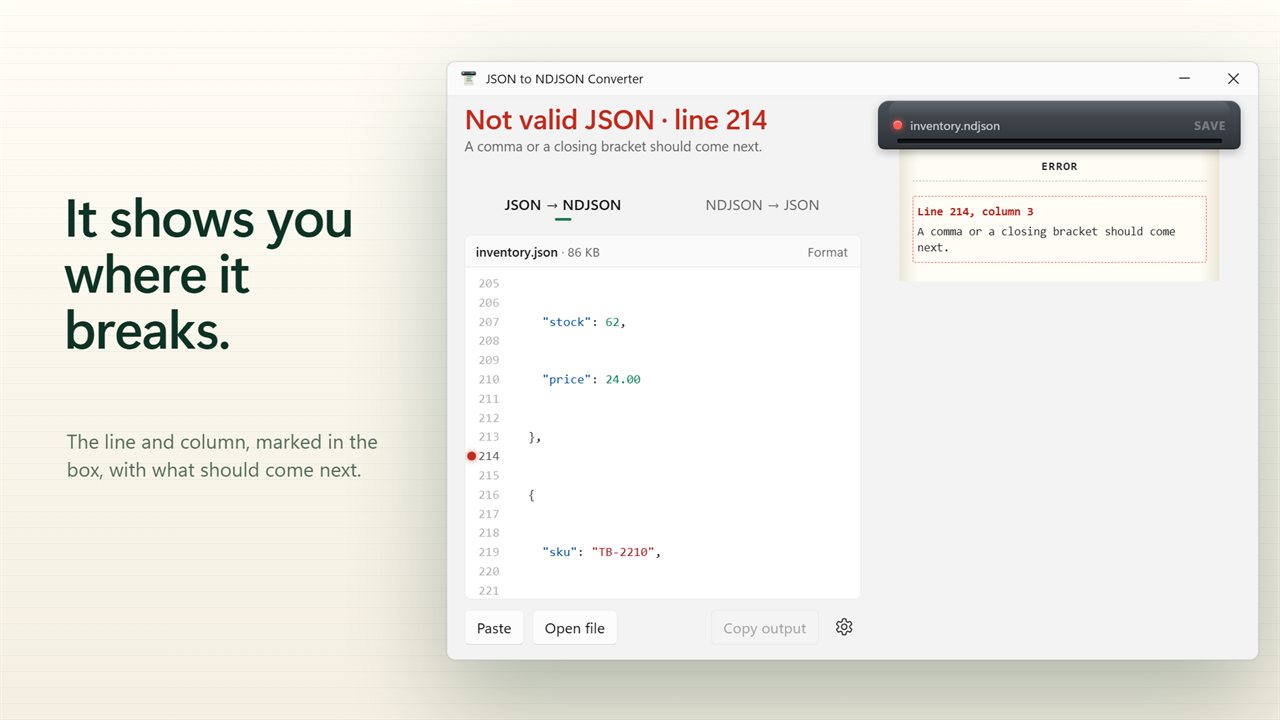
Invalid JSON stops with the line and column, marked in the box, and a plain explanation of what should come next. For NDJSON, the first bad line is named.
Your way
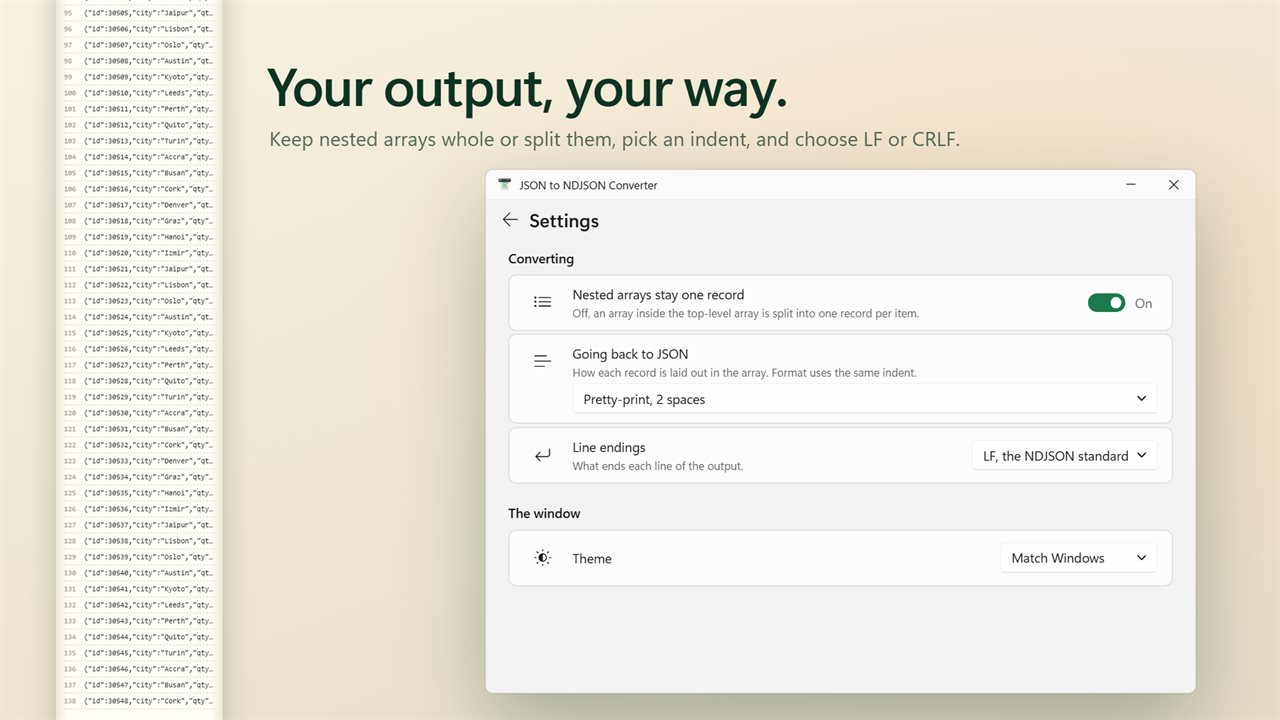
Keep nested arrays as one record, or split them into one record per item. Choose LF or CRLF line endings. Format indents the JSON you pasted without changing a value. Light and dark themes, or match Windows.
Private
Everything happens on your PC. Nothing is uploaded, and there is no account.
Features
- Turn a JSON array into NDJSON: every item becomes one line
- Turn NDJSON or JSON Lines back into one JSON array
- Paste, open a file, or drop one on the window
- Big files stream from disk, so a file of several gigabytes converts without filling your memory
- A progress readout while a big file converts
- Picks the direction for you from a .ndjson, .jsonl or .ldjson name, or from what you paste
- Invalid JSON is caught with its line and column, marked in the box, and explained in plain words
- For NDJSON, the first bad line is named
- Values are copied exactly: numbers keep every digit and text keeps its escapes
- See the first records and the total count before you save
- Save the output as orders.ndjson or orders.json, named after the file you opened
- Copy the output to paste it anywhere
- Format indents the JSON you pasted, without changing a single value
- Going back to JSON: pretty-print with 2 spaces, 4 spaces or tabs, or keep one record a line
- Nested arrays stay one record, or split them into one record per item
- LF or CRLF line endings
- A single object, or values already one after another, convert too
- Everything happens on your PC. Nothing is uploaded
- Light and dark themes, or match Windows
Details
- Works on
- Windows 10 (1809 or later) and Windows 11
- Download
- About 2.6 MB
- Version
- 2.0.2, updated October 2026
- First released
- December 2023
- Price
- $1.99 once. No subscription.
- Category
- Utilities & tools
What's new in 2.0.2
- New: NDJSON back to JSON, as well as JSON to NDJSON
- New: big files stream from disk, with progress
- New: see the first records and the count before you save
- New: invalid JSON is shown with its line and column
- New: copy the output, drop a file on the window, light and dark themes
- New: settings for nested arrays, pretty-printing and line endings
- Fixed: Convert no longer stays greyed out after typing JSON in
Questions
Anything else? Ask us
Which versions of Windows does it run on?
Windows 10 (version 1809 or later) and Windows 11.
Is it a subscription?
No. JSON to NDJSON is a one-time purchase of $1.99, and updates are included.
How do I get it?
EvlarSoft apps are moving to direct downloads from this site. Ask to be notified and we will email you as soon as JSON to NDJSON is ready to download.