Subnet Master
Give it a block and what you need. It lays out the subnets, in order, with nothing overlapping.
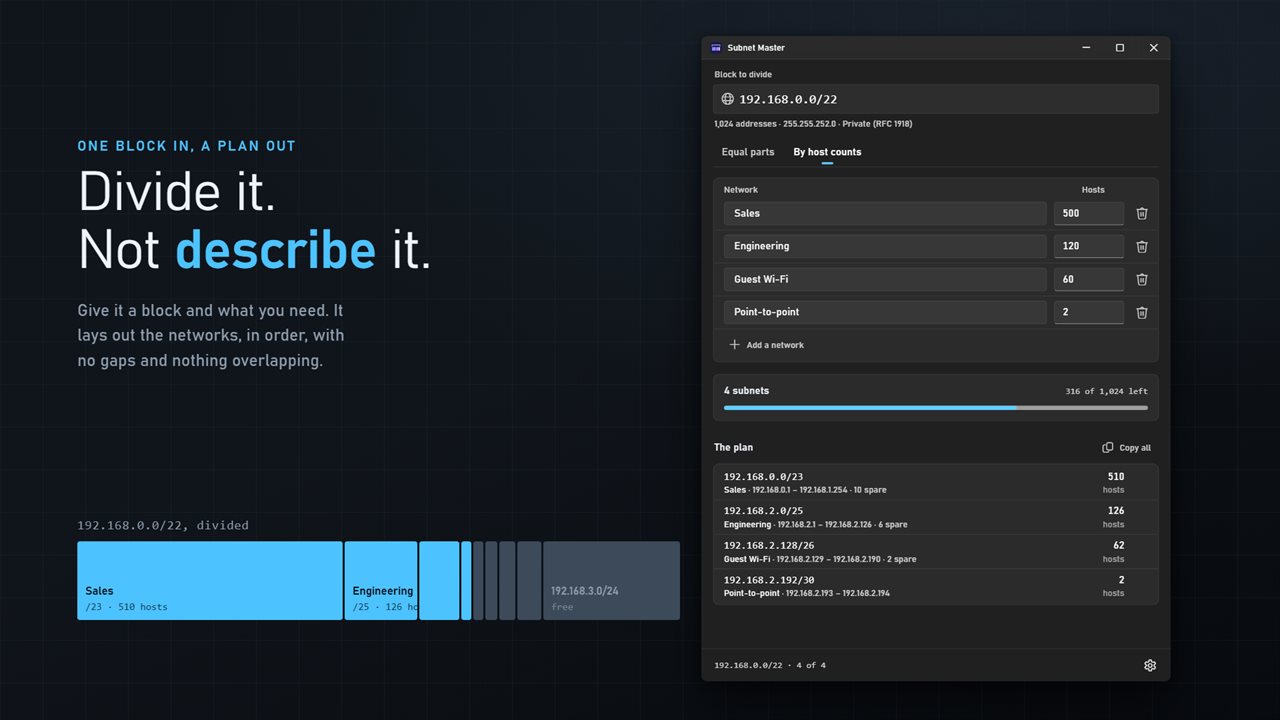
One block in, a plan out — the networks laid out in order, with nothing overlapping.
See it in action
About Subnet Master
Subnet Master divides a block. Not describes one — divides it.
Give it 10.0.0.0/16 and say how you want it cut. Either answer arrives while you type, and every network it lays out starts on its own boundary, in order, with nothing overlapping.
Two ways to cut it
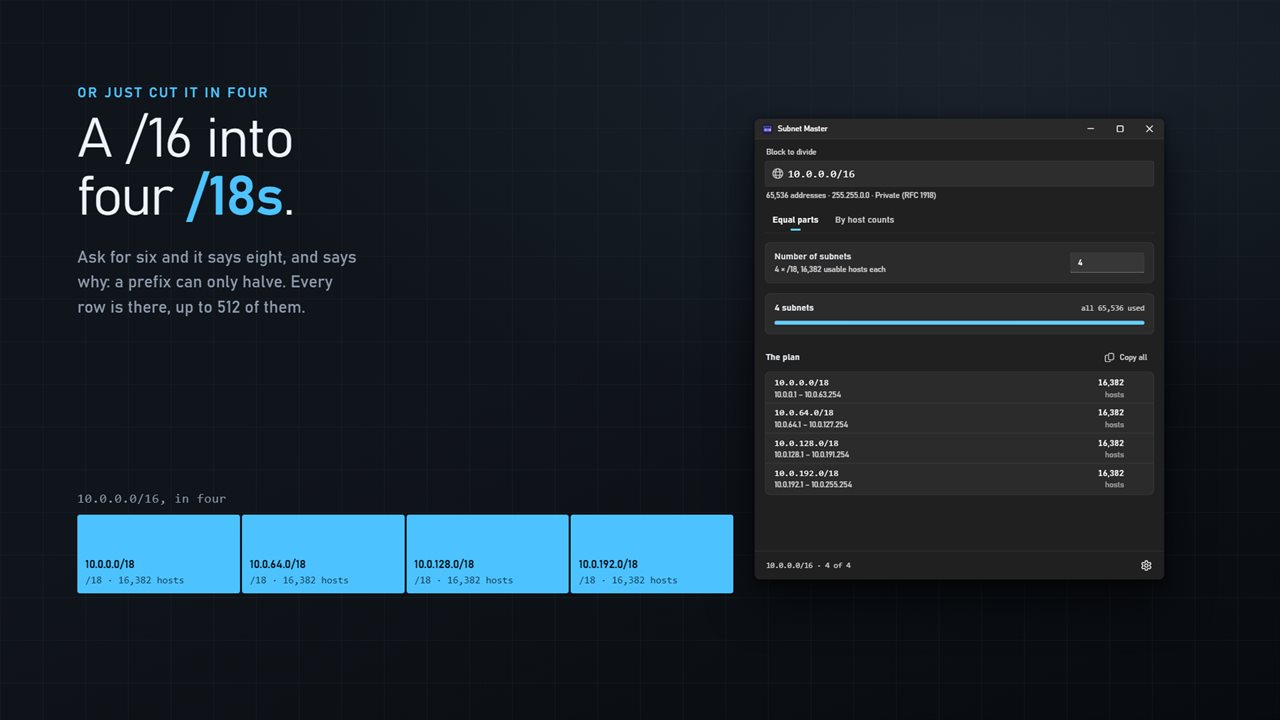
Equal parts is the simple one: type a number and get that many subnets. Ask for six and it gives you eight, and tells you why — a prefix can only halve, so there is no such thing as a sixth of a block.
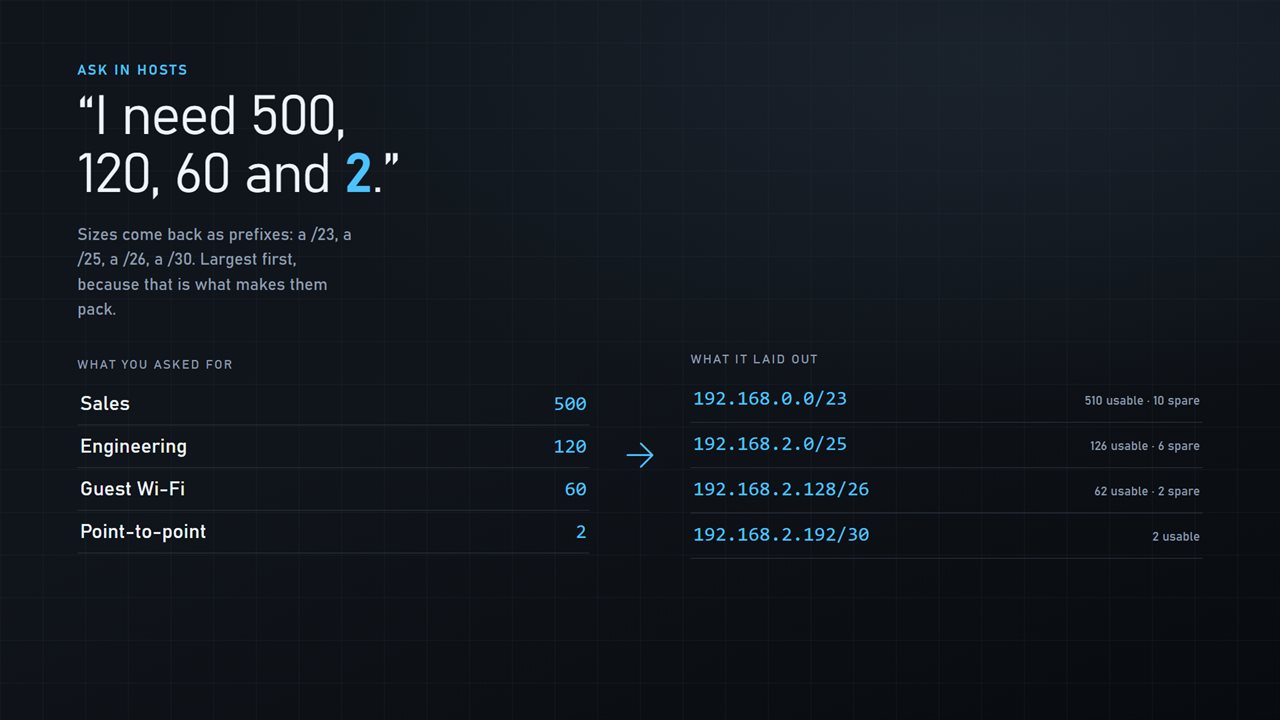
By host counts is the one a fixed split cannot answer. List what you need — Sales 500, Engineering 120, Guest Wi-Fi 60, a point-to-point link — and it sizes each one and packs them. Largest first, because that is what makes them fit: allocate a big network after a small one and the big one can no longer start where it must.
And what is left
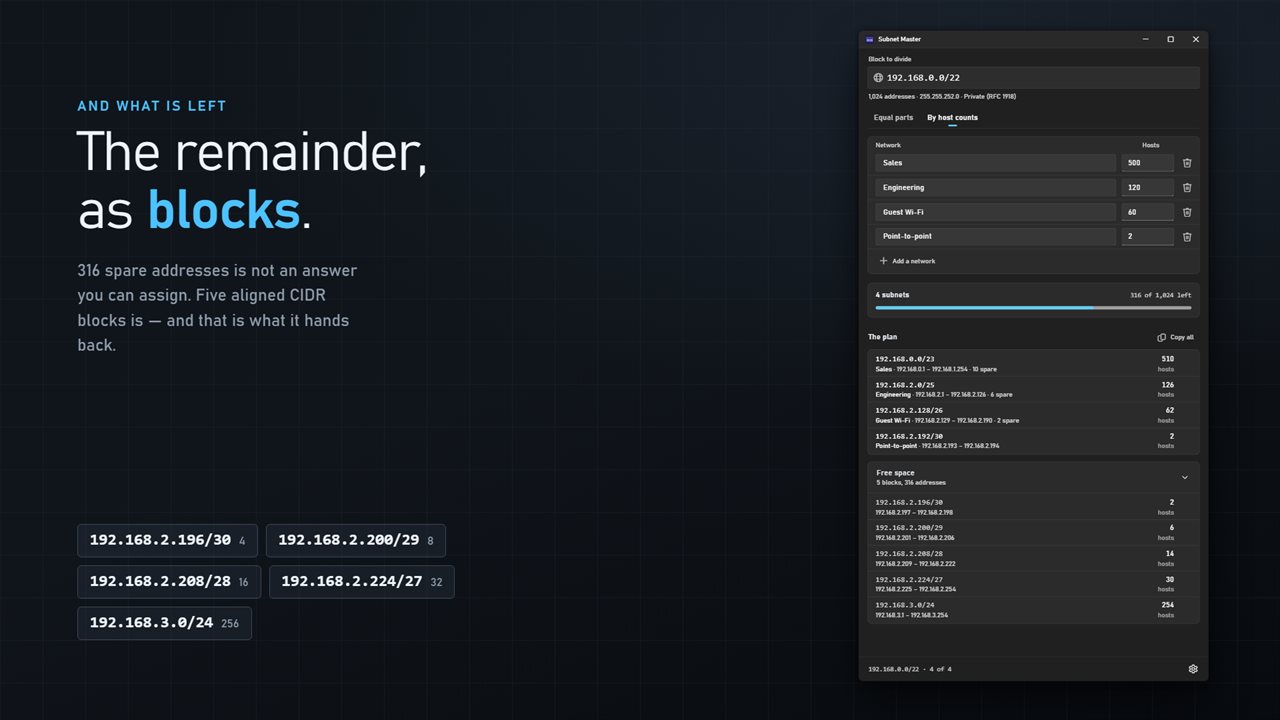
Most calculators stop at a number of spare addresses, which is not something you can hand to anyone. This one gives the remainder back as whole CIDR blocks — a /30, a /29, a /28, a /27 and a /24 — because a range that does not start on its own boundary is not a subnet and cannot be assigned.
It shows you the cost
Every row carries the spare: 500 hosts in a /23 leaves ten addresses doing nothing. A utilization bar shows how much of the block the plan consumes. Anything that will not fit is named, not silently dropped.
Out of the app
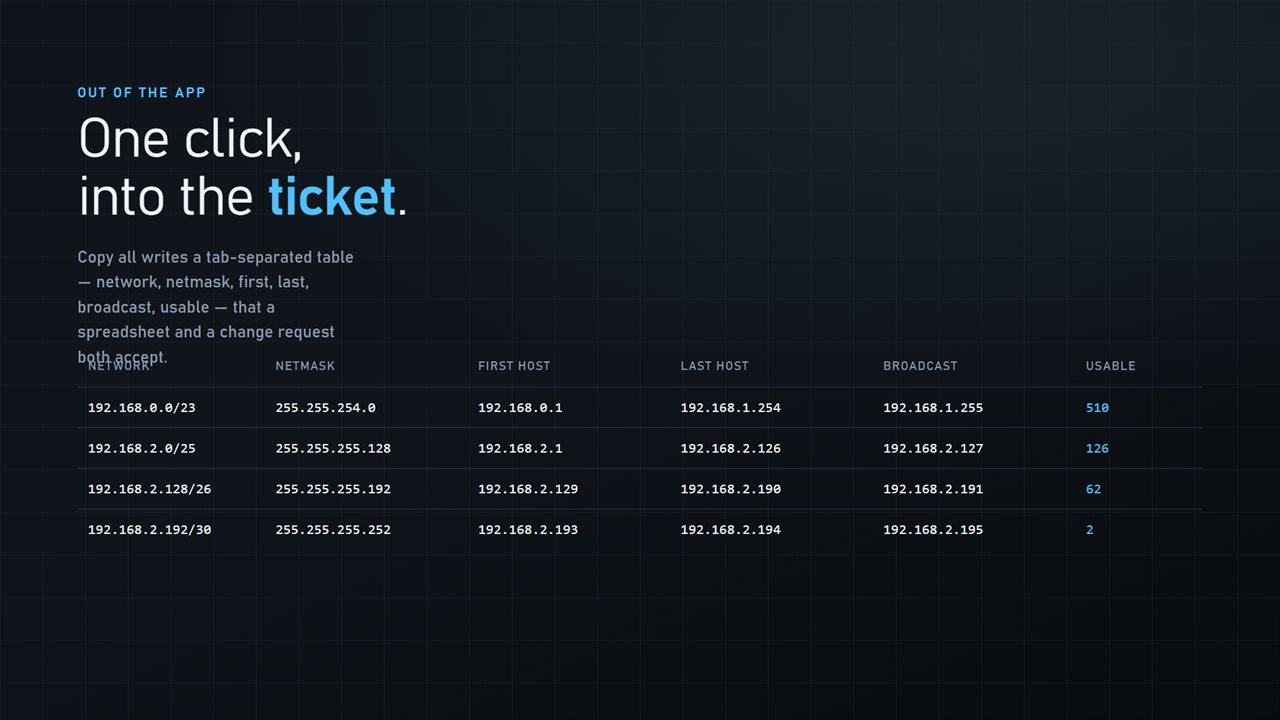
Copy one subnet, or copy the whole plan as a tab-separated table — network, netmask, first host, last host, broadcast, usable — that a spreadsheet and a change request both accept.
It follows your Windows theme, has no account, no sign-in and no ads, and it never opens a socket, because there is nothing here it would need the network for.
Built for Windows 11, and at home on Windows 10.
Features
- Divide a block into equal parts, or into networks of the sizes you actually need
- VLSM: ask for 500, 120, 60 and 2 hosts and get a /23, a /25, a /26 and a /30
- Allocated largest first, so every network lands on its own boundary with no gaps
- Says what is left as aligned CIDR blocks you can assign, not a count of spare addresses
- Shows the spare in each network, so an oversized prefix is visible before it ships
- Names what will not fit rather than dropping it quietly
- A utilization bar for how much of the block the plan consumes
- Copy any subnet, or the whole plan as a table a spreadsheet accepts
- Correct on /31 point-to-point links, which most planners are not
- No account, no ads, and it does all its math on your PC
Details
- Works on
- Windows 10 (1809 or later) and Windows 11
- Download
- About 2.3 MB
- Version
- 2.0.5, updated October 2026
- First released
- June 2023
- Price
- $2.99 once. No subscription.
- Category
- Utilities & tools
Questions
Anything else? Ask us
Which versions of Windows does it run on?
Windows 10 (version 1809 or later) and Windows 11.
Is it a subscription?
No. Subnet Master is a one-time purchase of $2.99, and updates are included.
How do I get it?
EvlarSoft apps are moving to direct downloads from this site. Ask to be notified and we will email you as soon as Subnet Master is ready to download.
More from EvlarSoft
 JSON ValidatorJSON Validator checks your JSON and repairs it when it's broken.
 Self Signed Certificate MakerTrusted HTTPS for localhost in one click.
 Regex TesterRegex Tester reads your regular expression back in plain English, piece by piece, and lights up the matches in your own text or a whole folder of files.