Serial Terminal
A serial monitor for Arduino, ESP32, Raspberry Pi Pico and any COM port. Text, hex and live plot views, hex sending, saved commands, logging to a file, and automatic reconnect when the cable comes back.
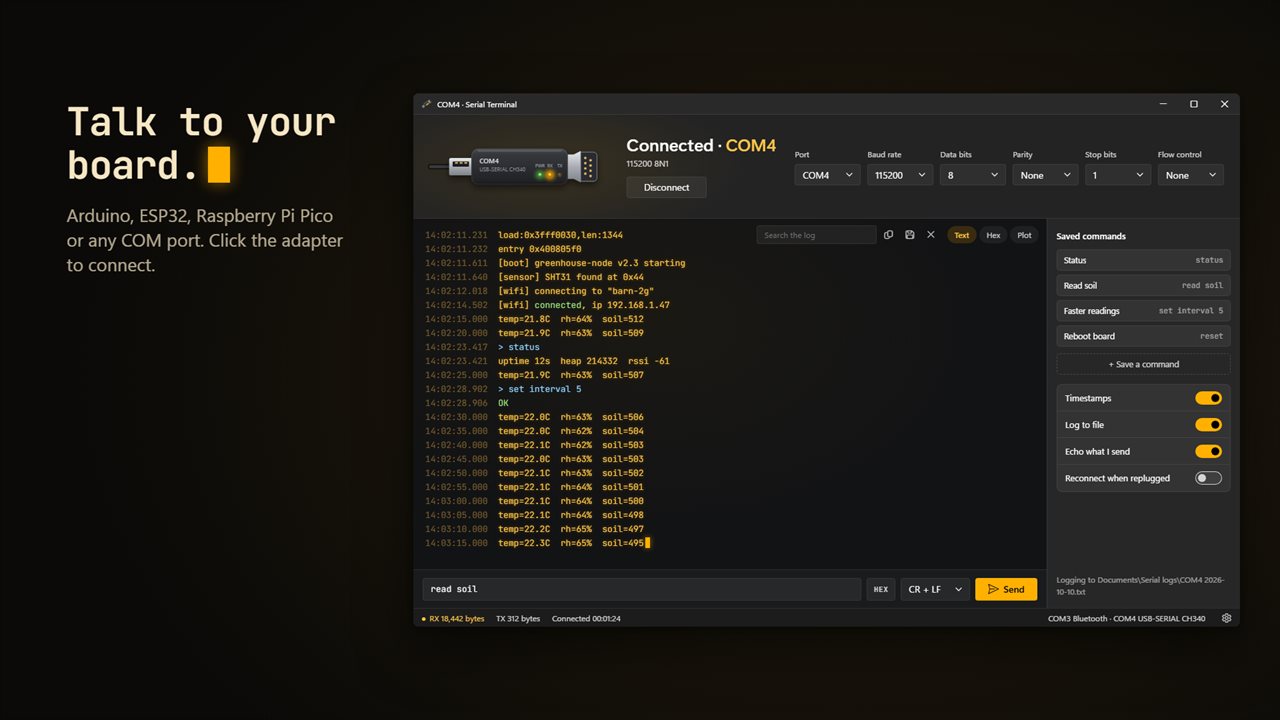
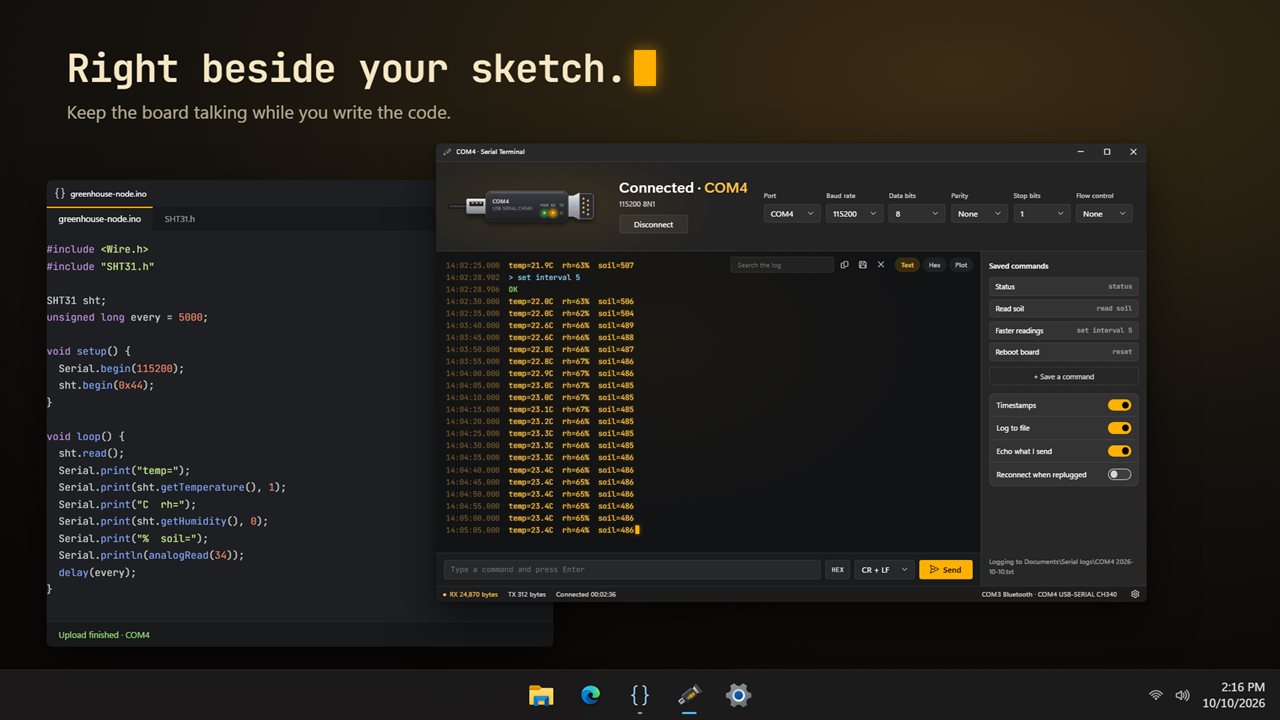
Talk to an Arduino, ESP32, Raspberry Pi Pico or any COM port. Click the adapter to connect.
See it in action
About Serial Terminal
A serial terminal for Windows. Plug in an Arduino, an ESP32, a Raspberry Pi Pico, a USB-serial adapter or a console cable, pick its port and click Connect.
See what your board says
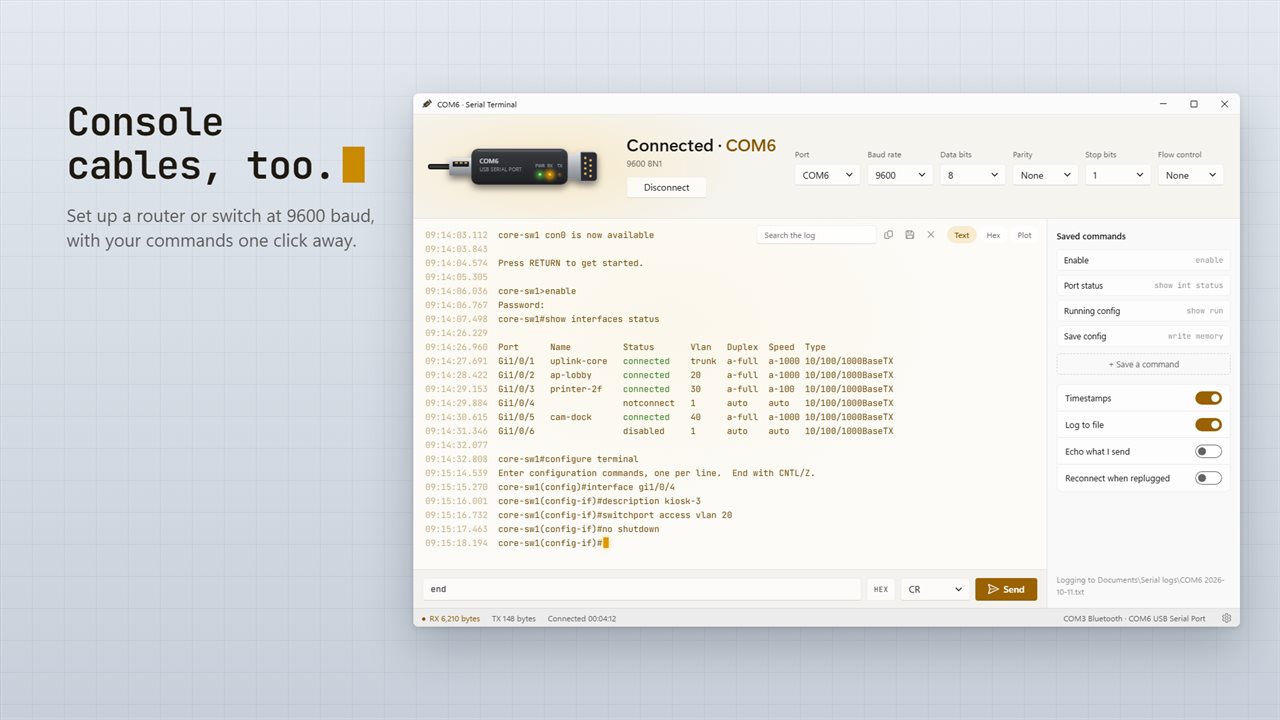
Every line arrives with a timestamp to the millisecond. Words like OK, connected and ready show in green, and ERROR, failed and panic show in red, so the line that matters stands out in a busy stream. Search the log with Ctrl+F.
Three ways to look at it
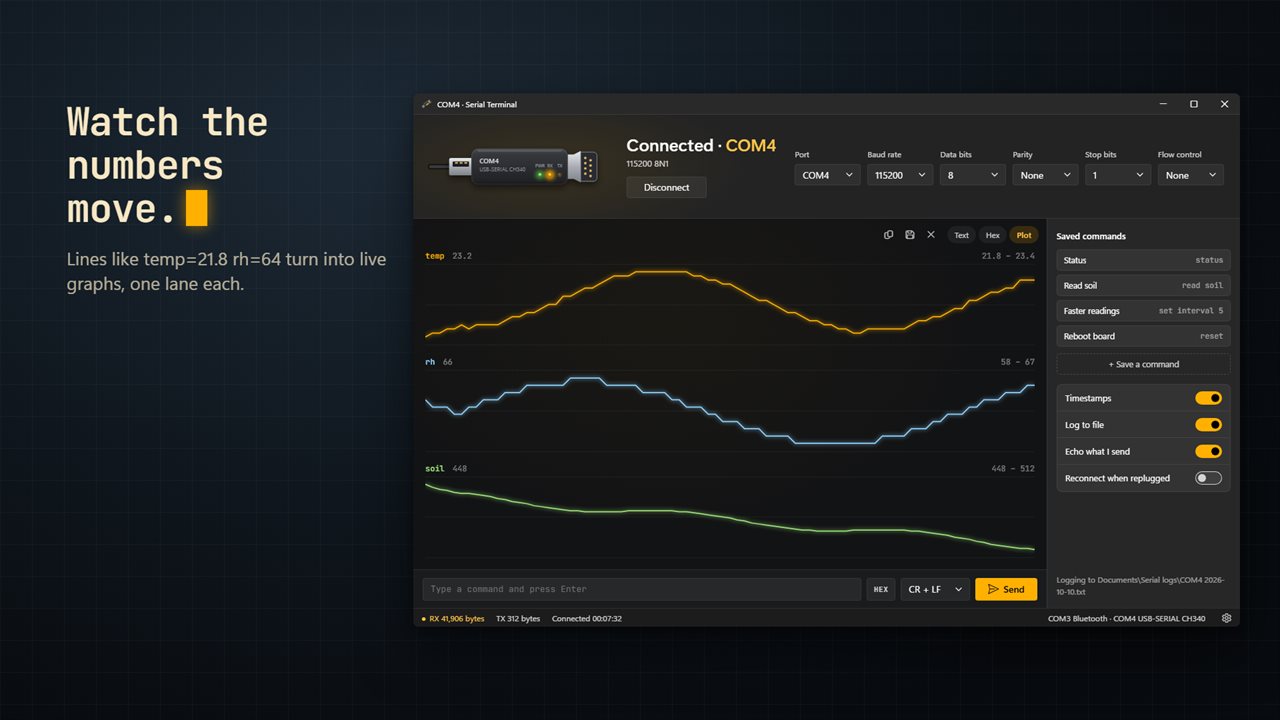
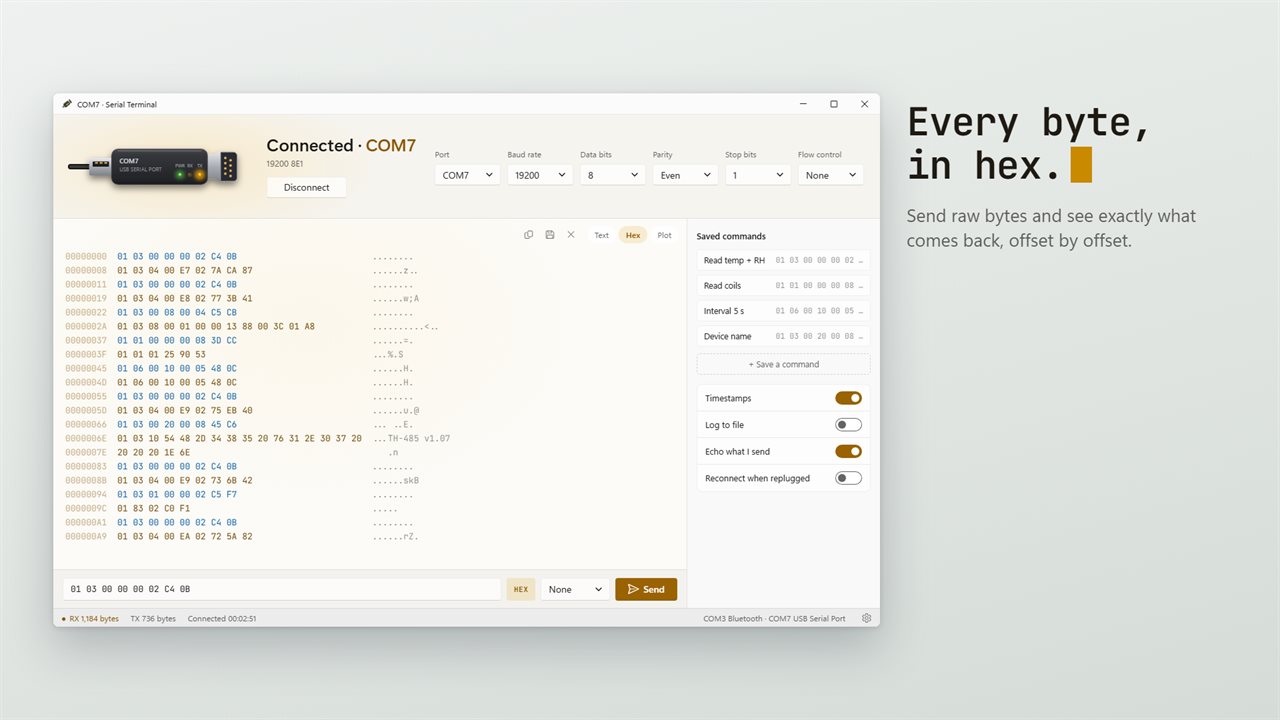
Text for reading. Hex for binary protocols, with offsets, bytes and ASCII side by side, and what you sent in a different color from what came back. Plot for numbers: print lines like temp=21.8 rh=64 or 1.2, 3.4, 5.6 and each value gets its own live graph, up to 8 at once.
Talk back
Type a command and press Enter, with no line ending, LF, CR or CR + LF. Switch to hex to send raw bytes. Press Up for what you sent before, and save the commands you send often so they are one click away.
Every setting a device needs
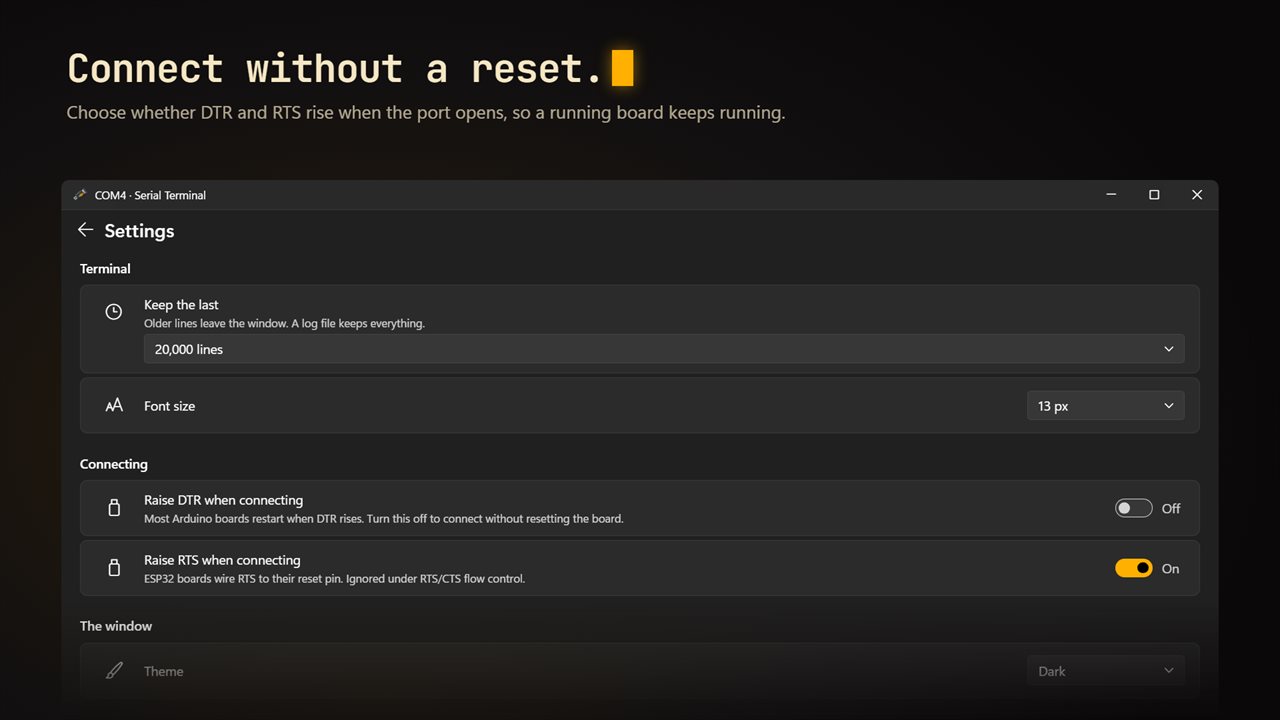
18 baud rates from 300 to 2,000,000, data bits from 5 to 8, odd or even parity, one or two stop bits, and RTS/CTS or XON/XOFF flow control. Choose whether DTR and RTS rise when you connect, so connecting doesn't reset an Arduino or an ESP32 that is already running.
Unplug without losing your place
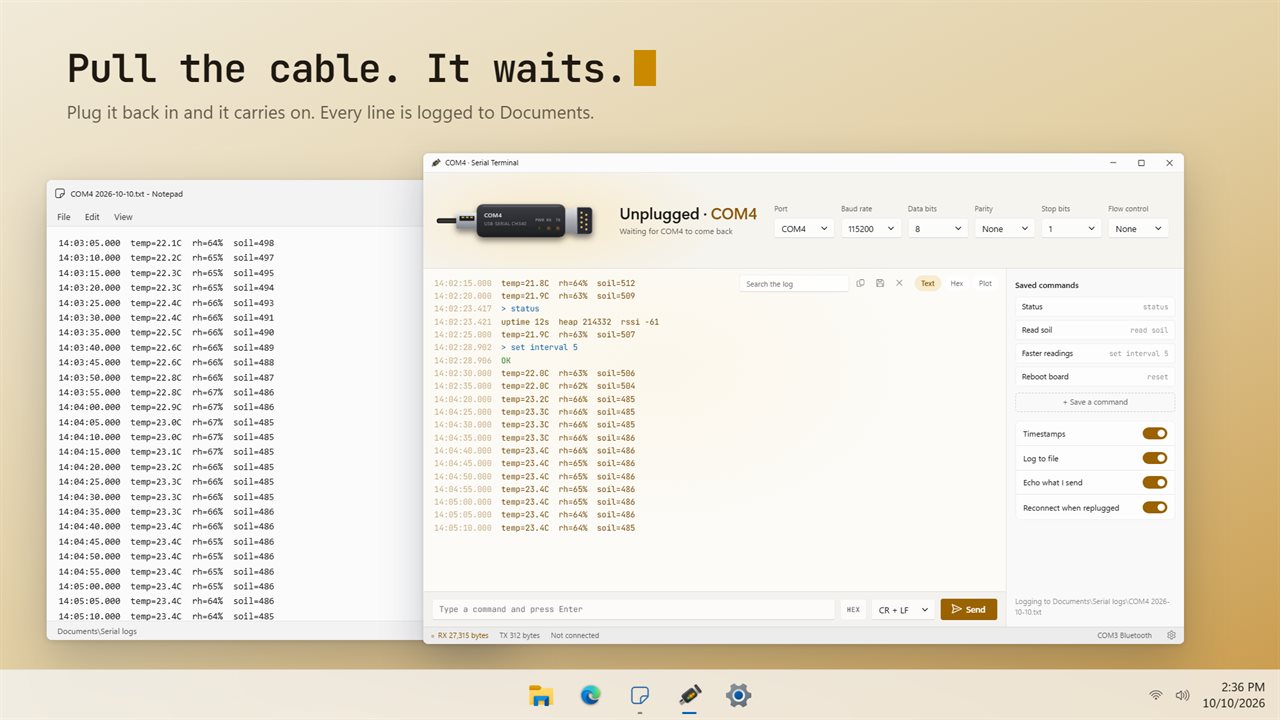
Pull the cable and the window says so. Turn on Reconnect when replugged and the session carries on when the device comes back.
Keep a record
Turn on Log to file and every line is written to Documents\Serial logs, one file per port per day, with timestamps and what you sent. Copy the log or save it as a text file at any time.
For the bench and the server room
Makers and students watching a sketch run, embedded developers debugging a protocol, and IT technicians setting up a router or switch over a console cable at 9600 baud.
Private by design
Everything happens on your PC. No account, and it works offline.
Features
- Talk to Arduino, ESP32, Raspberry Pi Pico and any USB-serial adapter or COM port
- Every COM port listed by name, such as USB-SERIAL CH340, and the list updates as you plug devices in
- Click the adapter to connect. Its RX and TX lights blink as data comes and goes
- 18 baud rates from 300 to 2,000,000, with data bits, parity, stop bits and RTS/CTS or XON/XOFF flow control
- Text view with timestamps to the millisecond, OK and error words picked out in color, and search
- Hex view with offsets, bytes and their ASCII side by side
- Plot view graphs the numbers your board prints, like temp=21.8 or 1.2, 3.4, 5.6, up to 8 lines at once
- Send text with no line ending, LF, CR or CR + LF, or send raw bytes in hex
- Press Up and Down to bring back what you sent before
- Save the commands you send often and send them with one click
- Log every session to Documents\Serial logs, one file per port per day, with timestamps
- Notices when the device is unplugged and reconnects when it comes back
- Choose whether DTR and RTS rise when you connect, so a running board isn't reset
- Copy or save the log as a text file
- Try the views on a recorded session before you plug anything in
- Light and dark themes that follow Windows
Details
- Works on
- Windows 10 (1809 or later) and Windows 11
- Download
- About 3.2 MB
- Version
- 1.0.2, updated October 2026
- First released
- October 2026
- Price
- $7.99 once. No subscription.
- Category
- Developer tools
Questions
Anything else? Ask us
Which versions of Windows does it run on?
Windows 10 (version 1809 or later) and Windows 11.
Is it a subscription?
No. Serial Terminal is a one-time purchase of $7.99, and updates are included.
How do I get it?
EvlarSoft apps are moving to direct downloads from this site. Ask to be notified and we will email you as soon as Serial Terminal is ready to download.