JavaScript Runner
Write JavaScript, press F5, and it runs on the Node.js inside the app. Nothing to install, no terminal, no browser tab.
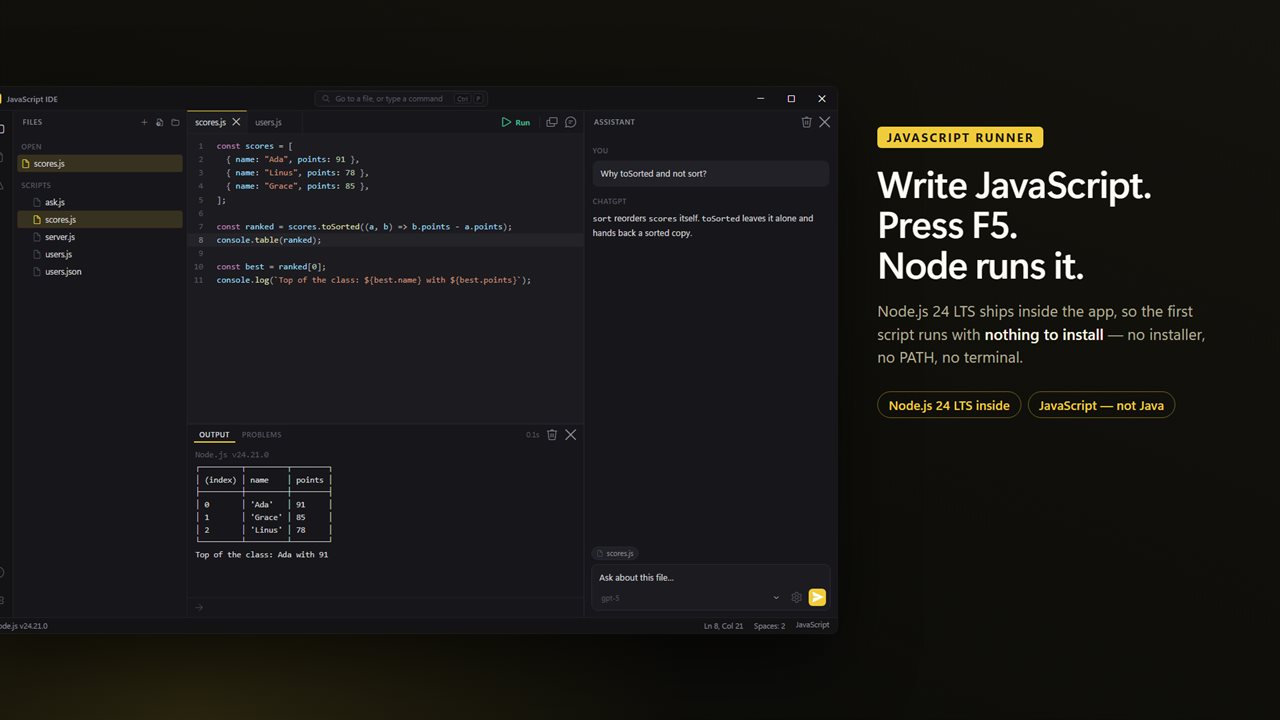
Write JavaScript and press F5. Node.js ships inside the app, so there is nothing to install first.
See it in action
About JavaScript Runner
Most people who want to run a bit of JavaScript do not want to install Node, open a terminal, and remember which folder they were in. They want to type some code and see what it prints.
This is that. It opens a .js file, colors it properly, runs it with a keypress and shows you the output — in one window, with nothing to set up.
This app is for JavaScript, the language of the web. Java, with its classes and public static void main, only shares the name, and it has an app of its own.
Nothing to install
Node.js 24 LTS ships inside the app. On a PC that has never had Node, your first script runs immediately: no installer, no PATH, no version manager.
If you already have Node.js, Settings will use yours instead, so the packages you installed with npm are there too.
Write it
Syntax color, folding, bracket matching and completion that knows JavaScript's keywords, the functions you use most and Node's built-in modules. A tab per file, each with its own undo.
Run it
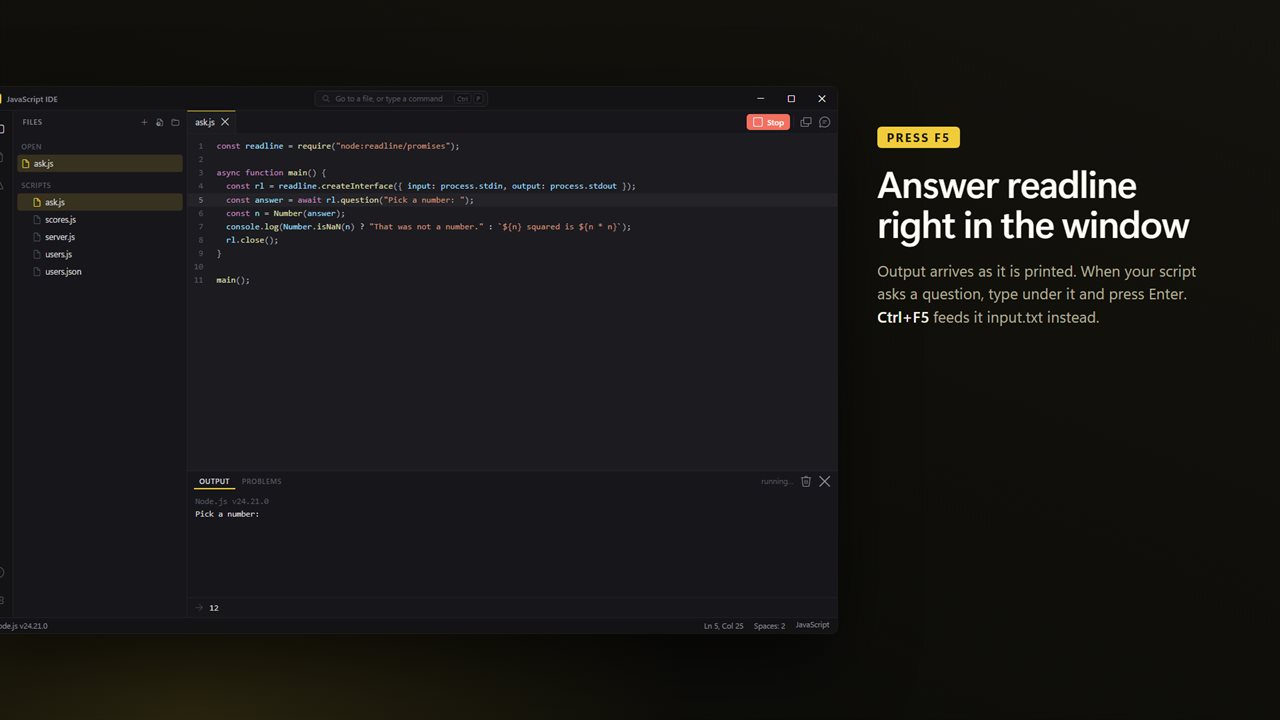
F5 runs the file where it sits, so require() and relative paths behave as they would from a terminal. Output arrives in the panel as it is printed, and when your script asks a question with readline you answer it right there. Ctrl+F5 feeds it input.txt from the same folder instead.
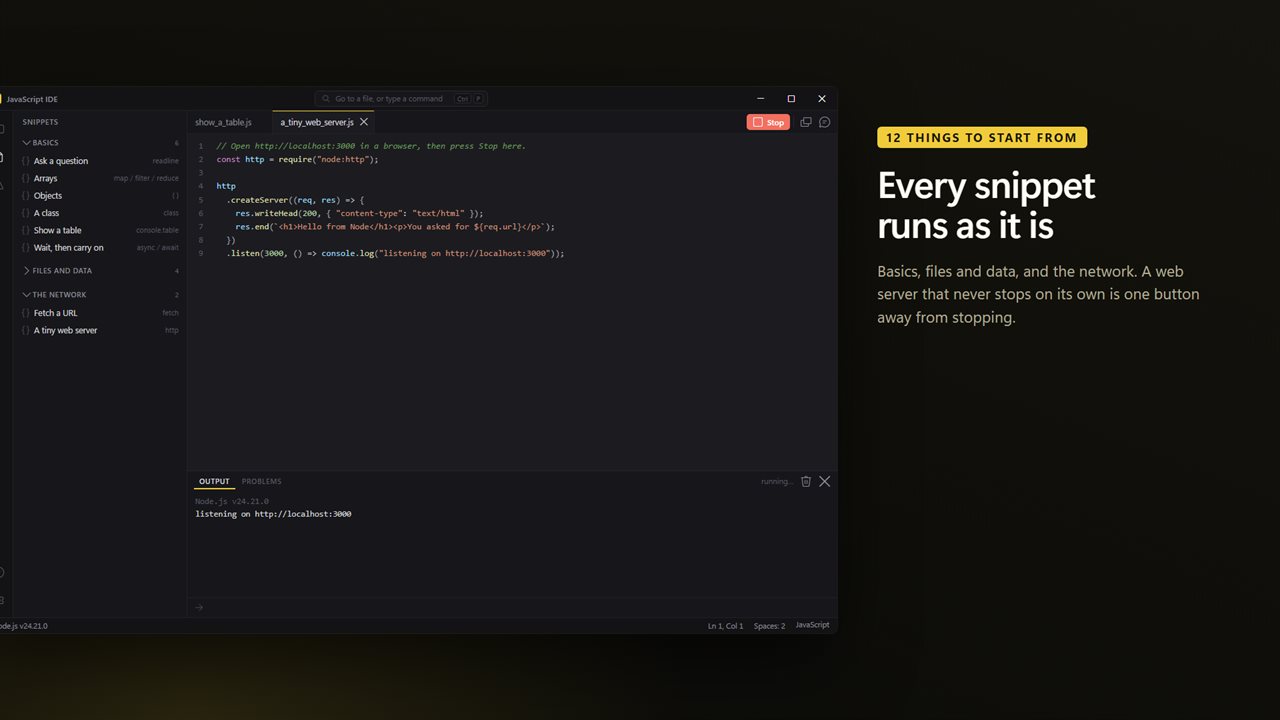
A web server or a timer that never stops is one button away from stopping.
When it breaks
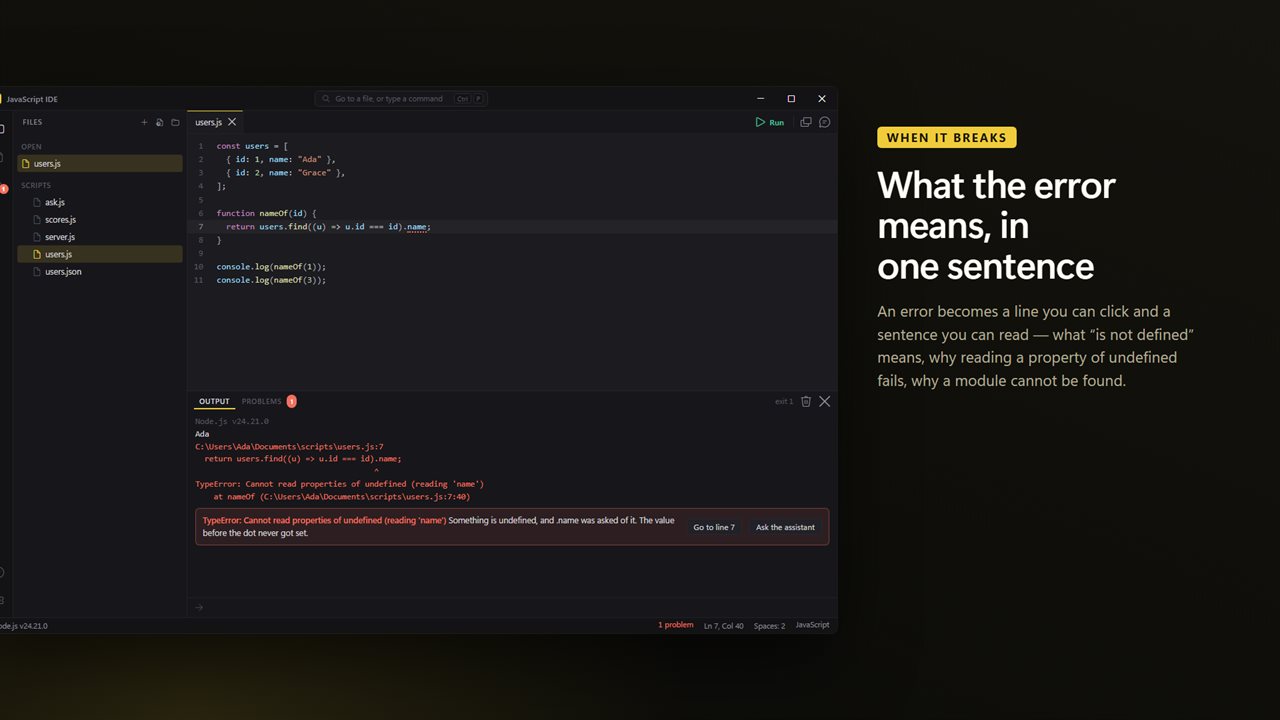
An error becomes a line you can click, with the same error in a sentence underneath: what "is not defined" means, why reading a property of undefined fails, why import needs an .mjs file, and why a module cannot be found.
Ask about it
The assistant panel can see the file you are on. Select some lines and it sees those too; run something that fails and the error goes with your question.
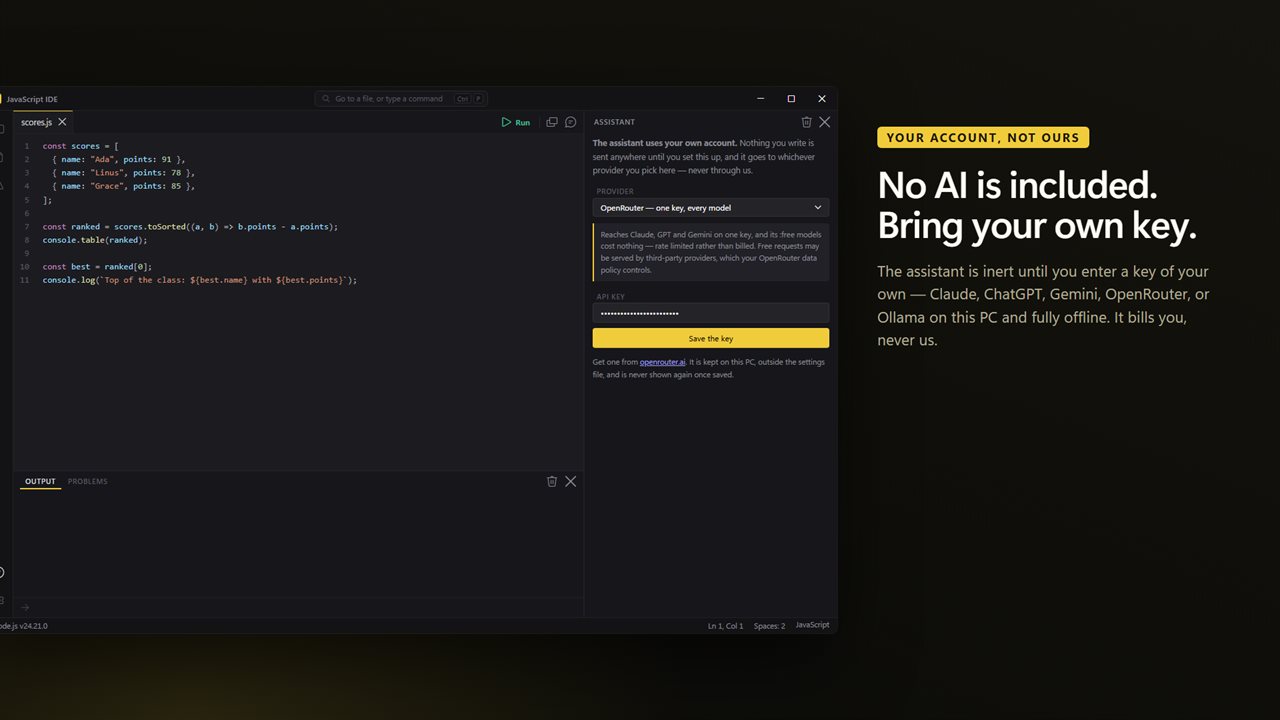
No AI service is included with this app, and none is being sold to you here. The assistant is inert until you enter an API key of your own, and the price of this app buys the editor and Node.js — not the model behind that key. Whatever you spend asking questions is billed to you by the provider you chose, on your own account, and never passes through us.
Bring a key from Claude, ChatGPT, Gemini or OpenRouter, or point it at Ollama or LM Studio on this PC and it works offline. The key is kept on this PC, outside the settings file.
12 things to Start from
Twelve snippets in three sections: basics, files and data, and the network. Asking a question, arrays, objects, classes, tables, async and await, files, JSON, counting words, fetching a URL and a tiny web server. Each opens in its own tab as a complete script you can run before you change a line.
What it does not do
It is an editor and a runner, not a full development environment. There is no debugger, and npm does not ship inside — packages come from a Node.js of your own. It runs scripts on Node, not pages in a browser.
No account. No sign-in. No ads. The app makes no network call of its own; the only thing that ever leaves your PC is a question you type into the assistant, going to the provider whose key you entered, a request your own script makes, or feedback you choose to send.
Built for Windows 11, and at home on Windows 10.
Features
- Node.js 24 LTS ships inside, so the first script runs with nothing to install
- This is JavaScript, the language of the web. Looking for Java? That is a different language
- Press F5 to run. Output streams into the panel as it prints, not in one lump at the end
- Answer a readline prompt without leaving the window, and stop a runaway loop or server with one button
- Errors become a line you can click and a sentence in plain English
- Ctrl+F5 feeds input.txt to your script, the way contest problems are practiced
- Already have Node.js? Settings will use yours instead, with the packages you installed with npm
- 12 ready-made snippets — basics, files and data, and the network — that each run as they are
- No AI service is included or sold here — the assistant is inert until you enter your own API key
- Bring your own key: Claude, ChatGPT, Gemini or OpenRouter — or run Ollama on this PC and stay offline
- An assistant that can see the file you are on, the lines you selected and the run that just failed
- Your key is kept on this PC, outside the settings file, and is never shown again once saved
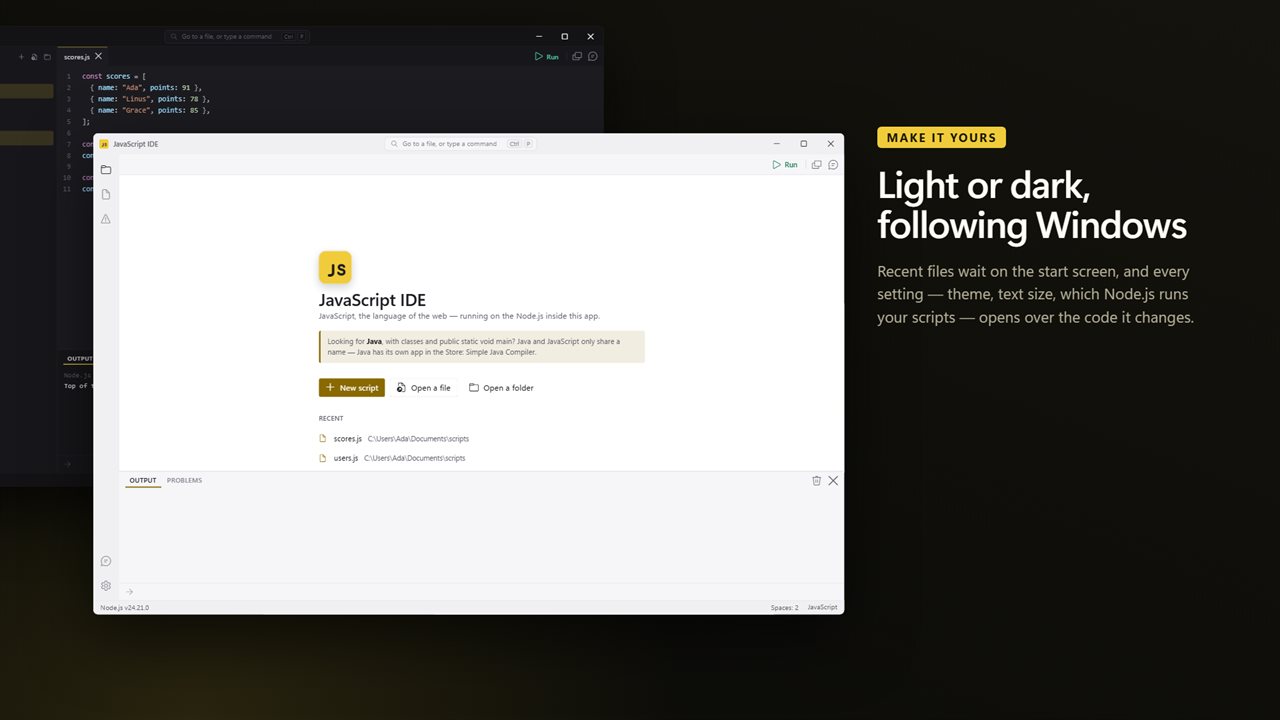
- Recent files on the start screen, a file tree for the project, and Ctrl+P for any file or command
- No account, no sign-in, no ads, and no network call the app makes for itself beyond feedback you choose to send
Details
- Works on
- Windows 10 (1809 or later) and Windows 11
- Download
- About 39.4 MB
- Version
- 1.0.2, updated October 2026
- First released
- September 2026
- Price
- $2.99 once. No subscription.
- Category
- Developer tools
What's new in 1.0.2
- Node.js 24 LTS ships inside; nothing to install
- F5 runs; output streams as it prints
- readline prompts answered in the window, and one button to stop a server
- Errors explained in plain English, with a clickable line
- Ctrl+F5 runs with input.txt
- Or use the Node.js you already have, with your npm packages
- An assistant on your own key: Claude, ChatGPT, Gemini, OpenRouter, or Ollama offline
- 12 runnable snippets in three sections
- Light and dark, following Windows
Questions
Anything else? Ask us
Which versions of Windows does it run on?
Windows 10 (version 1809 or later) and Windows 11.
Is it a subscription?
No. JavaScript Runner is a one-time purchase of $2.99, and updates are included.
How do I get it?
EvlarSoft apps are moving to direct downloads from this site. Ask to be notified and we will email you as soon as JavaScript Runner is ready to download.