HTTP Server
Turn a folder on this PC into a web address anything on your network can open. Pick the folder, click the steel plate, and it lights up with a code your phone's camera can read. Every request that arrives is listed as it happens, with the status it was answered. Read-only throughout: it hands files out and never takes any in.
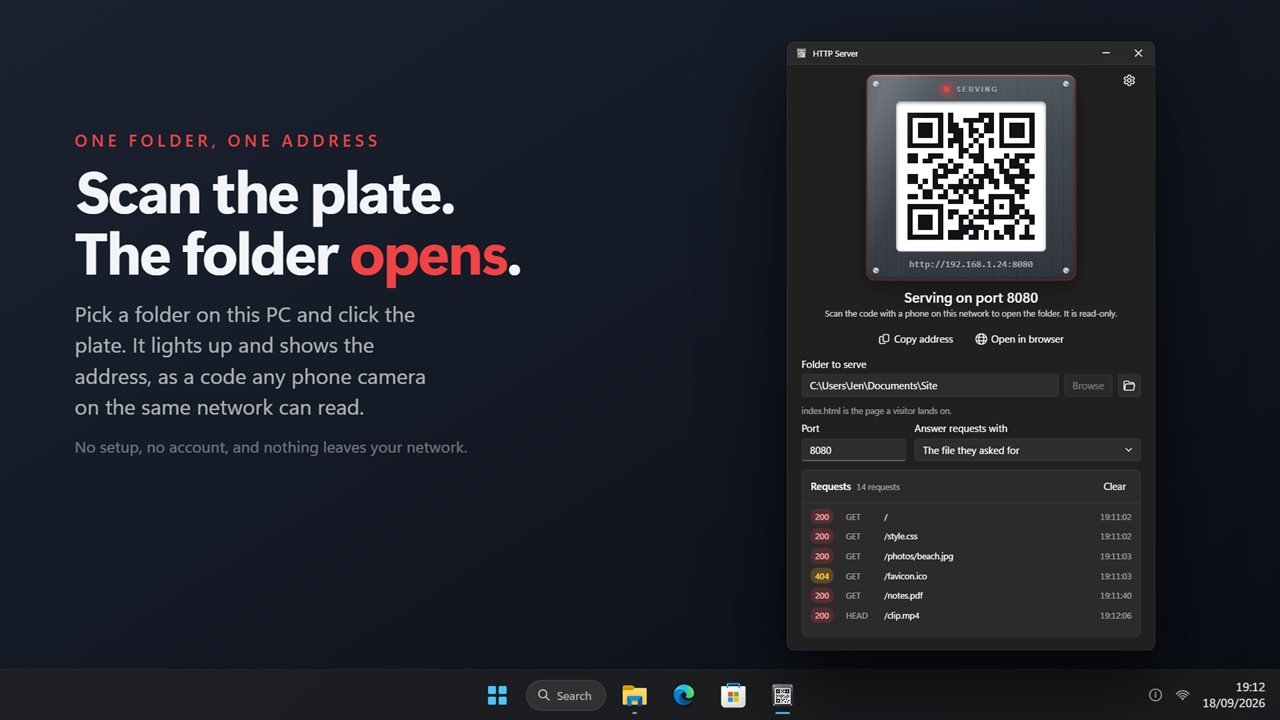
Click the plate and scan the code with a phone on the same network.
See it in action
About HTTP Server
You have a folder on this PC and you want it open on a phone, a tablet, a laptop, or a TV in the next room. HTTP Server gives that folder an address, and anything on the same network can open it in a browser.
Click the plate
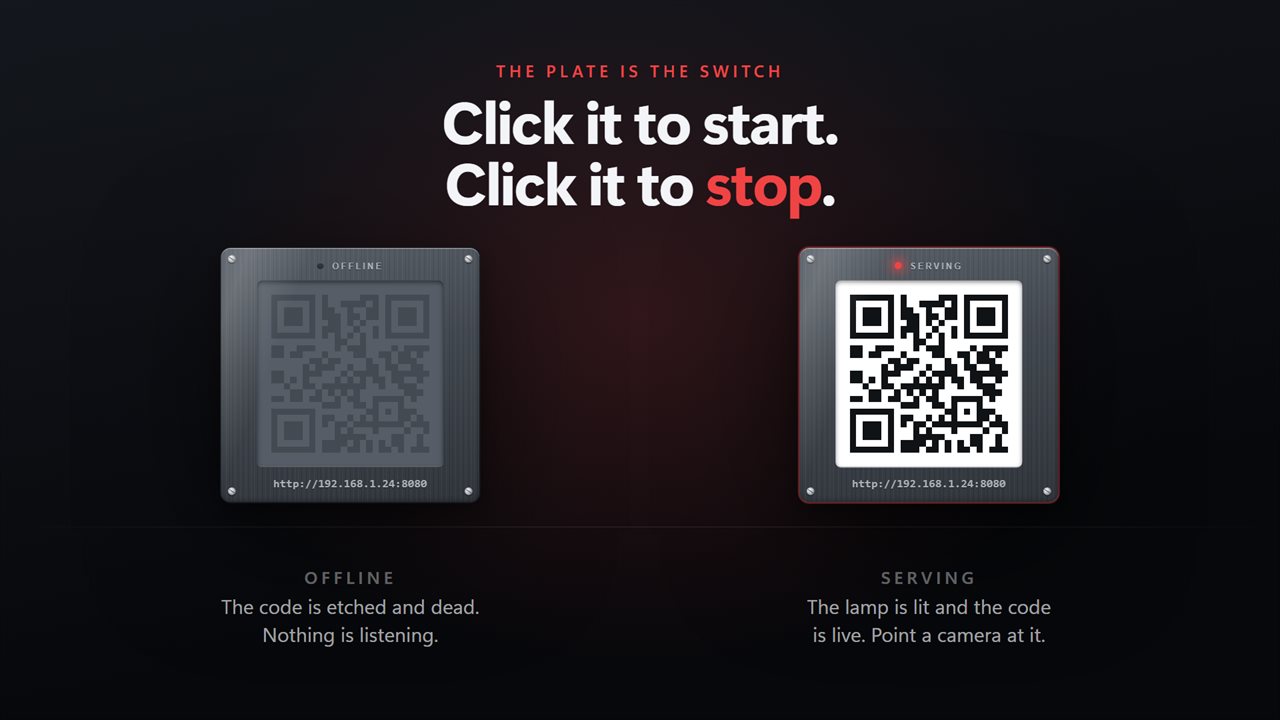
The app is built around a brushed steel plate. Pick a folder, click the plate, and its pilot lamp lights. The recessed white panel carries the address as a code: point a phone camera at it and the folder opens, with nothing typed. Click the plate again and the server stops.
Watch it work
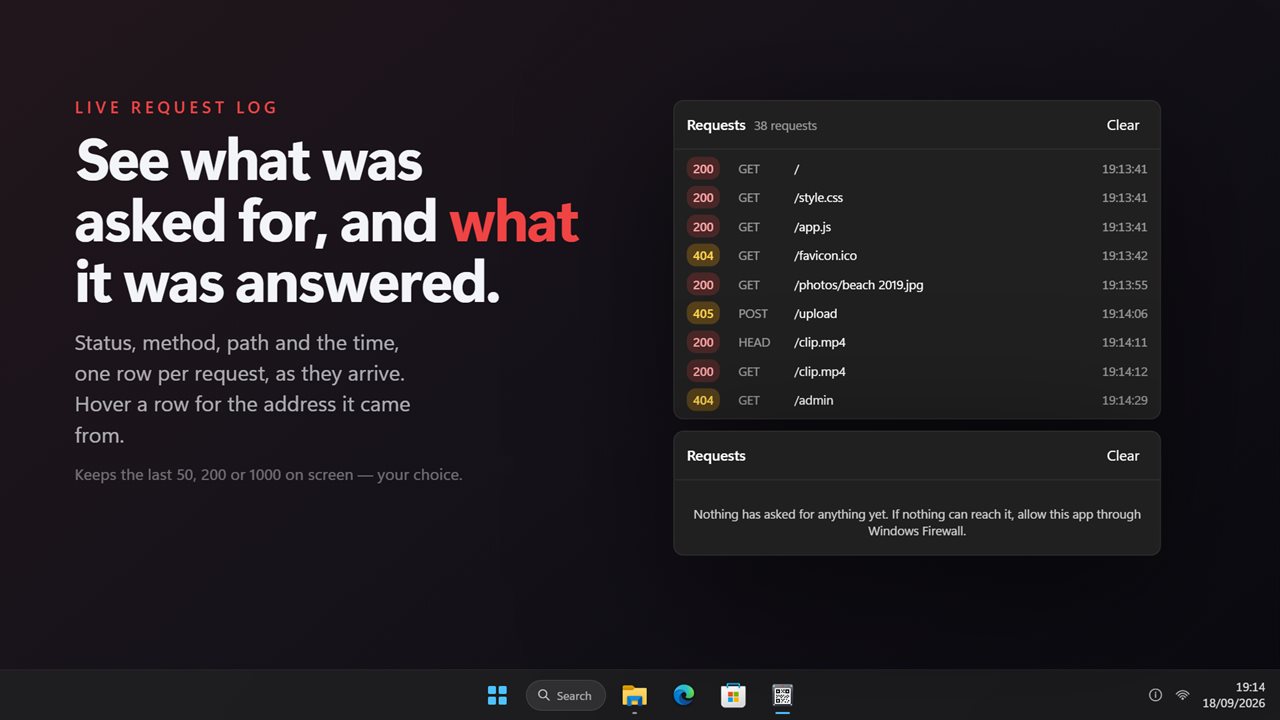
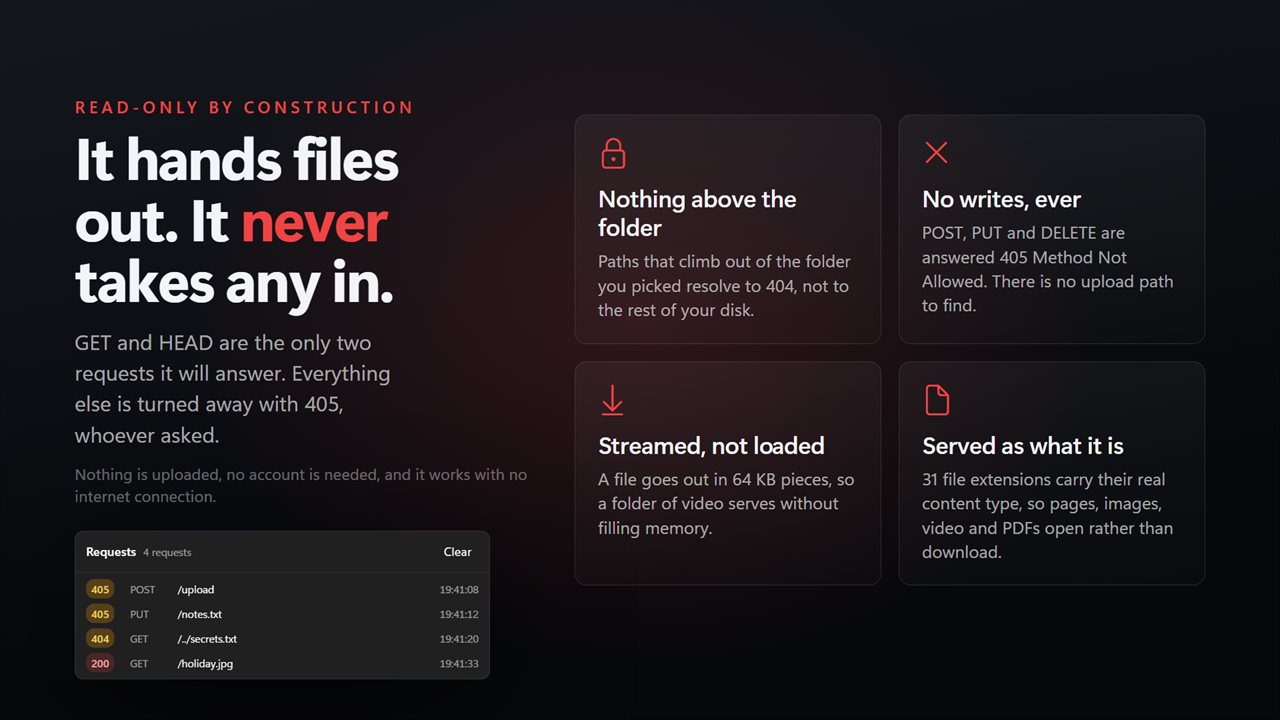
Every request is listed as it arrives, with the status it was answered, the method, the path and the time. Green for served, amber for refused. Hover a row to see the address it came from. Keep the last 50, 200 or 1000 on screen.
Any folder is worth serving
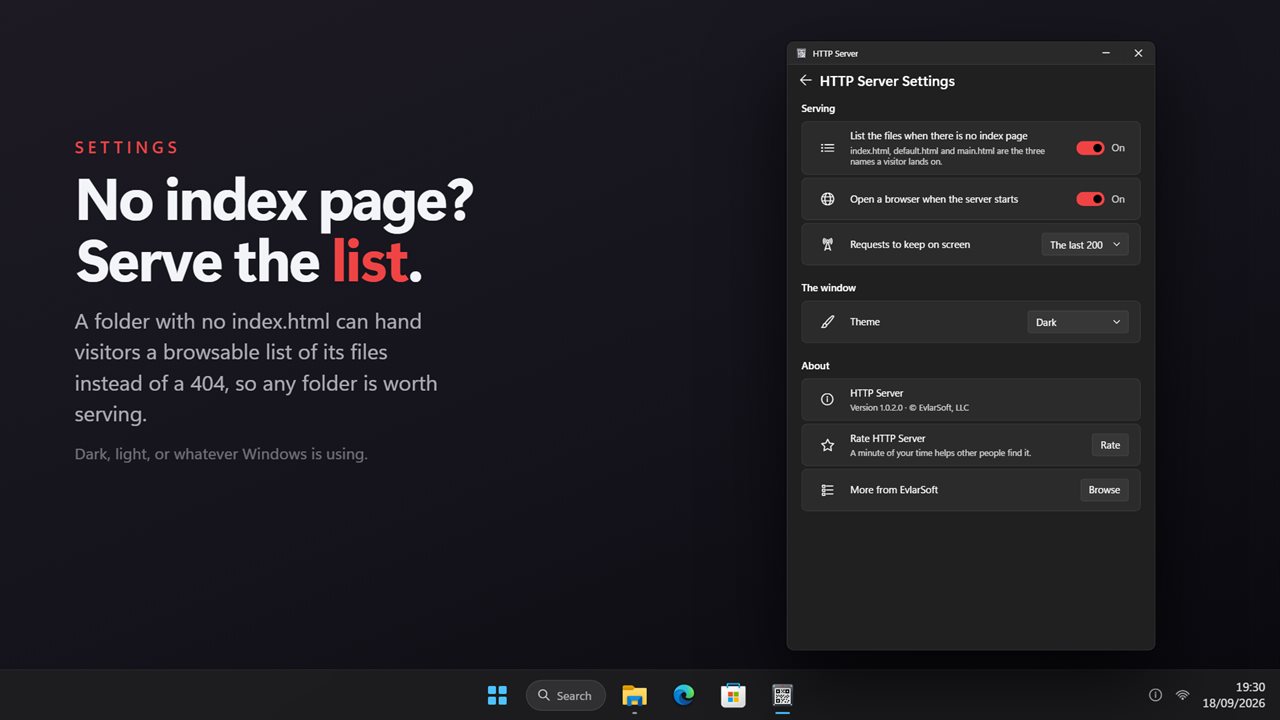
If the folder has an index.html, default.html or main.html, that is the page a visitor lands on, resolved per folder rather than once at start. If it has none, visitors get a browsable list of the files instead of an error. Files are served with their real content type, so a page renders, a photo shows, a video plays and a PDF opens rather than downloading.
Useful for testing
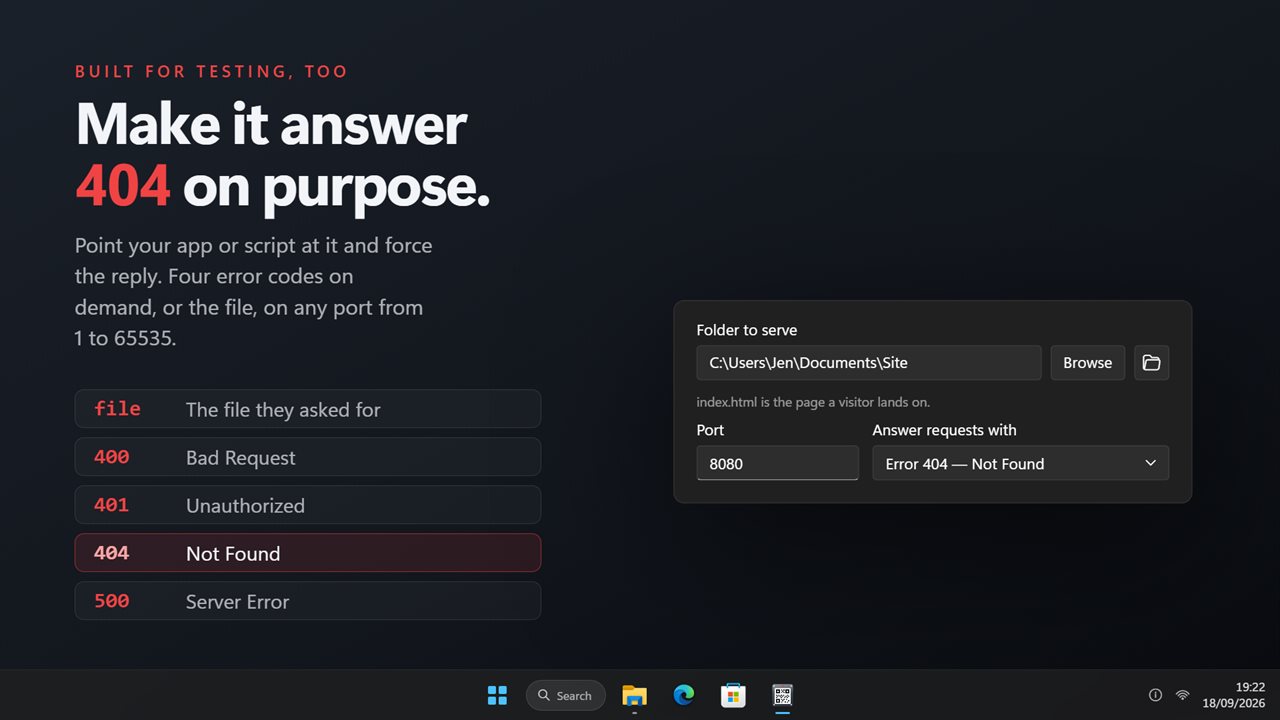
Point your own app or script at it and choose what it replies with: the file, or 400, 401, 404 or 500 on every request. Any port from 1 to 65535, and if something else already holds that port the app says so plainly.
Read-only by construction
GET and HEAD are the only requests it answers. POST, PUT, DELETE and the rest are turned away with 405. Paths that try to climb out of the folder you picked resolve to nothing. There is no upload path to find, because there is no upload.
Everything happens on this PC and on your own network. There is no account, nothing is uploaded, and no internet connection is needed.
Features
- Serve any folder on this PC over HTTP to anything else on your network
- A brushed steel plate carrying a scannable code for the address, so a phone never types one
- Click the plate to start serving, click it again to stop
- Live request log: status, method, path and time, one row per request
- Hover a request to see the address it came from
- Keep the last 50, 200 or 1000 requests on screen
- Any port from 1 to 65535, with a clear message when one is already taken
- index.html, default.html or main.html is served as the landing page, per folder
- A browsable file list for folders with no index page, instead of a 404
- Force every request to be answered 400, 401, 404 or 500, for testing a client
- 31 file extensions served with their real content type, so pages, images, video and PDFs open in place
- Files stream out in 64 KB pieces, so serving a folder of video does not fill memory
- Read-only: GET and HEAD only, everything else answered 405 Method Not Allowed
- Requests cannot climb out of the folder you picked
- Copy the address, or open it in a browser, in one click
- Dark theme by default, with light and match-Windows options
- Works offline, with no account and nothing uploaded
Details
- Works on
- Windows 10 (1809 or later) and Windows 11
- Download
- About 2.7 MB
- Version
- 2.0.3, updated October 2026
- First released
- May 2023
- Price
- $3.29 once. No subscription.
- Category
- Utilities & tools
What's new in 2.0.3
- New: a steel plate carrying the address as a scannable code — click it to start and stop
- New: a live request log with the status, method, path and time of every request
- New: a browsable file list for folders with no index page, where 1.x answered 404
- New: force every reply to 400, 401, 404 or 500 for testing a client
- New: files stream out instead of being read whole, so large files no longer fill memory
- New: the address is the one a phone on your Wi-Fi can actually reach
- New: dark theme by default, with light and match-Windows options
- Fixed: the index page is found per folder, so a subfolder's own index is used
- Removed: two settings that never worked — keep-alive, which parked the browser, and chunked replies, which returned 500 on every file
Questions
Anything else? Ask us
Which versions of Windows does it run on?
Windows 10 (version 1809 or later) and Windows 11.
Is it a subscription?
No. HTTP Server is a one-time purchase of $3.29, and updates are included.
How do I get it?
EvlarSoft apps are moving to direct downloads from this site. Ask to be notified and we will email you as soon as HTTP Server is ready to download.
More from EvlarSoft
 Bluetooth Device ScannerEvery phone, watch, earbud, TV and tag broadcasting over Bluetooth near you — what it is, who made it, and how far away.
 Network Indicator WidgetSee what your network is actually doing.
 DNS SwitcherEvery address you type is looked up by a DNS server, and by default that is whoever your provider picked.