DNS Switcher
Every address you type is looked up by a DNS server, and by default that is whoever your provider picked. DNS Switcher shows which one this PC is asking, and changes it in two clicks. Pick Cloudflare, Google, Quad9 or one of eleven others — or a filtering resolver that turns away ads, malware and adult sites before they load. Sets IPv4 and IPv6 together, per adapter, and going back to automatic is the first row in the list.
Which server this PC asks, and whether anybody chose it.
See it in action
About DNS Switcher
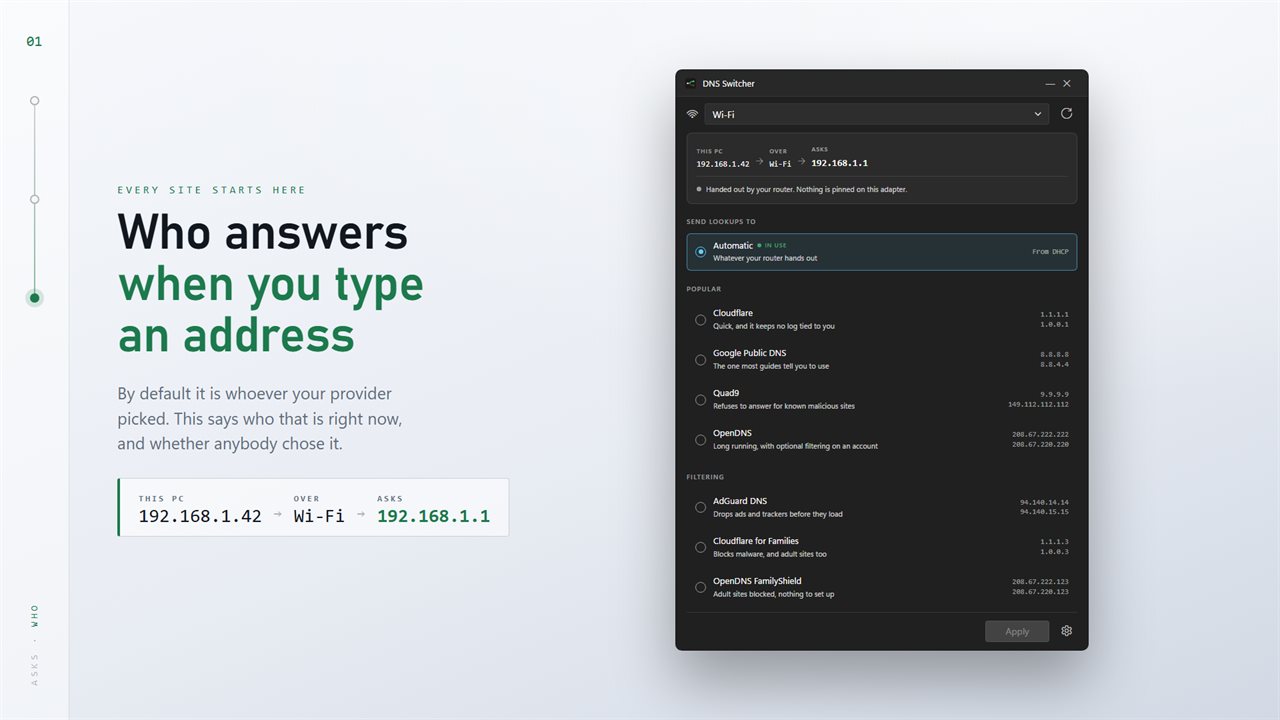
Every website you open starts with a question: what address is this name at? Something has to answer, and unless you have changed it, that something is whoever your internet provider picked.
DNS Switcher shows you who that is, and lets you choose somebody else.
What you are on now
Open it and the top of the window reads out the route a lookup takes: this PC, over which adapter, asking which server. Underneath, in plain words, whether that server was pinned by somebody or handed out by your router — a distinction most tools never make, and the one that explains why a change earlier appeared to do nothing.
Two clicks to change it
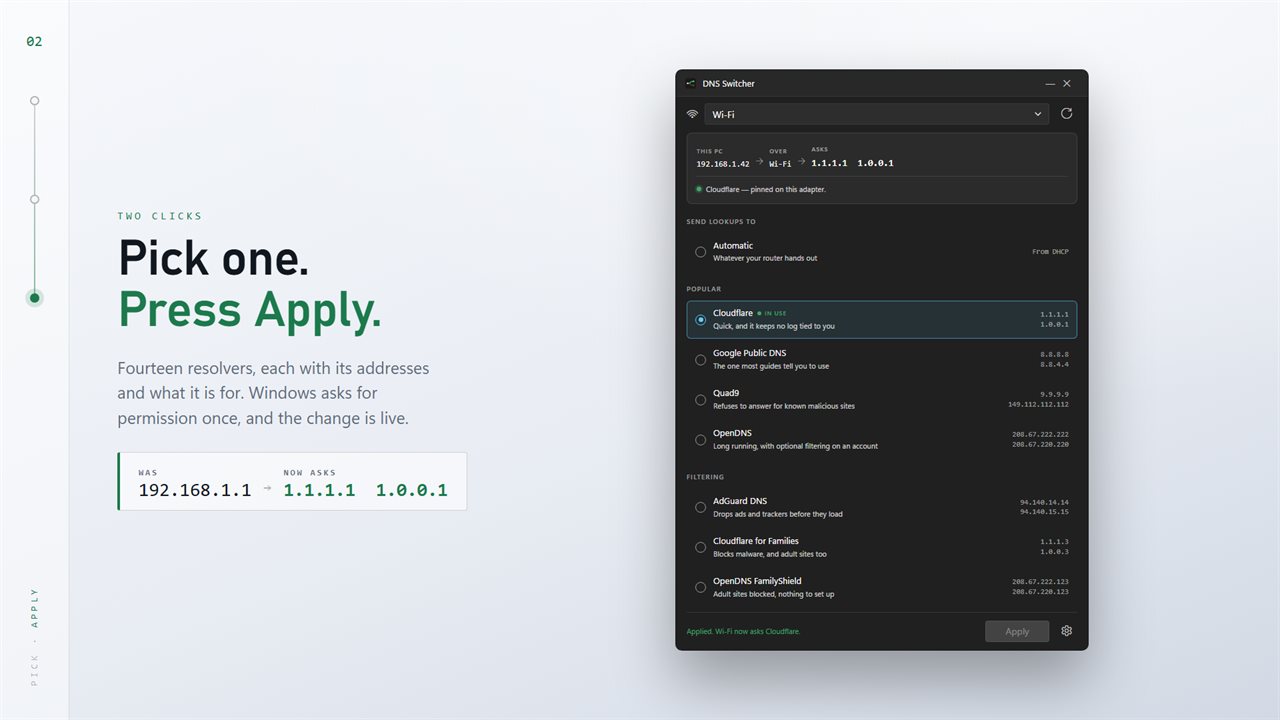
Fourteen resolvers are listed with their addresses and a line saying what each is for. Cloudflare, Google Public DNS, Quad9 and OpenDNS; AdGuard, Cloudflare for Families, OpenDNS FamilyShield and CleanBrowsing for filtering; Control D, dns0.eu, Comodo, DNS.Watch, Level3 and Yandex besides.
Pick one, press Apply, and Windows asks for permission once. The row you are on is marked as in use, so you can always see where you stand.
Filtering with nothing to install
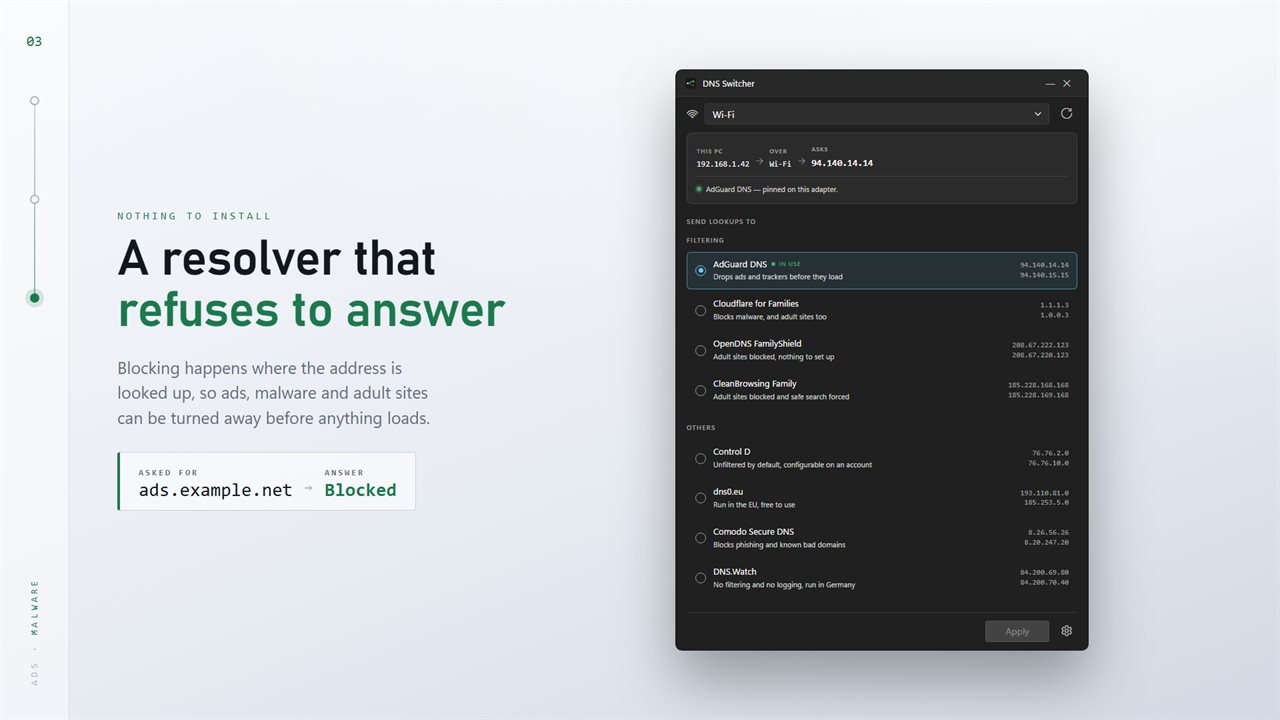
Blocking happens where the address is looked up. Choose a filtering resolver and ads, trackers, malware or adult sites are turned away before anything loads — no extension, no subscription, no software running in the background.
Every adapter, separately
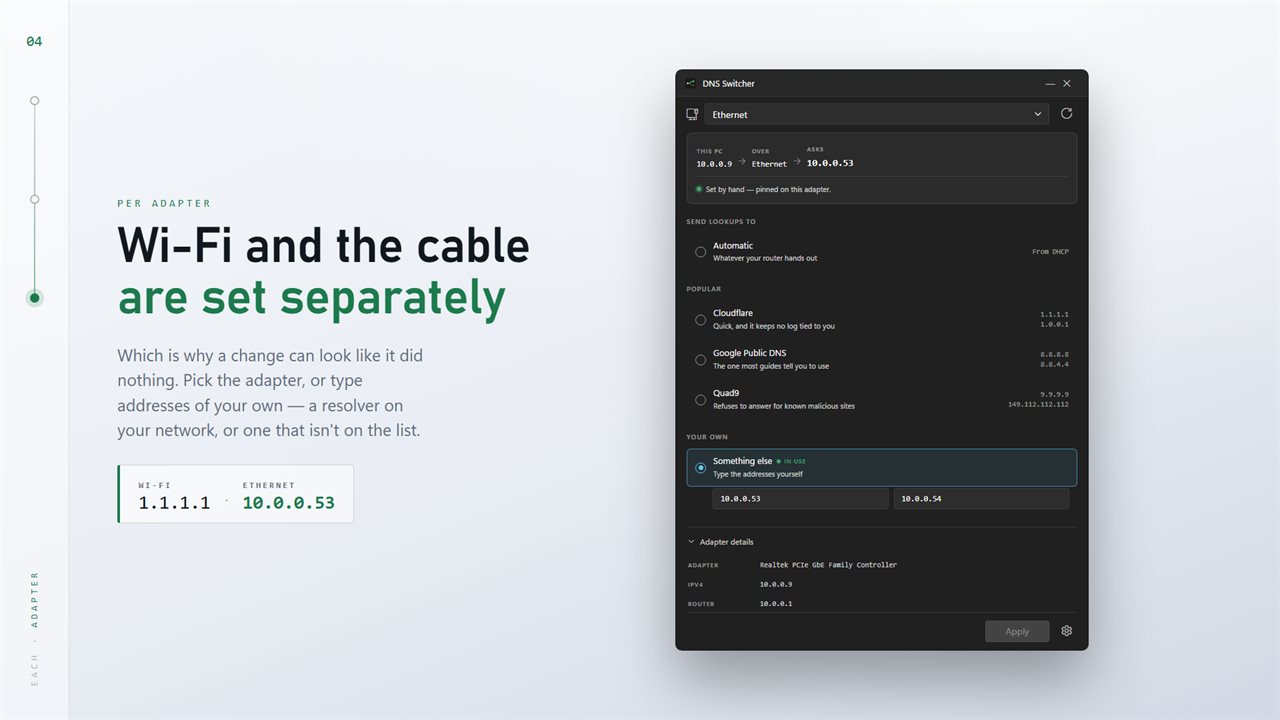
Wi-Fi and the cable have their own settings, which is the usual reason a change seems to have been ignored. Pick the adapter at the top and the whole window follows it. VPN adapters are listed too.
If the resolver you want is not on the list — one on your own network, or one you run yourself — type the addresses in.
IPv6 AS WELL
Most home networks now carry both, and leaving IPv6 pointed at the old server is how a change half applies. This sets both by default, and clears the lookup cache afterwards so the new server is asked immediately rather than after the old answers expire.
Putting it back
Automatic is the first row in the list. Every change is one setting on one adapter, and undoing it takes the same two clicks that made it.
On your PC
No account needed, and nothing running in the background. An optional EvlarSoft ONE sign-in backs up your settings to carry them to another PC, and feedback is sent only when you press Send. It reads the adapters Windows already has and changes the setting Windows already exposes. Changing a DNS server needs administrator rights, so Windows asks for permission each time — the app never asks for a password itself.
Features
- Says which DNS server each adapter is using right now
- Tells you whether somebody pinned it or the router handed it out
- Fourteen resolvers ready to pick, with what each one is for
- Ad, malware and adult-site filtering by picking a resolver — nothing to install
- Type your own addresses for a resolver that isn't on the list
- Sets IPv6 as well as IPv4, so a change doesn't half apply
- Back to automatic in two clicks — it is the first row in the list
- Wi-Fi, Ethernet and VPN adapters are each set separately
- Clears the lookup cache after applying, so the new server is asked at once
- Adapter details on hand: address, router, MAC and the servers in use
- Light and dark, following Windows
- Needs no account and runs no background service — it runs when you open it
- Optional EvlarSoft ONE sign-in backs up your preferences for another PC
Details
- Works on
- Windows 10 (1809 or later) and Windows 11
- Download
- About 2.4 MB
- Version
- 2.0.4, updated October 2026
- First released
- April 2023
- Price
- $2.99 once. No subscription.
- Category
- Utilities & tools
What's new in 2.0.4
- A route strip at the top: this PC, the adapter, and the server it asks
- Says whether the server was pinned or handed out by your router
- Fourteen resolvers, grouped, each with what it is for
- Filtering resolvers for ads, malware and adult sites
- IPv6 is set alongside IPv4, and the lookup cache is cleared afterwards
- One permission prompt per change instead of one per command
- Light and dark, following Windows
Questions
Anything else? Ask us
Which versions of Windows does it run on?
Windows 10 (version 1809 or later) and Windows 11.
Is it a subscription?
No. DNS Switcher is a one-time purchase of $2.99, and updates are included.
How do I get it?
EvlarSoft apps are moving to direct downloads from this site. Ask to be notified and we will email you as soon as DNS Switcher is ready to download.
More from EvlarSoft
 Who Is On My WiFiSee everything on your network, not just the devices you remember buying.
 Network MonitoringYour live download and upload speed on the desktop, for every network adapter, redrawn once a second.
 Tracert Route TracerType an address or a domain and watch the route to it build one hop at a time.