Network Monitoring
Your live download and upload speed on the desktop, for every network adapter, redrawn once a second.
Network Monitoring in 34 seconds
See it in action
About Network Monitoring
Windows will tell you whether you are connected. It is much less willing to tell you what is actually moving, on which adapter, right now.
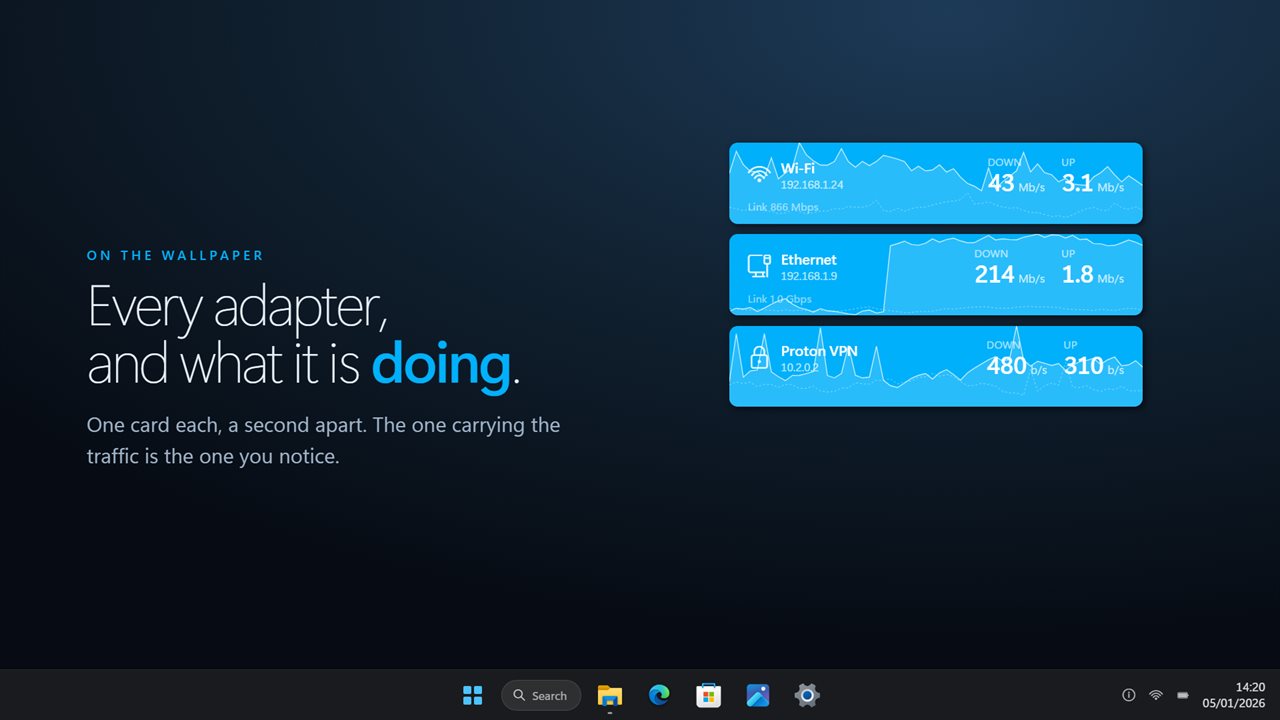
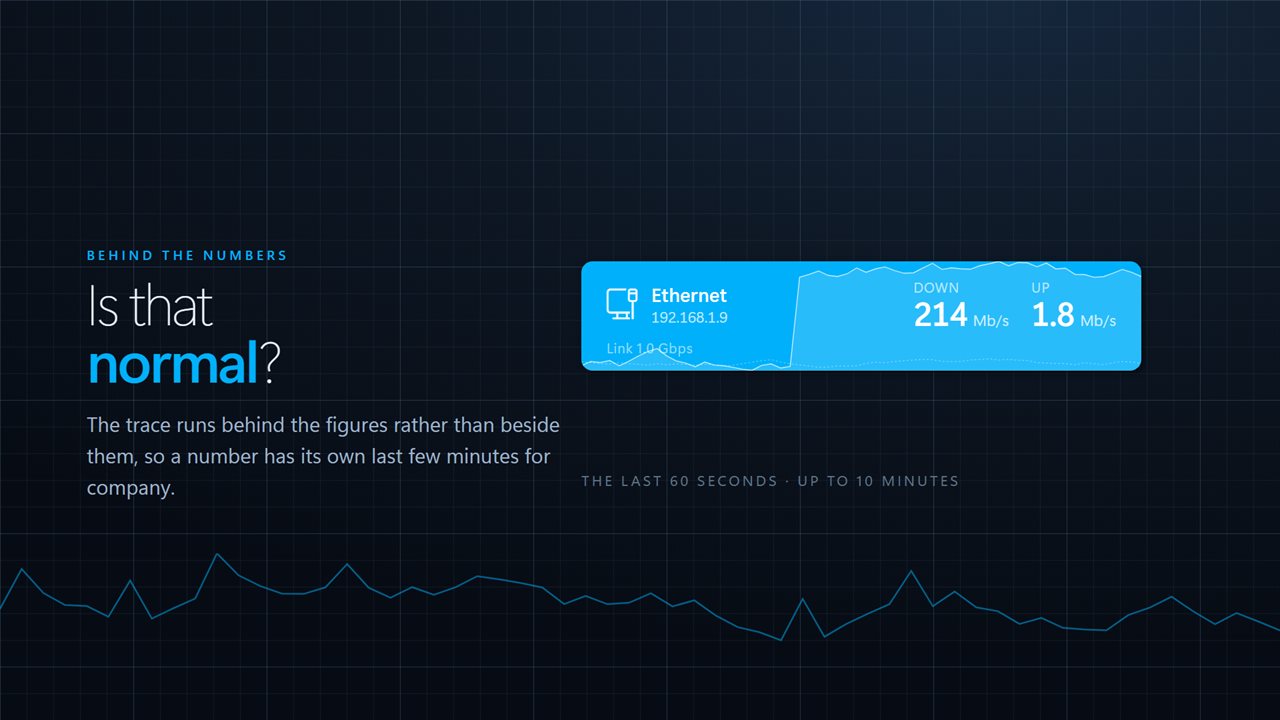
Network Monitoring puts that on your wallpaper. One card per network adapter, with what it is downloading and uploading this second, and the last few minutes drawn behind the figures so you can tell whether that number is normal.
One card each, or one total
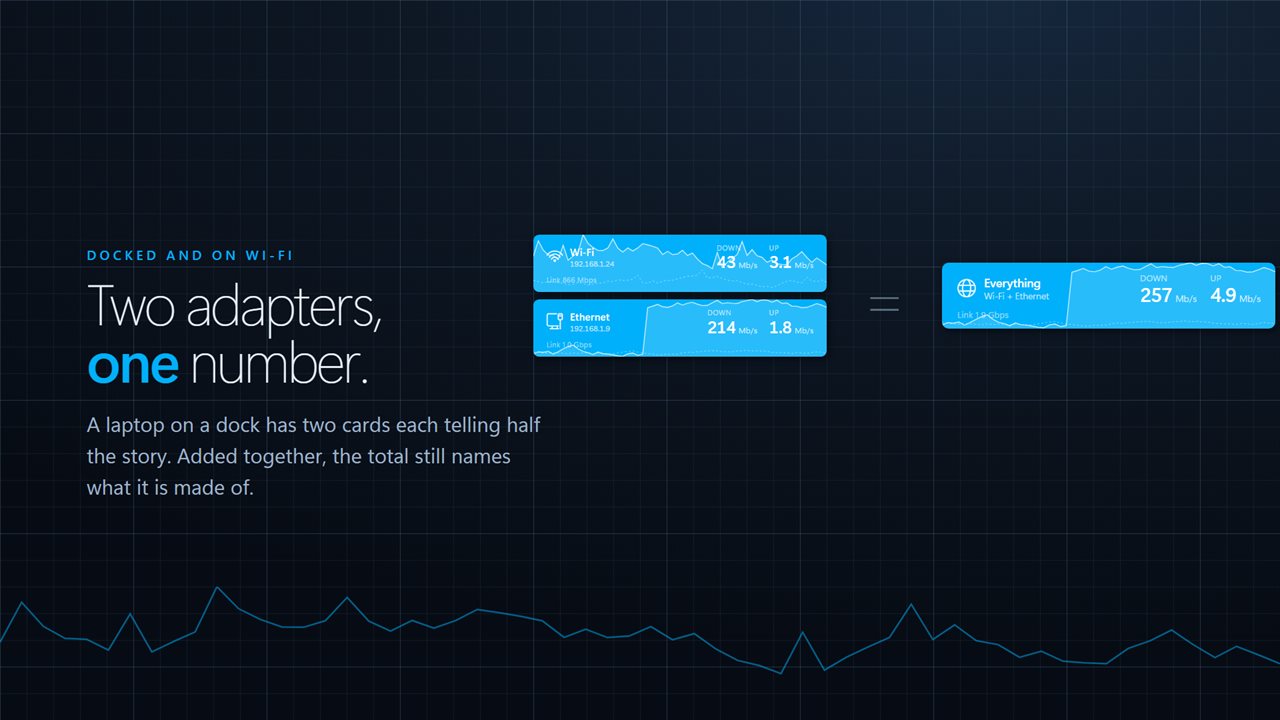
A laptop docked to Ethernet while still on Wi-Fi has two cards each telling half the story. Add them together and you get the single number you were probably after — and the total still names which adapters it is made of, so it can't be misread.
The trace
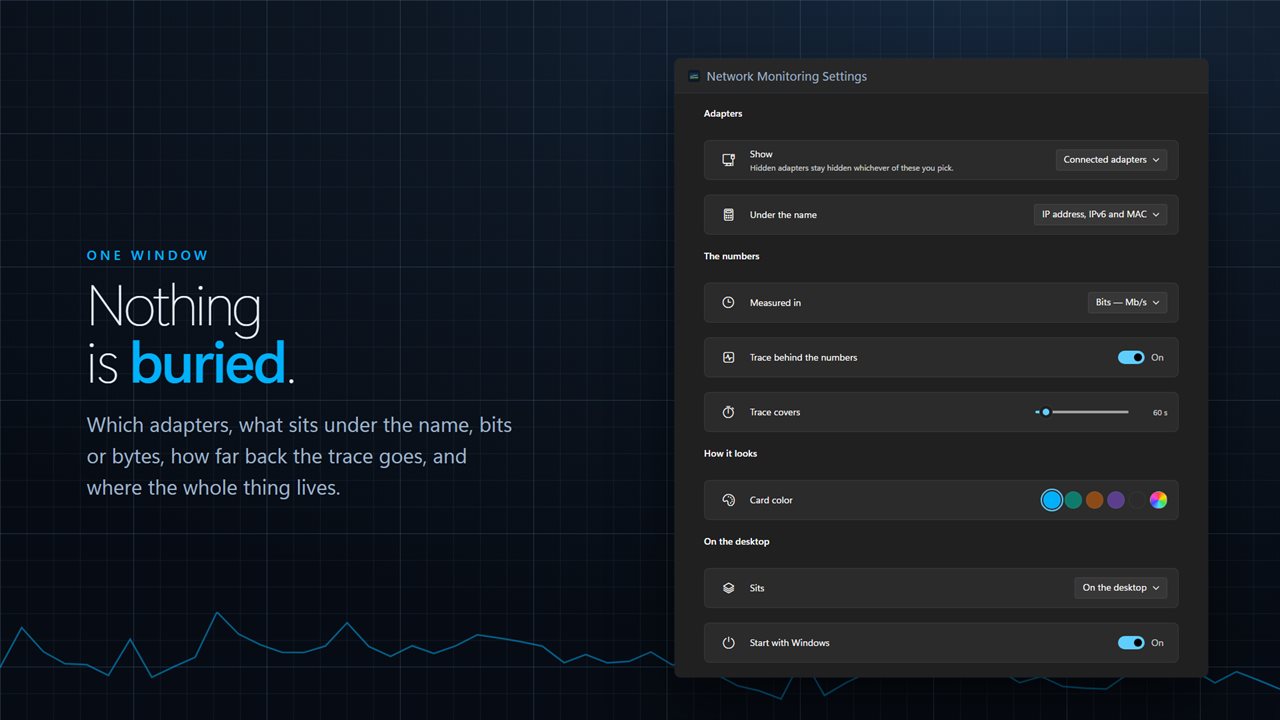
Behind the numbers rather than beside them, because a chart given its own room on a desktop card is a chart too small to read. It scales to the busiest moment in the window instead of to the port, so an idle gigabit connection still shows you something. Thirty seconds up to ten minutes.
Which adapters
The connected ones, every physical one, or everything Windows lists — tunnels, virtual switches and the loopback included. Anything you never want to see can be hidden by name and stays hidden. Adapters are followed as they appear and disappear, so plugging in a cable or bringing up a VPN adds a card on its own.
Bits or bytes, correctly
Bits are counted in thousands, the way every link rate is quoted, and bytes in 1024s, the way every file size is. Getting those two conventions the wrong way round is why so many network readouts disagree with the speed test.
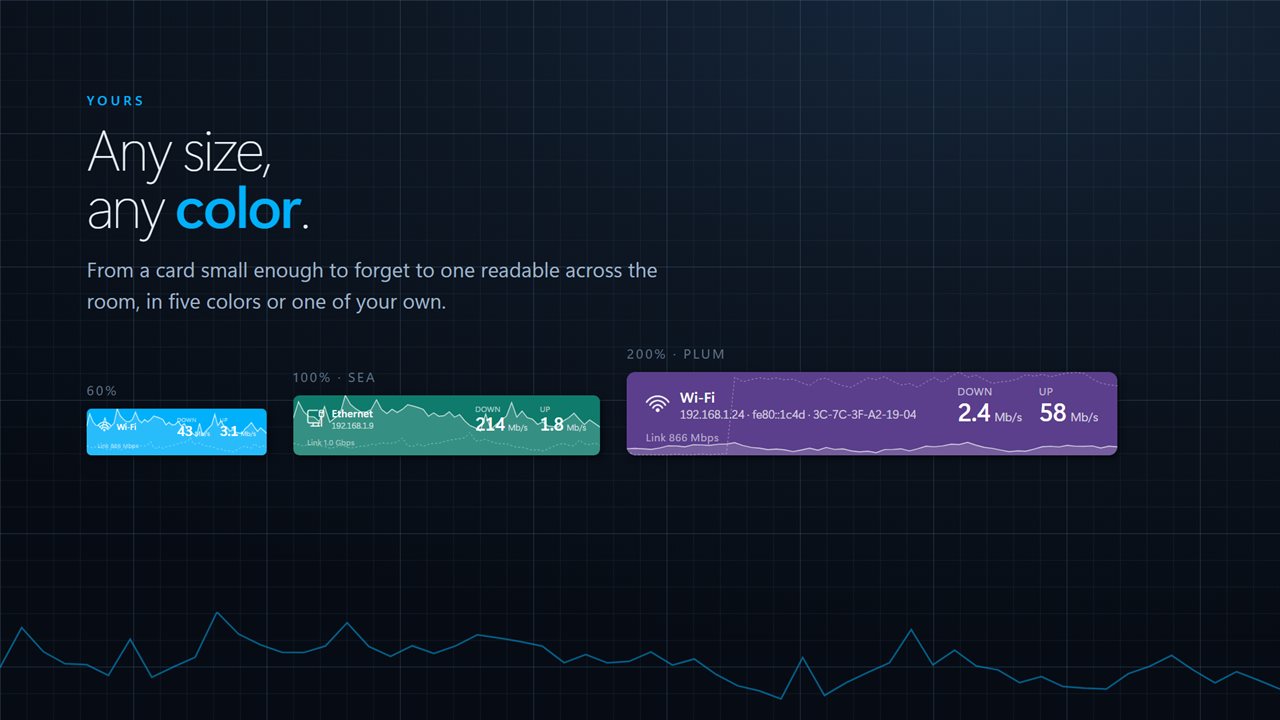
And it is yours: any size from a card small enough to ignore to one readable across the room, five colors or one of your own, on the desktop or above your windows, starting with Windows if you want it to.
No account needed. No sign-in needed. No ads, and nothing held back behind an unlock. The counters come from Windows itself and nothing about your traffic leaves this PC.
Built for Windows 11, and at home on Windows 10.
Features
- A card on the desktop for every network adapter, redrawn once a second
- Download and upload for each adapter, or added together into one total
- A trace behind the numbers, covering anywhere from 30 seconds to 10 minutes
- Show the connected adapters, every physical one, or everything Windows lists
- IP address, IPv6 and MAC under the name, or nothing at all
- Bits or bytes, in the units your router and your downloads are quoted in
- Follows adapters as they come and go — a cable, a dock, a VPN
- Hide any adapter you never want to see, by name
- Sits on the wallpaper or above your windows, at any size and any color
- No account needed, no ads, and nothing leaves your PC unless you turn on backup
Details
- Works on
- Windows 10 (1809 or later) and Windows 11
- Download
- About 2.5 MB
- Version
- 2.0.6, updated October 2026
- First released
- December 2022
- Price
- $1.99 once. No subscription.
- Category
- Utilities & tools
Questions
Anything else? Ask us
Which versions of Windows does it run on?
Windows 10 (version 1809 or later) and Windows 11.
Is it a subscription?
No. Network Monitoring is a one-time purchase of $1.99, and updates are included.
How do I get it?
EvlarSoft apps are moving to direct downloads from this site. Ask to be notified and we will email you as soon as Network Monitoring is ready to download.