Rapid FTP Server
Share a folder with every device on your Wi-Fi. Turn it on, then scan the tag with a phone camera or type the address into File Explorer or any FTP app. Read only by default, with a generated password, and only your own network can reach it.
Share a folder with every device on your Wi-Fi.
See it in action
About Rapid FTP Server
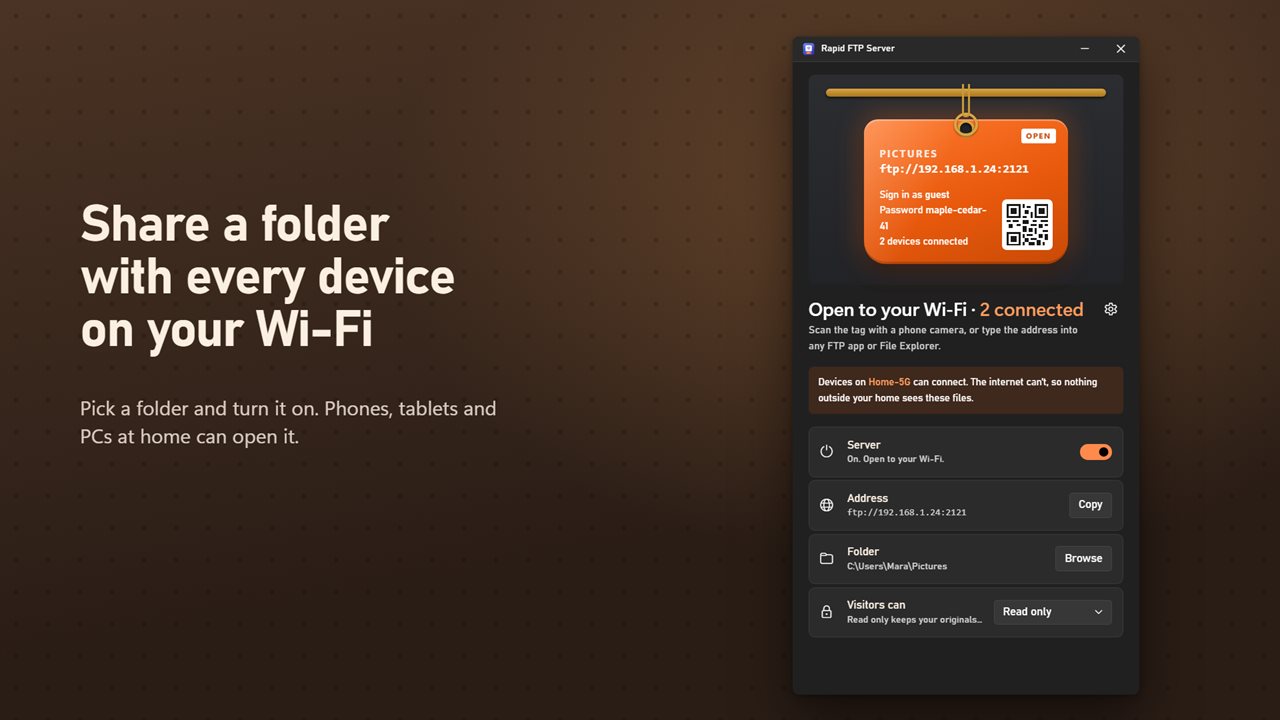
Rapid FTP Server shares a folder on your PC with the phones, tablets and computers in your home or office.
One tag, everything on it
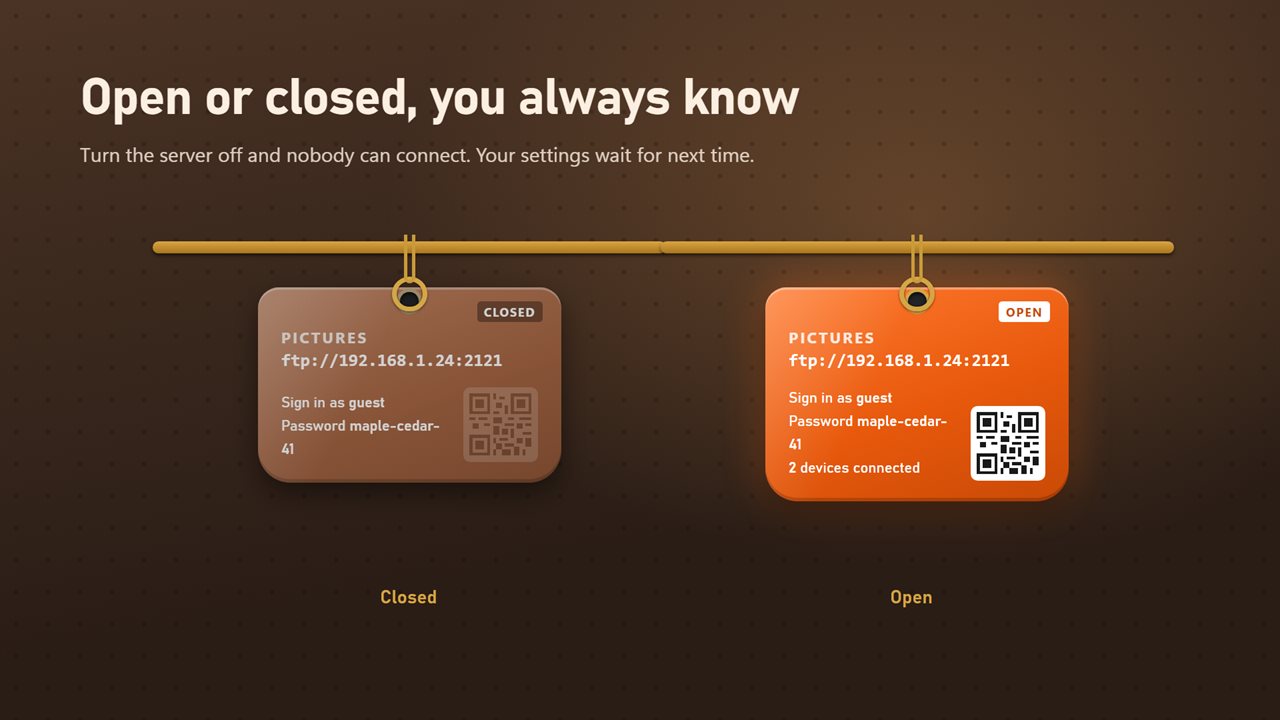
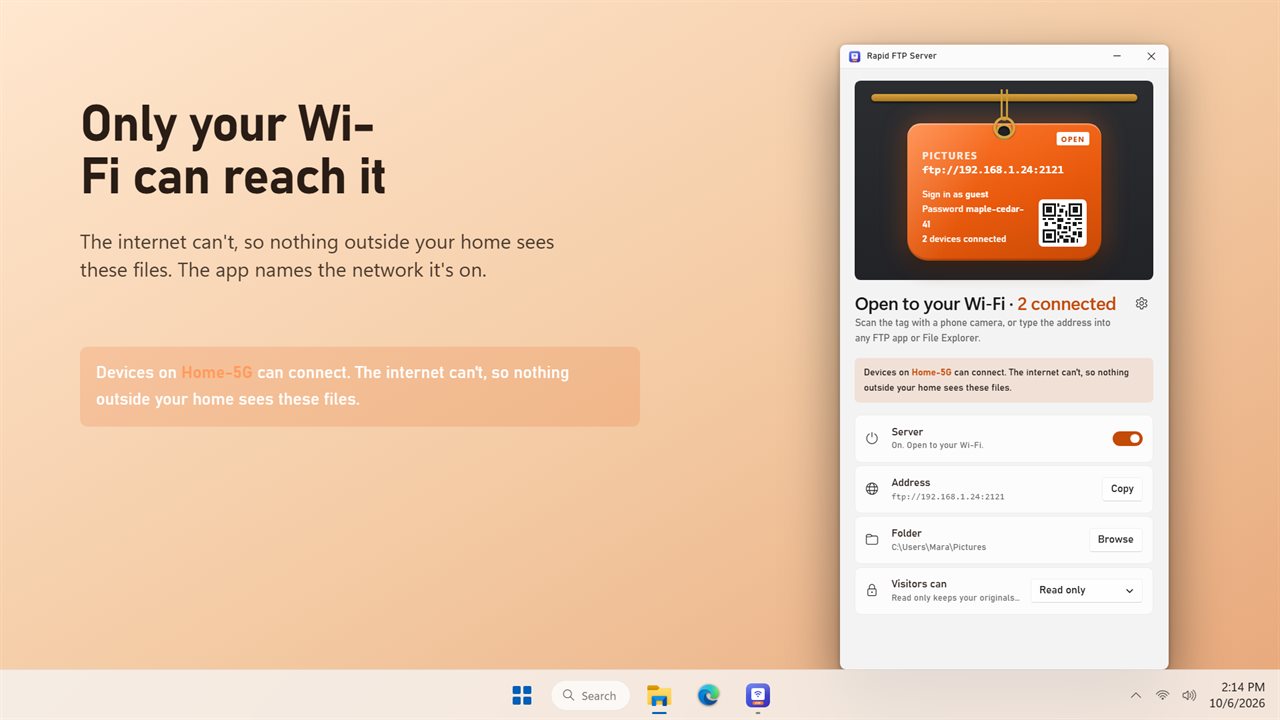
The app is a key tag. It shows the address to connect to, the user name and the password. One switch opens the server and closes it again. Nobody can connect while it's off. Copy the address with one click.
Scan and you're in
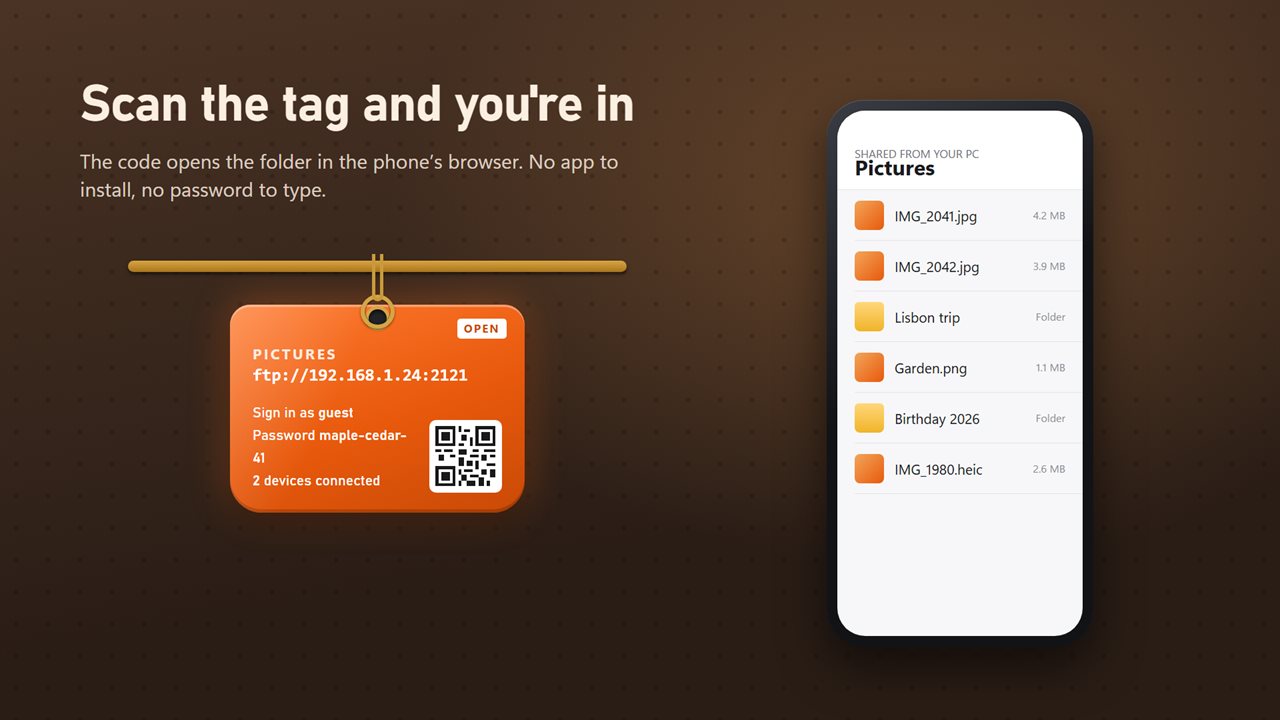
Point a phone camera at the QR code on the tag and the folder opens in its browser, with no app to install and no password to type. View photos, play videos, save files to the phone, and send photos to the PC when read and write is on. The code carries a private key, so only someone who can see the tag gets in. On a PC, type the address into File Explorer or any FTP app.
Safe by default
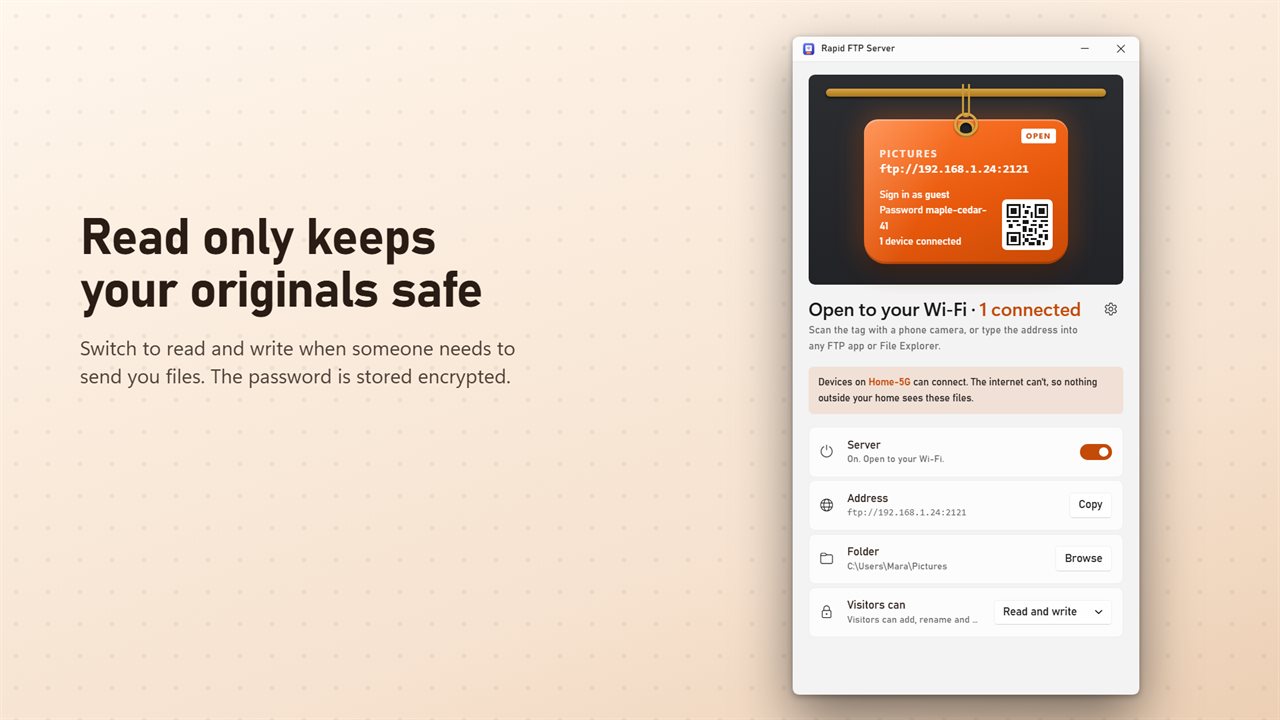
Sign-in is on from the start, with a password made of two words and a number that's easy to type on a phone. The password is stored encrypted for your Windows account. Visitors can only read your files until you switch to read and write.
Your network only
The app tells you which Wi-Fi network can reach your files, and it says plainly that the internet can't. You always see how many devices are connected.
It tells you when it can't
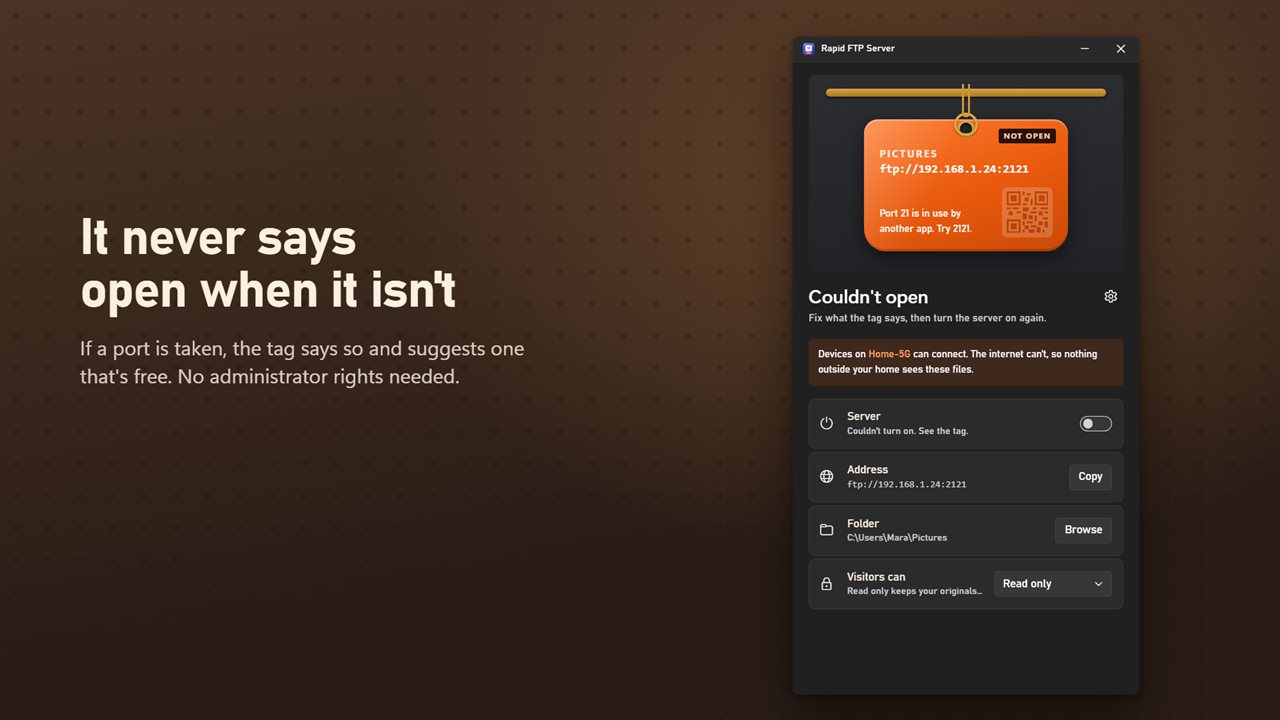
The server only says open when it really is. If another app is using the port, the tag says so and suggests a free one. The default port, 2121, needs no administrator rights.
Features
- Share any folder on your PC with phones, tablets and PCs on the same Wi-Fi
- One switch opens or closes the server
- The tag shows the address, the user name and the password
- Scan the QR code on the tag with a phone camera to open the folder in its browser, no app needed
- On a phone, view, play and save your files, and send photos to the PC when read and write is on
- Copy the address with one click
- Works with File Explorer and any FTP app
- Sign-in is on by default, with a generated password made of two words and a number
- Make a new password with one click, or choose your own
- The password is stored encrypted for your Windows account
- Read only keeps your originals safe. Switch to read and write when someone needs to send you files
- Shows how many devices are connected right now
- Names the Wi-Fi network devices can connect from, and says plainly that the internet can't reach it
- Uses port 2121 by default, so it needs no administrator rights. Any port from 1 to 65535 is allowed
- If a port is taken, it says so and suggests a free one
- Remembers your folder and settings, and reopens if you left it open
- Light and dark themes, or match Windows
Details
- Works on
- Windows 10 (1809 or later) and Windows 11
- Download
- About 2.8 MB
- Version
- 2.0.2, updated October 2026
- First released
- September 2022
- Price
- $1.99 once. No subscription.
- Category
- Productivity
What's new in 2.0.2
- New: the key tag shows the address and sign-in, with one switch to open or close and a Copy button for the address
- New: scan the QR code with a phone camera to open the folder in its browser, no app needed
- New: sign-in is on by default with a generated password, stored encrypted
- New: read only or read and write
- New: see how many devices are connected and which network can reach them
- Fixed: the app no longer says it's running when it couldn't start, and says why
- Fixed: a long port number no longer crashes the app. The default port is now 2121, which needs no administrator rights
Questions
Anything else? Ask us
Which versions of Windows does it run on?
Windows 10 (version 1809 or later) and Windows 11.
Is it a subscription?
No. Rapid FTP Server is a one-time purchase of $1.99, and updates are included.
How do I get it?
EvlarSoft apps are moving to direct downloads from this site. Ask to be notified and we will email you as soon as Rapid FTP Server is ready to download.
More from EvlarSoft
 Network Device ScannerType a range of addresses and it asks every one of them in turn, then tells you who answered.
 Network MonitoringYour live download and upload speed on the desktop, for every network adapter, redrawn once a second.
 WiFi Password RevealerThe password is on a sticker under the router, and the router is behind the sofa.