CPU Core Load Reporter
Watch every thread of your processor work. CPU Core Load Reporter draws your actual processor with a glowing tile for each logical processor, warming from amber to ember as the load rises, so a busy or stuck thread stands out at a glance. Click any thread to follow it on a 60-second trace.
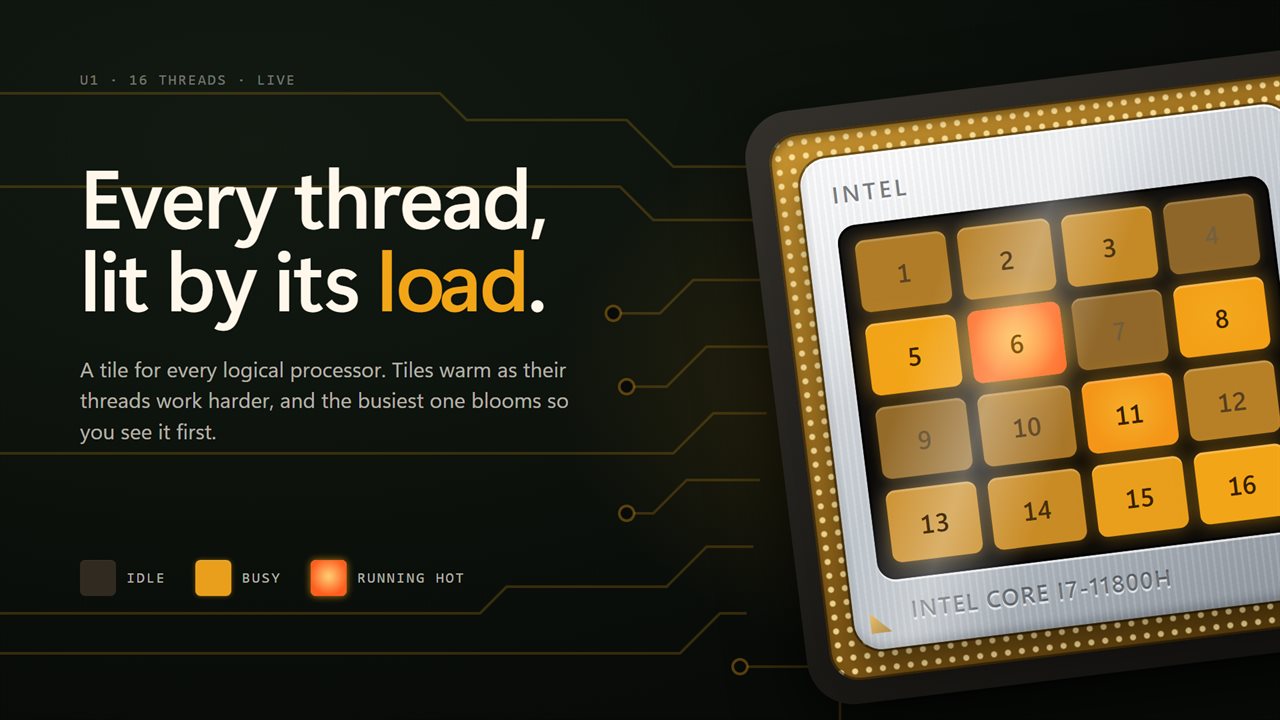
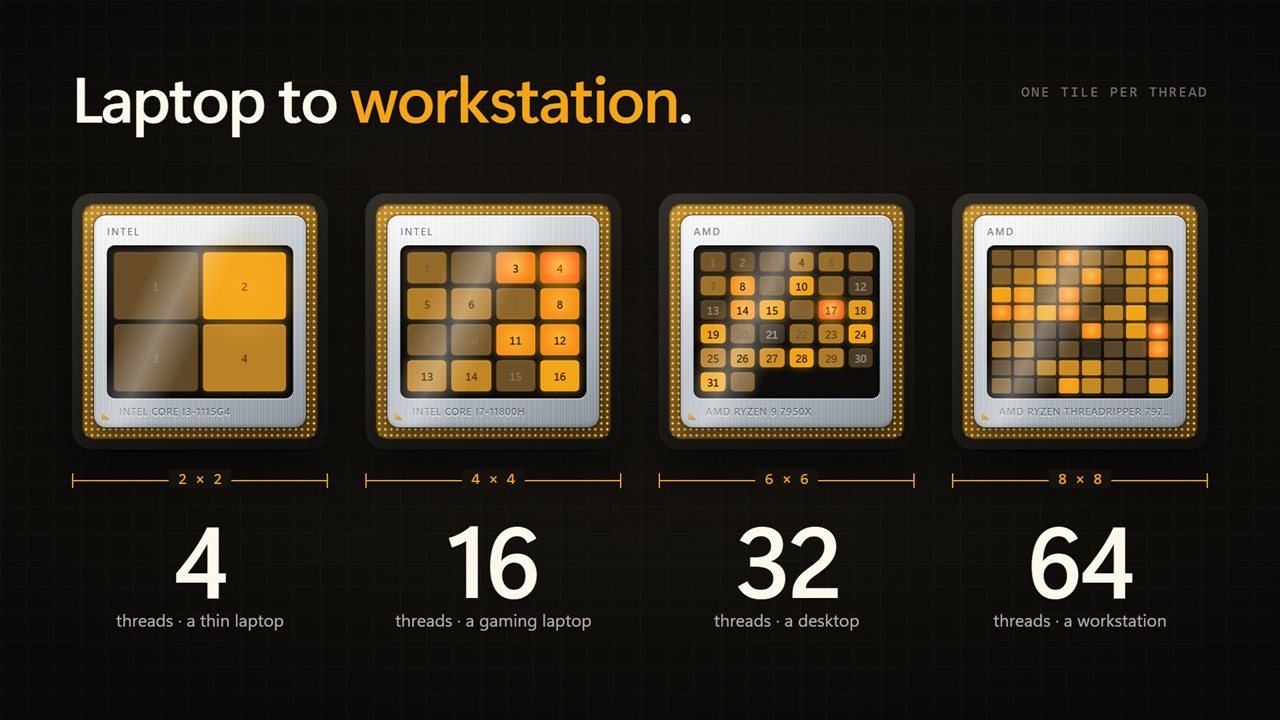
Every thread of your processor, glowing by how hard it works.
See it in action
About CPU Core Load Reporter
Task Manager tells you the processor is busy. CPU Core Load Reporter shows you where.
Your processor, working
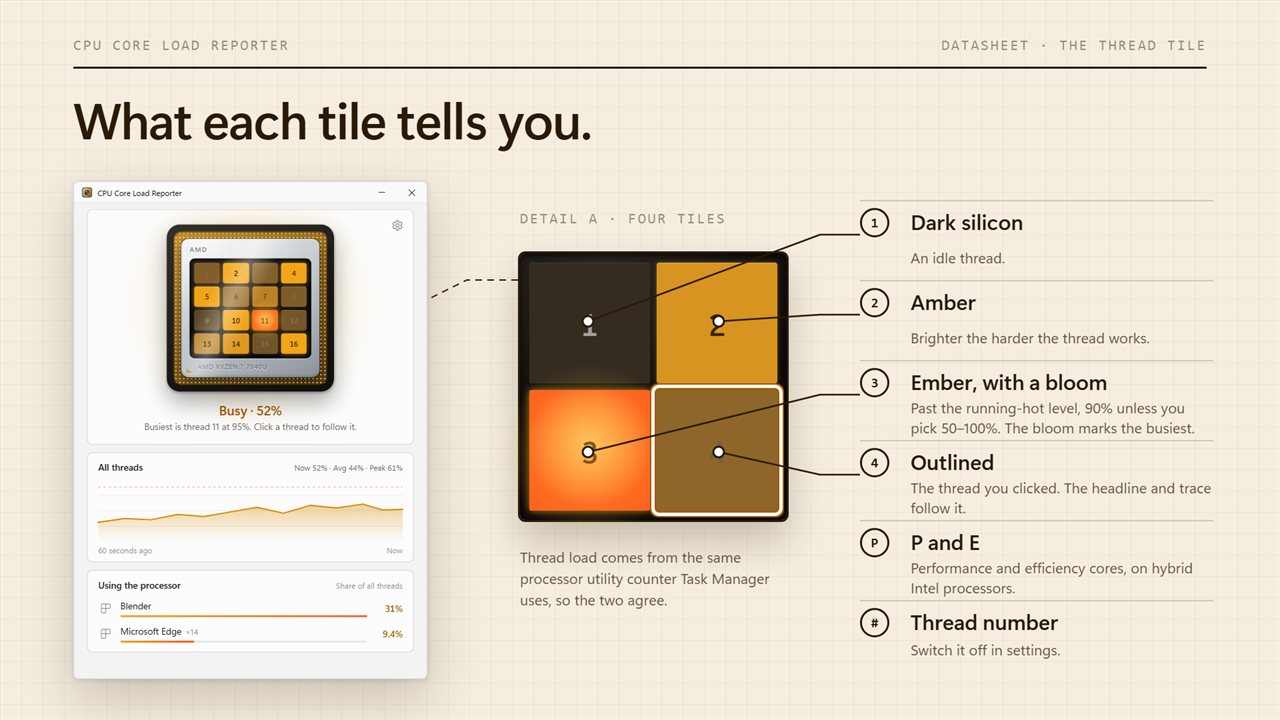
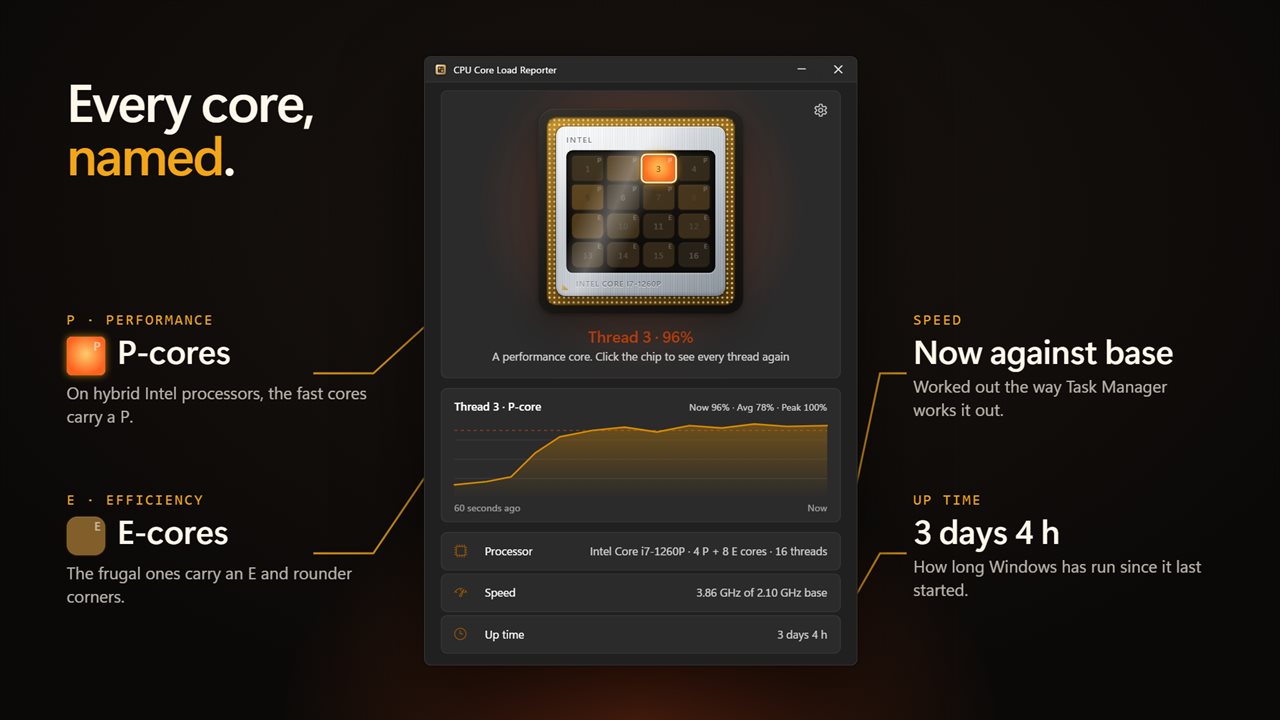
The app draws your processor in its socket, with its real model name engraved on the heat spreader and a window onto the die. Every logical processor is a tile in that window, and each tile glows by how hard its thread is working: dark silicon when idle, amber when busy, a hot ember past the running-hot level. The busiest thread gets a soft bloom, so it is the first thing you see.
Follow one thread
Click a tile and everything follows that thread: the headline reads its load, and the trace shows its last 60 seconds with the current, average and peak figures. Click the chip itself to go back to all threads. Arrow keys work too.
The whole picture
With nothing selected, the headline reads the total load as Idle, Light, Busy or Running hot, and names the busiest thread. The trace shows total load over the last minute, with the running-hot level marked on it.
What is using it
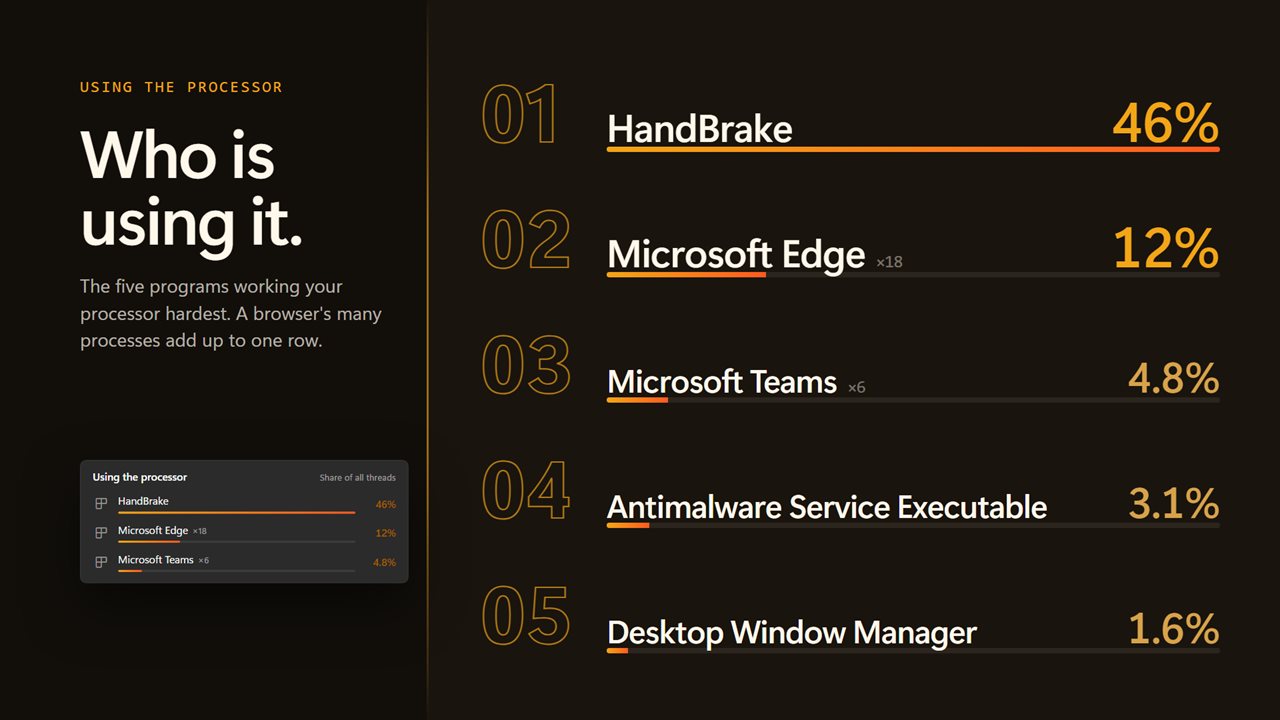
Below the trace, the five programs using the most processor are listed with their icons, each with its share of all threads. A program that runs as many processes, like a browser, is added up into a single row, and the list refreshes every 2 seconds.
Under that are the processor's details: the model, the number of cores and threads, and the speed it is running at right now against its base speed, and how long Windows has been running. On hybrid Intel processors, performance and efficiency cores are counted separately and labeled P and E on the chip. On PCs whose firmware reports it, the voltage is shown as well.
Figures you can trust
Load comes from the same processor utility counter Task Manager uses, so the two agree. Speed is worked out the way Task Manager works it out.
Settings
Choose how often it updates, every half second, every second or every 2 seconds. Set the running-hot level anywhere from 50% to 100%. Show or hide the thread numbers. Pick light, dark or match Windows.
On your phone
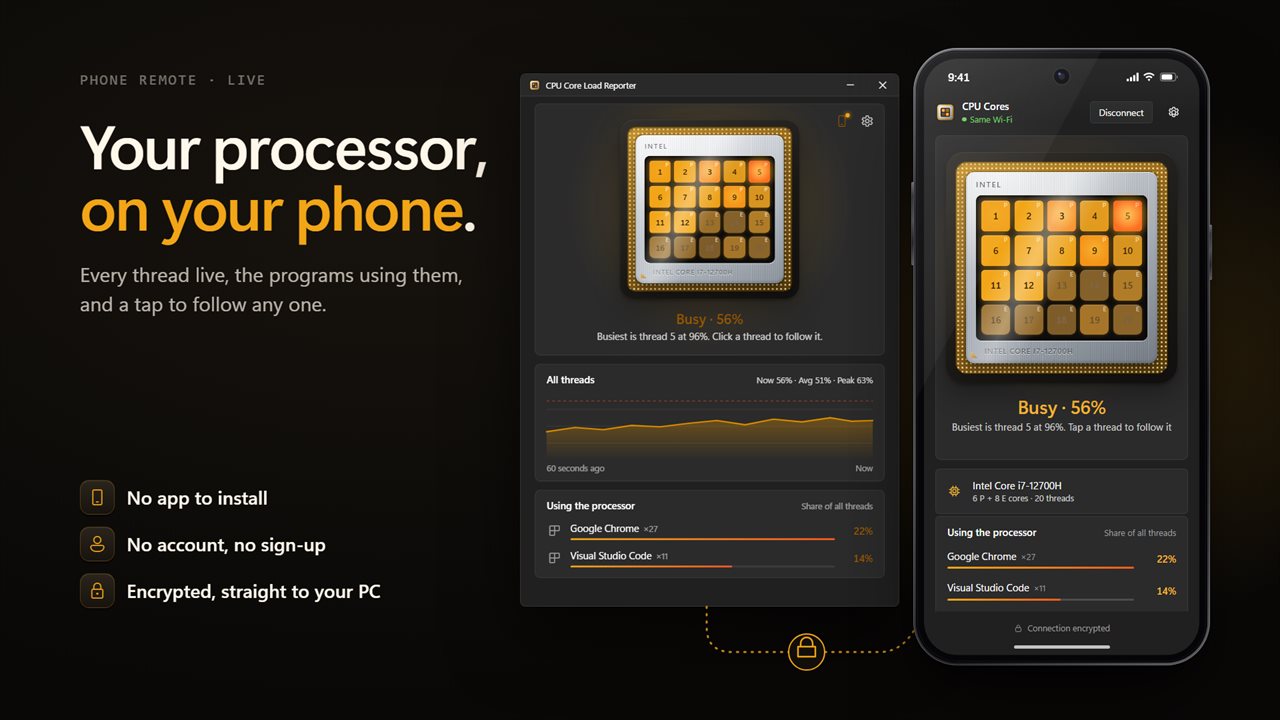
Scan the code in the app and your phone shows the same chip, every thread live, with the headline, the processor and the programs using it most. Tap a thread to follow it. It opens in your phone's browser: no app to install and no account. Your phone talks straight to your PC over an encrypted connection.
It needs no account and works with no connection. Nothing leaves your PC unless you connect your phone or send feedback, sign in to back up your settings or send feedback.
Features
- See the load on every logical processor at once, drawn as a glowing tile on your processor
- Tiles warm from dark silicon through amber to a hot ember as each thread works harder
- Click any thread to follow it: the headline and a 60-second trace switch to that thread
- A 60-second trace of total load, with now, average and peak
- See the 5 programs using the most processor right now, with their icons and share of every thread
- Programs running as many processes, like a browser, are added up into one row
- Your processor's real model name and maker, engraved on the chip
- Cores and threads, and the current speed against the base speed
- Processor voltage, on PCs whose firmware reports it
- On hybrid Intel processors, performance and efficiency cores are labeled P and E
- How long Windows has been running since it last started
- Choose how often it updates: every half second, every second or every 2 seconds
- Set the running-hot level anywhere from 50% to 100%
- Load figures match Task Manager's processor utility
- Scales from a 2-thread laptop to a 64-thread workstation
- Follows the Windows light and dark themes
- Watch every thread on your phone, tap one to follow it, and see what is using the processor: scan the code, no app to install, no account
- Works offline and needs no account. Only the phone link, and backup if you turn it on, use the network
Details
- Works on
- Windows 10 (1809 or later) and Windows 11
- Download
- About 2.8 MB
- Version
- 2.1.4, updated October 2026
- First released
- September 2022
- Price
- $2.49 once. No subscription.
- Category
- Utilities & tools
What's new in 2.1.4
- New: your processor drawn in its socket, with a glowing tile for every thread
- New: click a thread to follow it on a 60-second trace
- New: total load trace with now, average and peak
- New: the five programs using the most processor, with icons
- New: P and E labels for performance and efficiency cores on hybrid processors
- New: how long Windows has been running
- New: current speed against base speed, and cores and threads
- New: settings for update speed, the running-hot level and thread numbers
- New: light and dark themes that follow Windows
- Load figures now match Task Manager
Questions
Anything else? Ask us
Which versions of Windows does it run on?
Windows 10 (version 1809 or later) and Windows 11.
Is it a subscription?
No. CPU Core Load Reporter is a one-time purchase of $2.49, and updates are included.
How do I get it?
EvlarSoft apps are moving to direct downloads from this site. Ask to be notified and we will email you as soon as CPU Core Load Reporter is ready to download.
More from EvlarSoft
 Automatic Mouse JigglerMoves your pointer a single pixel on a schedule you set, so nothing on your PC decides you have gone.
 PC Junk CleanerClear out the junk Windows and your browsers leave behind, safely.
 Link MakerDrop a file or folder on the tag, and Symbolic and Hard Link Maker links it wherever you want, without moving it.