Link Maker
Drop a file or folder on the tag, and Symbolic and Hard Link Maker links it wherever you want, without moving it. Make symbolic links, hard links and junctions, right-click to link from File Explorer, and find and fix the links that broke.
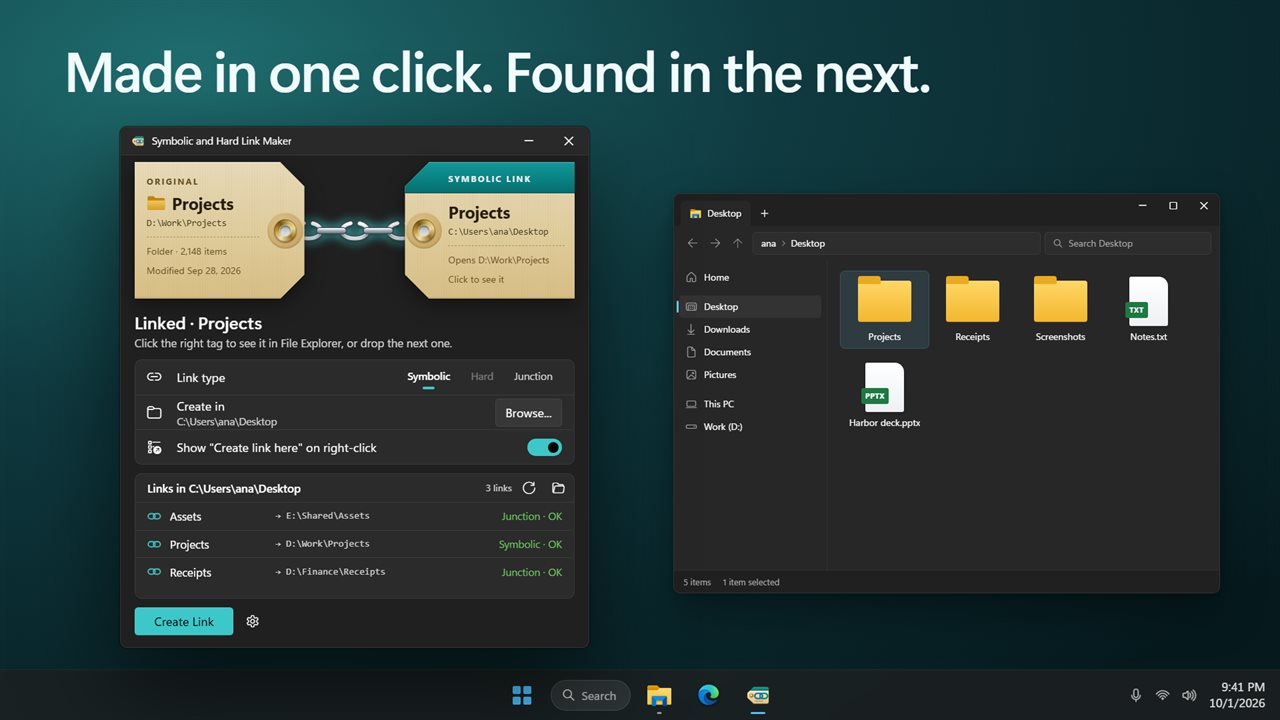
Drop a file or folder on the tag, and link it without moving it.
See it in action
About Link Maker
Keep a file or folder where it is, and open it from somewhere else too. Symbolic and Hard Link Maker makes the link for you, with no command prompt.
Drop it on the tag
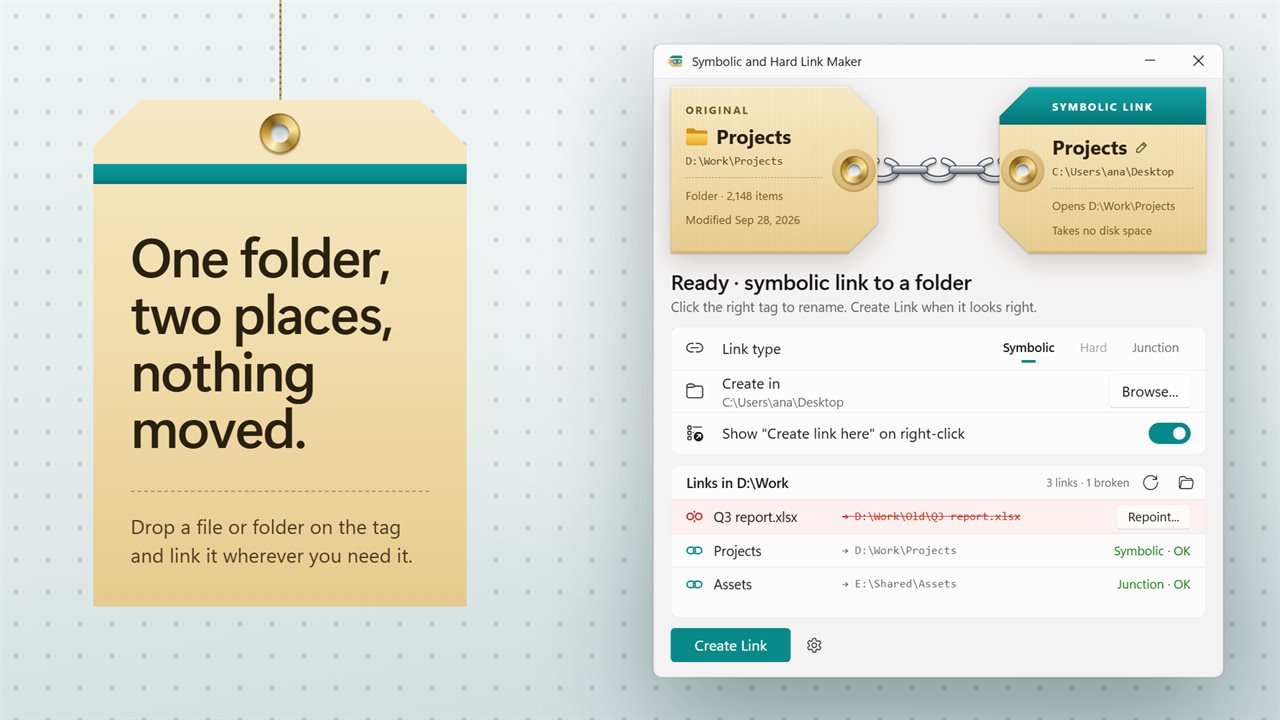
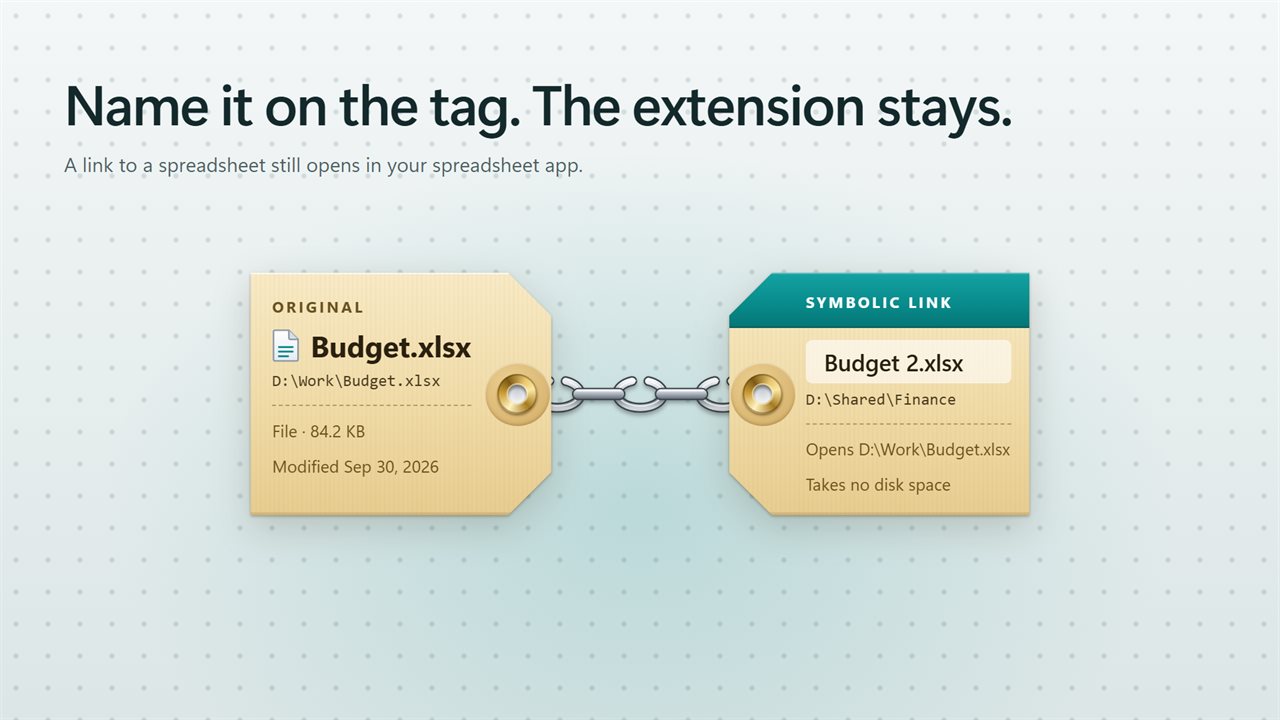
The app is two shipping tags joined by a chain. Drop a file or folder on the left tag, or click it to choose one. The right tag is the link: it shows its name, the folder it will land in and where it opens. Click it to rename the link. A link to a file keeps the file's extension, so it still opens in the right app.
Three kinds of link
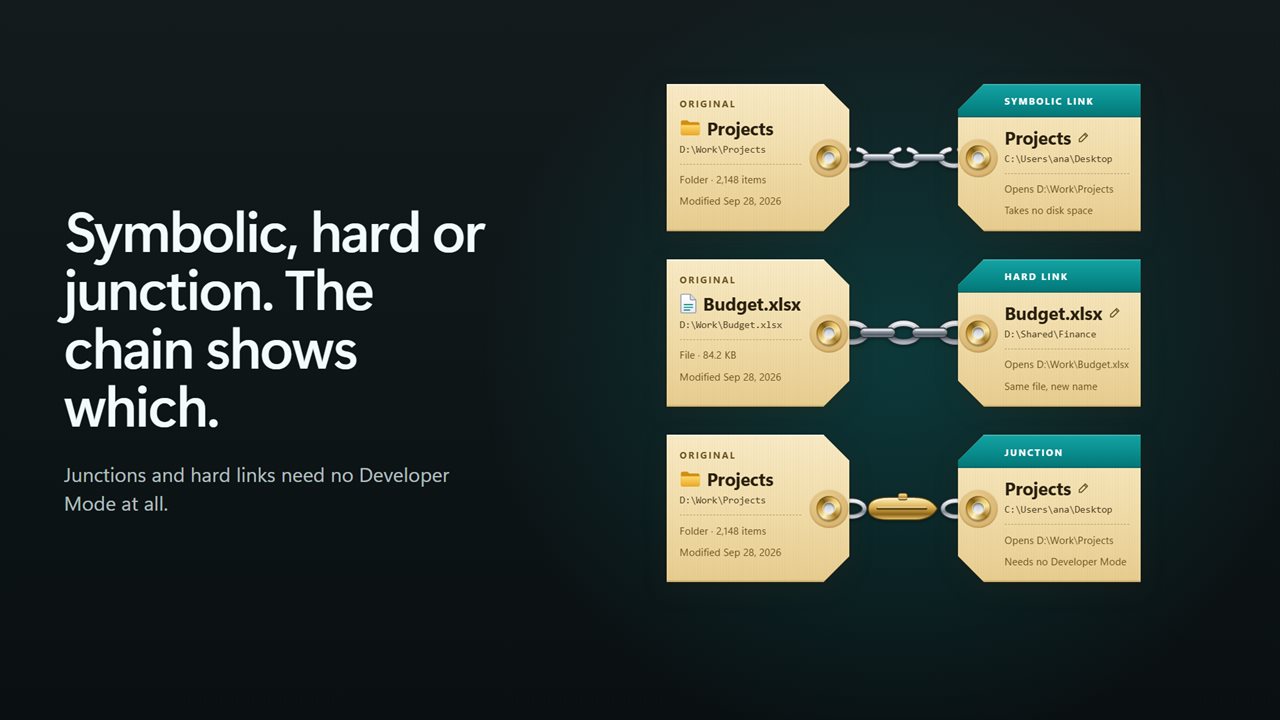
Pick Symbolic, Hard or Junction, and the chain changes to show which one you are making. A symbolic link works for files and folders, on any drive. A hard link gives a file a second name on the same drive. A junction opens a folder from another place and works without Developer Mode. The app only offers the kinds that suit what you dropped, and tells you before you click if a hard link would cross drives.
Right-click in file Explorer
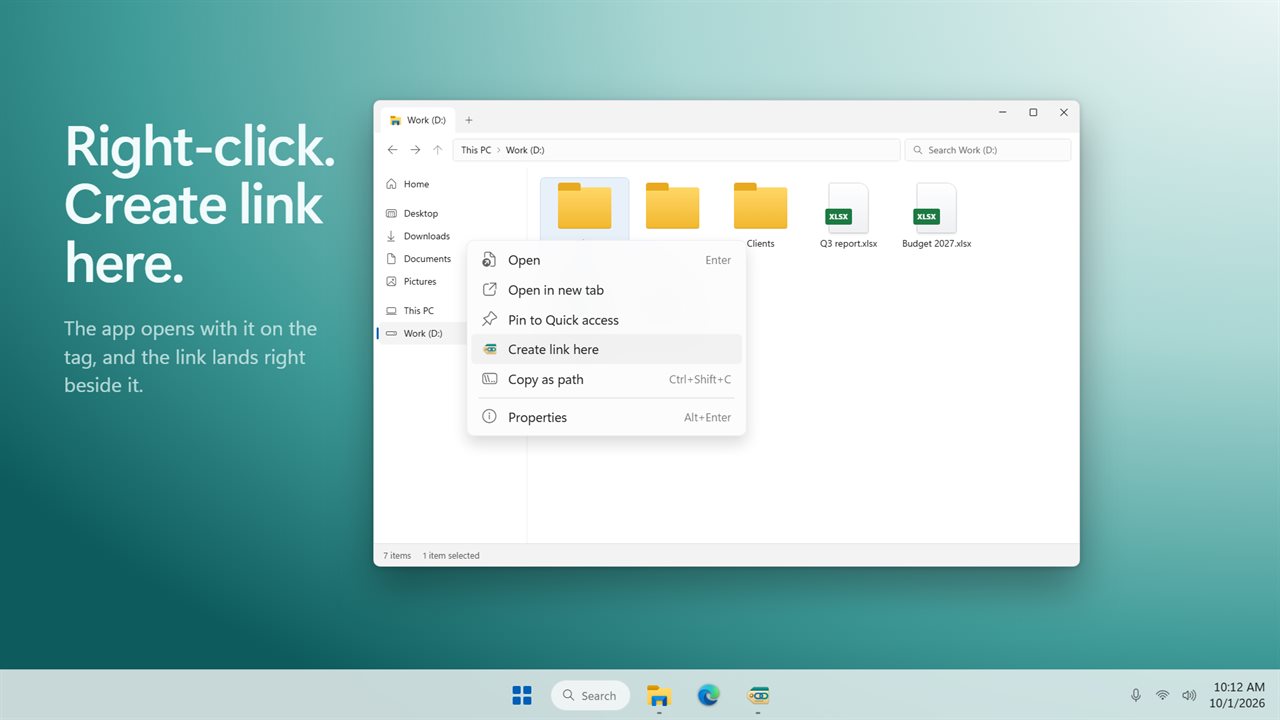
Right-click any file or folder and choose Create link here. The app opens with it on the tag and the link set to land right beside it. You can turn the menu item off in the app.
Find and fix broken links
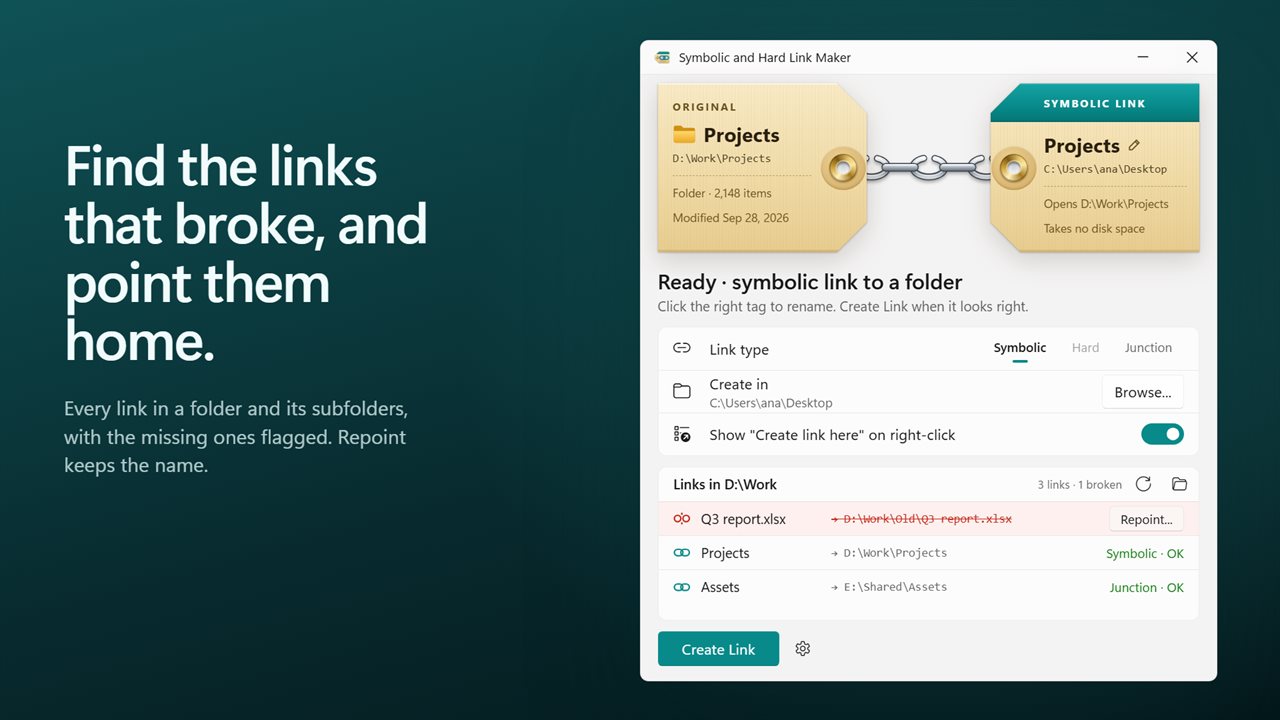
The app lists the links in a folder and its subfolders, with where each one goes. When a target was moved or deleted, its link is flagged. Click Repoint, choose the new place, and the link keeps its name and kind.
Says what went wrong
Windows only lets apps make symbolic links with Developer Mode on. The app checks, says so, and opens the setting for you. When a link cannot be made, you get a plain reason, never a silent failure.
Light and dark themes, or match Windows.
Features
- Make a symbolic link, a hard link or a junction to any file or folder
- Drop a file or folder on the left tag, or click the tag to choose one
- The chain between the two tags shows which kind of link you are making
- Name the link right on the tag. A link to a file keeps the file's extension
- Create the link in any folder you pick, or right beside the original
- Right-click a file or folder in File Explorer and choose Create link here
- See every link in a folder and its subfolders, and where each one goes
- Links whose target is gone are flagged, and Repoint sends them to a new place without renaming them
- Files with more than one name are listed with their other name
- Junctions and hard links work without Developer Mode, and the app tells you when a symbolic link needs it
- Plain messages when a link cannot be made, such as a hard link to another drive or a name already taken
- Light and dark themes, or match Windows
Details
- Works on
- Windows 10 (1809 or later) and Windows 11
- Download
- About 2.7 MB
- Version
- 2.0.2, updated October 2026
- First released
- May 2023
- Price
- $1.99 once. No subscription.
- Category
- Utilities & tools
What's new in 2.0.2
- New: find the links in any folder and see which ones are broken
- New: Repoint a broken link to its new target
- New: junctions, which work without Developer Mode
- New: Create link here when you right-click a file or folder in File Explorer
- New: choose the folder the link is created in
- Fixed: a symbolic link to a file now keeps the file's extension
- Clear messages when a link cannot be made
Questions
Anything else? Ask us
Which versions of Windows does it run on?
Windows 10 (version 1809 or later) and Windows 11.
Is it a subscription?
No. Link Maker is a one-time purchase of $1.99, and updates are included.
How do I get it?
EvlarSoft apps are moving to direct downloads from this site. Ask to be notified and we will email you as soon as Link Maker is ready to download.