MousePresence
Stay showing as Available while you are away from the keyboard. MousePresence resets the idle counter Windows and your chat apps read, and shows you the counter so you can watch it work.
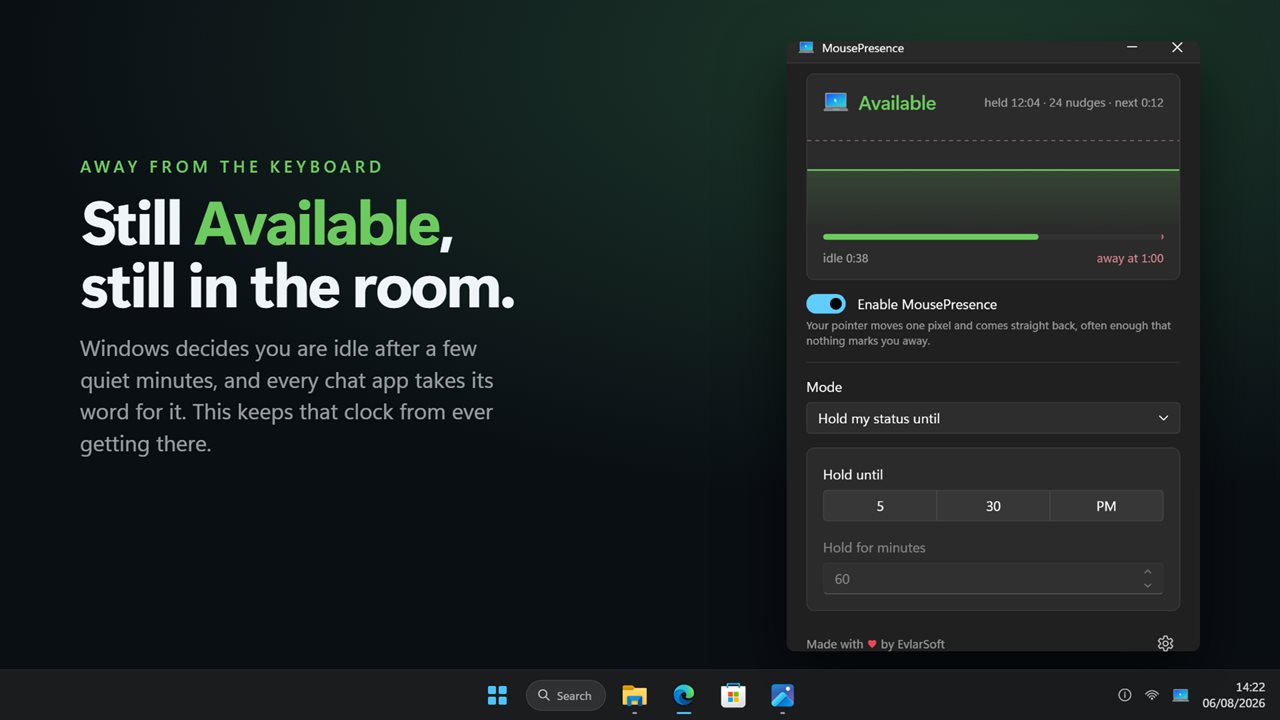
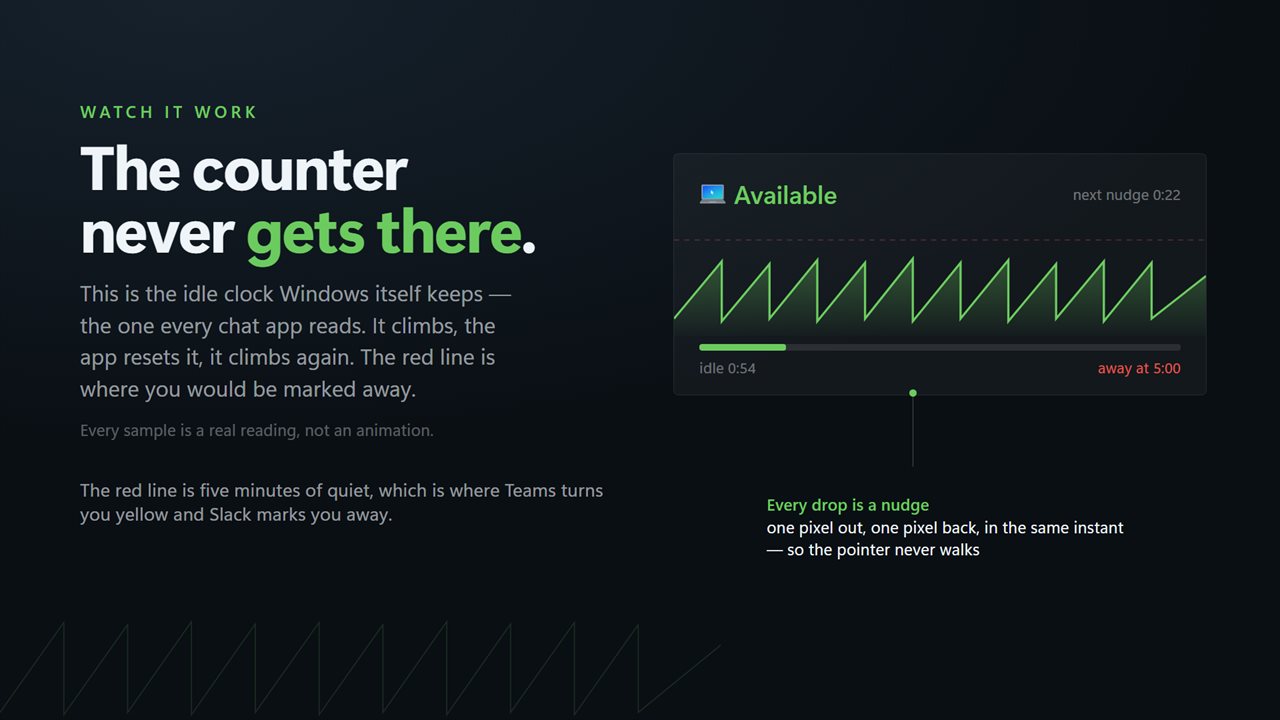
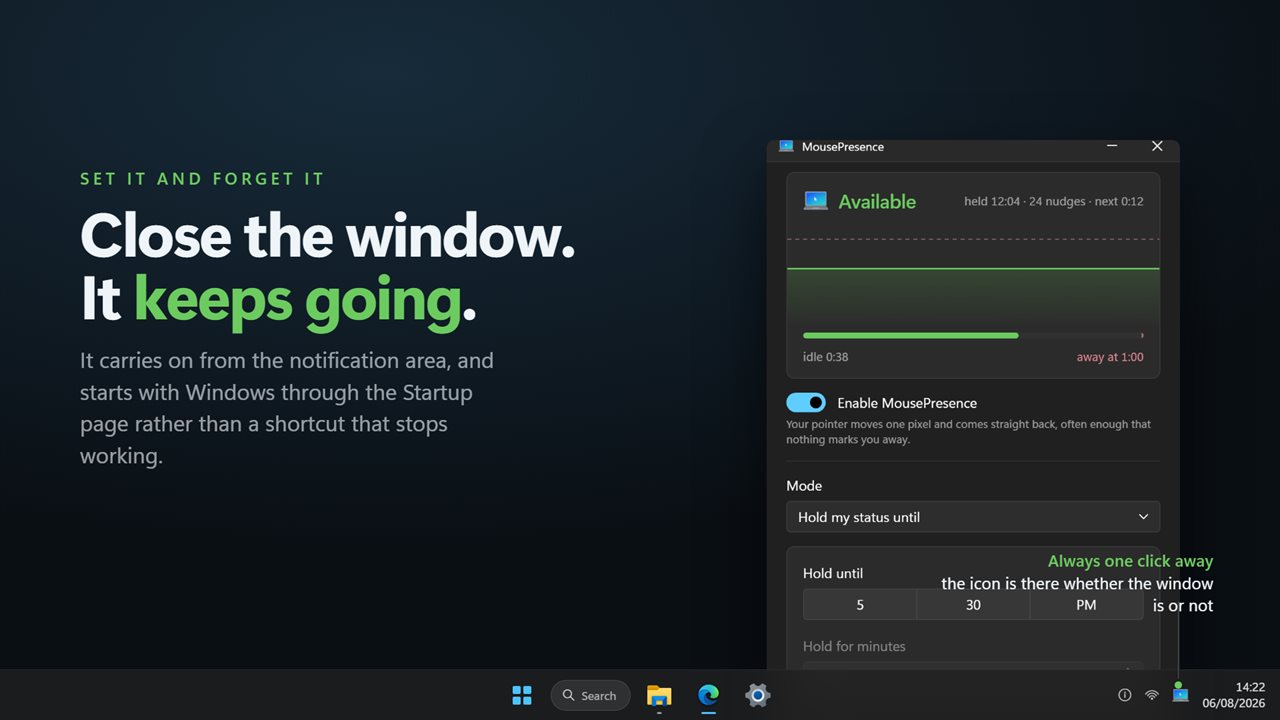
The idle counter Windows keeps, drawn live, with the line it would mark you away at.
See it in action
About MousePresence
Step away for ten minutes and Windows decides you are idle. Teams turns you yellow, Slack marks you away, and the message you were waiting for goes to somebody who looks online.
MousePresence stops that. It nudges the pointer a single pixel and puts it straight back, and tells Windows to stay awake — often enough that nothing ever marks you away.
The difference is that you can see it working. The window draws the actual idle counter, the one Windows keeps and every chat app reads, as a live trace. It climbs, the app resets it, it climbs again. The red line is where you would be marked away, and while this is running the trace never reaches it.
What it does
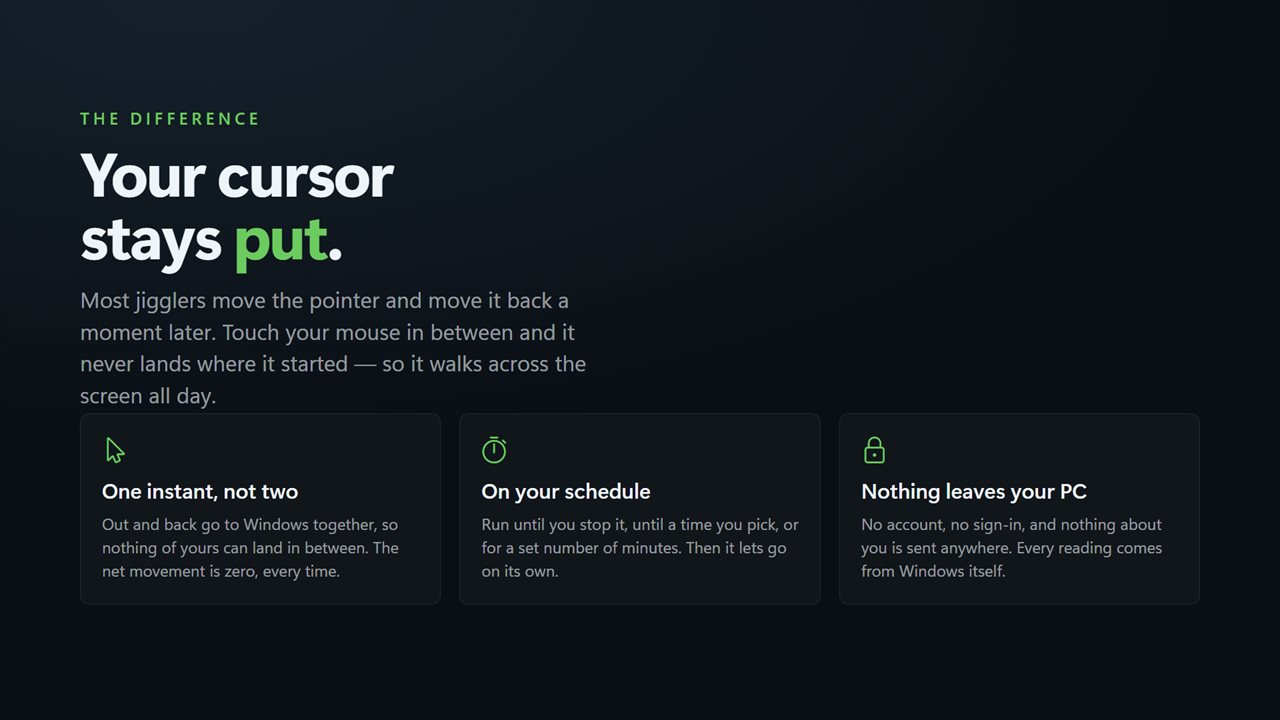
Moves the pointer a real pixel and puts it back, unless you moved it first, so the cursor never drifts — the fault that makes most jigglers unusable while you are still working.
Holds the system awake, so the machine does not sleep out from under a long download or a presentation.
Runs until you stop it, until a time you pick, or for a set number of minutes.
What it does not do
No account. No sign-in. Nothing leaves your PC unless you choose to send feedback — every reading comes from Windows itself. No ads, and nothing about how you work leaves your PC.
Built for Windows 11, and at home on Windows 10.
Features
- Watch the idle counter Windows itself uses, live, and see it reset
- Moves the pointer one pixel and puts it straight back — no drift
- Holds the machine awake at the same time, so nothing sleeps under you
- Run until you stop it, until a set time, or for a set number of minutes
- Set the interval to whatever your chat app's away timer needs
- Counts every move it makes, so you can check it rather than trust it
- Lives in the tray and keeps working with the window closed
- Starts with Windows, through the Startup page rather than a shortcut
- Light and dark, following Windows or pinned to one
- No account, no ads, and nothing that leaves your PC
Details
- Works on
- Windows 10 (1809 or later) and Windows 11
- Download
- About 3.4 MB
- Version
- 2.0.5, updated October 2026
- First released
- August 2023
- Price
- One-time purchase. No subscription.
- Category
- Utilities & tools
Questions
Anything else? Ask us
Which versions of Windows does it run on?
Windows 10 (version 1809 or later) and Windows 11.
Is it a subscription?
No. MousePresence is a one-time purchase, and updates are included.
How do I get it?
EvlarSoft apps are moving to direct downloads from this site. Ask to be notified and we will email you as soon as MousePresence is ready to download.