Free Disk Space Monitor
See every drive's free space from the tray and hear about it before one fills up. A summary ring shows the drive with the least room, every drive gets a capacity bar, and a notch you drag decides when you get a notification.
Every drive's free space, one click from the tray.
See it in action
About Free Disk Space Monitor
Free Disk Space Monitor lives in your notification area and answers one question at a glance: how much room is left on every drive, and is any of them about to run out?
Every drive, at a glance
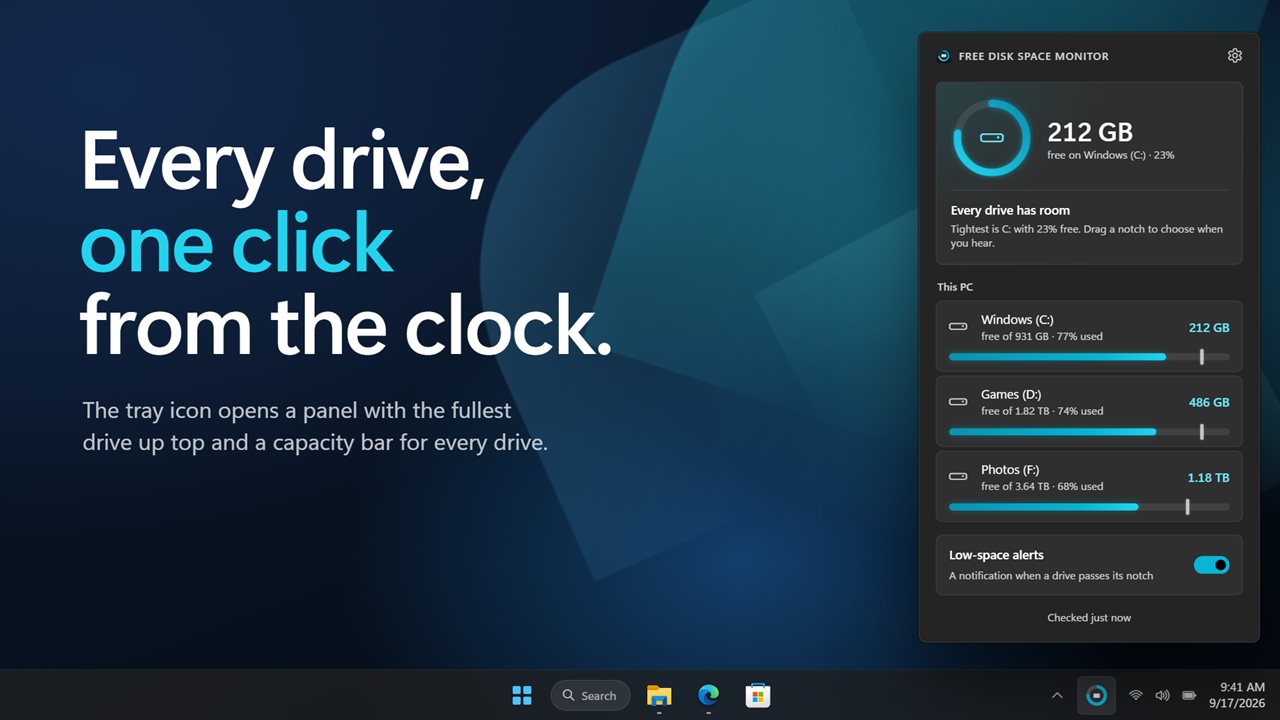
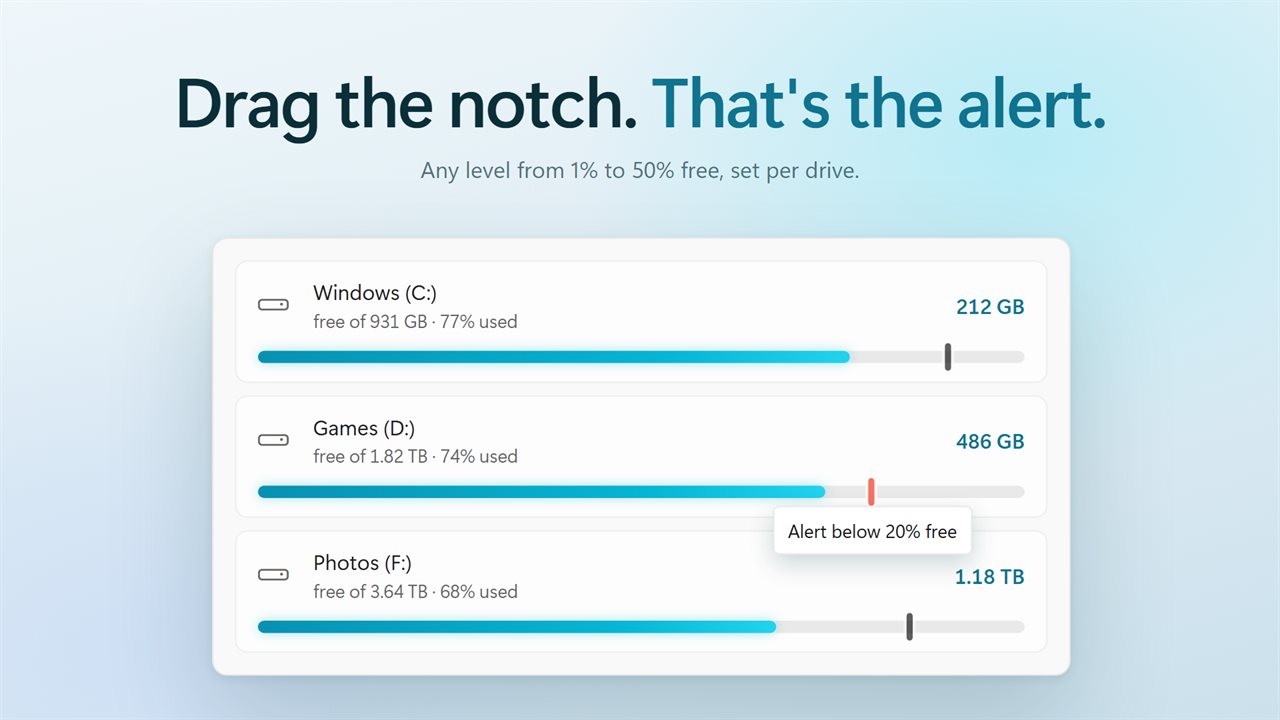
Click the tray icon and a panel opens above the clock. At the top, a ring shows the drive with the least room and its free space in large type. Below it, every drive has a row with its name, a capacity bar filled to the space in use, and the free space, total size and percent used on one line. Local, removable, network and disc drives are grouped, and a click on any drive opens it in File Explorer.
A notch you drag
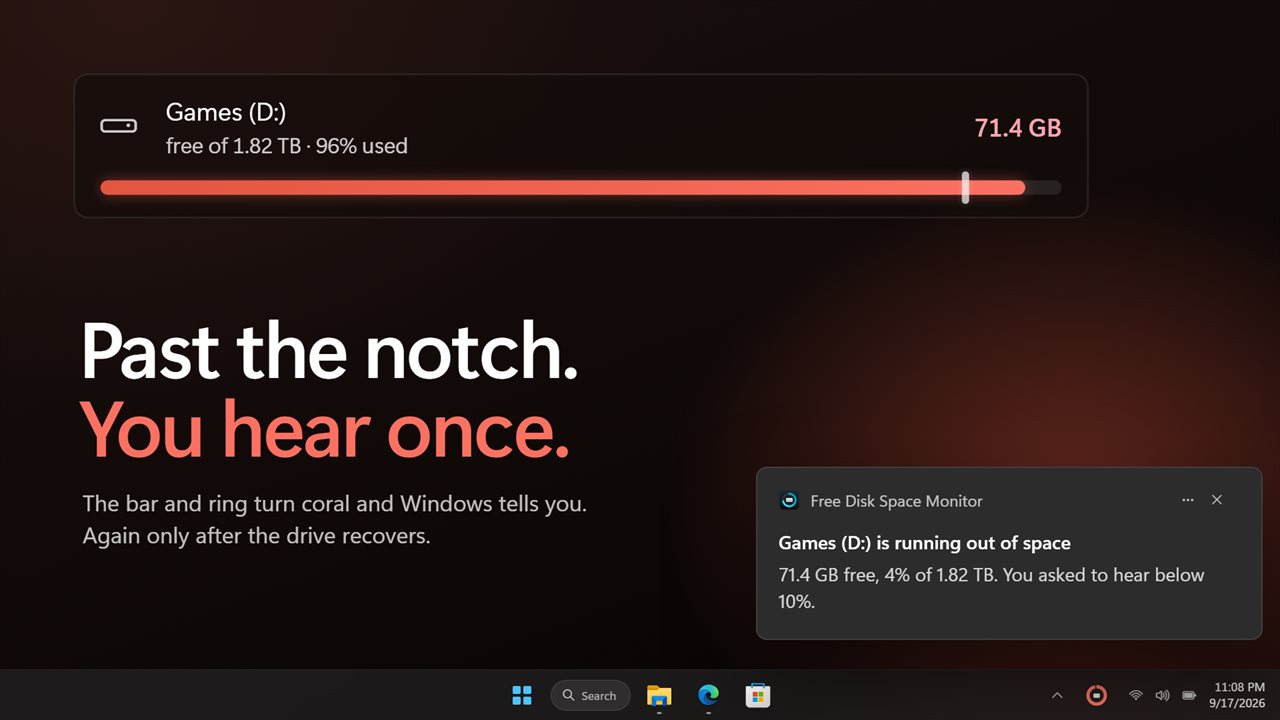
Every drive's bar carries a small notch. Drag it to the level where you want to hear about that drive, anywhere from 1% to 50% free. When the bar fills past it, the bar and the ring turn coral, the headline says so, and Windows shows a notification. You hear once, and again only after the drive has recovered and dropped back.
In the tray and on top
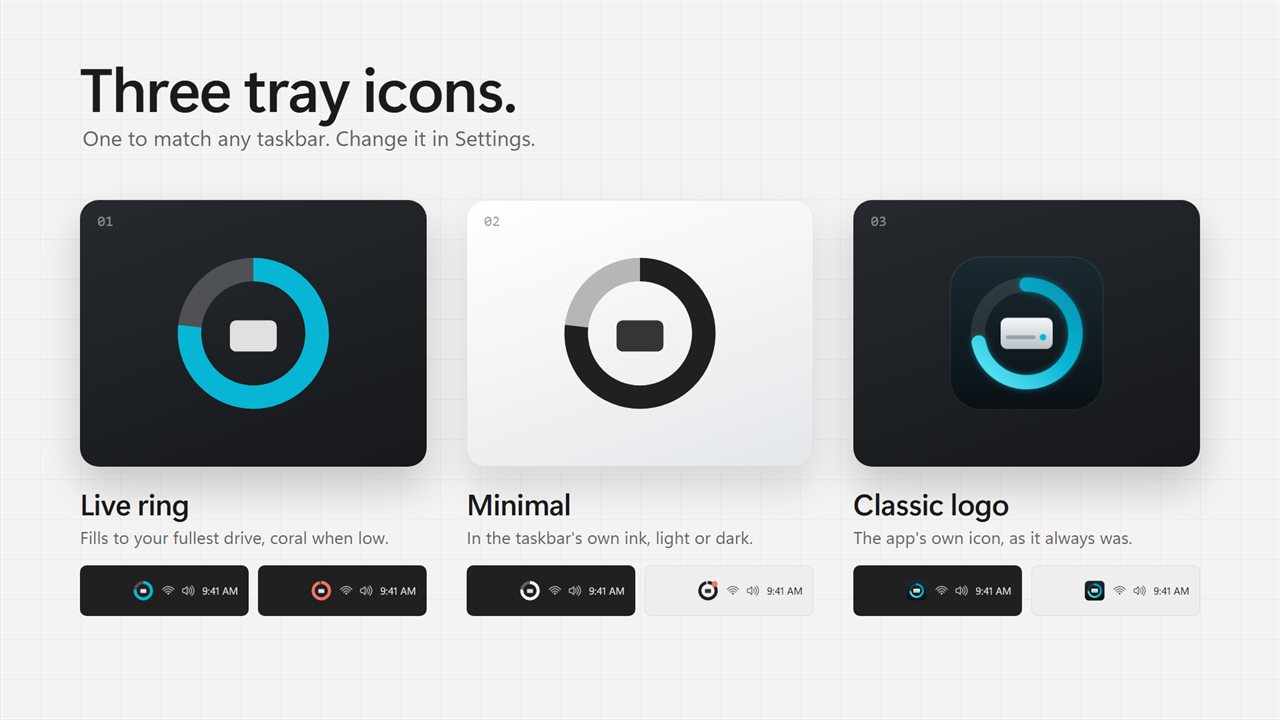
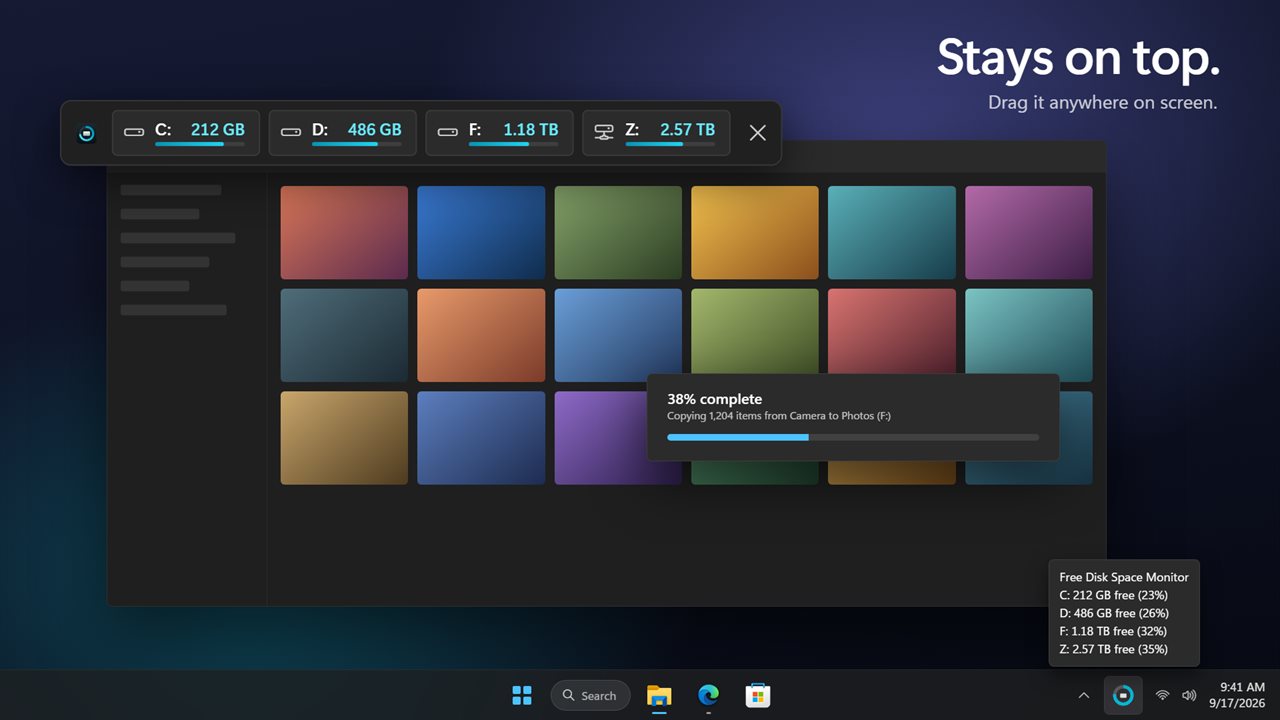
Hover the tray icon for every drive's free space and percentage. Pick the icon you like: a live ring for your fullest drive, a minimal icon in the taskbar's own colors, or the classic logo. Turn on the mini bar for a slim strip of every drive that stays above other windows, and drag it wherever you want it.
Built for real setups
Seven drives or one, it scales. A network share that stops answering never freezes the panel: its last reading stays on screen and is marked. Hide drives you do not care about, check as often as every 5 seconds or as rarely as every 5 minutes, and let it start with Windows.
Everything happens on this PC. There is no account, nothing is uploaded, and it works with no connection.
Features
- Every drive in one tray panel: local, removable, network and disc drives, grouped
- A summary ring for the drive with the least room, with its free space in large type
- A capacity bar for each drive that fills to its used space and turns coral when it runs low
- Free space, percent used and total size under every drive, with no sums to do
- Drag the notch on any drive's bar to set its low-space level, from 1% to 50% free
- A Windows notification when a drive passes its notch, once, and again only after it recovers
- Choose to lead with free space or percent free
- Hover the tray icon to see every drive's free space and percentage
- Three tray icon styles: a live ring for your fullest drive, a minimal icon that matches the taskbar, or the classic logo
- An optional mini bar that stays on top of other windows and goes anywhere on screen
- Network drives that stop answering never freeze the panel; their last reading is shown and marked
- Click a drive to open it in File Explorer
- Check drives every 5 seconds up to every 5 minutes, and always when the panel opens
- Hide any drive from the panel, the tray and alerts
- Start with Windows, carried over from the previous version
- Dark theme by default, with light and match-Windows options
- Works offline, with no account and nothing uploaded
Details
- Works on
- Windows 10 (1809 or later) and Windows 11
- Download
- About 2.9 MB
- Version
- 2.0.7, updated October 2026
- First released
- September 2022
- Price
- $2.99 once. No subscription.
- Category
- Utilities & tools
What's new in 2.0.7
- New: a summary ring for the tightest drive, and a capacity bar for every drive, grouped as local, removable, network and discs
- New: free space, percent used and total size under every drive
- New: drag a notch on any drive to set its low-space alert, with Windows notifications
- New: settings, including what to lead with, how often to check and which drives to hide
- New: three tray icon styles, including a minimal one
- New: an always-on-top mini bar
- New: network drives, and a panel that never waits on a slow share
- Start with Windows carries over
Questions
Anything else? Ask us
Which versions of Windows does it run on?
Windows 10 (version 1809 or later) and Windows 11.
Is it a subscription?
No. Free Disk Space Monitor is a one-time purchase of $2.99, and updates are included.
How do I get it?
EvlarSoft apps are moving to direct downloads from this site. Ask to be notified and we will email you as soon as Free Disk Space Monitor is ready to download.