Hard Disk Performance Tester
Find out how fast a drive really is. Hard Disk Performance Tester runs sequential and random 4K read and write tests with the Windows cache out of the way, and shows each result in MB/s, IOPS and latency, with every past run kept for comparison.
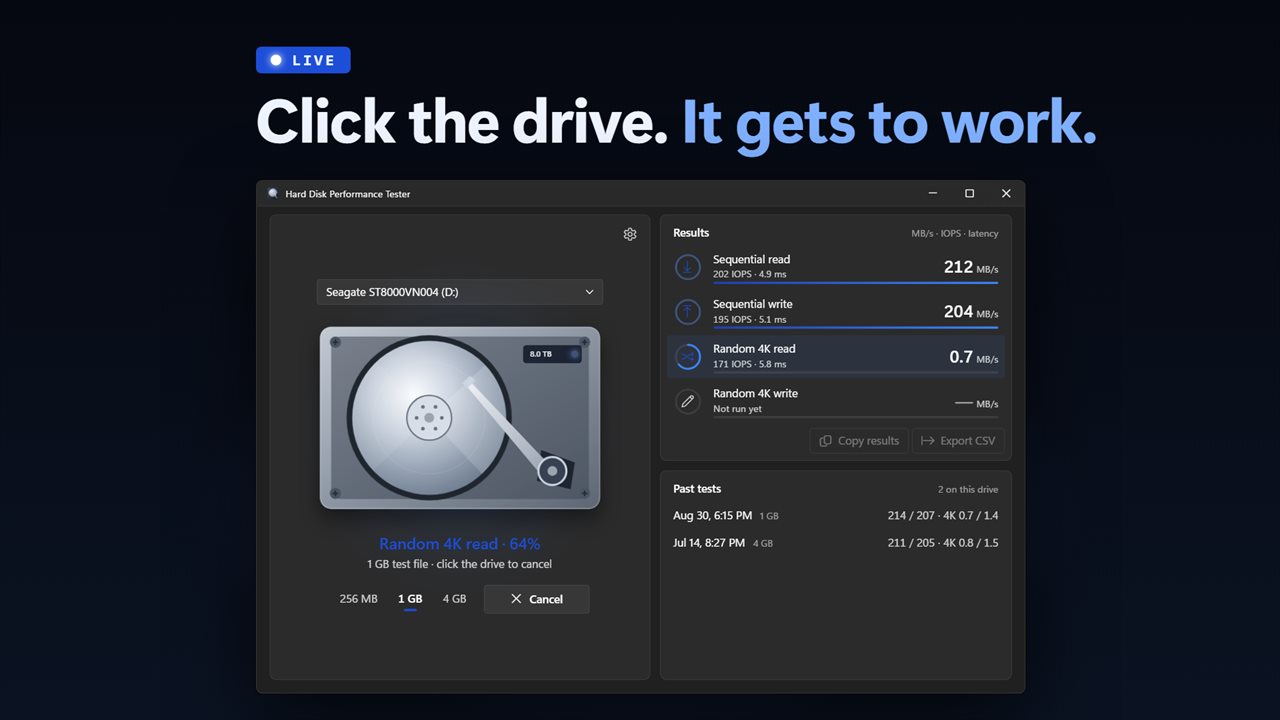
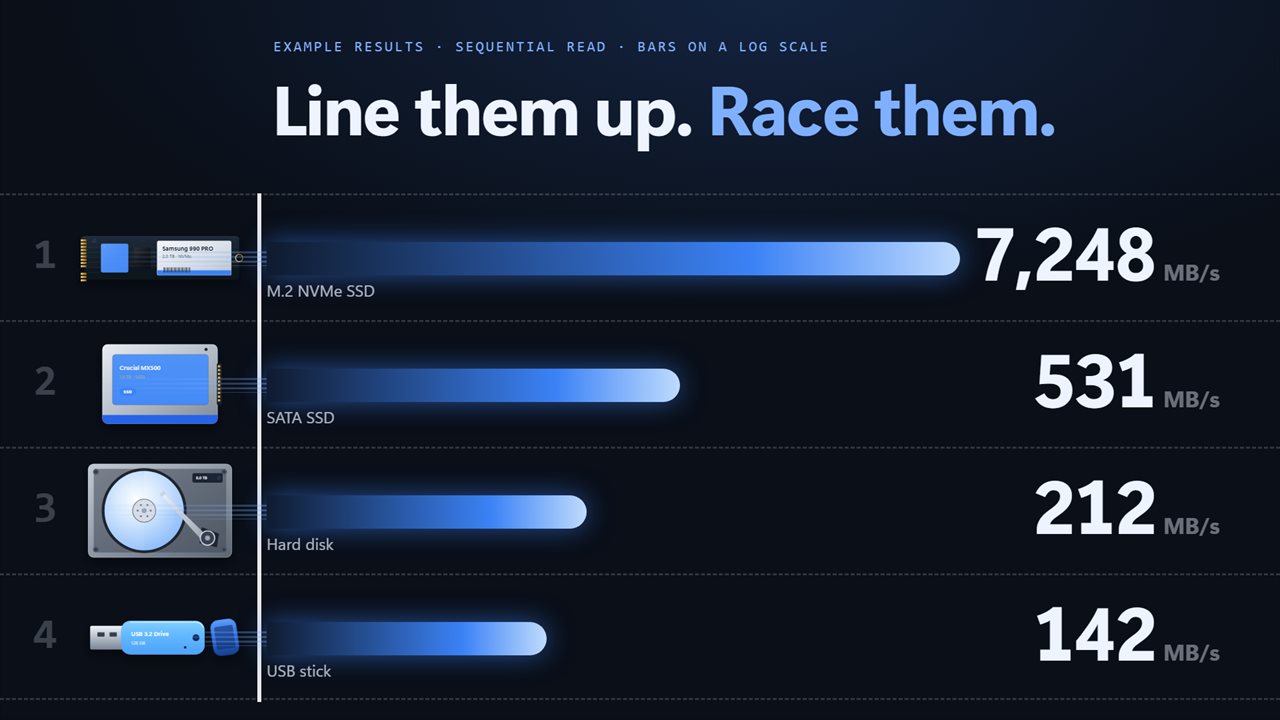
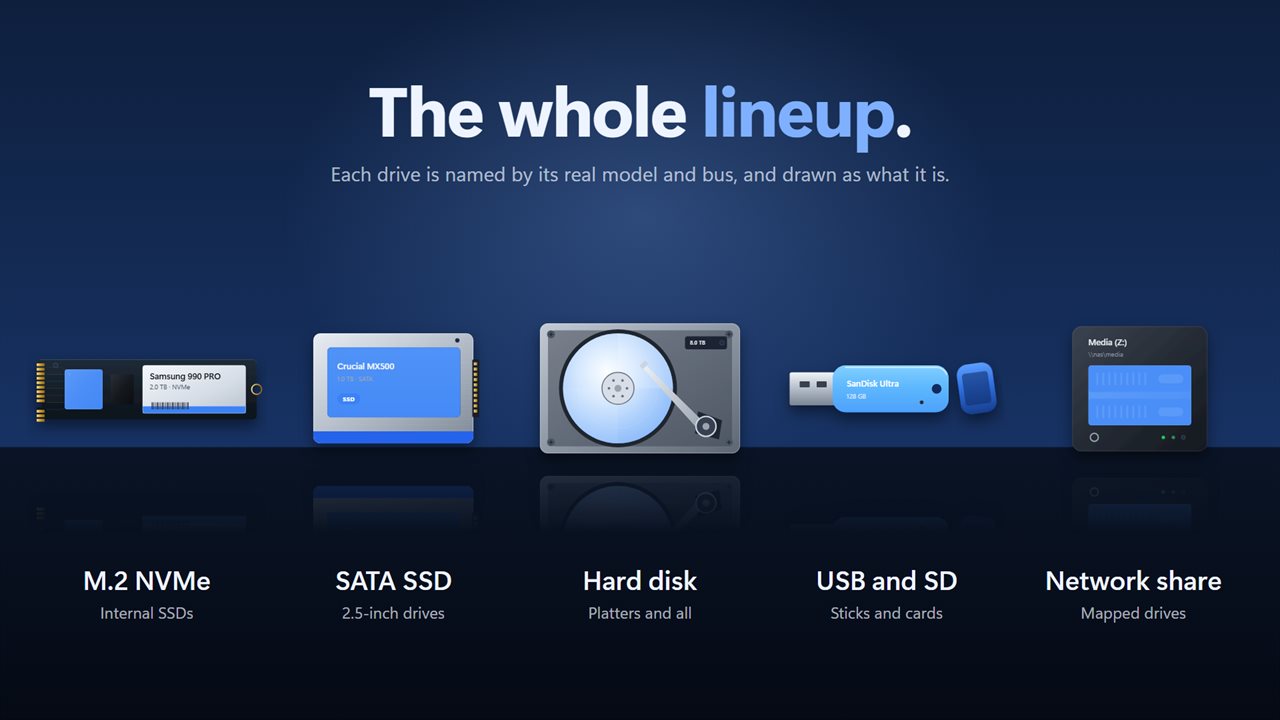
Your drive, drawn as what it is, while it is tested.
See it in action
About Hard Disk Performance Tester
How fast is this drive, really? Hard Disk Performance Tester measures it properly, on the drives you actually use.
Four tests, every time
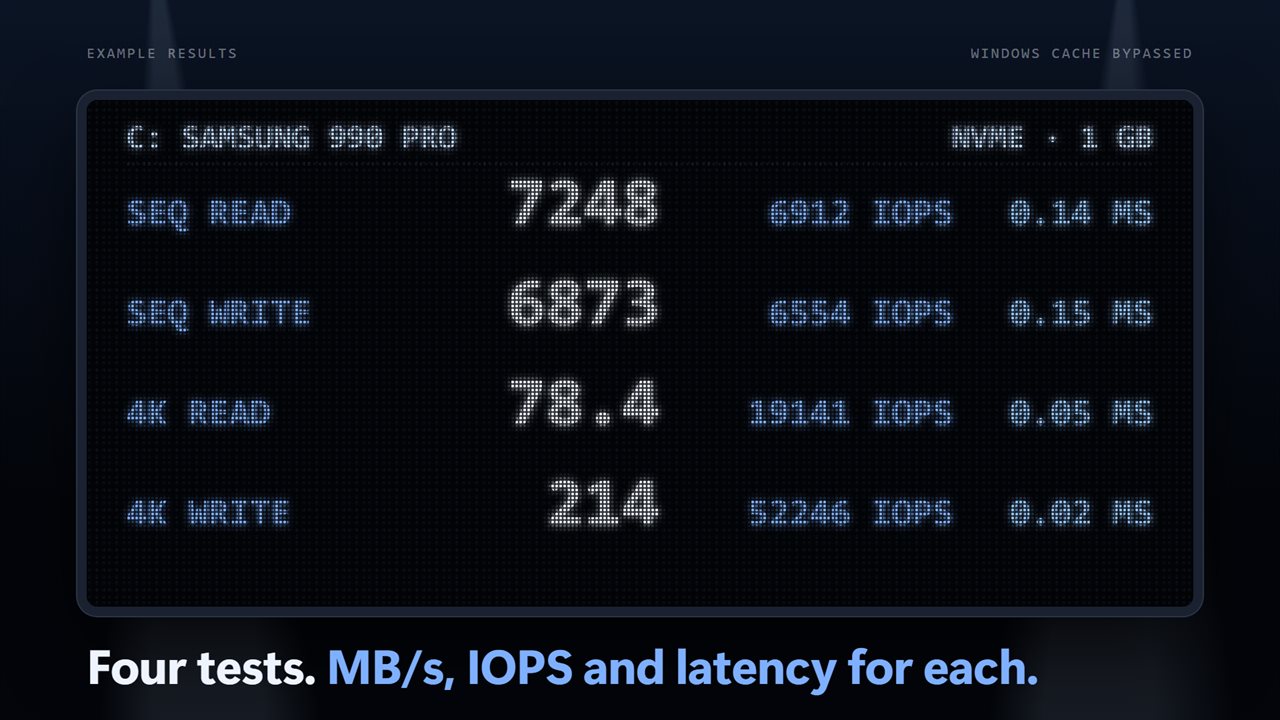
Every run measures sequential read, sequential write, random 4K read and random 4K write. Sequential tests show how quickly large files move. Random 4K tests show how the drive copes with the small scattered reads and writes that make Windows and apps feel quick or slow. Each result is shown in MB/s, IOPS and average latency.
Figures you can trust
The tests open their file with the Windows cache bypassed, so what you see is the drive itself and not your PC's memory standing in for it. The test file is filled with data that cannot be compressed away, and it is removed when the run ends, when you cancel, or if the window closes mid-test.
Any drive
Pick an internal NVMe or SATA drive, a USB drive or SD card, or a mapped network share. Each is named by its real model, with its bus and whether it is an SSD or a hard disk, and drawn as what it is: an M.2 stick, a 2.5-inch SSD, an open hard disk with its platter spinning while it works, a USB stick, or a NAS.
Compare over time
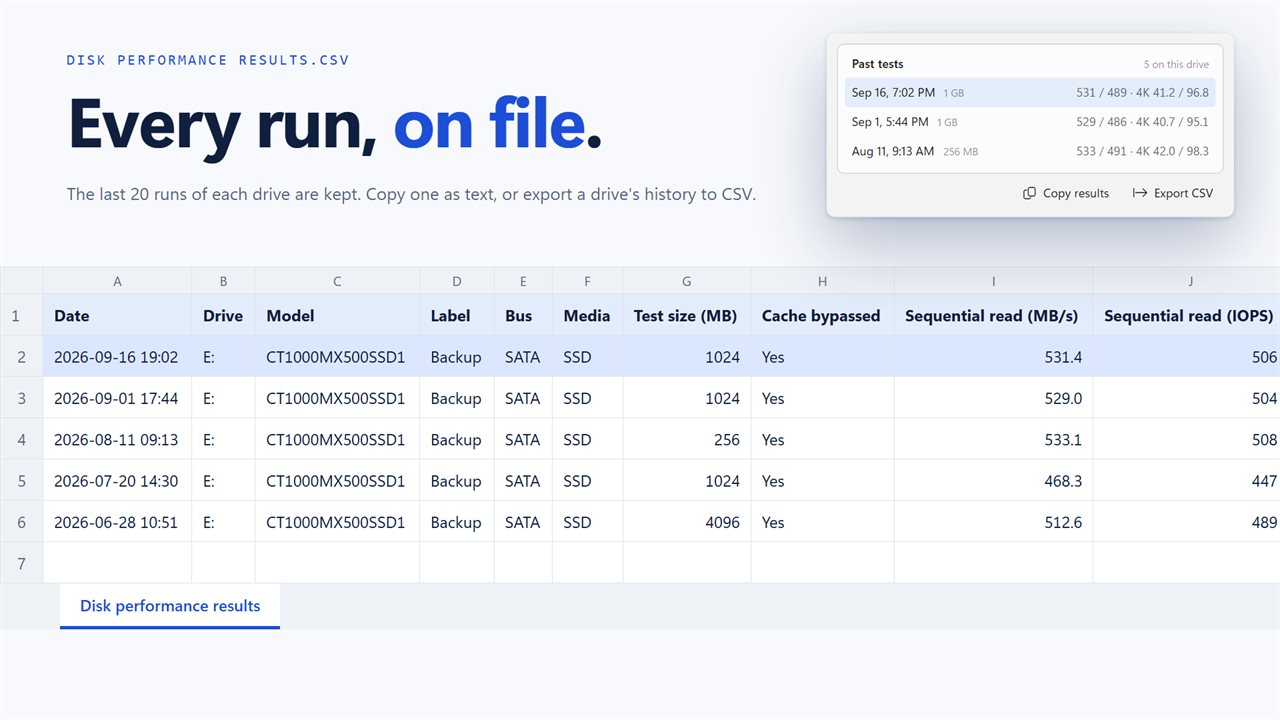
The last 20 results for each drive are kept. Bars show each figure against that drive's best, so a drive that has slowed down is easy to spot. Copy a result as text to share it, or export a drive's history to a CSV file.
Your choice of test
Choose a 256 MB, 1 GB or 4 GB test file, and 5, 10 or 20 seconds for the random tests. Sizes that would not fit on the drive are switched off.
Everything happens on this PC. There is no account, nothing is uploaded, and it works with no connection.
Features
- Four tests on every run: sequential read, sequential write, random 4K read and random 4K write
- Every result in MB/s, IOPS and average latency
- The Windows file cache is bypassed, so the figures are the drive's own and not your memory's
- Test internal NVMe and SATA drives, USB drives and SD cards, and mapped network shares
- Each drive is named by its real model, with its bus and whether it is an SSD or a hard disk
- The selected drive is drawn as what it is: an M.2 stick, a 2.5-inch SSD, an open hard disk, a USB stick or a NAS
- Choose a 256 MB, 1 GB or 4 GB test file, with sizes that would not fit on the drive switched off
- Random tests run for 5, 10 or 20 seconds
- The last 20 results for each drive are kept, with bars that compare each run against that drive's best
- Copy a result as text, or export a drive's history to a CSV file
- The test file is always removed, including when you cancel or close the window
- A resizable window that remembers its size
- Dark theme by default, with light and match-Windows options
- Works offline, with no account and nothing uploaded
Details
- Works on
- Windows 10 (1809 or later) and Windows 11
- Download
- About 3.1 MB
- Version
- 2.0.3, updated October 2026
- First released
- February 2023
- Price
- $2.99 once. No subscription.
- Category
- Utilities & tools
What's new in 2.0.3
- Fixed: every test now runs. Sequential read, sequential write, random 4K read and random 4K write all report
- Fixed: results bypass the Windows cache, so they reflect the drive
- New: MB/s, IOPS and latency for every test
- New: network shares, USB drives and SD cards can be tested
- New: drives named by model, bus and type, and drawn as what they are
- New: 256 MB, 1 GB or 4 GB test files
- New: the last 20 results per drive, with copy and CSV export
- New: a resizable window that fits smaller screens
- New: dark theme by default
Questions
Anything else? Ask us
Which versions of Windows does it run on?
Windows 10 (version 1809 or later) and Windows 11.
Is it a subscription?
No. Hard Disk Performance Tester is a one-time purchase of $2.99, and updates are included.
How do I get it?
EvlarSoft apps are moving to direct downloads from this site. Ask to be notified and we will email you as soon as Hard Disk Performance Tester is ready to download.