Accurate Battery Stats
Plots every capacity reading Windows has kept for your battery, and the trend through them.
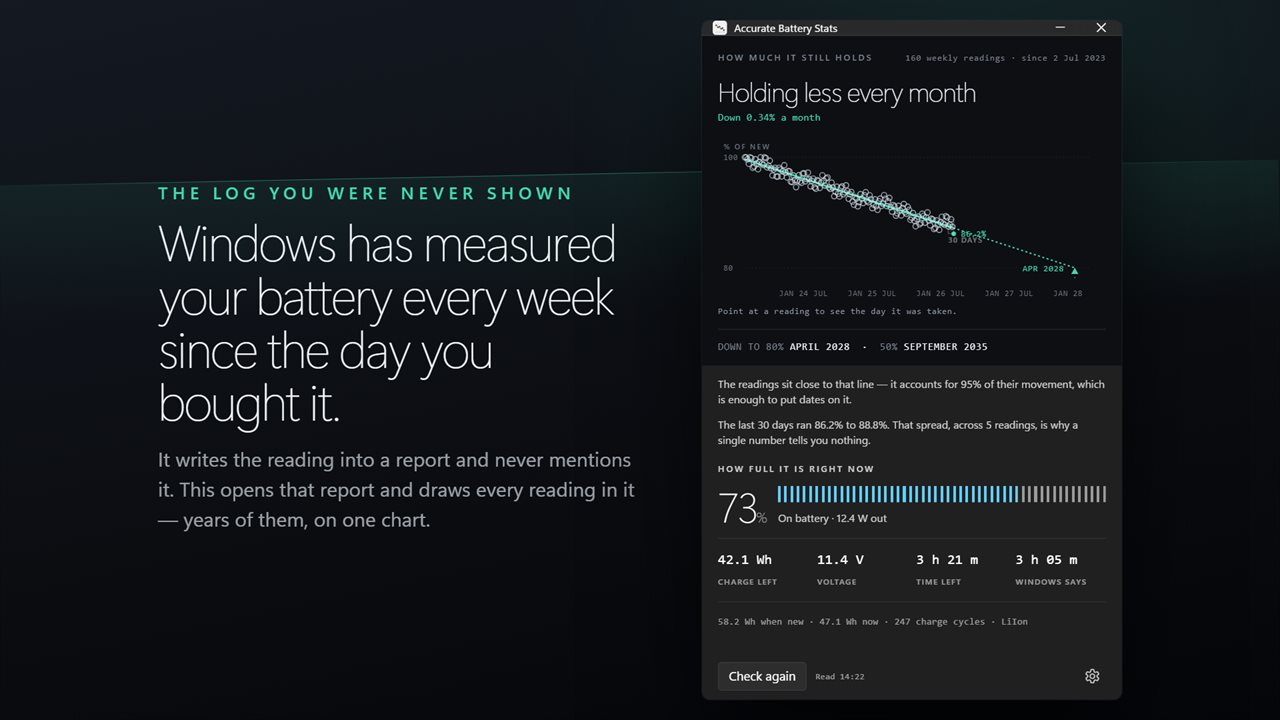
Windows has measured your battery every week for months, and never shows you. This opens that log.
See it in action
About Accurate Battery Stats
Every battery app shows you one number. That number is unreliable, and this app can prove it.
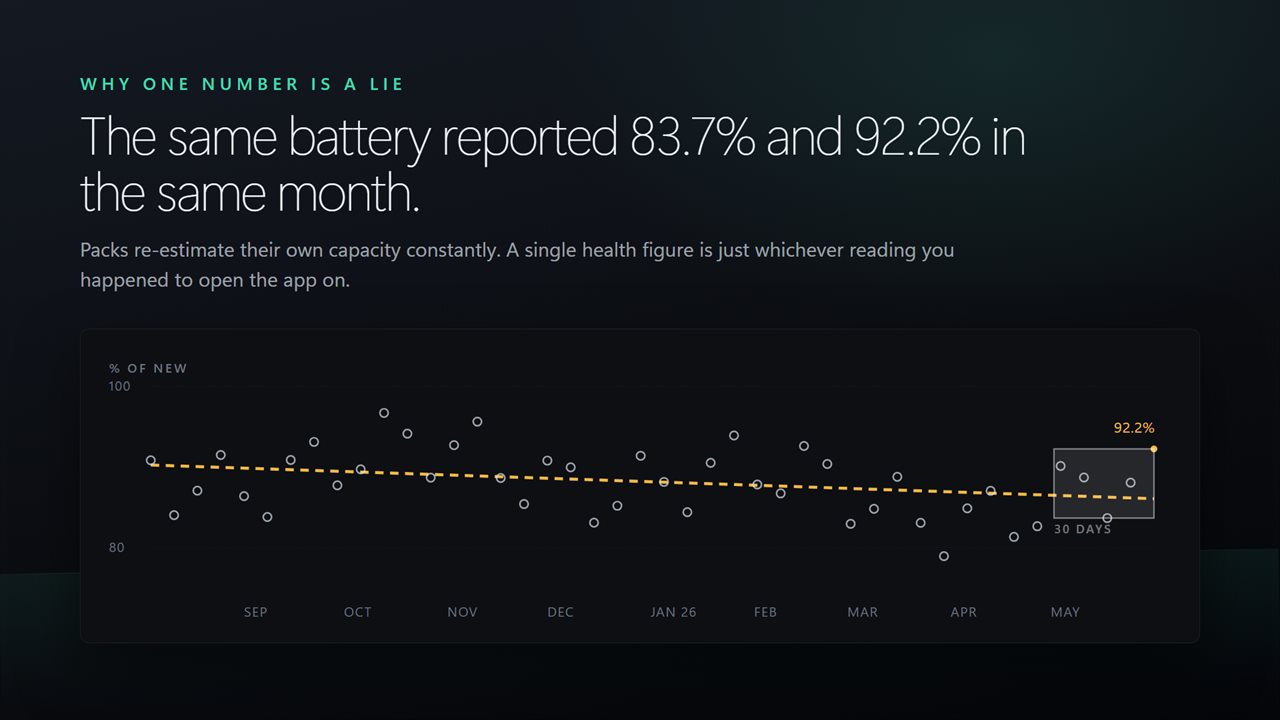
Windows has been logging your battery's capacity for months — a dated reading roughly every week, sitting in a report almost nobody opens. On the machine this app was built against, the same battery reported 73.1% one week and 86.8% seven weeks later. Neither reading was wrong. A single health figure is one sample out of that scatter, which is why the number you were shown last time did not match the number you are shown today.
Accurate Battery Stats plots the whole record instead.
How much it still holds
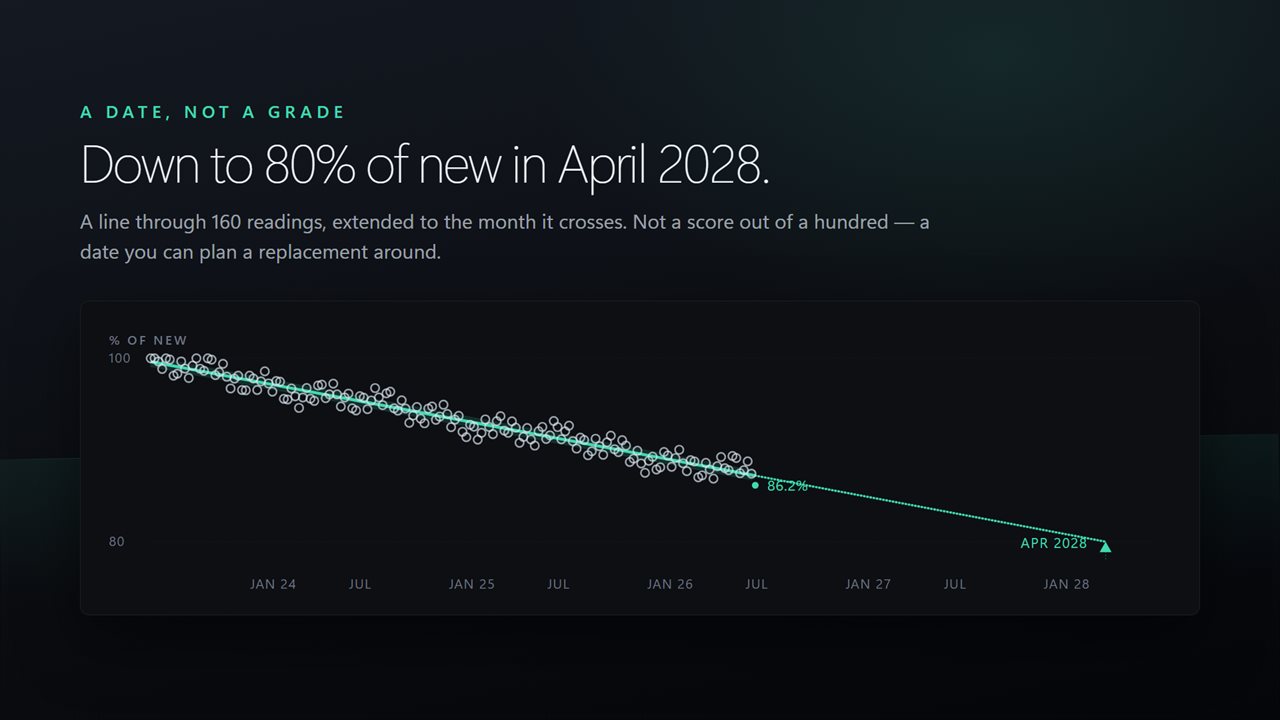
Every reading Windows has kept, drawn as one chart: how much the pack was designed to hold against how much it can hold now, month by month. Point at any reading to see the day it was taken and the capacity behind it.
The last 30 days are marked out as a band, so the range your battery is currently reporting is a shape on the chart rather than a claim in a sentence.
A trend, and how much to trust it
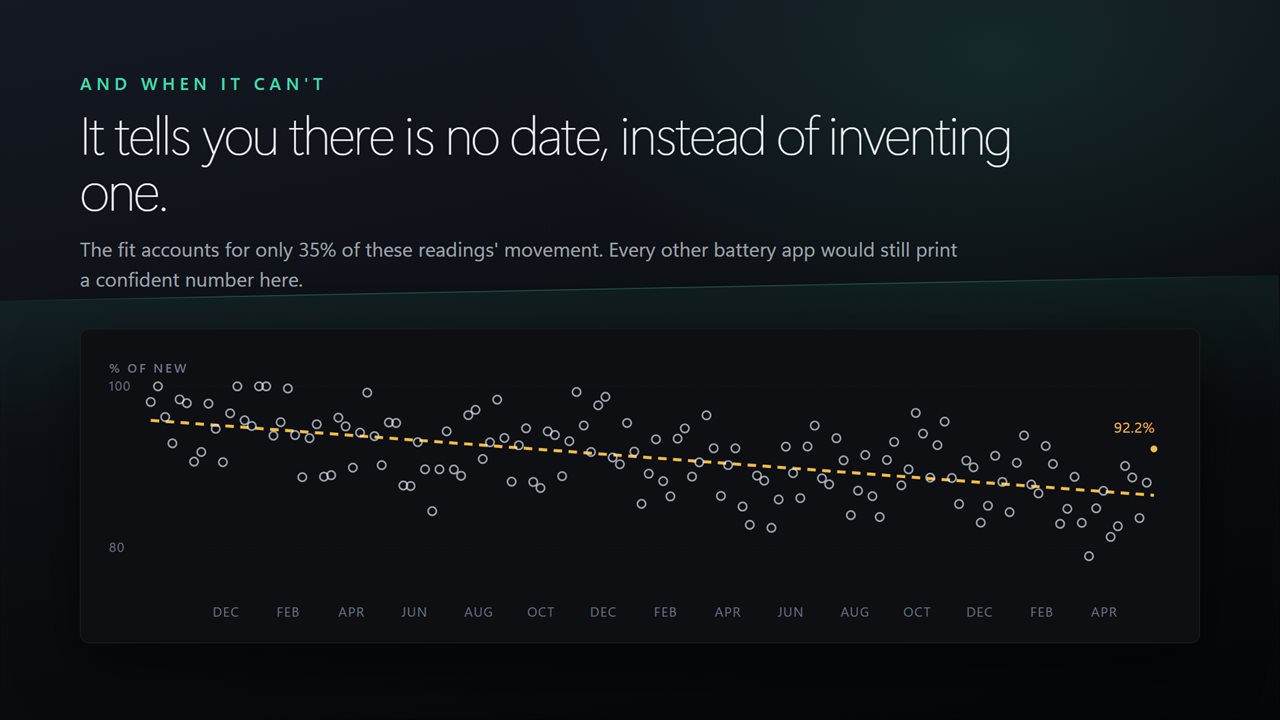
A line is fitted through the readings and labelled with how much of their movement it actually explains. A tidy decline and a cloud of noise do not get drawn the same way, because they do not mean the same thing.
A date only when there is one
If the readings are genuinely falling, and falling closely enough to the line to date, the chart marks when the pack reaches 80% and 50% of its original capacity.
If they are not, it says so and shows you no date at all. Batteries recalibrate their own capacity upward as they are used, so a rising record is ordinary — and turning it into a confident replacement date, which is what a single reading invites, would be an invention. This app would rather tell you it cannot say.
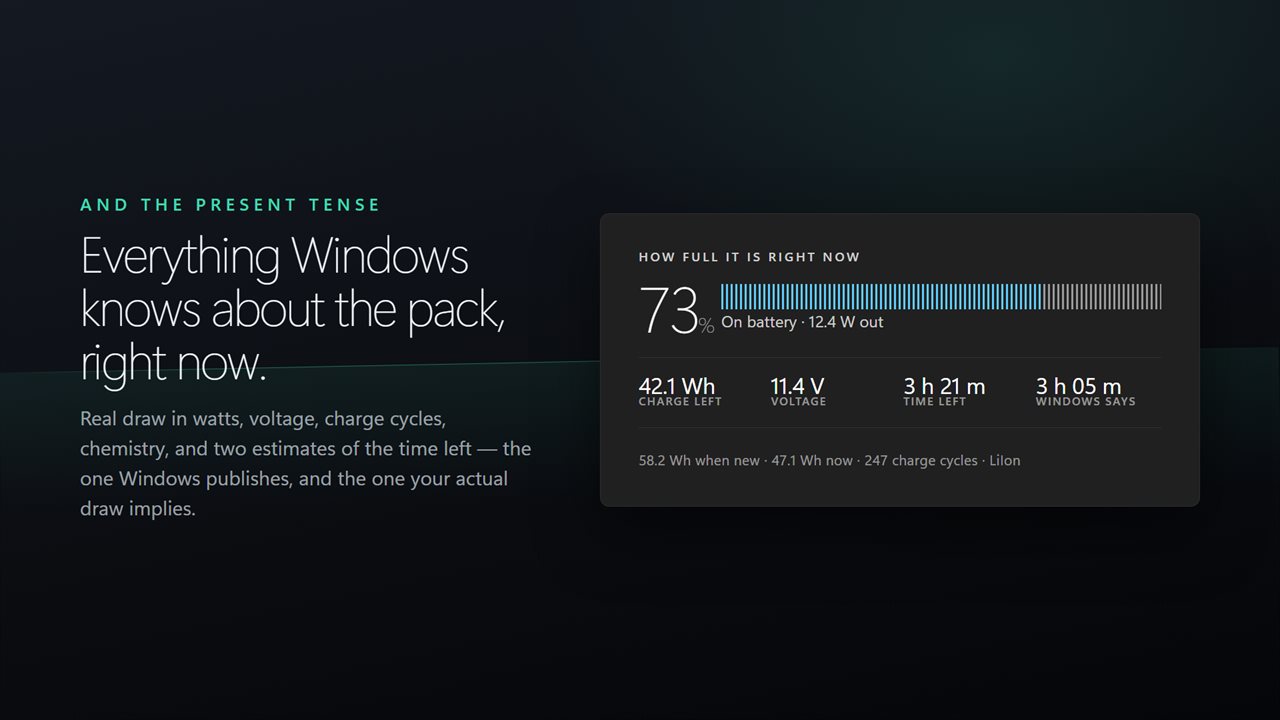
How full it is right now
Charge, whether it is charging, and the real draw in watts read from the battery itself. Time remaining at that draw, next to Windows' own estimate — they disagree, and the difference is the point: Windows smooths over minutes and still promises two hours a minute after a game starts.
The pack
Capacity when new and capacity today, added up across every pack on a PC that has more than one — plus cycle count and chemistry.
Nothing here is estimated and nothing is fetched. It all comes off hardware and reports already on your PC.
No account. No sign-in. Nothing leaves your PC unless you choose to send feedback. No ads.
Built for Windows 11, and at home on Windows 10.
Features
- Every dated capacity reading Windows has logged, drawn as one chart
- The trend through them, and how much of their movement it actually explains
- A replacement date only when the readings support one — and none when they do not
- The spread of the last 30 days, which is why a single health figure means nothing
- Live charge, draw in watts, and time left at the draw you have right now
- Capacity when new, capacity today, cycle count and chemistry
- Point at any reading to see the day it was taken
- Reads what is already on your PC. No account, no server processing, no ads
Details
- Works on
- Windows 10 (1809 or later) and Windows 11
- Download
- About 2.4 MB
- Version
- 2.0.7, updated October 2026
- First released
- January 2023
- Price
- $1.99 once. No subscription.
- Category
- Utilities & tools
What's new in 2.0.7
- Rebuilt for Windows 11
- New: every dated capacity reading Windows has kept, plotted on one chart
- A fitted trend, labelled with how much of the movement it explains
- Dates for 80% and 50% of new, only when the readings support them
- The 30-day spread, so you can see how far a single reading moves
- Real draw in watts, and time left at that draw next to Windows' own estimate
- Light and dark, following Windows
- Lower memory use and a faster start
Questions
Anything else? Ask us
Which versions of Windows does it run on?
Windows 10 (version 1809 or later) and Windows 11.
Is it a subscription?
No. Accurate Battery Stats is a one-time purchase of $1.99, and updates are included.
How do I get it?
EvlarSoft apps are moving to direct downloads from this site. Ask to be notified and we will email you as soon as Accurate Battery Stats is ready to download.