System Health Widget
Your PC's vital signs, live on the desktop. Processor, memory, graphics, network, drives and battery as glowing tiles under a big clock, with one line that says whether everything is running smoothly. Set your own warning levels, and a tile turns amber the moment something needs you.
System Health Widget in 37 seconds
See it in action
About System Health Widget
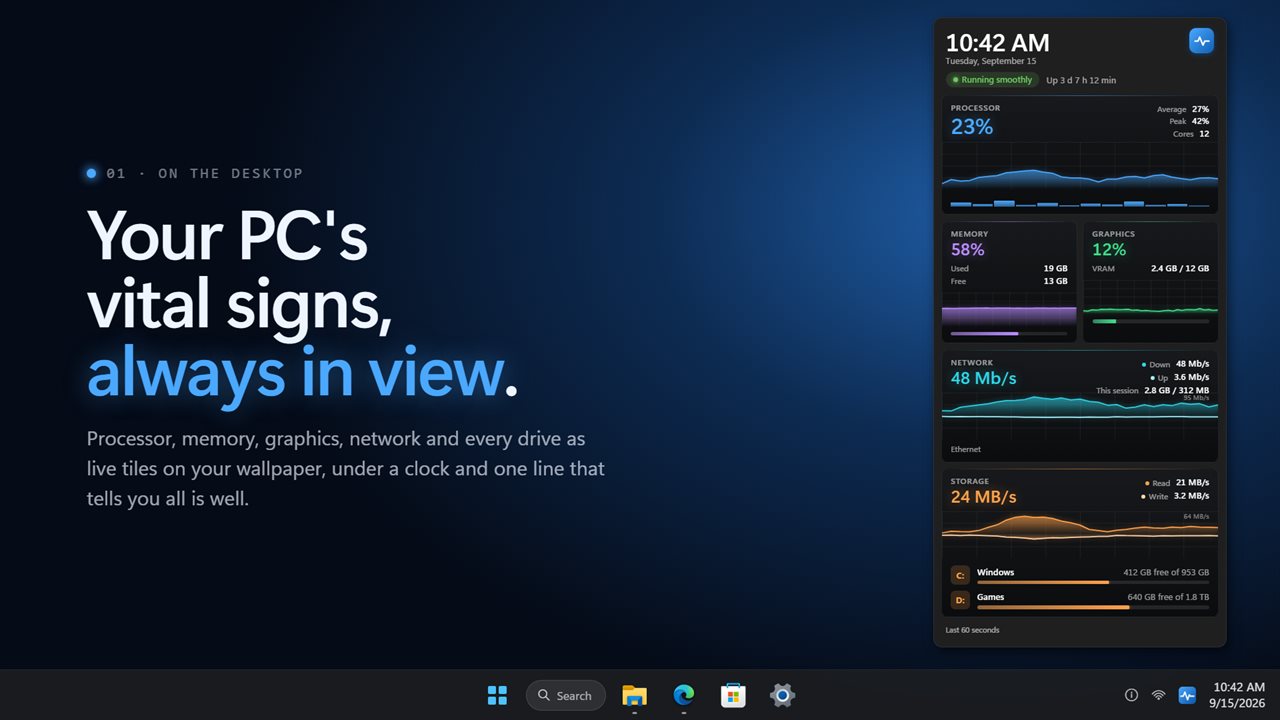
System Health Widget puts your PC's vital signs where you can see them: a column of live tiles on your desktop, under a big clock and one line that says whether everything is running smoothly.
At a glance
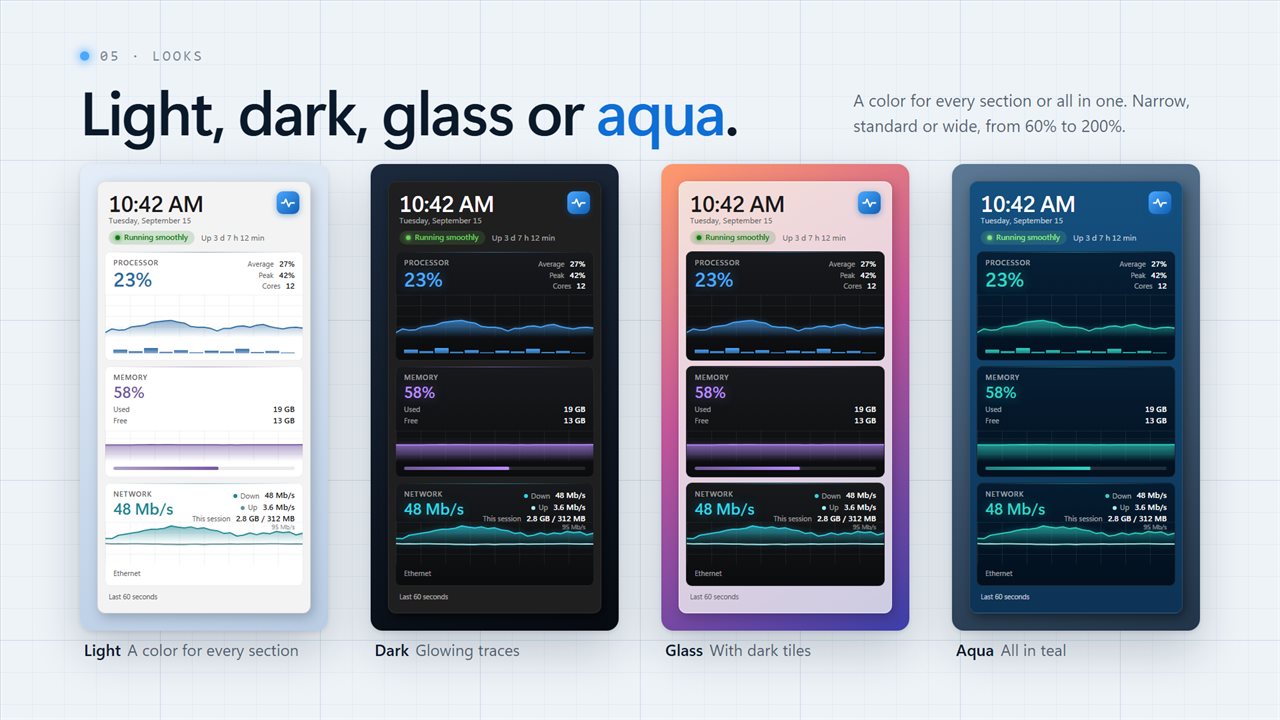
Every tile leads with one large figure in its own color and a glowing graph behind it. Processor shows its average and peak, with a bar for every core. Memory shows what is in use and what is free. Graphics shows load and video memory for each adapter that reports it. On a laptop, Battery shows the charge, whether it is charging, time left and power draw.
Network and drives
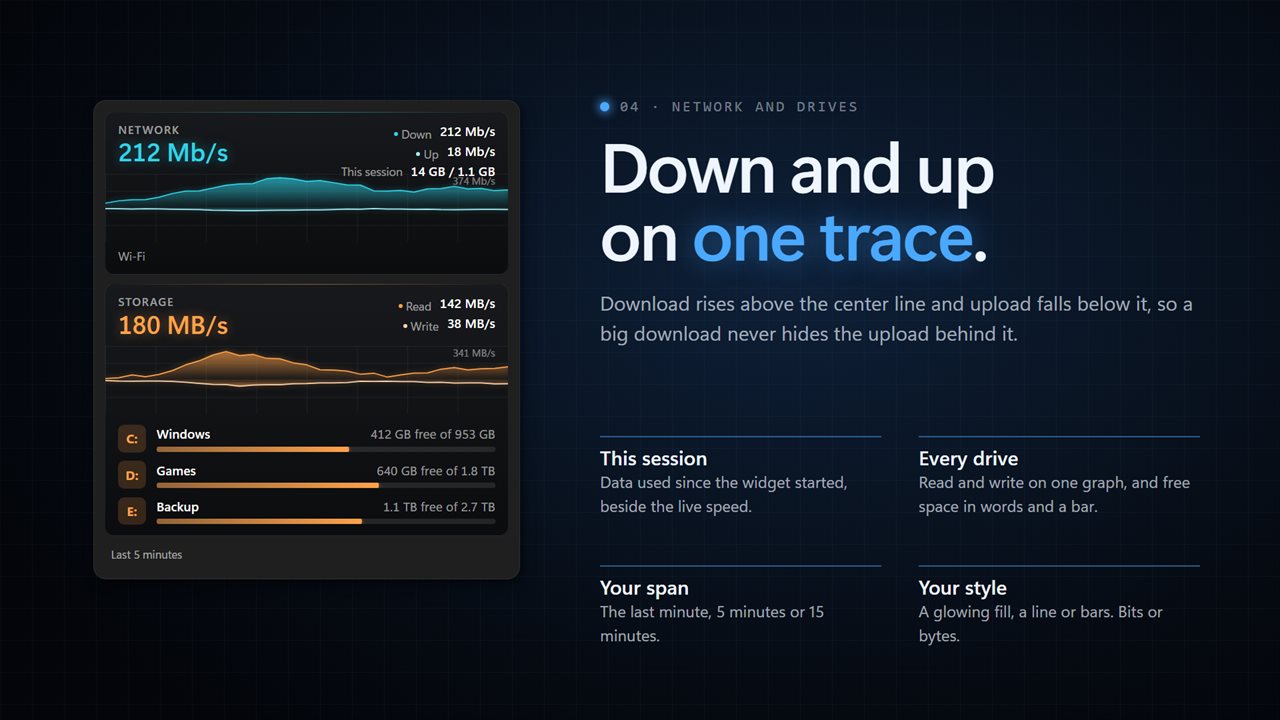
Download and upload share one mirrored graph, download above the line and upload below it, so neither hides the other. Speeds read in bits like your router or bytes like your downloads, beside the data used since the widget started. Drives work the same way for read and write, and every drive shows its free space in words and a bar.
Warnings you set
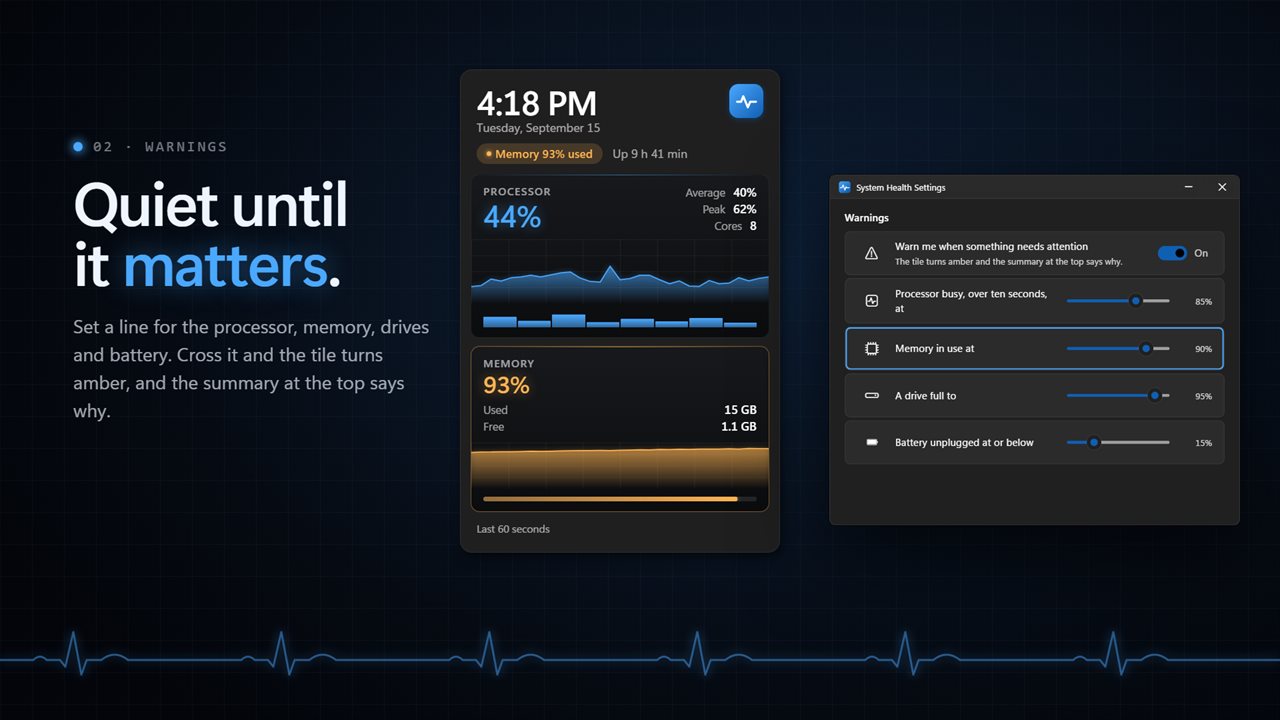
Choose when the processor counts as busy, from 50% to 100% over ten seconds. Choose when memory and drives count as full, from 50% to 99%, and when an unplugged battery counts as low, from 5% to 50%. Cross a line and that tile turns amber while the summary at the top says why, such as "Memory 93% used". Turn warnings off and keep the figures.
Make it yours
Match Windows, or pick light or dark, in a solid, glass or aqua finish. Keep dark tiles on a light panel if you like black graphs. Give every section its own color, or put them all in blue, teal, green, purple, pink or orange. Narrow, standard or wide, at any size from 60% to 200%.
Graphs cover the last minute, 5 minutes or 15 minutes, drawn as a glowing fill, a line or bars, and update from every half second to every 5 seconds. Click a tile's title to fold it, right-click to move it up or down, and switch off anything you do not need. A tile you switch off is not read at all.
On your desktop
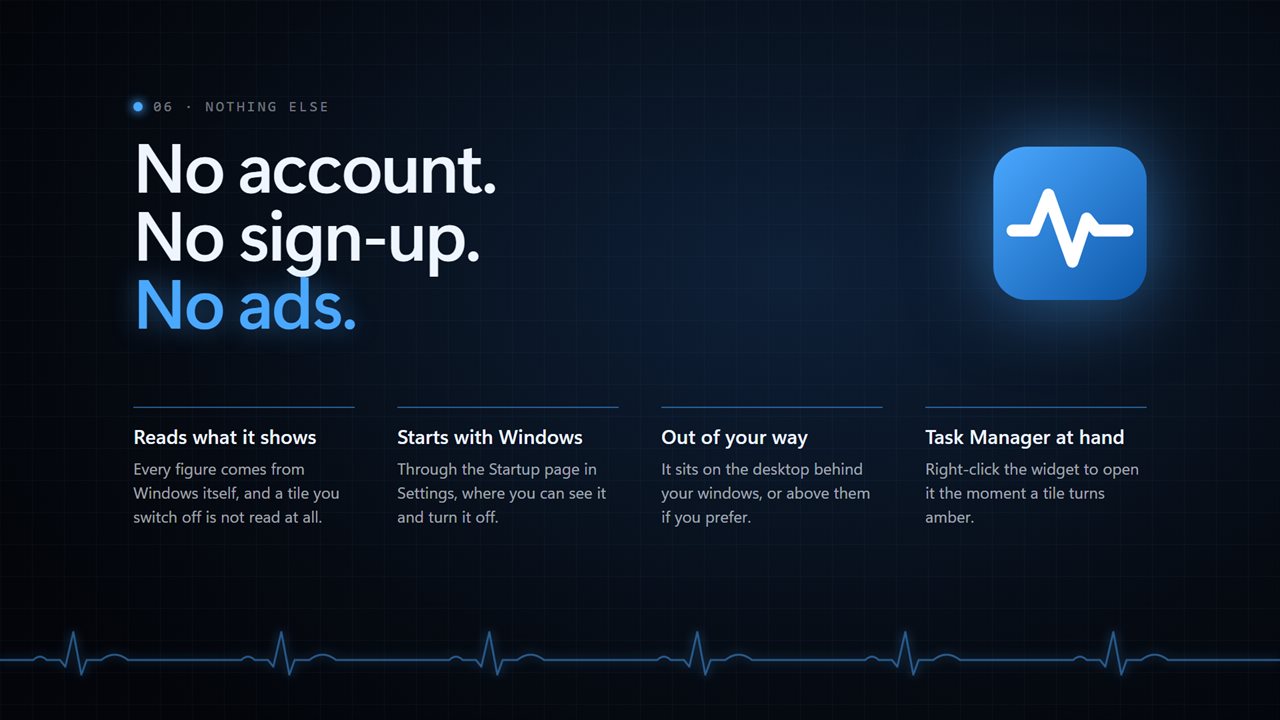
It sits on the wallpaper or above your windows, and starts with Windows through the Startup page in Settings if you want. Right-click to open Task Manager when a tile turns amber.
On your phone
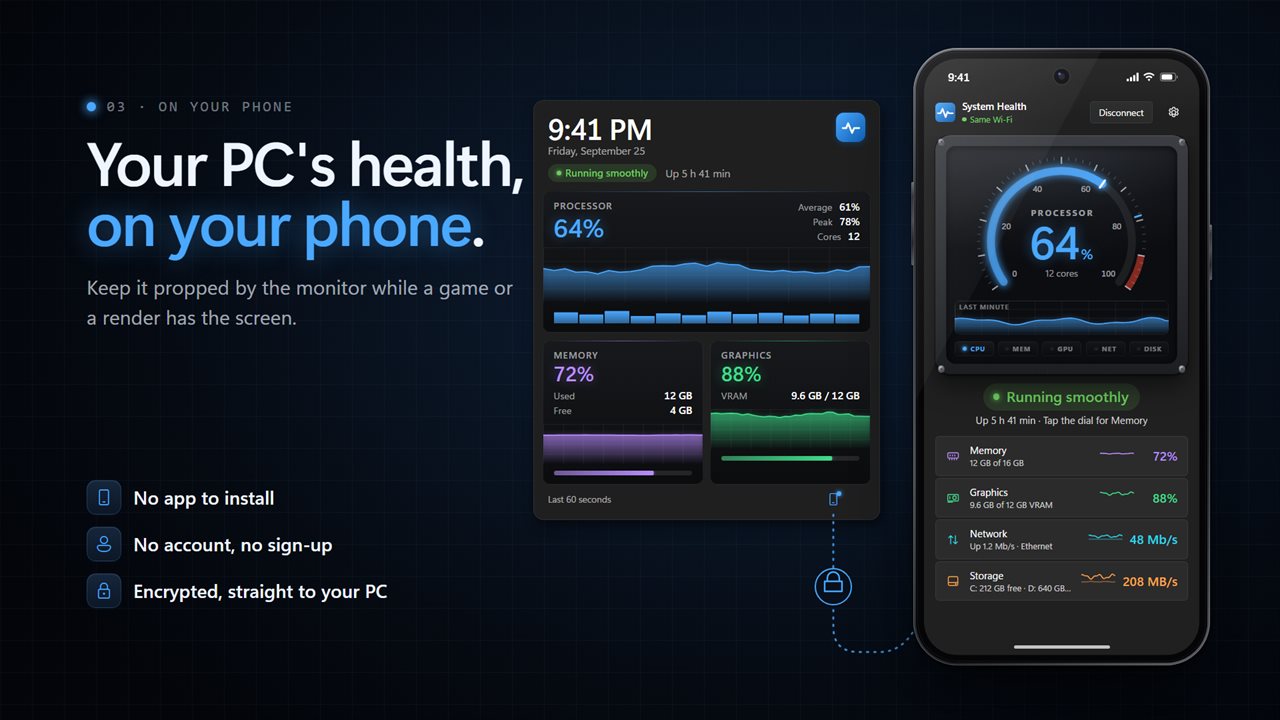
Scan the code on the widget and your phone shows the same readings, live, with a big gauge for the one you pick. Keep it propped by the monitor while a game or a render has the screen. It opens in your phone's browser: no app to install and no account. Your phone talks straight to your PC over an encrypted connection.
No account. No ads. Every figure comes from Windows itself, and nothing leaves your PC unless you connect your phone or send feedback.
Built for Windows 11, and at home on Windows 10.
Features
- A column of live health tiles on your desktop: processor, memory, graphics, network, drives and battery
- A big clock and date across the top, with how long Windows has been running
- One line that says Running smoothly, or exactly what needs your attention
- Processor load with a live graph, its average and peak, and a bar for every core
- Memory in use and free, with a graph and a bar
- Graphics load and video memory for every adapter that reports it
- Download and upload on one mirrored graph, in bits or bytes, with the data used this session
- Drive read and write on one mirrored graph, plus free space and a bar for every drive
- Battery charge, status, time left and power draw, on PCs that have one
- Warning levels you set: processor from 50% to 100%, memory and drives from 50% to 99%, battery from 5% to 50%
- Cross a level and that tile turns amber while the summary at the top says why
- Graphs cover the last minute, 5 minutes or 15 minutes, as a glowing fill, a line or bars
- Match Windows, or pick light or dark, in a solid, glass or aqua finish, with dark tiles on a light panel if you like black graphs
- A color for every section, or all of them in blue, teal, green, purple, pink or orange
- Narrow, standard or wide, at any size from 60% to 200%
- Click a tile's title to fold it. Right-click a tile to move it up or down, or hide it
- Updates every half second, second, 2 seconds or 5 seconds
- Sits on the desktop or above your windows, starts with Windows if you want, and opens Task Manager from the right-click menu
- Watch it all on your phone while a game or render has the screen: scan the code, no app to install, no account
- No account, no ads, and nothing about you is sent unless you connect your phone or send feedback
Details
- Works on
- Windows 10 (1809 or later) and Windows 11
- Download
- About 3.5 MB
- Version
- 2.2.7, updated October 2026
- First released
- June 2022
- Price
- $3.99 once. No subscription.
- Category
- Utilities & tools
Questions
Anything else? Ask us
Which versions of Windows does it run on?
Windows 10 (version 1809 or later) and Windows 11.
Is it a subscription?
No. System Health Widget is a one-time purchase of $3.99, and updates are included.
How do I get it?
EvlarSoft apps are moving to direct downloads from this site. Ask to be notified and we will email you as soon as System Health Widget is ready to download.
More from EvlarSoft
 Modern Battery WidgetEvery battery reading Windows knows, on one clean panel on your desktop.
 Quick Ram CleanerClean RAM in one click, see which apps were holding it, and get a straight answer about how much came back.
 PC BenchmarkClick the gauge and PC Benchmark tests your processor and memory: math, sorting, compression, encryption and RAM speed.