PC Benchmark
Click the gauge and PC Benchmark tests your processor and memory: math, sorting, compression, encryption and RAM speed. Ten tests add up to one score, and every result is compared with your last run, so you can see what an update or a new part really changed.
Click the gauge. Ten tests, one score.
See it in action
About PC Benchmark
Ever needed to test how fast a PC really is? Meet PC Benchmark. Click the gauge, and ten tests measure your processor and memory and add up to one score.
One click, one score
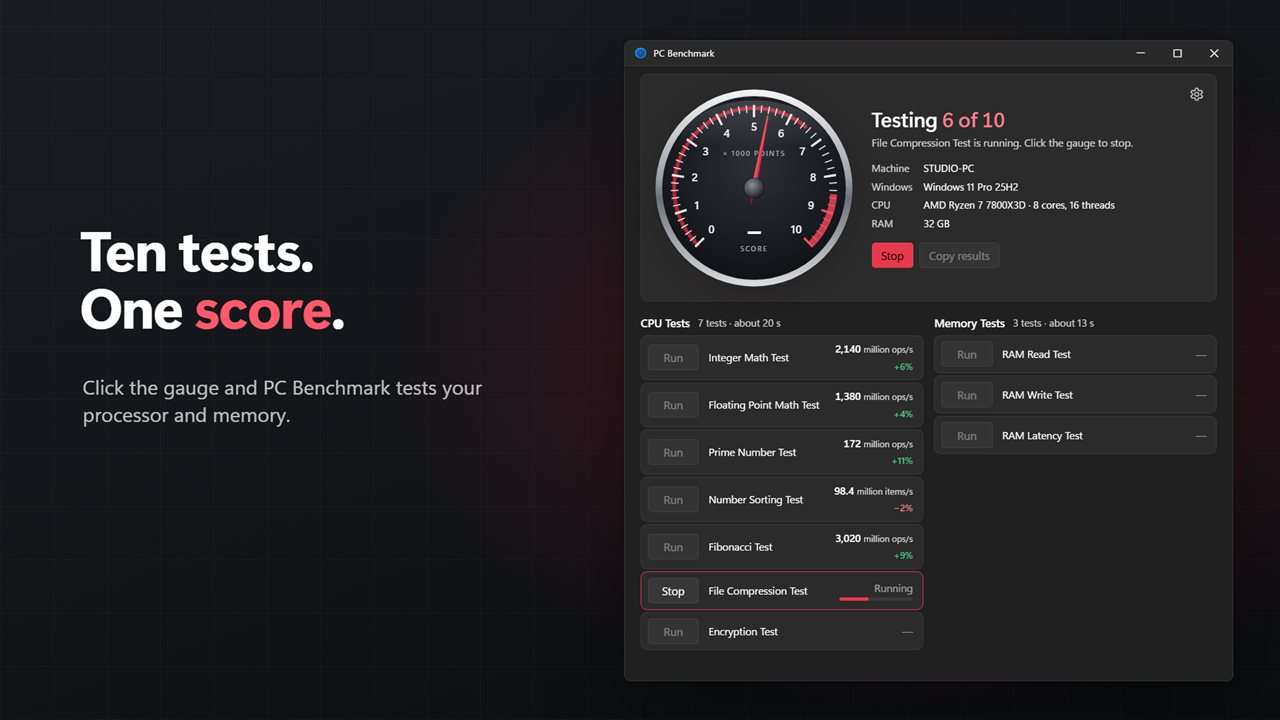
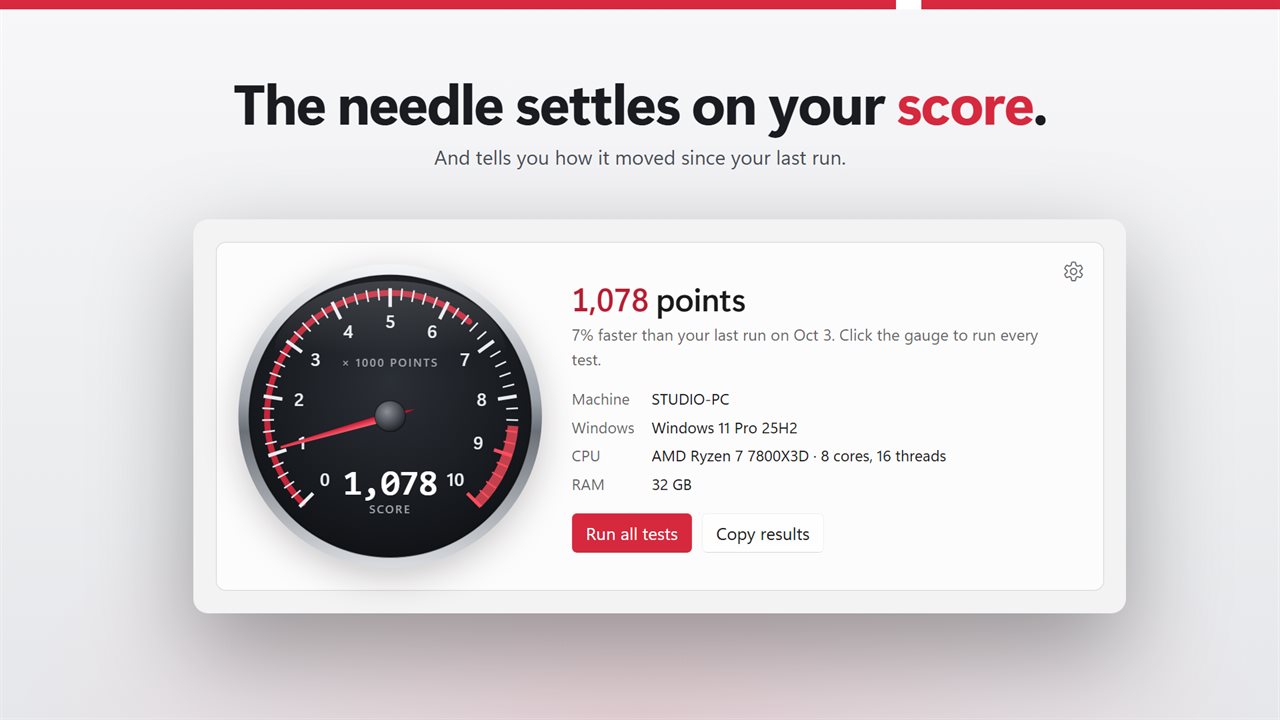
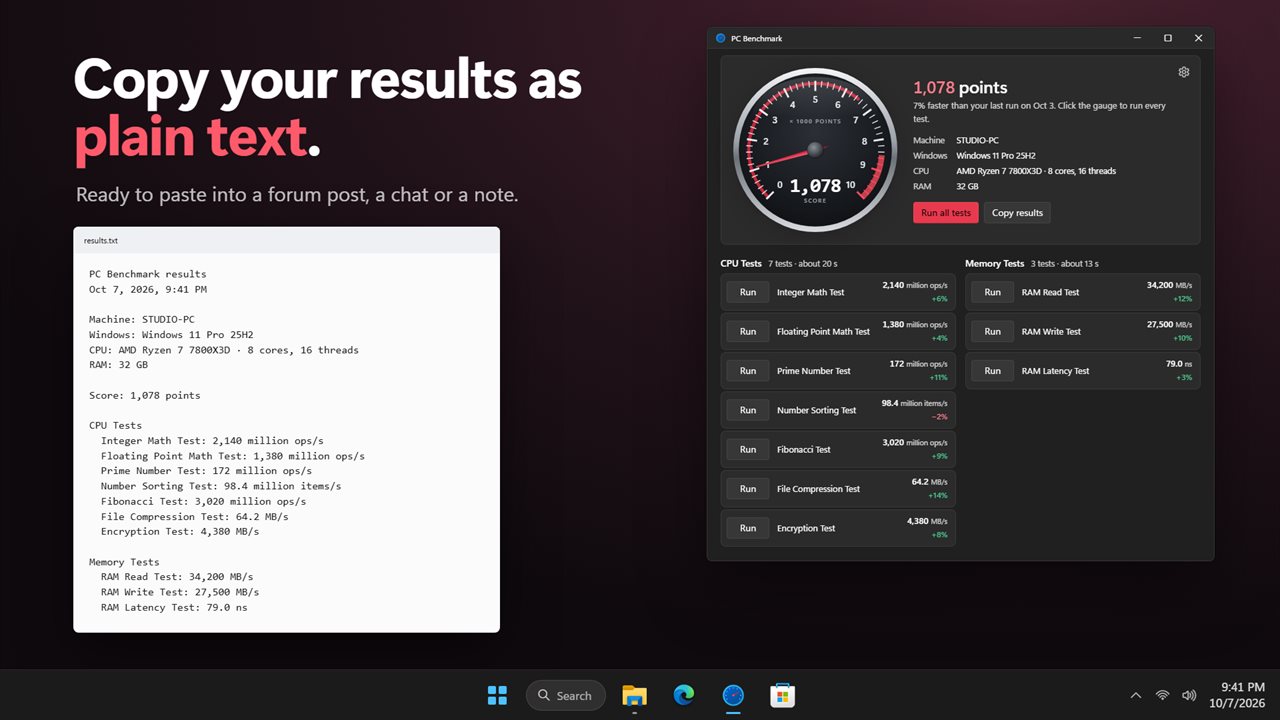
The tachometer is the big button. Click it and every test runs in turn while the needle sweeps up the dial. When the last test finishes, it settles on your score. Click it again at any time to stop. The tests that finished are kept.
Ten real tests
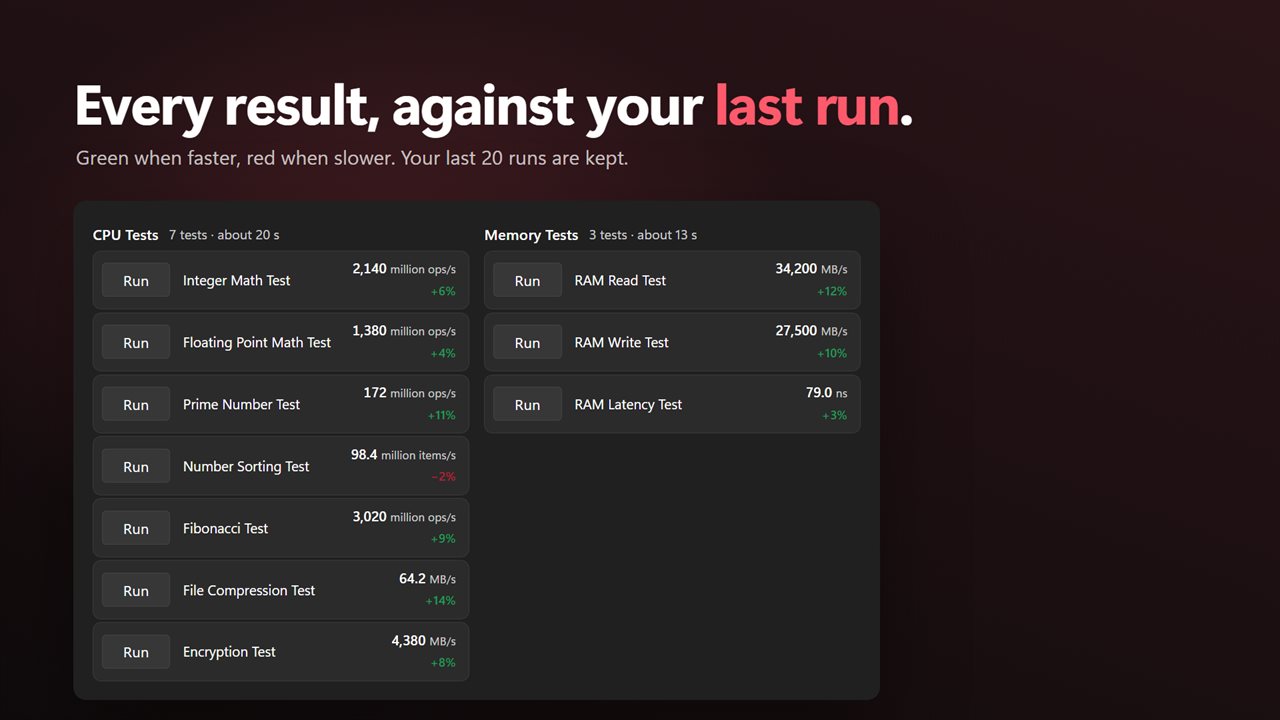
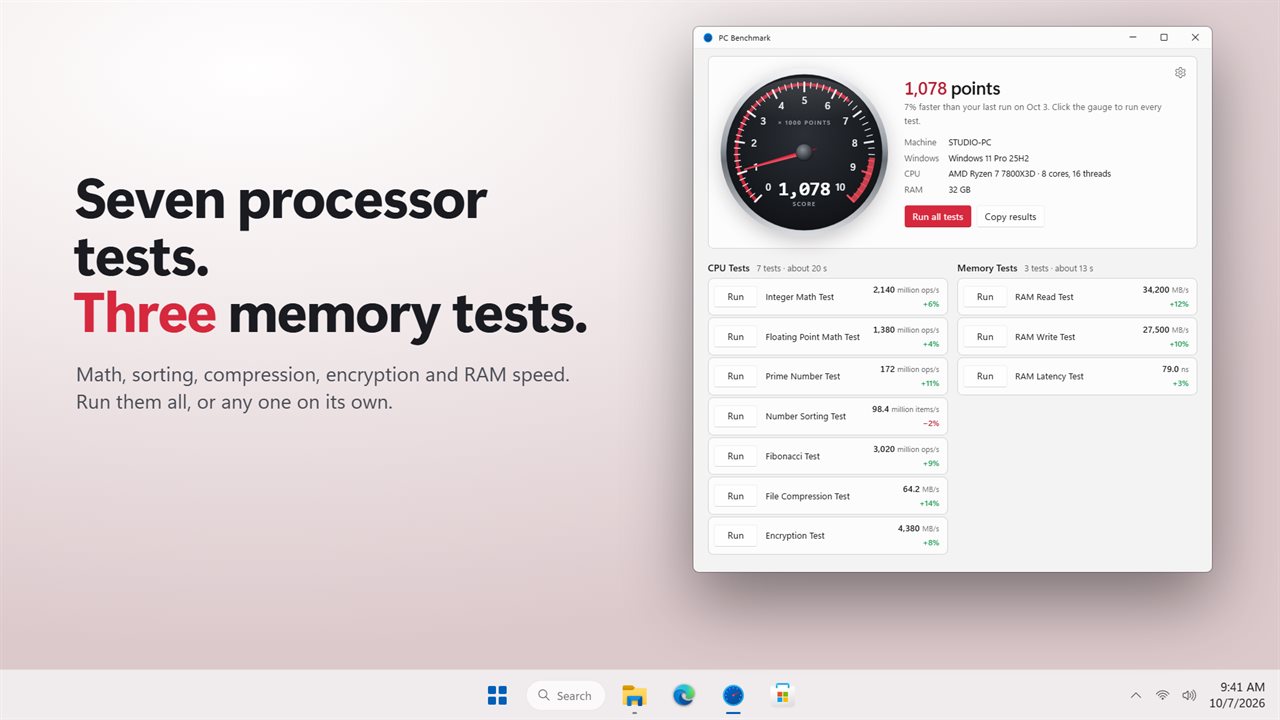
Seven processor tests: integer math, floating point math, prime numbers, number sorting, Fibonacci, file compression and encryption. Three memory tests: RAM read speed, RAM write speed and RAM latency. Each result is shown in a plain unit, like million operations a second, MB/s or nanoseconds. Run any test on its own with its Run button.
See what changed
Every result shows how it compares with your last run: green when faster, red when slower. The headline tells you how the whole score moved since your last run, and when that was. PC Benchmark keeps your last 20 runs, so you can check whether a Windows update, a new driver, more RAM or a cooler made any difference.
Share your results
Copy results puts a plain-text report on the clipboard, with your PC's details, the score and every result, ready to paste into a forum post, a chat or a note.
Your way
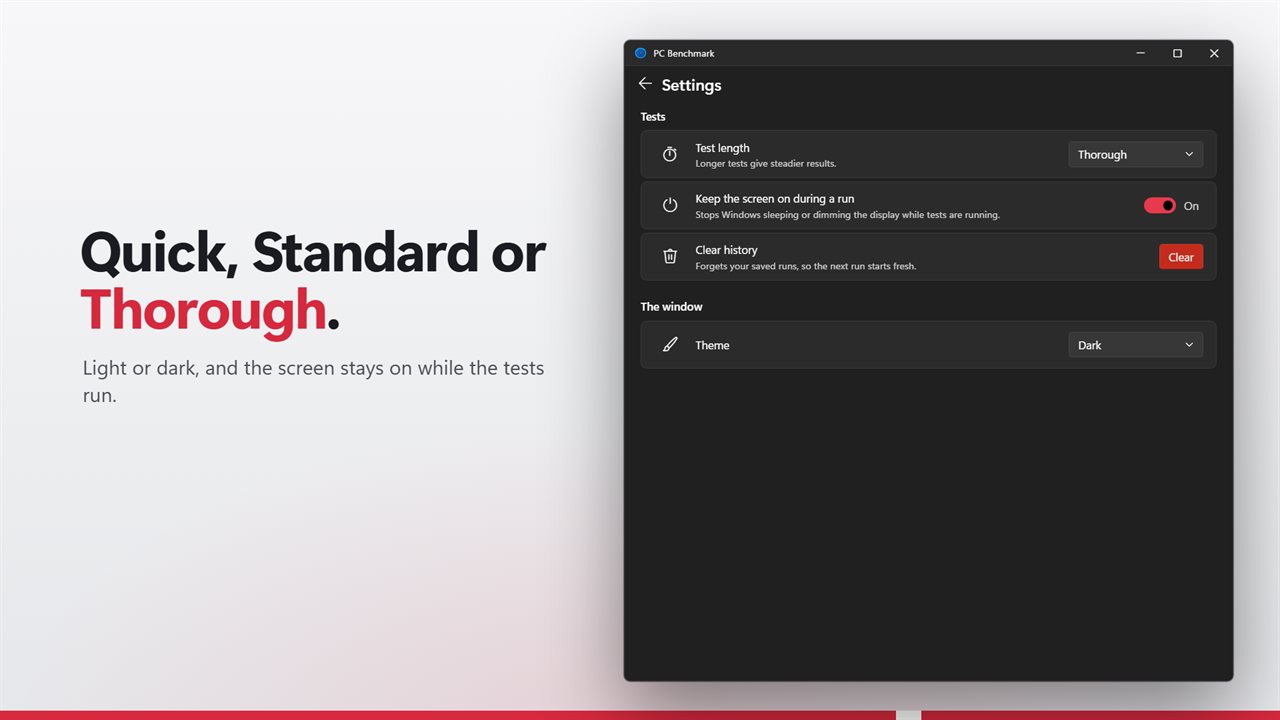
Pick Quick, Standard or Thorough test lengths. Longer tests give steadier results. PC Benchmark keeps the screen on during a run, and warns you when battery saver is on, since scores will be low. Light and dark themes, or match Windows.
Features
- Test your processor and memory with 10 tests, and get one overall score
- 7 processor tests: integer math, floating point math, prime numbers, number sorting, Fibonacci, file compression and encryption
- 3 memory tests: RAM read speed, RAM write speed and RAM latency
- Click the gauge to run every test, or run any single test on its own
- The needle sweeps while the tests run and settles on your score
- Each result shows how it compares with your last run, in green when faster
- Keeps your last 20 runs, so you can see whether an update, a driver or a new part made a difference
- Copy the results as plain text to paste into a forum post, a chat or a note
- Quick, Standard and Thorough test lengths
- Stop a run at any time. The tests that finished are kept
- Keeps the screen on during a run, so Windows doesn't sleep halfway
- Warns you when battery saver is on, since scores will be low
- Shows your PC's name, Windows version, processor and installed RAM
- Light and dark themes, or match Windows
Details
- Works on
- Windows 10 (1809 or later) and Windows 11
- Download
- About 2.7 MB
- Version
- 2.0.3, updated October 2026
- First released
- January 2023
- Price
- $1.99 once. No subscription.
- Category
- Utilities & tools
What's new in 2.0.3
- New: one overall score from all ten tests, on a tachometer you click to run
- New: every result compares with your last run
- New: your last 20 runs are kept, and Copy results makes a plain-text report
- New: Quick, Standard and Thorough test lengths, and Stop at any time
- Fixed: each Run button now runs only its own test
- Fixed: the compression test now uses text-like data, and the latency test measures memory, not the timer
Questions
Anything else? Ask us
Which versions of Windows does it run on?
Windows 10 (version 1809 or later) and Windows 11.
Is it a subscription?
No. PC Benchmark is a one-time purchase of $1.99, and updates are included.
How do I get it?
EvlarSoft apps are moving to direct downloads from this site. Ask to be notified and we will email you as soon as PC Benchmark is ready to download.