Memory Usage Monitor
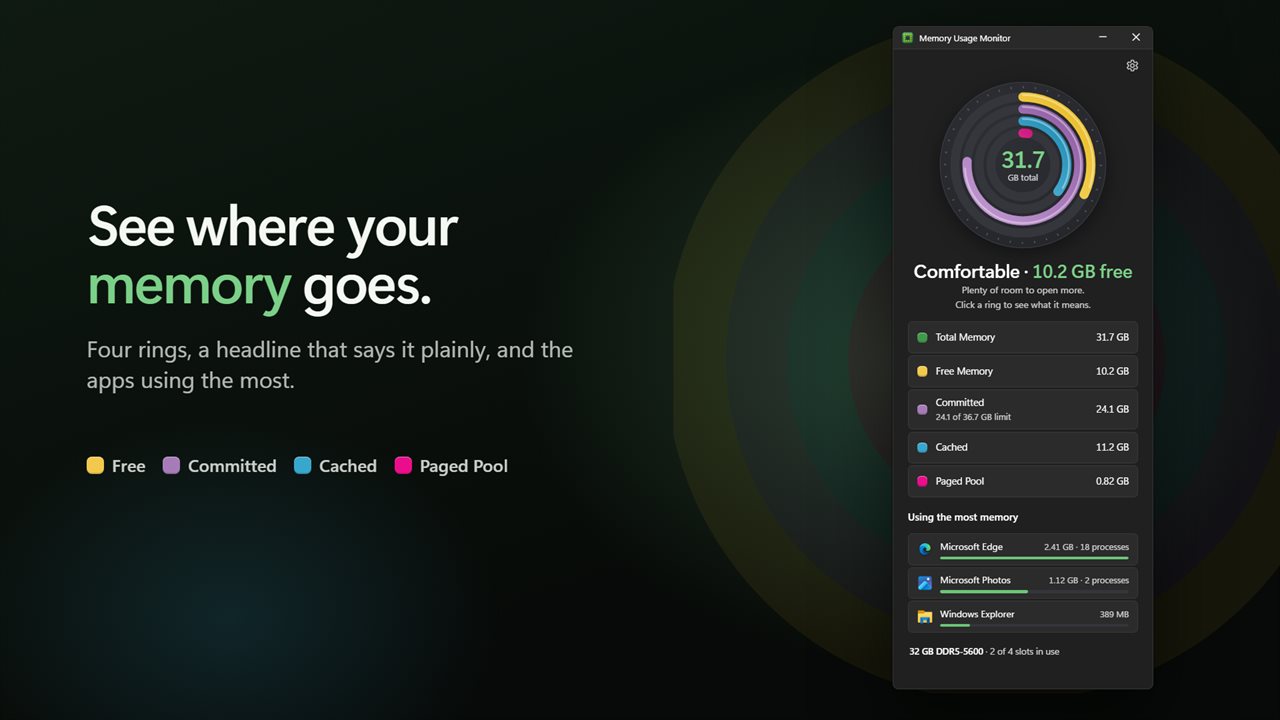
See where your memory goes at a glance. Four rings show what is free, committed, cached and held by Windows, a headline says whether you have room, and a short list shows the apps using the most.


See where your memory goes, at a glance.
See it in action
About Memory Usage Monitor
Is your PC running out of memory, and what is using it? Memory Usage Monitor answers both in one small window.
Four rings, one glance
Free, committed, cached and paged pool memory each get their own colored ring, measured against the RAM in your PC. Your total memory sits in the middle, and the rings move smoothly as the numbers change.
A headline that says it plainly
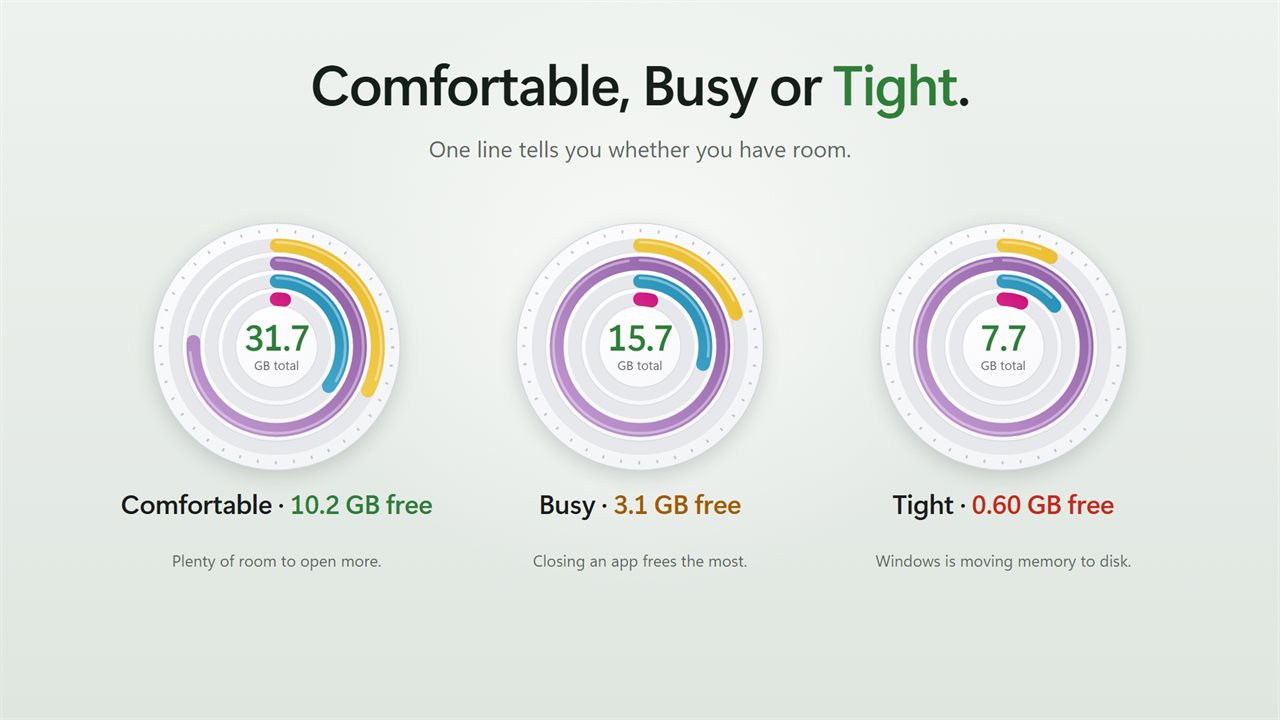
Under the rings, one line tells you how things stand: Comfortable, Busy or Tight, and how much memory is free right now.
Click to learn
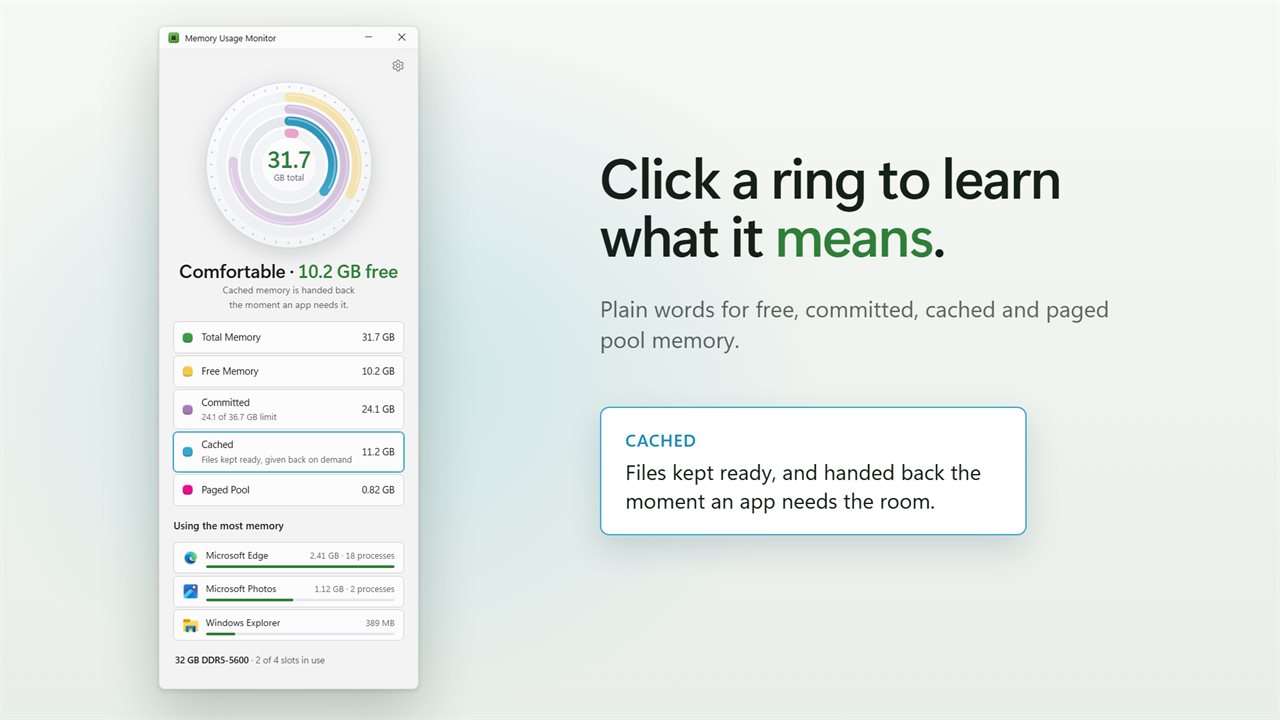
Not sure what cached or committed means? Click a ring, or its row, and the app explains it in a sentence. Click it again to go back.
The apps using the most
The top 3 apps by memory, or the top 5 if you prefer, with their real icons and a bar to compare them. An app that runs as many processes, like a web browser, is counted as one, so you see the real total. Hover an app to see where it is installed.
Know your memory
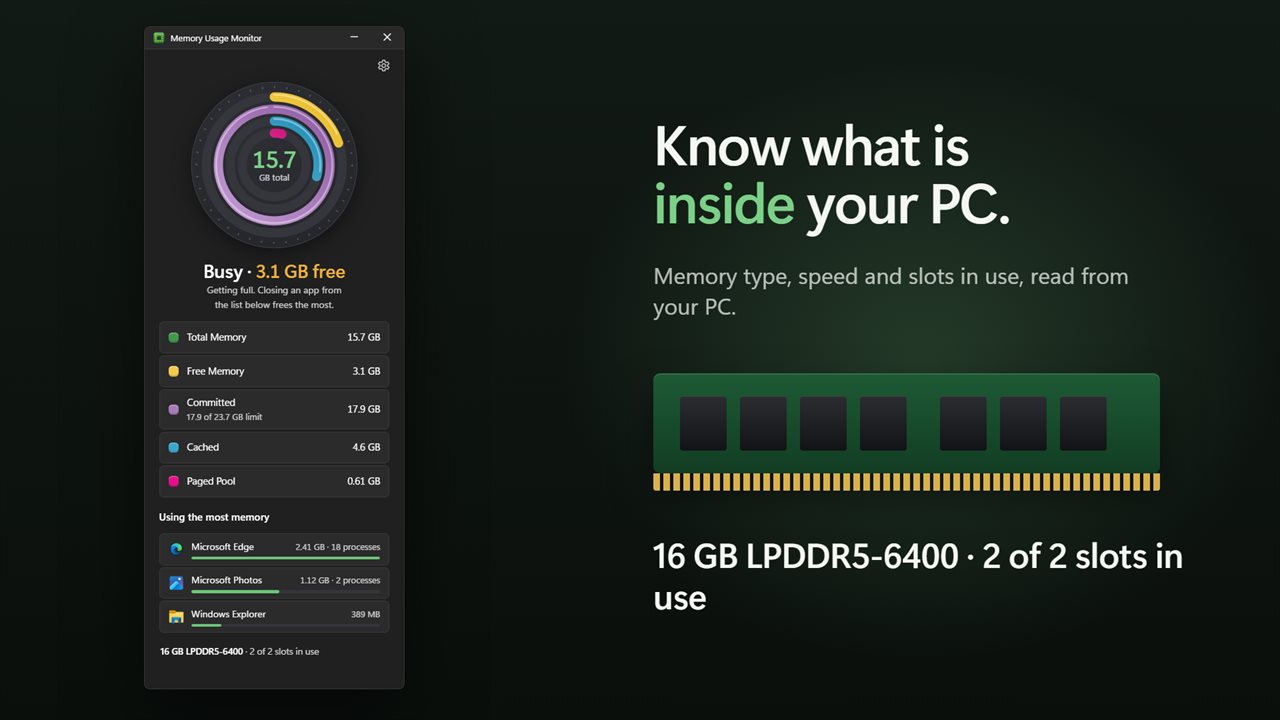
The app reads your memory type, its speed and how many slots are in use, so you know what is inside your PC before you buy more.
Stays out of the way
Choose to update every 1, 2 or 5 seconds. Readings pause while the window is minimized. Keep it on top of other apps while you work, in light or dark, or matching Windows.
Features
- Four rings show free, committed, cached and paged pool memory as a share of your RAM
- Your total memory sits in the middle, and the rings move smoothly with every reading
- A plain headline tells you how things stand: Comfortable, Busy or Tight, with how much is free
- Click a ring, or its row, to learn what that kind of memory means in plain words
- See how much of your commit limit is in use
- The apps using the most memory, with their real icons, a size and a bar for each
- Apps that run as many processes, like your browser, are added up into one line
- Hover an app to see where it is installed
- Your memory type, speed and how many slots are in use, read from your PC
- Updates every 1, 2 or 5 seconds, and rests while the window is minimized
- Show the top 3 or top 5 apps
- Keep the window on top of other apps
- Light and dark themes, or match Windows
Details
- Works on
- Windows 10 (1809 or later) and Windows 11
- Download
- About 2.7 MB
- Version
- 2.0.3, updated October 2026
- First released
- September 2022
- Price
- $1.99 once. No subscription.
- Category
- Productivity
What's new in 2.0.3
- New: four rings for free, committed, cached and paged pool memory, each now drawn correctly
- New: a headline that says whether you have room, and plain explanations when you click a ring
- New: the apps using the most memory are added up across all their processes
- New: your memory type, speed and slots in use
- New: choose how often it updates, show 3 or 5 apps, and keep it on top
- Closing the window now closes the app
Questions
Anything else? Ask us
Which versions of Windows does it run on?
Windows 10 (version 1809 or later) and Windows 11.
Is it a subscription?
No. Memory Usage Monitor is a one-time purchase of $1.99, and updates are included.
How do I get it?
EvlarSoft apps are moving to direct downloads from this site. Ask to be notified and we will email you as soon as Memory Usage Monitor is ready to download.
More from EvlarSoft
 Automatic Mouse JigglerMoves your pointer a single pixel on a schedule you set, so nothing on your PC decides you have gone.
 PC Junk CleanerClear out the junk Windows and your browsers leave behind, safely.
 Link MakerDrop a file or folder on the tag, and Symbolic and Hard Link Maker links it wherever you want, without moving it.