Cursor Highlighter and Finder
Lost the pointer on a big screen? Tap Ctrl twice and a sonar ping closes in on it. Shake the mouse or press a shortcut of your own instead, if you prefer. For a presentation or a recording, a thin reticle can ring the pointer all the time. Nothing appears unless you ask for it, and it keeps quiet while a game or a video fills the screen.
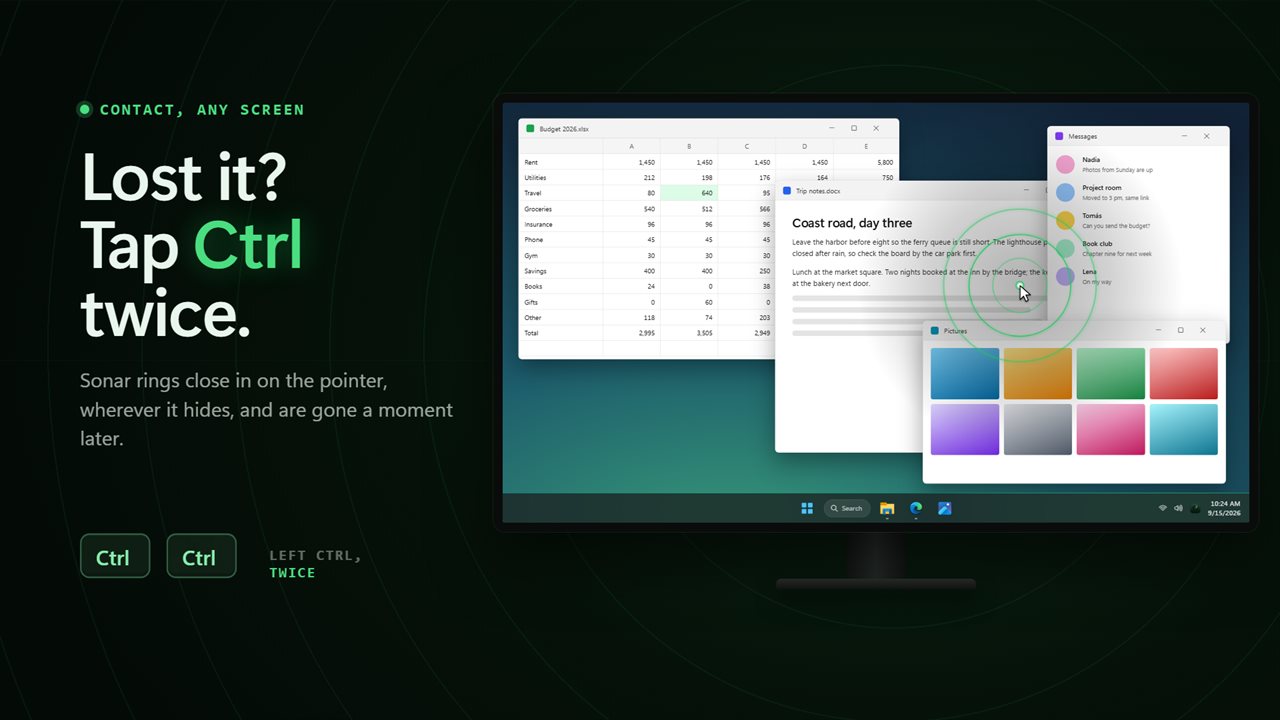
Tap Ctrl twice and a sonar ping closes in on the pointer.
See it in action
About Cursor Highlighter and Finder
On a wide monitor, or two or three of them, the pointer is easy to lose and slow to find.
Cursor Highlighter and Finder finds it for you.
Find it in a blink
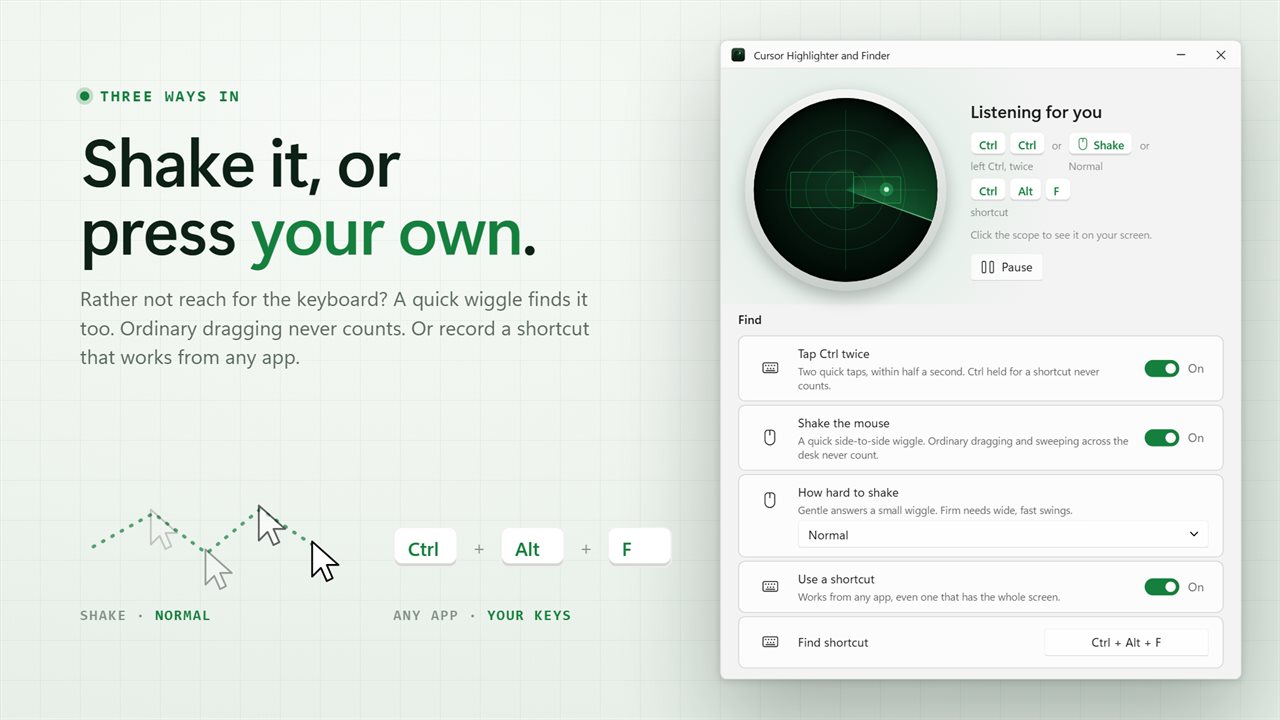
Tap Ctrl twice. Sonar rings close in on the pointer, wherever it is, and are gone a moment later. Pick left Ctrl, right Ctrl or either. A tap only counts on its own, so Ctrl held down for a shortcut or a Ctrl-click never sets it off.
Rather not use the keyboard? Shake the mouse from side to side, at a gentle, normal or firm shake. Ordinary dragging and sweeping across the desk never count. Or record a shortcut of your own that works from any app.
Your kind of ping
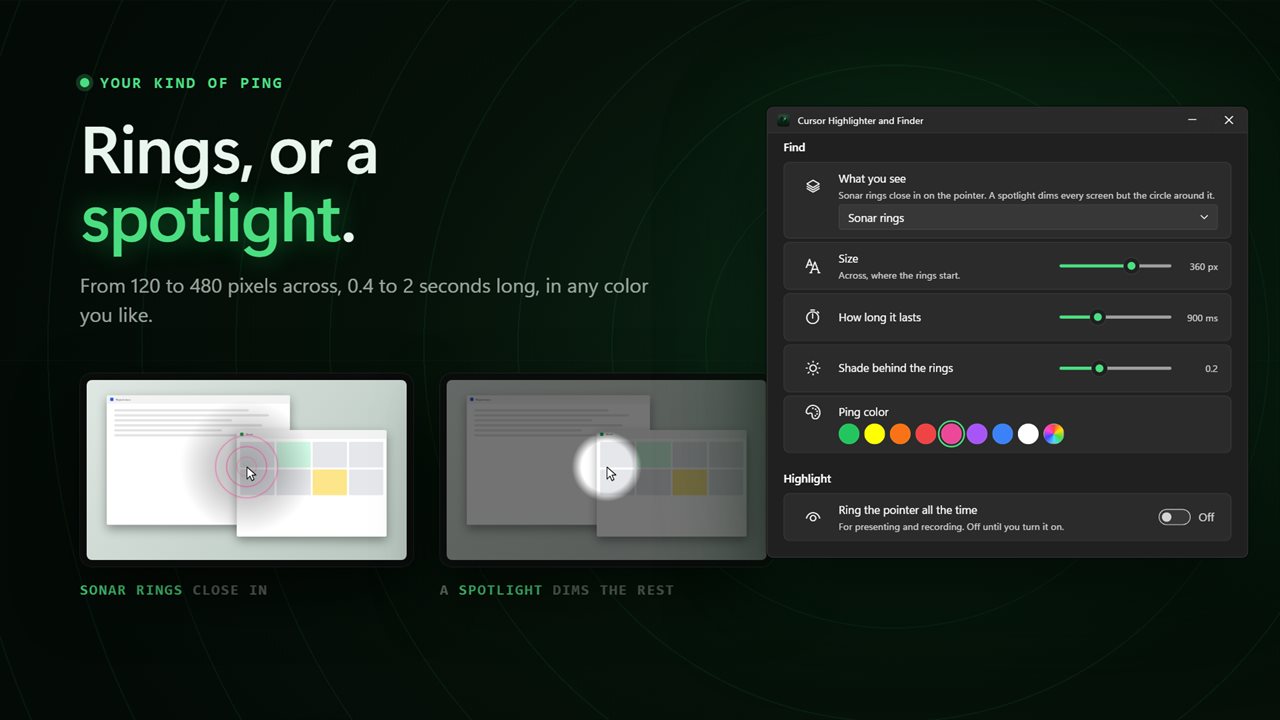
Sonar rings with a soft shade behind them, or a spotlight that dims every screen and leaves a circle of light around the pointer. Choose the size from 120 to 480 pixels, how long it lasts from 0.4 to 2 seconds, and the color from eight presets or any color you like.
Ring it while you present
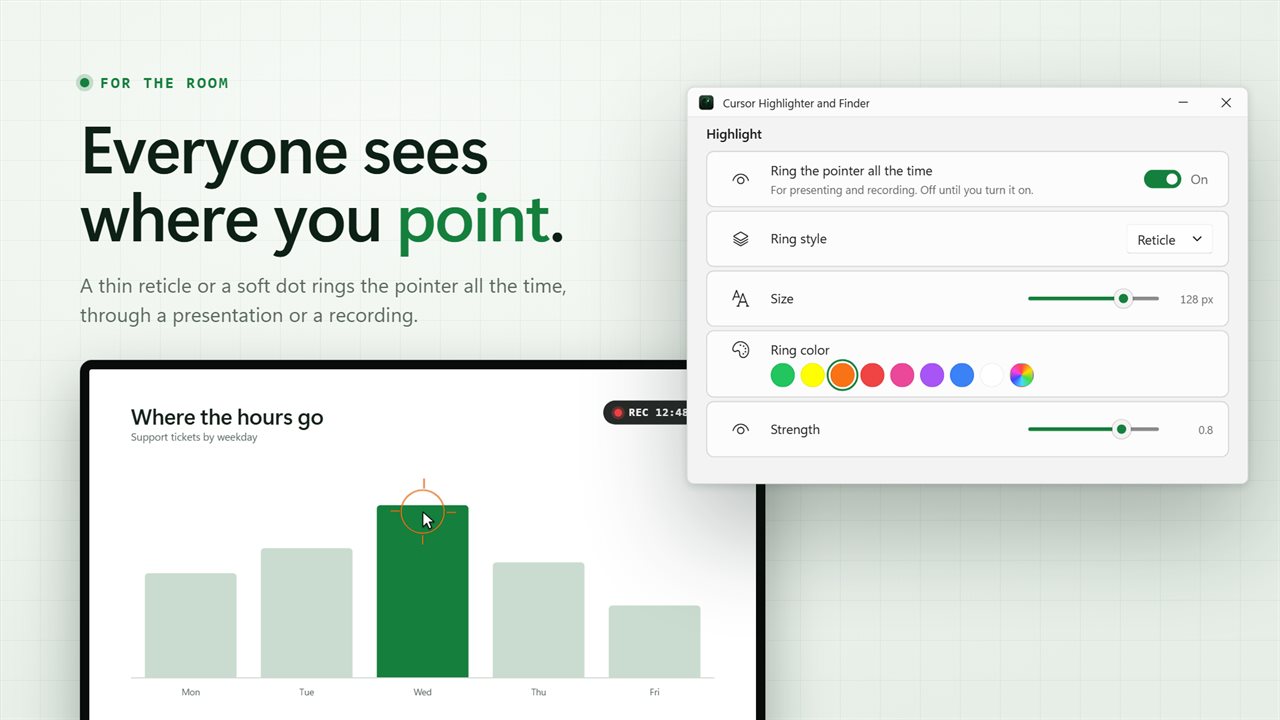
Turn on the highlighter and a thin reticle, or a soft dot, follows the pointer all the time, so everyone watching a presentation or a recording can see where you are. Set its size from 24 to 160 pixels, its color and how strong it is.
It stays out of the way
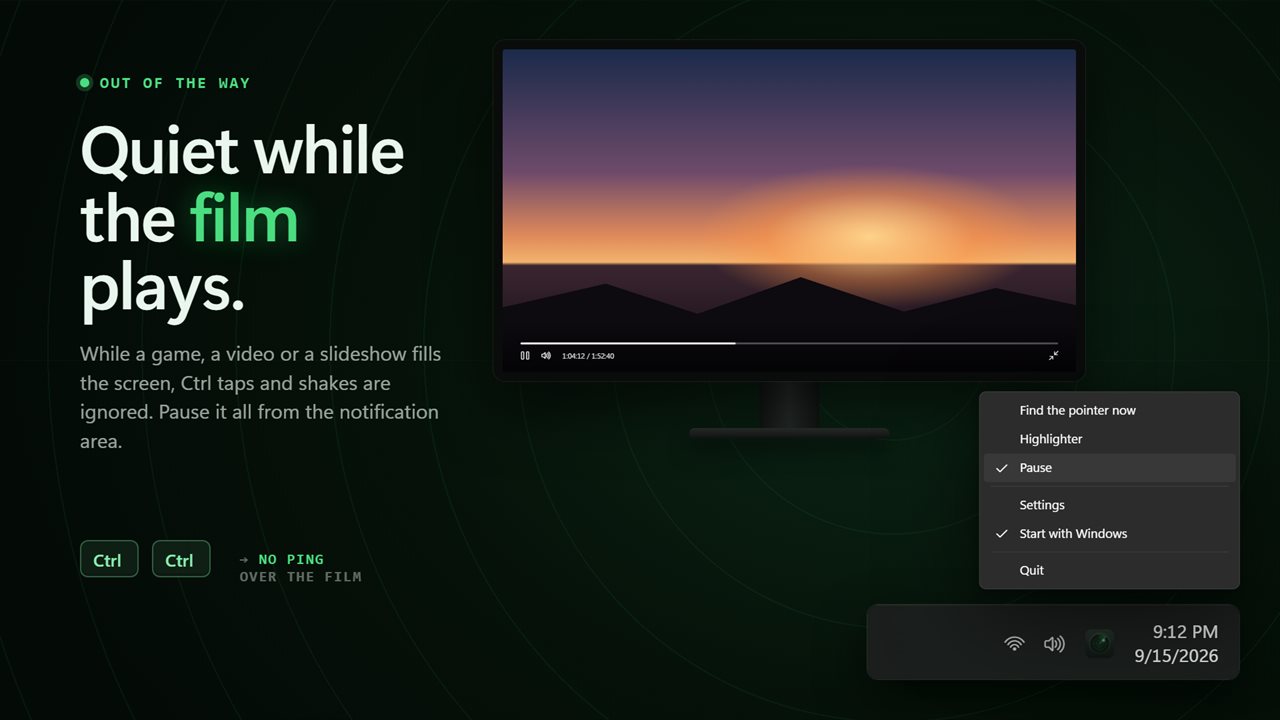
Nothing appears on screen unless you ask for it. The highlighter is off until you turn it on, and the ping lasts well under a second unless you make it longer. While a game, a video or a slideshow fills the screen, Ctrl taps and shakes are ignored and the ring steps aside. Pause everything from the notification area menu.
Everything is drawn straight through: it never takes a click or the keyboard focus from the app you are using, and it works on every monitor, including one plugged in later.
Where it lives
In the notification area, with a window that matches Windows 11 in light or dark. Click the radar scope in that window to see the ping right away. It can start with Windows, carries over the settings from earlier versions, and works with no connection at all. There is no account and nothing is uploaded.
Features
- Tap Ctrl twice and a sonar ping closes in on the pointer, wherever it is
- Choose left Ctrl, right Ctrl or either
- Or shake the mouse to find it, at a gentle, normal or firm shake
- Or record a shortcut of your own that works from any app
- Two ways to find it: sonar rings that close in, or a spotlight that dims every screen around it
- Set the ping's size from 120 to 480 pixels, how long it lasts from 0.4 to 2 seconds, and its color
- A highlighter that rings the pointer all the time, for presenting and recording
- A thin reticle or a soft dot, 24 to 160 pixels across, in any color and strength
- Nothing appears on screen unless you ask: the highlighter is off until you turn it on
- Keeps quiet while a game, a video or a slideshow fills the screen
- Pause everything from the notification area menu
- Works across every monitor, including one plugged in later
- Never takes a click or the keyboard focus away from the app you are using
- Starts with Windows and waits in the notification area
- Your settings from earlier versions are carried over
- Works offline. No account, and nothing is uploaded
Details
- Works on
- Windows 10 (1809 or later) and Windows 11
- Download
- About 3.0 MB
- Version
- 2.1.5, updated October 2026
- First released
- May 2022
- Price
- $2.99 once. No subscription.
- Category
- Utilities & tools
What's new in 2.1.5
- New: shake the mouse to find the pointer
- New: record a shortcut of your own
- New: sonar rings or a spotlight, with the size, length and color yours to choose
- New: the highlighter can be a thin reticle or a soft dot, in any size and strength
- New: keeps quiet while a game, a video or a slideshow fills the screen
- New: pause everything from the notification area
- The find effect is shorter and subtler, and nothing appears unless you ask for it
- Works on every monitor, including one plugged in later
- A redesigned window that matches Windows 11 in light and dark
- Your settings and Start with Windows choice are carried over
Questions
Anything else? Ask us
Which versions of Windows does it run on?
Windows 10 (version 1809 or later) and Windows 11.
Is it a subscription?
No. Cursor Highlighter and Finder is a one-time purchase of $2.99, and updates are included.
How do I get it?
EvlarSoft apps are moving to direct downloads from this site. Ask to be notified and we will email you as soon as Cursor Highlighter and Finder is ready to download.