Cut List Optimizer
Lay out plywood parts on the fewest sheets. Allows for the saw kerf and the grain, shows what the waste costs, and prints a cut list with a diagram of every sheet.
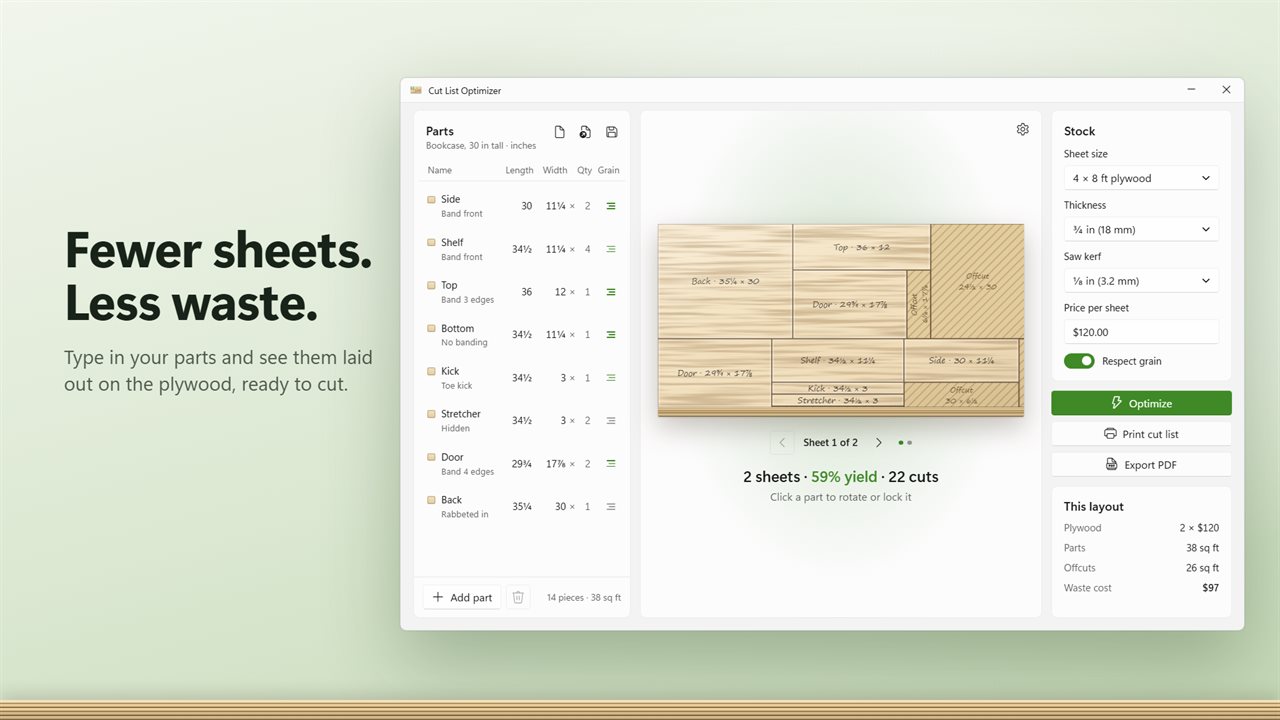
Enter your parts and see them laid out on the sheet.
See it in action
About Cut List Optimizer
A sheet of plywood costs a hundred dollars or more. Lay out a bookcase by hand and you may buy a sheet you didn't need. Cut List Optimizer finds a better layout, and one saved sheet pays for the app.
Enter your parts
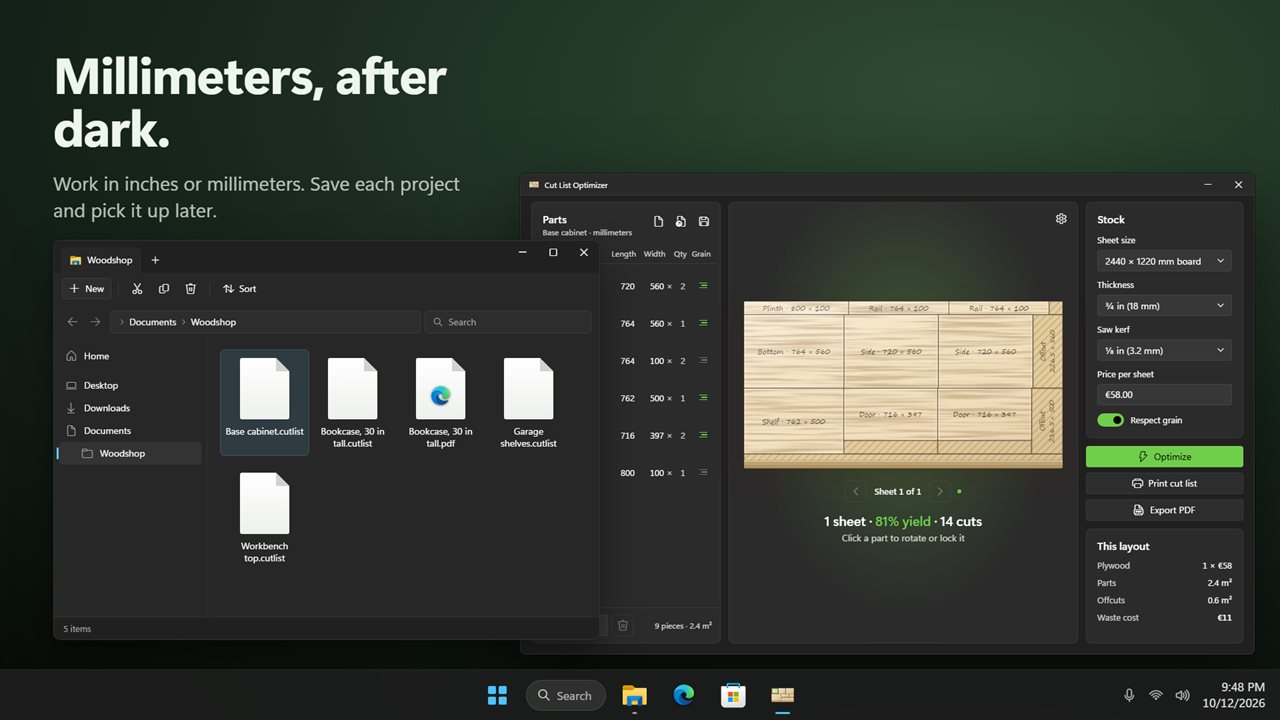
Type each part's name, length, width and how many you need. Sizes go in the way you write them: 11 1/4, 11¼, 2' 6, 285.75mm or 28.5 cm. Work in inches to the 1/16 or in millimeters.
Pick your stock
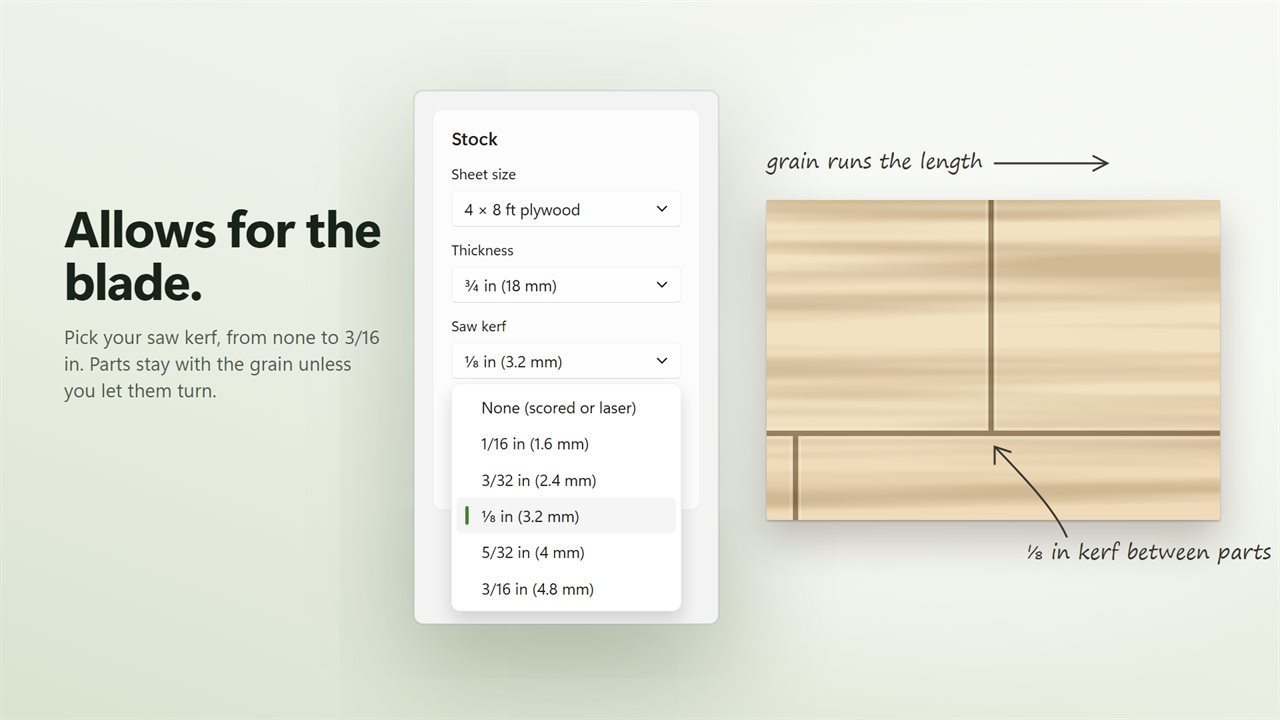
Start from 4x8 plywood, 5x5 Baltic birch, a half sheet, a project panel, three metric board sizes, or 1x6, 1x8 and 1x12 boards, or enter a custom size. Set the thickness, the saw kerf and the price per sheet.
A layout you can cut
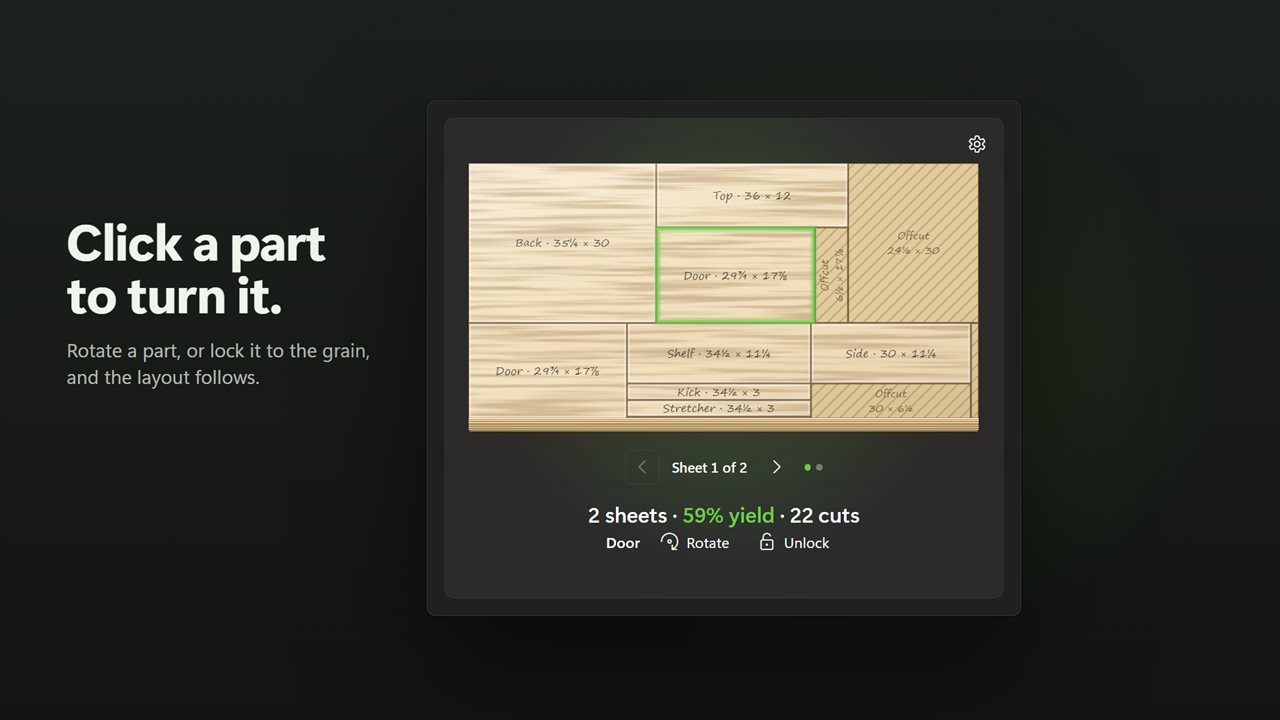
The app tries 24 layouts every time you change something and keeps the one that uses the fewest sheets and leaves the most usable offcuts. Every cut runs edge to edge, so you can make it on a table saw. Parts stay with the grain unless you let them turn. Click a part on the sheet to rotate it or lock it in place.
See what it costs
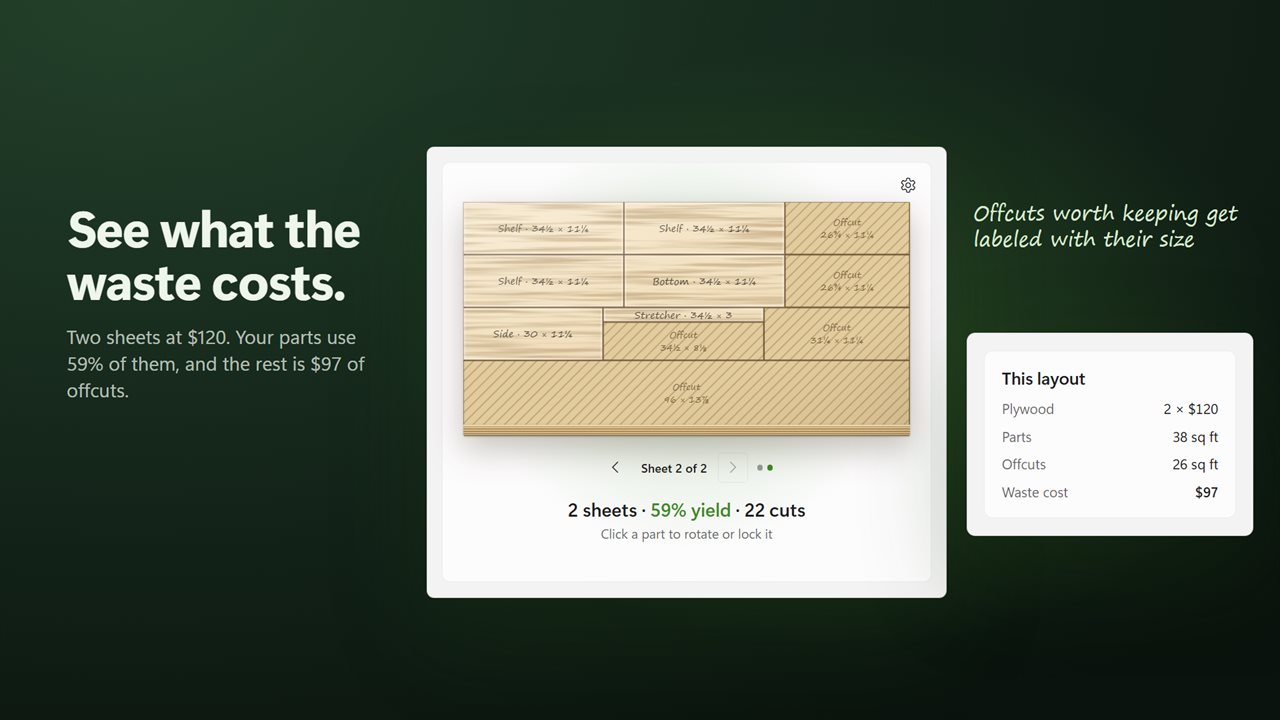
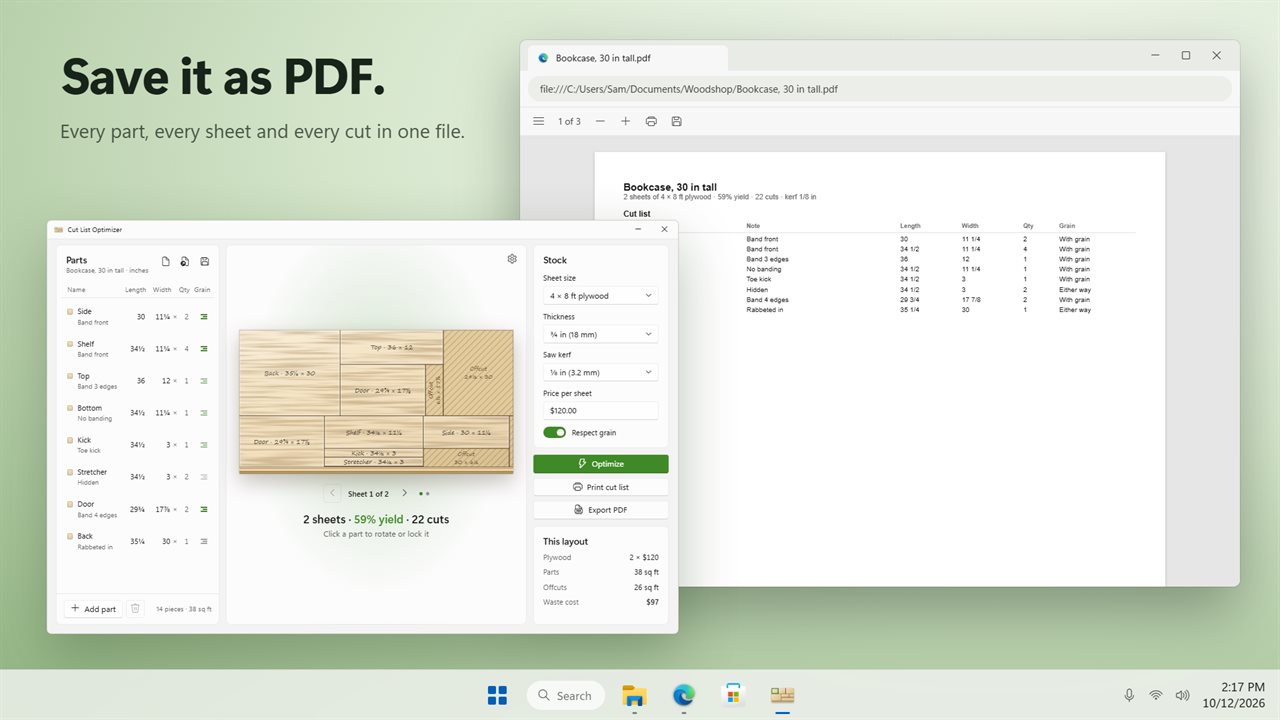
The state line shows the sheets, the yield and the number of cuts. The cost card shows what the sheets cost, the area of your parts, the area left over and what that waste costs you. Offcuts big enough to keep are labeled with their size.
Print the cut list
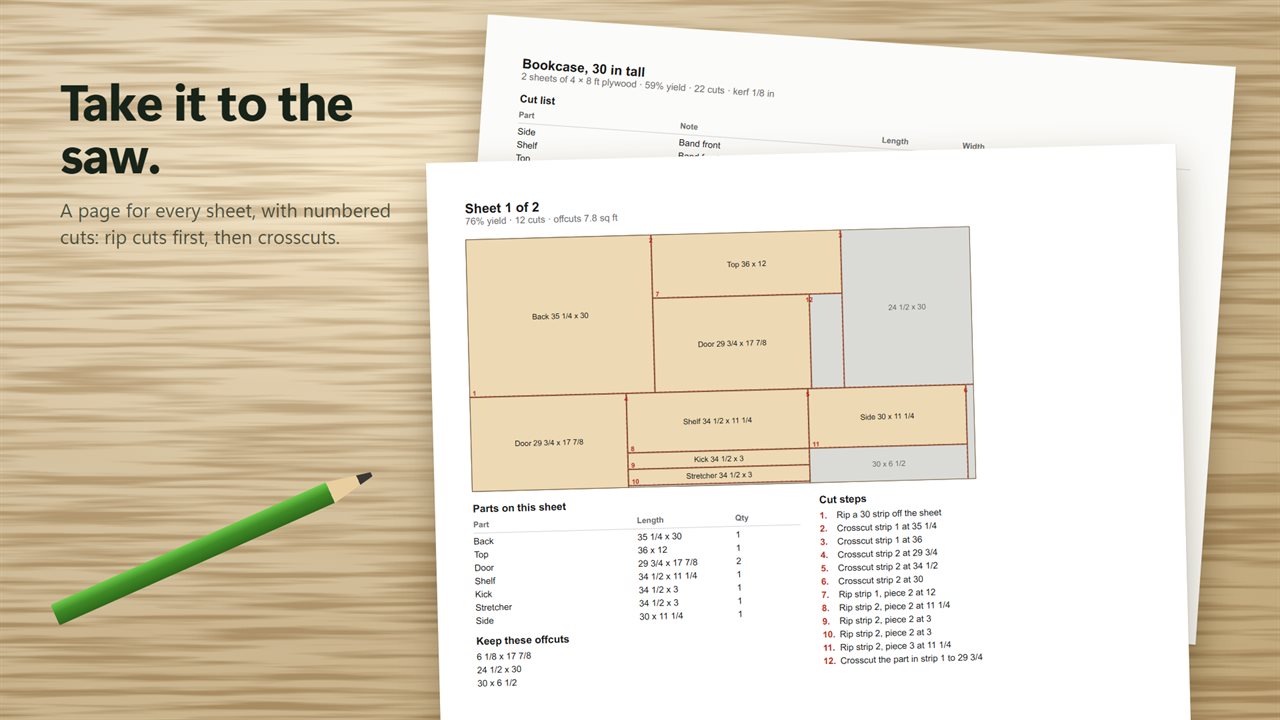
Print it, or save it as PDF: every part with its size and grain, then a page for each sheet with a diagram, the parts on it, the offcuts to keep and numbered cut steps, rip cuts first, then crosscuts.
Save your project as a .cutlist file and open it again later. No account, no sign-in. Everything stays on your PC.
Features
- Enter your parts and get a layout that uses the fewest sheets
- Shows what the layout costs and how much of the money ends up as waste
- Allows for the saw kerf, from none up to 3/16 in
- Respects grain direction, or lets parts turn when grain doesn't matter
- Every cut runs edge to edge, so you can make it on a table saw
- Counts the cuts and lists them in order: rip cuts first, then crosscuts
- Labels the offcuts big enough to keep
- Click a part on the sheet to rotate it or lock it in place
- 4x8 plywood, Baltic birch, metric boards, 1x6 to 1x12 boards, or a custom size
- Type sizes the way you write them: 11 1/4, 11¼, 2' 6 or 285.75mm
- Inches to 1/16 or millimeters
- Print the cut list with a diagram of every sheet, or save it as PDF
- Save projects as .cutlist files and open them again later
- No account. Light and dark themes that follow Windows
Details
- Works on
- Windows 10 (1809 or later) and Windows 11
- Download
- About 2.9 MB
- Version
- 1.0.1, updated October 2026
- First released
- October 2026
- Price
- $14.99 once. No subscription.
- Category
- Productivity
Questions
Anything else? Ask us
Which versions of Windows does it run on?
Windows 10 (version 1809 or later) and Windows 11.
Is it a subscription?
No. Cut List Optimizer is a one-time purchase of $14.99, and updates are included.
How do I get it?
EvlarSoft apps are moving to direct downloads from this site. Ask to be notified and we will email you as soon as Cut List Optimizer is ready to download.