Desktop Verses
A Bible verse on your desktop, new every day. 509 verses from all 66 books in the King James Version, set on your wallpaper in any font you have installed, at any size, in any color — with no box or frame around it. The verse is chosen by the date, so it holds all day and is still there after a restart. Right-click for the next one whenever you want it. Works entirely offline. No account needed, no ads, nothing to unlock.
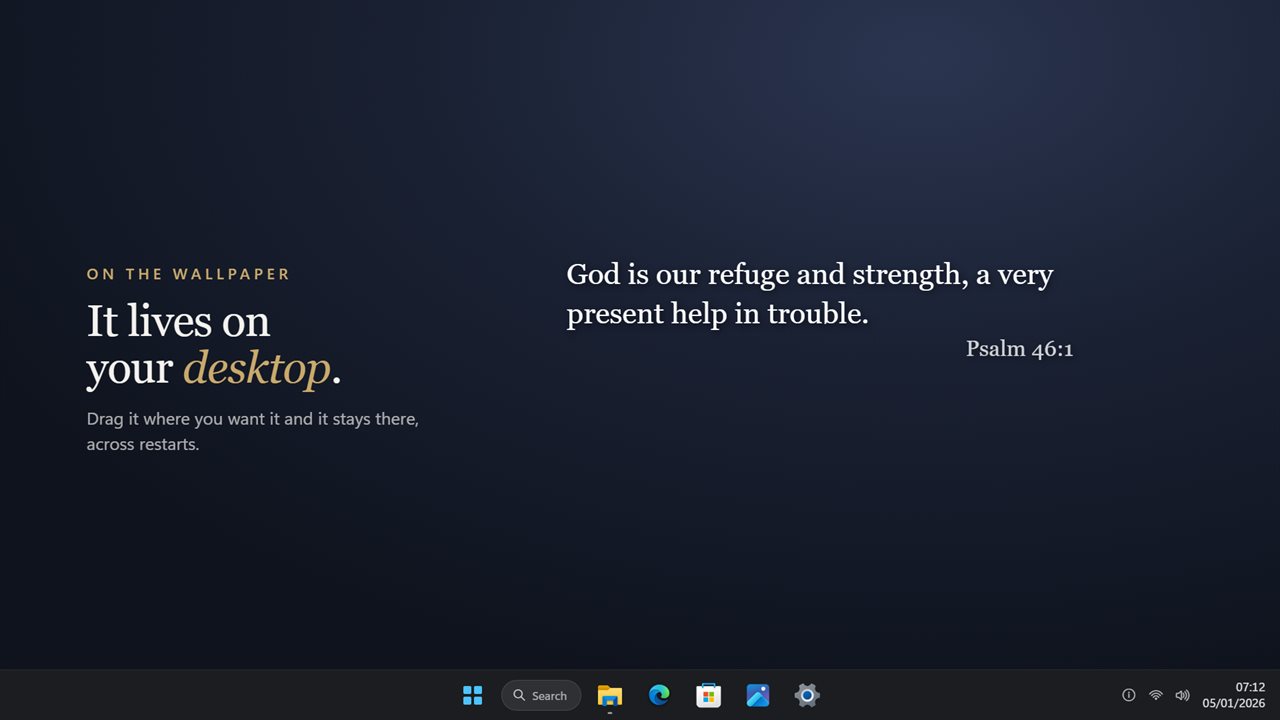
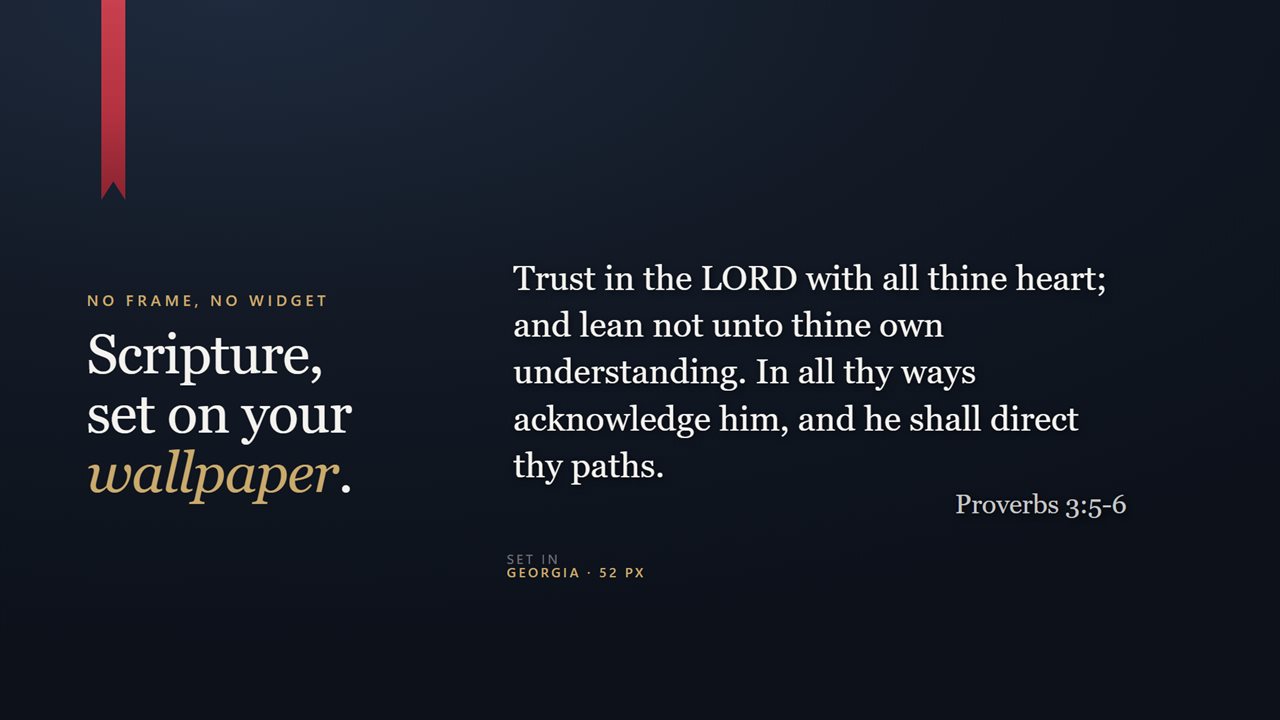
It sits on your desktop, wherever you drag it — and stays there across restarts.
See it in action
About Desktop Verses
A verse from scripture, sitting on your wallpaper as though it were part of it. No box, no frame, no widget chrome — just the words and the reference underneath.
A new verse each day
509 verses, drawn from all 66 books of the King James Version. The date chooses the verse, which means it holds all day and is still the same one after a restart. It works through the whole library before it repeats — well over a year.
If once a day is not your rhythm, set it to change once an hour, or to hold still until you ask. Right-click the verse for the next one at any time.
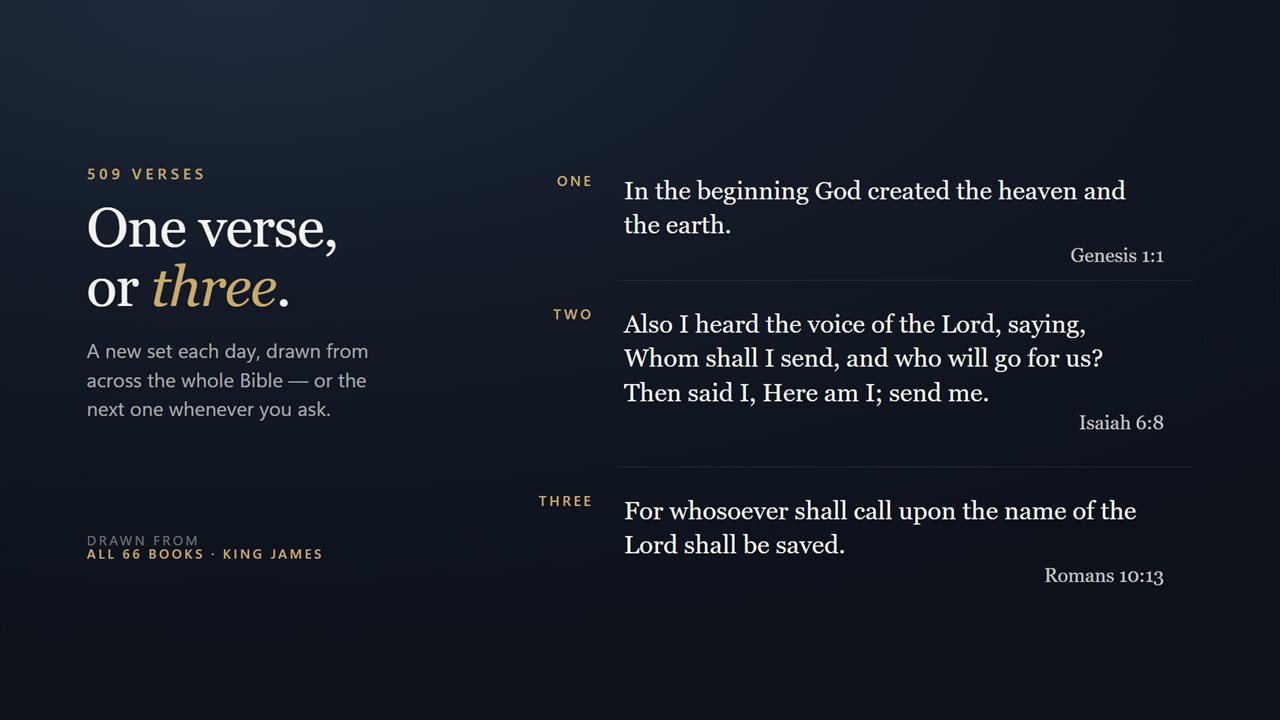
One, two or three
Show a single verse, or stack two or three together. A stack is drawn from across the whole Bible rather than from one page of it, so three verses means something from the law, the prophets and the epistles rather than three that happen to sit side by side.
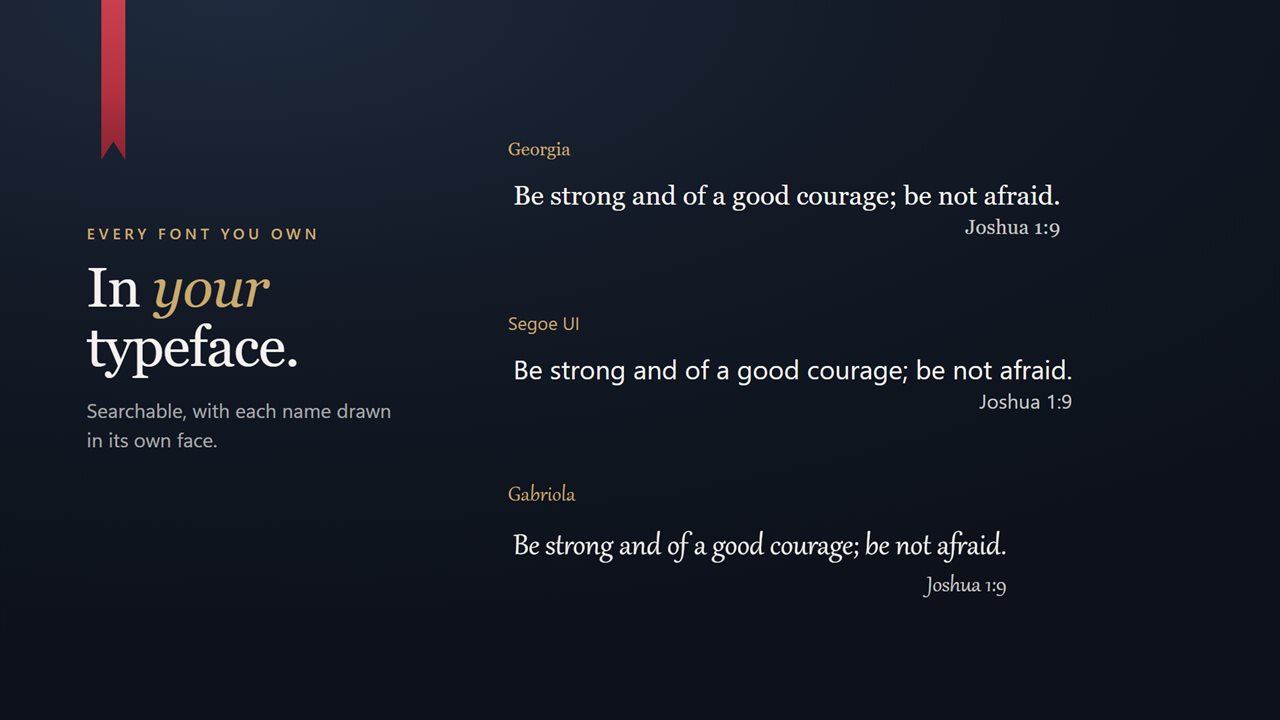
In your typeface
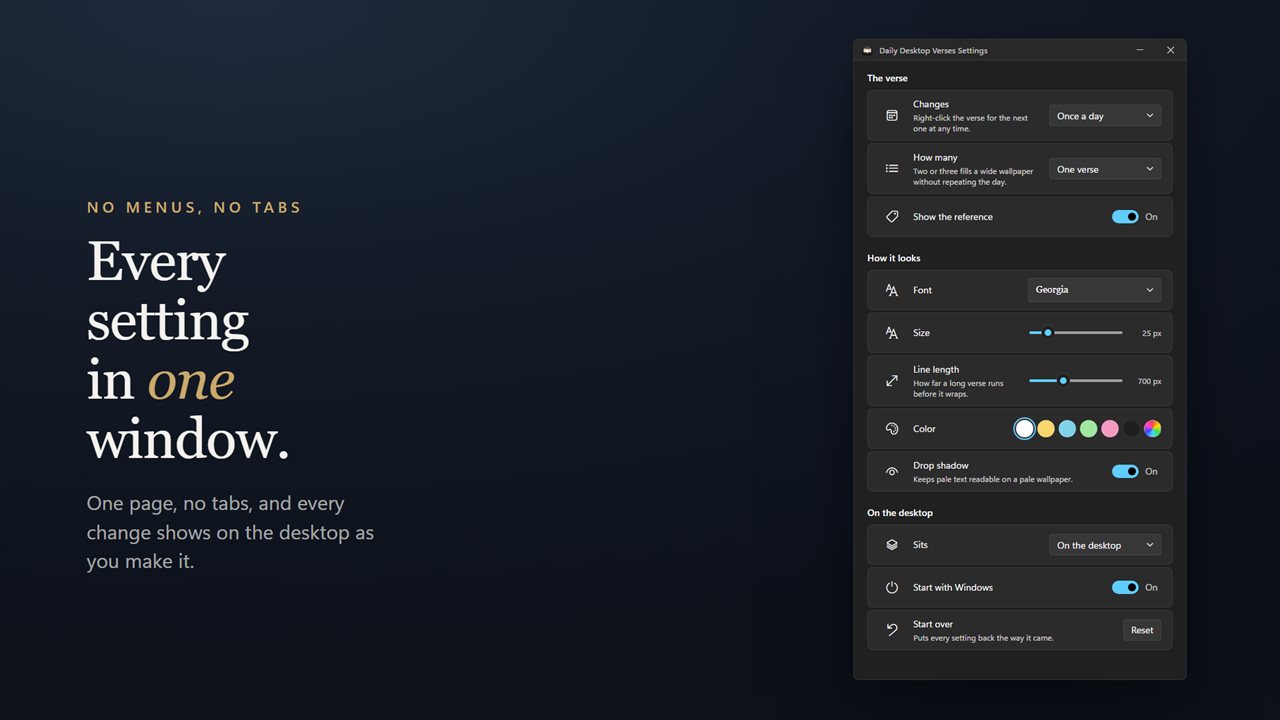
Every font installed on your PC, searchable, with each name drawn in its own face — so you are choosing a typeface rather than reading a list of names. Set scripture in something quiet, or in something with real character.
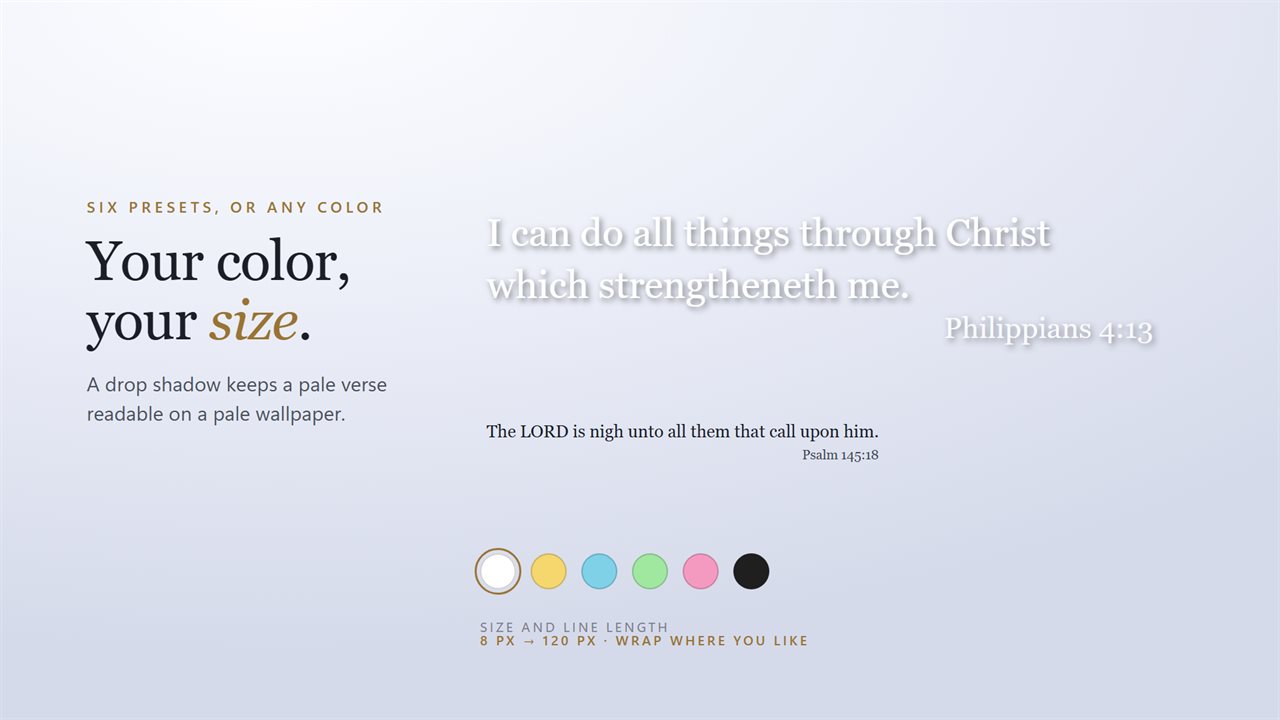
Your size, your color
Size runs from 8 pixels to 120 on one slider. A second slider sets how far a long verse runs before it wraps, so it can be a narrow column or a single wide line. Six color presets, from white through gold, sky, mint and pink to near-black, and a picker for anything else. Turn on the drop shadow to keep a pale color readable on a pale wallpaper.
The reference sits under the verse in a smaller size, and can be turned off if you would rather have the words alone.
On the desktop
Drag it wherever it belongs and it stays there, across restarts. Keep it pinned to the wallpaper so it sits underneath everything you are working in, or float it above every window. It never steals focus and never appears in Alt+Tab.
Entirely offline
The verses are in the app. Nothing is fetched, nothing is tracked, and it works the same with no connection at all. The only data sent is what you choose: an optional EvlarSoft ONE sign-in that backs up your settings, and feedback, sent only when you press Send.
Starts with Windows
One switch. It registers with the Windows Startup page, so you can see it and turn it off there like any other startup app, and it keeps working across updates.
It works fully offline and needs no account. An optional EvlarSoft ONE sign-in backs up your settings so you can carry them to another PC, and feedback is sent only when you press Send. No ads, and nothing held back behind an unlock.
Features
- A verse on your wallpaper, with no box, bezel or frame around it
- 509 verses from all 66 books, in the King James Version
- A new one each day, and the same one all day
- Or once an hour, or only when you ask for it
- Show one verse, or two, or three at once
- A stack of three is drawn from across the whole Bible, not three neighbours
- Right-click for the next verse whenever you want one
- Any font installed on your PC, searchable, each name drawn in its own face
- Any size from 8px to 120px, on one slider
- Set how far a long verse runs before it wraps
- Six color presets, or any color you like
- A drop shadow to keep a pale verse readable on a pale wallpaper
- The reference underneath, or not at all
- Sits on the wallpaper, underneath the windows you are working in
- Or floats above every window
- Stays exactly where you drag it, across restarts
- Starts with Windows, through the Startup page rather than a shortcut
- Works entirely offline — the verses are in the app, not fetched
- Optional EvlarSoft ONE sign-in backs up your font, colors and layout, to carry them to another PC
- No account needed, no ads, nothing to unlock
Details
- Works on
- Windows 10 (1809 or later) and Windows 11
- Download
- About 2.9 MB
- Version
- 2.0.10, updated October 2026
- First released
- January 2023
- Price
- Free
- Category
- Entertainment
What's new in 2.0.10
- 509 verses, up from 233, covering all 66 books. The old list was heavily weighted to a handful of them
- Every verse now in the King James Version, where the old list mixed translations mid-rotation
- "Daily" actually holds. The verse is chosen by the date, so it no longer changes every time the app restarts
- The verse can now change hourly, or stay put until you ask for the next one
- Show one verse, two or three at once. A stack is spread across the whole Bible rather than taken from one page
- Right-click for the next verse
- Size is a slider from 8px to 120px, and line length is adjustable — the old version wrapped at a fixed width
- The reference can be hidden
- A drop shadow for pale wallpapers
- Pin above other windows
- Start with Windows, registered on the Windows Startup page so you can control it there
- Your existing settings, including your font and color, are carried over on first launch
- Lighter on memory
Questions
Anything else? Ask us
Which versions of Windows does it run on?
Windows 10 (version 1809 or later) and Windows 11.
Is it free?
Yes. Desktop Verses is free to download.
How do I get it?
EvlarSoft apps are moving to direct downloads from this site. Ask to be notified and we will email you as soon as Desktop Verses is ready to download.