RSS Keyword Alerts
Tell it the words you care about, and it taps you on the shoulder when a headline uses one. RSS Keyword Alerts watches your news feeds from the notification area and sends a Windows notification for each match, with Read and Mute buttons.
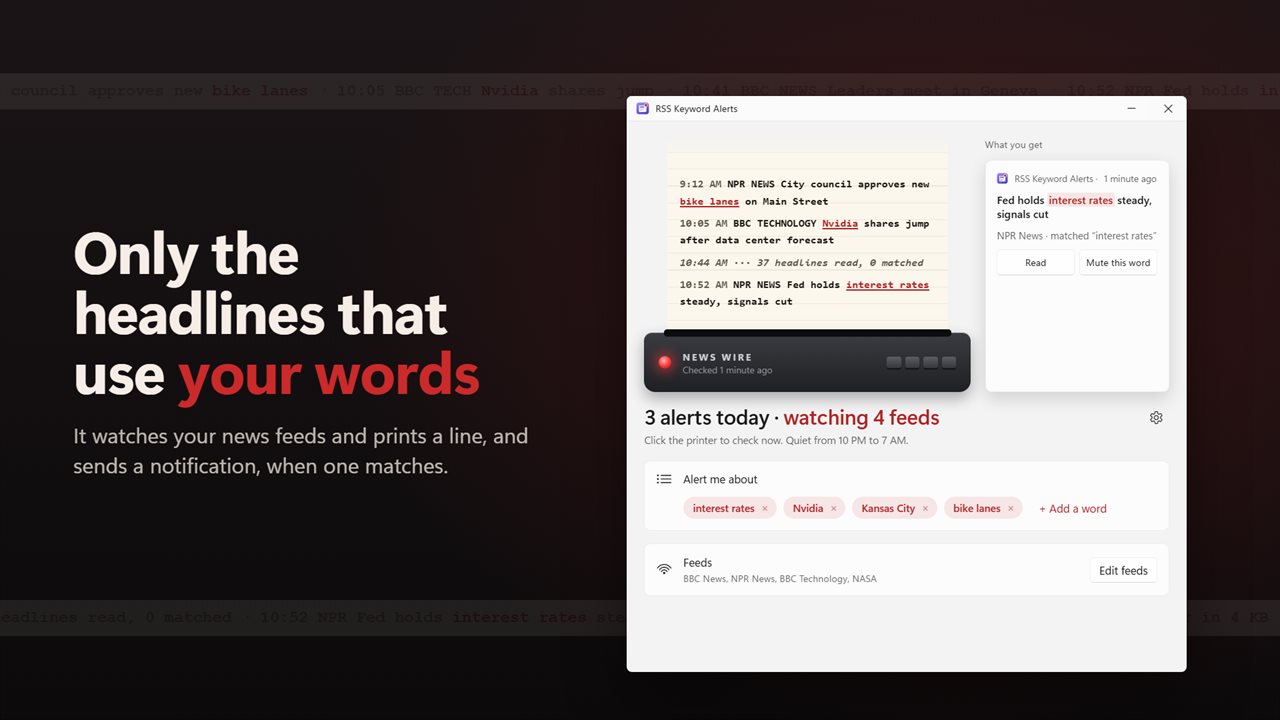
Only the headlines that use your words.
See it in action
About RSS Keyword Alerts
Stop refreshing the news. Tell RSS Keyword Alerts the words you care about, and it lets you know the moment a headline uses one.
Your words, not everything
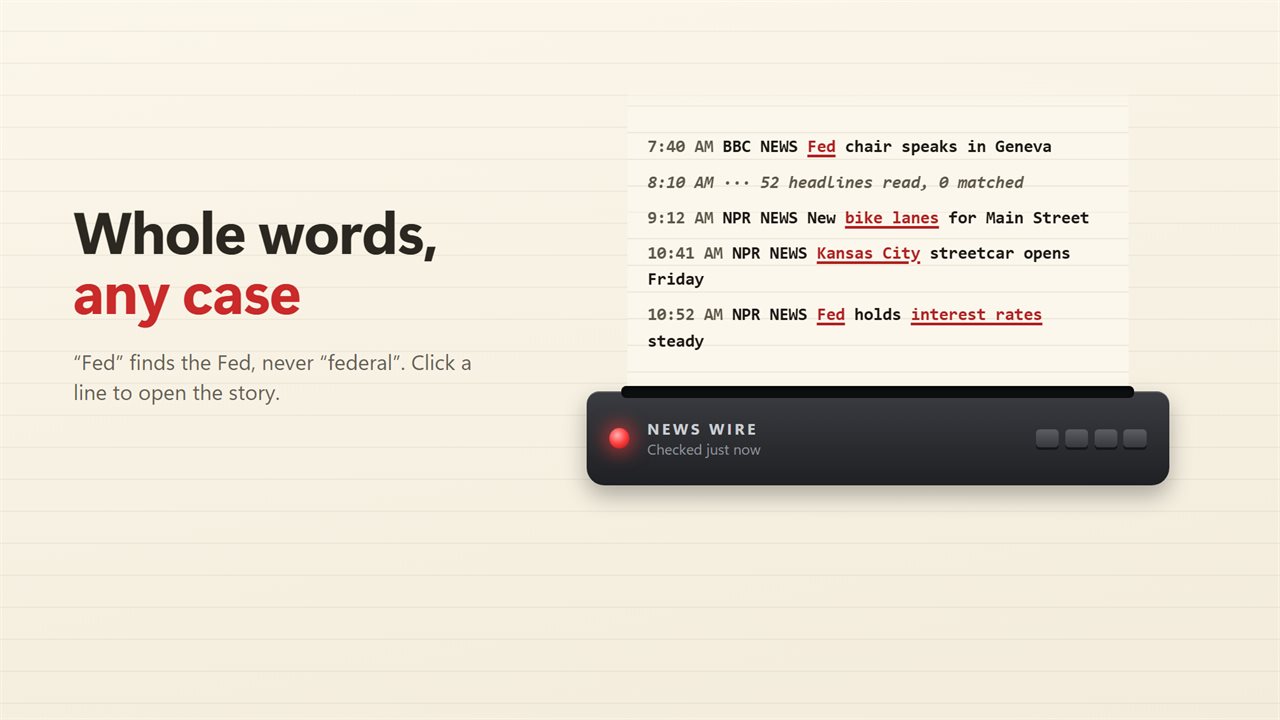
Add a word or a phrase: a company, a team, your town, a topic at work. Every headline and summary is checked for it as a whole word, in any case, so "Fed" finds the Fed and never "federal". Follow as many words as you like.
A notification for each match
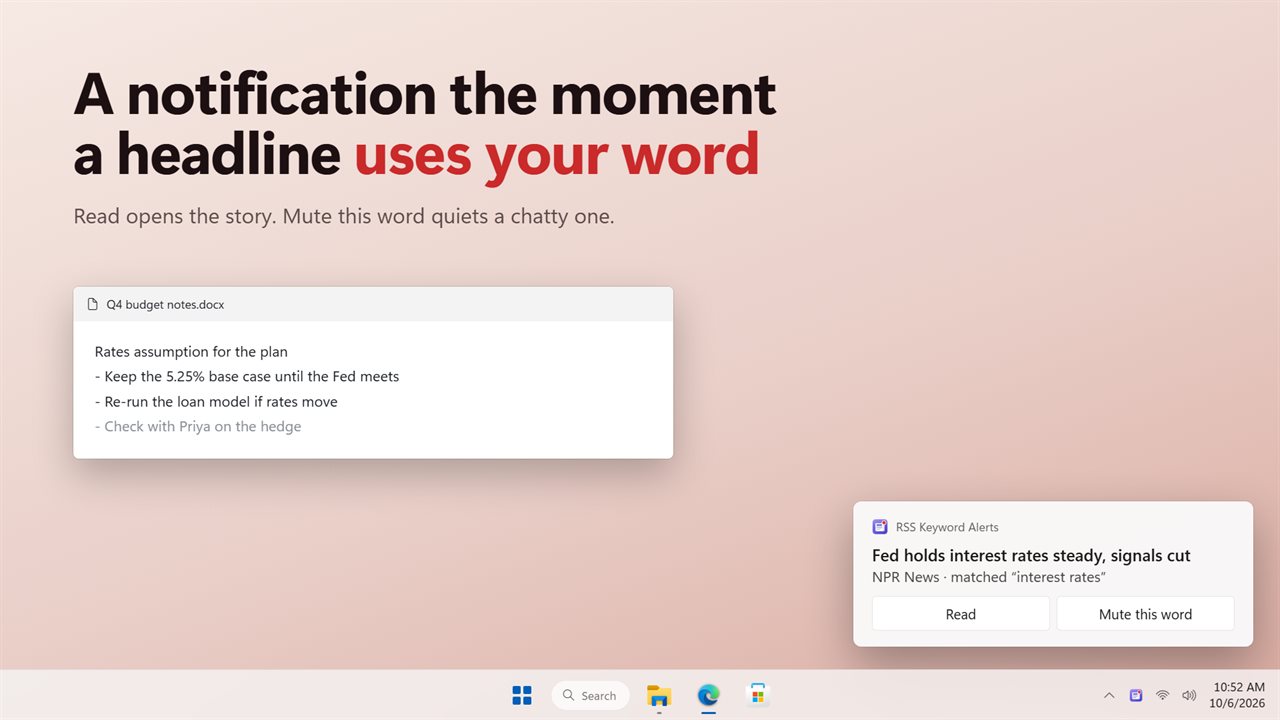
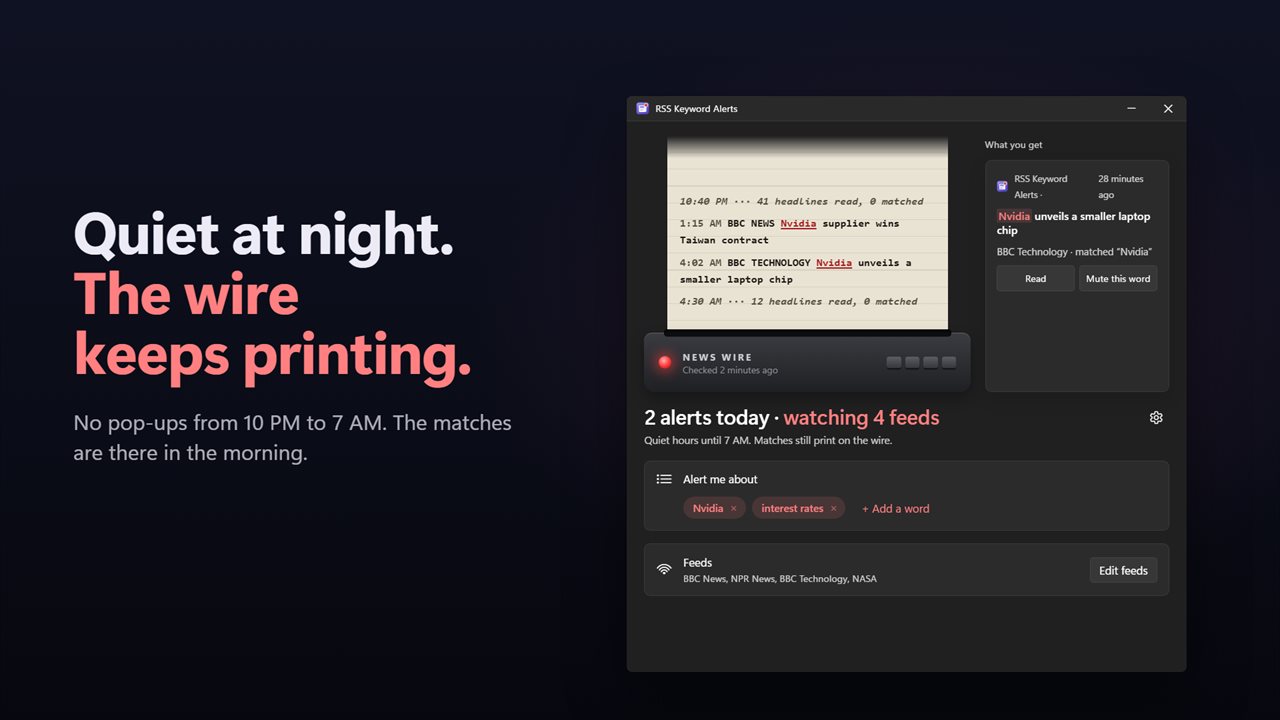
When a headline matches, Windows shows a notification with the headline, the feed and the word it matched. Read opens the story. Mute this word stops a word that has become too chatty. A busy check sends up to 3 notifications and sums up the rest in one.
The wire
The app is built around a news-wire printer. Every match prints a line with your words marked in red, and a faint line after each check says how many headlines were read. Click a line to open the story, or click the printer to check right now.
Several feeds at once
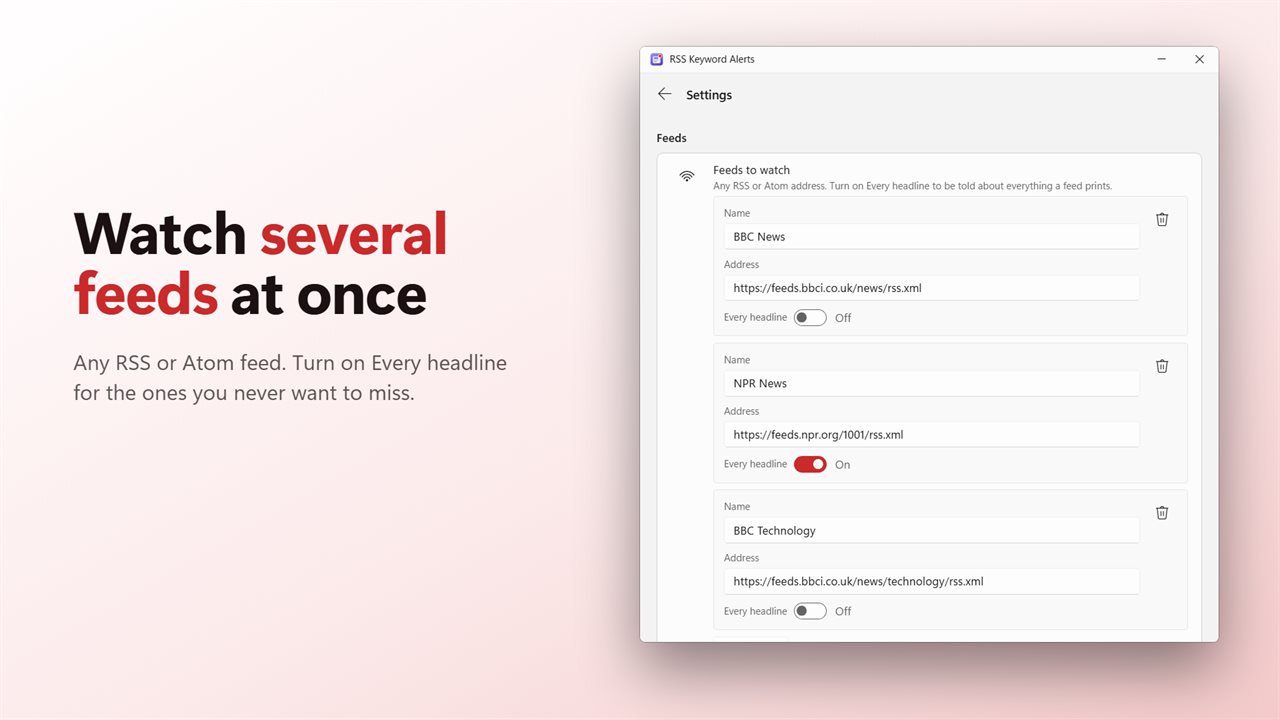
BBC News, NPR News, BBC Technology and NASA are ready to go. Change them, remove them, or add any RSS or Atom feed. Set a feed to alert on every headline when you never want to miss a thing from it.
Quiet when you want it
Quiet hours keep notifications away overnight, 10 PM to 7 AM unless you change them. Matches still print on the wire, waiting for the morning. The app checks every 5 minutes, or every 2 to 30.
No repeats
The app remembers the last 2,000 headlines it has read, so restarting your PC never brings back an alert you already had.
Out of the way
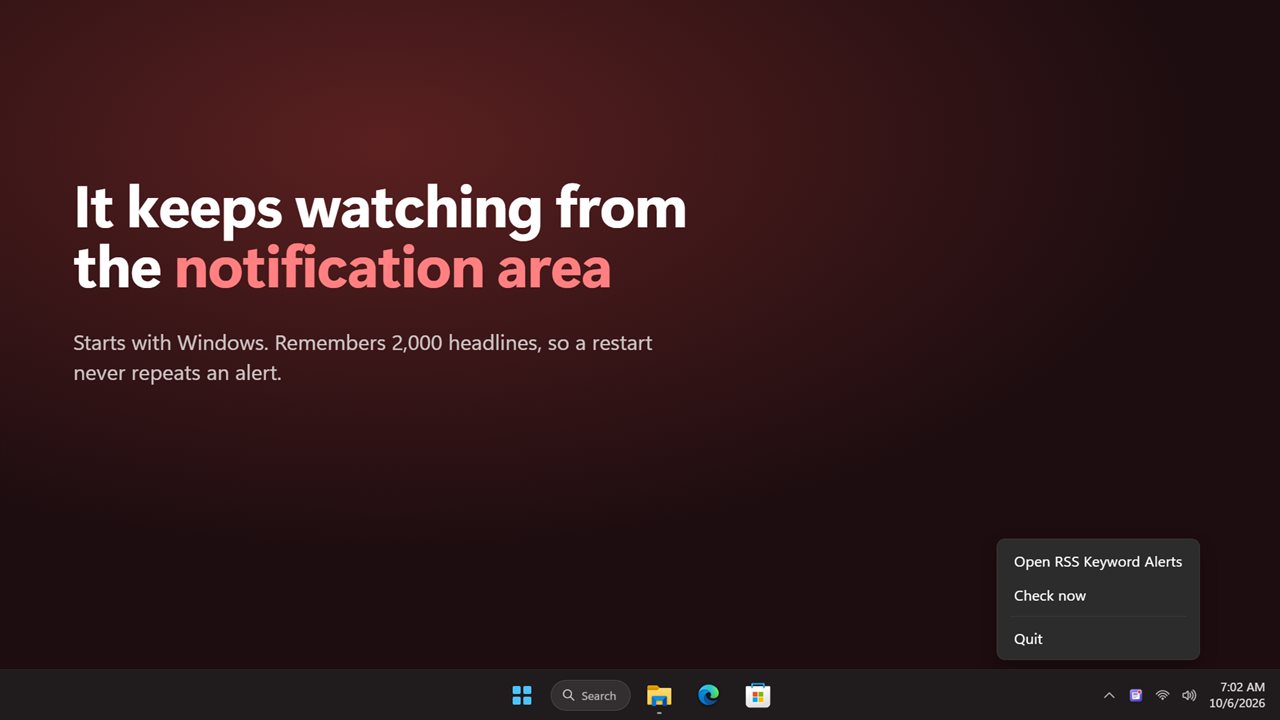
It waits in the notification area and starts with Windows. Close the window and it keeps watching. Upgrading? The feed you set in the earlier version carries over.
Features
- A Windows notification when a headline uses a word you follow
- Follow as many words and phrases as you like. Whole words only, in any case, so "Fed" never matches "federal"
- Watch several feeds at once. BBC News, NPR News, BBC Technology and NASA are ready to go, and every one can be changed
- Any RSS or Atom feed works. Paste its address and give it a name
- Set a feed to alert on every headline, for the sources you never want to miss
- Each notification has a Read button, and a Mute this word button for a word that is getting too chatty
- The wire prints every match with your words marked in red. Click a line to open the story
- Click the printer to check right now
- Checks every 2, 5, 10, 15 or 30 minutes. Every 5 minutes unless you pick another
- Quiet hours, 10 PM to 7 AM unless you change them. Matches still print, with no pop-ups
- A busy check sends up to 3 notifications and sums up the rest in one, or pick 1, 5 or 10
- Remembers the last 2,000 headlines it has read, so a restart never repeats an alert
- Waits in the notification area and starts with Windows
- The feed you set in the earlier version carries over
- Light and dark themes, or match Windows
Details
- Works on
- Windows 10 (1809 or later) and Windows 11
- Download
- About 2.8 MB
- Version
- 2.0.3, updated October 2026
- First released
- October 2022
- Price
- $1.99 once. No subscription.
- Category
- News & weather
What's new in 2.0.3
- New: alerts only for the words you follow, matched as whole words
- New: watch several feeds at once
- New: Read and Mute this word buttons on every notification
- New: quiet hours
- New: the wire shows every match with your words marked
- Fixed: a restart no longer repeats alerts you already had
- Fixed: changing a feed checks it straight away
- Your feed from the earlier version carries over
Questions
Anything else? Ask us
Which versions of Windows does it run on?
Windows 10 (version 1809 or later) and Windows 11.
Is it a subscription?
No. RSS Keyword Alerts is a one-time purchase of $1.99, and updates are included.
How do I get it?
EvlarSoft apps are moving to direct downloads from this site. Ask to be notified and we will email you as soon as RSS Keyword Alerts is ready to download.