News Ticker Widget
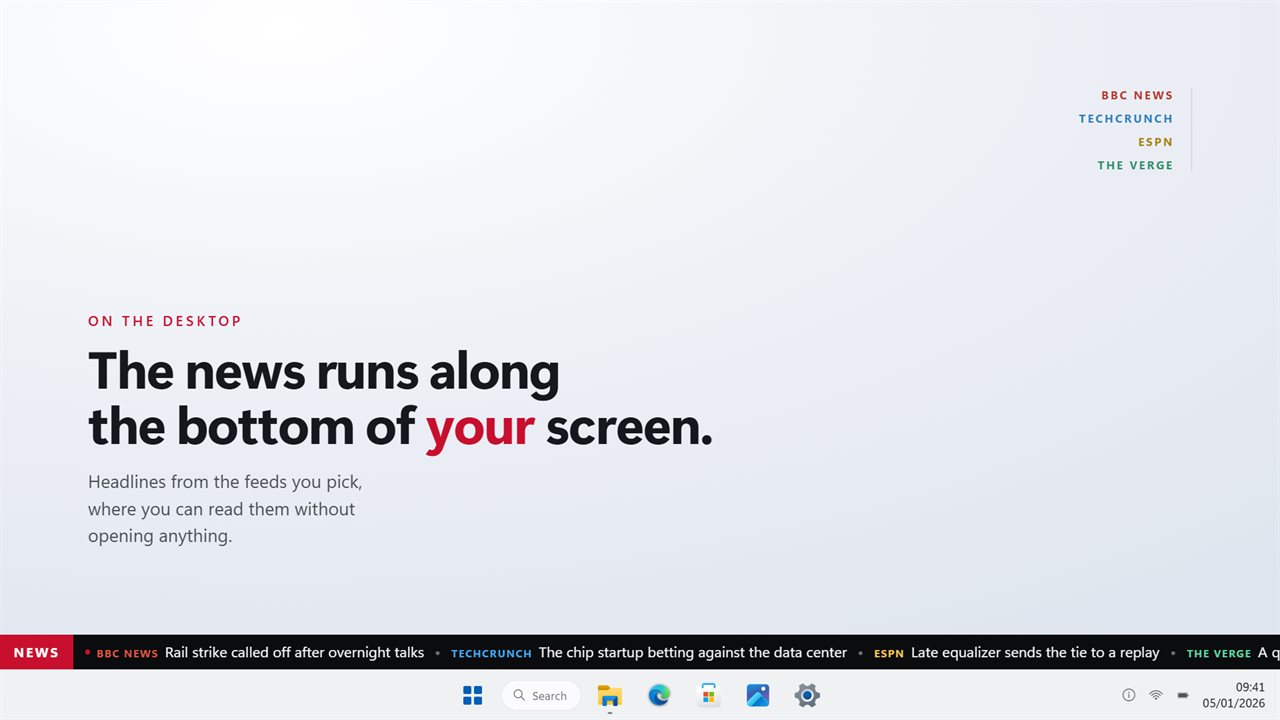
Headlines from the feeds you choose, scrolling across your desktop.
News Ticker Widget in 31 seconds
See it in action
About News Ticker Widget
News lives behind a tab you have to remember to open. By the time you get there it wants your attention for twenty minutes, and you only wanted to know if anything had happened.
News Ticker Widget puts the headlines on your desktop instead, running along an edge of the screen where you will see them without opening anything. Read one, ignore the rest, click the one you want.
Your feeds
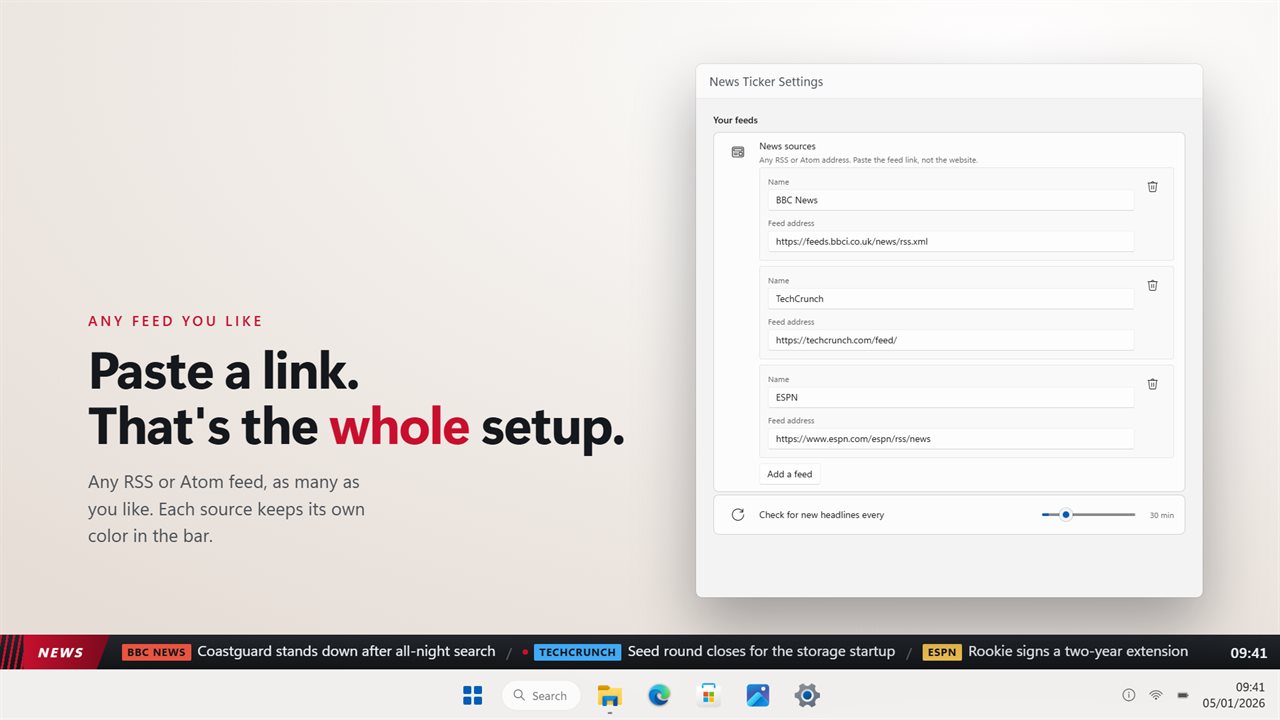
Any RSS or Atom address. Paste the feed link and it is in. Add as many as you like, name them what you want, and switch one off without deleting it.
You always know who said it
Every headline travels with its source, in that source's own color. The feeds are interleaved rather than run one after another, so a bar with five sources reads like five sources instead of one long stretch of the same site.
Four looks
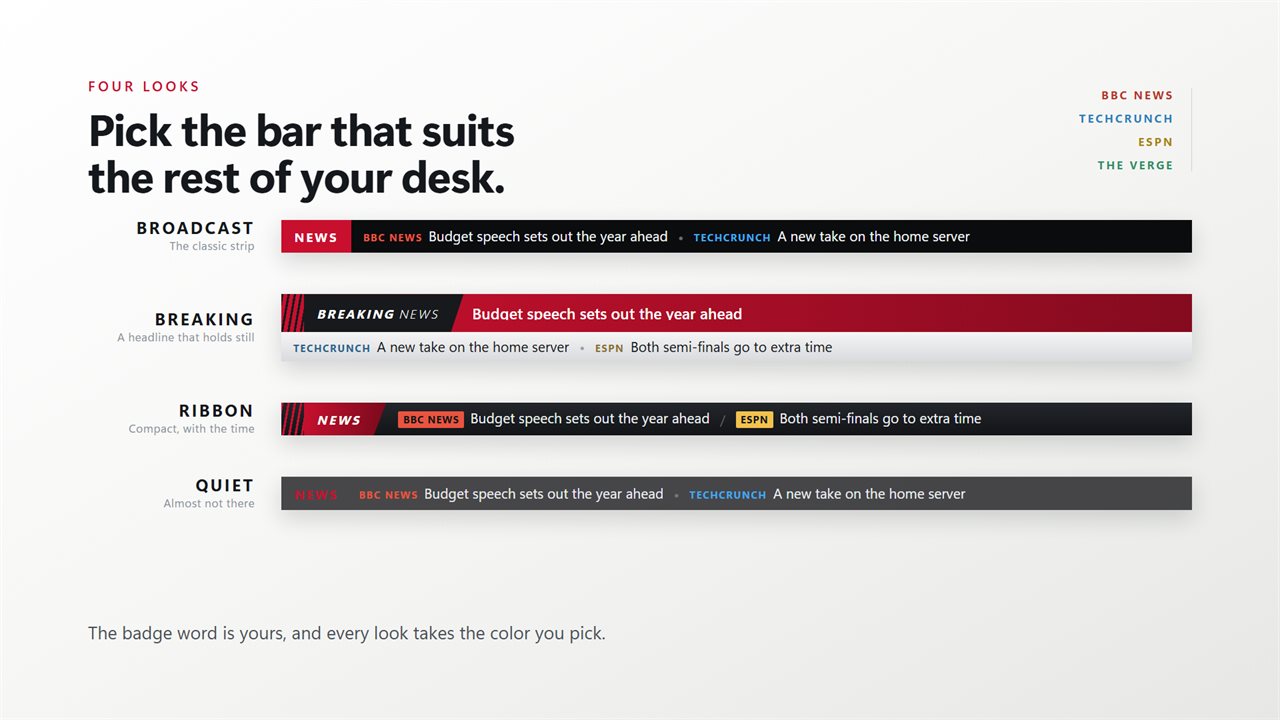
Broadcast is the classic strip. Breaking adds a band above the crawl holding one headline still, long enough to actually read it. Ribbon is compact, with the time on the end. Quiet almost disappears. The badge word is yours to set, and every look takes whichever color you pick.
It holds its own space
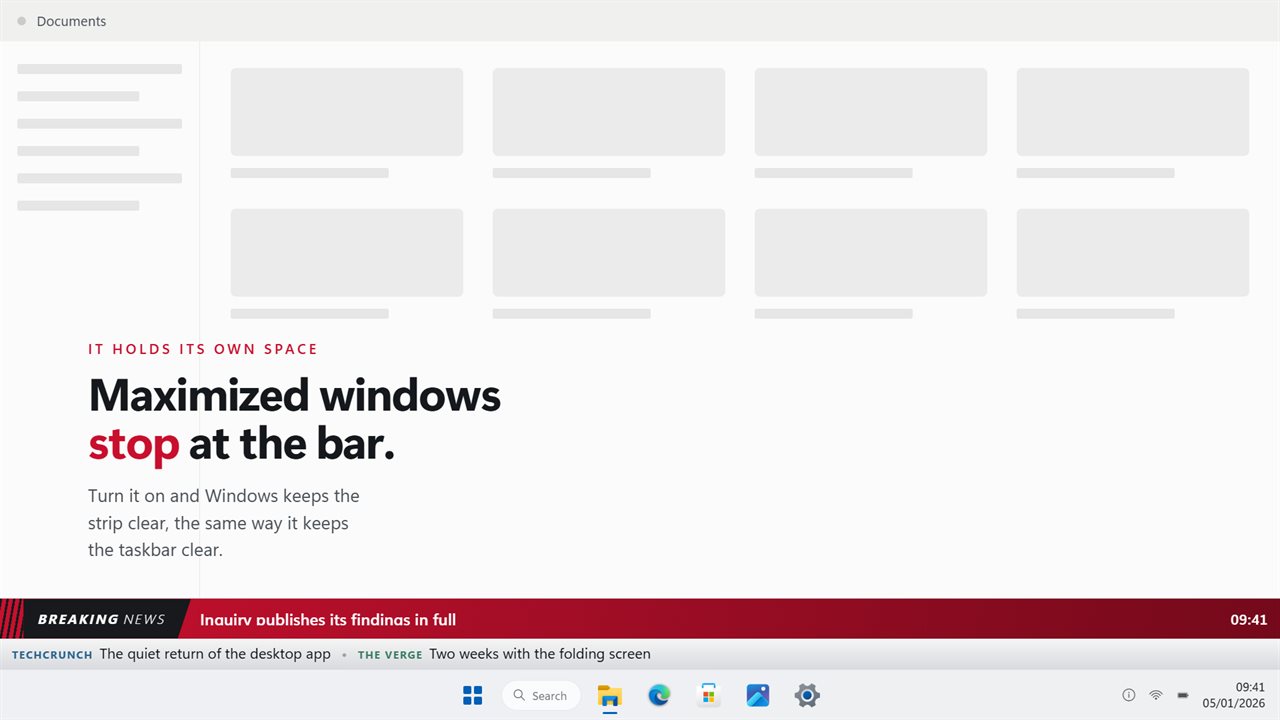
Turn it on and Windows keeps the strip clear, so maximized windows stop at the bar the same way they stop at the taskbar.
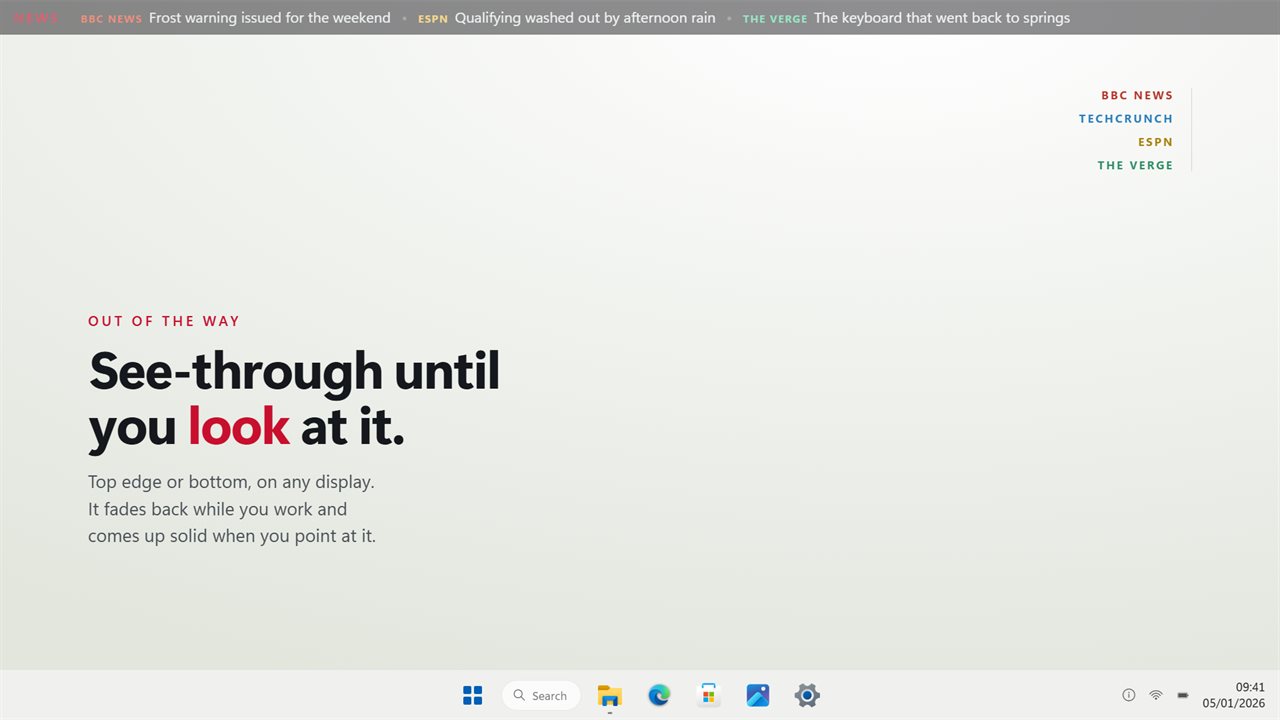
Out of the way
Top edge or bottom, on any display. It fades back while you work and comes up solid when you point at it. Pointing also stops the scroll so you can finish the line, and the wheel takes you back to one that has already gone past.
No account. No sign-in. No ads. Everything above is included; optional add-ons bring extra board styles and live market quotes. Without Markets, the only thing it sends anywhere is a request for the feeds you added.
Built for Windows 11, and at home on Windows 10.
Features
- A scrolling bar of headlines along the top or bottom of your screen
- Any RSS or Atom feed, as many as you like
- Every headline carries the source it came from, in that source's color
- Feeds take turns, so five sources read like five sources
- Four looks: Broadcast, Breaking, Ribbon and Quiet
- Breaking adds a headline that holds still above the crawl
- Point at the bar to stop it, and scroll the wheel to go back
- Maximized windows can be kept off the bar, the way they are off the taskbar
- See-through until you look at it, on whichever display you choose
- No account, no ads, and nothing that leaves your PC but the feed requests
Details
- Works on
- Windows 10 (1809 or later) and Windows 11
- Download
- About 2.7 MB
- Version
- 2.1.10, updated October 2026
- First released
- June 2022
- Price
- $2.99 once. No subscription.
- Category
- News & weather
What's new in 2.1.10
- Rebuilt for Windows 11
- New: four looks — Broadcast, Breaking, Ribbon and Quiet — with your own badge word
- New: Breaking holds one headline still above the crawl, long enough to read
- New: the bar can hold its own space, so maximized windows stop at it
- New: headlines added since the last check are marked
- Feeds are interleaved, so five sources read like five sources
- Every headline carries its source, in that source's color
- Point at the bar to stop it, and scroll the wheel to go back
- Top or bottom edge, on whichever display you choose
- Your existing feeds and settings are carried over on first launch
- Lower memory use and a faster start
Questions
Anything else? Ask us
Which versions of Windows does it run on?
Windows 10 (version 1809 or later) and Windows 11.
Is it a subscription?
No. News Ticker Widget is a one-time purchase of $2.99, and updates are included.
How do I get it?
EvlarSoft apps are moving to direct downloads from this site. Ask to be notified and we will email you as soon as News Ticker Widget is ready to download.