DateMath
Pick two dates and Date Math tells you the days, weeks, months and years between them, and how many of those are working days. Weekends, public holidays for your country and your own days off are left out, and each one is listed by name.
Every day between two dates.
See it in action
About DateMath
Pick two dates and see everything between them.
Two calendar pads
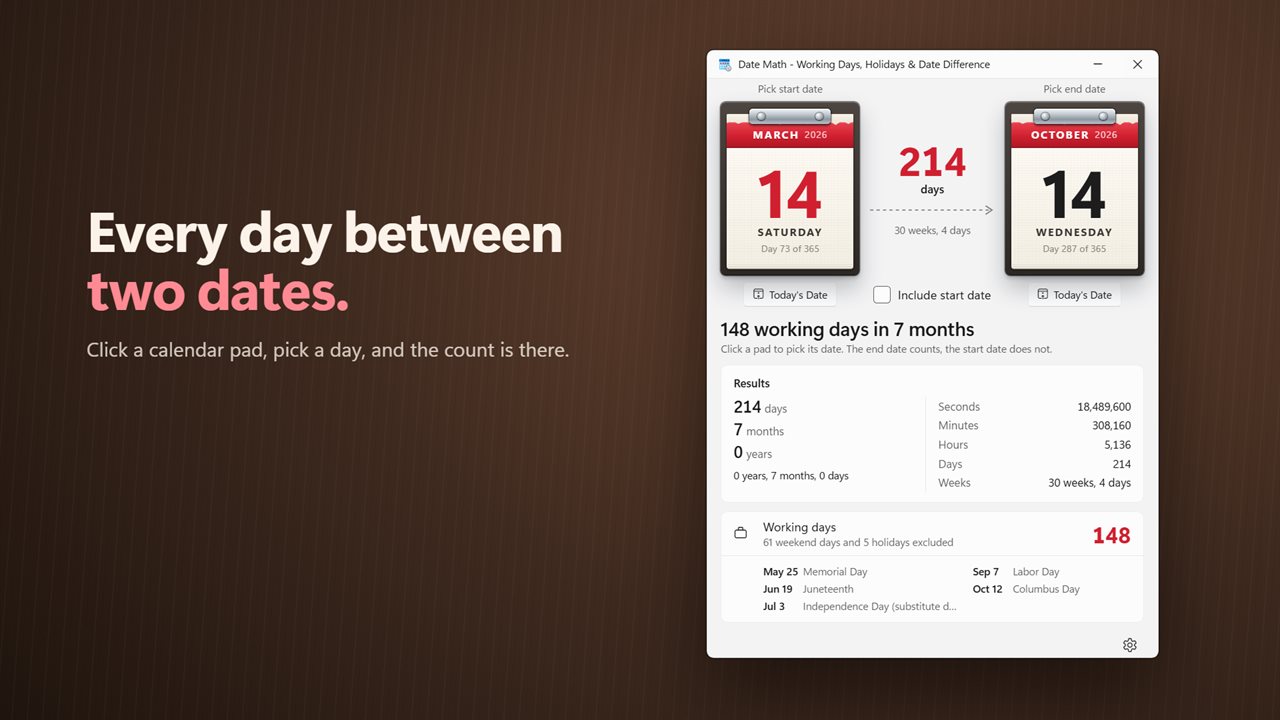
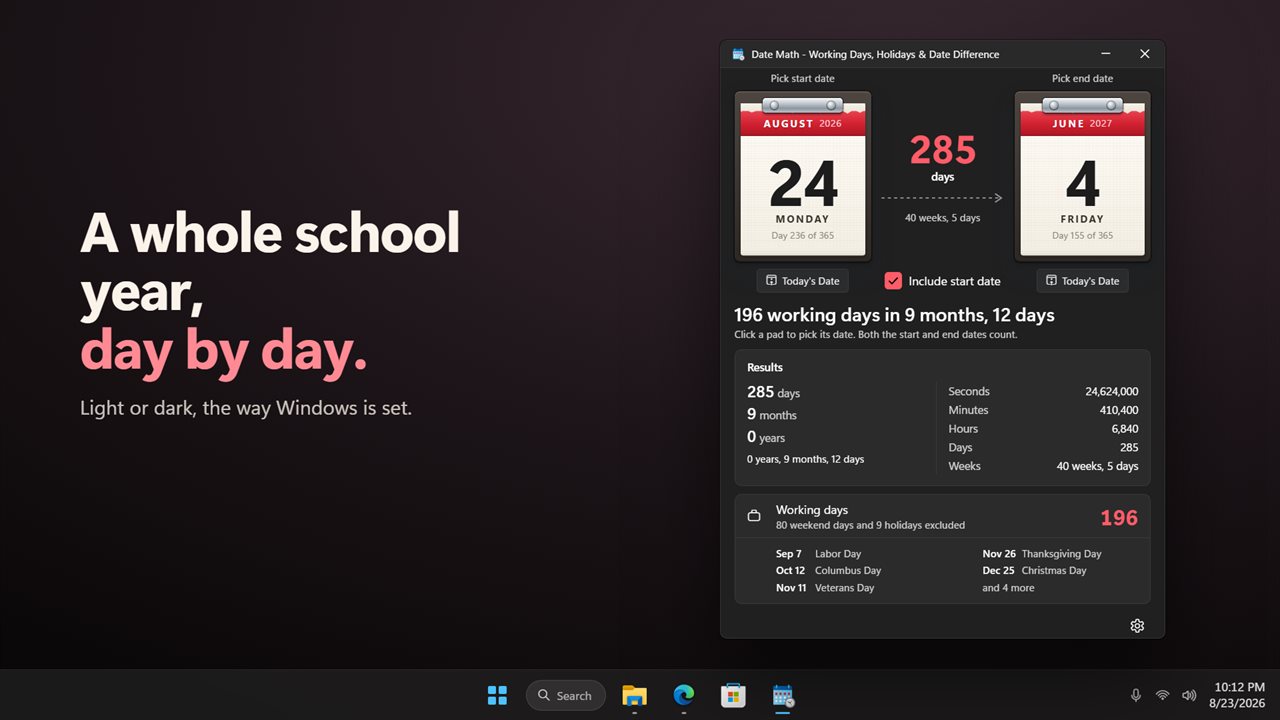
Click the start pad or the end pad and pick a day. Each pad shows the month, the day, the weekday and which day of the year it is. Today's Date sets a pad to today with one click.
The whole span
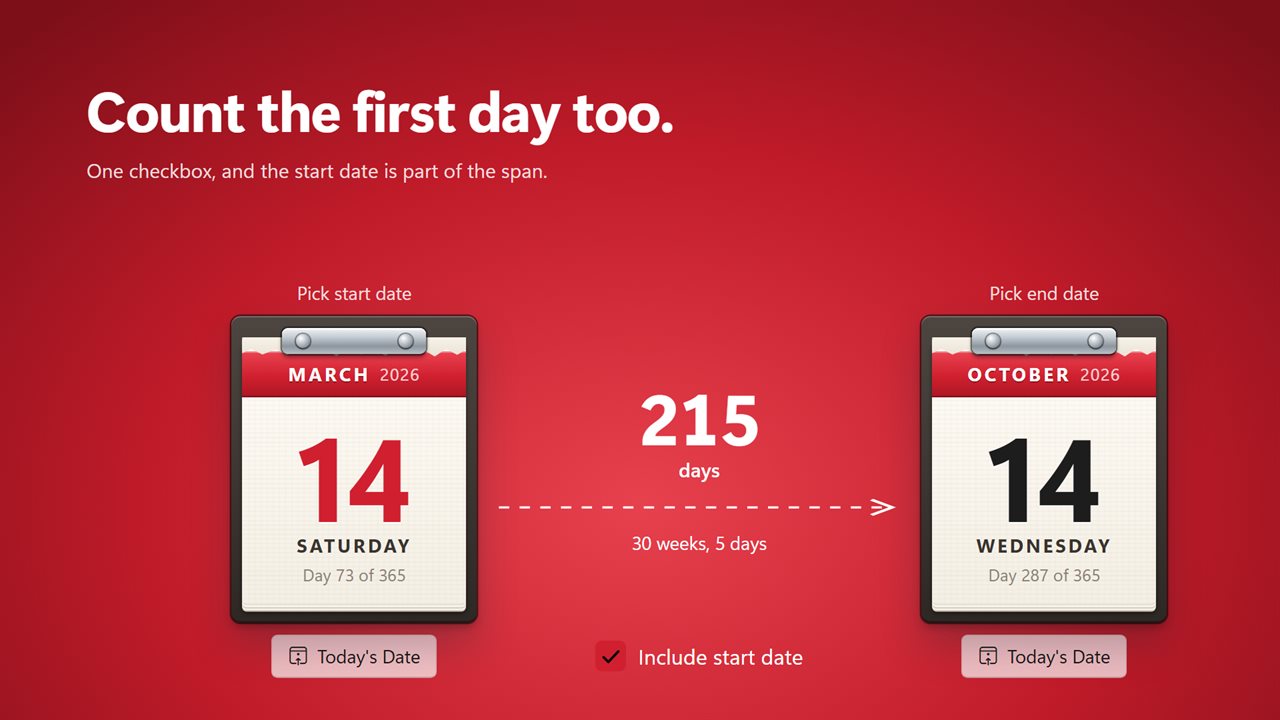
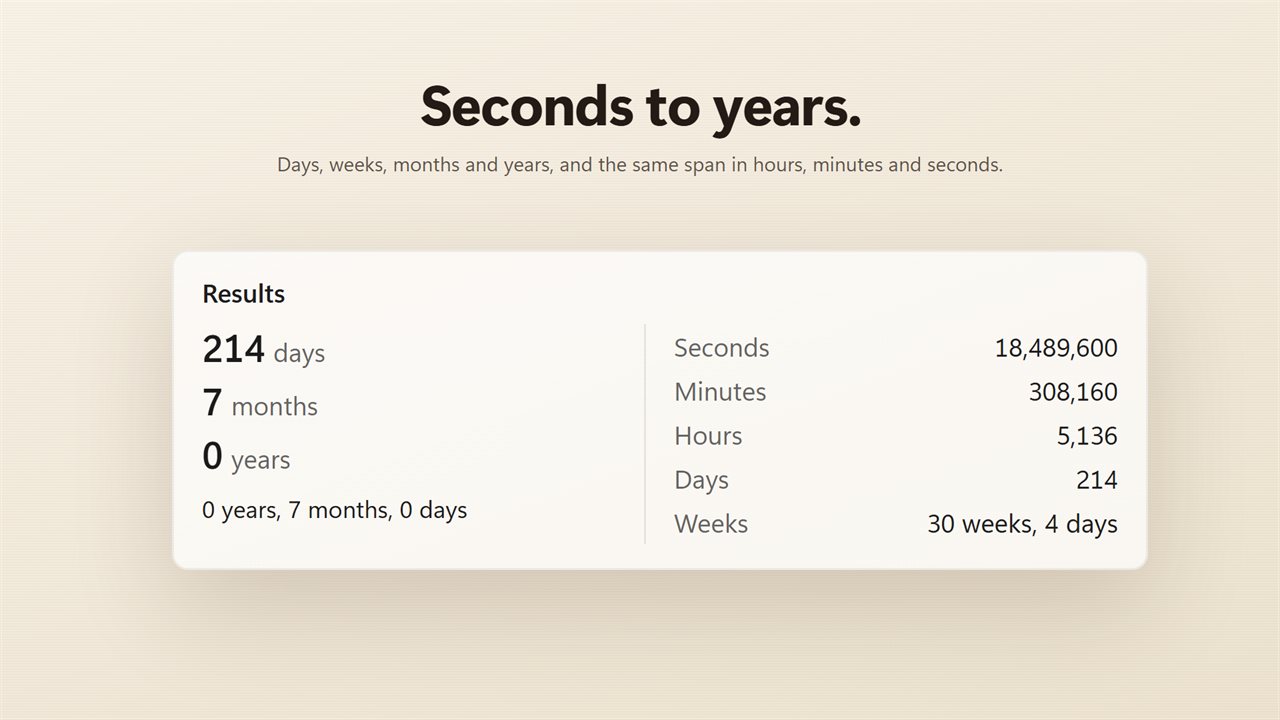
The count sits between the pads, with weeks and days under it. The results show the days, months and years, the combined years, months and days, and the same span in seconds, minutes, hours and weeks. Tick Include start date when the first day should count too.
Working days
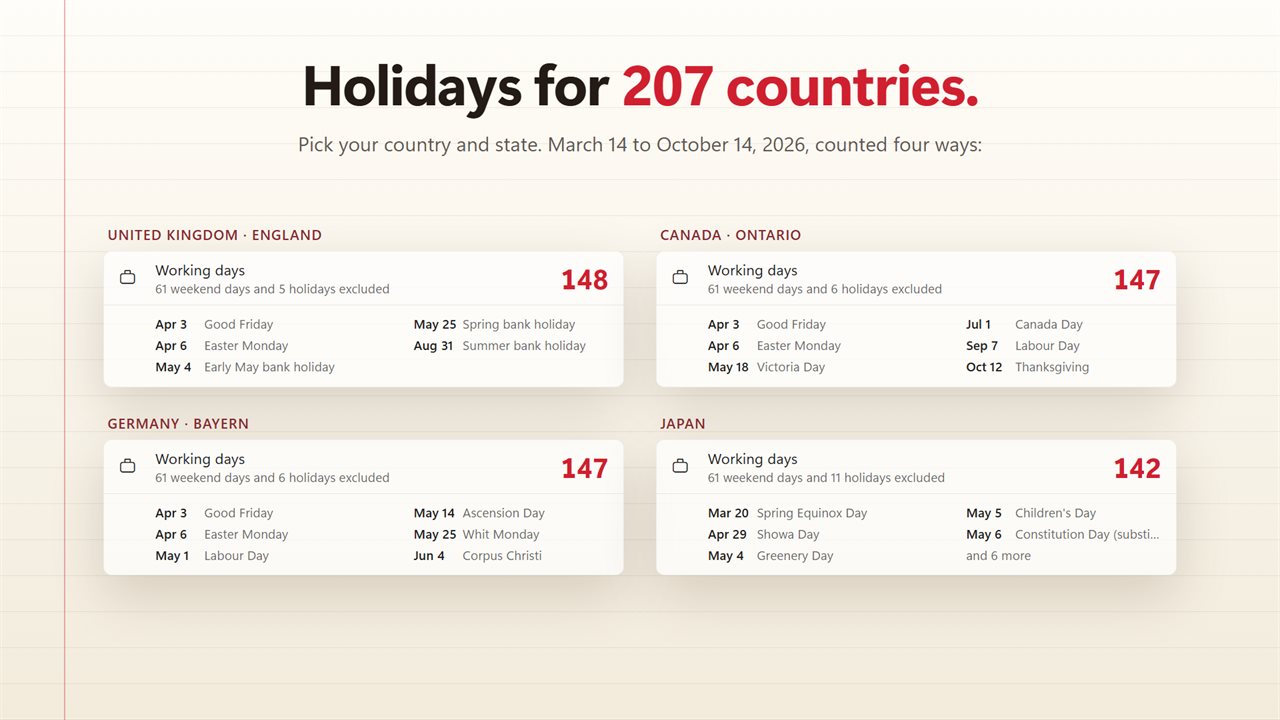
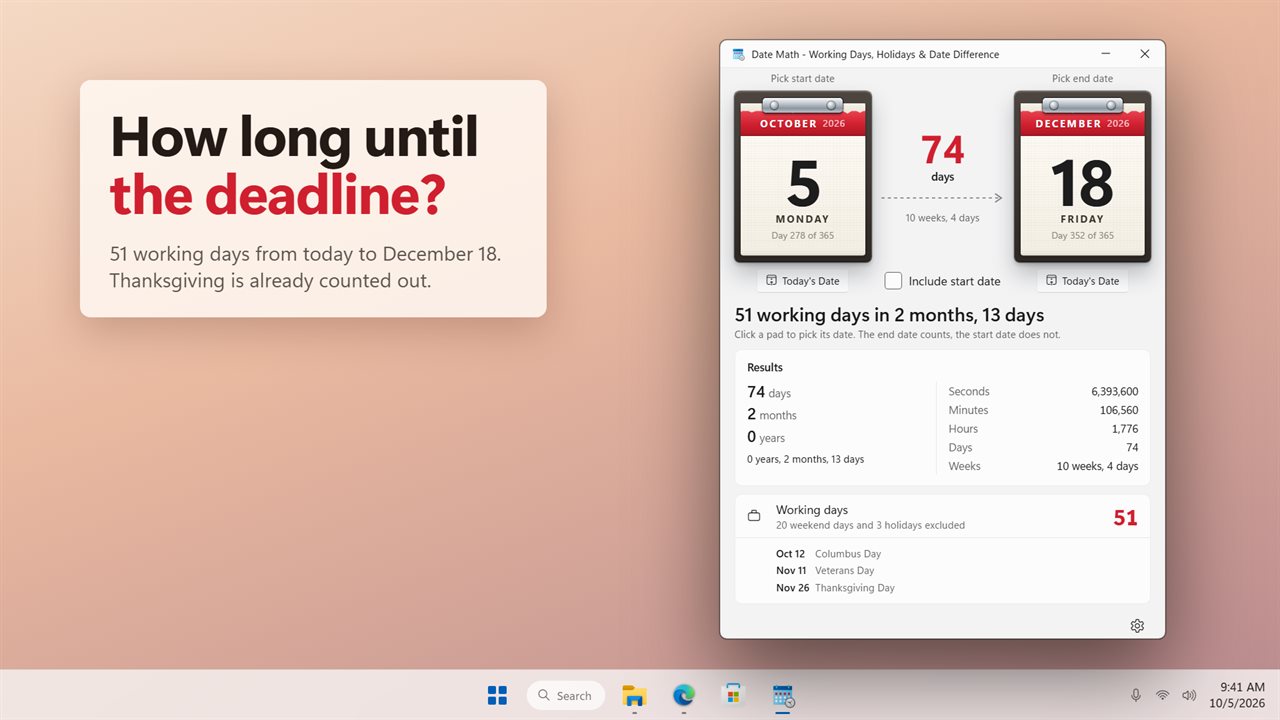
Date Math counts the working days in your range. Weekends are left out, and so are the public holidays of your country, from 207 to choose from, with the extra holidays of your state or region if you pick one. Substitute days count too: when the Fourth of July falls on a Saturday, Friday is the day off. Add your own days off in Settings, from a company closure to a two-week vacation. Every day left out is listed by date and name. Turn holidays off to count weekdays only.
Instant
There is nothing to calculate. Change a date and every number updates at once. Your dates are remembered for next time.
Light and dark themes, or match Windows.
Features
- Click a desk calendar pad to pick the start or end date
- A Today's Date button under each pad
- The number of days between the two dates, with weeks and days beside it
- Days, months and years, plus the combined years, months and days
- The same span in seconds, minutes, hours, days and weeks
- Include start date when the first day should count too
- Working days, with weekends left out
- Public holidays left out too, for 207 countries and their states and regions
- Substitute days count: when a holiday falls on a weekend, the day off moves
- The holidays in your range are listed by date and name
- Add your own days off, from a single day to a whole vacation
- Turn holiday counting off in Settings to count weekdays only
- Everything updates the moment you change a date
- Your dates are remembered for next time
- Light and dark themes, or match Windows
Details
- Works on
- Windows 10 (1809 or later) and Windows 11
- Download
- About 2.9 MB
- Version
- 2.0.3, updated October 2026
- First released
- January 2023
- Price
- $1.99 once. No subscription.
- Category
- Productivity
What's new in 2.0.3
- New: working days, with weekends and public holidays left out, for 207 countries and their states
- New: add your own days off
- New: the holidays in your range, listed by date and name
- New: pick dates on two desk calendar pads
- Every number updates as soon as you change a date
- Your dates are remembered for next time
- Light and dark themes
Questions
Anything else? Ask us
Which versions of Windows does it run on?
Windows 10 (version 1809 or later) and Windows 11.
Is it a subscription?
No. DateMath is a one-time purchase of $1.99, and updates are included.
How do I get it?
EvlarSoft apps are moving to direct downloads from this site. Ask to be notified and we will email you as soon as DateMath is ready to download.
More from EvlarSoft
 VIN DecoderType or paste a VIN and see the whole car: recalls, crash-test stars, fuel economy, driver-assist features and its window sticker.
 Trip Cost CalculatorPin your road trip on a map and see what the gas costs, leg by leg.
 LoanCalcSee every payment of your loan as a coupon book, and what paying a little extra each month saves.