Downloads Organizer
Keeps your Downloads folder tidy by itself. Every new file goes into a folder for its type a few seconds after it finishes downloading. Nothing is ever overwritten, and any run can be undone in one click.
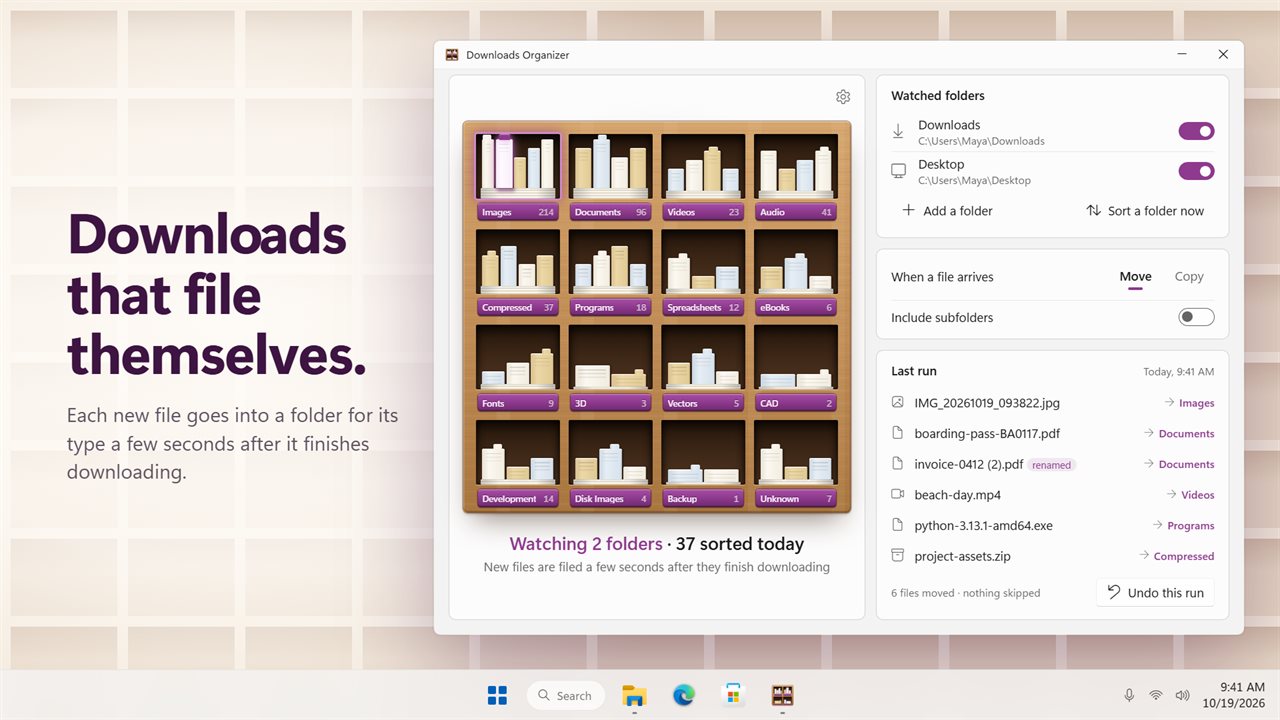
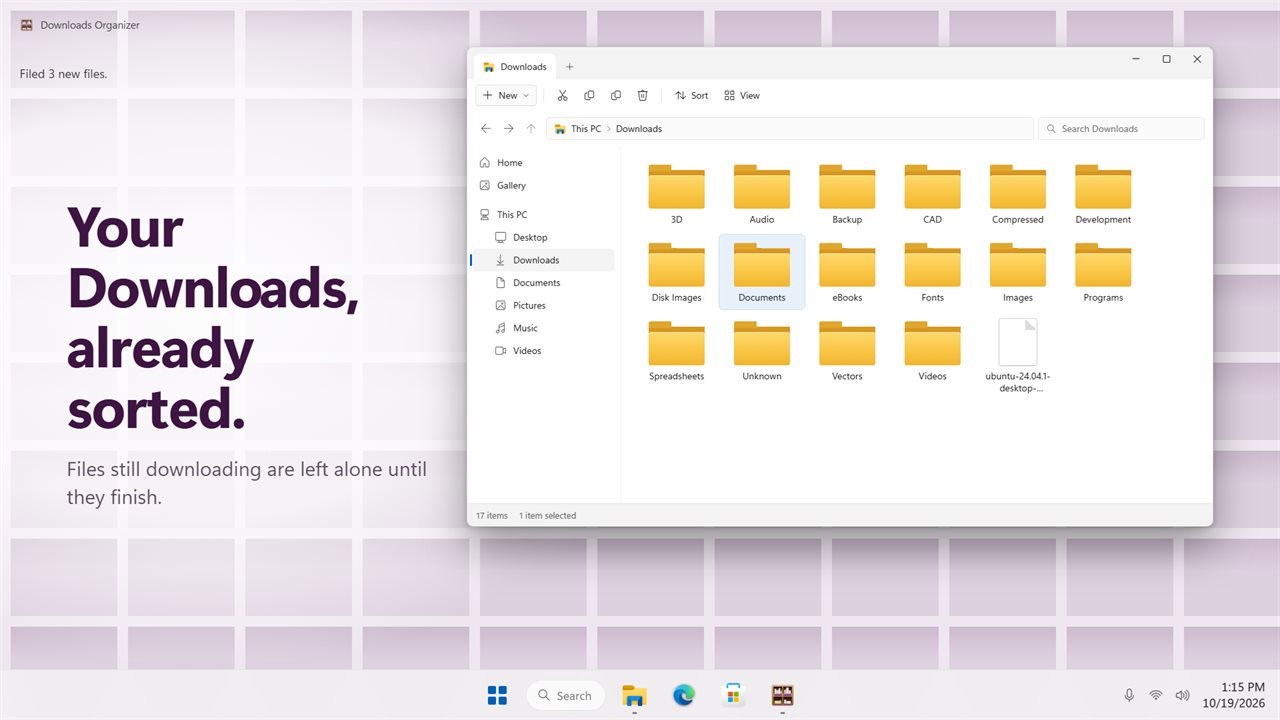
Downloads sorts itself. Each new file goes into a folder for its type.
See it in action
About Downloads Organizer
Downloads Organizer keeps your Downloads folder sorted, without you having to remember to do it.
It keeps watching
Switch on Downloads and leave it. A few seconds after a file finishes downloading, it goes into a folder for its type: photos into Images, PDFs into Documents, installers into Programs, zip files into Compressed. Files that are still downloading are left alone until they are done.
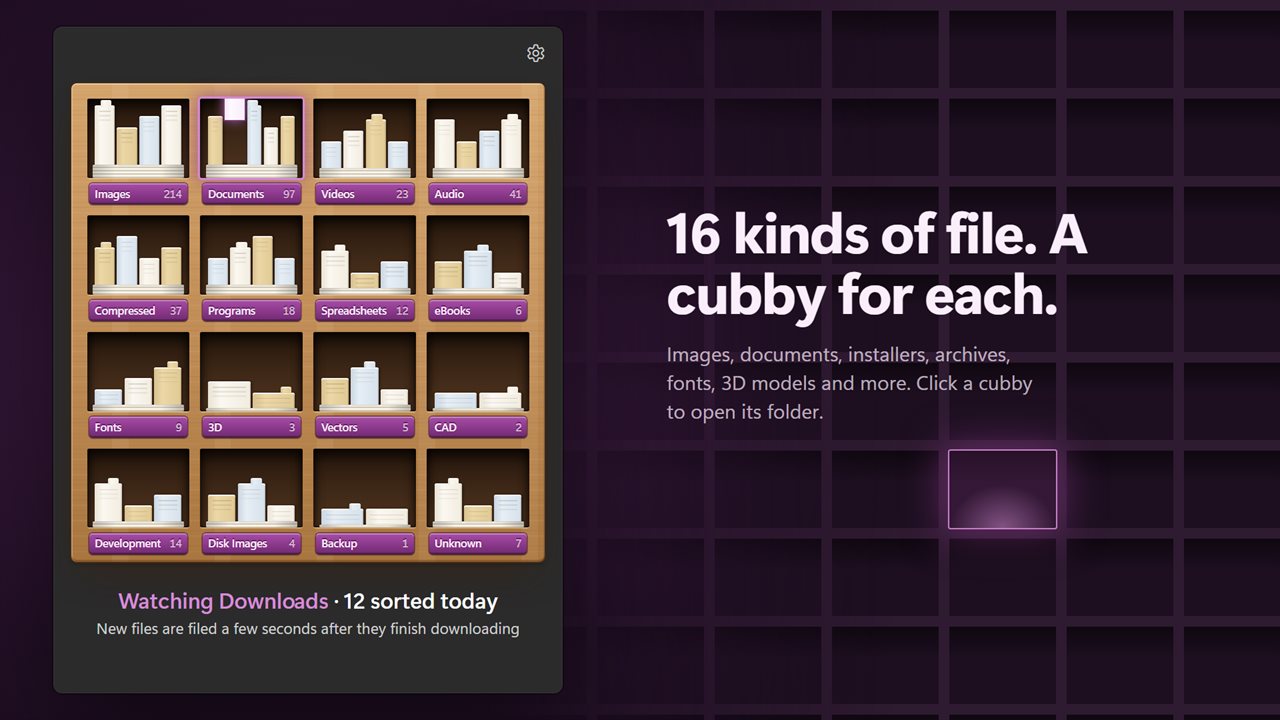
16 kinds of file
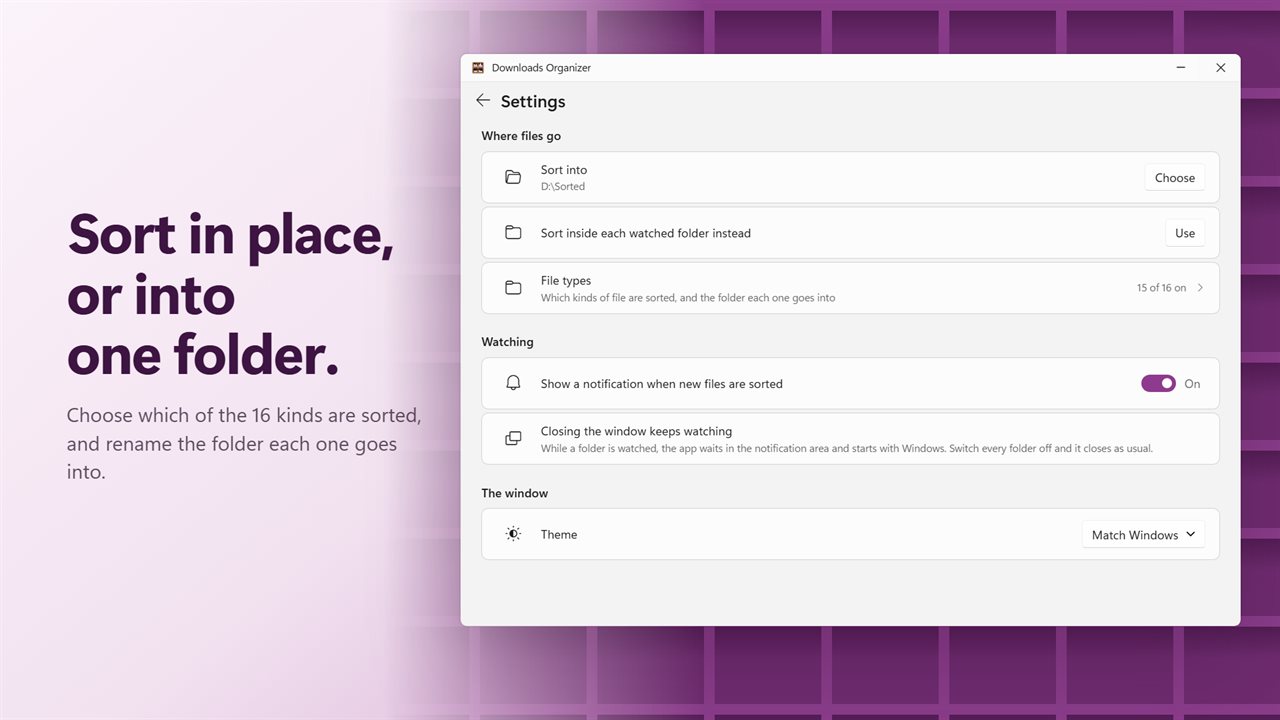
Images, documents, videos, music and audio, archives, installers and programs, spreadsheets, eBooks, fonts, 3D models, vector art, CAD drawings, code, disk images, backups, and everything else. More than 3,000 file extensions are recognized. Switch any kind off, or rename the folder it goes into.
A cubby for each
The window shows a rack of pigeonholes, one per kind, each with a count of what it holds. The cubby that took the newest file lights up. Click any cubby to open its folder.
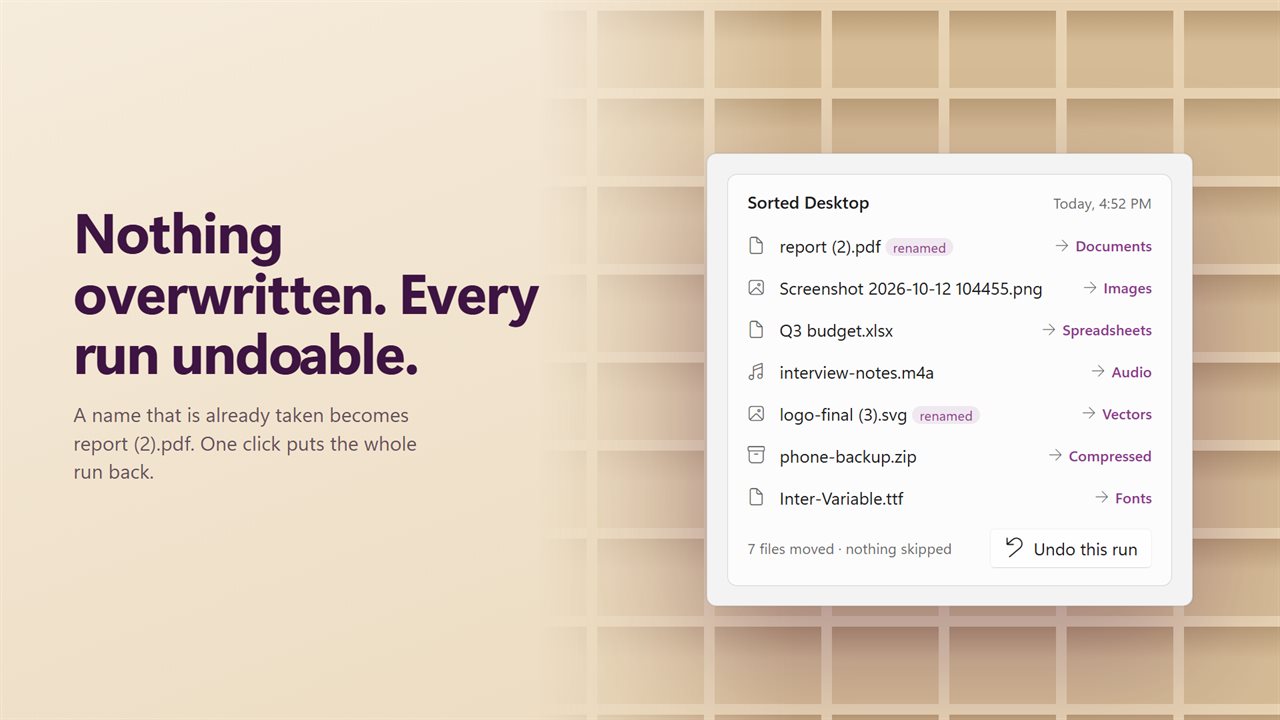
Nothing is overwritten
If a folder already holds a file with the same name, the new one is kept beside it as "report (2).pdf". Nothing is replaced and nothing is skipped.
Undo any run
The last run is listed file by file, with where each one went. Click Undo this run and every file goes back where it was. For a run that copied, the copies go to the Recycle Bin.
Any folder, move or copy
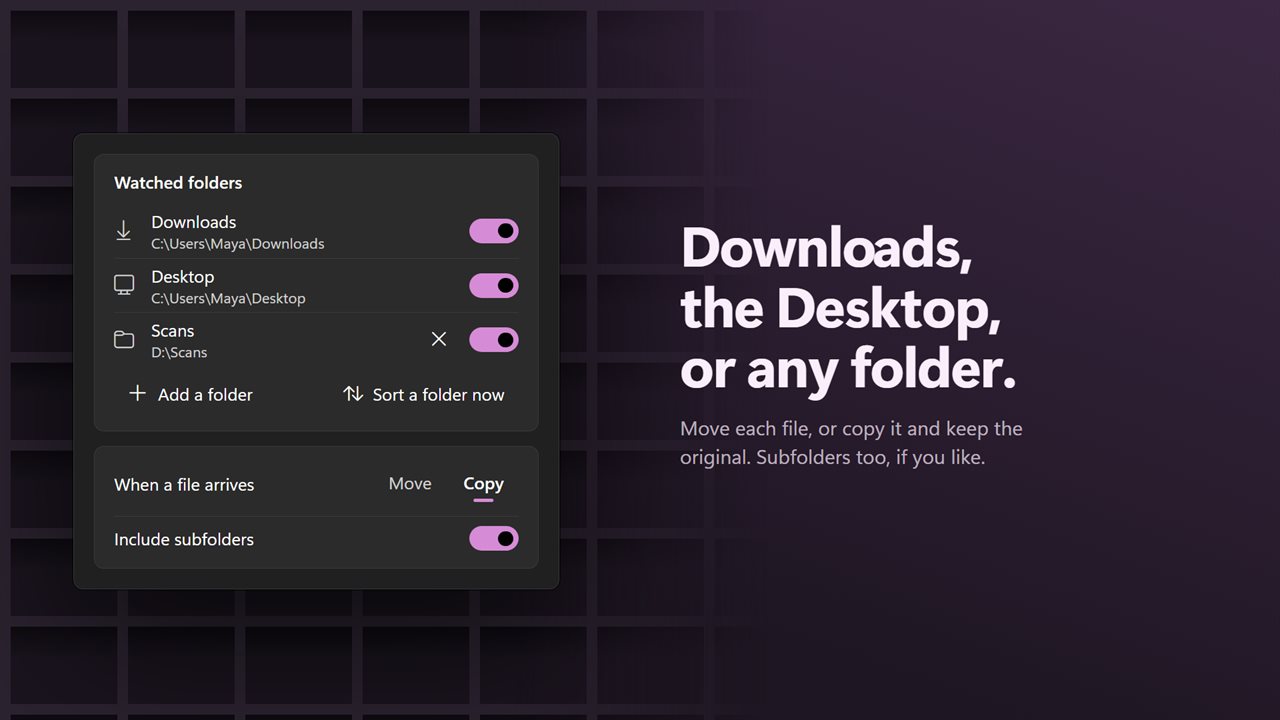
Watch the Desktop or any other folder as well as Downloads. Move each file, or copy it and keep the original. Include subfolders if you like. Sort into each watched folder, or send everything into one folder of your own.
Sort a folder now
The original job still works: pick any folder and it is sorted on the spot.
It stays out of the way
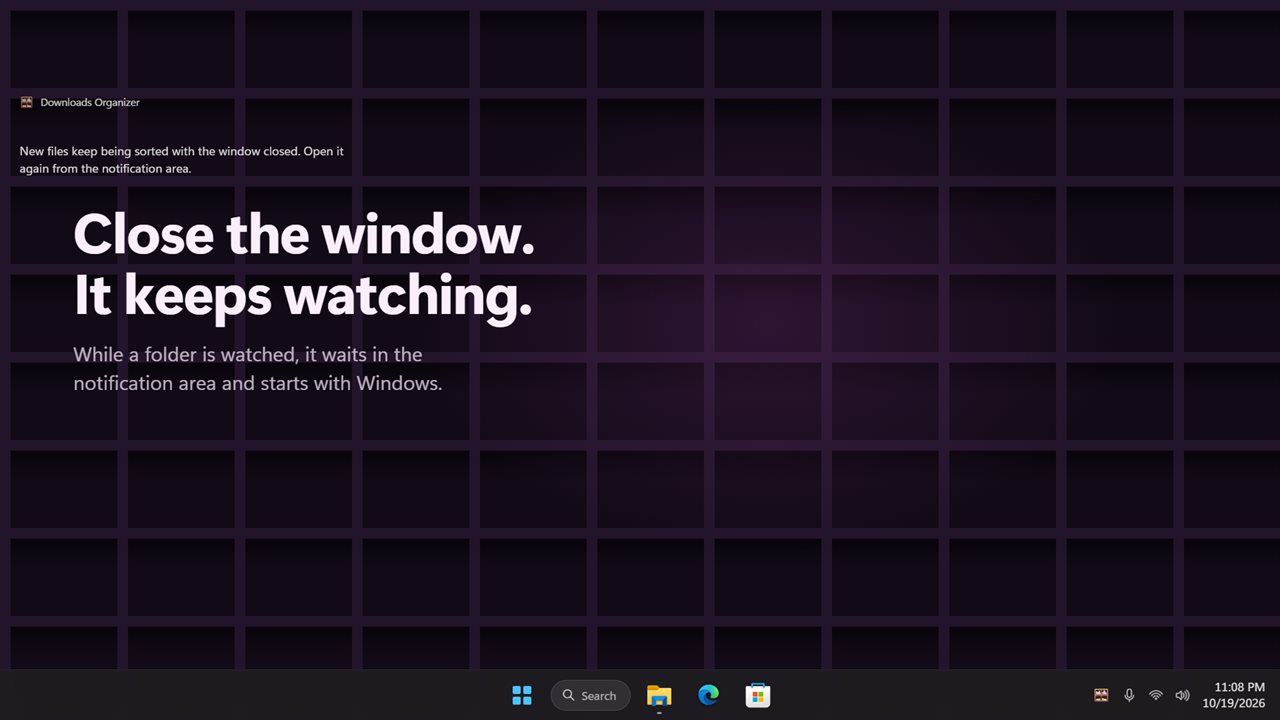
Close the window and it keeps watching from the notification area. While a folder is watched it starts with Windows; switch every folder off and it closes as usual. Turn on a notification if you want to hear each time new files are sorted.
Private
Everything happens on your PC. Your files are never uploaded. Your file types, folder names and Move or Copy choice carry over from the previous version.
Features
- Watches your Downloads folder and files each new arrival into a folder for its type
- Waits until a download has finished, so files still arriving are left alone
- 16 kinds of file: images, documents, videos, music, archives, installers, spreadsheets, eBooks, fonts, 3D models, vector art, CAD, code, disk images, backups and everything else
- Knows more than 3,000 file extensions
- Never overwrites a file. A name already taken becomes "name (2)"
- Undo a whole run in one click, and every file goes back where it was
- Watch the Desktop or any other folder too
- Move each file, or copy it and keep the original
- Include subfolders if you like
- Sort a whole folder right now, the way the original app did
- Sort inside each watched folder, or into one folder you choose
- Switch any kind of file off, and rename the folder each kind goes into
- A rack of cubbies shows how many files each folder holds. Click one to open it
- Optional notification each time new files are sorted
- Keeps watching with the window closed, and starts with Windows while a folder is watched
- Your file types, folder names and Move or Copy choice carry over from the previous version
- Everything happens on your PC. Your files are never uploaded
- Light and dark themes, or match Windows
Details
- Works on
- Windows 10 (1809 or later) and Windows 11
- Download
- About 2.8 MB
- Version
- 2.0.0, updated October 2026
- First released
- August 2023
- Price
- $3.89 once. No subscription.
- Category
- Utilities & tools
What's new in 2.0.0
- New: keeps watching Downloads and sorts each file as it arrives, once it has finished downloading
- New: watch the Desktop or any other folder too
- New: undo the last run in one click
- New: a rack that shows what each folder holds. Click a cubby to open it
- New: keeps watching from the notification area with the window closed
- Fixed: a file whose name was already taken was skipped. It is now kept as "name (2)"
- Fixed: videos follow their own switch, not the music one
- Fixed: PDFs are sorted as documents, and STL files as 3D models
- Your file types, folder names and Move or Copy choice carry over
Questions
Anything else? Ask us
Which versions of Windows does it run on?
Windows 10 (version 1809 or later) and Windows 11.
Is it a subscription?
No. Downloads Organizer is a one-time purchase of $3.89, and updates are included.
How do I get it?
EvlarSoft apps are moving to direct downloads from this site. Ask to be notified and we will email you as soon as Downloads Organizer is ready to download.
More from EvlarSoft
 Smart File OrganizerTurn a folder full of everything into folders full of one thing.
 Batch File MoverFind the files you want by name, contents, kind, date or size, then move, copy or recycle all of them in one go.
 Duplicate File FinderFind duplicate photos and files by what is inside them, not by their names, and free the space they waste.