Smart File Organizer
Turn a folder full of everything into folders full of one thing. Images, Documents, Videos, Audio, Compressed and ten more categories, covering over 170 file types. It shows you the whole plan before it touches anything — which folder each file is going to and how many — and it copies rather than moves unless you say otherwise. Entirely on your PC.
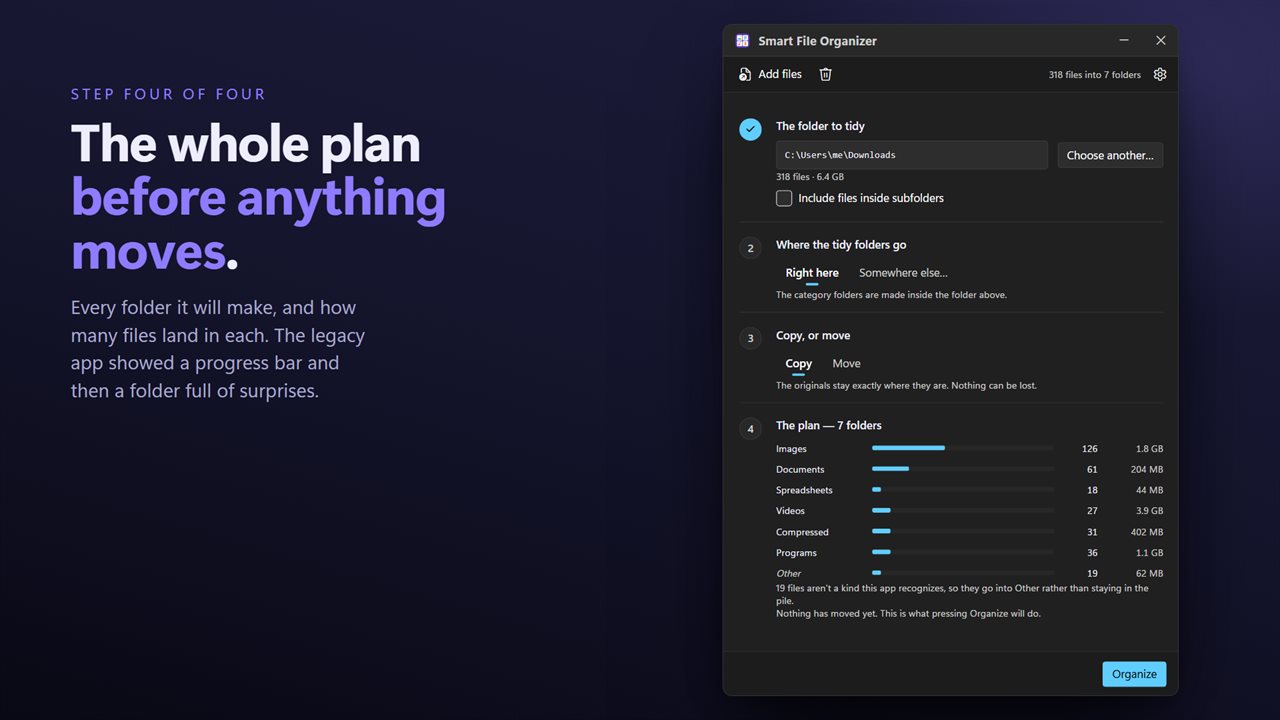
The whole plan before anything moves: every folder, and how many files.
See it in action
About Smart File Organizer
The Downloads folder is the obvious one. Four years of installers, invoices, photos somebody sent, a spreadsheet, three copies of the same PDF, and a video you have never watched, all in one list sorted by date.
Smart File Organizer files them by what they are.
You see the plan first
Before anything moves, the app shows what it is about to do: every folder it would create, how many files are going into each, and how much that is. You can look at it, change your mind, take files out of the queue — and only then run it.
This is the part most organizers skip, and it is the part that decides whether you trust the result.
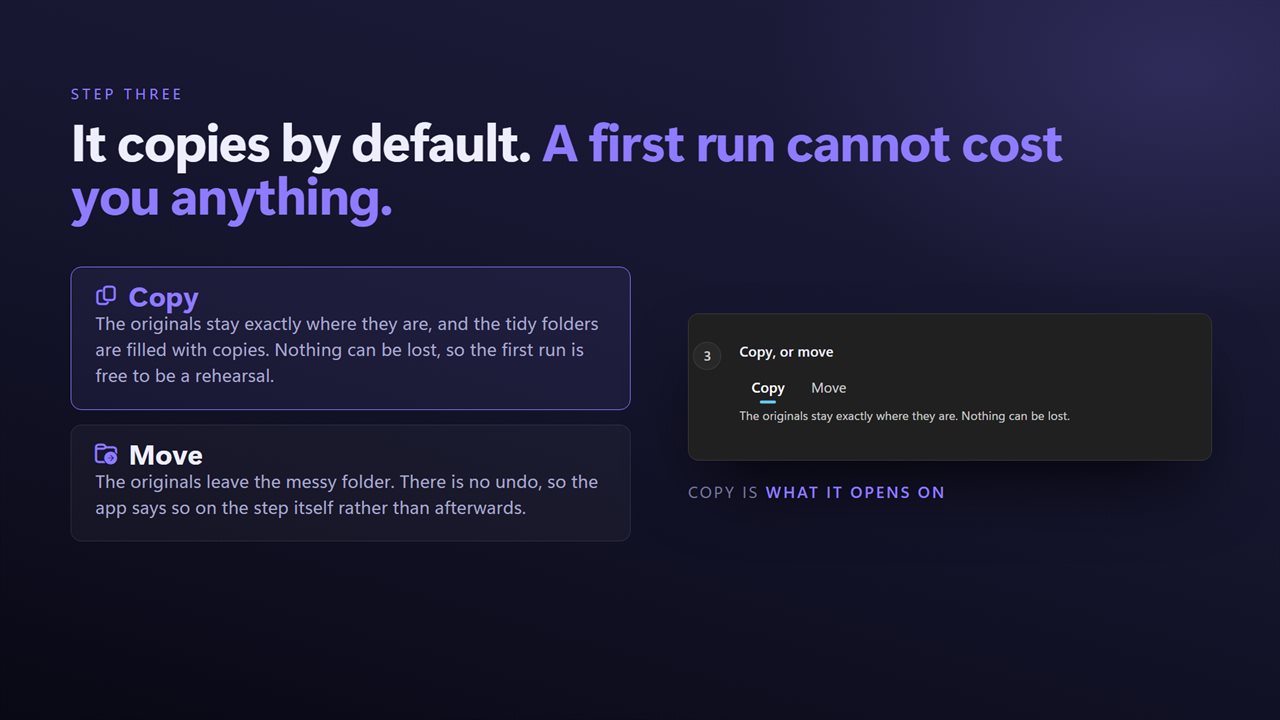
It copies unless you say otherwise
The default is to copy, because there is no undo and a first run on somebody's Documents folder should not be able to cost them anything. When you have seen it work and you want the folder actually emptied, switch it to move.
Fifteen categories
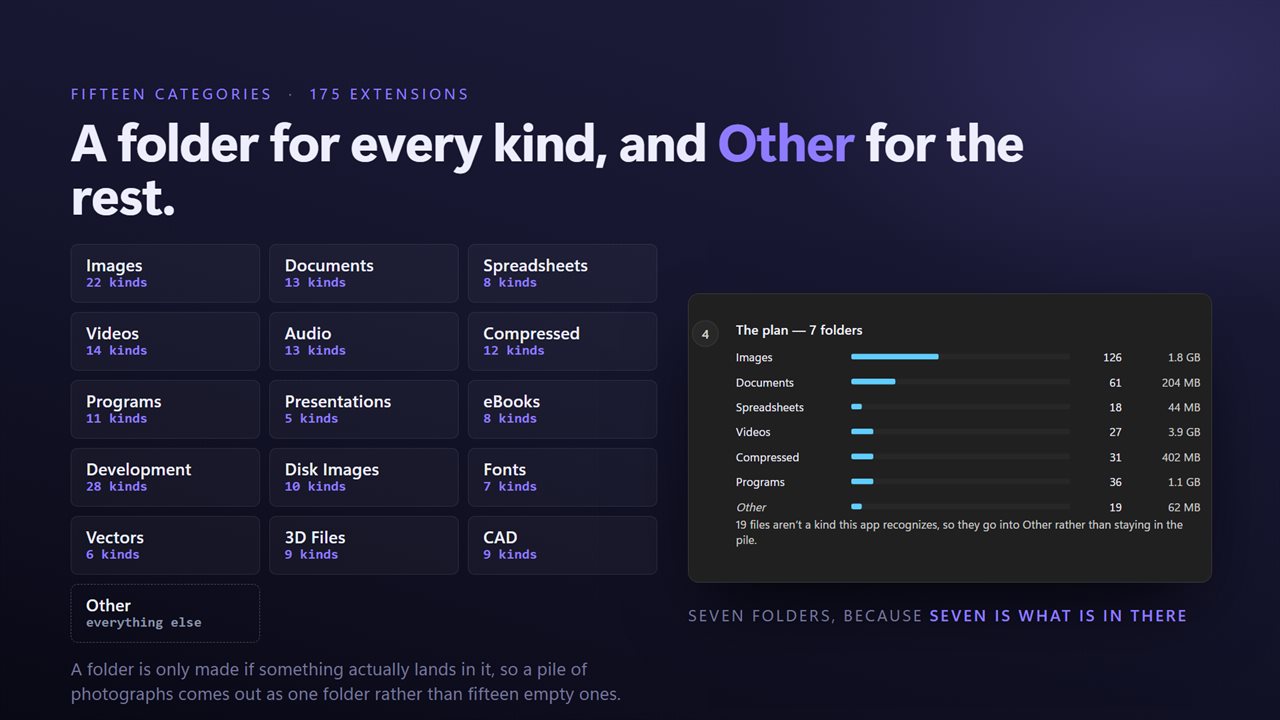
Images, Documents, Spreadsheets, Presentations, Videos, Audio, Compressed, Programs, eBooks, Development, Disk Images, Fonts, Vectors, 3D Files and CAD — over 170 file types between them. Anything not recognized goes into Other, so nothing is quietly left behind in the folder you were trying to clear.
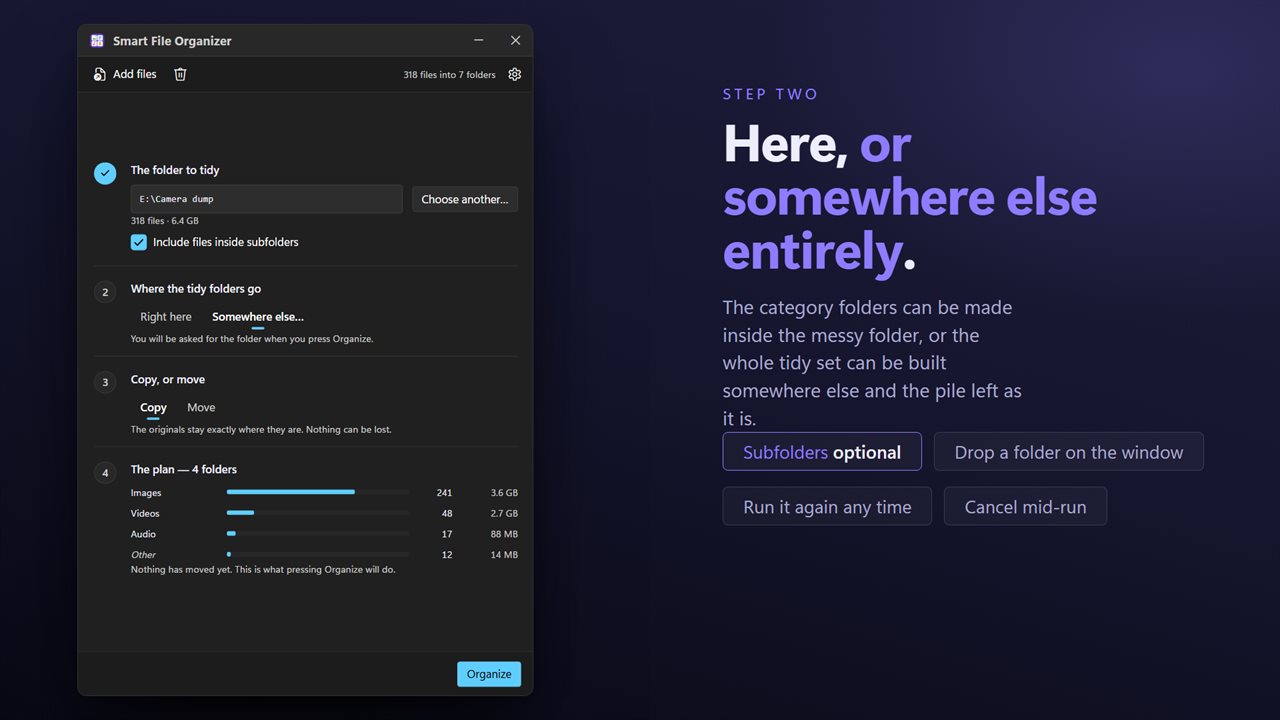
Where the folders go
Create the category folders where the files already are, or send everything to a different folder entirely and leave the original where it was.
Nothing is overwritten
If two files would end up with the same name in the same category, the second is kept under a new one. A file that is already in the right place is left alone rather than being shuffled sideways into report (2).pdf.
Every file is reported at the end, and anything that could not be filed is named with the reason.
On your PC, and nowhere else
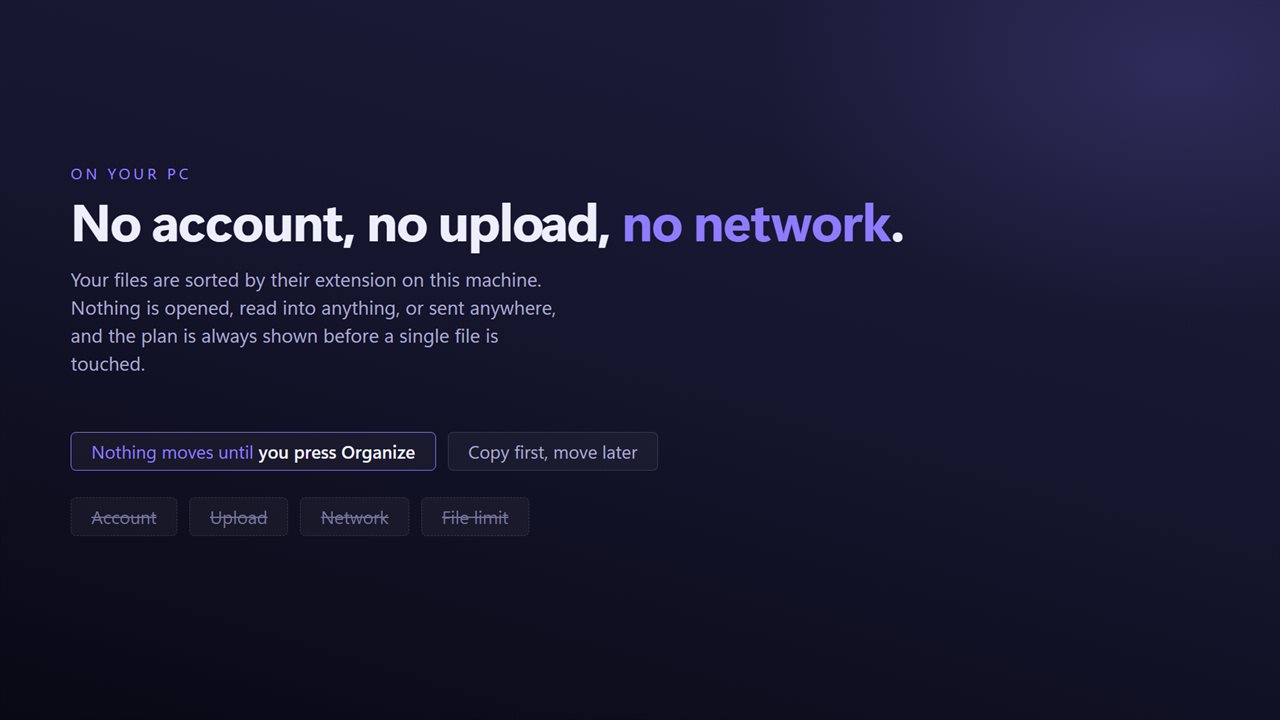
There is no account, no sign-in, no upload and no telemetry. The app has no network code in it at all and works with the connection turned off.
Features
- Sorts a folder into Images, Documents, Videos, Audio, Compressed and ten more
- Shows the whole plan first: which folder every file is going to, and how many
- Copies by default, so a first run cannot cost you anything
- Switch to moving when you have seen the plan and want the folder emptied
- File it where it already is, or somewhere else entirely
- Fifteen categories covering over 170 file types
- Anything it does not recognize goes to Other rather than being left behind
- Names never collide — a second report.pdf is kept, not overwritten
- Every file reported at the end, with anything that could not be filed named
- No account, no upload and no server processing
Details
- Works on
- Windows 10 (1809 or later) and Windows 11
- Download
- About 16.1 MB
- Version
- 2.0.4, updated October 2026
- First released
- October 2022
- Price
- $2.99 once. No subscription.
- Category
- Productivity
What's new in 2.0.4
- The plan is shown before anything happens: every folder that will be created, how many files go into each, and how much. Nothing moves until you press the button, and the app now reports exactly what it did
- Copying is the new default. Moving was the old default and there is no undo
- Files are listed individually, so you can take any of them out of the run before it starts
- A file that is already in the right category folder is left where it is instead of being re-filed into report (2).pdf every time
- Anything that could not be filed is named with the reason instead of being skipped silently
- Drag and drop from Explorer, and a right-click selection now opens one window rather than one per file
- The same fifteen category folders as before, so an existing Images or Documents folder carries on being used
- A redesigned interface, in light or dark, and it can follow Windows instead if you prefer
Questions
Anything else? Ask us
Which versions of Windows does it run on?
Windows 10 (version 1809 or later) and Windows 11.
Is it a subscription?
No. Smart File Organizer is a one-time purchase of $2.99, and updates are included.
How do I get it?
EvlarSoft apps are moving to direct downloads from this site. Ask to be notified and we will email you as soon as Smart File Organizer is ready to download.