DateStamp Modifier
Give files the dates they should have. Set Created, Modified and Accessed to a date you choose, to the date each photo was taken, to the date in its file name, or shift them all by a few hours.
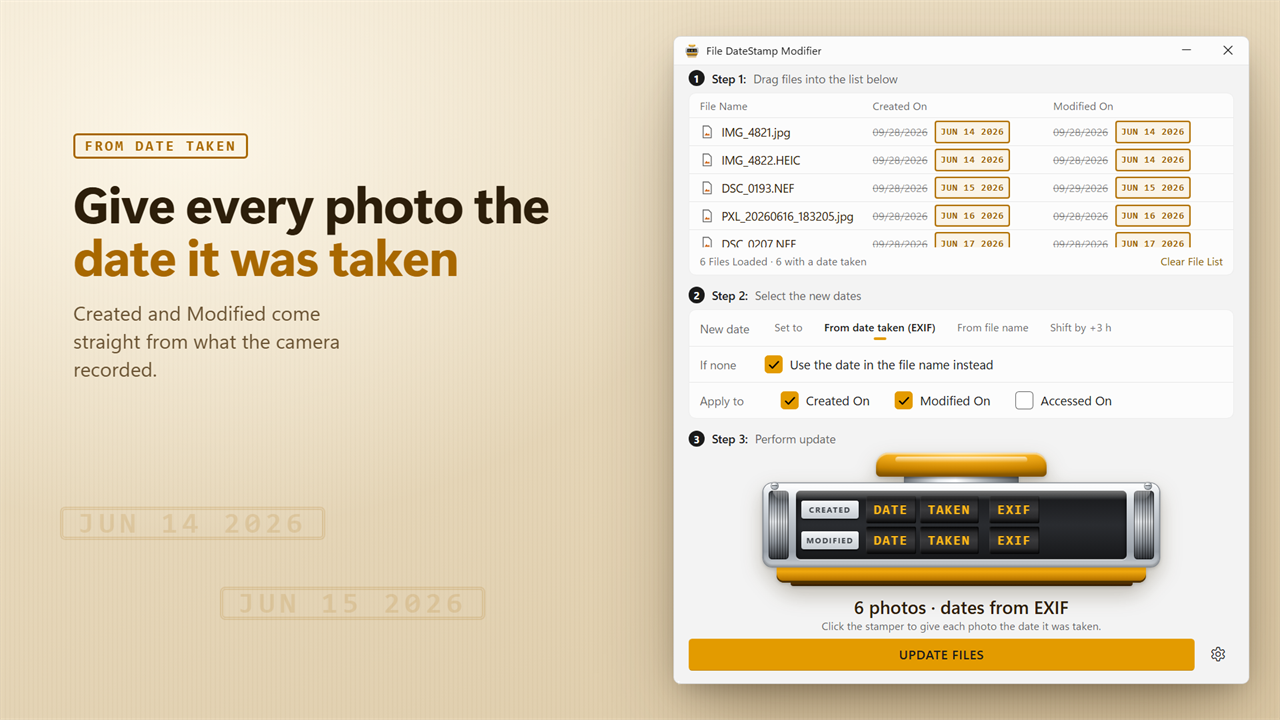
Give every photo the date it was taken.
See it in action
About DateStamp Modifier
File DateStamp Modifier changes the Created, Modified and Accessed dates of your files, one at a time or a whole folder at once.
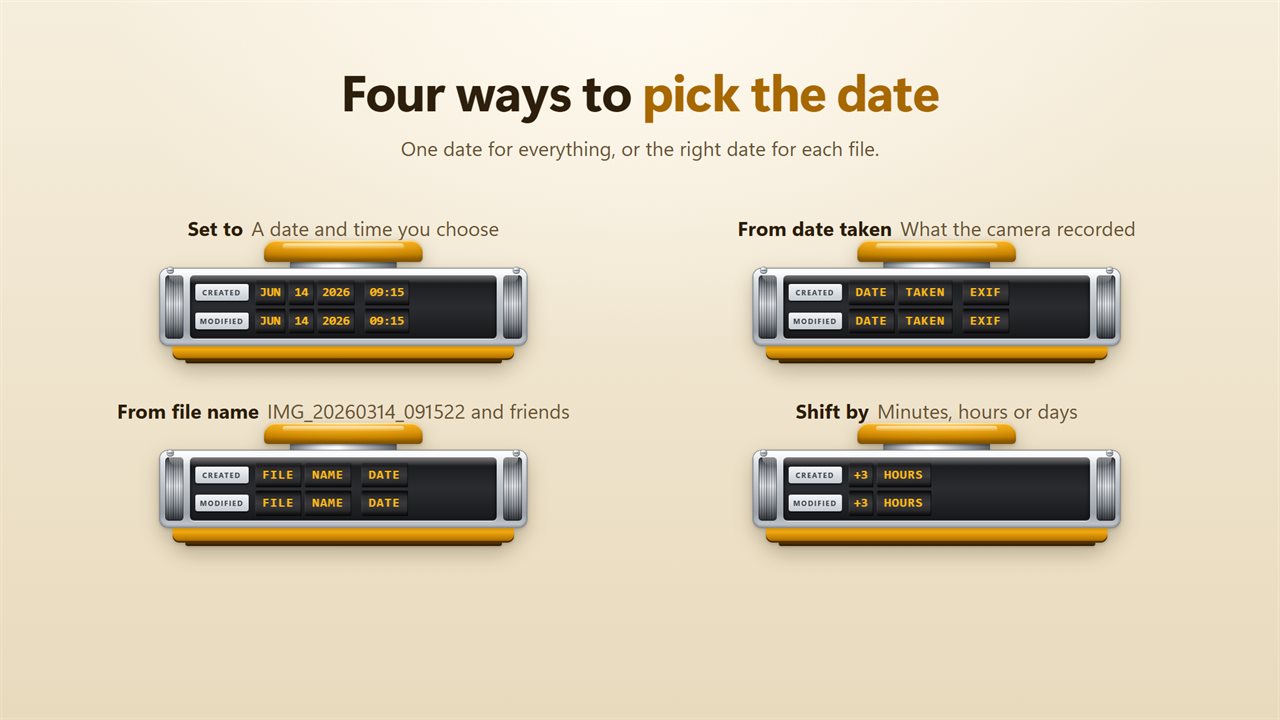
Four ways to pick the date
Set every file to a date and time you choose. Give each photo the date it was taken. Use the date in each file's name. Or shift every date by minutes, hours or days, earlier or later.
Fix your photo dates
Copied photos often show the day they were copied, not the day they were taken, so they sort in the wrong order. File DateStamp Modifier reads the date the camera recorded inside each photo, from JPEG, HEIC, PNG, WebP and TIFF photos, and puts it back on the file. A photo with no date inside can use the date in its name instead.
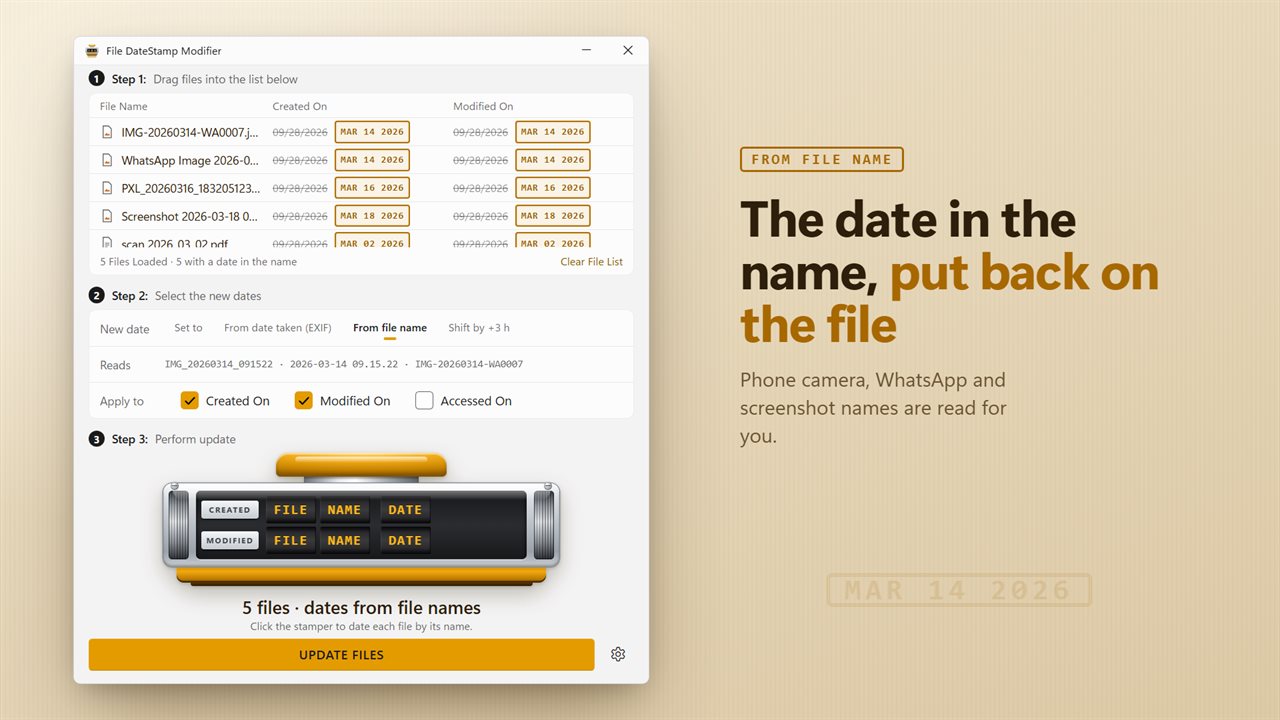
Dates from file names
Phones, WhatsApp and screenshot tools write the date into the name: IMG_20260314_091522, WhatsApp Image 2026-03-14 at 09.15.22, Screenshot 2026-03-14 091522. The app reads those for you.
Wrong time zone?
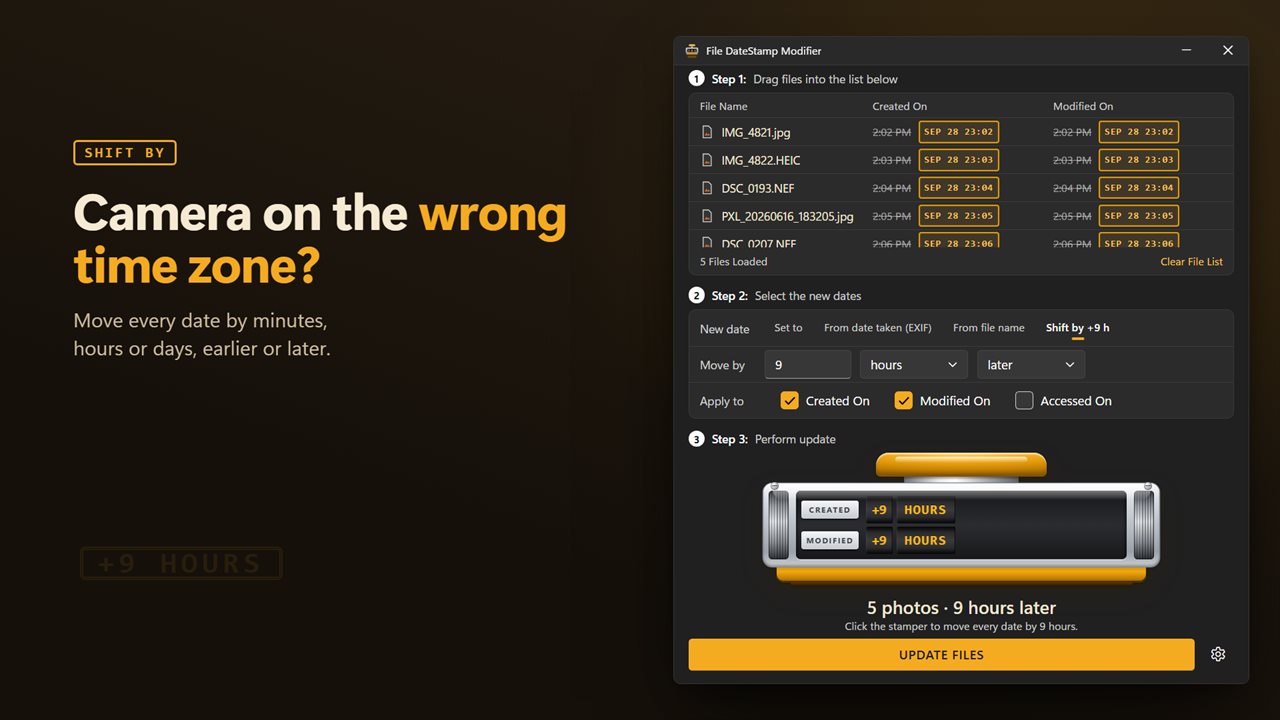
If your camera was still on home time, shift every date by the hours you were away, in one go.
See it before it happens
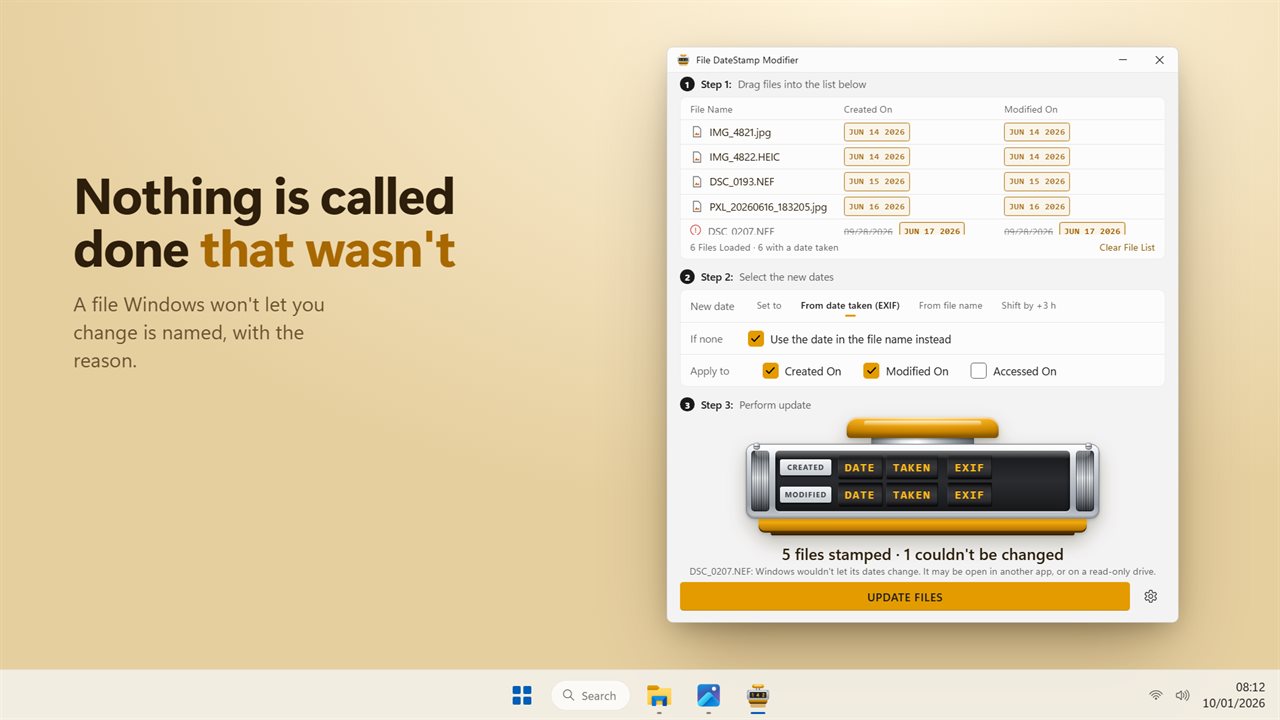
The file list shows each file's old date crossed out beside its new one, stamped in ink. Click the stamper and the dates change. Files that could not be changed, such as files open in another app, are named with the reason. Nothing is reported as done unless it was.
Your files are untouched
Only the dates change. Your photos and documents are never opened for editing or saved again.
Features
- Change the Created, Modified and Accessed dates of any file, one or hundreds at a time
- Four ways to pick the new date: a date you set, the date a photo was taken, the date in the file name, or a shift
- Give photos the date the camera recorded, read from JPEG, HEIC, PNG, WebP and TIFF photos
- Read dates out of names like IMG_20260314_091522, 2026-03-14 09.15.22, screenshots and WhatsApp images
- Photos with no date taken can fall back to the date in their name
- Shift every date by minutes, hours or days, earlier or later, to fix a camera set to the wrong time zone
- See each file's old date and its new one side by side before anything changes
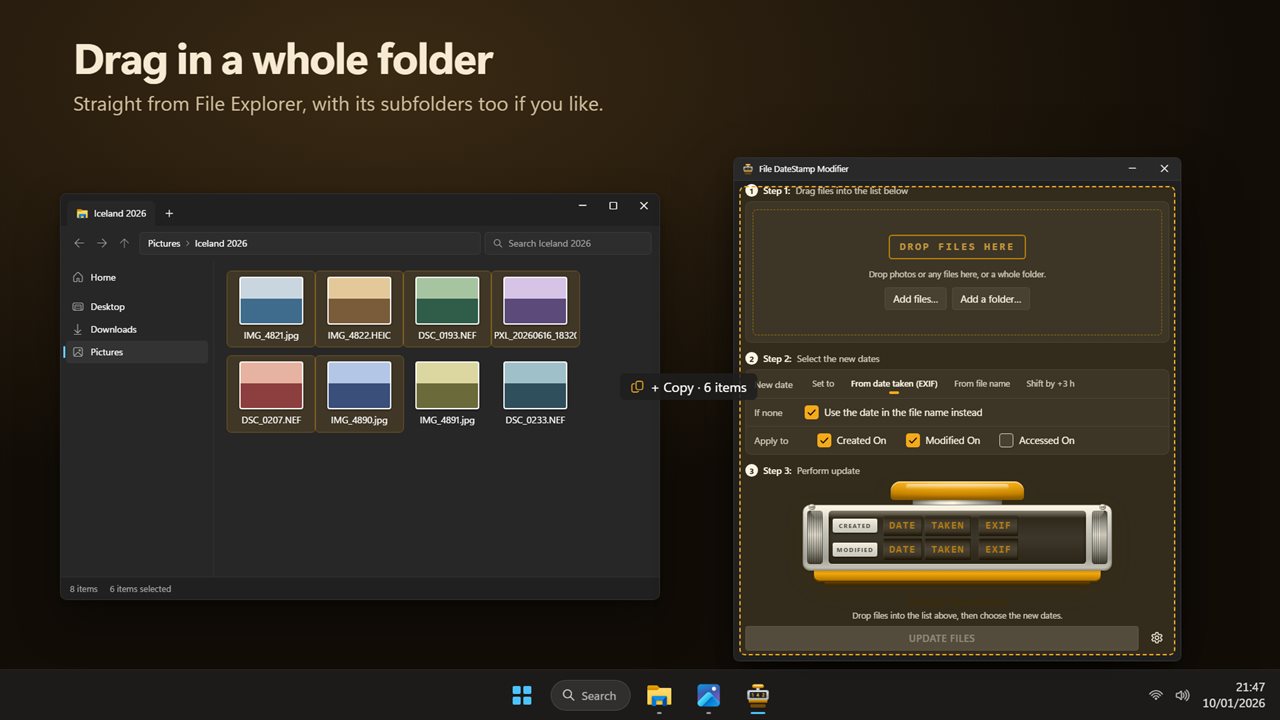
- Drag in files or a whole folder, with its subfolders too if you turn that on
- Files that could not be changed are named, with the reason, and never counted as done
- The photos themselves are never opened for editing or re-saved. Only their dates change
- Light and dark themes, or match Windows
Details
- Works on
- Windows 10 (1809 or later) and Windows 11
- Download
- About 16.2 MB
- Version
- 2.0.2, updated October 2026
- First released
- September 2022
- Price
- $1.99 once. No subscription.
- Category
- Productivity
What's new in 2.0.2
- New: give photos the date they were taken, read from the photo itself
- New: use the date in the file name, including phone, WhatsApp and screenshot names
- New: shift every date by minutes, hours or days
- New: change the Accessed date too
- New: see every old and new date side by side before you stamp
- New: files that could not be changed are named with the reason
- New: dark theme
Questions
Anything else? Ask us
Which versions of Windows does it run on?
Windows 10 (version 1809 or later) and Windows 11.
Is it a subscription?
No. DateStamp Modifier is a one-time purchase of $1.99, and updates are included.
How do I get it?
EvlarSoft apps are moving to direct downloads from this site. Ask to be notified and we will email you as soon as DateStamp Modifier is ready to download.