Evlar Markets
Stock prices on your Windows desktop. Evlar Markets keeps your watchlist in a clean app and pins it to your desktop as cards and a ticker tape, in 15 styles, with price alerts that arrive as Windows notifications. Free for US stocks. Pro adds an unlimited watchlist, ETFs, crypto, metals, currencies, company research and every widget style.
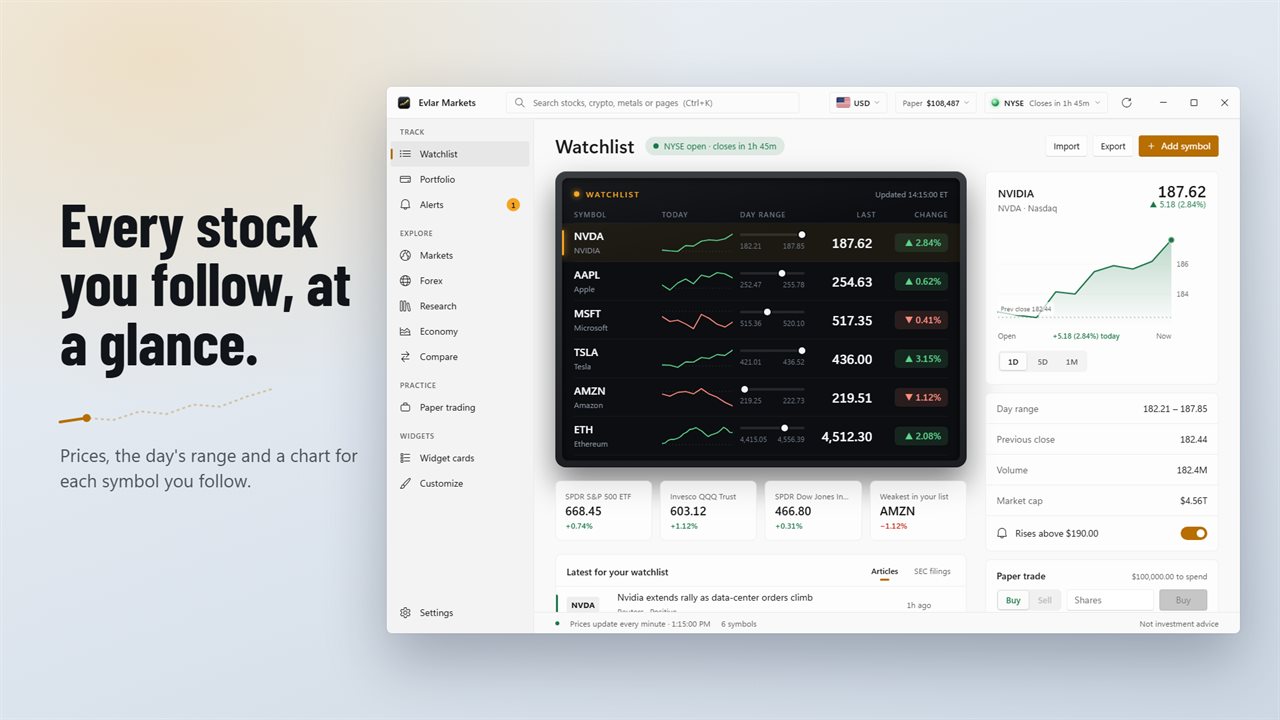
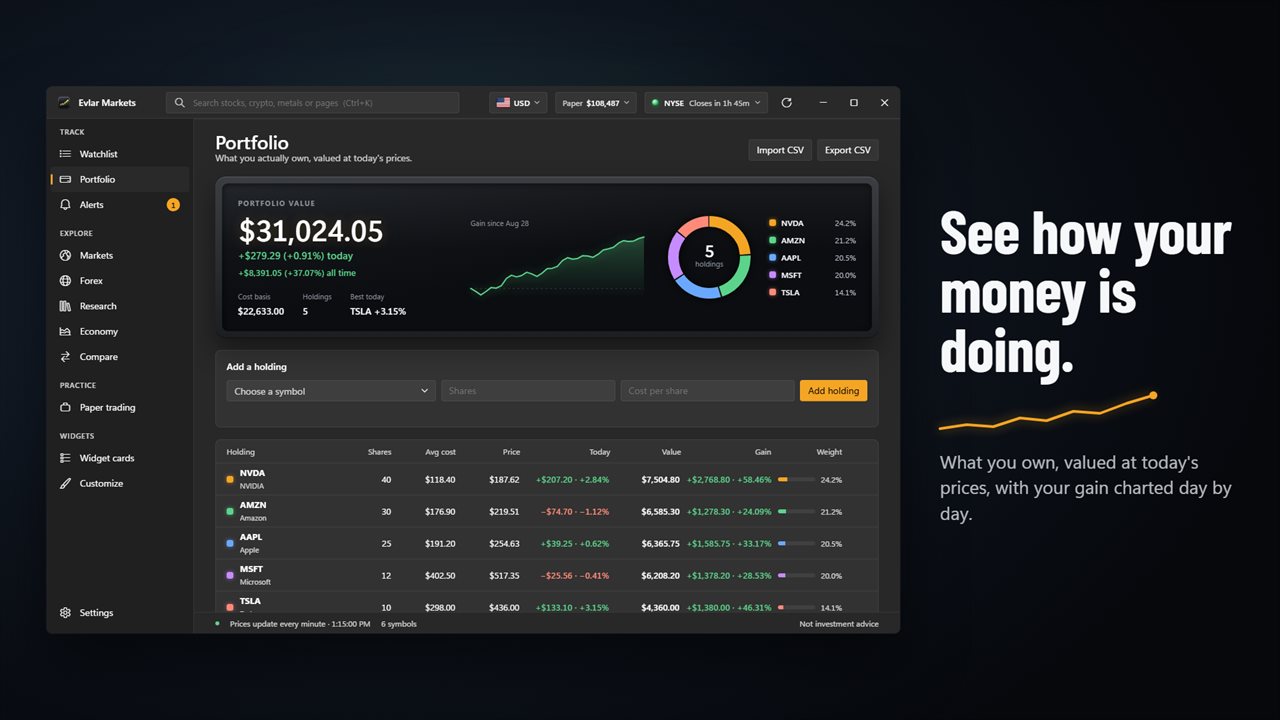
Every stock you follow, with the day's range and a chart for each.
See it in action
About Evlar Markets
Evlar Markets puts the stock market on your Windows desktop. Follow your stocks in the app, then pin them to the desktop as cards and a ticker tape that stay in view while you work.
Your watchlist
Every symbol on one board: today's chart, the day's range, the last price and the change. Select a row for a bigger chart with 1-day, 5-day and 1-month views, the previous close, volume and market cap. Drag rows to put them in your order.
On your desktop
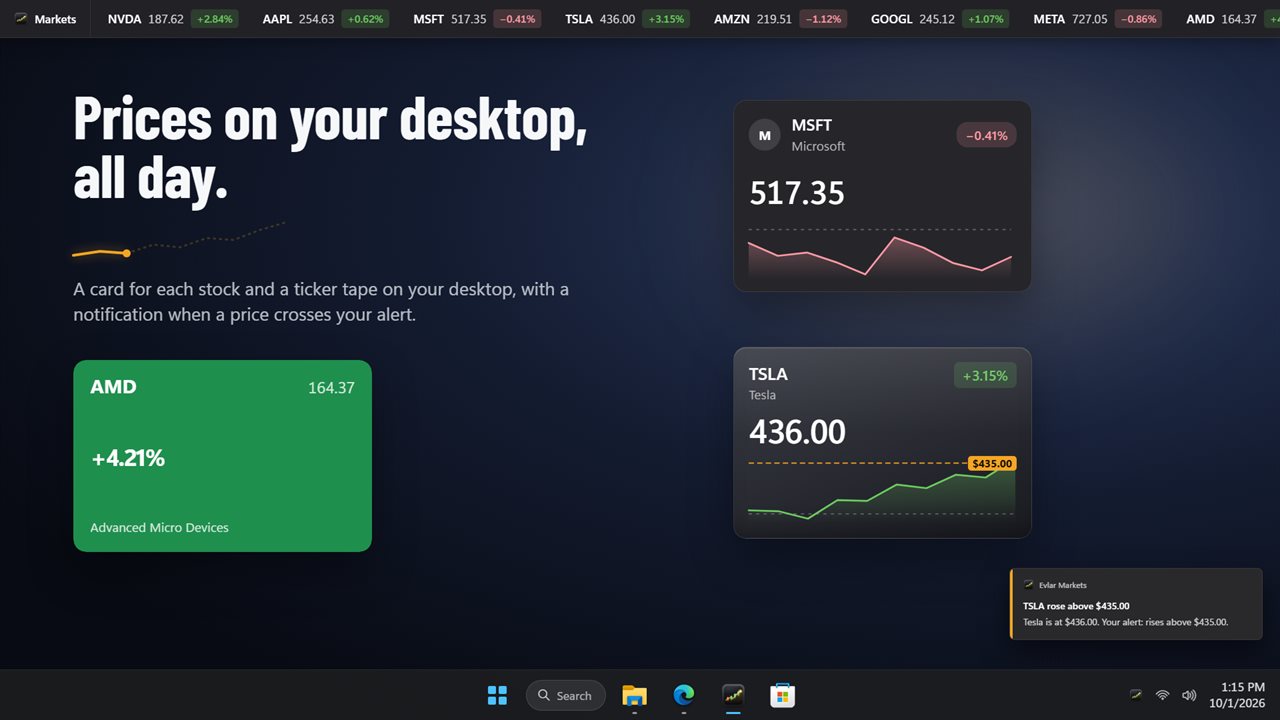
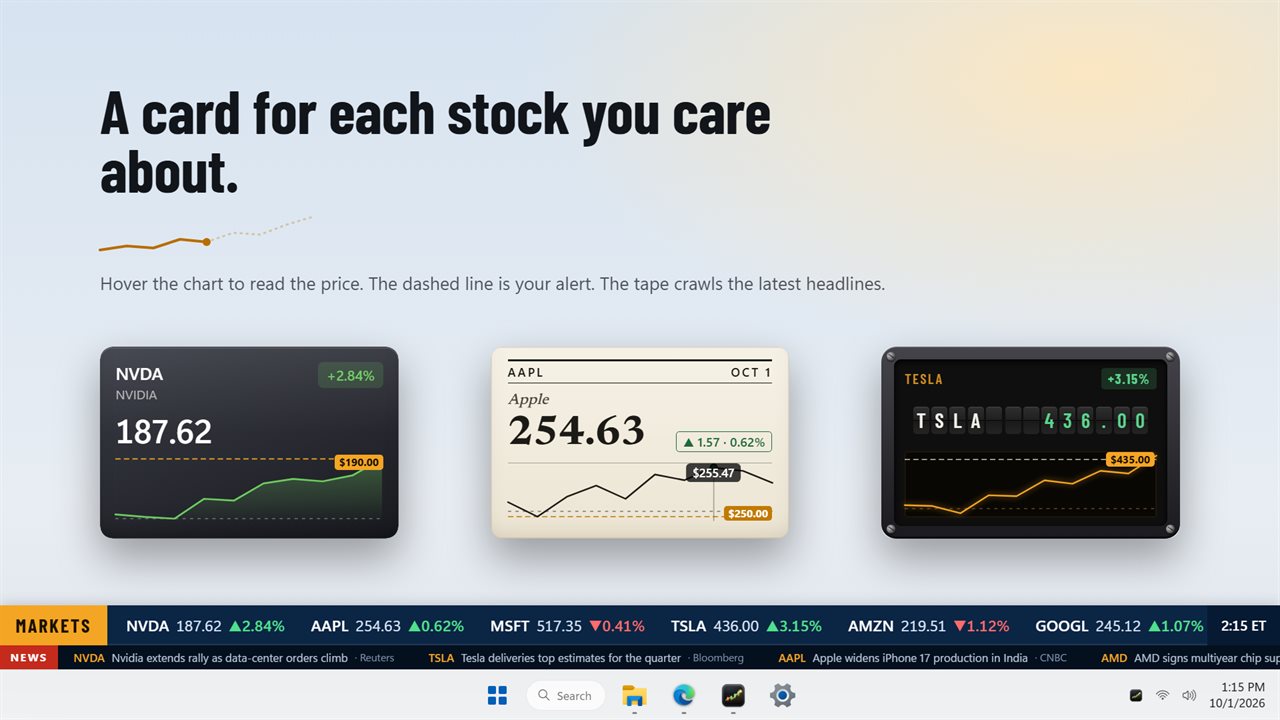
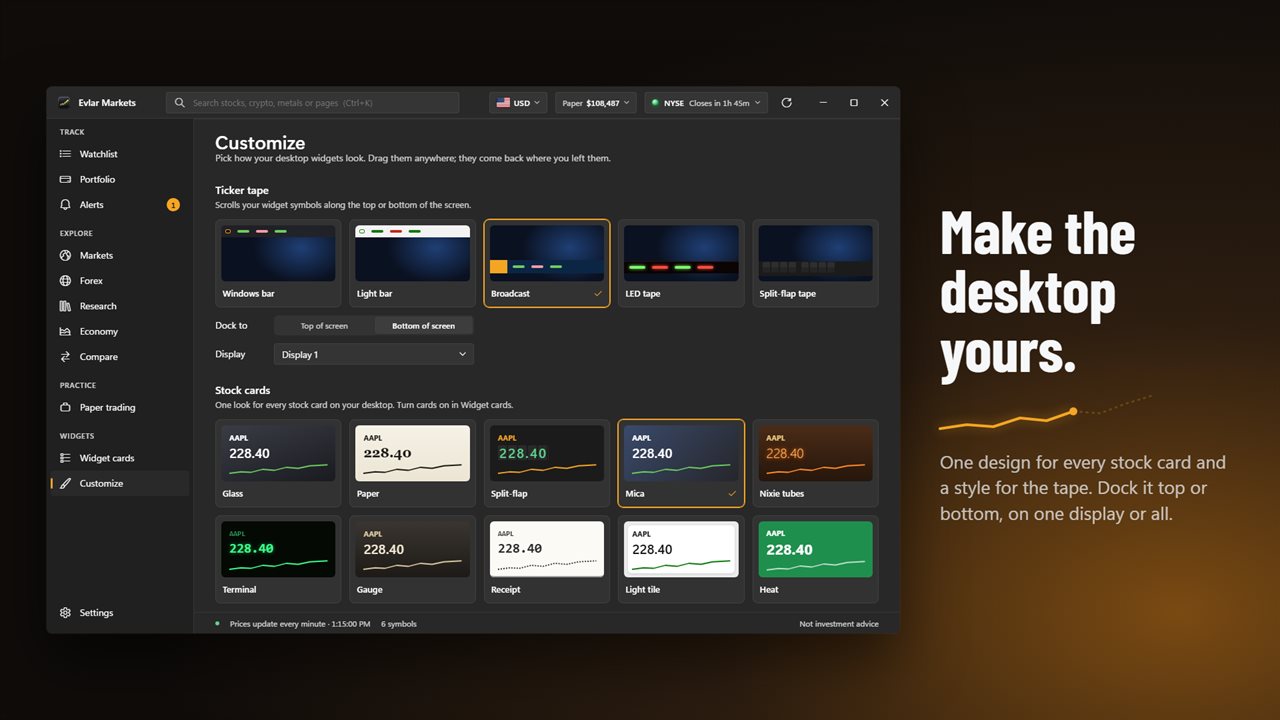
Add a ticker tape in one of five styles (Windows bar, Light bar, Broadcast, LED tape or Split-flap tape) and dock it to the top or bottom of the screen, on one display or all of them. The Broadcast tape also crawls the latest headlines for its symbols. Drag the cards anywhere; they come back where you left them. Set how solid the widget backgrounds are, and text and charts stay solid.
Turn each watchlist symbol on or off for the stock cards and the tape.
A card for one stock
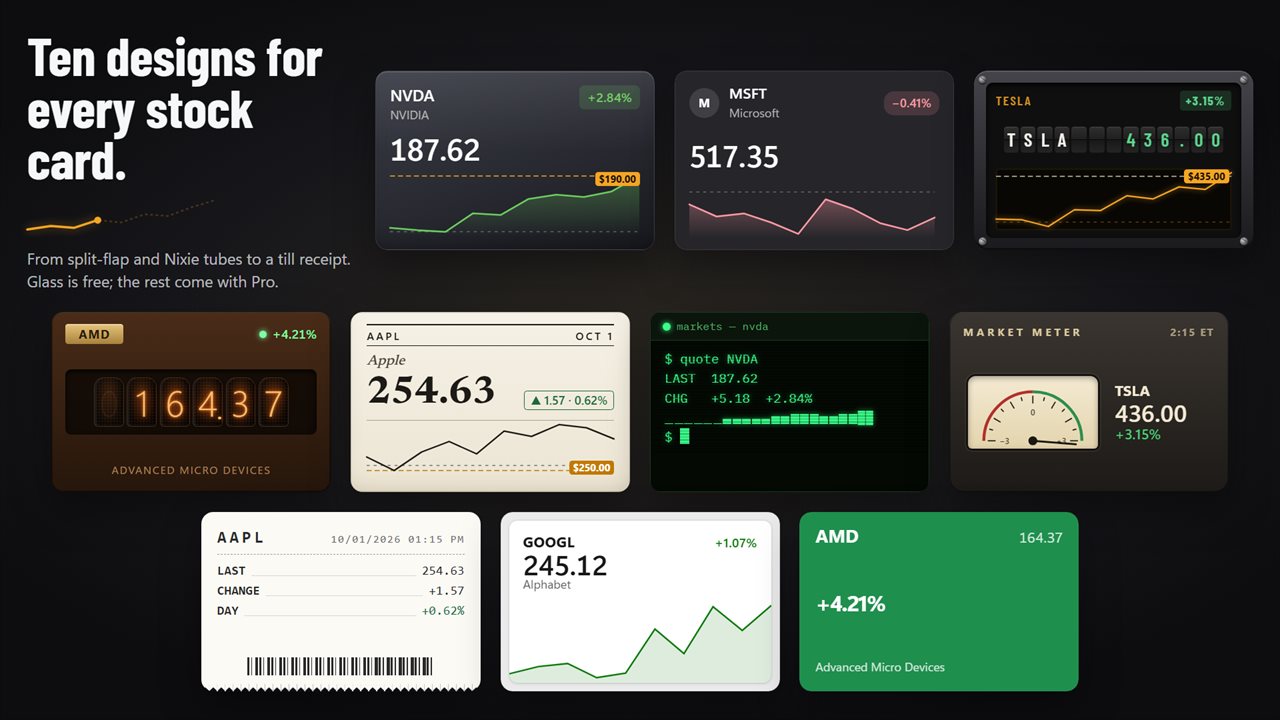
Stock cards come in ten designs: Glass, Paper, Split-flap, Mica, Nixie tubes, Terminal, Gauge, Receipt, Light tile and Heat. Pick one on the Customize page and every card follows. Each card has its own chart: hover it to read the price at any point, and your alert shows as a dashed line. Click a card to open the stock, or right-click it to change its design or remove it.
Price alerts
Set alerts above or below any price. When one is crossed, you get a Windows notification, even with the window closed: Evlar Markets keeps checking from the notification area.
The market at a glance
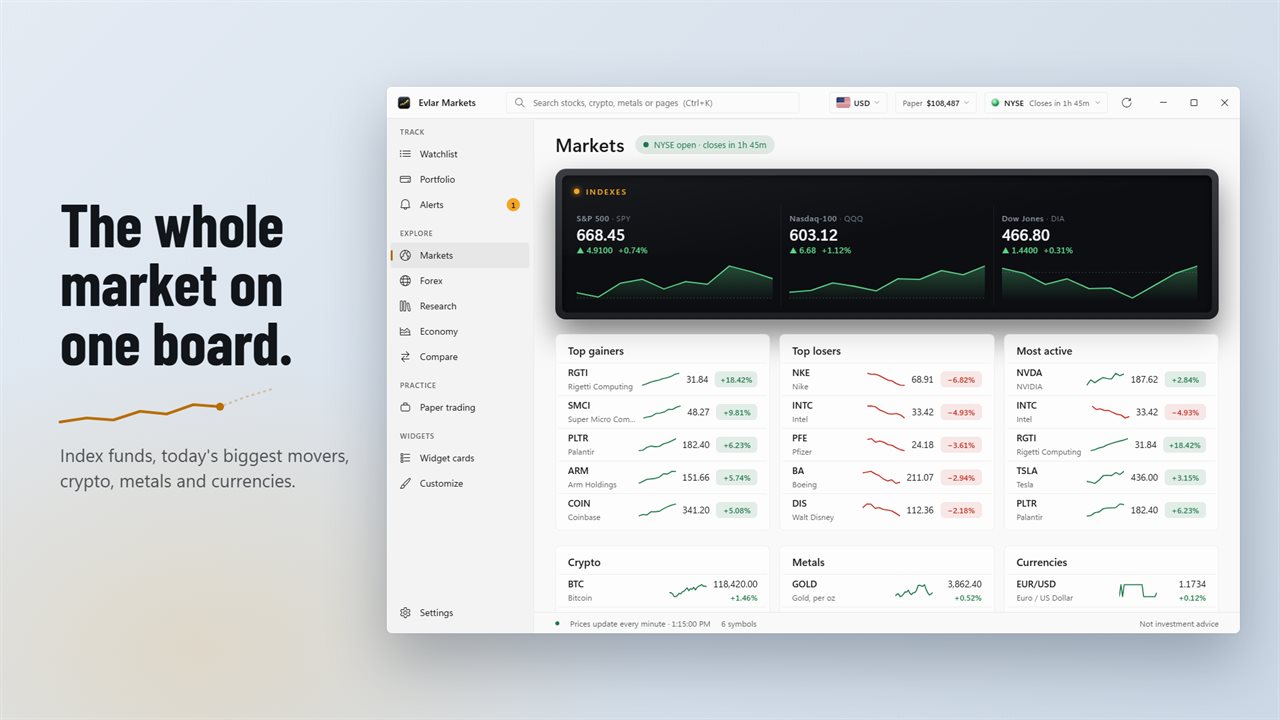
The Markets page shows funds that track the S&P 500, the Nasdaq-100 and the Dow, and today's top gainers, losers and most active stocks. The clock in the title bar says whether the market is open and when it closes, and lists the hours of 15 stock exchanges around the world.
Paper trading
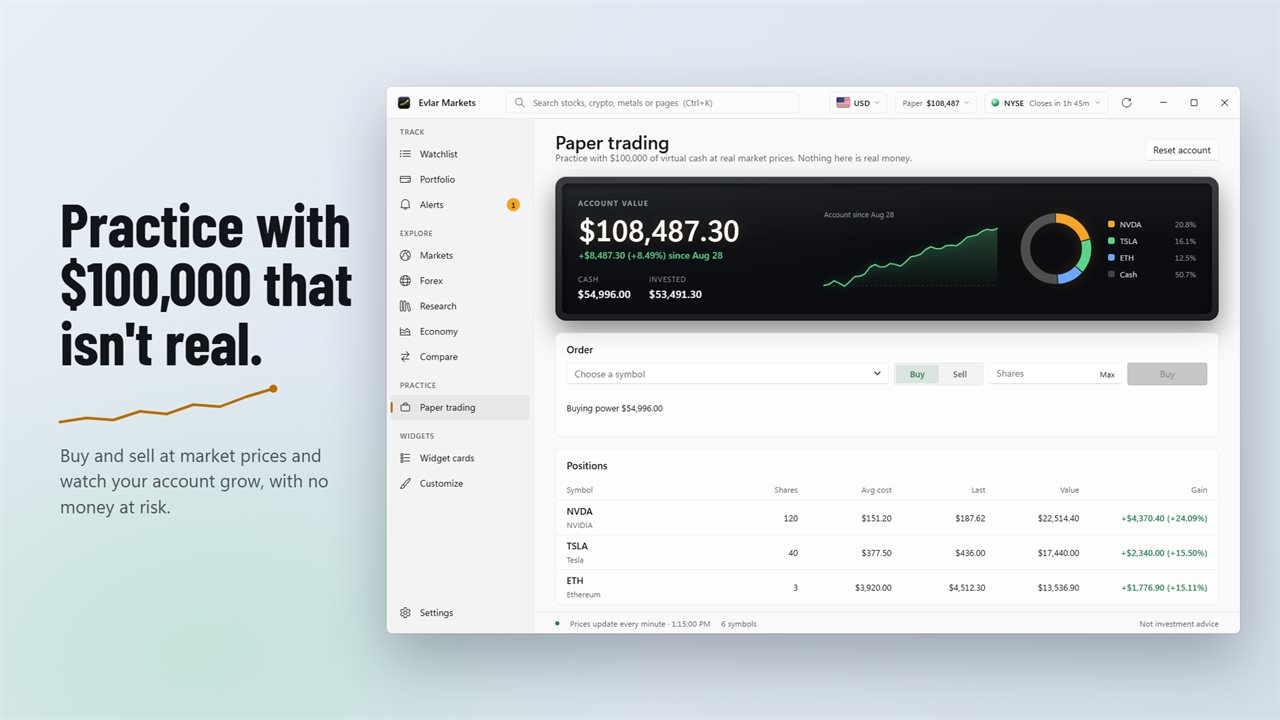
Practice with $100,000 of virtual cash at real market prices. Nothing here is real money.
Evlar markets pro
Evlar Markets is free to download. The free plan follows any US company stock, up to 3 in your watchlist, with prices every minute, the Windows bar tape and a Glass stock card for each of them.
Pro adds:
Pro is sold in the app as a monthly or yearly subscription, or a one-time lifetime purchase, through the Microsoft Store.
Market data is for information only and is not investment advice.
- An unlimited watchlist
- Price alerts as Windows notifications
- ADRs, ETFs, crypto, metals, currencies and stocks on 18 markets outside the US
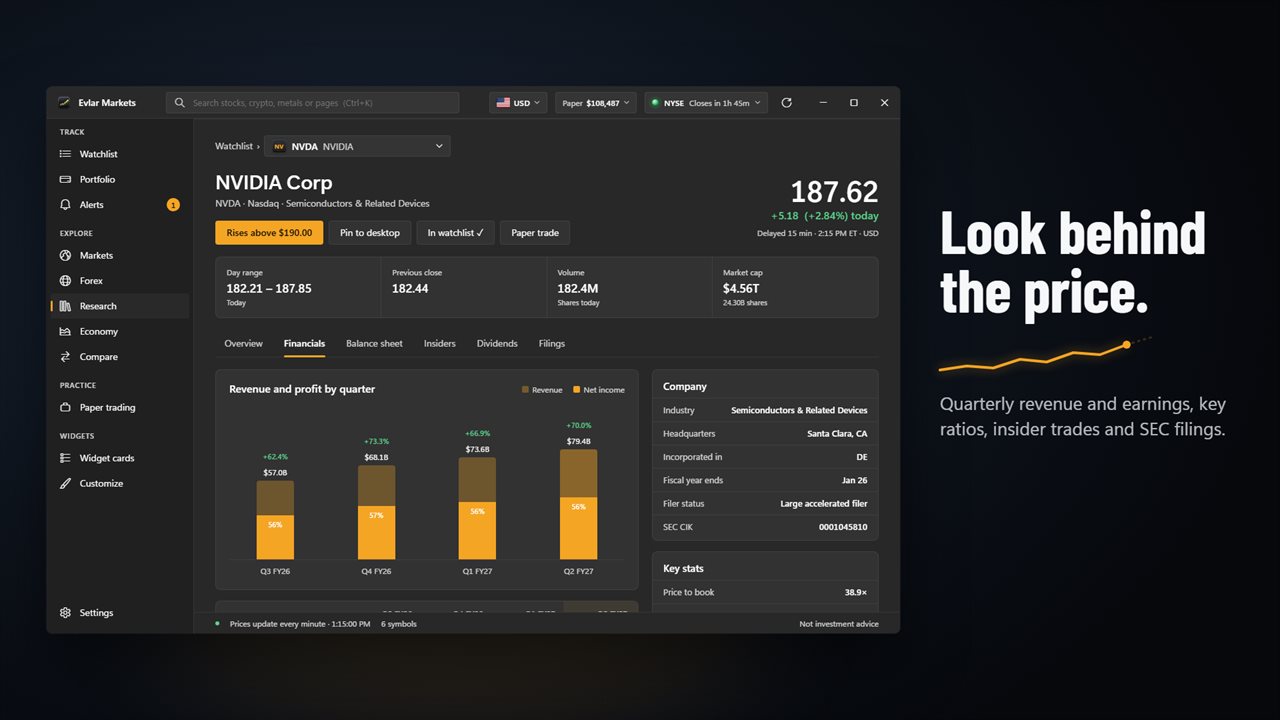
- Research: quarterly revenue and earnings, key ratios, insider trades and SEC filings
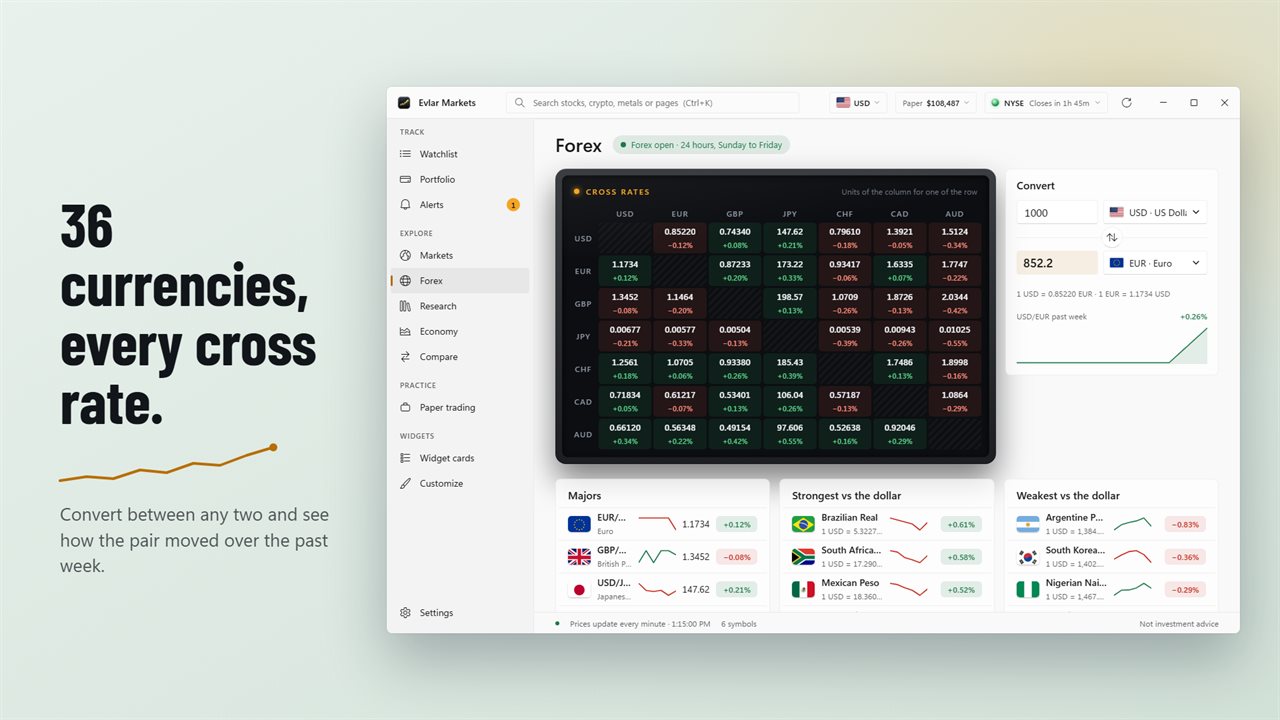
- Forex: 36 currencies, cross rates, a converter and week charts
- Economy: interest rates, inflation, jobs and Treasury yields
- Crypto, metals and currencies on the Markets page
- Every widget style
Features
- A ticker tape in 5 styles, docked to the top or bottom of the screen, on one display or all of them. The Broadcast tape crawls headlines
- Stock cards in 10 designs, from Glass to Nixie tubes and a till receipt, each with its own chart. Hover it to read the price
- Your price alert shows as a dashed line on the stock's card
- Price alerts above or below any price, as Windows notifications
- Alerts keep checking from the notification area when the window is closed
- A watchlist board with today's chart, the day's range, the last price and the change for each symbol
- A bigger chart for the selected symbol, with 1-day, 5-day and 1-month views
- Drag widgets anywhere. They come back where you left them
- Set how see-through the widgets are. Text and charts stay solid
- Turn each watchlist symbol on or off for the stock cards and the tape
- A Markets page with funds that track the S&P 500, Nasdaq-100 and Dow, and today's top gainers, losers and most active stocks
- See whether the market is open, and the hours of 15 stock exchanges
- Paper trading with $100,000 of virtual cash at real market prices
- Free: any US company stock, up to 3 in your watchlist, with prices every minute
- Pro: an unlimited watchlist, research and price alerts
- Pro: ADRs, ETFs, crypto, metals, currencies and stocks on 18 markets outside the US
- Pro: research with quarterly revenue and earnings, key ratios, insider trades and SEC filings
- Pro: Forex with 36 currencies, cross rates, a converter and week charts, and an Economy page with rates, inflation, jobs and Treasury yields
- Pro: every widget style
Details
- Works on
- Windows 10 (1809 or later) and Windows 11
- Download
- About 3.4 MB
- Version
- 1.0.3, updated October 2026
- First released
- October 2026
- Price
- Free
- Category
- Personal Finance
Questions
Anything else? Ask us
Which versions of Windows does it run on?
Windows 10 (version 1809 or later) and Windows 11.
Is it free?
Yes. Evlar Markets is free to download.
How do I get it?
EvlarSoft apps are moving to direct downloads from this site. Ask to be notified and we will email you as soon as Evlar Markets is ready to download.