FlipClock
A split-flap clock for your desktop that actually flips — the top leaf falls, the bottom rises, and the seam never moves.
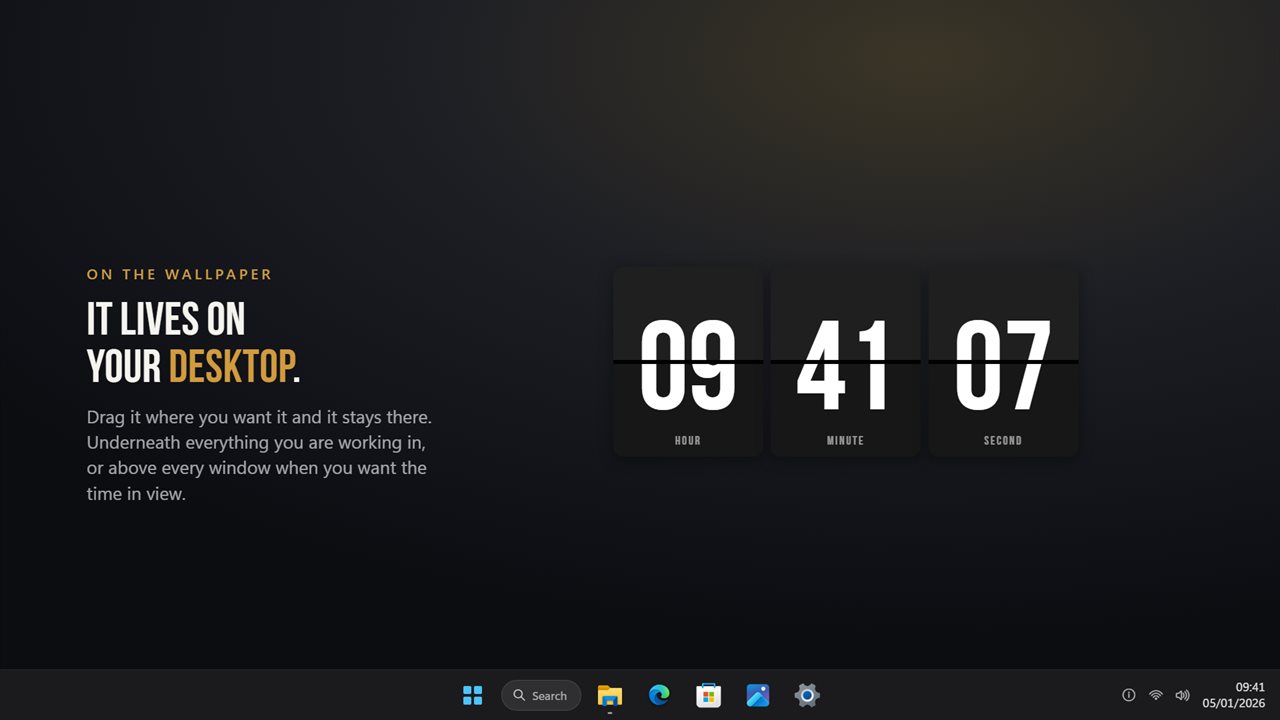
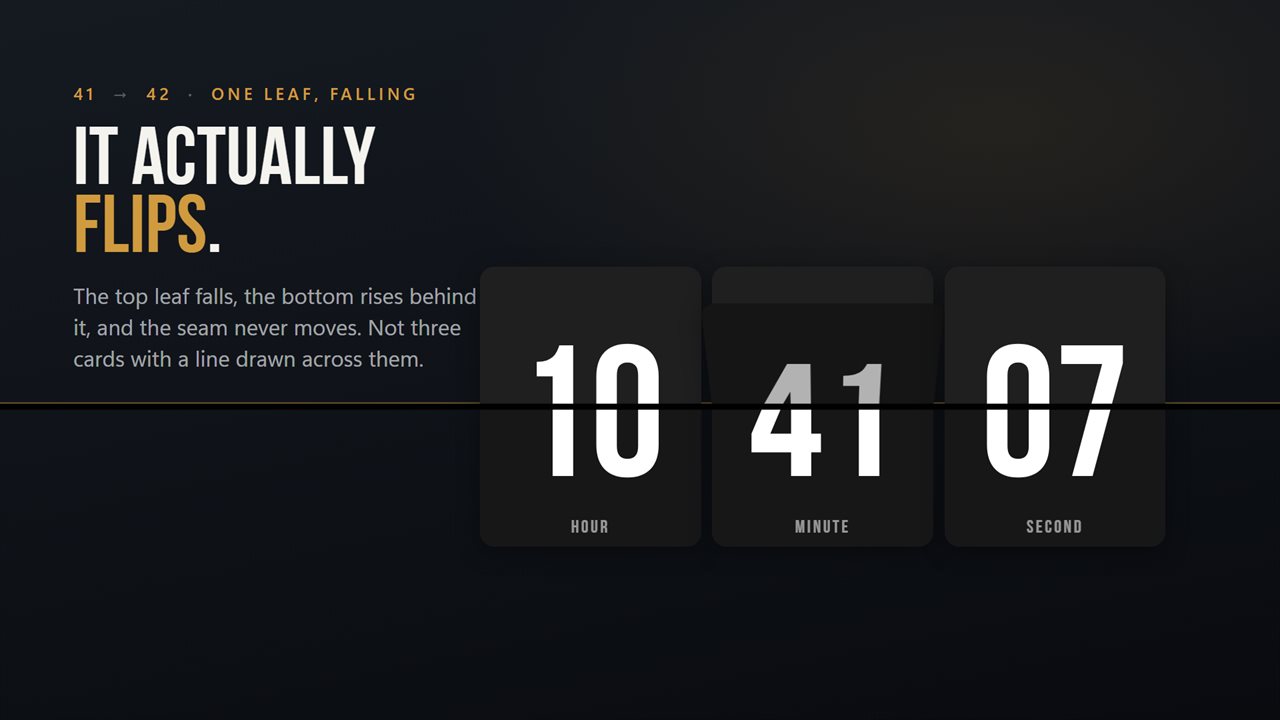
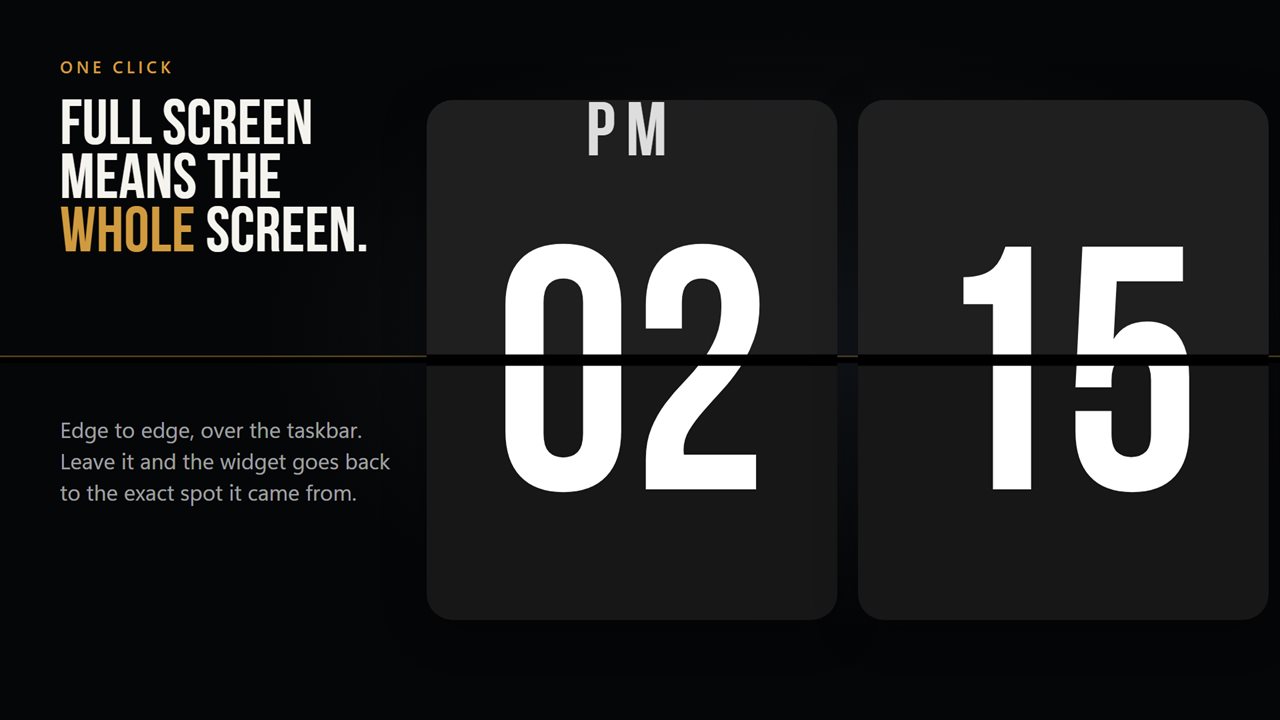
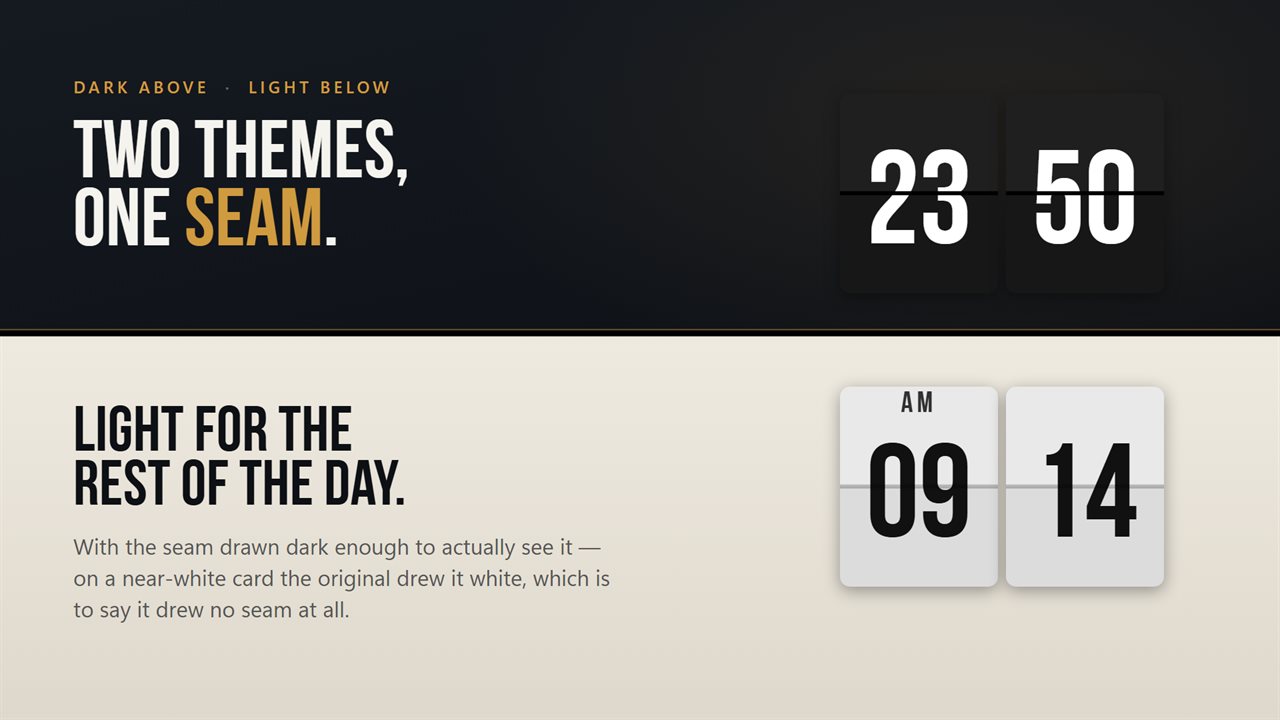
FlipClock in 28 seconds
See it in action
About FlipClock
A flip clock is one idea: a card turns over and the time changes. This is that, on your desktop.
The flip
The top leaf falls, the bottom leaf rises behind it, and the fixed seam across the middle never moves - the way a real split-flap board works. Turn on the tick and every card carries the original's own recording of the sound.
On the desktop
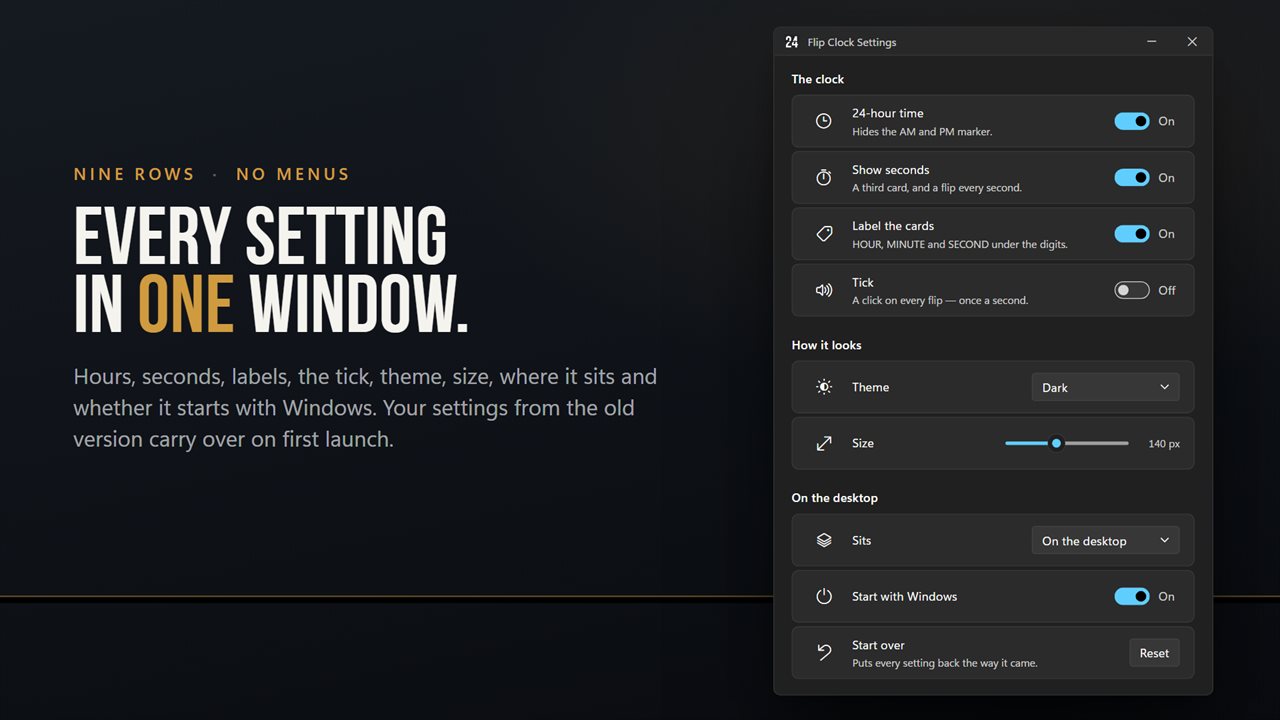
Drag it wherever it belongs and it stays there, across restarts. Keep it pinned to the wallpaper so it sits underneath everything you are working in, or float it above every window when you want the time in view. It never steals focus and never appears in Alt+Tab.
Full screen
One click and it covers the whole display, edge to edge and over the taskbar. Leave full screen and the widget goes back to the exact spot it came from.
Make it yours
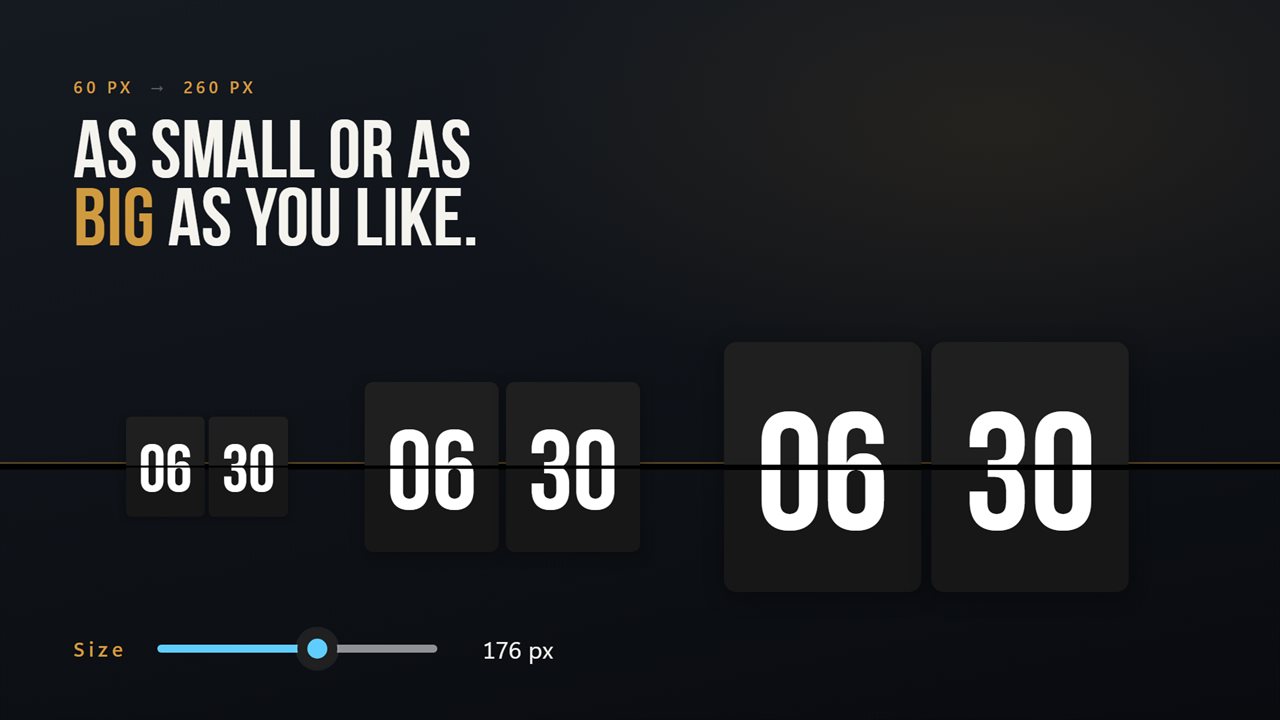
Light theme or dark. 12-hour with an AM and PM marker, or 24-hour. Seconds on for a flip every second, or off for a calmer board. HOUR, MINUTE and SECOND labels under the cards if you like them, and gone if you do not. Size runs from 60 pixels to 260 on one slider, and it moves the whole board - cards, seam, labels and digits together.
Starts with Windows
One switch. It registers with the Windows Startup page, so you can see it and turn it off there like any other startup app, and it keeps working across updates.
Upgrading? Your settings come with you on first launch.
Departure board pack
An optional add-on puts a live airport board under the clock. Pick up to 24 of more than 69,000 cities and each row shows its local time, a +1 when it is already tomorrow there, and whether people there are at work, awake or asleep. Give a row your own name, like MUM or AUSTIN OFFICE, or count down to a trip. Public holidays in each city's country are marked, so you don't plan a call into someone's day off. Click a city and the big clock shows its time. More cities than fit take turns, a page every ten seconds. It also adds four finishes: Departure board, yellow on black; Vintage, cream and brown; Platform, white on navy; and Tangerine, cream on orange. Everything above comes with the app.
It works fully offline and needs no account. An optional EvlarSoft ONE sign-in backs up your settings so you can carry them to another PC, and feedback is sent only when you press Send. No ads.
Features
- A real split-flap: the top leaf falls, the bottom rises behind it
- Sits on the wallpaper, underneath the windows you are working in
- Or floats above every window when you want the time in view
- Stays exactly where you drag it, across restarts
- Full screen edge to edge, over the taskbar
- Leaving full screen puts the widget back where it was
- Any size from 60px to 260px, on one slider
- Light and dark themes
- 12-hour with AM and PM, or 24-hour
- Seconds on or off
- HOUR, MINUTE and SECOND labels under the cards, if you want them
- The original ticking sound, on every flip
- Starts with Windows, through the Startup page rather than a shortcut
- Settings from the previous version carry over on first launch
- Optional EvlarSoft ONE sign-in backs up your theme, size and format, to carry them to another PC
- Optional Departure Board Pack: up to 24 cities under the clock, with local time, who's awake, public holidays, nicknames and a countdown
- No account needed, no ads
Details
- Works on
- Windows 10 (1809 or later) and Windows 11
- Download
- About 3.7 MB
- Version
- 2.1.5, updated October 2026
- First released
- June 2022
- Price
- $2.99 once. No subscription.
- Category
- Utilities & tools
What's new in 2.1.5
- The Departure Board Pack, an optional add-on: up to 24 cities under the clock, with their local time, who's at work or asleep, your own names for them and a countdown to a trip
- Four new finishes with the pack: Departure board, Vintage, Platform and Tangerine
- Search more than 69,000 cities by name
- Public holidays for each city's country
- Click a city to show its time on the big clock
Questions
Anything else? Ask us
Which versions of Windows does it run on?
Windows 10 (version 1809 or later) and Windows 11.
Is it a subscription?
No. FlipClock is a one-time purchase of $2.99, and updates are included.
How do I get it?
EvlarSoft apps are moving to direct downloads from this site. Ask to be notified and we will email you as soon as FlipClock is ready to download.
More from EvlarSoft
 Countdown ReminderPuts the dates you are waiting for on your desktop, counting down.
 Worldwide Timezone WidgetsA row of world clocks on your desktop, with daylight saving handled for every city and a meeting planner that shows when everyone is at work.
 Simple Elegant TimerAn elegant countdown timer that gets the job done with simplicity as a priority.