Taskbar RSS Reader
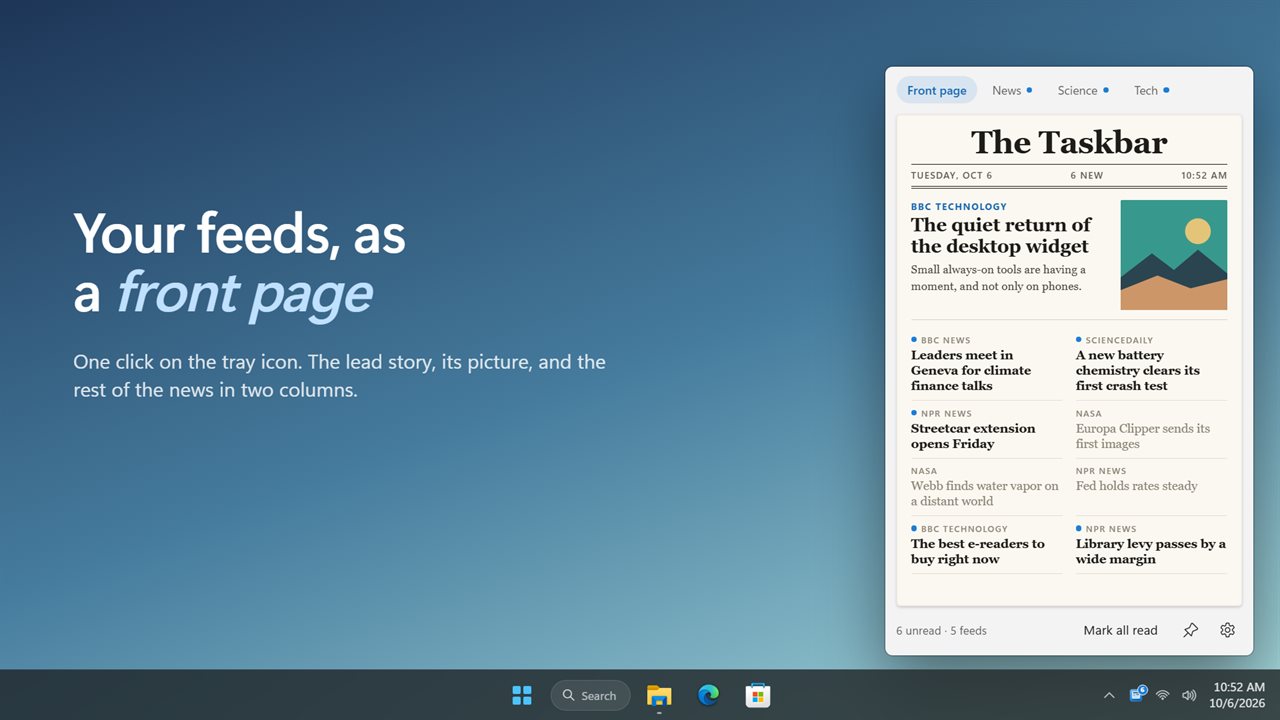
Your news, folded into the taskbar. Click the tray icon and Taskbar RSS Reader opens a small front page made from your feeds: a lead story with its picture, sections for each kind of news, and a count on the icon of what you haven't read.
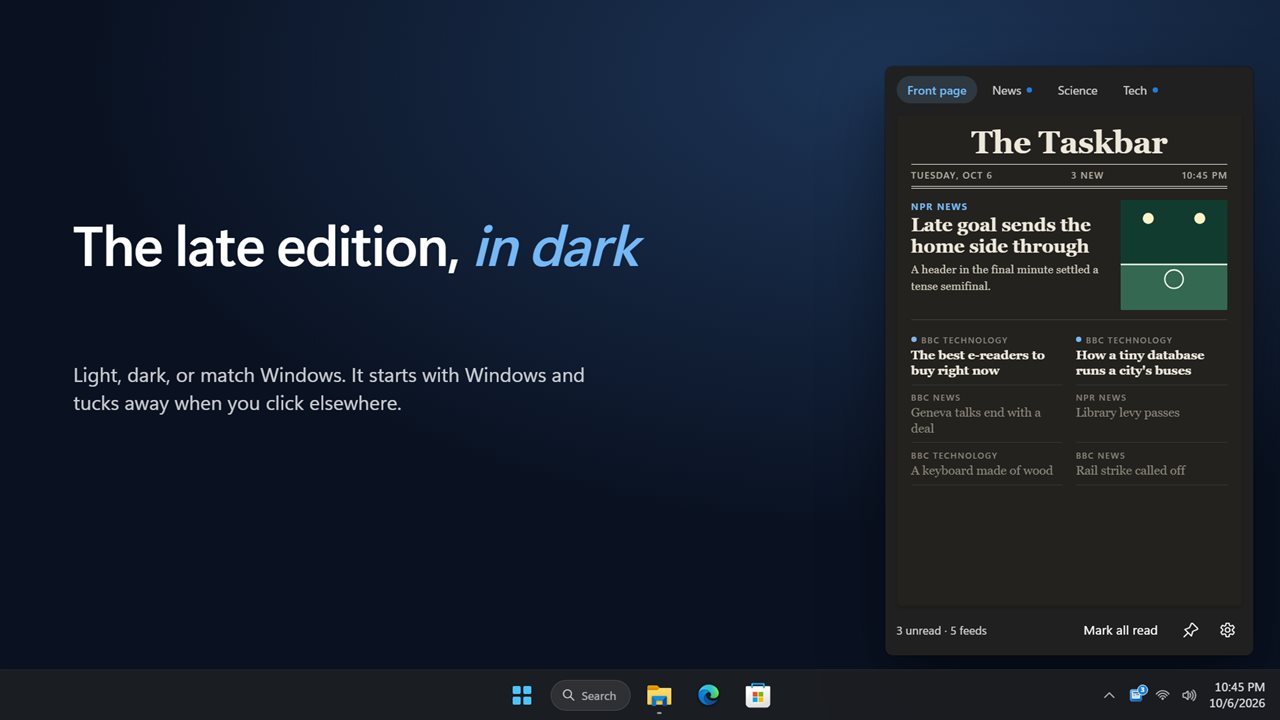
Your feeds as a front page, one click from the taskbar.
See it in action
About Taskbar RSS Reader
Click the tray icon and the news is there. Taskbar RSS Reader turns your feeds into a small newspaper that opens right above the taskbar.
A front page, not a list
The masthead carries today's date, how many stories are new and when the edition was printed. The newest story with a picture leads, and the rest of the news runs in two columns underneath.
Sections
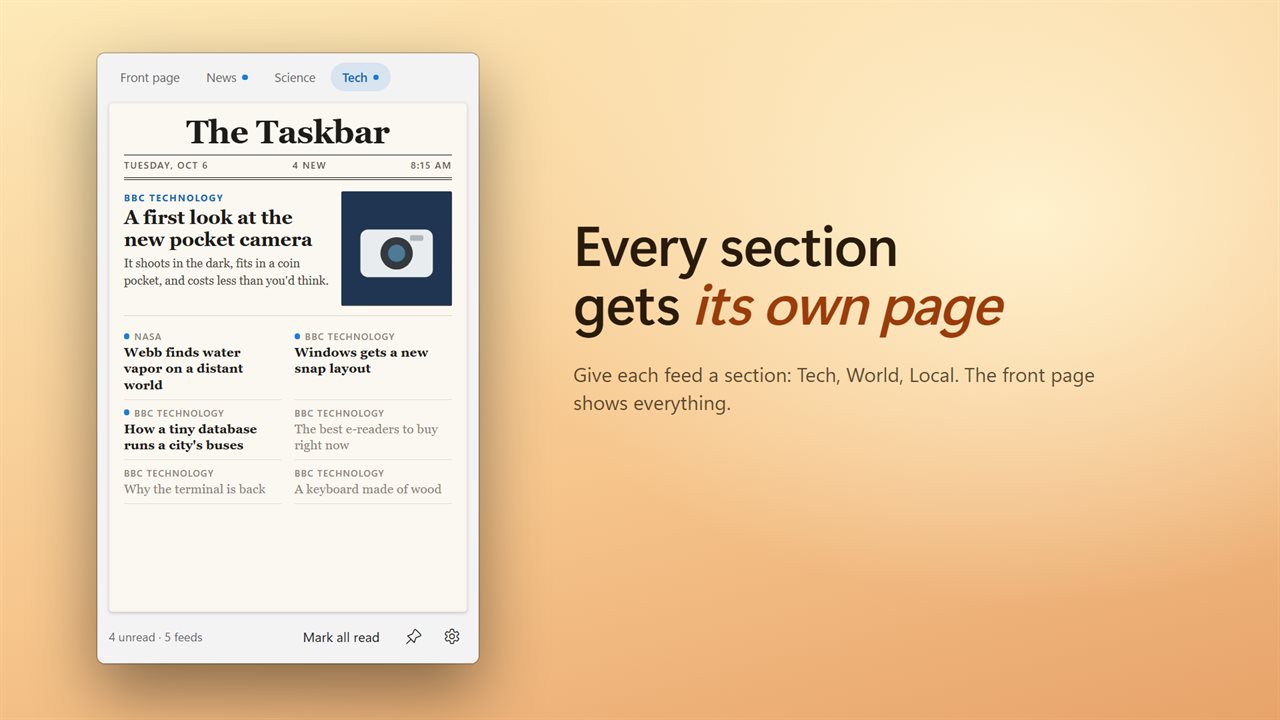
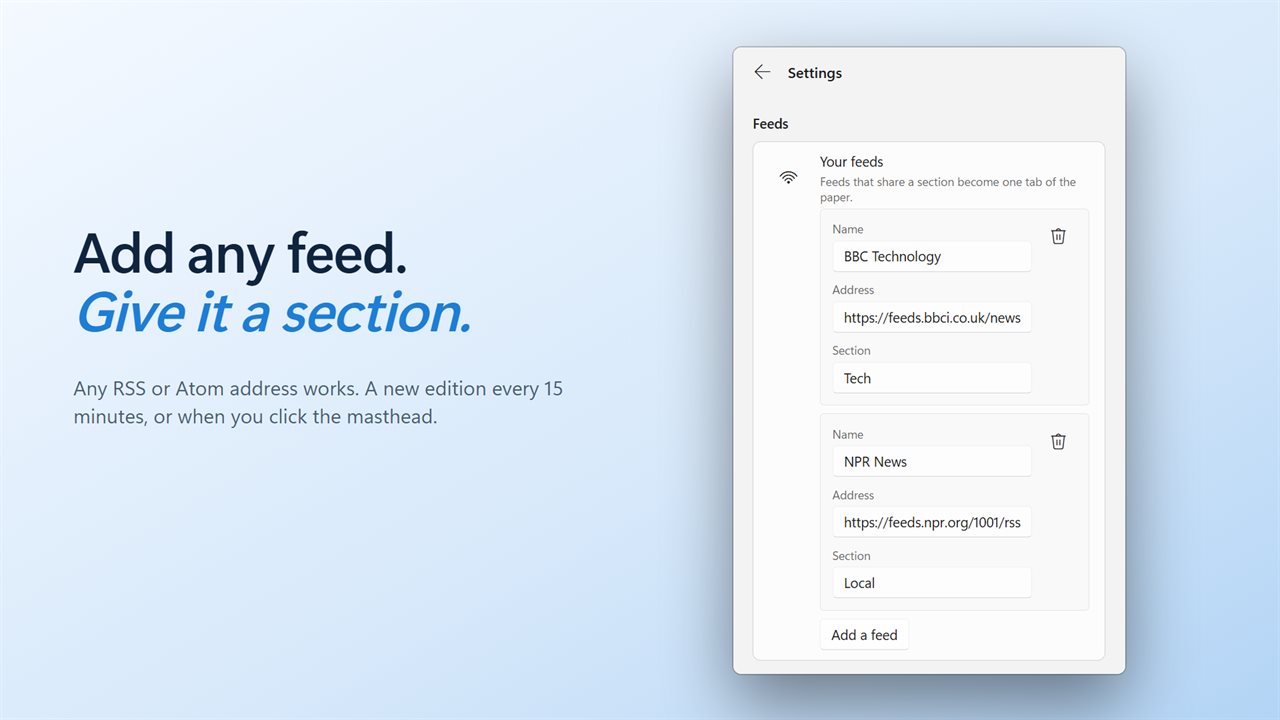
Give each feed a section, like Tech, World or Local, and each section gets its own page. The front page shows everything. BBC News, NPR, BBC Technology, NASA and ScienceDaily are ready to go, and you can change them or add any RSS or Atom feed.
Knows what you've read
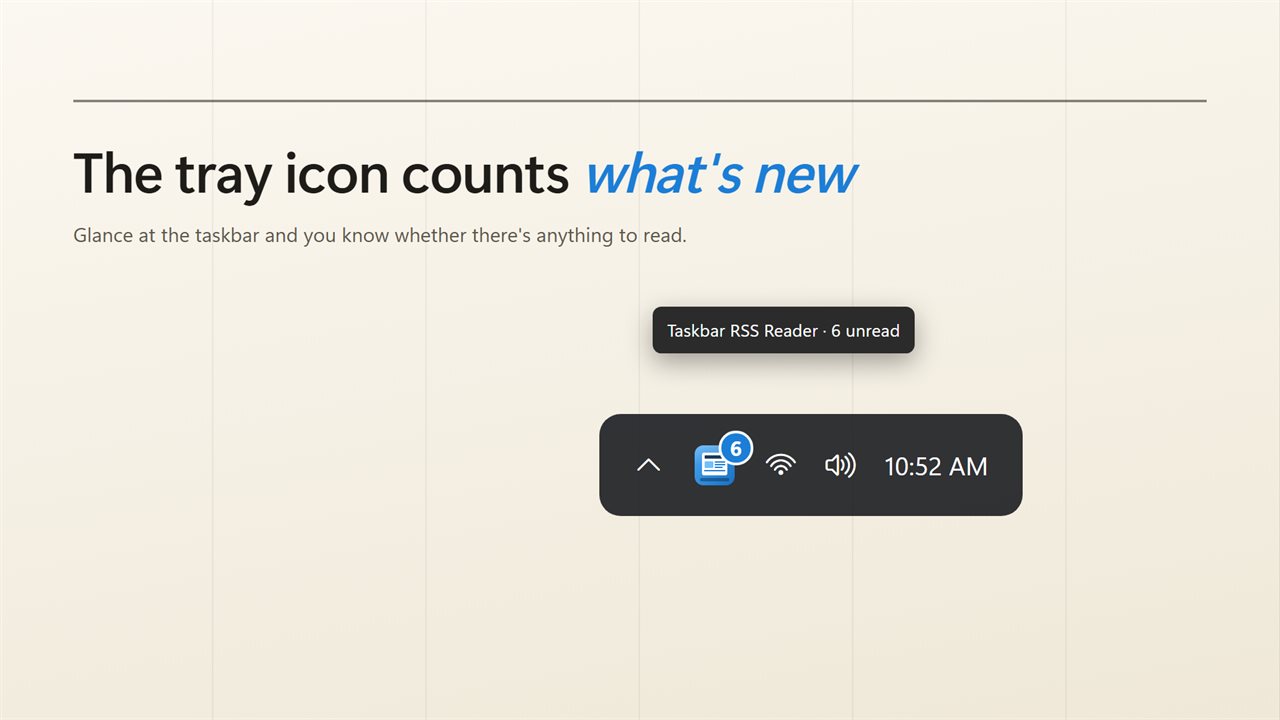
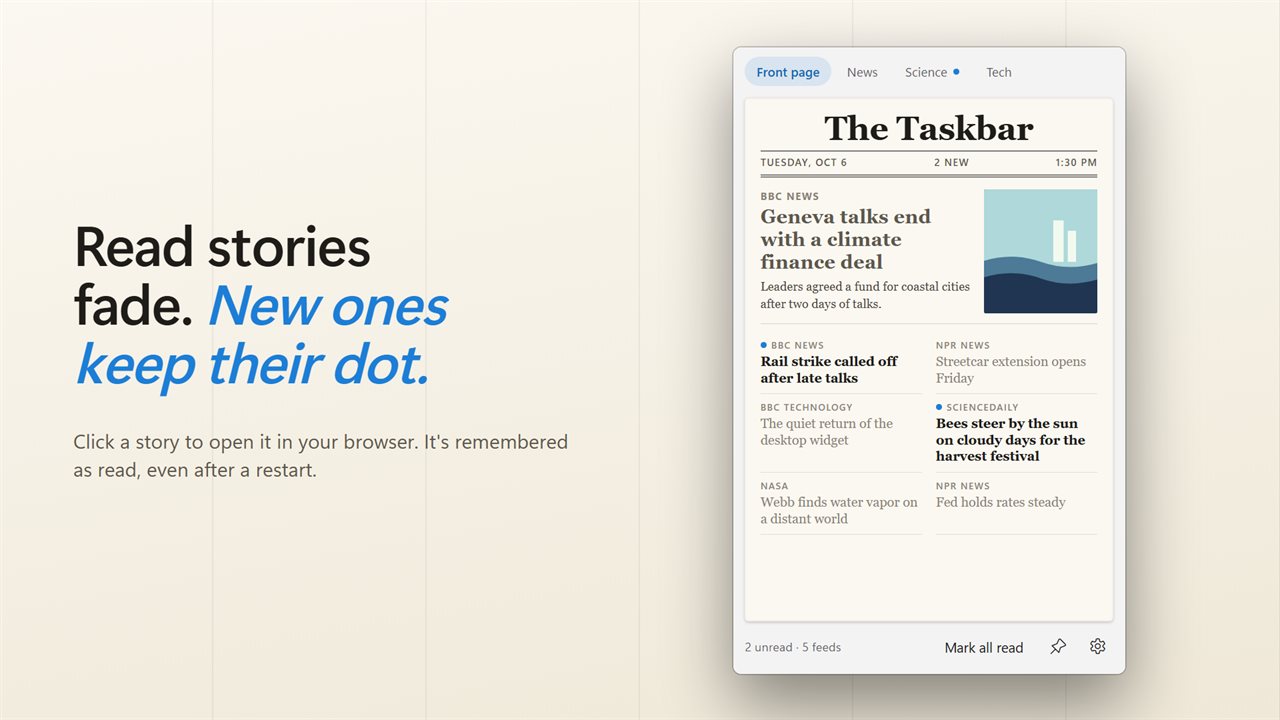
New stories carry a blue dot and read ones fade, even after a restart. The tray icon counts what you haven't read, so you can tell at a glance whether there is anything new. Mark all read clears a section in one click.
One click to read
Click a story and it opens in your browser. Click the masthead for a fresh edition any time. Otherwise a new edition arrives every 15 minutes, or every 5, 30 or 60 if you prefer. Offline, the last edition stays on the page.
Out of the way
The paper opens above the tray and tucks away when you click elsewhere. It starts with Windows and waits in the notification area. Upgrading? The feed you set in the earlier version carries over.
Features
- Your feeds as a newspaper front page, one click from the taskbar
- A lead story with its picture, then the rest of the news in two columns
- Give feeds a section and each section gets its own page. Front page shows everything
- AP News, BBC World, The Verge and Hacker News are ready to go, and every one can be changed
- Any RSS or Atom feed works. Paste its address, name it and pick a section
- The tray icon counts your unread stories
- New stories carry a blue dot. Read ones fade, and are remembered after a restart
- Click a story to open it in your browser. Mark all read clears a section in one click
- Click the masthead for a fresh edition. Fetches a new one every 15 minutes, or every 5, 30 or 60
- Shows the last edition when you are offline
- Opens above the tray and tucks away when you click elsewhere
- Starts with Windows, so the paper is waiting when you sign in
- The feed you set in the earlier version carries over
- Light and dark themes, or match Windows
- Pin the paper to the desktop and it stays open where you drag it. Unpin and it goes back to the tray
- Hides adult topics by default, even from mainstream outlets
Details
- Works on
- Windows 10 (1809 or later) and Windows 11
- Download
- About 2.7 MB
- Version
- 2.0.3, updated October 2026
- First released
- October 2022
- Price
- $1.99 once. No subscription.
- Category
- News & weather
What's new in 2.0.3
- New: a front page in a flyout above the tray, in place of the old menu
- New: several feeds, with a section tab for each group
- New: a lead story with its picture
- New: unread dots, a count on the tray icon, and Mark all read
- New: fetches every 15 minutes, or when you click the masthead
- Your feed from the earlier version carries over
Questions
Anything else? Ask us
Which versions of Windows does it run on?
Windows 10 (version 1809 or later) and Windows 11.
Is it a subscription?
No. Taskbar RSS Reader is a one-time purchase of $1.99, and updates are included.
How do I get it?
EvlarSoft apps are moving to direct downloads from this site. Ask to be notified and we will email you as soon as Taskbar RSS Reader is ready to download.