Installed Codec Scanner
Why won't this video play? Installed Codec Scanner lists every audio and video codec on your PC, shows which common formats are missing, and opens the right Store extension to fix it. Drop a video or audio file on the window to find out whether it will play, and what it needs.
Find out why a video won't play.
See it in action
About Installed Codec Scanner
Why won't this video play? Installed Codec Scanner answers it in one drop.
Every codec on your PC
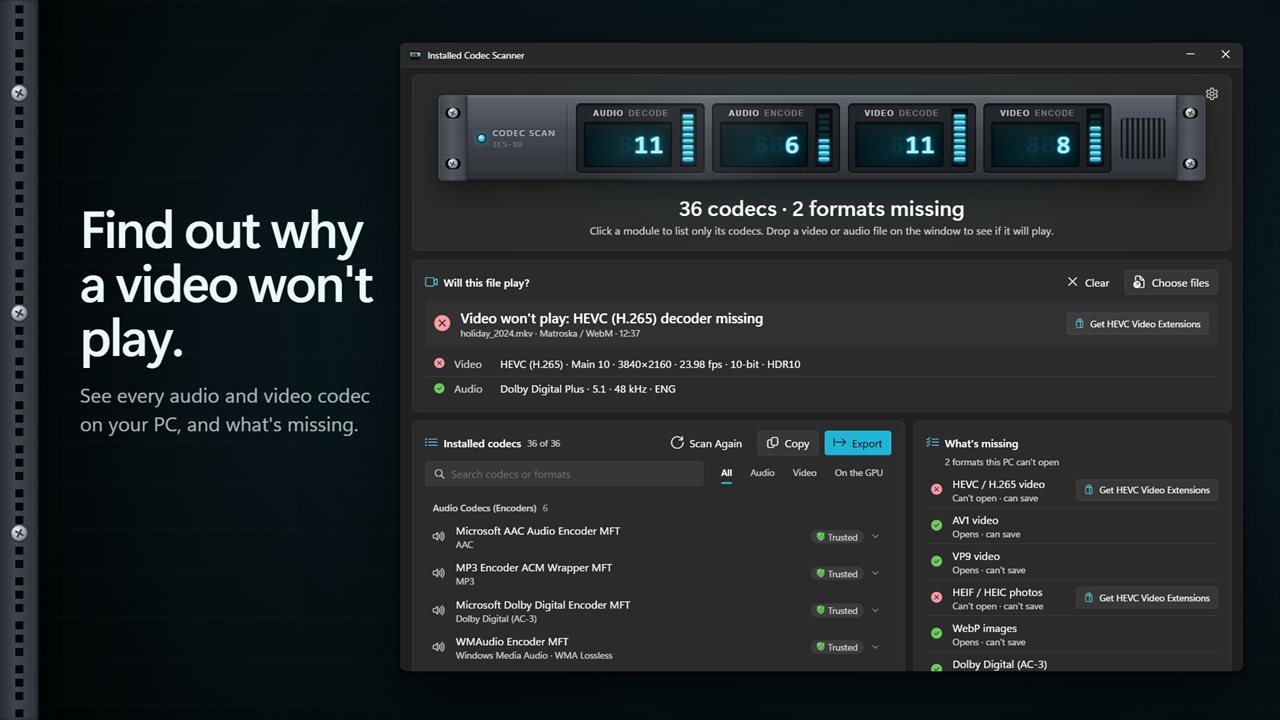
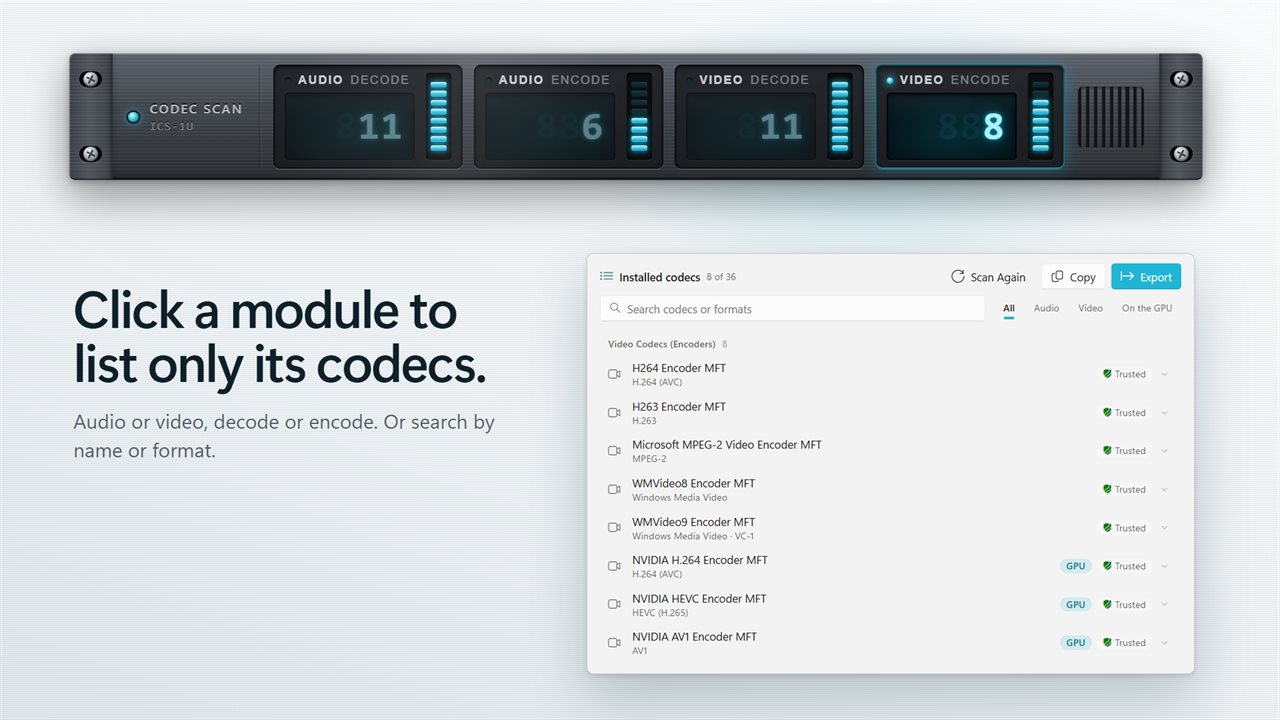
Click the rack and the app lists every audio and video codec Windows has: the decoders that play files and the encoders that save them, including the ones your graphics card adds. Four modules on the rack count audio decoders, audio encoders, video decoders and video encoders. Click one to list only its codecs.
Will this file play?
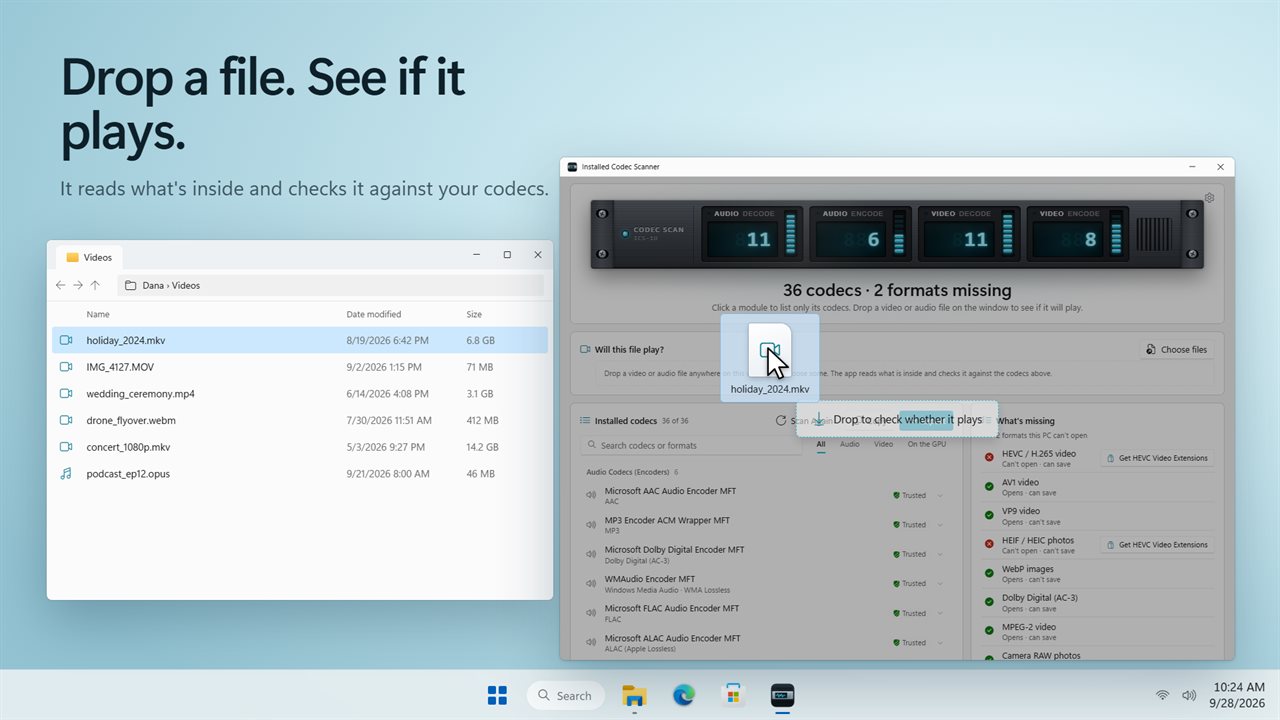
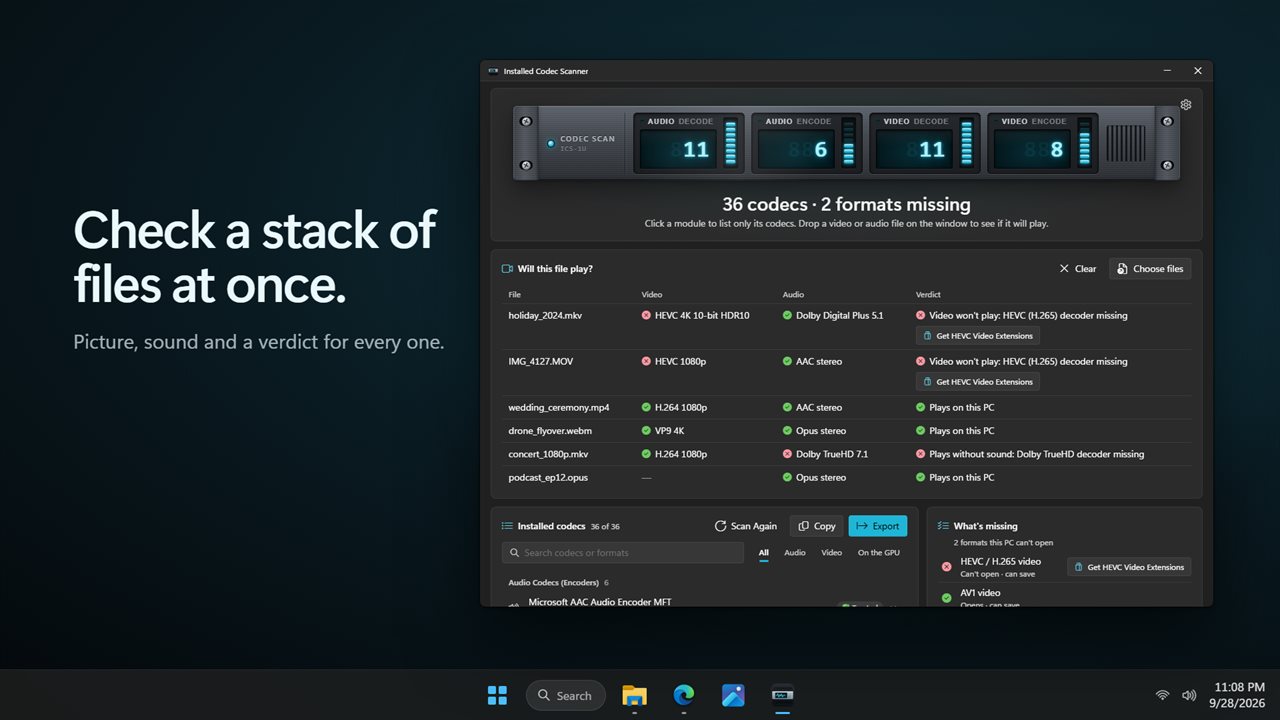
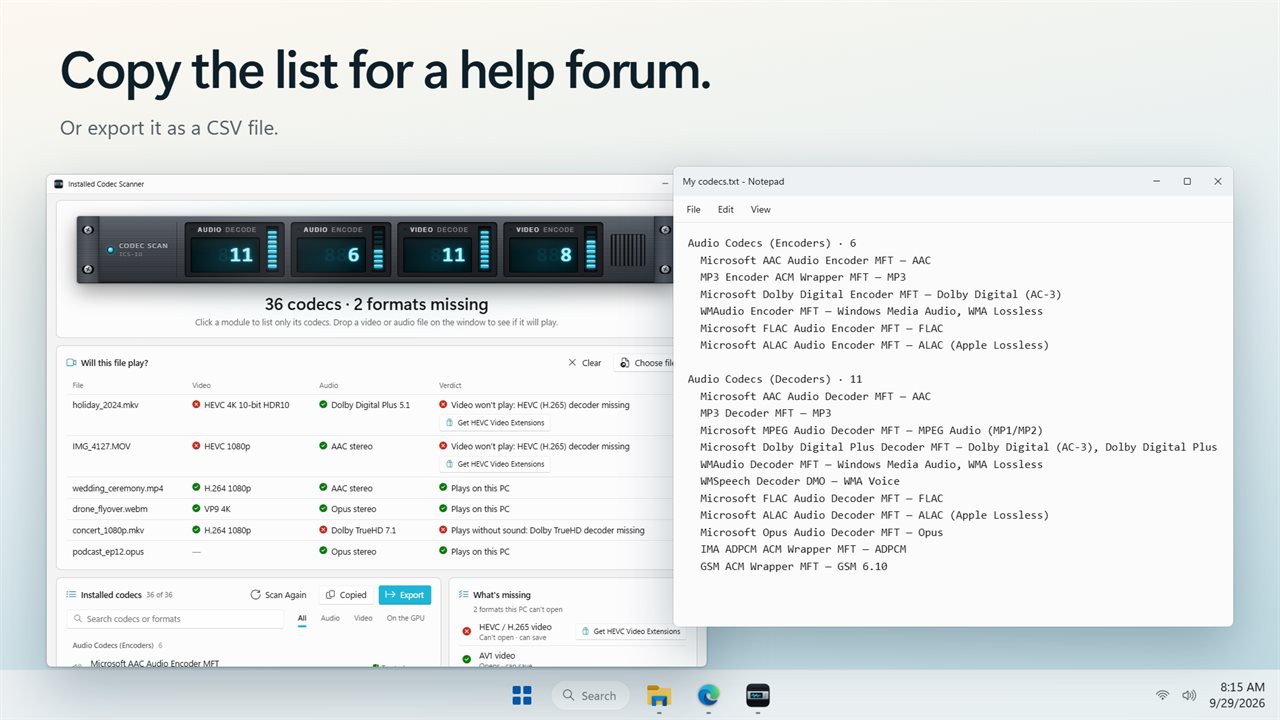
Drop a video or audio file anywhere on the window, or choose some. The app reads what is inside and checks it against your codecs. You get a straight answer: plays on this PC, won't play, plays without sound, or can't tell. Each file shows its picture and sound in plain terms: the format, resolution, frame rate, bit depth, HDR, channels and language. Drop a whole stack of files to get a verdict for every one.
What's missing, and where to get it
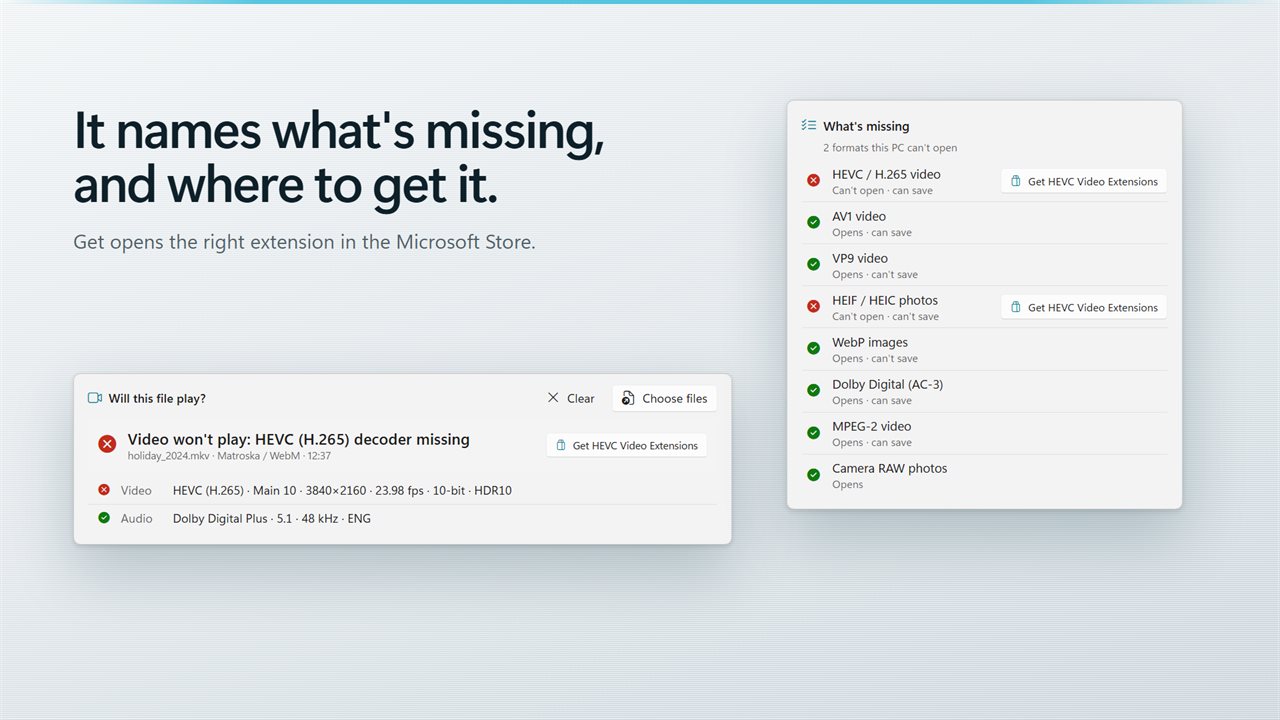
The app checks eight formats people run into every day: HEVC, AV1, VP9 and MPEG-2 video, HEIC and WebP pictures, Dolby Digital sound and camera RAW photos. It tells you whether each one opens, and whether this PC can save it. When something is missing, the Get button opens the matching extension in the Microsoft Store, such as HEVC Video Extensions or AV1 Video Extension.
What your graphics card can do
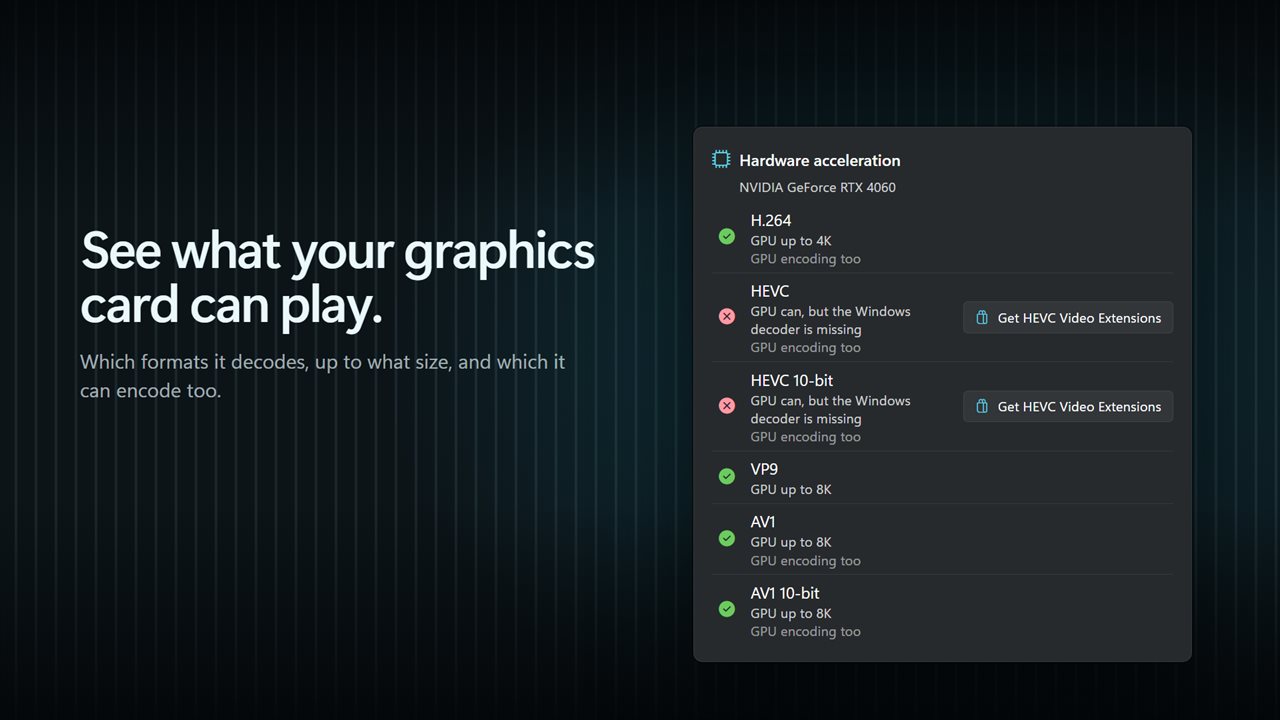
The hardware acceleration report shows which formats your graphics card plays, and at what size: 1080p, 4K or 8K. It points out when the card could play a format but Windows is missing the decoder for it, and which formats the card can encode too.
Find and share
Search by codec name or format, or filter to audio, video or graphics hardware. Click a codec to see every format it handles. Copy the whole list as text to paste into a help forum, or export it as a CSV file.
Private
Your files are read on your PC and never uploaded.
Features
- Click the rack to list every audio and video codec on your PC, both the ones that play and the ones that save
- Includes the encoders your graphics card adds, marked GPU
- Four modules on the rack count audio decoders, audio encoders, video decoders and video encoders. Click one to list only those
- Filter to audio, video or graphics hardware, and search by codec name or format
- Click a codec to see every format it handles, whether it runs on the graphics hardware, and whether Windows trusts it
- Drop a video or audio file on the window to find out whether it will play on this PC
- Each file shows its picture and sound: format, resolution, frame rate, bit depth, HDR, channels and language
- Check a stack of files at once and get a verdict for each one
- Finds videos that play without sound because the audio format is missing
- Checks eight common formats: HEVC, AV1, VP9 and MPEG-2 video, HEIC and WebP pictures, Dolby Digital sound and camera RAW photos
- A Get button opens the right Microsoft Store extension for anything missing, such as HEVC Video Extensions
- See which formats your graphics card can play, up to 1080p, 4K or 8K, and which it can also encode
- Copy the codec list as text to paste into a help forum, or export it as a CSV file
- Right-click a codec to copy its name, its formats or its details
- Scans when the app opens, or waits for a click if you turn that off
- Files are read on your PC and never uploaded
- Dark and light themes, or match Windows
Details
- Works on
- Windows 10 (1809 or later) and Windows 11
- Download
- About 73.9 MB
- Version
- 2.0.3, updated October 2026
- First released
- September 2023
- Price
- $1.99 once. No subscription.
- Category
- Utilities & tools
What's new in 2.0.3
- New: drop a video or audio file on the window to find out whether it will play, and what it needs
- New: the Get button opens the right Microsoft Store extension for a missing format
- New: a hardware acceleration report for your graphics card
- New: the codec rack. Click a module to list only its codecs
- New: search, filters, and copy or export the list
- New: light and dark themes
Questions
Anything else? Ask us
Which versions of Windows does it run on?
Windows 10 (version 1809 or later) and Windows 11.
Is it a subscription?
No. Installed Codec Scanner is a one-time purchase of $1.99, and updates are included.
How do I get it?
EvlarSoft apps are moving to direct downloads from this site. Ask to be notified and we will email you as soon as Installed Codec Scanner is ready to download.