Link Unshortener
See where a short or tracking link really goes before you open it. Link Unshortener follows every redirect, shows each stop on the way, strips the tracking tags and copies you a clean link. Turn it on once and every short link you copy is revealed in a notification.
See where a short link really goes, before you open it.
See it in action
About Link Unshortener
Before you click a bit.ly, a t.co or a link in a marketing email, find out where it actually leads. Link Unshortener follows the link for you, one stop at a time, and shows you the real destination.
The destination, printed on a label
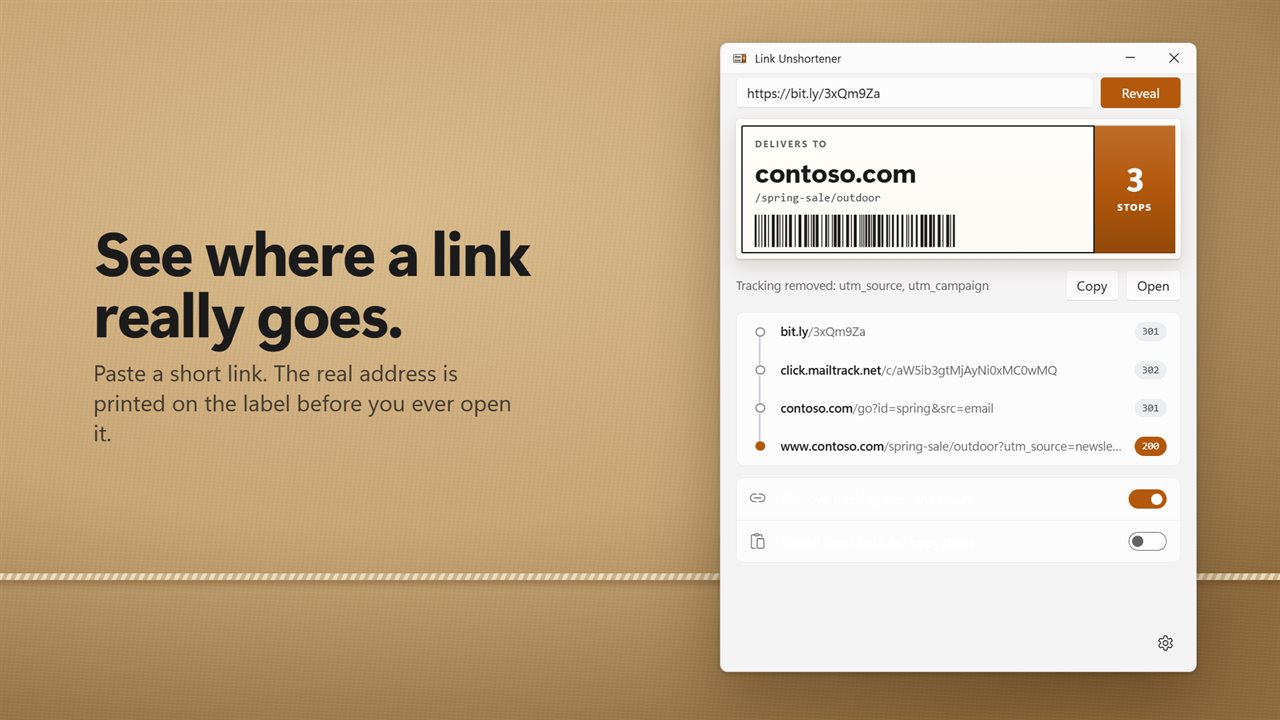
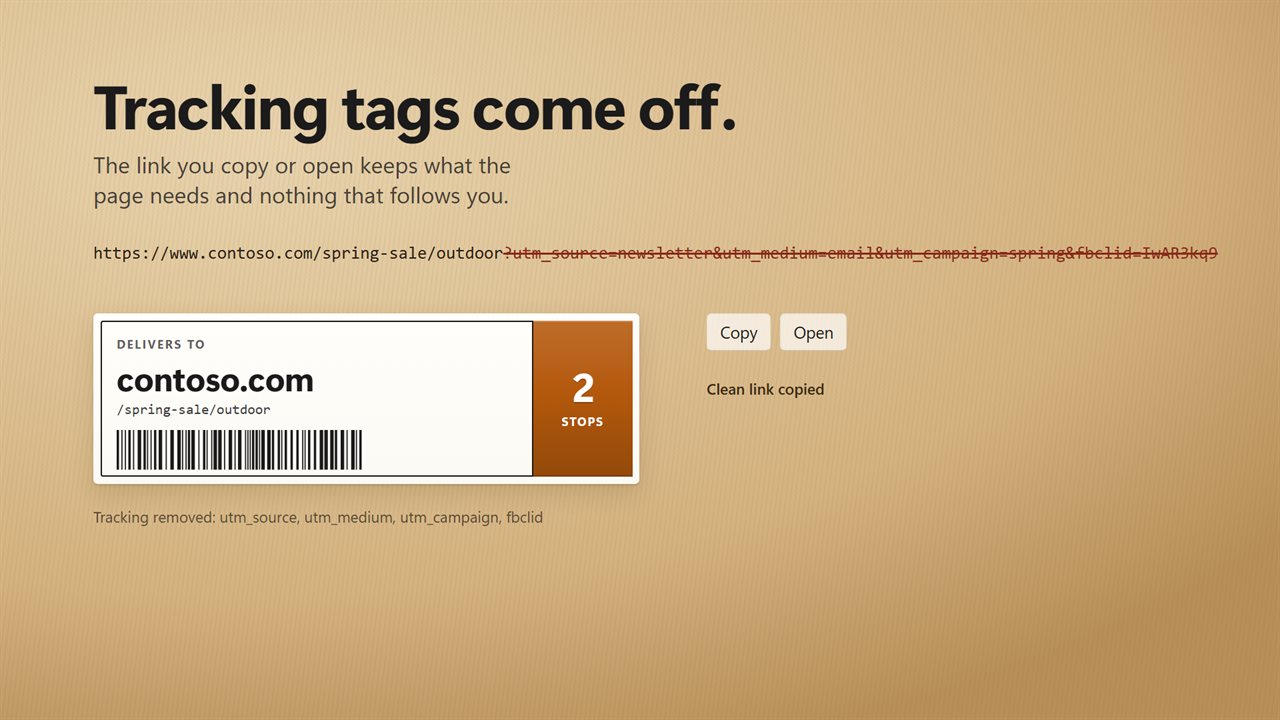
Paste a link, or type it and press Enter. The final address is printed big on a shipping label, with the path underneath and the number of stops it made on the way. Click the label to copy the clean link, or open it in your browser.
Every stop on the way
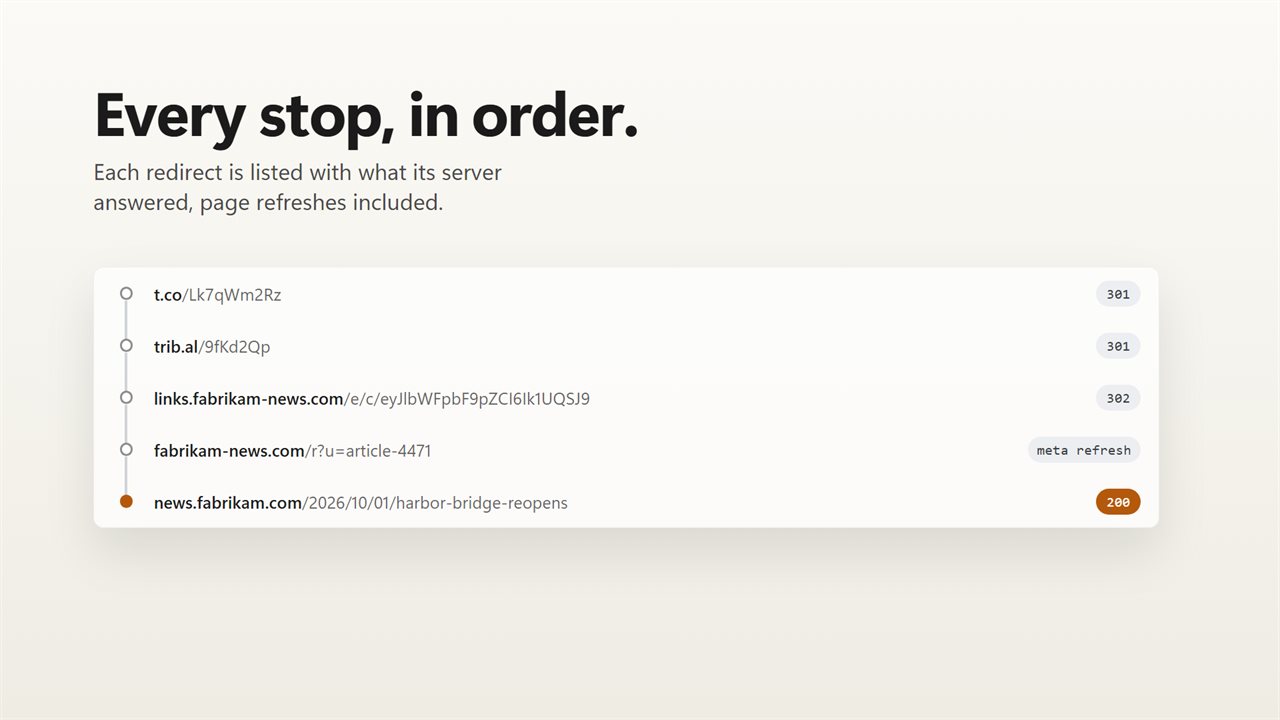
Under the label, each redirect is listed in order with the code its server answered: 301, 302, 303, 307 or 308, a page that sends you on with a refresh, and the 200 of the page you finally reach. You see exactly which click trackers and link services a link passes through.
Tracking tags removed
The link you copy or open has its tracking tags taken off: utm_source, utm_campaign, fbclid, gclid, msclkid and the rest. The app names each one it removed, and anything the page actually needs is left alone. Outlook Safe Links and the redirect wrappers Google, Facebook and Instagram put around links are unwrapped too.
Revealed as you copy
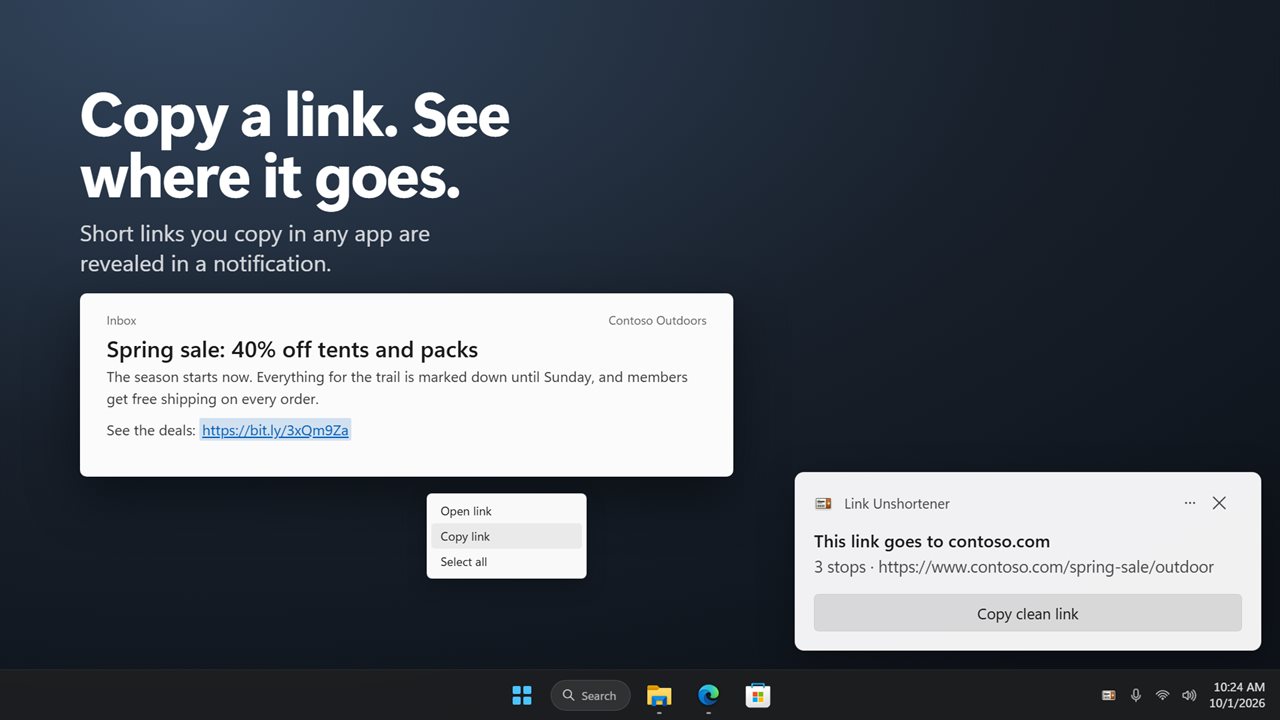
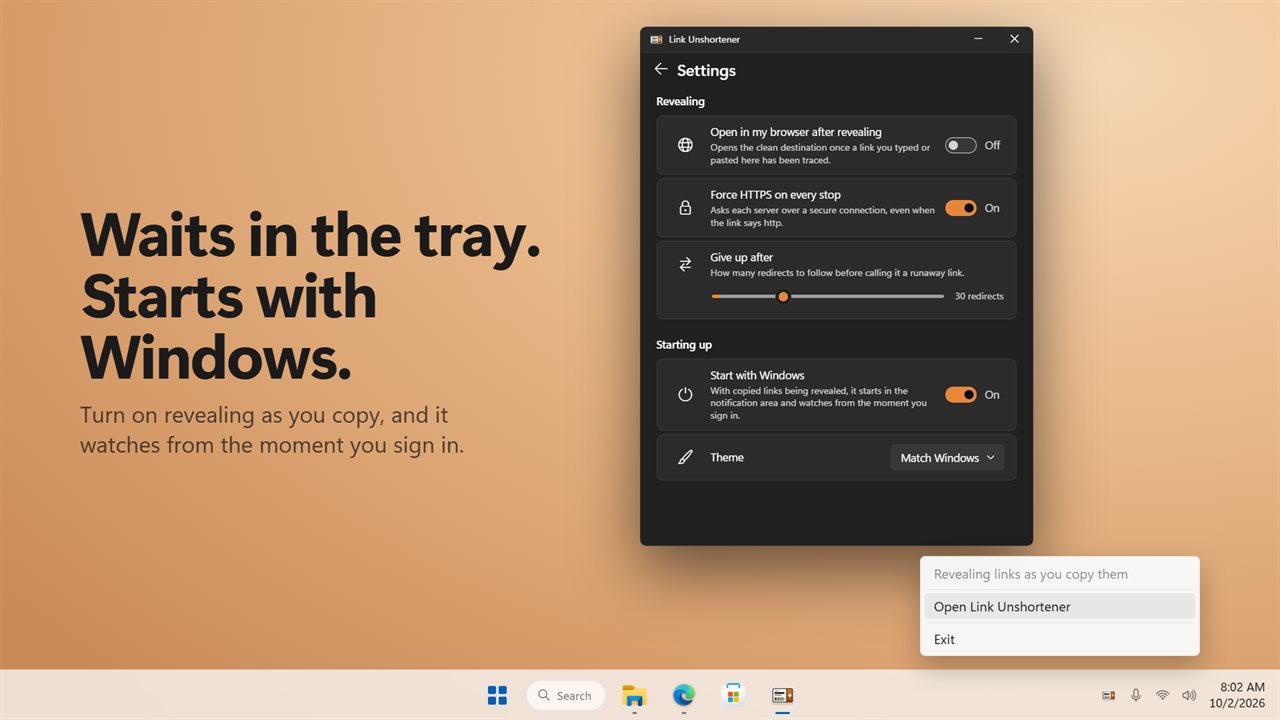
Turn on Reveal short links as I copy them, and whenever you copy a short or tracking link in any app, a notification tells you where it goes. Press Copy clean link on the notification to swap it for the real address. While this is on, the app waits in the notification area and can start with Windows.
Safe by design
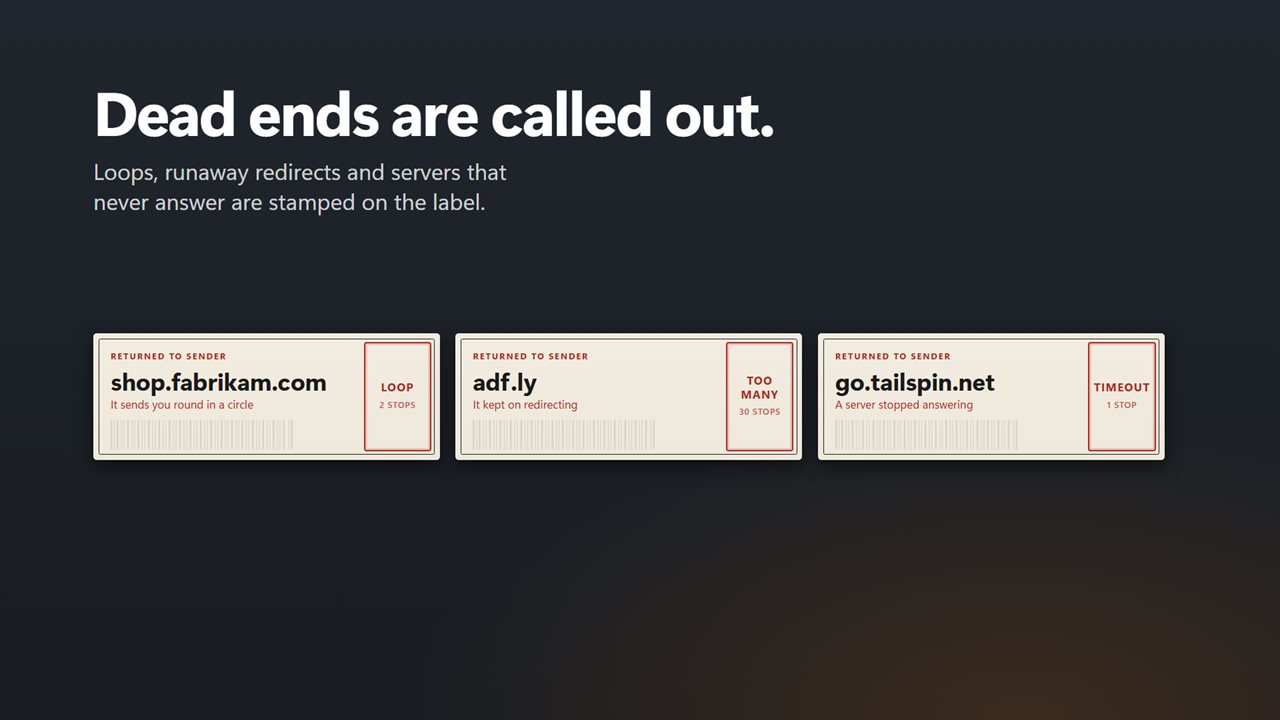
Links are followed without opening a browser. Nothing on the page runs and no cookies are kept between stops. Redirect loops, links that redirect too many times, servers that never answer and addresses that do not exist are all called out on the label.
Your settings come with you
Force HTTPS on every stop, open the destination in your browser once it is revealed, and choose how many redirects to follow, up to 100. Upgrading from LinkRevealer keeps the settings you already had.
Features
- Paste a short or tracking link and see where it really goes, before you open it
- Every redirect on the way is listed, with the code each server answered: 301, 302, 303, 307, 308 or a page refresh
- The destination is printed big on a shipping label, with the number of stops it made
- Click the label to copy the clean link
- Tracking tags such as utm_source, fbclid, gclid and msclkid come off the result, and the app names each one it removed
- Outlook Safe Links, Google, Facebook and Instagram redirect wrappers are unwrapped
- Turn on Reveal short links as I copy them and a notification shows the real destination of any short link you copy, with a Copy clean link button
- Links are followed without opening a browser, running the page or keeping cookies
- Redirect loops, links that redirect too many times, servers that never answer and dead addresses are called out on the label
- Choose how many redirects to follow, up to 100
- Force HTTPS on every stop, and open the destination in your browser when it is revealed
- Waits in the notification area while copied links are being revealed, and can start with Windows
- Settings from LinkRevealer carry over
- Light and dark themes, or match Windows
Details
- Works on
- Windows 10 (1809 or later) and Windows 11
- Download
- About 2.7 MB
- Version
- 2.0.2, updated October 2026
- First released
- February 2023
- Price
- $1.99 once. No subscription.
- Category
- Utilities & tools
What's new in 2.0.2
- New: the destination is printed on a label you can click to copy the clean link
- New: every redirect is listed with the code its server answered, including page refreshes
- New: tracking tags are removed and named, and the rest of the link is kept. The old option stripped every query string, which broke some links
- New: reveal short links as you copy them, with a notification and a Copy clean link button
- New: loops, runaway redirects and dead servers are called out
- Fixed: redirects to a relative address now work
- Your settings carry over
Questions
Anything else? Ask us
Which versions of Windows does it run on?
Windows 10 (version 1809 or later) and Windows 11.
Is it a subscription?
No. Link Unshortener is a one-time purchase of $1.99, and updates are included.
How do I get it?
EvlarSoft apps are moving to direct downloads from this site. Ask to be notified and we will email you as soon as Link Unshortener is ready to download.