Mouse and Key Press Counter
Mouse and Key Press Counter records how much you type and click, and — unlike counters that only ever show a running total — remembers which day you did it on. Open the panel from the tray icon for today's figure, a chart of the last seven days, your busiest day and your lifetime totals.
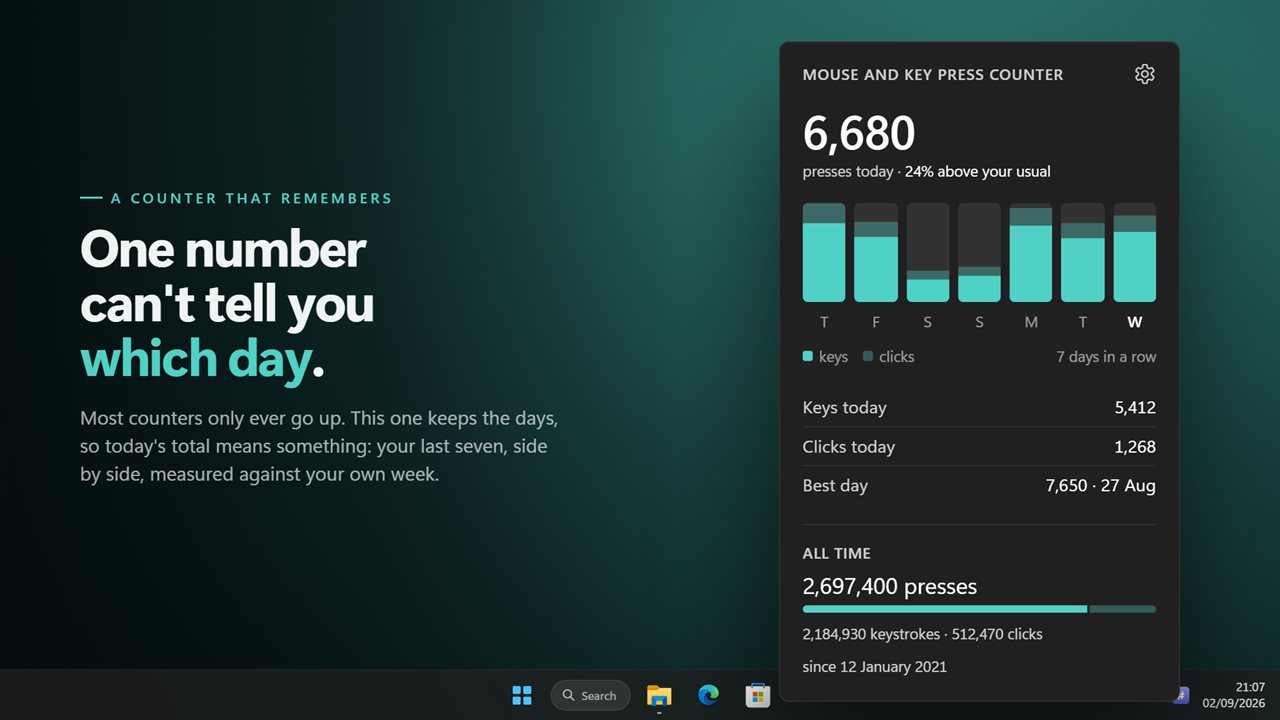
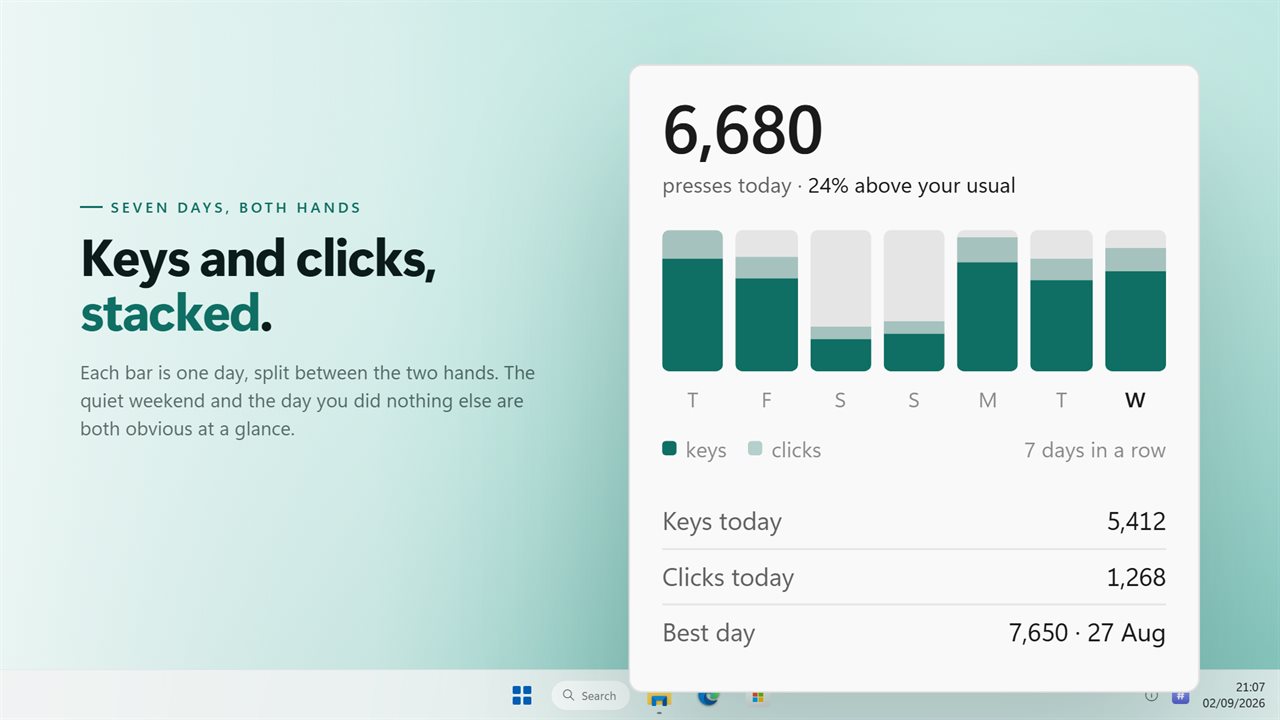
Today's total, and the seven days behind it.
See it in action
About Mouse and Key Press Counter
Most counters give you one number that only ever goes up. That tells you nothing about whether today was busy. This one keeps the days.
A week at a time
The panel opens on today's total and a chart of the last seven days, with keystrokes and clicks stacked so you can see which hand did the work. Underneath: your busiest day ever, and how many days in a row you have used the machine at all.
And the lifetime numbers too
Keystrokes, clicks and the two added together, counted since the day you started, and carried across restarts. Reset the keyboard side and the mouse side separately — a new mouse is not a new keyboard.
A panel, not a mystery
Click the tray icon and everything is there. The old version had no window at all; the counts lived in a menu, and people who never found the menu concluded the app had not installed.
It does not slow your games
Counting happens in memory. The count reaches the disk every few seconds and when you close the app, not on every key and every click. The old version saved a settings file on every single event, which is what a review meant by "caused delay in performance for games".
Where it lives
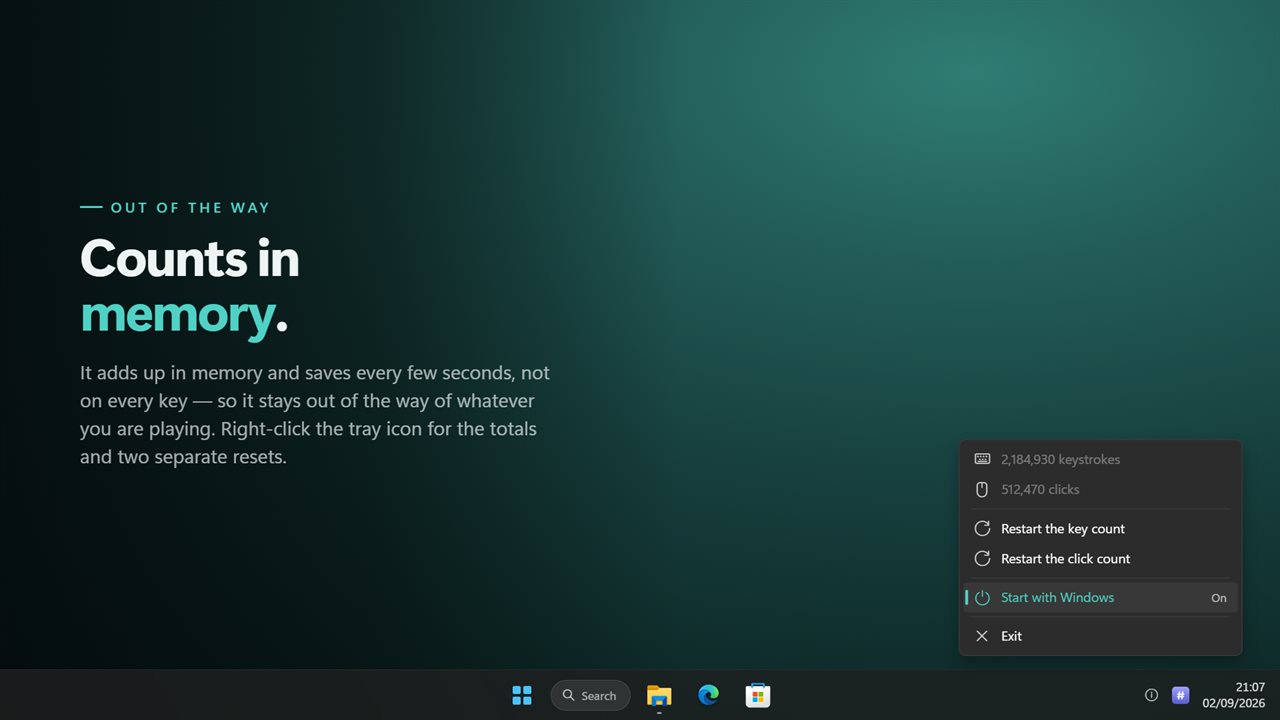
In the notification area, with no taskbar button. Left-click for the panel, right-click for the menu. Both are drawn to match Windows 11 and follow your light or dark theme.
If you are upgrading, your existing counts come with you.
Everything happens on this PC. No account is needed, nothing is uploaded unless you turn on backup, and it works with no connection at all. It counts that a key or a button was pressed — never what you typed, and never where you clicked.
Features
- Counts keystrokes and clicks together, in any application and any game
- A chart of the last seven days, keys and clicks side by side
- Today's total, your busiest day, and how many days in a row you have been at it
- A real window with the numbers in it, opened from the tray icon
- Lifetime totals that survive a restart
- Reset the key count and the click count separately
- Counts in memory and saves every few seconds, so games do not stutter
- Keeps the count from the previous version rather than starting you at zero
- Starts with Windows
- Follows the Windows light and dark themes
- Works offline. No account needed, and nothing is uploaded unless you turn on backup
Details
- Works on
- Windows 10 (1809 or later) and Windows 11
- Download
- About 2.6 MB
- Version
- 2.0.8, updated October 2026
- First released
- October 2022
- Price
- $2.99 once. No subscription.
- Category
- Utilities & tools
What's new in 2.0.8
- New: a real window. Click the tray icon and the numbers are there. The old version had no window at all
- New: a seven-day chart, today's total, your busiest day and your daily streak. It used to keep no dates whatsoever
- Fixed: it no longer writes to disk on every key and every click, which is what caused the delay in games
- Keyboard and mouse counts still reset separately
- Your existing counts are carried over
- Redesigned to match Windows 11, and follows the light and dark themes
Questions
Anything else? Ask us
Which versions of Windows does it run on?
Windows 10 (version 1809 or later) and Windows 11.
Is it a subscription?
No. Mouse and Key Press Counter is a one-time purchase of $2.99, and updates are included.
How do I get it?
EvlarSoft apps are moving to direct downloads from this site. Ask to be notified and we will email you as soon as Mouse and Key Press Counter is ready to download.