Mouse and Keyboard Recorder
Do a job once and let your PC repeat it. Mouse and Keyboard Recorder captures your clicks, scrolls and keystrokes, then plays them back on the same clock, as many times as you ask, at up to four times the speed. Ctrl+F7 records, Ctrl+F8 plays, Esc stops.
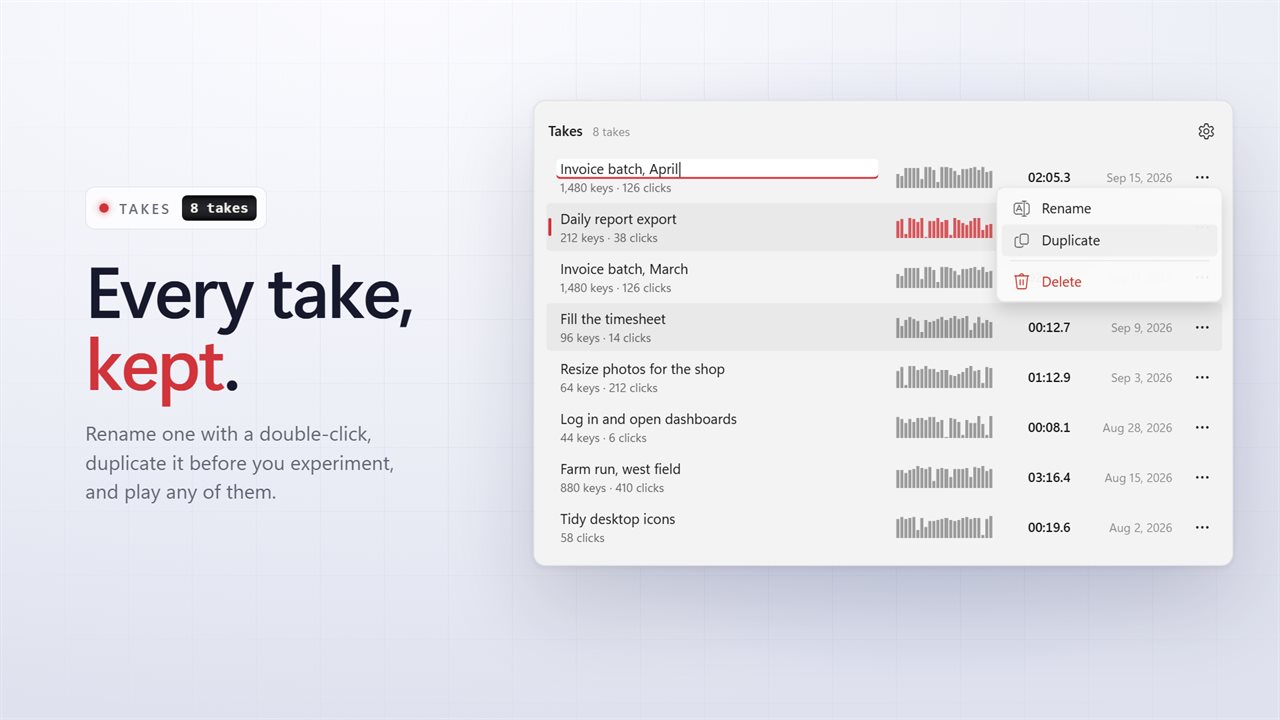
Record your mouse and keyboard once. Play it back as often as you like.
See it in action
About Mouse and Keyboard Recorder
Some jobs are the same clicks and the same keys, over and over. Do it once while the recorder listens, and it will do it again for you, exactly as you did it.
Record, play, stop
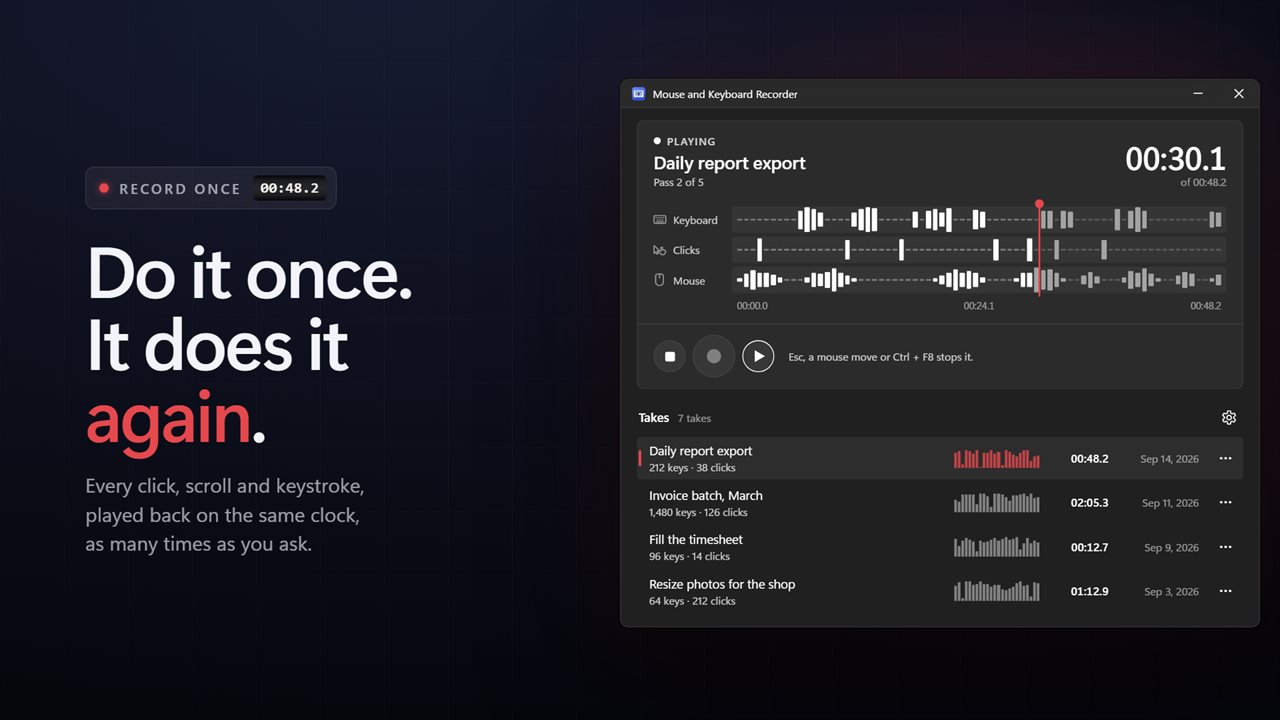
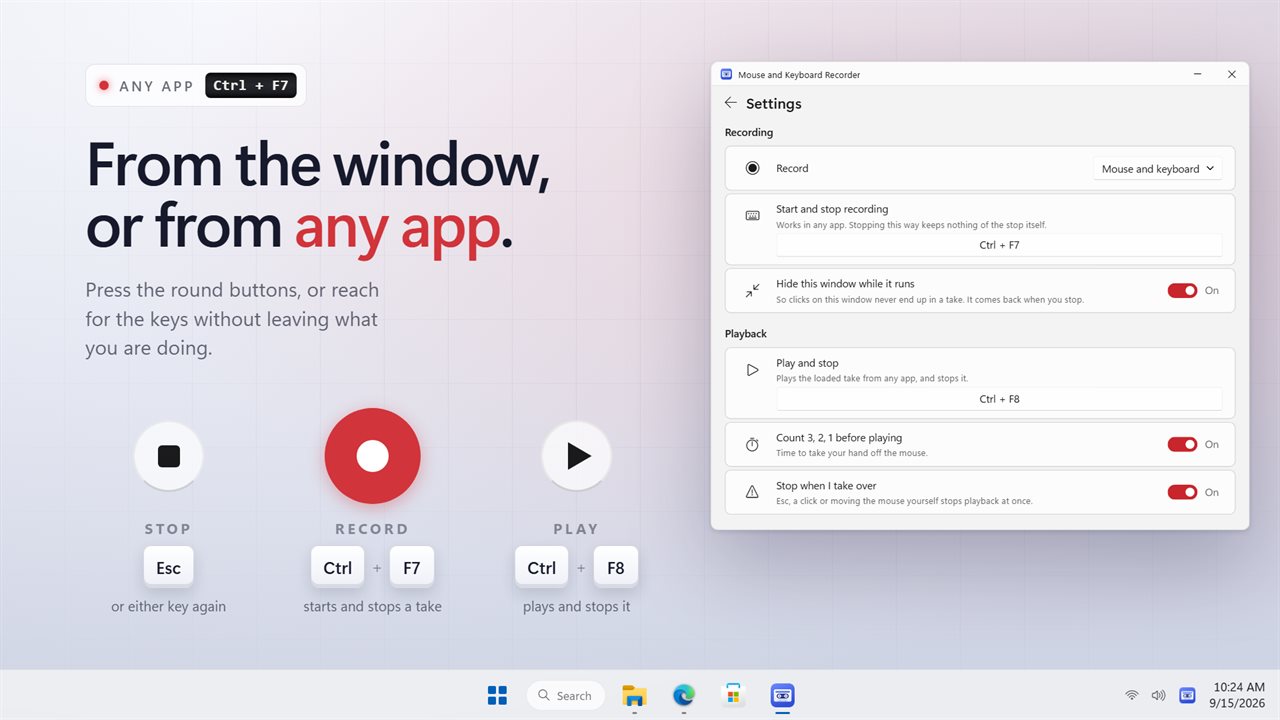
Press record, or Ctrl+F7 from any app, and do the job. Press Ctrl+F7 again and the take is saved. Press PLAY, or Ctrl+F8, and it plays back with the same timing: every pointer move, every click with any of the five mouse buttons, every turn of the wheel and every key.
Play it your way
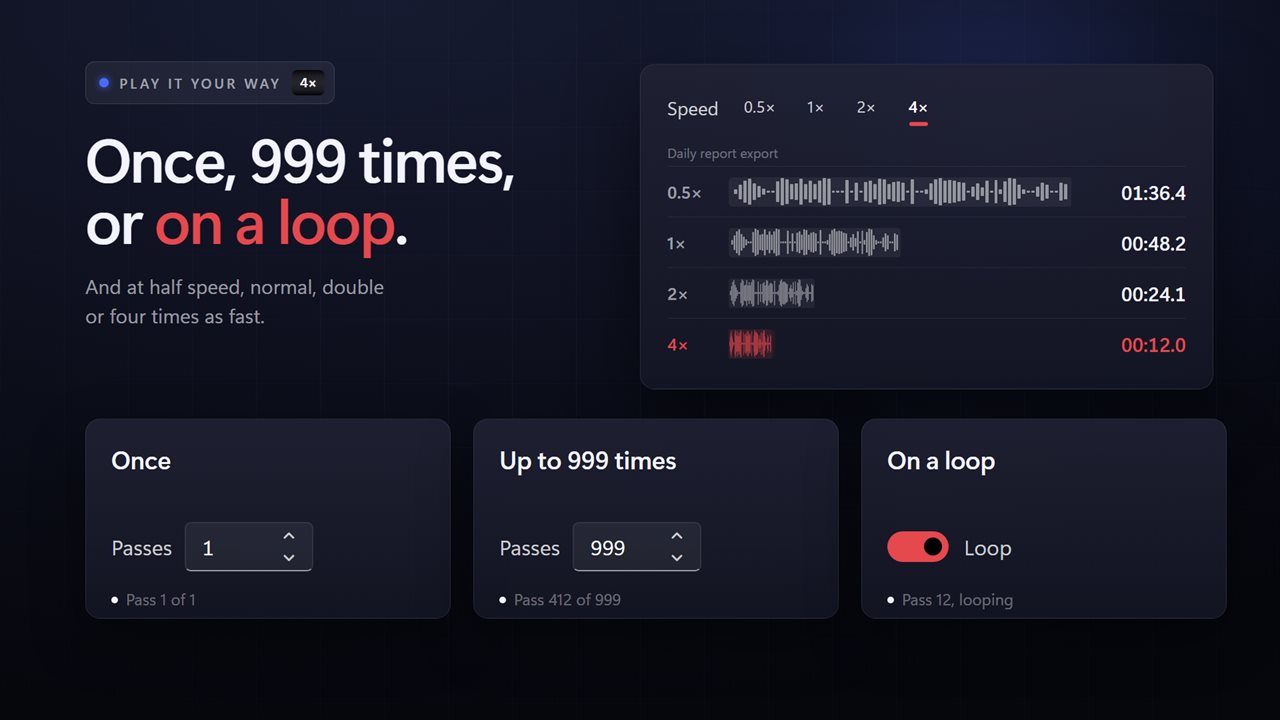
Play a take once, any number of times up to 999, or on a loop until you stop it. Run it at half speed, normal, double or four times as fast. Turn on Cut long pauses short and any long wait in the take is cut short, so a coffee break in the middle of a recording never makes it back into the playback.
Stops when you say
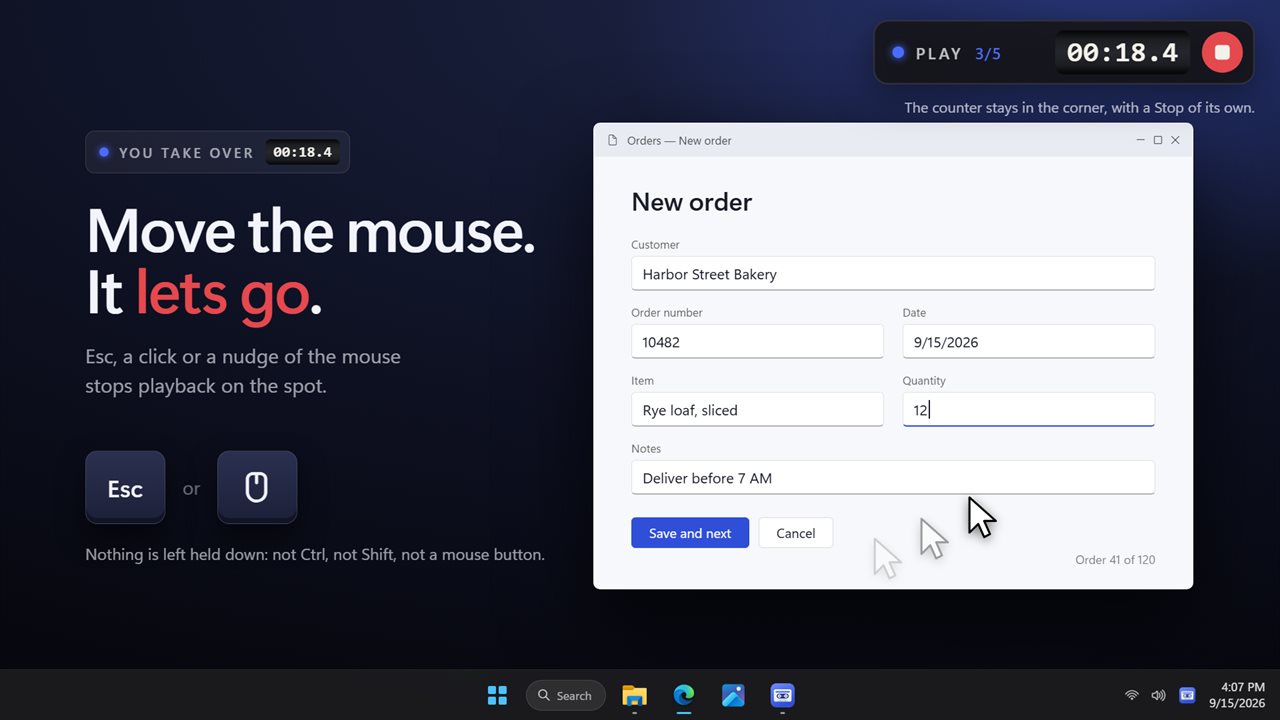
A 3, 2, 1 count gives you time to let go of the mouse. Once it is playing, press Esc, click, or simply move the mouse yourself and it stops on the spot. Ctrl+F8, the STOP key and the notification area icon all stop it too. However it ends, nothing is left held down.
It stays out of the way
The window steps aside while you record, so clicks on the app itself never end up in a take, and it comes back when you stop. A small counter in the top-right corner shows the time and the pass, and your clicks go straight through it.
In the right place
Positions are recorded in real screen pixels, so playback lands where you clicked on scaled displays and across more than one monitor.
See your take
The selected take is laid out on three lanes, keyboard, clicks and mouse, so you can see where the typing and the clicking happen, and a playhead moves along them as it plays. Every take is kept, with its length and how many keys and clicks it holds. Rename one with a double-click, duplicate it before you experiment, or delete it. Recordings made with the previous version are brought across the first time you start it.
Record mouse and keyboard together, or only one of them. Choose your own shortcuts in Settings. It can start with Windows and wait in the notification area, and it follows your light or dark theme.
Recording and playback happen on this PC, and it works with no connection at all. No account is needed. An optional EvlarSoft ONE sign-in backs up your settings and your newest takes to carry them to another PC, and feedback is sent only when you press Send. A very long take is too big for the backup and stays on this PC.
Features
- Record your mouse and keyboard with one key, then play it back exactly
- Clicks with all five mouse buttons, the wheel both ways, and every key
- Record mouse and keyboard together, or only one of them
- Play a take once, up to 999 times, or on a loop until you stop it
- Four speeds: half, normal, double and four times
- Cap long pauses, so a take never sits waiting for minutes
- A 3, 2, 1 count before playback, so your hand is off the mouse
- Ctrl+F7 records and stops, Ctrl+F8 plays and stops, from any app. Set your own
- Esc, a click or moving the mouse yourself stops playback at once
- Nothing stays held down after playback, however it was stopped
- Lands in the right place on high-DPI and multi-monitor setups
- The window steps aside while it works and comes back when you stop
- A small counter in the corner shows where it is, with a Stop button of its own
- Every take laid out on keyboard, click and mouse lanes, with a playhead
- Recordings from the previous version come across on the first launch
- Lives in the notification area, with Record, Play and Stop a right-click away
- Works fully offline and needs no account
- Optional EvlarSoft ONE sign-in backs up your takes, playback settings and hotkeys for another PC
Details
- Works on
- Windows 10 (1809 or later) and Windows 11
- Download
- About 2.9 MB
- Version
- 2.0.5, updated October 2026
- First released
- March 2023
- Price
- $3.99 once. No subscription.
- Category
- Productivity
What's new in 2.0.5
- New: record, play and stop, a timeline of keyboard, click and mouse activity, and a list of saved takes you can rename, duplicate and delete
- Fixed: playback no longer ties up a whole processor core
- Fixed: clicks land in the right place on scaled and multi-monitor displays
- Fixed: keys and buttons are never left held down after playback
- Fixed: shifted and Ctrl shortcuts now play back
- New: Esc, a click or moving the mouse stops playback at once, and Ctrl+F8 plays and stops
- New: loop, four speeds, and cutting long pauses short
- New: the window steps aside while it works, with a small counter in the corner
- New: lives in the notification area. Your recordings come across automatically
Questions
Anything else? Ask us
Which versions of Windows does it run on?
Windows 10 (version 1809 or later) and Windows 11.
Is it a subscription?
No. Mouse and Keyboard Recorder is a one-time purchase of $3.99, and updates are included.
How do I get it?
EvlarSoft apps are moving to direct downloads from this site. Ask to be notified and we will email you as soon as Mouse and Keyboard Recorder is ready to download.
More from EvlarSoft
 Key BotPresses one key for you — or holds it down until its time is up.
 Input LoggerRecords every key and mouse click on your PC in a live list, newest at the top, and shows the character each key actually typed, read from your keyboard layout so accents and AltGr come through as themselves.
 Automatic Mouse ClickerClicks for you, with Ctrl, Shift or Alt held if you need them.