Mouse Highlighter
Nobody watching your screen can find the pointer. Mouse Position Highlighter puts a highlight on it that follows every move: a soft halo, an outline ring, a spotlight that darkens everything else, or crosshair lines edge to edge. Pick the size and color, show it all the time or only while you hold a key, and let it fade away when the mouse rests.
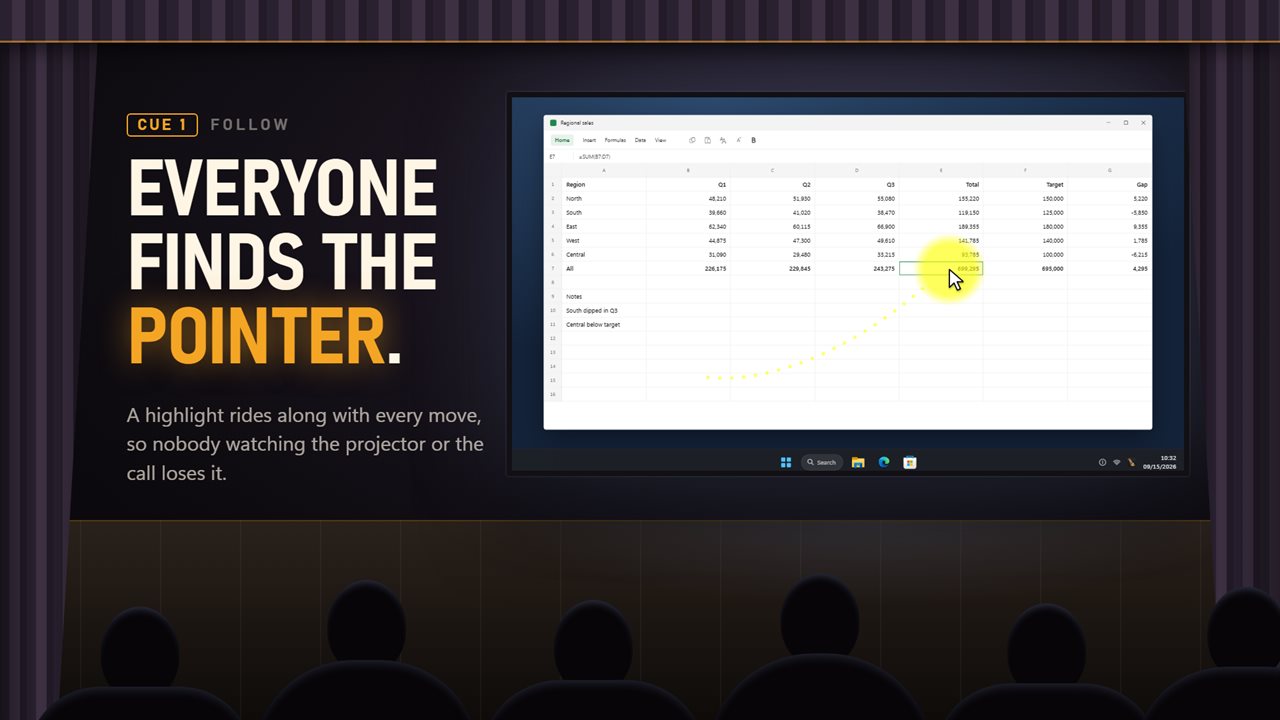
A highlight that follows your pointer, so everyone can find it.
See it in action
About Mouse Highlighter
A mouse pointer is a few pixels wide. On a projector, a shared call or a recording played back later, it is the one thing on the screen nobody can find.
Mouse Position Highlighter follows it.
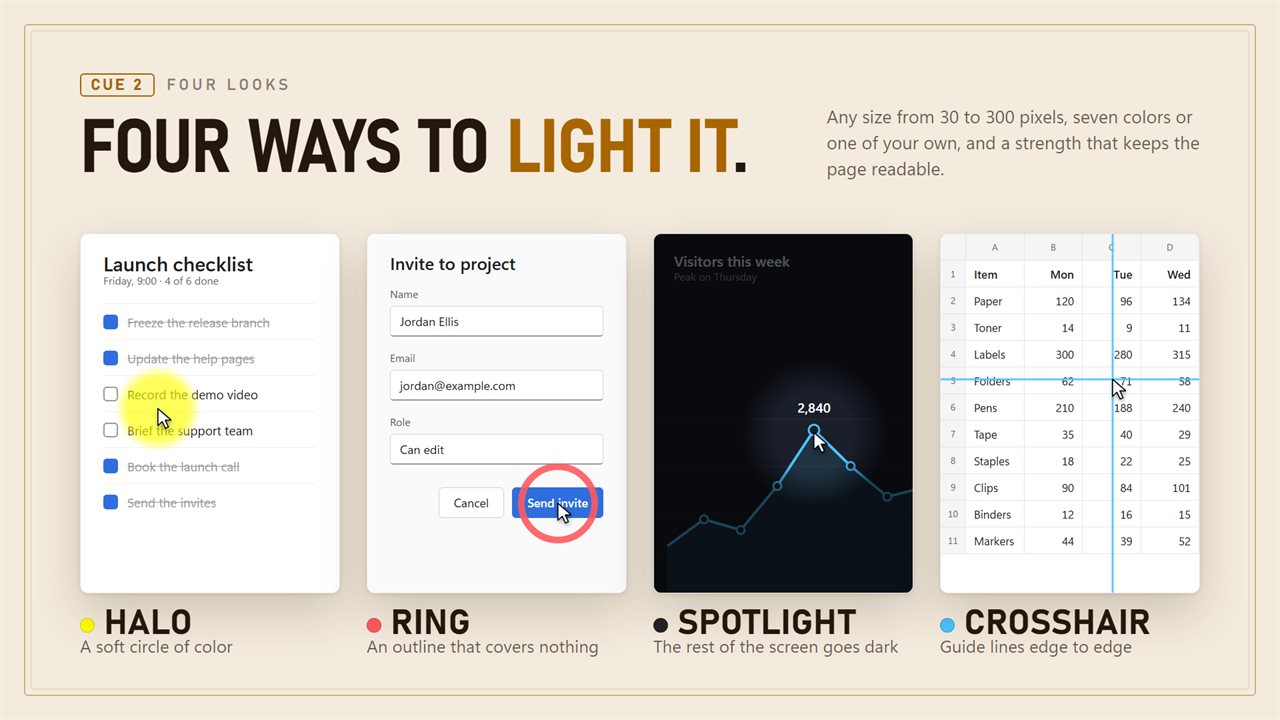
Four ways to light it
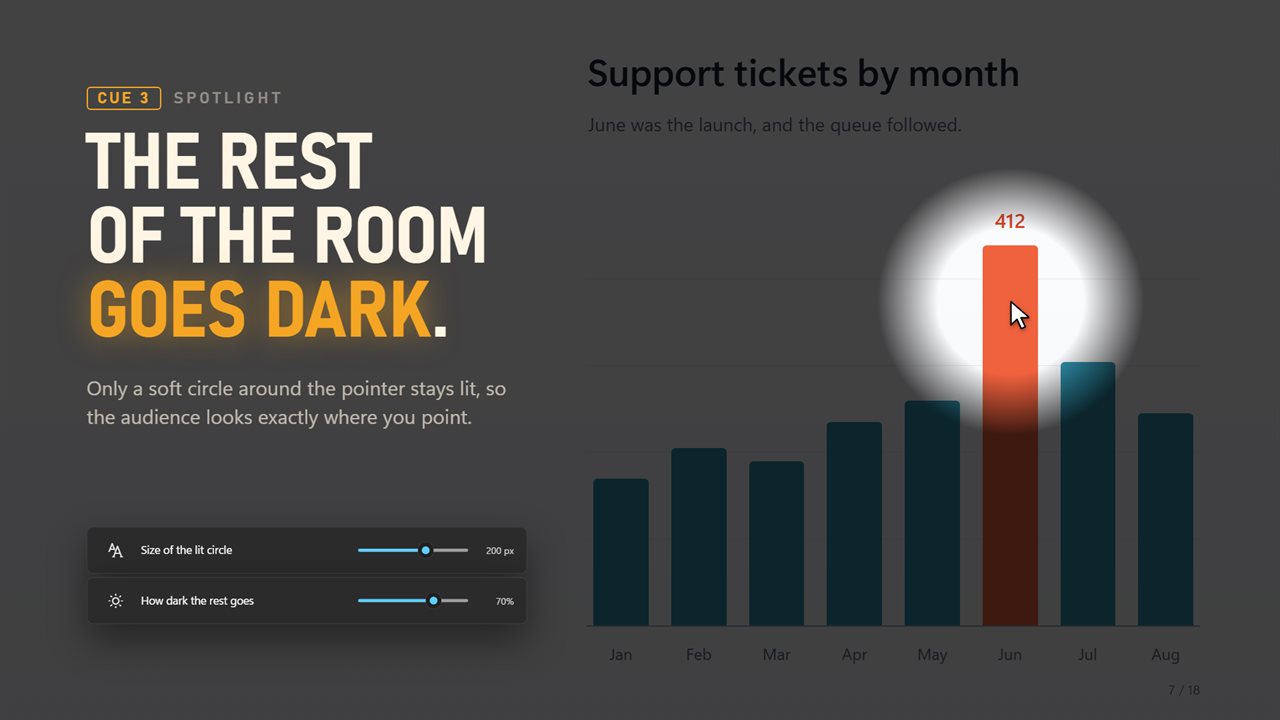
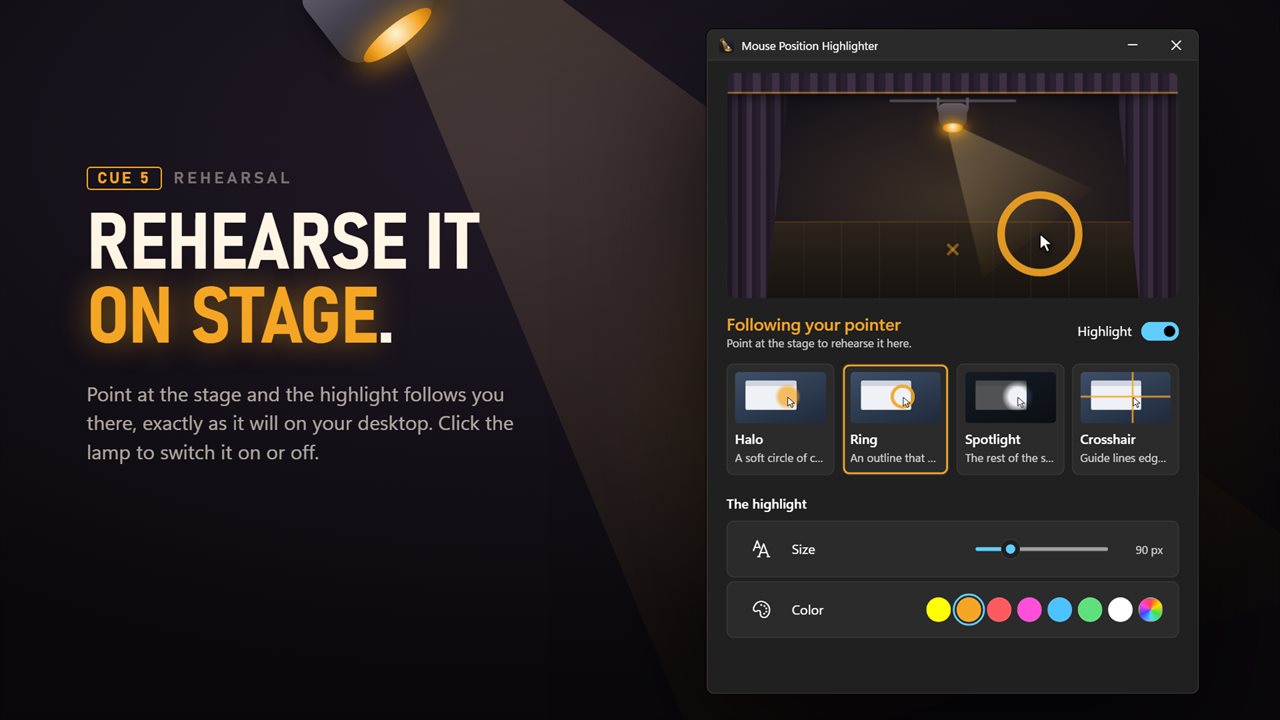
Halo is a soft circle of color around the pointer, the classic highlighter. Ring is an outline that covers nothing, for when you need to read what is underneath. Spotlight darkens the whole screen except a soft circle around the pointer, so the audience looks exactly where you are pointing. Crosshair draws thin guide lines edge to edge through the pointer, for lining things up or pointing at a cell in a wide spreadsheet.
Make it yours
Size from 30 to 300 pixels. Seven preset colors, or any color you pick. Strength from 10 to 100%, and for the spotlight, how dark the rest of the screen goes, from 20 to 90%.
The window has a small stage: point at it and the highlight follows you there exactly as it will on the desktop, so you can try a style before your audience sees it. Click the stage lamp and the highlight goes on or off.
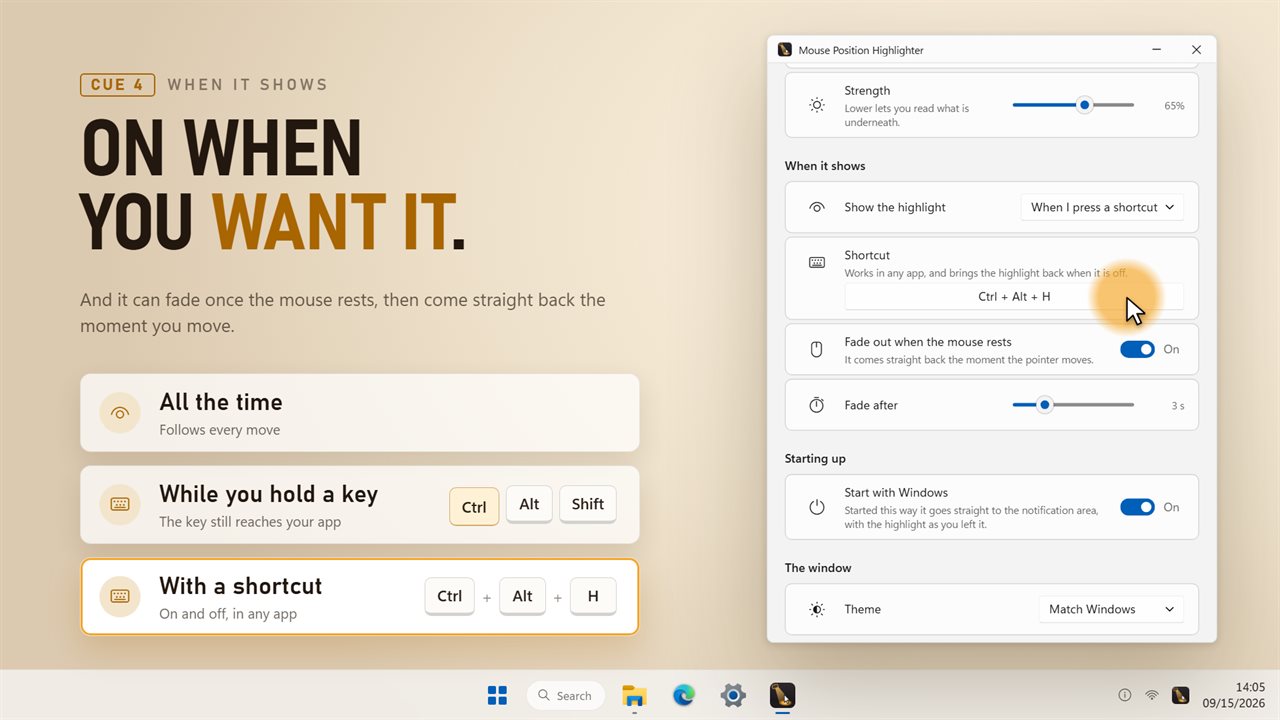
Only when you want it
Show it all the time, only while you hold Ctrl, Alt or Shift, or switch it on and off with a shortcut of your own that works in any app. It can also fade out once the mouse has rested for 1 to 10 seconds, and come straight back the moment you move.
Smooth, and light on your PC
The highlight keeps pace with the pointer frame by frame. While the mouse is still it does no work at all, and while it is switched off it does not watch the mouse at all.
It is drawn straight through, so it never takes a click away from the window underneath and never steals focus. Every screen is covered, including a monitor plugged in while it runs.
Where it lives
In the notification area: a left-click switches the highlight, and a right-click opens the menu. It can start with Windows, follows your light or dark theme, and keeps your color, size and strength from the previous version.
Everything happens on this PC. No account is needed, nothing is uploaded unless you turn on backup, and it works with no connection at all.
Features
- A highlight that follows the pointer smoothly, on every screen, so nobody watching loses it
- Four styles: a soft Halo, an outline Ring, a Spotlight that darkens the rest of the screen, and a Crosshair of guide lines
- Size from 30 to 300 pixels
- Seven preset colors, or any color you pick
- Strength from 10 to 100%, so what is underneath stays readable
- Spotlight darkness from 20 to 90%, for presenting
- Show it all the time, only while you hold Ctrl, Alt or Shift, or switch it with a shortcut of your own
- Fades out when the mouse rests, after 1 to 10 seconds, and comes straight back on the next move
- Rehearse every style on the stage in the window before it reaches your desktop
- Drawn straight through: it never takes a click from the app underneath and never steals focus
- No work at all while the mouse is still, and no mouse watching at all while it is switched off
- A monitor plugged in while it runs is covered straight away
- Lives in the notification area, where a left-click switches the highlight on and off
- Starts with Windows, optionally, and keeps your color, size, strength and on/off choice from the previous version
- Follows the Windows light and dark themes
- Works offline. No account needed, and nothing is uploaded unless you turn on backup
Details
- Works on
- Windows 10 (1809 or later) and Windows 11
- Download
- About 2.8 MB
- Version
- 2.0.3, updated October 2026
- First released
- October 2022
- Price
- $2.49 once. No subscription.
- Category
- Productivity
What's new in 2.0.3
- New: Ring, Spotlight and Crosshair styles alongside the Halo
- New: any size from 30 to 300 pixels, and a strength from 10 to 100%
- New: show it only while you hold a key, or switch it with a shortcut
- New: fade out when the mouse rests
- New: a stage in the window to try each style before it reaches your desktop
- Smoother following, and no work at all while the mouse is still
- Works on every screen, including one plugged in while it runs
- Redesigned for Windows 11, with light and dark themes
Questions
Anything else? Ask us
Which versions of Windows does it run on?
Windows 10 (version 1809 or later) and Windows 11.
Is it a subscription?
No. Mouse Highlighter is a one-time purchase of $2.49, and updates are included.
How do I get it?
EvlarSoft apps are moving to direct downloads from this site. Ask to be notified and we will email you as soon as Mouse Highlighter is ready to download.