Password Vault
An offline password manager. Your logins live in a KeePass file you keep, unlock with Windows Hello, and type into any window with Ctrl+Alt+A. 2FA codes are built in. No account, no subscription.
Every login in a KeePass file you own.
See it in action
About Password Vault
Password Vault keeps your passwords in one encrypted file that belongs to you.
No account, no subscription
There is nothing to sign up for. Password Vault has no cloud service of its own, and it never sends your vault anywhere. You pay once.
A file you own
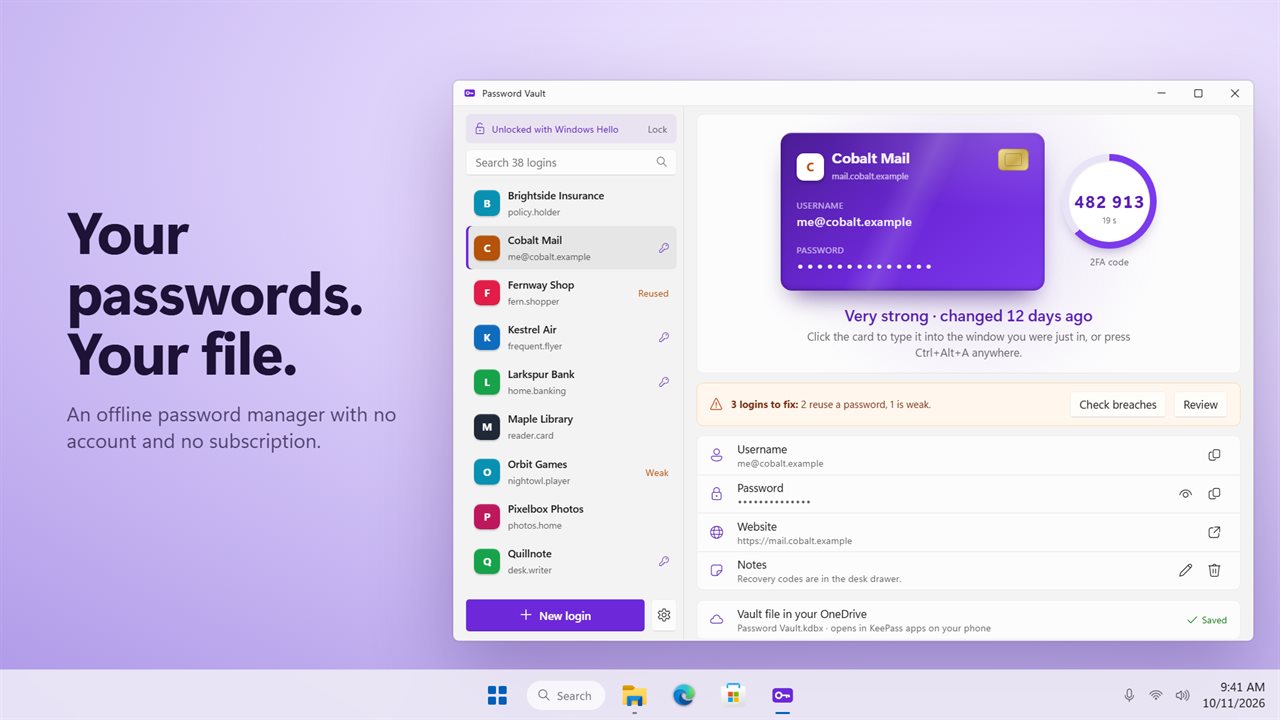
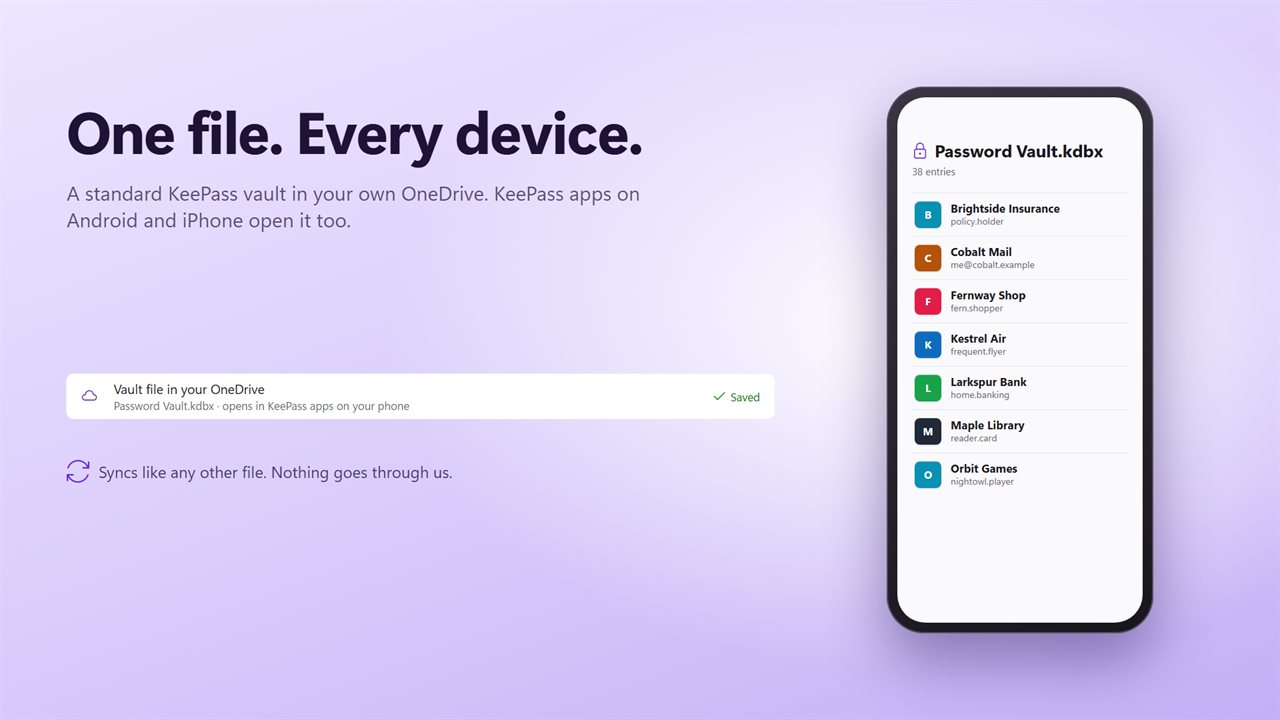
Your vault is a standard KeePass file (KDBX 4), encrypted with AES-256 and an Argon2id key. Put it in your own OneDrive and it syncs like any other file. KeePass apps on your phone open the same file, such as KeePassDX on Android or KeePassium and Strongbox on iPhone. Password Vault also opens a vault from KeePassXC.
Unlock with Windows hello
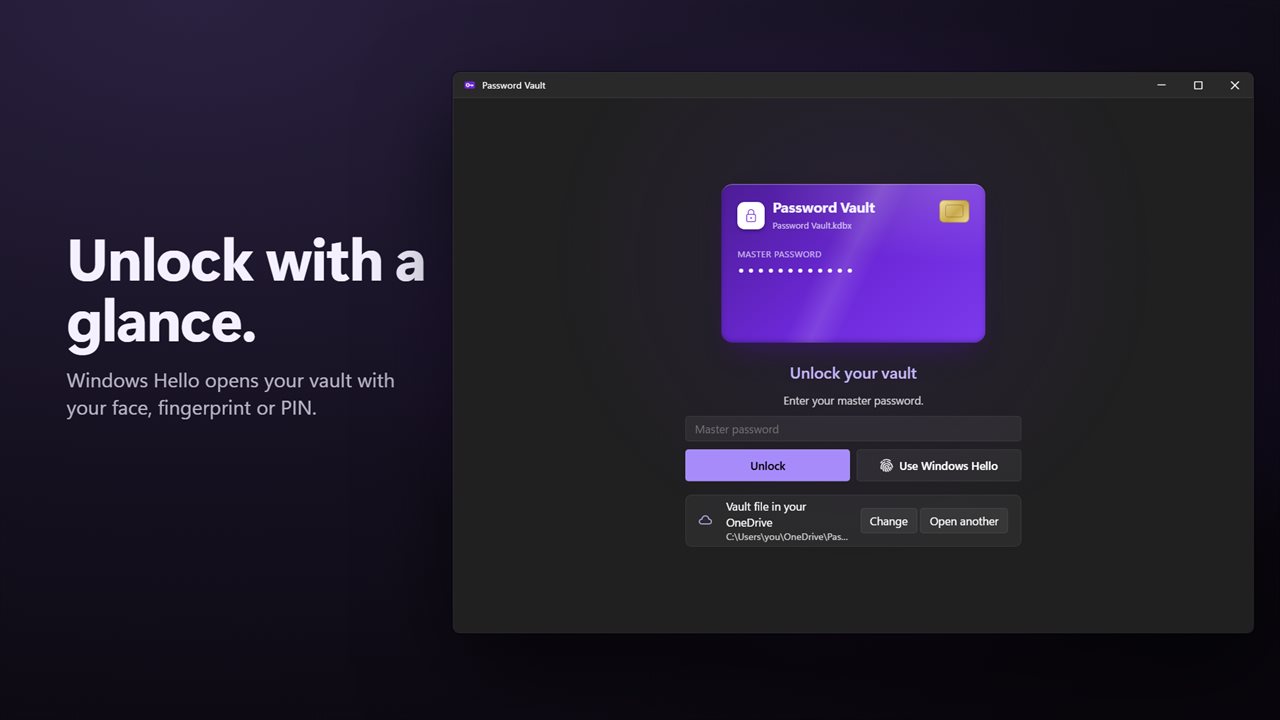
After the first unlock with your master password, turn on Windows Hello. Your face, fingerprint or PIN opens the vault on this PC. The vault locks when you are away for a while, and whenever Windows locks.
Type it for me
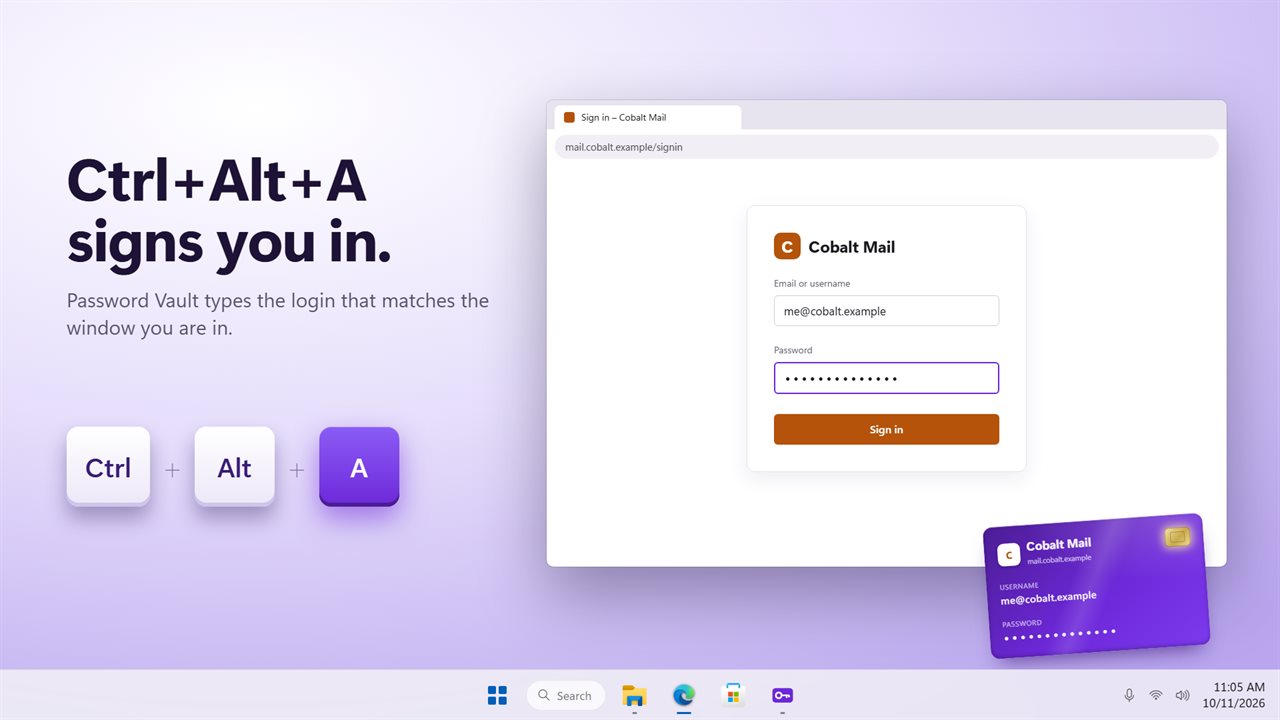
Press Ctrl+Alt+A in a sign-in window. Password Vault types the login whose name or website matches the window. If several match, it shows you the list to choose from. You can also click a login's card to type it into the window you were just in.
2FA codes built in
Paste the secret a site gives you for an authenticator app. Its code then counts down beside that login, ready to copy.
Fix what is weak
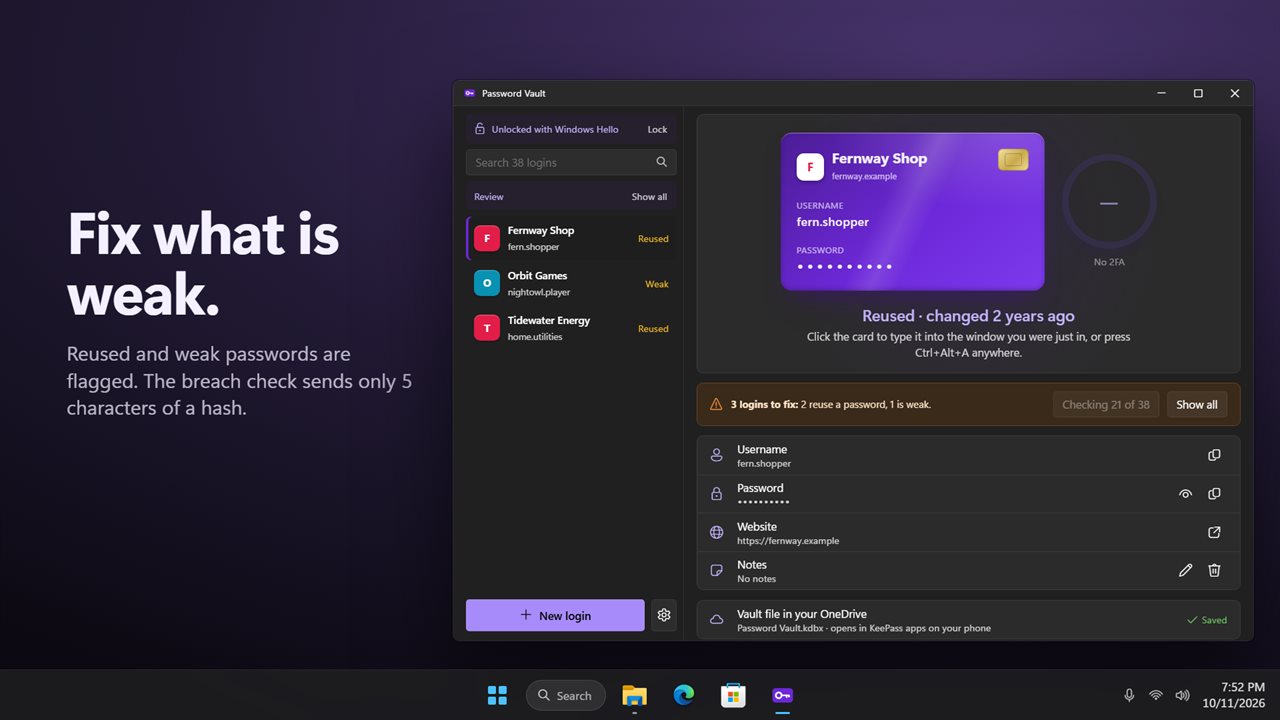
Password Vault flags weak passwords and passwords you use for more than one site. Click Review to see just those. The breach check is yours to run when you choose. It sends only the first 5 characters of each password's SHA-1 hash to Have I Been Pwned, never the password.
Strong passwords on demand
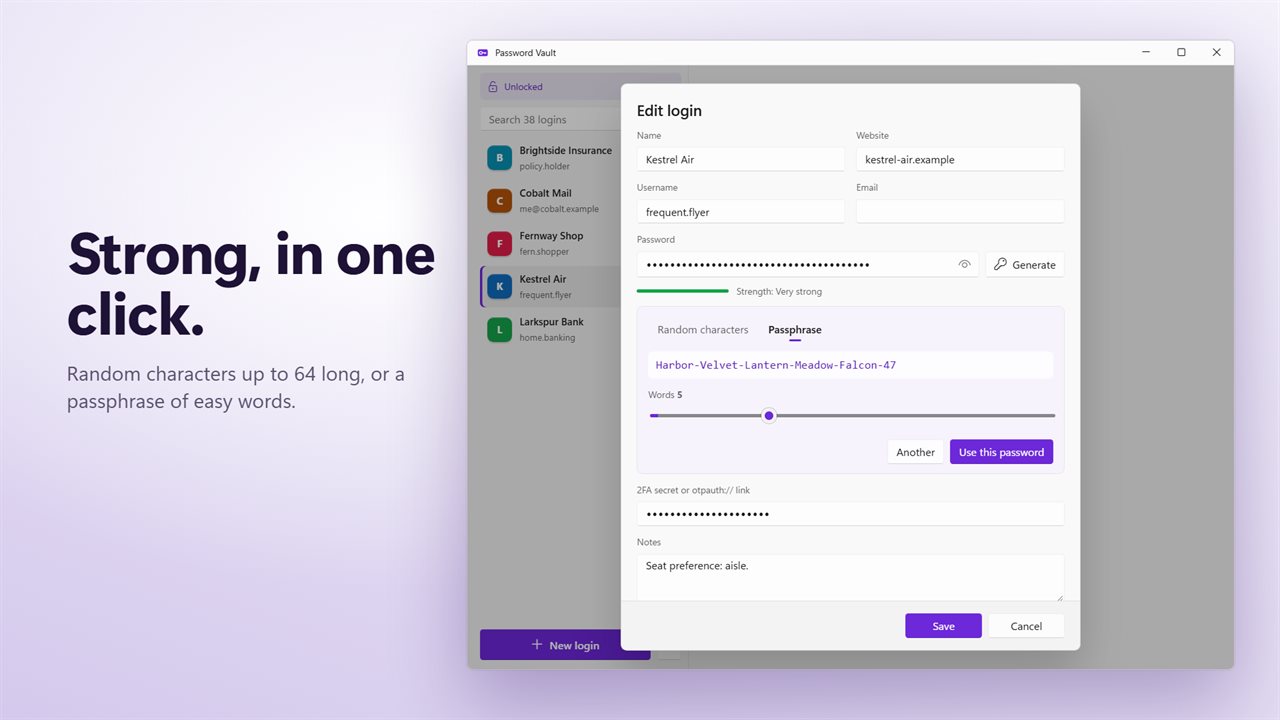
The generator makes random passwords up to 64 characters, or passphrases of easy words.
Come and go freely
Import a CSV from Chrome, Edge, Firefox, Bitwarden, 1Password or LastPass. Export to CSV at any time.
Already use passgenie?
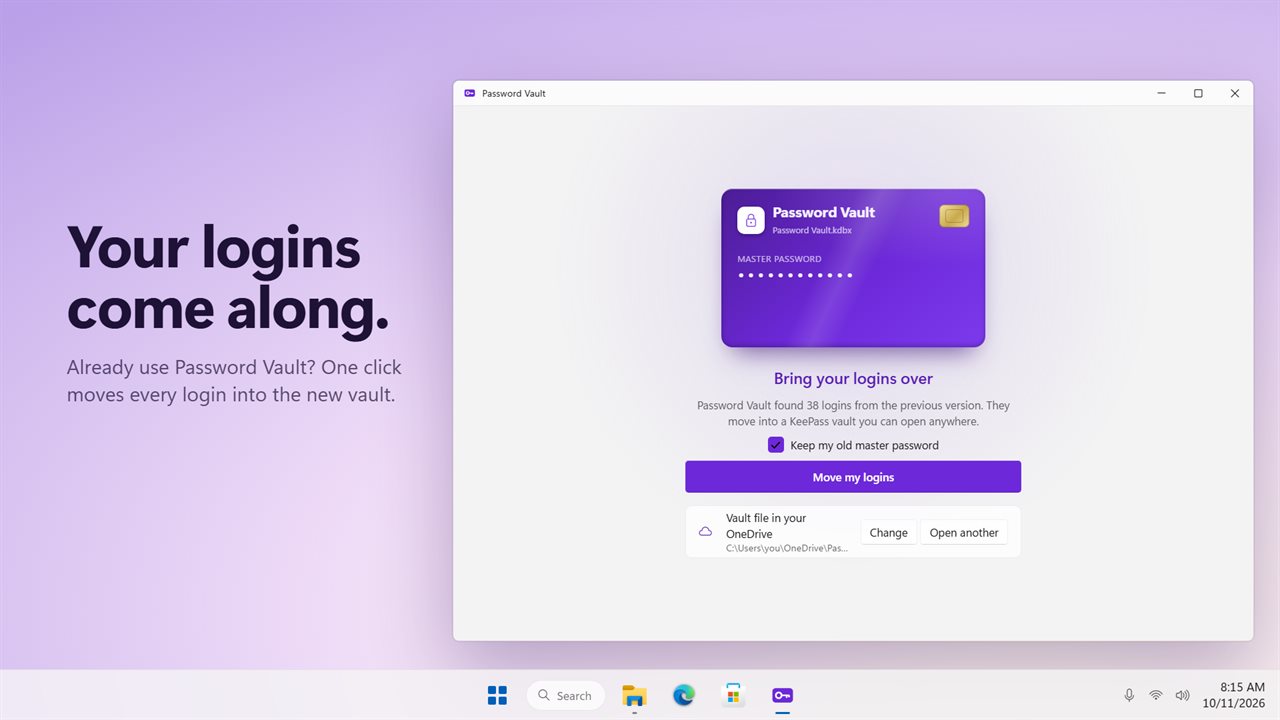
Your logins come with you. On first run, Password Vault finds the logins from the previous version and moves them into your new vault in one click. You can keep your old master password.
Features
- An offline password manager: no account, no cloud service of ours, no subscription
- Your vault is a standard KeePass (KDBX 4) file, encrypted with AES-256 and an Argon2id key
- Keep the file in your own OneDrive, and KeePass apps on Android and iPhone open it too
- Unlock with Windows Hello: face, fingerprint or PIN
- Press Ctrl+Alt+A in any window to type the matching login
- Click a login's card to type the username, Tab and password into the window you were just in
- Built-in 2FA codes, counting down live beside each login
- Flags weak passwords and passwords you use more than once
- Optional breach check: only the first 5 characters of a hash leave your PC
- Password generator for random characters or easy-to-type passphrases
- Copied passwords clear from the clipboard on their own and stay out of clipboard history
- Locks when you are away for a while, and whenever Windows locks
- Import a CSV from Chrome, Edge, Firefox, Bitwarden, 1Password or LastPass
- Export to CSV whenever you want to leave
- Logins from the previous PassGenie move into the new vault on first run
- Light and dark themes, or match Windows
Details
- Works on
- Windows 10 (1809 or later) and Windows 11
- Download
- About 3.9 MB
- Version
- 2.0.2, updated October 2026
- First released
- May 2023
- Price
- $9.99 once. No subscription.
- Category
- Security
What's new in 2.0.2
- New: your vault is a standard KeePass file you can keep in OneDrive and open on your phone
- New: unlock with Windows Hello
- New: Ctrl+Alt+A types the login for the window you are in
- New: built-in 2FA codes
- New: weak and reused password checks, and an optional breach check
- New: passphrase generator, browser CSV import and CSV export
- New: the vault locks when you are away and when Windows locks
- Fixed: the master password is no longer stored on the PC. With Windows Hello on, it is sealed to your Windows account
Questions
Anything else? Ask us
Which versions of Windows does it run on?
Windows 10 (version 1809 or later) and Windows 11.
Is it a subscription?
No. Password Vault is a one-time purchase of $9.99, and updates are included.
How do I get it?
EvlarSoft apps are moving to direct downloads from this site. Ask to be notified and we will email you as soon as Password Vault is ready to download.