PDF/A Compliance Converter
PDF/A conformance is a checklist, and a tool that hides it behind one Convert button is a tool that will tell you it succeeded when it did not. This one puts the checklist on screen: every rule, marked as fixed here or not fixable at all. Convert to PDF/A-1b, A-2b, A-2u or A-3b across a whole batch, and get told plainly when a document cannot get all the way there. Nothing is uploaded.
PDF/A conformance is a checklist. Here it is, rather than hidden behind one button.
See it in action
About PDF/A Compliance Converter
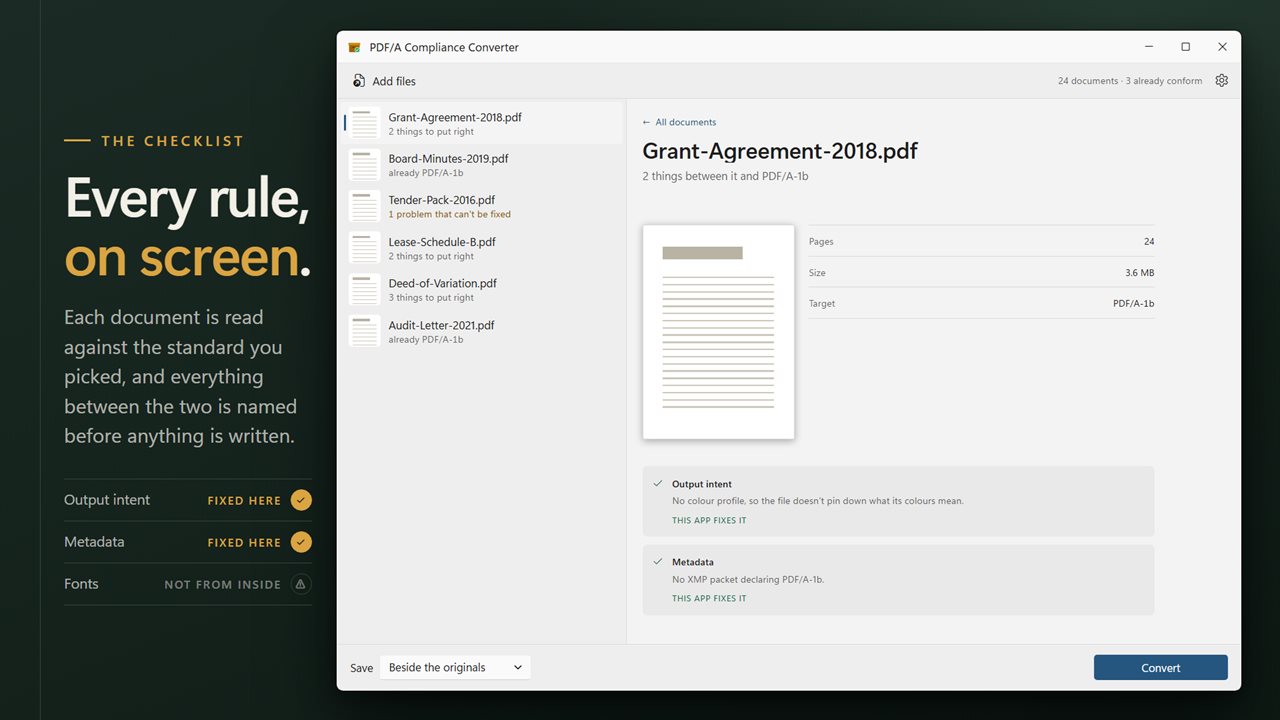
PDF/A conformance is a checklist. Any tool that hides the checklist behind a single Convert button is a tool that will eventually tell you a document conformed when it did not — and for archiving, that is worse than no tool at all.
So this one puts the checklist on the screen.
Every rule, and where it stands
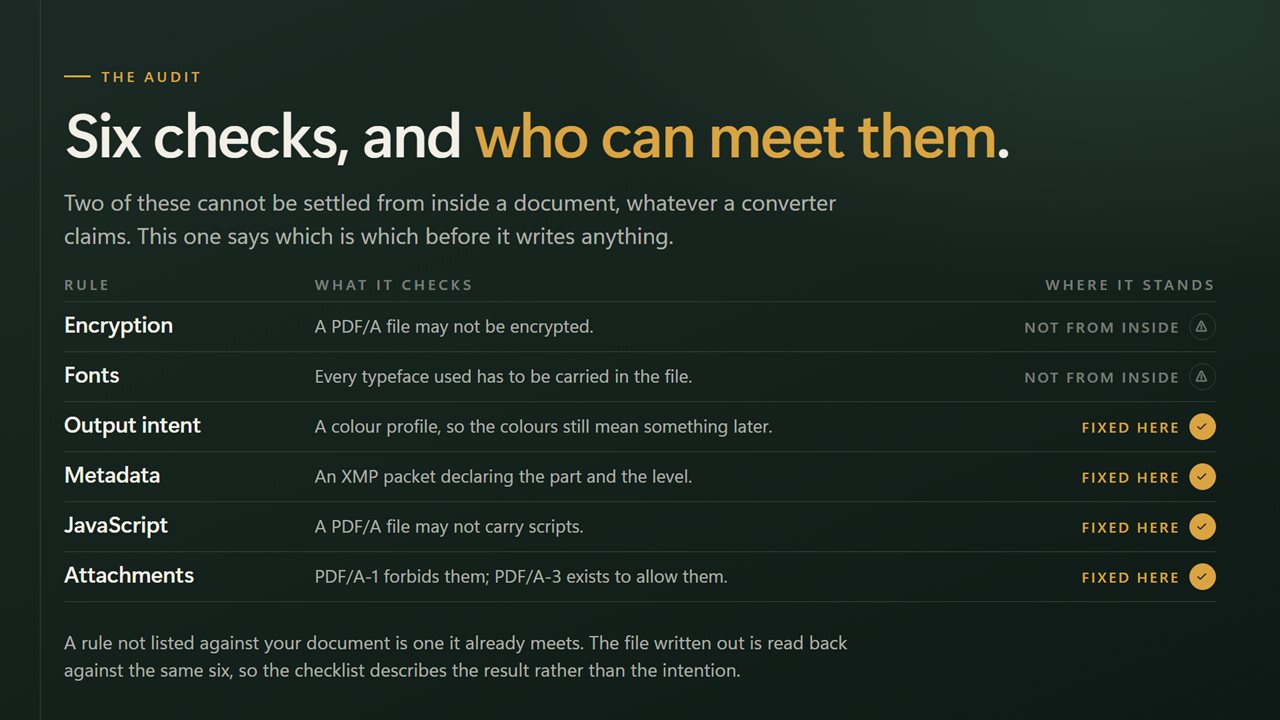
Each document is audited against the level you picked, and every rule is shown with its state: already met, fixed here, or not fixable from inside the file. Nothing is reported as converted when what actually happened was converted as far as it goes.
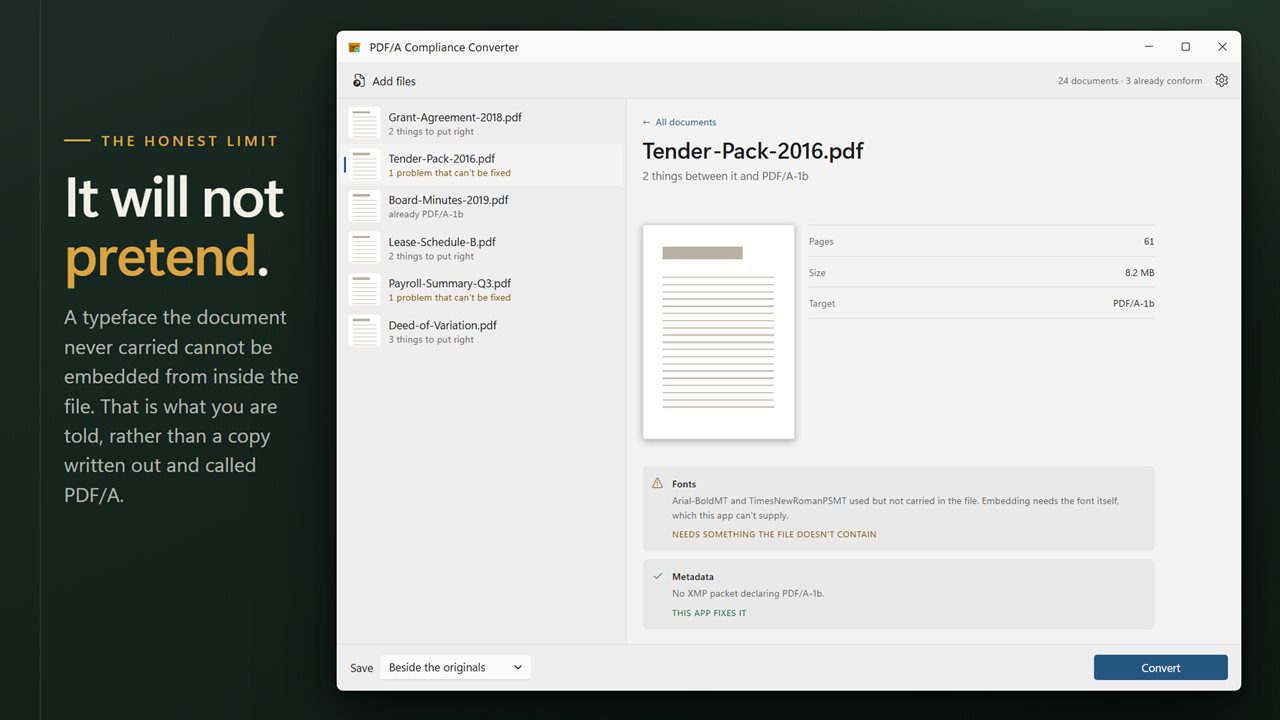
The honest limit is fonts. A document that references a typeface it does not embed cannot be made conformant by any amount of rewriting, because the font has to come from somewhere outside the file. When that is the situation, this app says so in as many words instead of writing something out and calling it PDF/A.
Four levels, explained
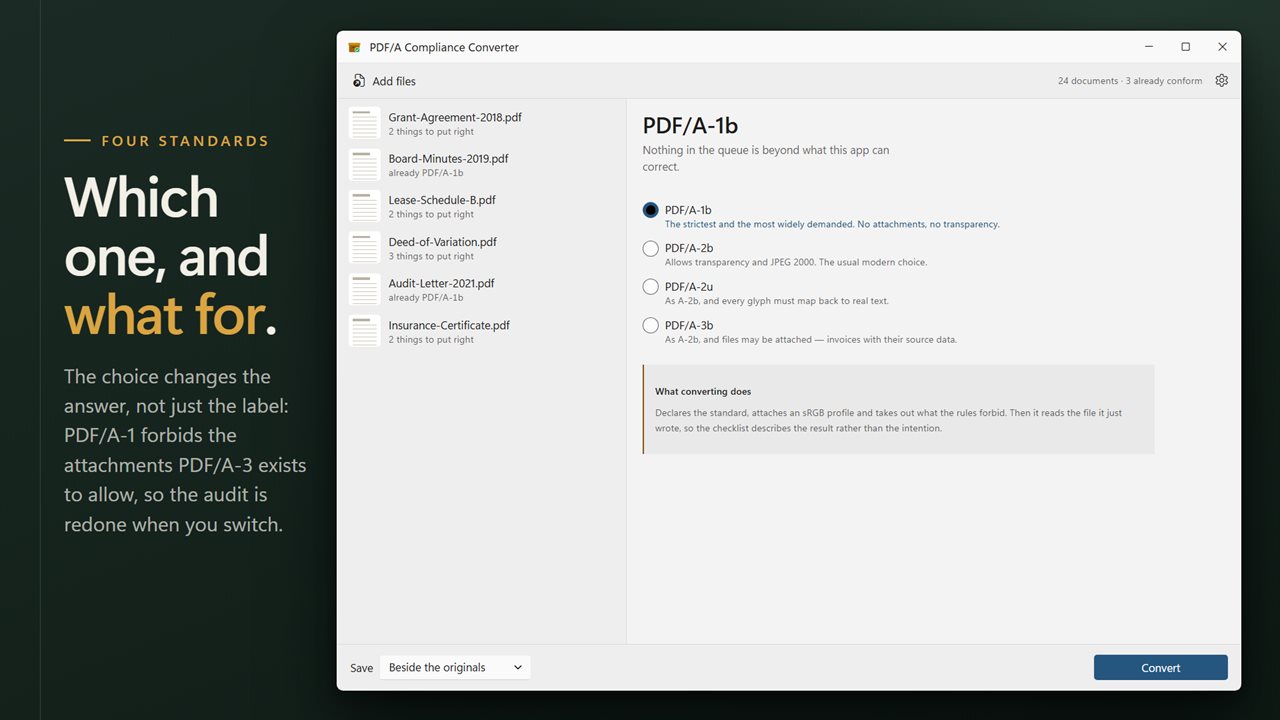
The choice changes the answer, not just the label: PDF/A-1 forbids the attachments PDF/A-3 exists to allow, so the audit is redone whenever you change level.
- PDF/A-1b — the strictest and the most widely demanded. No attachments, no transparency.
- PDF/A-2b — allows transparency and JPEG 2000. The usual modern choice.
- PDF/A-2u — as A-2b, and every glyph must map back to real text.
- PDF/A-3b — as A-2b, and files may be attached, which is how an invoice travels with its source data.
A whole folder at once
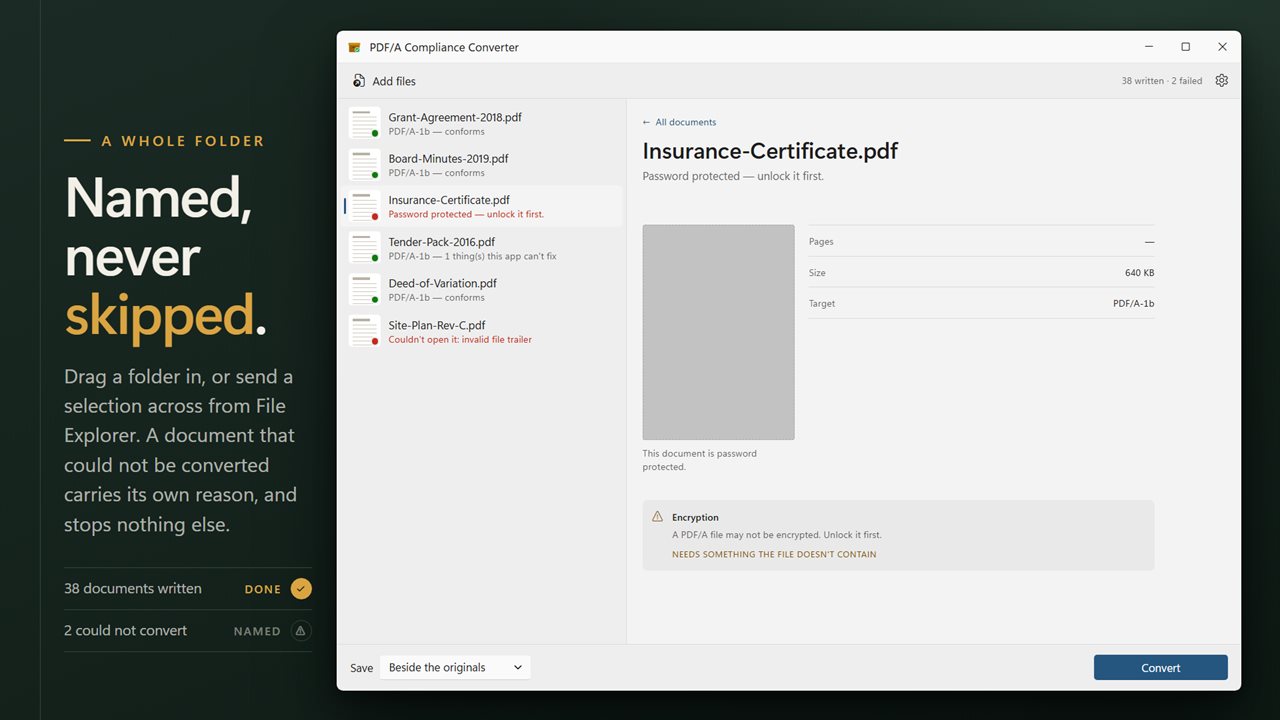
Drag a folder in, or select documents in File Explorer and send them across with Open with. Each row carries its page count, its size and a preview of the first page. Anything that could not be converted is named individually with the reason, and one problem document never stops the run.
Where the results go
Write converted copies beside the originals, or send them into a folder of their own.
On your PC, only
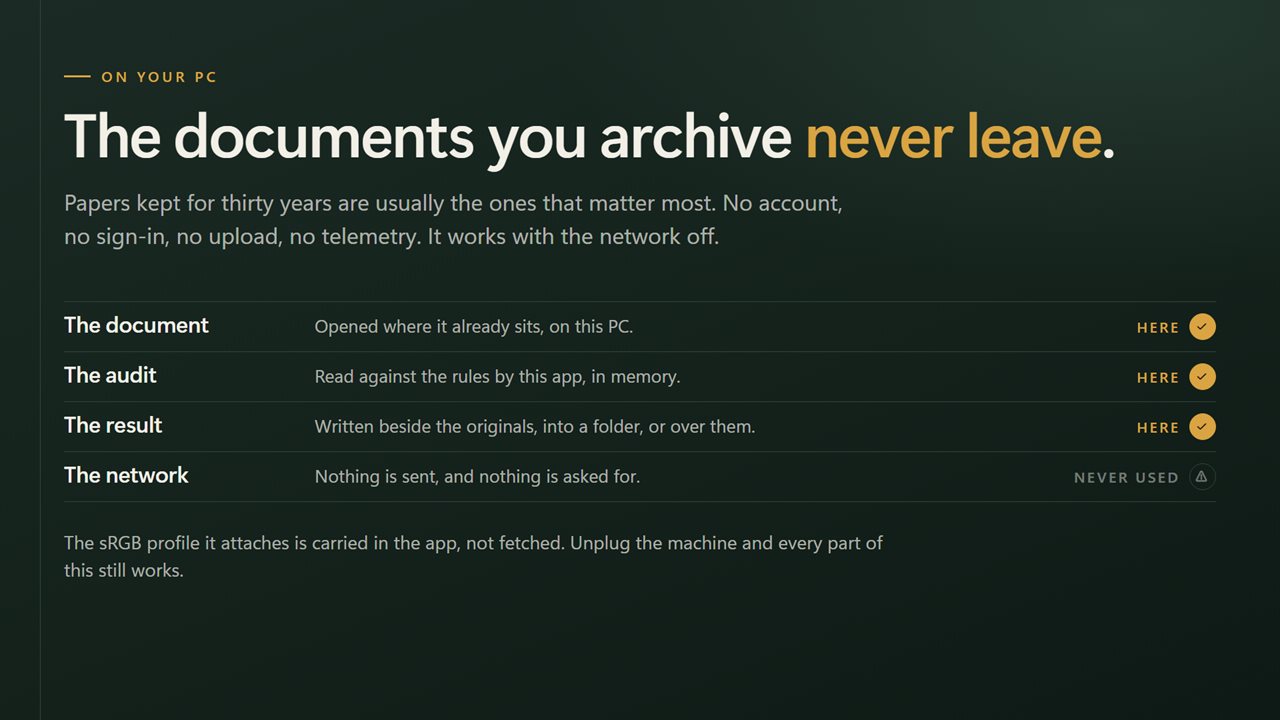
Documents being archived are usually the ones that matter most. No account, no sign-in, no upload, no telemetry. It works with the network off.
Features
- Converts to PDF/A-1b, PDF/A-2b, PDF/A-2u or PDF/A-3b
- Shows the conformance checklist on screen, rule by rule, before and after
- Marks each rule as fixed here or not fixable at all — never reports success it did not achieve
- Says plainly when a document needs fonts it does not carry, instead of claiming it converted
- Explains what each level is for, so the choice is not a guess
- Takes a whole folder at once — drag them in, or right-click a selection in File Explorer
- Write the results beside the originals, or into a folder you choose
- Names every document it could not process, and why, instead of quietly skipping it
- Cancel mid-run; everything already finished stays finished
- Runs entirely on your PC — no account, no upload, no server processing
Details
- Works on
- Windows 10 (1809 or later) and Windows 11
- Download
- About 16.4 MB
- Version
- 2.0.5, updated October 2026
- First released
- August 2022
- Price
- $2.99 once. No subscription.
- Category
- Utilities & tools
What's new in 2.0.5
- The conformance checklist is now on screen. Every rule is shown with its state, marked as already met, fixed here, or not fixable from inside the file
- The app no longer reports success when what it achieved was partial conversion. A document needing fonts it does not carry is now said to be exactly that
- Added PDF/A-2b, PDF/A-2u and PDF/A-3b alongside PDF/A-1b, each with a note on what it is for
- Now converts a whole folder in one pass
- A redesigned interface that follows your Windows light or dark theme
Questions
Anything else? Ask us
Which versions of Windows does it run on?
Windows 10 (version 1809 or later) and Windows 11.
Is it a subscription?
No. PDF/A Compliance Converter is a one-time purchase of $2.99, and updates are included.
How do I get it?
EvlarSoft apps are moving to direct downloads from this site. Ask to be notified and we will email you as soon as PDF/A Compliance Converter is ready to download.