PDF Images Extractor
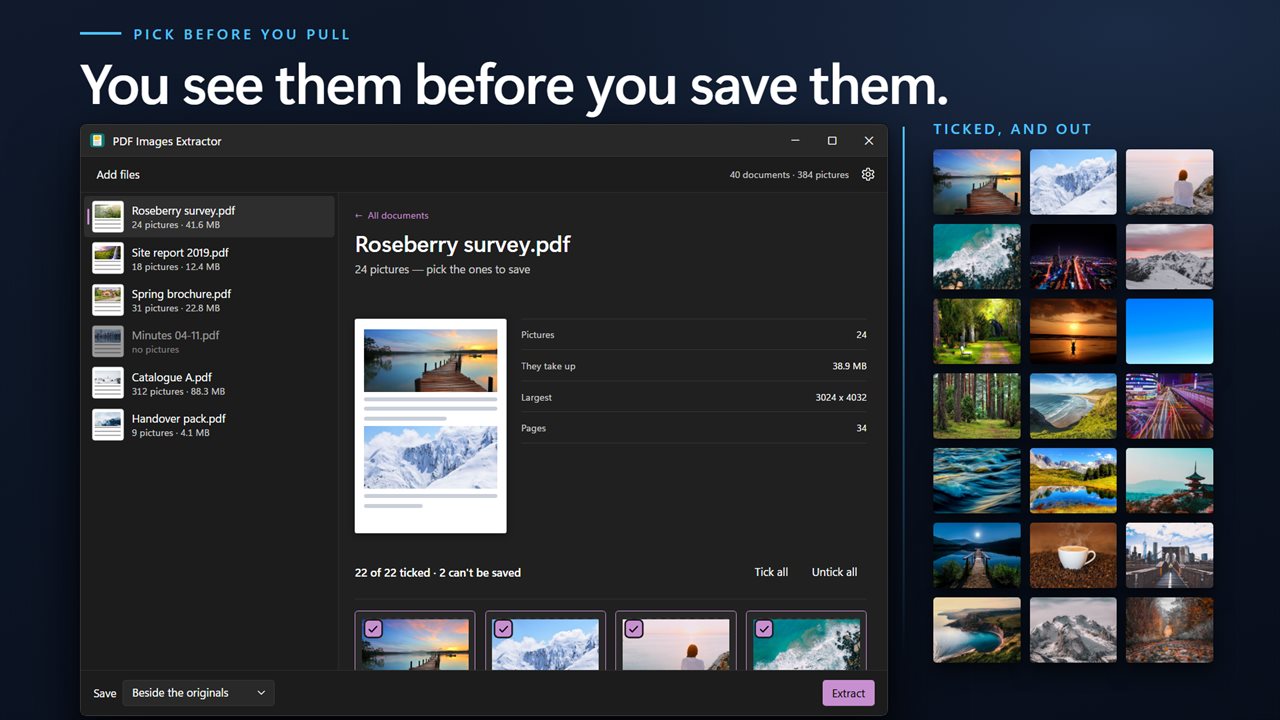
Two directions on one screen: take the pictures out of a document, or take them away. The second is the one nobody expects and often the one worth having — stripping the images off a 40 MB scanned report leaves a text document you can actually email. Every picture previews in a grid first, all ticked, so you extract the ones you want rather than all of them. Counts the whole queue up front. Nothing is uploaded.
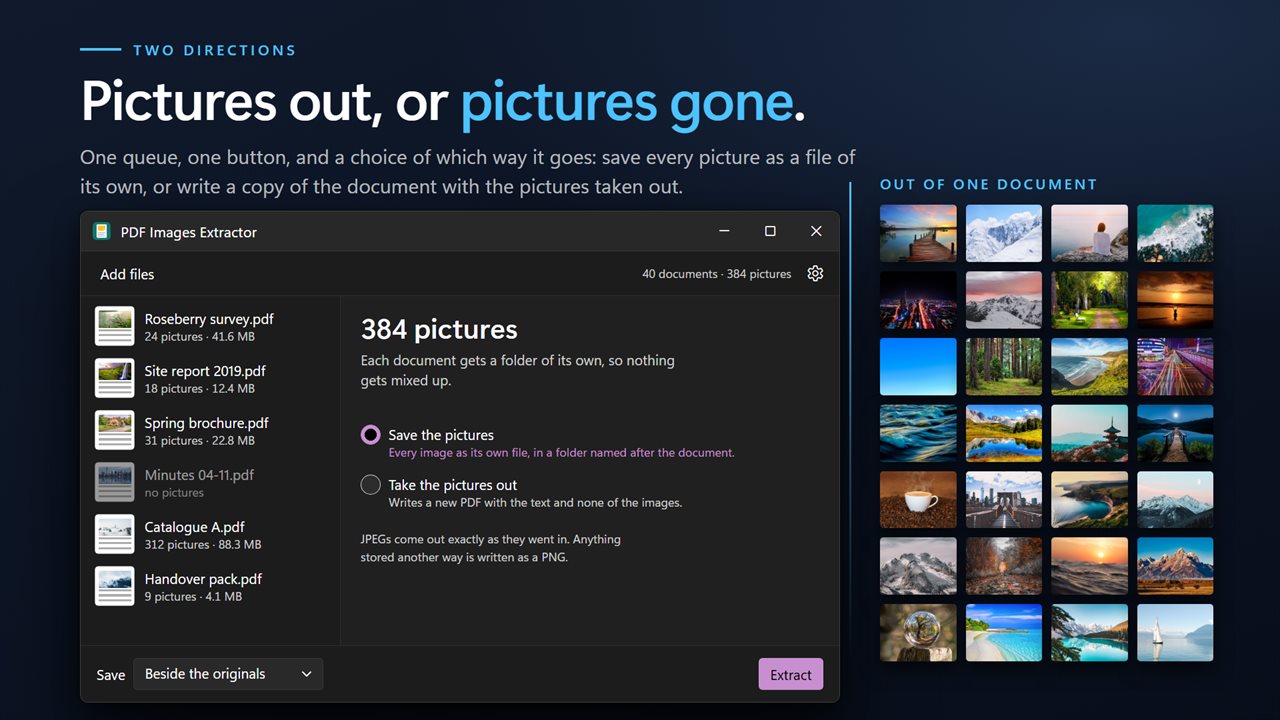
Take the pictures out, or take them away. Both directions, one screen.
See it in action
About PDF Images Extractor
Two things you might want from the pictures in a PDF, and most tools only do the first.
Take them out
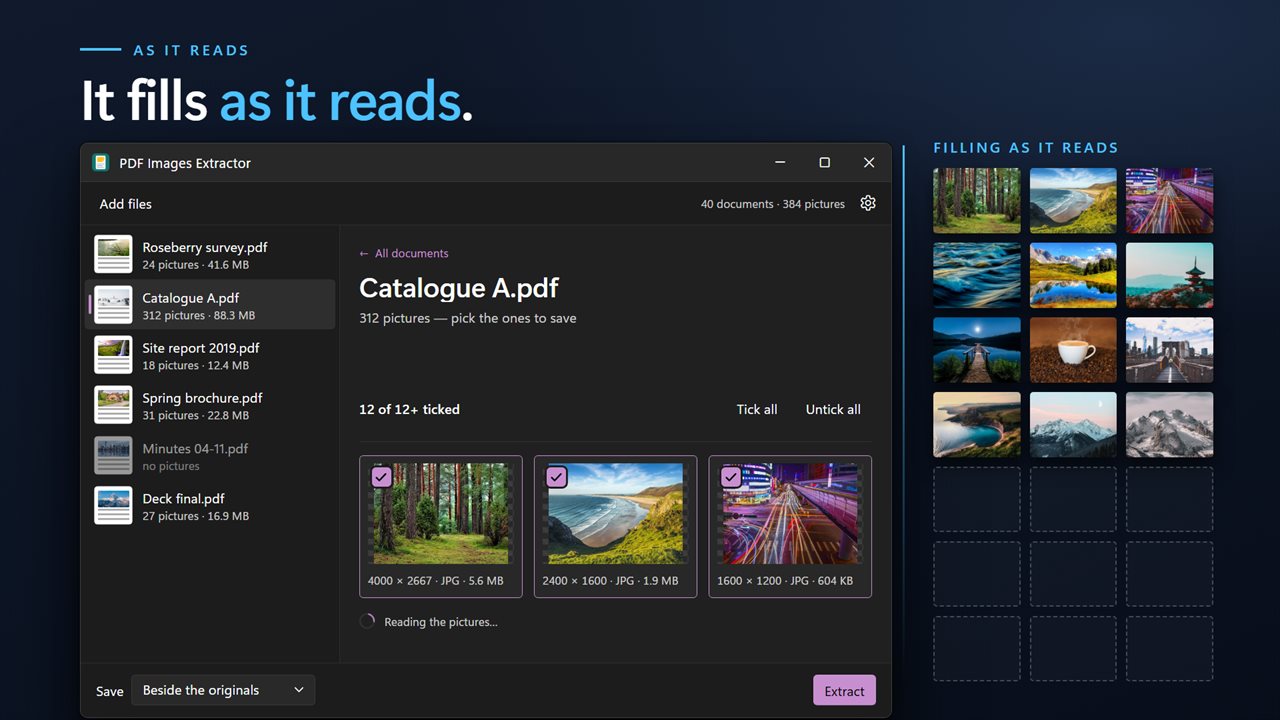
Every picture in the document, saved as its own file. They preview in a grid first — thumbnails, dimensions and format, everything ticked by default — so you can untick the logos and the page furniture and keep the four photographs you actually came for. The grid fills in as it reads, so a document with three hundred pictures starts showing them immediately rather than after it has finished.
Pictures are saved in the format the document already holds them in: JPEG where the document stored JPEG, PNG otherwise, so nothing is decoded and re-encoded on the way out.
Or take them away
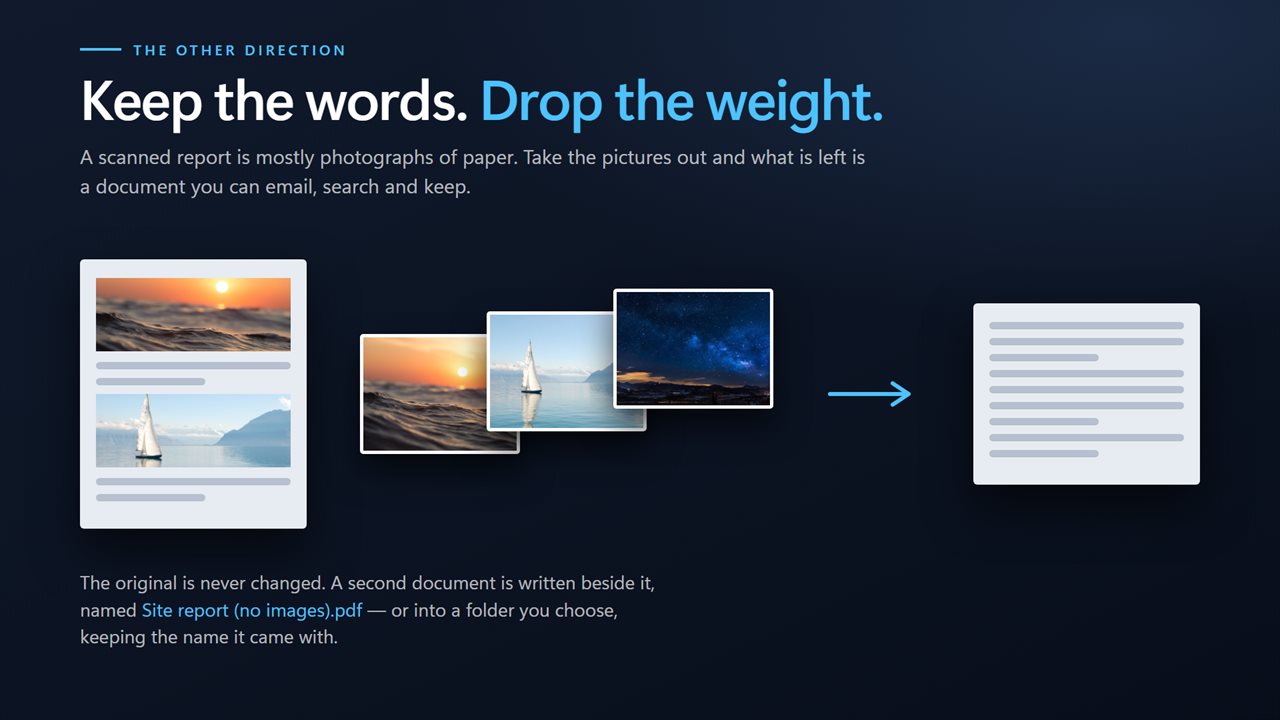
The direction nobody expects, and often the one worth having. A 40 MB scanned report is mostly photographs of paper. Strip the pictures out and what is left is a text document small enough to email, search and keep. It is the same queue and the same button — you just change the direction.
It counts the pile first
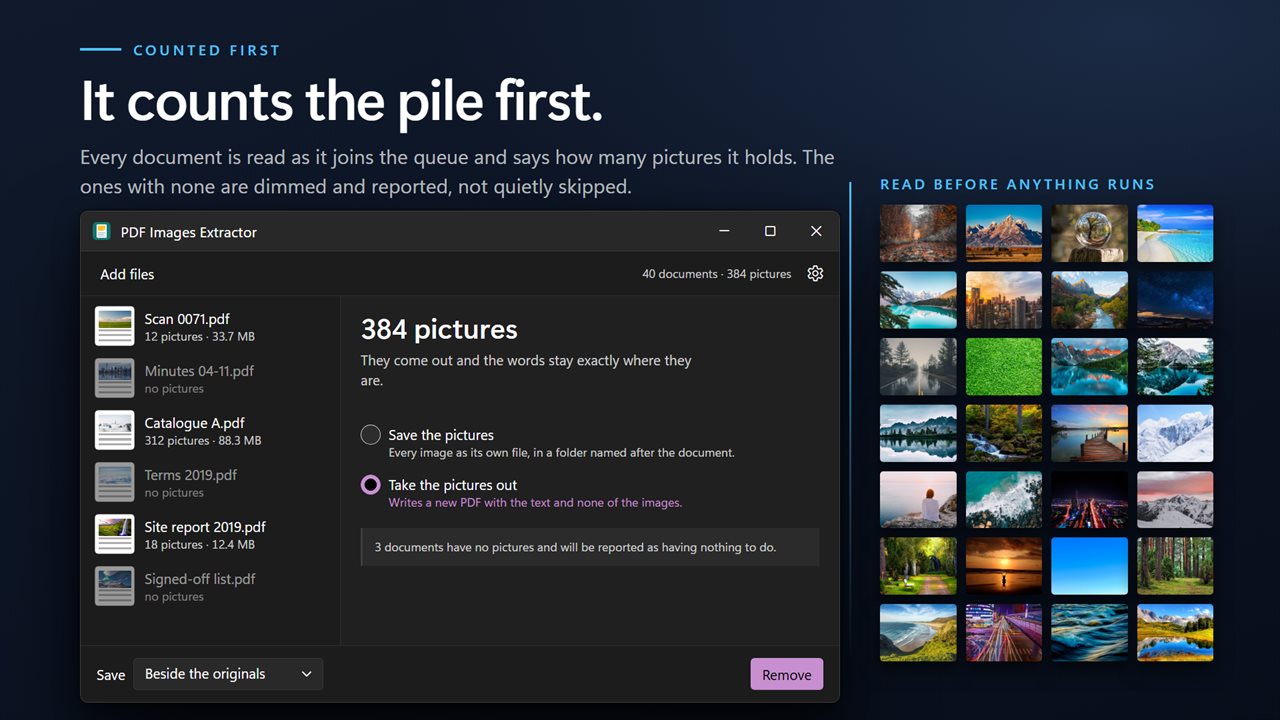
Every document is read as it joins the queue and reports how many pictures are in it. A queue of forty documents tells you what you are looking at up front, rather than finding out one file at a time as the run goes past.
Documents whose pictures cannot be read back — a handful of exotic encodings exist — are still shown and still counted, placed at the end of the grid rather than quietly dropped, so the number of tiles always matches the number the document says it has.
A whole folder at once
Drag a folder in, or select documents in File Explorer and send them across with Open with. Each row carries its page count, its size and a preview of the first page. Anything that could not be processed is named individually with the reason.
Where the results go
Beside the originals, or into a folder of their own.
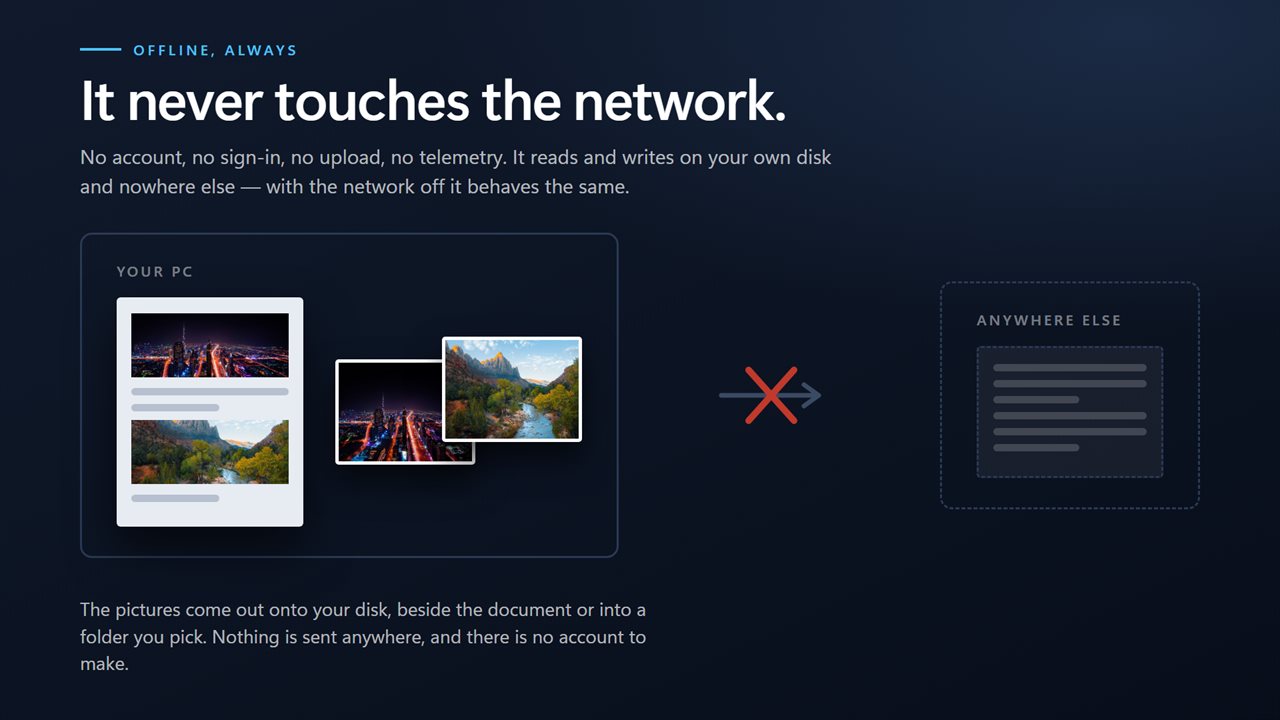
On your PC, only
No account, no sign-in, no upload, no telemetry. It works with the network off.
Features
- Take the pictures out, or take them away — both directions in one app
- Stripping the pictures off a scanned report leaves something you can actually email
- Every picture previews in a grid before you extract, and you tick the ones you want
- Counts the pictures in every document up front, so a queue of forty tells you what is in it
- Saves as JPEG or PNG, keeping whatever the document already held
- Takes a whole folder at once — drag them in, or right-click a selection in File Explorer
- Write the results beside the originals, or into a folder you choose
- Names every document it could not process, and why, instead of quietly skipping it
- Cancel mid-run; everything already finished stays finished
- Runs entirely on your PC — no account, no upload, no server processing
Details
- Works on
- Windows 10 (1809 or later) and Windows 11
- Download
- About 16.4 MB
- Version
- 2.0.5, updated October 2026
- First released
- August 2022
- Price
- $1.99 once. No subscription.
- Category
- Utilities & tools
What's new in 2.0.5
- Both directions are now on one screen. Earlier versions could extract pictures or remove them, but only ever showed one of the two at a time
- Added a preview grid: every picture in the document as a thumbnail, all ticked, so you extract the ones you want rather than all of them
- Every document in the queue is now counted up front, so a folder of forty says what is in it before anything runs
- Pictures that cannot be decoded are shown and counted at the end of the grid instead of being dropped, so the tile count always matches the document's own
- Now takes a whole folder in one pass
- A redesigned interface that follows your Windows light or dark theme
Questions
Anything else? Ask us
Which versions of Windows does it run on?
Windows 10 (version 1809 or later) and Windows 11.
Is it a subscription?
No. PDF Images Extractor is a one-time purchase of $1.99, and updates are included.
How do I get it?
EvlarSoft apps are moving to direct downloads from this site. Ask to be notified and we will email you as soon as PDF Images Extractor is ready to download.