Picture in Picture
Keep a video, a call or any app in view while you work. Picture in Picture floats web pages and live windows from other apps in small always-on-top players you can crop, fade, snap to a corner and click straight through.
Picture in Picture in 35 seconds
See it in action
About Picture in Picture
Picture in Picture keeps what you are watching in a small window above everything else: a video, a stream, a web page, or a live window from any other app.
Any window, live
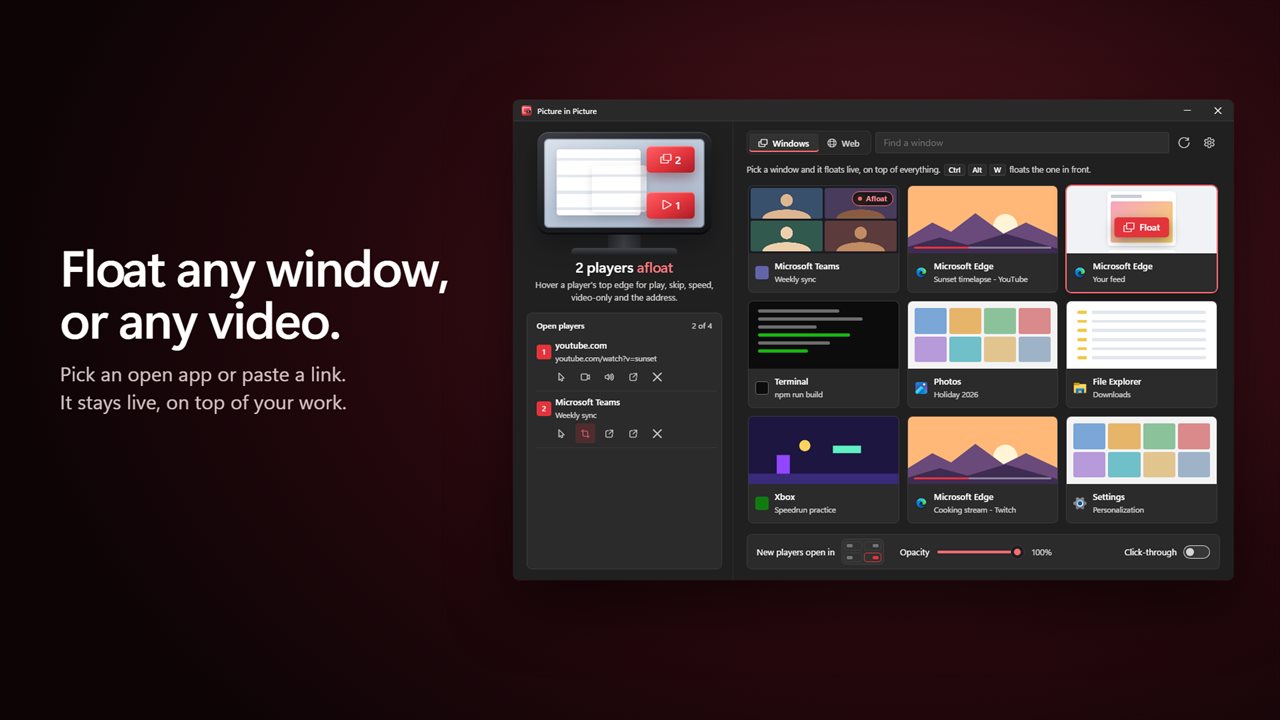
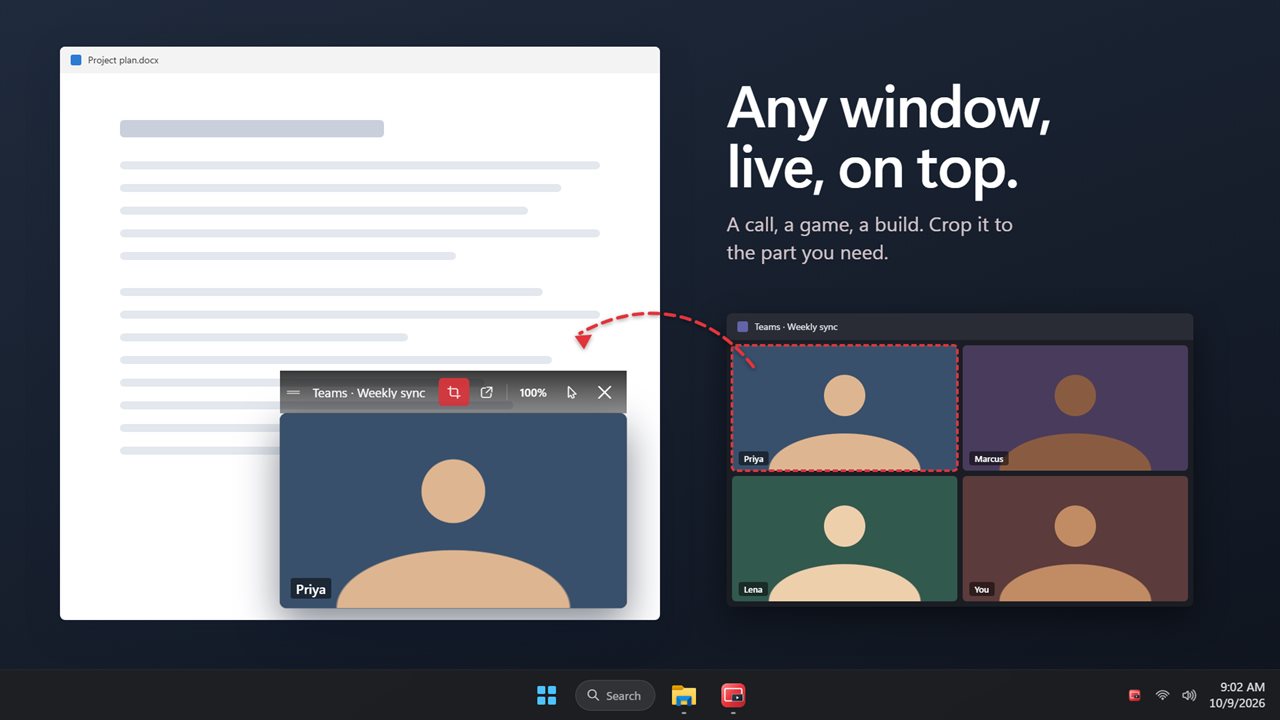
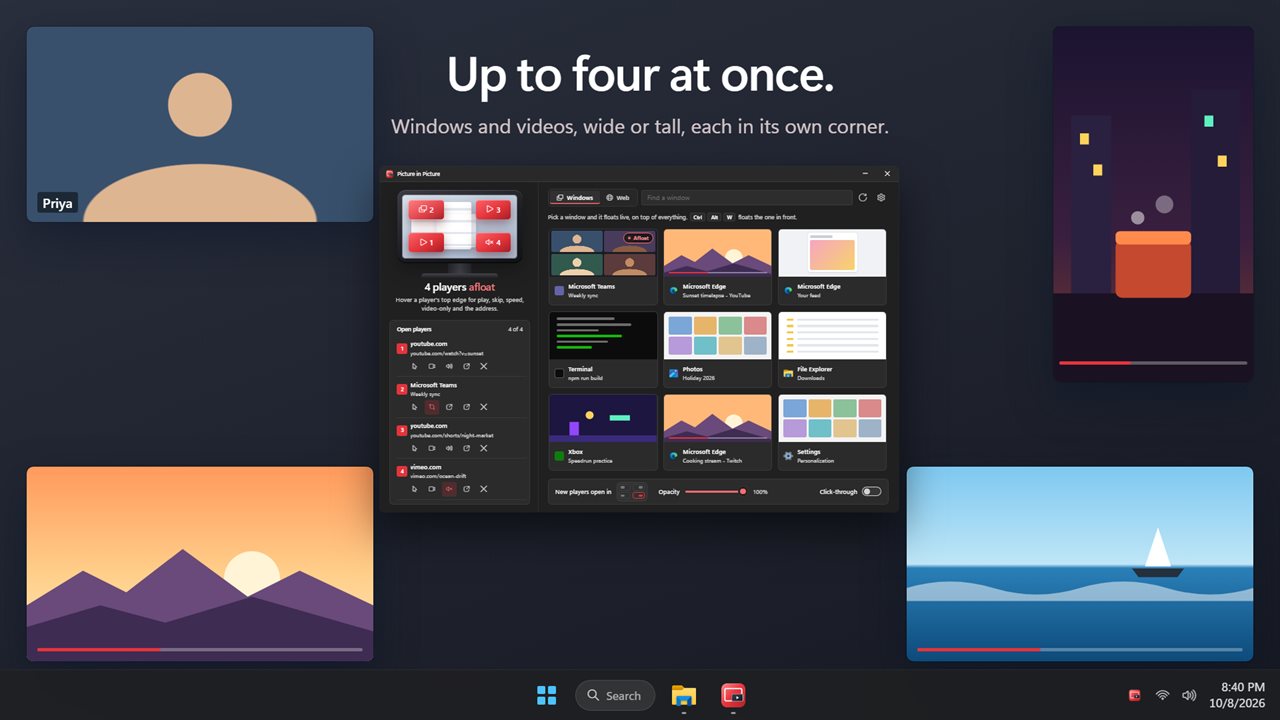
Pick any open window, or press Ctrl+Alt+W, and it floats in a player that stays on top while you work in something else. A video call, a game, a build, a dashboard, a chat. It is live, drawn by Windows itself, so the app behind it keeps running at full speed. Crop it to the part you care about, such as one speaker in a meeting or the progress bar of a long render, The player is a view of the window, so clicks don't reach it; double-click the player to jump straight to the window.
Float a web page
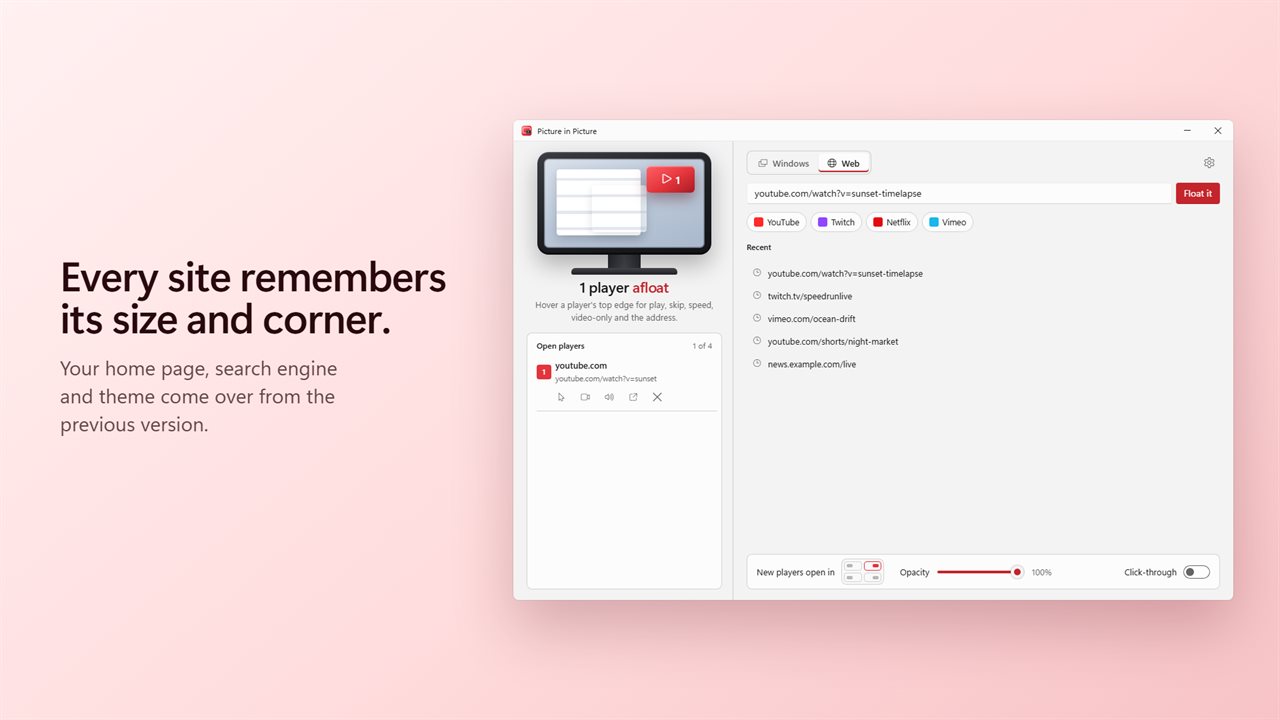
Paste a link, or type what you are looking for, and press Float it. YouTube, Twitch, Netflix and Vimeo are a click away, and the address box suggests your recent sites. Up to four players can float at once, web pages and windows mixed.
Just the video
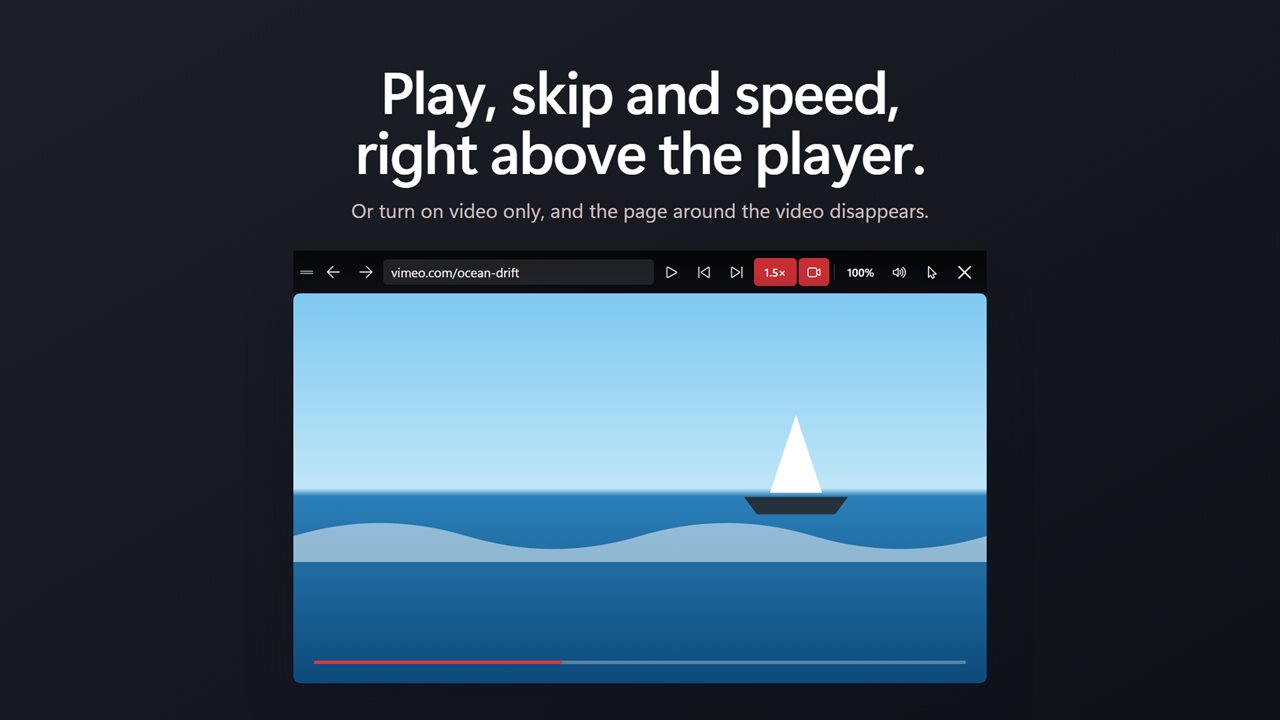
Turn on video only and the video fills the player edge to edge, with the rest of the page hidden: no comments, no sidebar, no menus. Click the video to pause it. The player's bar has play and pause, ten seconds back or ahead, and playback speed from 0.5x to 2x, and they work on any site that plays video.
A player that stays out of the way
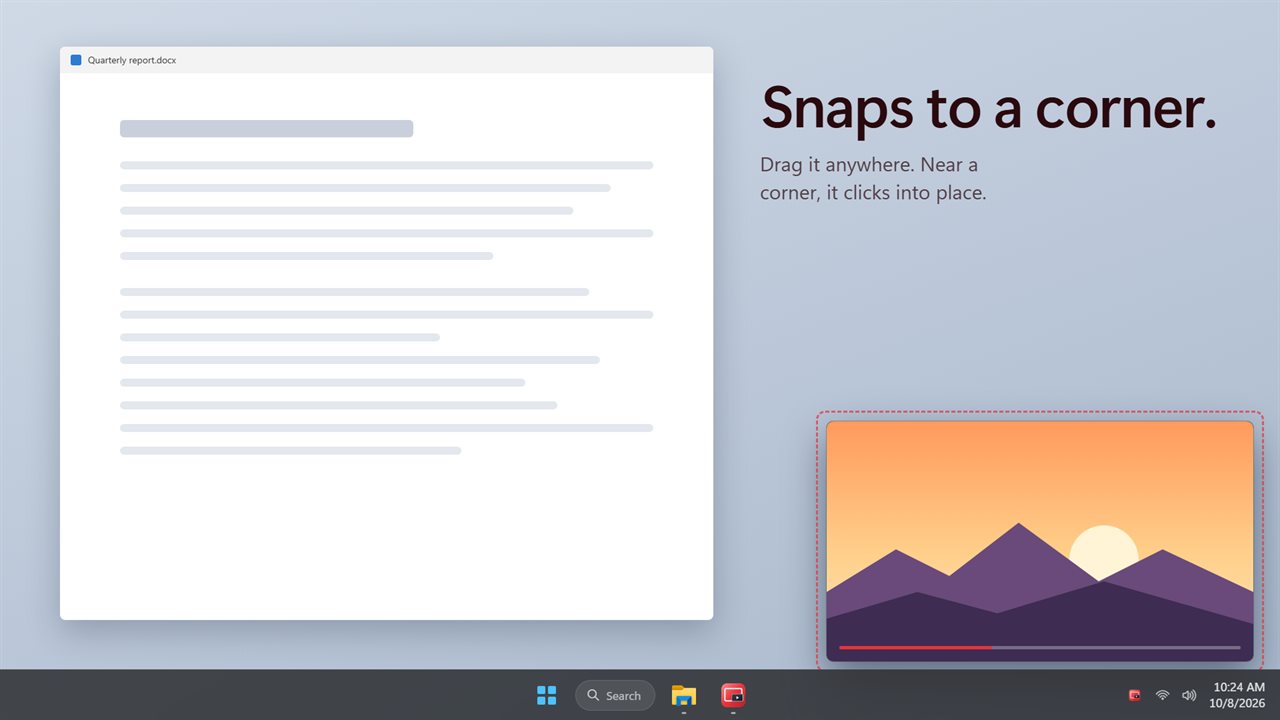
Each player is a small frameless window. Move the pointer to its top edge and a slim bar appears with its controls, just above the player and off the picture. Drag a player anywhere, and near a corner it snaps into place. Resize it to any shape, and each site or app remembers the size and corner you gave it last time.
See through, click through
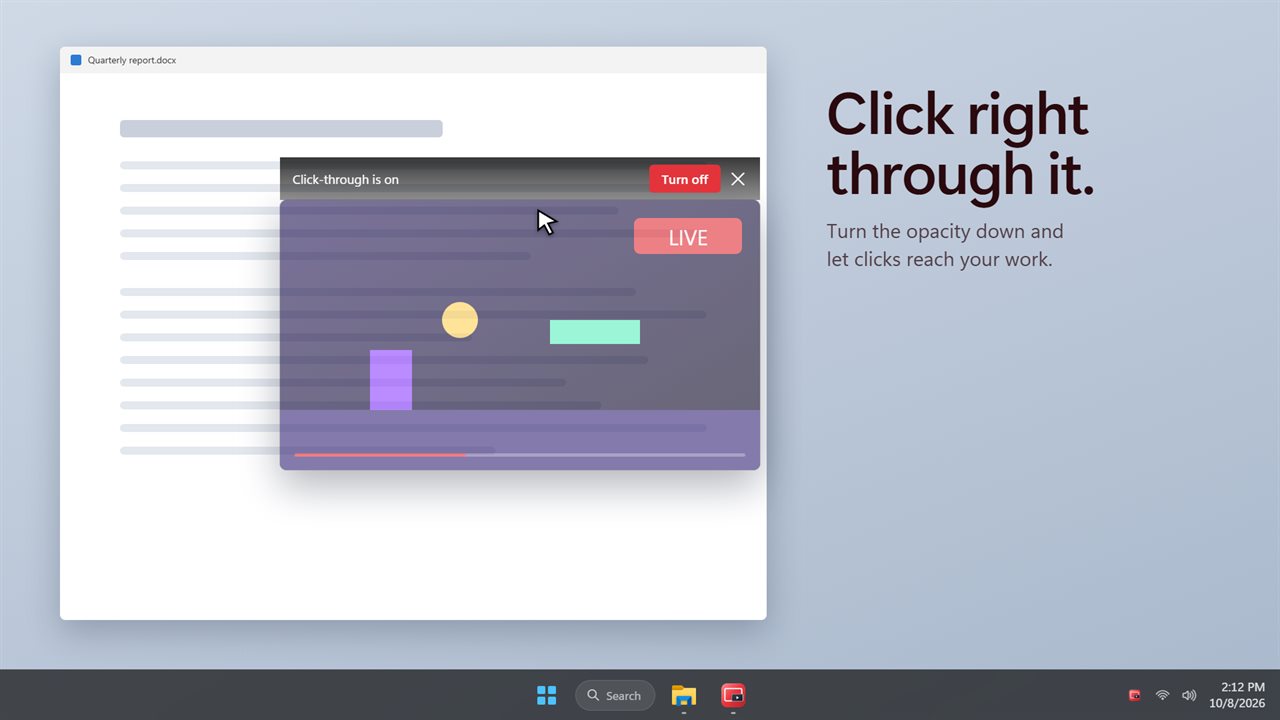
Turn the opacity down to see your work behind the player. Turn on click-through and your clicks pass to the window underneath. Or turn on peek, and a player fades while the pointer rests on it.
Shortcuts everywhere
From any app: Ctrl+Alt+W floats the window in front, Ctrl+Alt+P hides or shows every player, Ctrl+Alt+Space plays or pauses, Ctrl+Alt+Left and Right skip ten seconds, and Ctrl+Alt+T turns click-through off.
If you used the previous version, your home page, search engine, theme and keep-on-top choice come with you.
Features
- Float any app's window, live and always on top: a call, a game, a build, a dashboard. It is a view; double-click it to jump to the window
- Crop a floating window to just the part you need, like one speaker or a progress bar
- Ctrl+Alt+W floats the window in front, from any app
- Float any web page: paste a link or a search, or pick YouTube, Twitch, Netflix or Vimeo
- Video only: the page's video fills the player and everything else on the page is hidden
- Play, pause and skip 10 seconds back or ahead from the player's bar, on any site
- Playback speed from 0.5x to 2x, kept as the player moves from video to video
- Shortcuts that work in any app: hide or show players, play or pause, skip, and turn click-through off
- Peek: a player fades while the pointer rests on it, so you can read what is underneath
- Click-through: clicks pass to the window underneath, so the player never gets in the way
- Opacity from 30% to fully solid
- Up to four floating players at once, web pages and windows mixed
- Drag a player anywhere, or near a corner and it snaps into place
- Resize to any shape. Each site and app remembers its last size and corner
- Mute any web player, or start new players muted
- Every player has its own taskbar button, and the tray icon hides, shows or closes them all
- Your home page, search engine, theme and keep-on-top choice carry over from the previous version
Details
- Works on
- Windows 10 (1809 or later) and Windows 11
- Download
- About 2.9 MB
- Version
- 2.0.3, updated October 2026
- First released
- June 2022
- Price
- $3.99 once. No subscription.
- Category
- Entertainment
What's new in 2.0.3
- New: float any app's window, live, and crop it to the part you need
- New: shortcuts that work in any app, including Ctrl+Alt+W to float the window in front
- New: video only, so the video fills the player and the page around it disappears
- New: play, pause, skip ten seconds and playback speed from the player's bar
- New: peek, which fades a player while the pointer rests on it
- New: up to four floating players at once, snapping to corners and remembering their size
- New: opacity, click-through and mute for each player
Questions
Anything else? Ask us
Which versions of Windows does it run on?
Windows 10 (version 1809 or later) and Windows 11.
Is it a subscription?
No. Picture in Picture is a one-time purchase of $3.99, and updates are included.
How do I get it?
EvlarSoft apps are moving to direct downloads from this site. Ask to be notified and we will email you as soon as Picture in Picture is ready to download.