Quick Clipboard
Everything you copy, kept in the corner of your screen. Press Ctrl+Alt+C from any app, click a line to use it again, star the ones you need every day and paste them with Ctrl+Alt+1 to 9. Link your phone to copy across both ways.
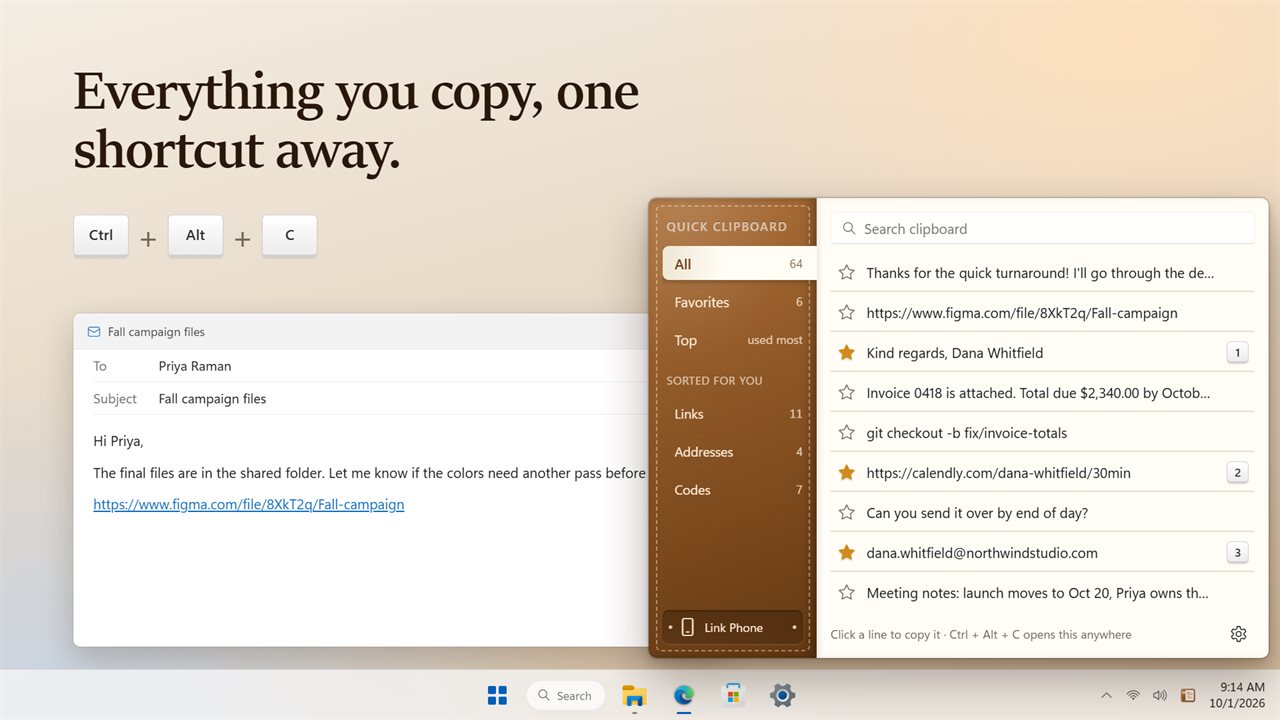
Everything you copy, one shortcut away.
See it in action
About Quick Clipboard
Copied something ten minutes ago and copied over it since? Quick Clipboard keeps everything you copy, so it is never lost.
One shortcut away
Press Ctrl+Alt+C in any app and your history opens in the corner of the screen, with the search box ready. Click a line to copy it again, or have it pasted straight into the app you were in. Press Esc, or click anywhere else, and it is out of the way. Pick your own shortcut in Settings if you like.
Favorites that stay put
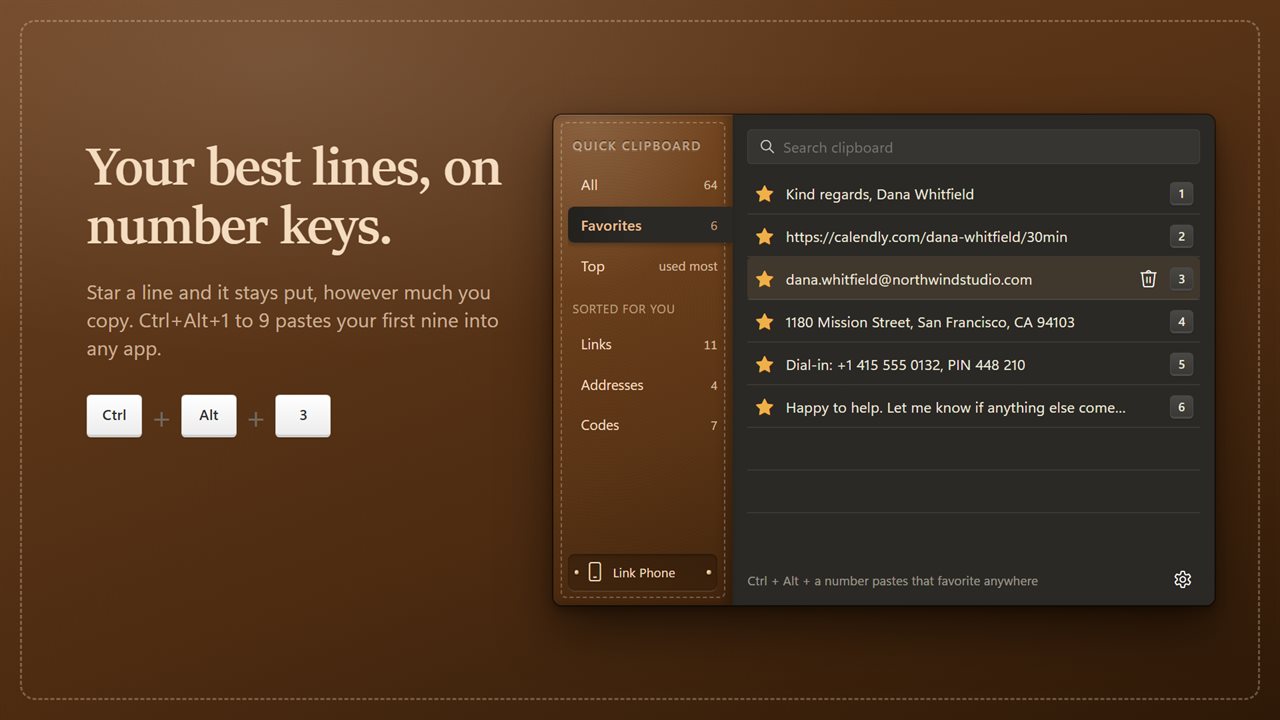
Star the lines you use every day: your sign-off, your address, a booking link. Favorites never drop off, however much you copy. Your first nine get a number, and Ctrl+Alt+1 to 9 pastes them into whatever you are typing in, without opening anything.
Sorted for you
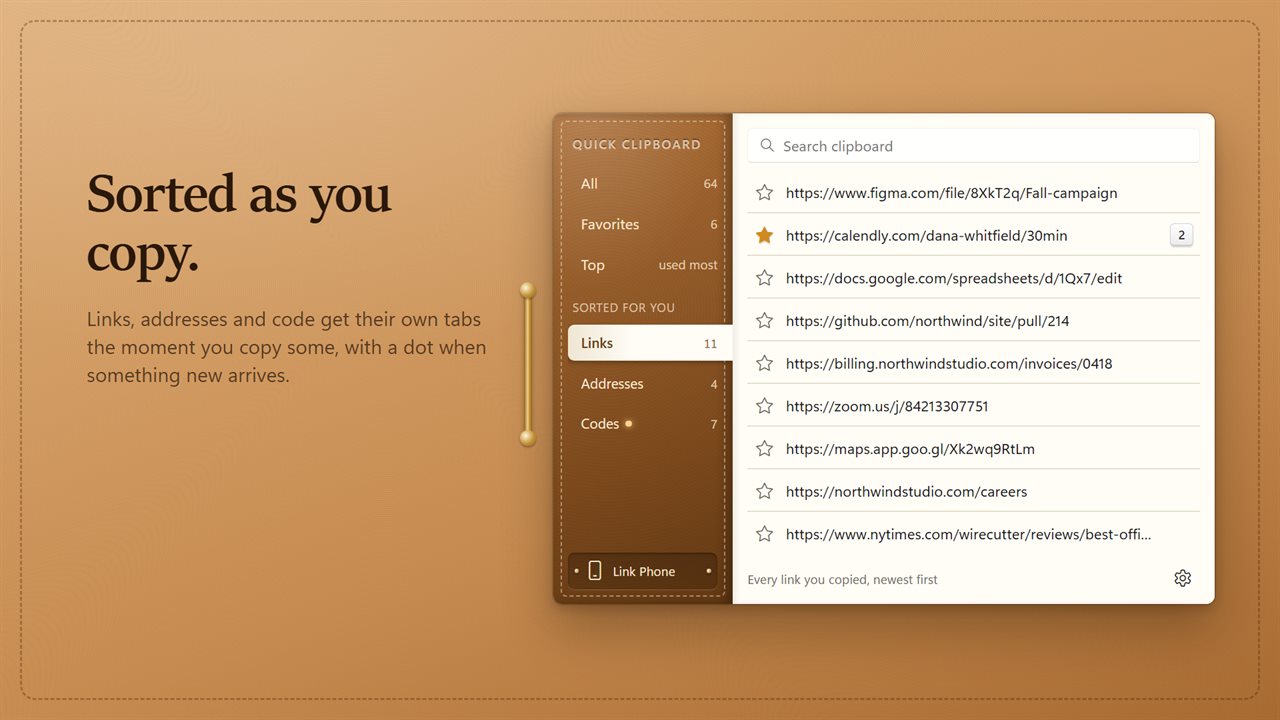
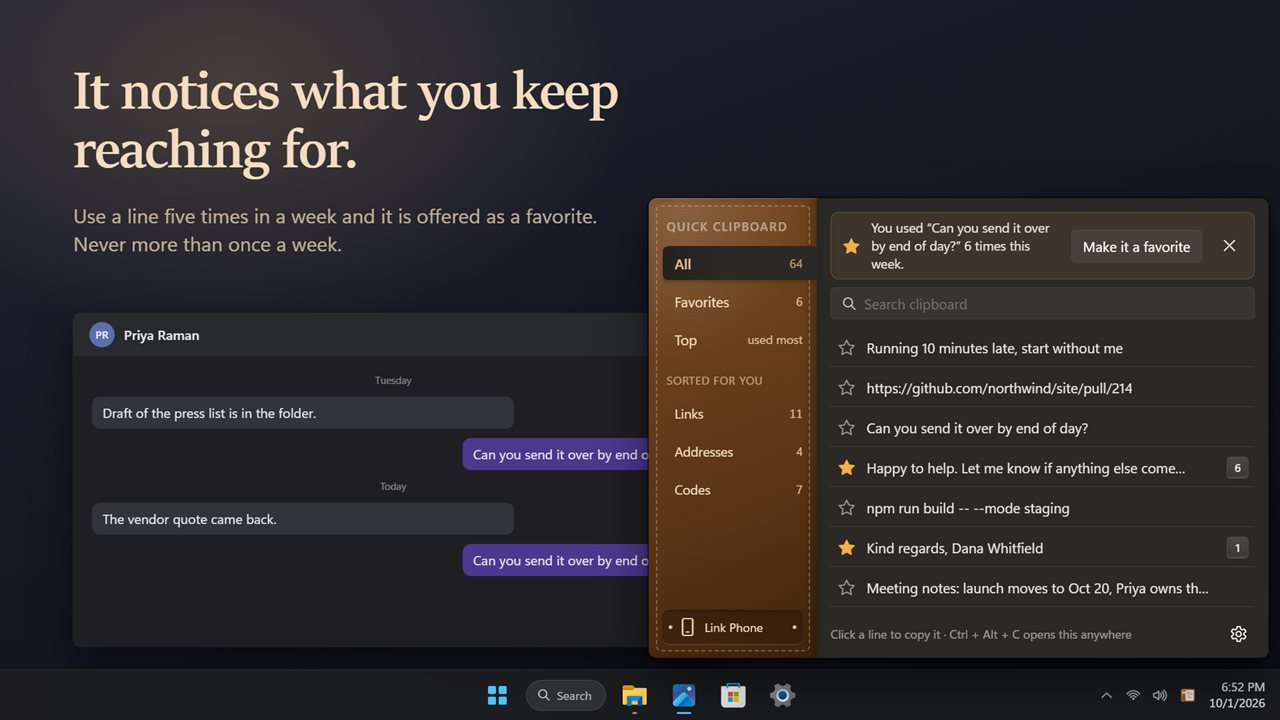
The Top tab shows the lines you use most. Links, addresses and code each get their own tab as soon as you copy some, with a dot when something new arrives. And if you keep using a line that is not a favorite yet, it offers to make it one, at most once a week.
Your phone, too
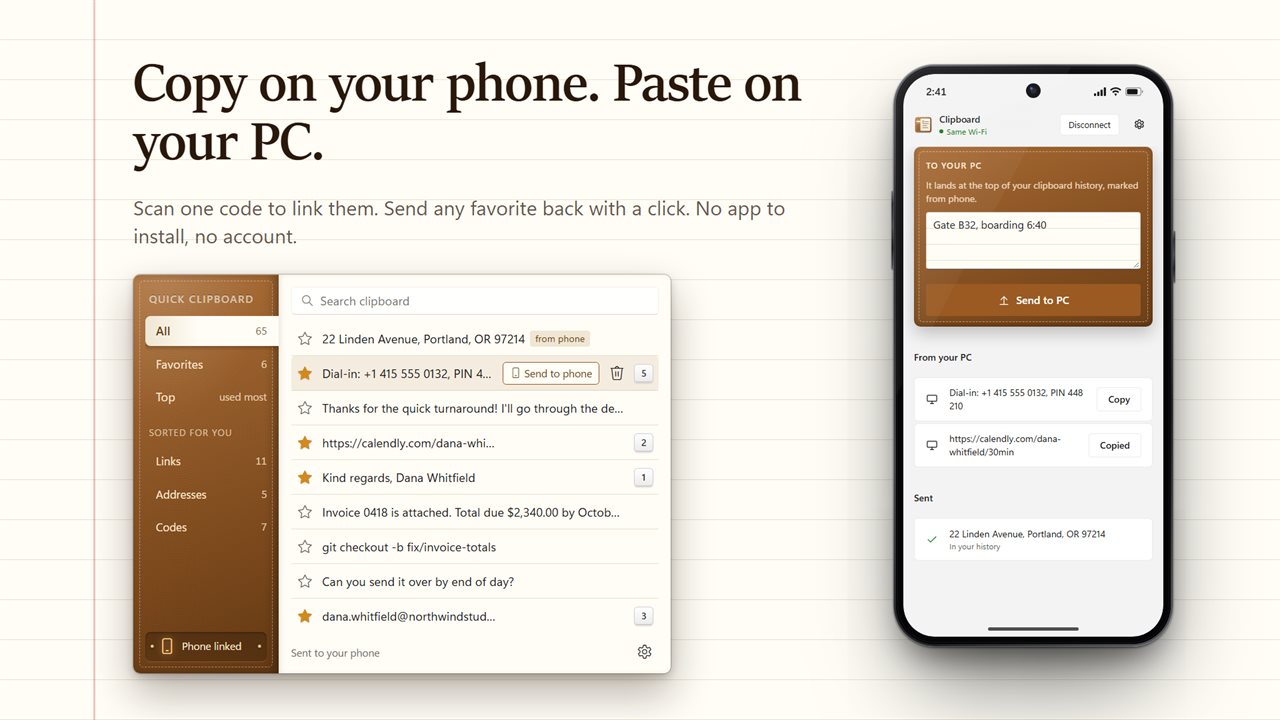
Scan a code with your phone's camera to link it. Copy something on your phone and it lands at the top of your history, marked from phone. Send any favorite back to your phone with one click. There is no app to install and no account.
Private
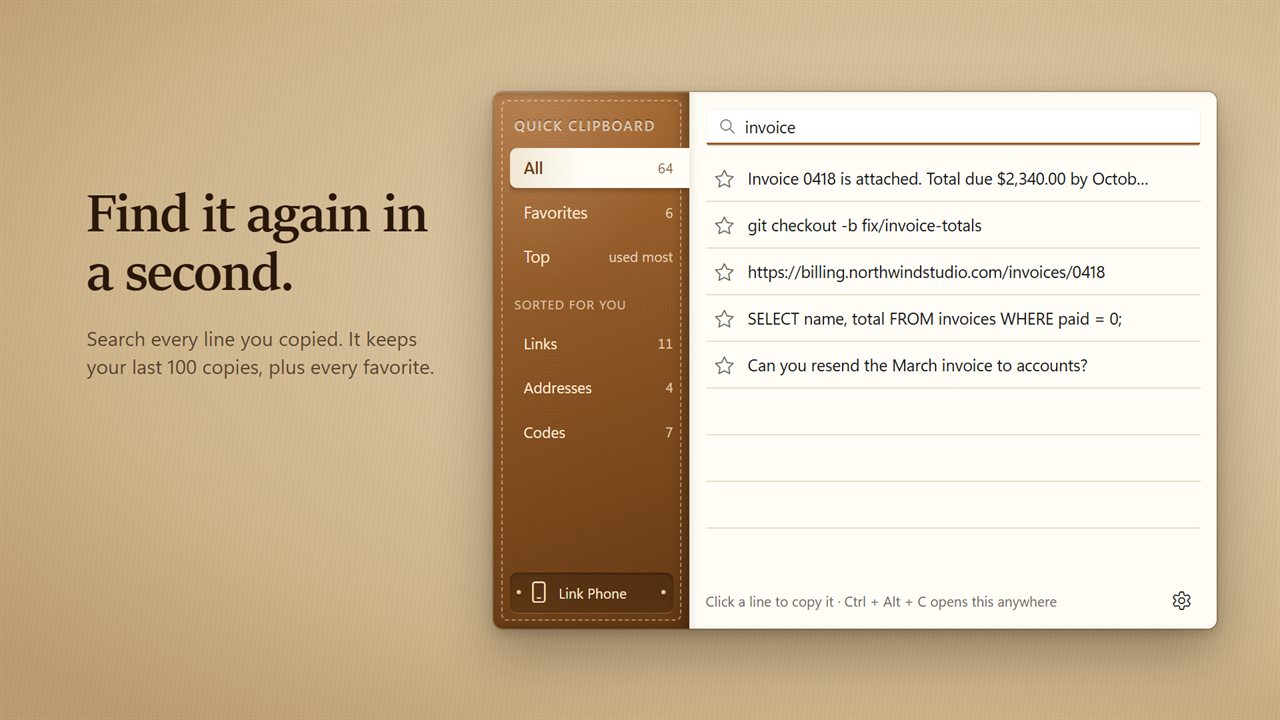
Your history is kept on your PC. Passwords copied from a password manager are left out. It keeps your last 100 copies plus every favorite, and Clear history takes the rest away whenever you like.
Upgrading?
Your history, favorites and use counts from earlier versions carry over the first time you open it.
Features
- Everything you copy is written down in the corner of your screen
- Press Ctrl+Alt+C from any app to open it, or pick your own shortcut. Esc puts it away
- Click a line to copy it again, or have it pasted straight into the app you were in
- Search every line you copied
- Star the lines you use all the time. Favorites stay put, however much you copy
- Ctrl+Alt+1 to 9 pastes your first nine favorites into whatever you are typing in
- The Top tab shows the lines you use most
- Links, addresses and code get their own tabs as soon as you copy some
- A gentle suggestion, at most once a week, when you keep using a line that is not a favorite yet
- Copy on your phone and it lands in your history, marked from phone. Send any favorite back to your phone
- Linking your phone is one scan of a code. No app to install and no account
- Passwords copied from a password manager are left out
- Keeps your last 100 copies, plus every favorite
- Your history, favorites and counts from earlier versions carry over
- Waits in the notification area and can start with Windows. Light and dark themes, or match Windows
Details
- Works on
- Windows 10 (1809 or later) and Windows 11
- Download
- About 3.1 MB
- Version
- 2.0.2, updated October 2026
- First released
- December 2022
- Price
- $2.49 once. No subscription.
- Category
- Productivity
What's new in 2.0.2
- New: Ctrl+Alt+1 to 9 pastes your favorites into any app
- New: tabs for links, addresses and code, sorted for you
- New: copy on your phone and it lands in your history. Send favorites back to your phone
- New: a weekly suggestion when a line you use a lot is not a favorite yet
- New: paste a line straight into the app you were in, and pick your own shortcut
- Fixed: the history now keeps your last 100 copies, not just 10
- Fixed: deleting a line now stays deleted
- Your history, favorites and counts carry over
Questions
Anything else? Ask us
Which versions of Windows does it run on?
Windows 10 (version 1809 or later) and Windows 11.
Is it a subscription?
No. Quick Clipboard is a one-time purchase of $2.49, and updates are included.
How do I get it?
EvlarSoft apps are moving to direct downloads from this site. Ask to be notified and we will email you as soon as Quick Clipboard is ready to download.