Quick CPU Stress Tester
Stress your processor on purpose and watch how it holds up. Pick how many threads, how hard and how long, then click the fan: it spins up with the load, its light ring shows every thread under test, and a report at the end tells you whether the processor kept its speed.

One click puts every thread of your processor under load.
See it in action
About Quick CPU Stress Tester
A stress test answers one question: does this PC hold up when it works flat out? Quick CPU Stress Tester puts a steady, controlled load on your processor and shows you what happens.
Spin it up
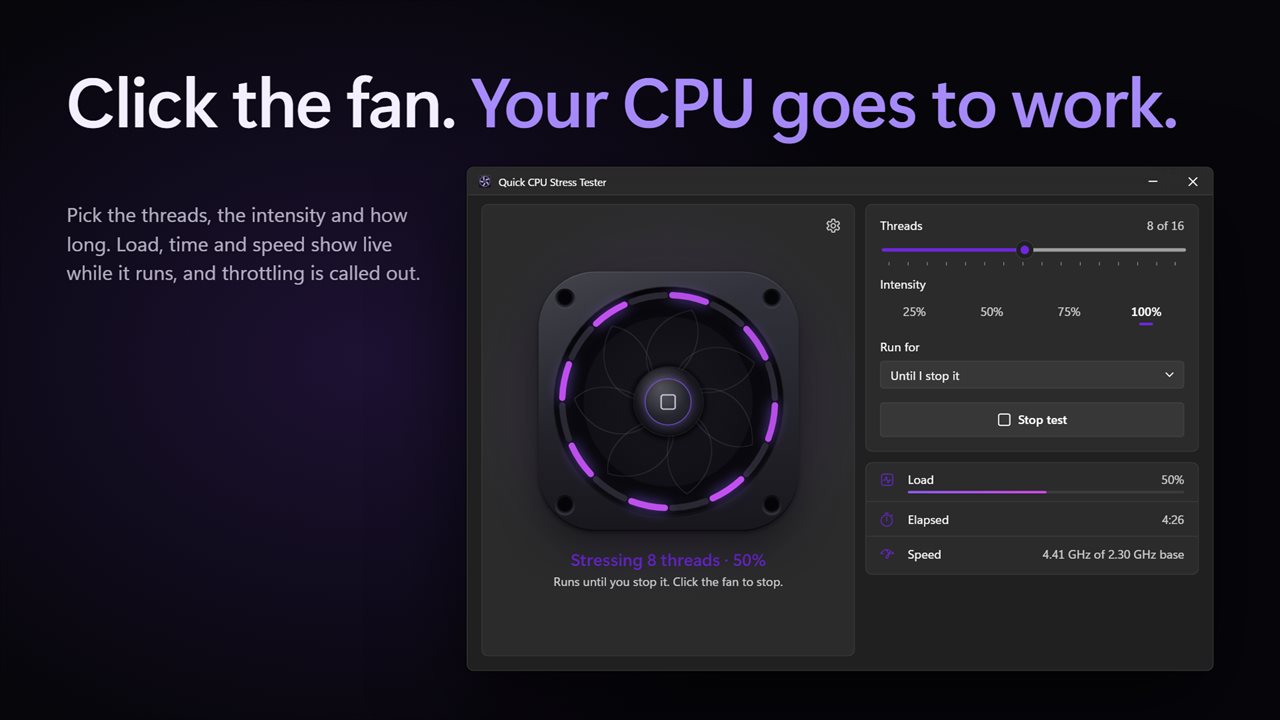
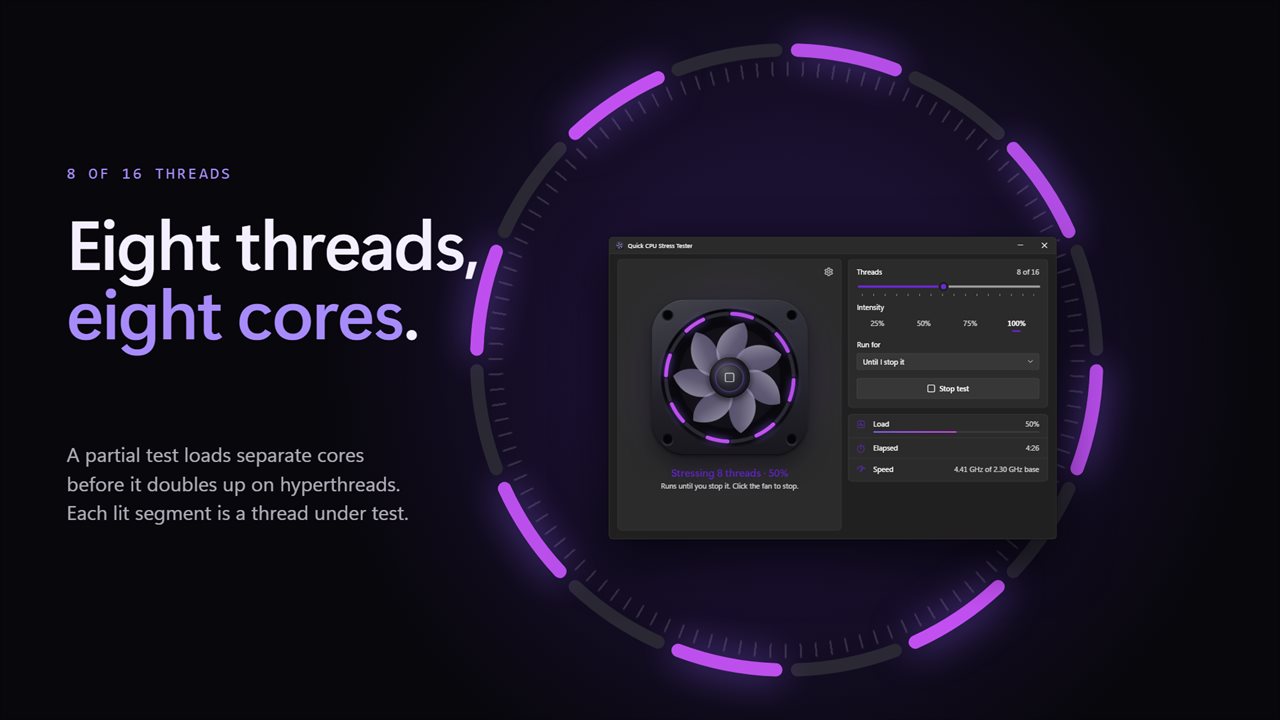
The app is built around a cooling fan. Click its hub to start. The blades spin faster as the load climbs, and the light ring around them has one segment for every logical processor. Segments for the threads under test light up violet and glow brighter as each one works harder.
Choose the test
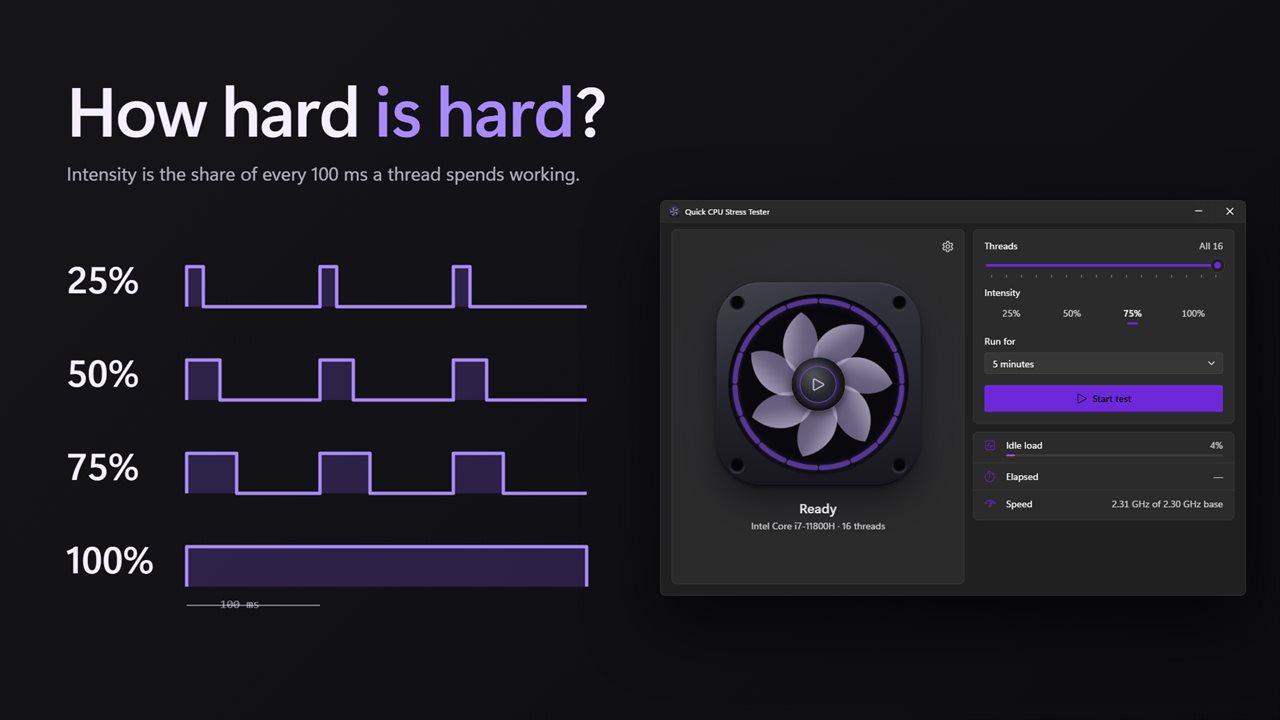
Pick how many threads to load, from one to all of them. Pick the intensity, 25%, 50%, 75% or 100%. Pick how long, 1, 5, 10 or 30 minutes, or until you stop it. A partial test loads separate cores first before doubling up on hyperthreads, so four threads really means four cores working.
Watch it run
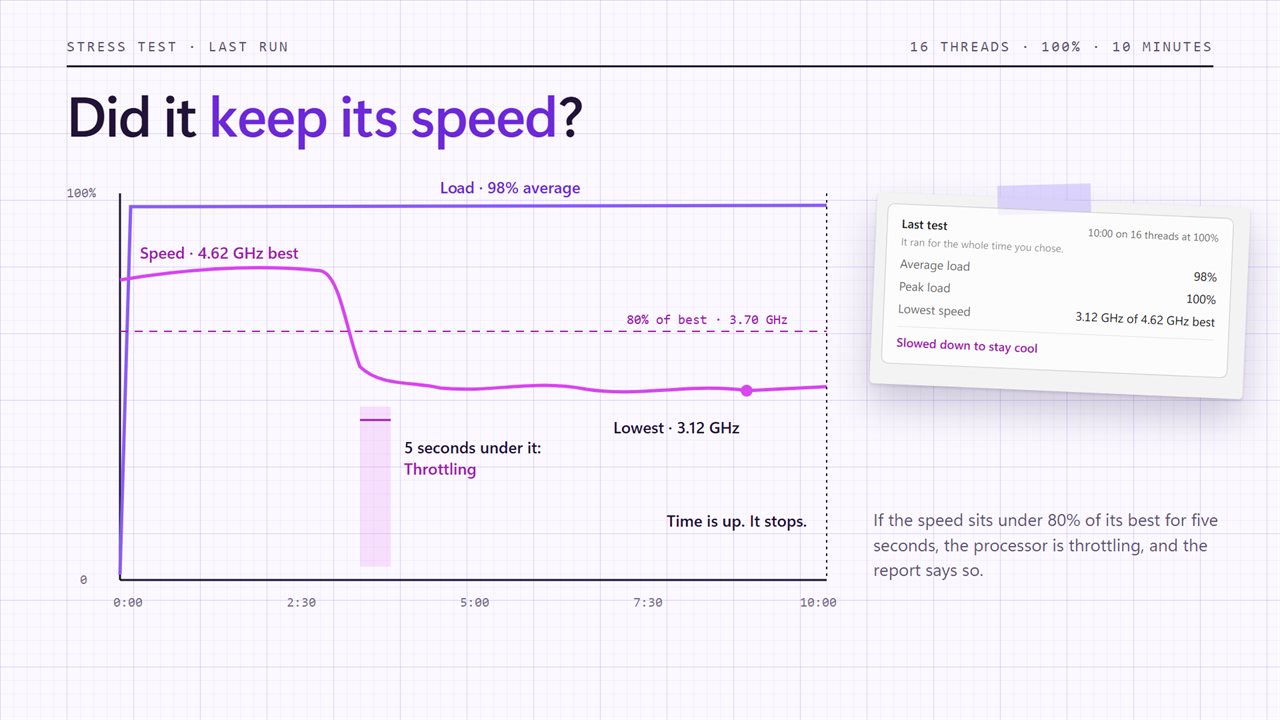
While a test runs you see the total load, the time elapsed and remaining, the speed the processor is running at against its base speed, and the battery level on a laptop. If the speed sits below 80% of its best for five seconds, the app flags throttling: the processor has slowed itself down, most likely to stay cool.
Read the result
When a test ends, a report shows how long it ran, the average and peak load, the lowest speed it fell to against its best, whether it throttled, and how much battery it used.
Safe by design
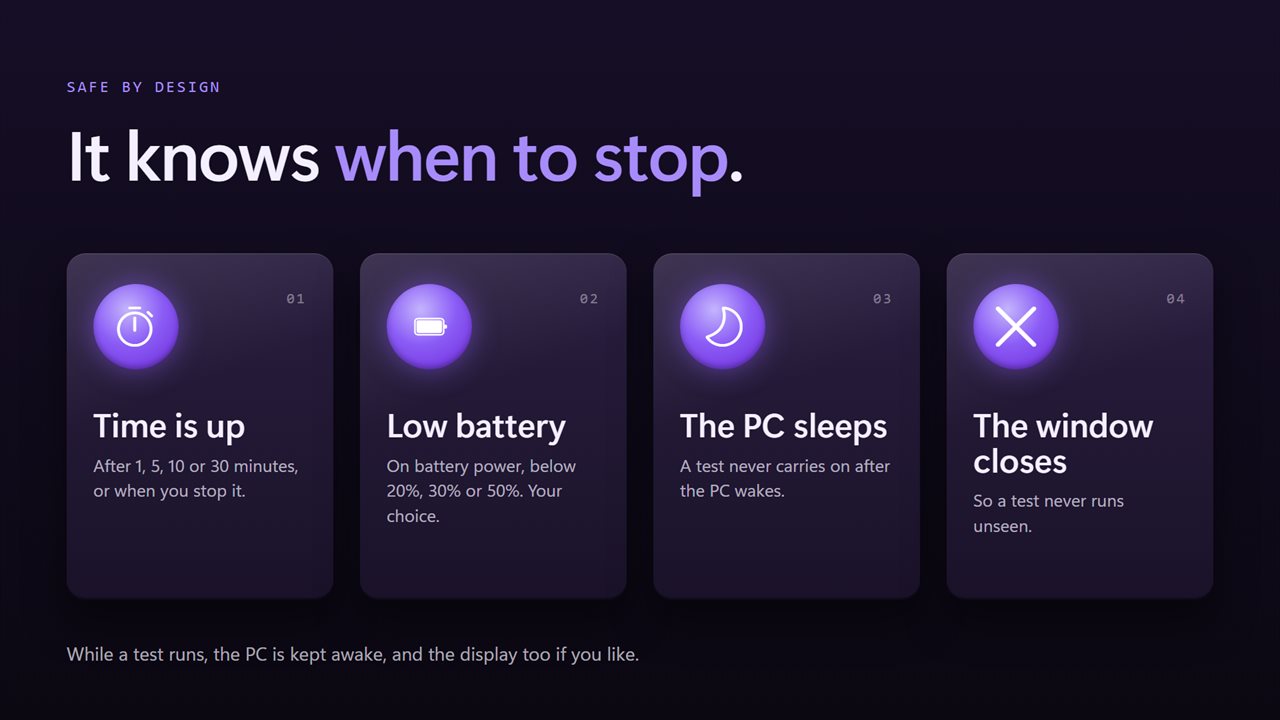
A test stops when you stop it, when its time is up, when the window closes, or if the PC goes to sleep. On battery power it can stop itself below 20%, 30% or 50%. The PC is kept awake for the length of a test, and you can keep the display on too.
Everything happens on this PC. There is no account, nothing is uploaded, and it works with no connection.
Features
- Put your processor under a steady load from one thread up to every logical processor it has
- Four intensities: 25%, 50%, 75% or 100% of each chosen thread
- Run for 1, 5, 10 or 30 minutes, or until you stop it
- A cooling fan that spins faster as the load rises, with a light ring segment for every thread
- Ring segments light up for the threads under test and glow brighter as each one works harder
- Click the fan to start or stop a test
- Live load, elapsed and remaining time, and current speed against base speed
- Throttling warning when the processor holds under 80% of its best speed for 5 seconds
- A report after every test: time, average and peak load, lowest speed, and battery used
- Stops on its own below 20%, 30% or 50% battery, if you choose
- Stops if the PC goes to sleep or the window closes, so a test never runs unseen
- Keeps the PC awake during a test, and optionally the display too
- Spreads a partial test across separate cores before doubling up on hyperthreads
- Dark theme by default, with light and match-Windows options
- Works offline, with no account and nothing uploaded
Details
- Works on
- Windows 10 (1809 or later) and Windows 11
- Download
- About 3.1 MB
- Version
- 2.0.3, updated October 2026
- First released
- August 2022
- Price
- $2.49 once. No subscription.
- Category
- Developer tools
What's new in 2.0.3
- New: a cooling fan that spins with the load, with a light ring segment for every thread
- New: choose threads, intensity (25% to 100%) and how long to run
- New: live speed against base speed, with a throttling warning
- New: a report after every test
- New: stops on low battery, when the PC sleeps or when the window closes
- New: keeps the PC awake during a test
- New: dark theme by default
Questions
Anything else? Ask us
Which versions of Windows does it run on?
Windows 10 (version 1809 or later) and Windows 11.
Is it a subscription?
No. Quick CPU Stress Tester is a one-time purchase of $2.49, and updates are included.
How do I get it?
EvlarSoft apps are moving to direct downloads from this site. Ask to be notified and we will email you as soon as Quick CPU Stress Tester is ready to download.